1
Appendix G: Troubleshooting
Two File Systems:
HaShared type: HAFS
HaManaged type: Reno3
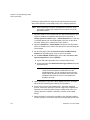
There are no other client computers.
Shasta is the Primary MDC before the Ethernet cable is pulled.
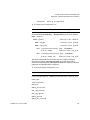
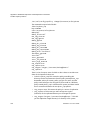
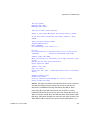
At one point after the Ethernet was pulled, cvadmin on Tahoe
showed:
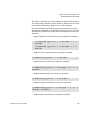
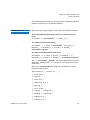
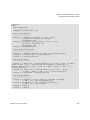
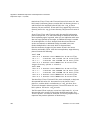
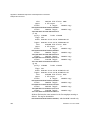
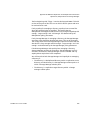
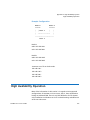
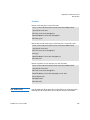
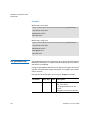
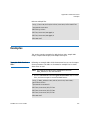
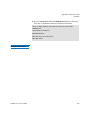
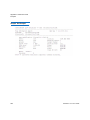
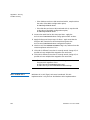
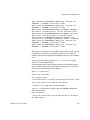
Tahoe:/usr/cvfs/config # cvadmin
StorNext Administrator
Enter command(s)
For command help, enter "help" or "?".
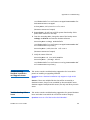
List FSS
File System Services (* indicates service is in control of FS):
1>*HAFS[0]
located on tahoe:50139 (pid 13326)
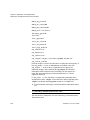
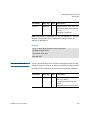
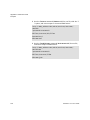
snadmin> select FSM "HAFS"
Admin Tap Connection to FSM failed: [errno 104]: Connection reset
by peer
FSM may have too many connections active.
Cannot select FSS "HAFS"
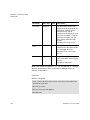
snadmin> start reno3
Start FSS "reno3"
Cannot start FSS 'reno3' - failed (FSM cannot start on non-Primary
server)
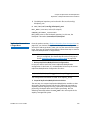
snadmin> activate reno3
Activate FSM "reno3"
Could not find File System Manager for "reno3" on Tahoe.
Cannot activate FSS reno3
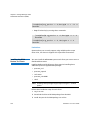
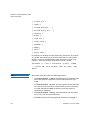
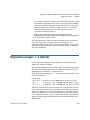
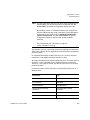
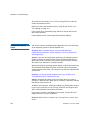
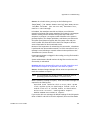
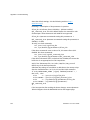
Answer: The reason the failover and HA Reset did not occur is because
the HaShared FSM on Shasta continues to be active, and this was
detected in the ARB block through the SAN by the FSM on Tahoe.
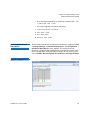
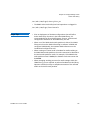
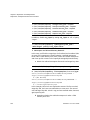
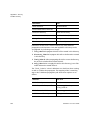
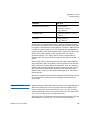
Here's why. When the LAN connection is lost on Shasta, its active
HaShared FSM continues to have one client: the Shasta MDC itself. On
Tahoe, an election is held when the LAN heartbeats from Shasta's HAFS
FSM stop, and Tahoe's FSM gets one vote from the client on Tahoe. The
Tahoe FSM is told to activate, but cannot usurp the ARB with a 1-to-1
StorNext 4.7.x User’s Guide
627