1
Converteon Management Software User’s Guide
Manually Setting the Date and Time.................................................................................................................................. 115
Menus......................................................................................................................................................................... 115
Web Browser .............................................................................................................................................................. 116
Configuring the Network Time Protocol Client................................................................................................................... 117
Menus......................................................................................................................................................................... 117
Web Browser .............................................................................................................................................................. 117
Resetting the Management Card....................................................................................................................................... 119
Menus......................................................................................................................................................................... 119
Web Browser .............................................................................................................................................................. 120
Viewing the Event Log ....................................................................................................................................................... 122
Menus......................................................................................................................................................................... 122
Web Browser .............................................................................................................................................................. 129
Viewing the Activity Monitor............................................................................................................................................... 130
Menus......................................................................................................................................................................... 130
Web Browser .............................................................................................................................................................. 130
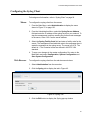
Configuring the Syslog Client ............................................................................................................................................ 131
Menus......................................................................................................................................................................... 131
Web Browser .............................................................................................................................................................. 131
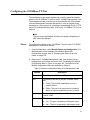
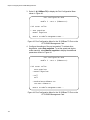
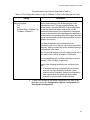
Configuring the 10/100Base-TX Port................................................................................................................................. 133
Menus......................................................................................................................................................................... 133
Web Browser .............................................................................................................................................................. 136
Restoring the Default Setting on the 10/100Base-TX Port ................................................................................................ 138
Menus......................................................................................................................................................................... 138
Web Browser .............................................................................................................................................................. 138
Restoring the Default Values on the AT-CV5M02 Management Card .............................................................................. 140
Menus......................................................................................................................................................................... 140
Web Browser .............................................................................................................................................................. 141
Configuring the Temperature Threshold............................................................................................................................ 142
Menus......................................................................................................................................................................... 142
Web Browser .............................................................................................................................................................. 142
Activating a Standby AT-CV5M02 Management Card ...................................................................................................... 144
Menus......................................................................................................................................................................... 144
Web Browser .............................................................................................................................................................. 145
Setting the Baud Rate of the Console Port........................................................................................................................ 146
Menus......................................................................................................................................................................... 146
Web Browser .............................................................................................................................................................. 147
Displaying the Operational Status of the Chassis.............................................................................................................. 148
Menus......................................................................................................................................................................... 148
Web Browser .............................................................................................................................................................. 150
Pinging Network Devices................................................................................................................................................... 152
Menus......................................................................................................................................................................... 152
Web Browser .............................................................................................................................................................. 152
Displaying the Inter-process Communication Monitor ....................................................................................................... 153
Menus......................................................................................................................................................................... 153
Web Browser .............................................................................................................................................................. 154
Displaying Information about the Management Card ........................................................................................................ 155
Chapter 6: Configuring the Media Converter Line Cards ........................................................................................... 157
Displaying the Status of the Line Cards............................................................................................................................. 158
Menus......................................................................................................................................................................... 158
Web Browser .............................................................................................................................................................. 164
Displaying the Parameter Settings of the AT-CM Line Cards............................................................................................ 166
Menus......................................................................................................................................................................... 166
Web Browser .............................................................................................................................................................. 167
Configuring the Port Parameters on the AT-CM Line Cards ............................................................................................. 169
Menus......................................................................................................................................................................... 169
Web Browser .............................................................................................................................................................. 174
Setting the Operating Mode............................................................................................................................................... 176
Menus......................................................................................................................................................................... 176
Web Browser .............................................................................................................................................................. 179
5