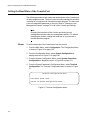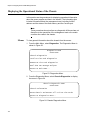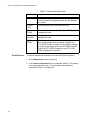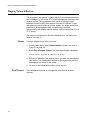
1
Chapter 6: Configuring the Media Converter Line Cards
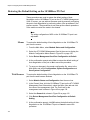
Displaying the Parameter Settings of the AT-CM Line Cards
Menus
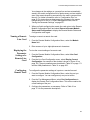
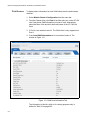
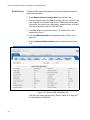
To view the current parameter settings of the AT-CM Line Cards from the
menus:
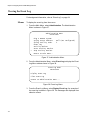
1. From the Main Menu, select Module Status and Configuration to
display the Module Status and Configuration menu shown in Figure 58
on page 158.
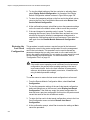
2. From the Module Status and Configuration menu, select the AT-CM
Line Card you want to view. You can view only one line card at a time.
The Module Configuration Menu in Figure 63 on page 169 is
displayed.
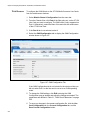
3. Select Line Card Configuration to display the menu in Figure 72 on
page 183.
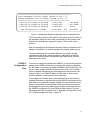
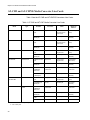
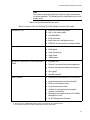
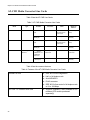
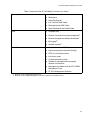
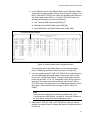
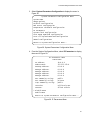
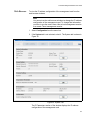
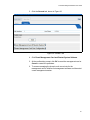
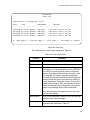
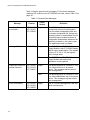
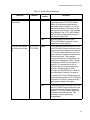
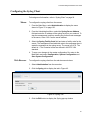
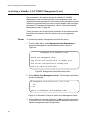
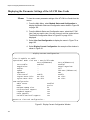
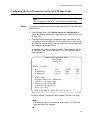
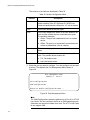
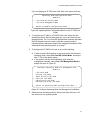
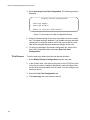
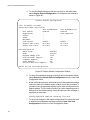
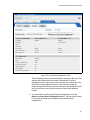
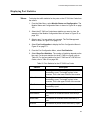
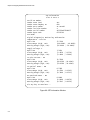
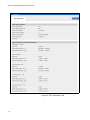
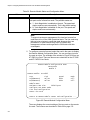
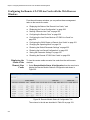
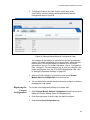
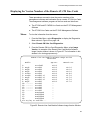
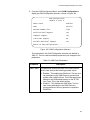
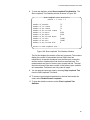
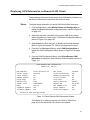
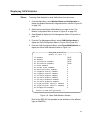
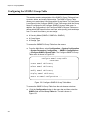
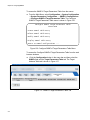
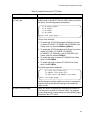
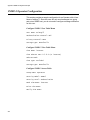
4. Select Display Current Configuration. An example of the window is
shown in Figure 61.
Display Current Configuration
Slot: 11 Module: AT-CM302
Operational Mode: Link Test + OAM Visible Mode
Port A(100BaseFX)
Port Enable:
Enabled
Negotiation:
-Duplex:
-Speed
-MDI/MDIX:
-Flow Control
Enable
Ingress Rate Limit:
No Limit
Egress Rate Limit:
No Limit
OAM Configuration
Admin State:
Mode:
Maximum OAMPDU Size:
Unidirectional Support:
Loopback Support:
Event Support:
Variable Retrieval Support:
Port B(100Base-TX)
Enabled
Manual negotiate
Full
100 Base (100Base-TX)
MDI
Enable
No Limit
No Limit
Enabled
Active
64
Yes
Yes
Yes
Yes
Return to Line Card Configuration...
Figure 61. Display Current Configuration Window
166