1
Converteon Management Software User’s Guide
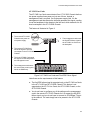
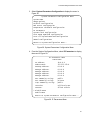
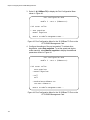
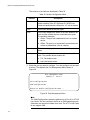
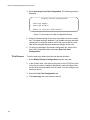
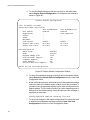
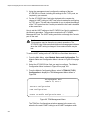
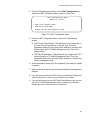
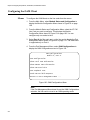
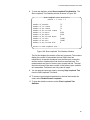
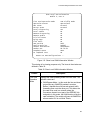
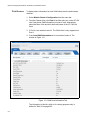
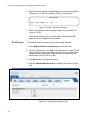
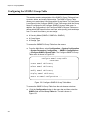
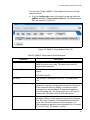
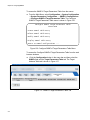
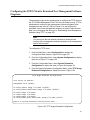
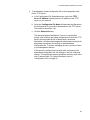
4. From the System Configuration Menu, select TFTP File Upload
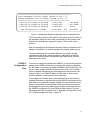
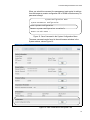
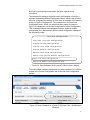
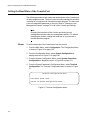
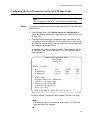
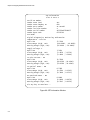
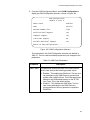
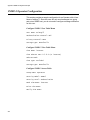
Download Configuration to display the menu in Figure 142.
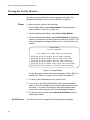
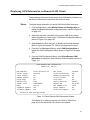
TFTP File Upload Download Configuration
TFTP Server IP Address: 0.0.0.0
Upload Configuration File Name (Destination):
Download Configuration File Name (Source):
Upload SNMPv3 File Name (Destination):
Download SNMPv3 File Name (Source):
Return to System Configuration Menu ...
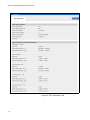
Figure 142. TFTP File Upload Download Configuration Menu
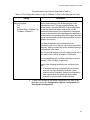
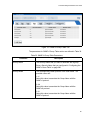
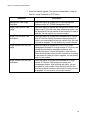
5. Configure the fields as necessary. The fields are described in
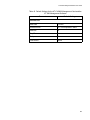
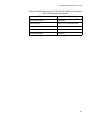
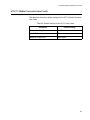
Table 43.
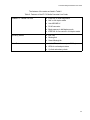
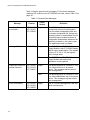
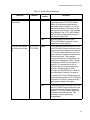
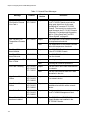
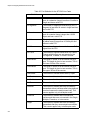
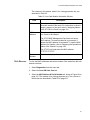
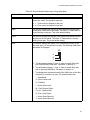
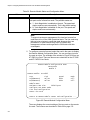
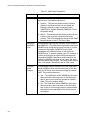
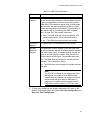
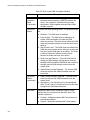
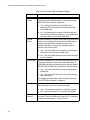
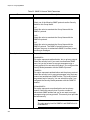
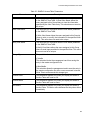
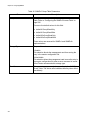
Table 43. TFTP File Upload Download Configuration
Field
Description
TFTP Server IP Address
Enter in this field the IP address of the TFTP server on your
network.
Upload Configuration File Name
(Destination)
To upload the master configuration file from the
management card to a TFTP server, enter in this field a
name for the file. The file will be given this name on the
TFTP server. The extension should be ".cfg".
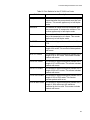
Download Configuration File
Name (Source)
To download a master configuration file from a TFTP server
to the management card, enter in this field the name of the
configuration file you want to download. The extension
should be ".cfg".
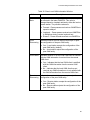
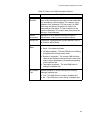
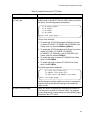
Upload SNMPv3 File Name
(Destination)
To upload the SNMPv3 configuration file from the
management card to a TFTP server, enter in this field a
name for the file. The file will be given this name on the
TFTP server. The extension should be ".cfg".
Download SNMPv3 File Name
(Source)
To download an SNMPv3 configuration file from a TFTP
server to the management card, enter in this field the name
of the file you want to download. The extension should be
".cfg".
331