1
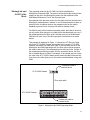
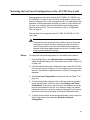
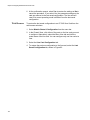
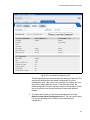
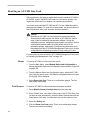
Converteon Management Software User’s Guide All of your local and remote management sessions have to be conducted through the active management card The RDY LED on the active card will be on. This LED on the standby card will be off. The standby management card automatically transitions to the active state in about 20 seconds if the active card fails or is removed from the chassis or reset. The network operations of the media converter line cards in the chassis are not affected when the management cards change states. If the standby card transitions to the active state, it uses the same IP address configuration as the previously active card, because the standby card and the active card have the same configuration files. For further information, refer to the “Configuration Files” on page 32. The receiver on the 10/100Base-TX port is blocked on the standby card to prevent the card from communicating with your network and to prevent an IP address conflict with the active card. However, the standby card automatically activates the port if it becomes the active card. Even though the 10/100Base-TX port on the standby card is disabled, you should connect it to your network so that those management functions that rely on the card’s access to network will be immediately available in the event the card becomes the active card. The Console port is also blocked on the standby card to prevent you from using the card to manage the chassis. However, by connecting a terminal to the port you can view the status messages between the standby card and the active card that are sent over the backplane in the chassis. The active management card automatically updates the configuration file on the standby card so that the standby card has the same configuration settings in the event it becomes the active card. For information, refer to “Configuration Files” on page 32. Note When installing a second management card into an existing chassis, you should install it while the chassis is powered on. If the chassis is powered off, you should install it in a higher numbered slot than the existing card. If you install a second management card into a lower numbered slot than the existing card while the chassis is powered off, the master configuration file of the new card, which will become the active card, will overwrite the configuration file on the existing card when you power on the chassis. If the auto-copy settings in the new master configuration file is enabled for the chassis slots, the configuration settings of the line cards may change. For further information, refer to “Configuration Files” on page 32. 29