1
Chapter 8: Configuring the T1/E1 Ports on the AT-CM70S Media Converter Line Card
Configuring the T1/E1 Ports from the AT-CV5M02 Management Card
To configure the T1/E1 ports on the AT-CM70S Line Card from the menus
in the AT-CV5M02 Management Card:
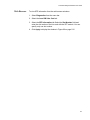
1. From the Main Menu, select Module Status and Configuration. The
Module Status and Configuration Menu is shown in Figure 58 on page
158.
2. Select the AT-CM70S Line Card you want to configure.
3. From the line card’s Module Configuration Menu, select TDM LIU (E1/
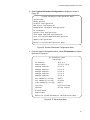
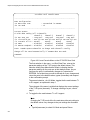
T1) Configuration to display the menu in Figure 99 on page 244.
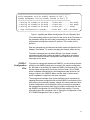
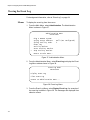
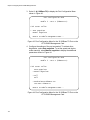
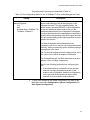
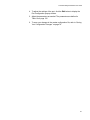
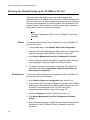
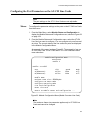
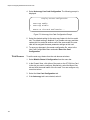
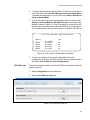
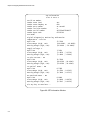
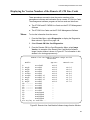
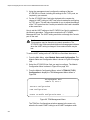
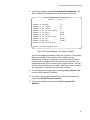
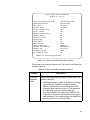
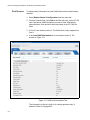
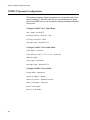
4. From the TDM Management Menu, select TDM Port Configurations
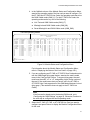
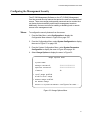
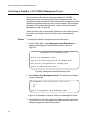
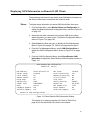
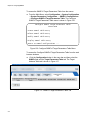
to display the LIU Mode and Channel Select Menu, shown in
Figure 101.
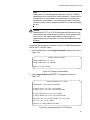
Note
If the TDM Port Configurations selection is not included in the TDM
Management Menu, you need to set the card’s UART setting to the
backplane mode. For instructions, refer to “Selecting the
Management Method for the AT-CM70S Line Card” on page 242.
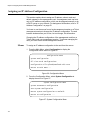
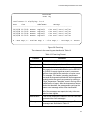
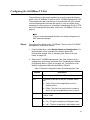
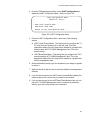
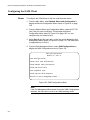
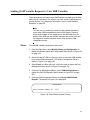
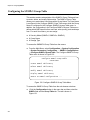
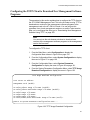
LIU Mode and Channel Select Menu
Module 15, Port C
> Manufacture T1 Mode
Manufacture E1 Mode
Customized Mode
Channel 1, Sub-Menu 1
Channel 1, Sub-Menu 2
Channel 2, Sub-Menu 1
Channel 2, Sub-Menu 2
Channel 3, Sub-Menu 1
Channel 3, Sub-Menu 2
Channel 4, Sub-Menu 1
Channel 4, Sub-Menu 2
Return to Port Configuration Menu ...
Figure 101. LIU Mode and Channel Select Menu
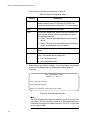
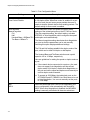
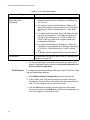
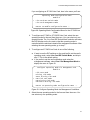
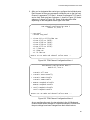
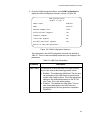
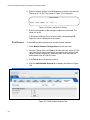
5. To designate the T1 or E1 carrier type for the line card, select
Manufacture T1 Mode or Manufacture E1 Mode, respectively.
246