1
Terminal and Personal Computer Problems
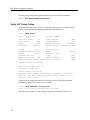
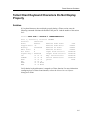
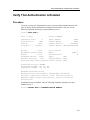
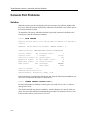
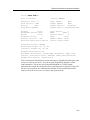
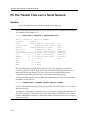
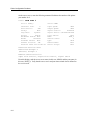
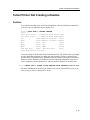
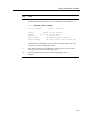
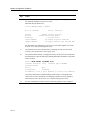
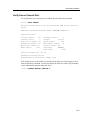
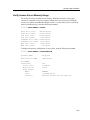
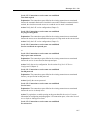
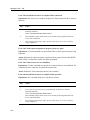
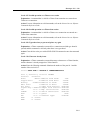
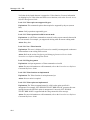
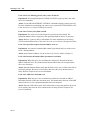
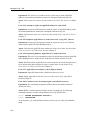
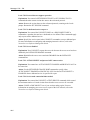
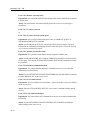
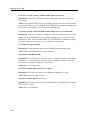
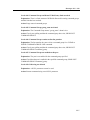
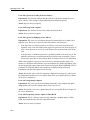
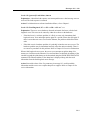
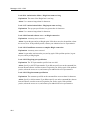
Local> SHOW PORT 1
Port 1: Michael
Server: GEMINI
Character Size: 8
Flow Control: XON
Parity:
None
Stop Bits: Dynamic
Input Speed:
9600
Output Speed:
9600
Signal Control:
Disabled
Signal Select: CTS-DSR-RTS-DTR
Access:
Local
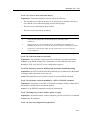
Backwards Switch: None
Break:
Local
Forwards Switch:
‘
Default Protocol: LAT
Autolink Timer One:10 Two:10
Local Switch:
^^
Name:
PORT_1
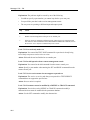
Session Limit:
8
Type:
Ansi
Default Menu: None
Dialer Script: None
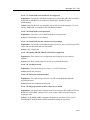
Preferred Service: GALAXY
Authorized Groups: 60, 70, 80
(Current) Groups: 60, 70, 80
Enabled Characteristics:
Autobaud, Autoconnect, Autoprompt, Broadcast, Input Flow
Control, Loss Notification, Message Codes, Multisessions,
Output Flow Control, Verification
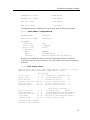
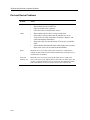
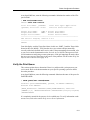
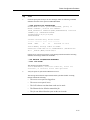
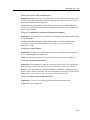
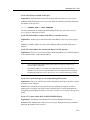
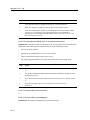
Flow Control ensures that characters are not lost because of insufficient buffer space at the
access server port or port device. You can set up the XON/XOFF characters as flow
control characters. You can also specify that the DSR/DTR or CTS/RTS signals
implement flow control. Be sure that the flow control characters or signals you choose for
the access server port are also enabled on the terminal. For more information on flow
control, refer to the Network Access Software Management Guide.
10-5