1
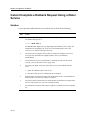
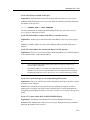
Modem Configuration Problems
Access Server Manager Procedure
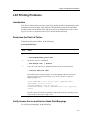
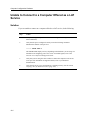
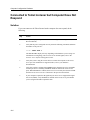
Access server manager should do the following:
Step
Action
1
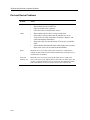
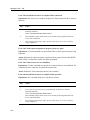
Verify that the physical port characteristics are configured correctly (Port and Device
Problems).
2
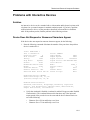
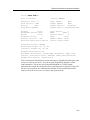
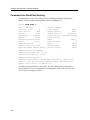
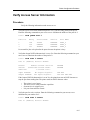
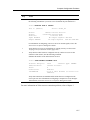
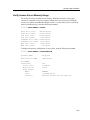
Verify that the port is configured correctly. Enter the following command. Substitute
the number of the dial-in modem port for 1:
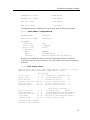
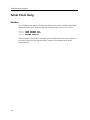
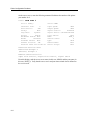
Local> SHOW PORT 1
The SHOW PORT display will vary depending on the hardware you are using. For
information on configuring your access server for modem signals, refer to the
Network Access Software Management Guide.
3
Verify that you are using the correct cables to connect the modem to the access
server port. For information on supported cables, refer to your hardware
documentation.
4
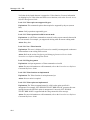
Verify that you have configured the DTRWAIT port characteristic to be compatible
with the port device. Normally, DTRWAIT should be enabled for remote access
ports. When DTRWAIT is enabled, the access server can delay the assertion of DTR
until a connection is detected from a modem when an interactive user logs in.
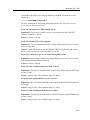
5
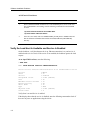
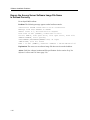
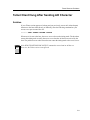
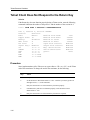
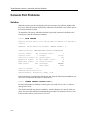
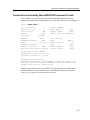
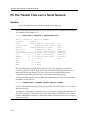
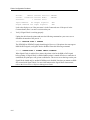
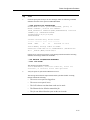
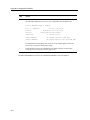
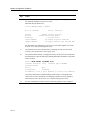
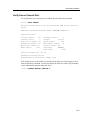
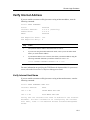
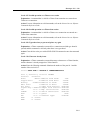
Monitor the port status to determine which modem signals are being asserted. Enter
the following command on your access server. Substitute the port number for 2:
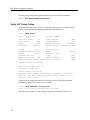
Local> MONITOR PORT 2 STATUS
Port 2: (Remote)
Access:
Status:
Sessions:
Input XOFFed:
Output XOFFed:
Server: DS716
Remote Current Service:
Connected Current Node:
1 Current Port:
No Output Signals: DTR RTS
No Input Signals: DCD CTS DSR RXD
For information on configuring your access server for modem signals, refer to the
Network Access Software Management Guide.
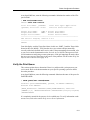
6
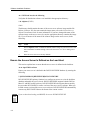
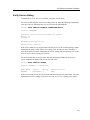
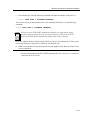
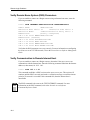
Verify that the access server port hardware is working correctly. See the section
Verifying a Port for Hardware Failure (page 10-8).
7
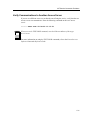
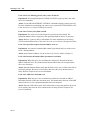
If your modem is configured as a LAT service, refer to Chapter 2 for more
information on LAT service connection problems. If your modem is configured as a
Telnet listener, refer to Chapter 3 for more information on Telnet resource
connection problems.
13-7