1
User Authentication Configuration Problems
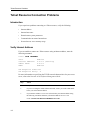
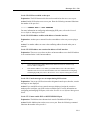
Verify That Authentication Is Enabled
Procedure
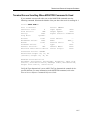
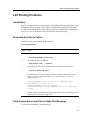
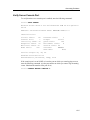
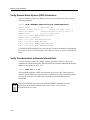
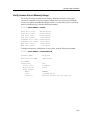
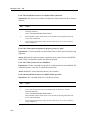
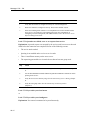
To use the security user authentication system, you must enable authentication for each
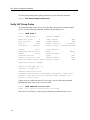
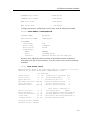
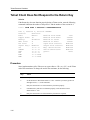
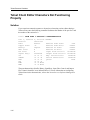
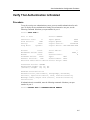
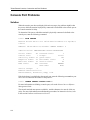
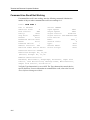
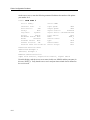
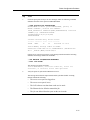
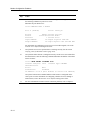
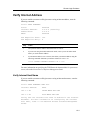
port. To display the user authentication settings for an interactive user port, use the
following command. Substitute your port number for port 1:
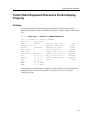
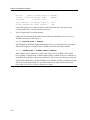
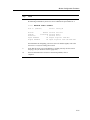
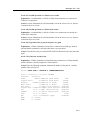
Local> SHOW PORT 1
Port 1: Test
Server: GEMINI
Character Size:
8
Flow Control:
XON
Parity:
None
Stop Bits:
Dynamic
Input Speed:
9600
Output Speed:
9600
Signal Control:
Disabled
Signal Select: CTS-DSR-RTS-DTR
Access:
Local
Backwards Switch: None
Break:
Local
Forwards Switch:
None
Default Protocol:
LAT
Autolink Timer One:10 Two:10
Local Switch:
Name:
Session Limit:
Type:
Ansi
Default Menu: None
Dialer Script: None
^^
PORT_1
8
Preferred Service: GALAXY
Authorized Groups: 60, 70, 80
(Current) Groups: 60, 70, 80
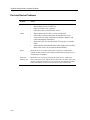
Enabled Characteristics:
Authentication, Autoconnect, Autoprompt, Broadcast,
Failover, Input Flow Control, Lock, Loss Notification,
Message Codes, Output Flow Control, Lock Notification,
Verification
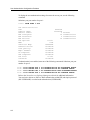
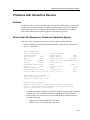
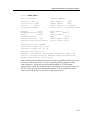
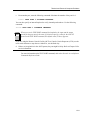
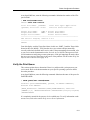
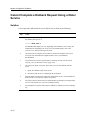
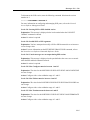
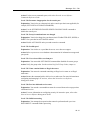
If authentication is not enabled, enter the following command. Substitute your port
number for port 2:
Local> DEFINE PORT 2 AUTHENTICATION ENABLE
8-5