1
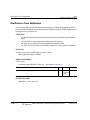
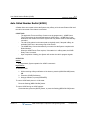
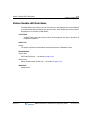
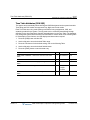
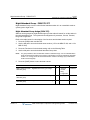
Night Attendant Group - PGM 275-277
A-126
Appendix A: System Programming Tables
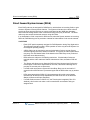
Night Attendant Group - PGM 275-277
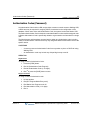
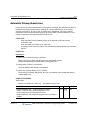
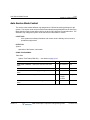
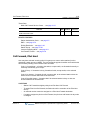
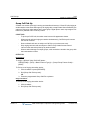
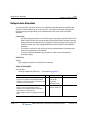
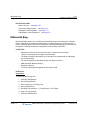
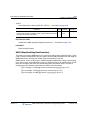
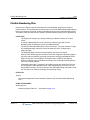
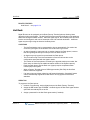
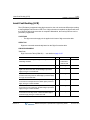
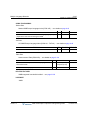
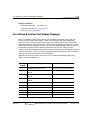
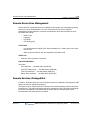
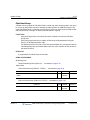
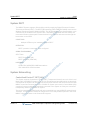
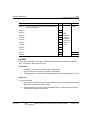
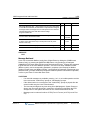
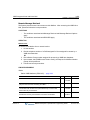
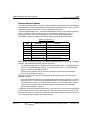
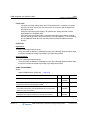
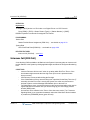
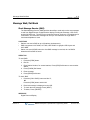
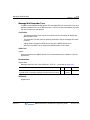
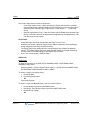
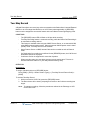
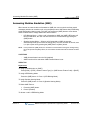
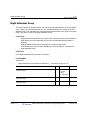
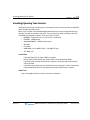
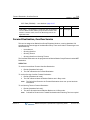
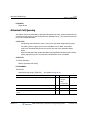
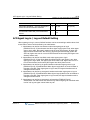
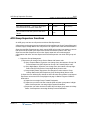
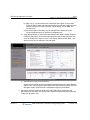
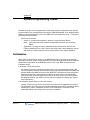
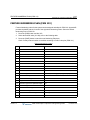
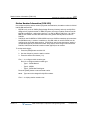
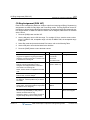
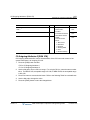
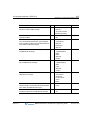
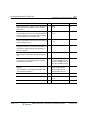
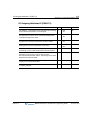
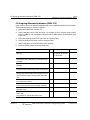
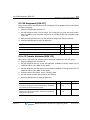
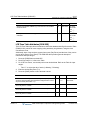
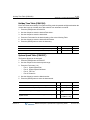
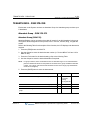
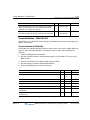
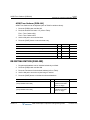
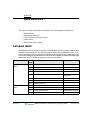
Night Attendant Group covers a call while the Attendant station is in an unavailable mode or
system goes to night mode.
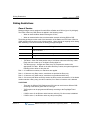
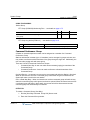
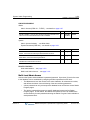
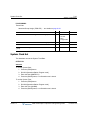
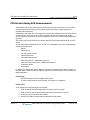
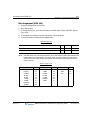
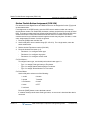
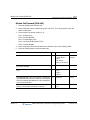
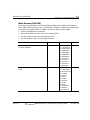
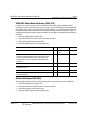
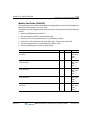
Night Attendant Group Assign (PGM 275)
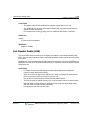
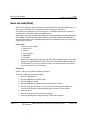
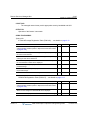
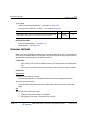
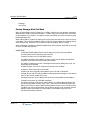
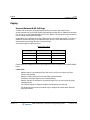
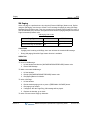
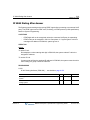
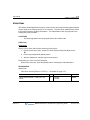
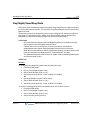
Stations can be grouped as night attendant group so that calls will search for an idle station in
the night attendant group. The system allows assignment of processes, Circular, Terminal,
Ring, and Longest Idle.
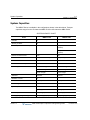
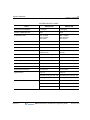
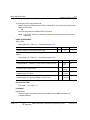
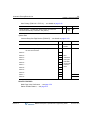
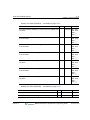
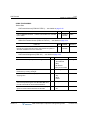
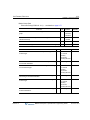
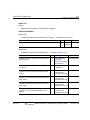
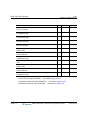
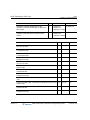
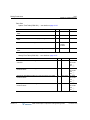
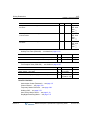
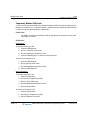
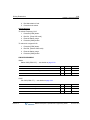
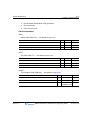
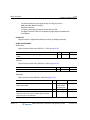
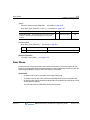
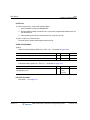
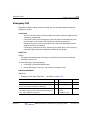
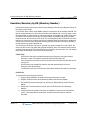
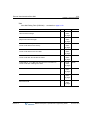
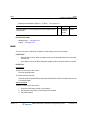
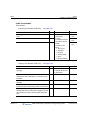
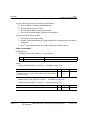
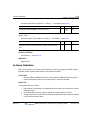
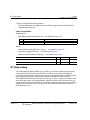
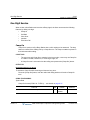
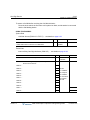
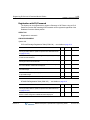
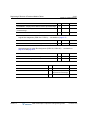
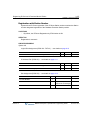
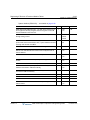
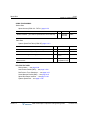
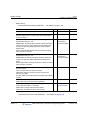
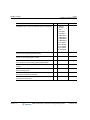
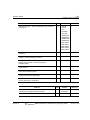
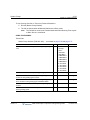
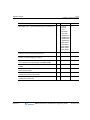
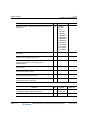
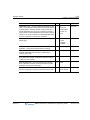
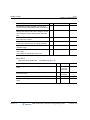
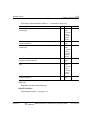
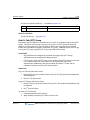
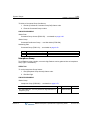
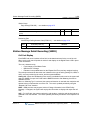
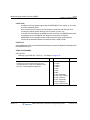
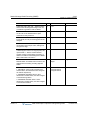
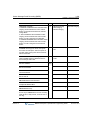
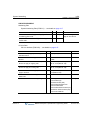
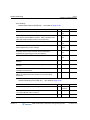
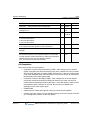
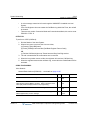
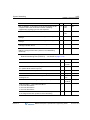
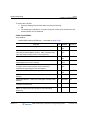
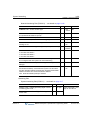
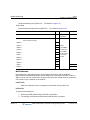
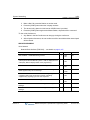
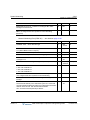
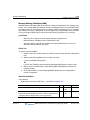
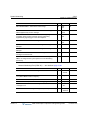
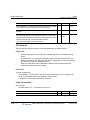
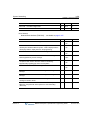
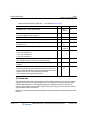
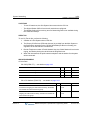
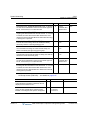
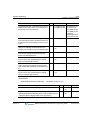
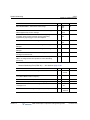
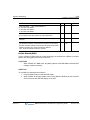
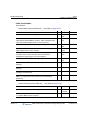
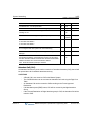
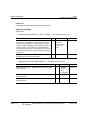
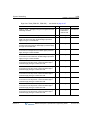
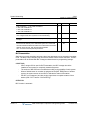
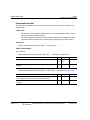
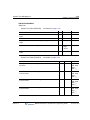
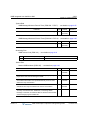
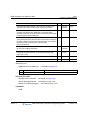
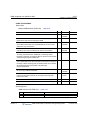
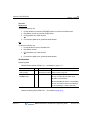
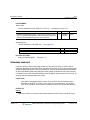
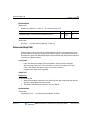
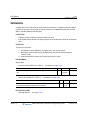
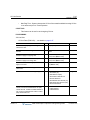
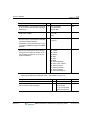
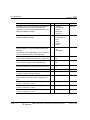
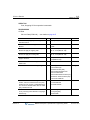
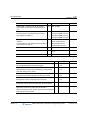
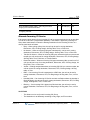
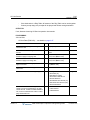
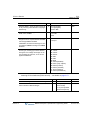
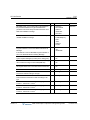
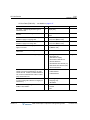
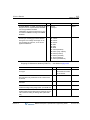
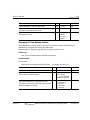
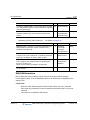
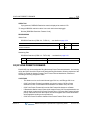
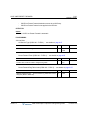
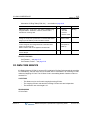
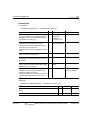
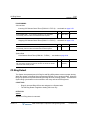
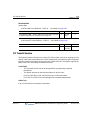
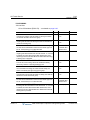
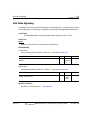
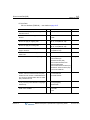
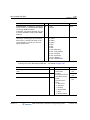
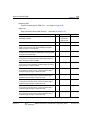
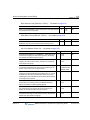
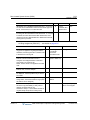
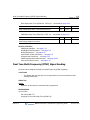
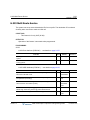
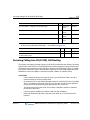
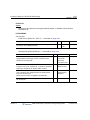
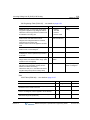
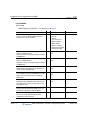
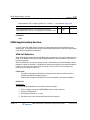
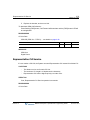
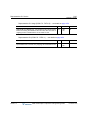
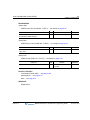
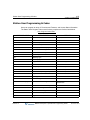
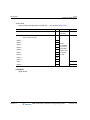
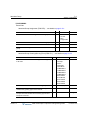
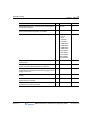
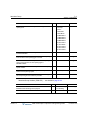
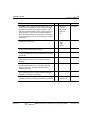
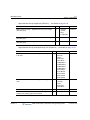
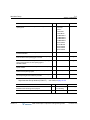
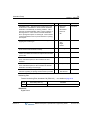
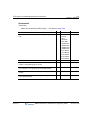
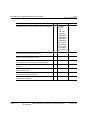
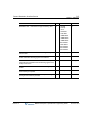
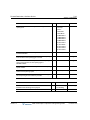
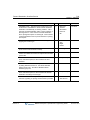
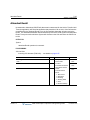
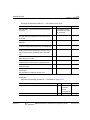
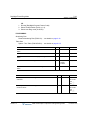
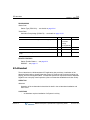
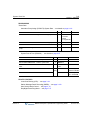
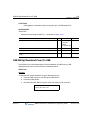
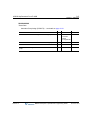
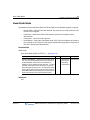
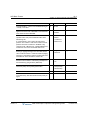
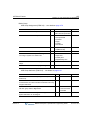
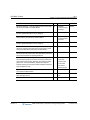
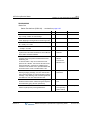
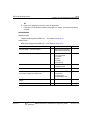
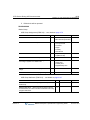
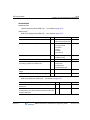
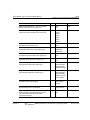
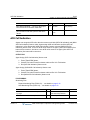
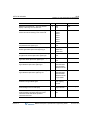
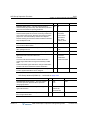
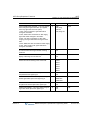
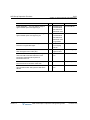
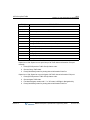
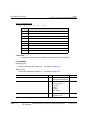
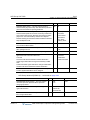
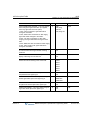
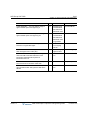
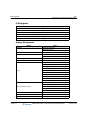
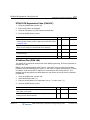
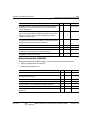
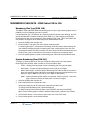
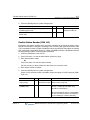
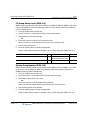
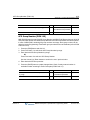
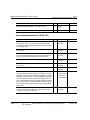
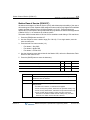
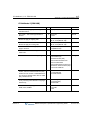
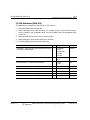
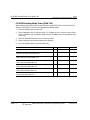
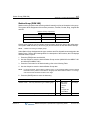
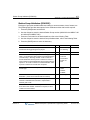
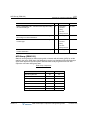
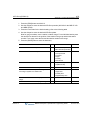
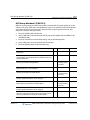
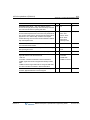
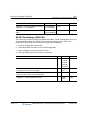
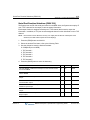
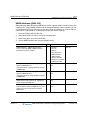
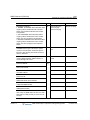
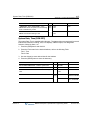
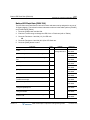
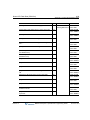
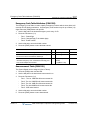
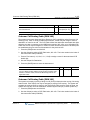
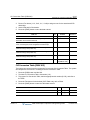
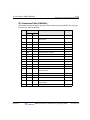
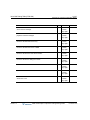
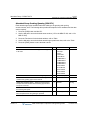
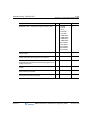
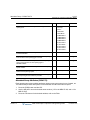
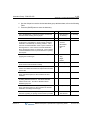
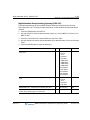
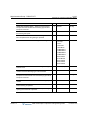
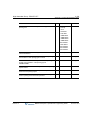
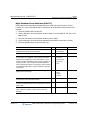
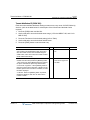
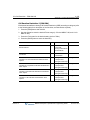
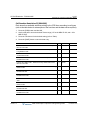
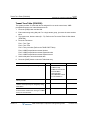
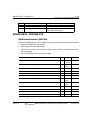
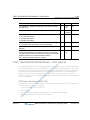
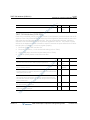
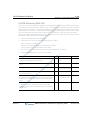
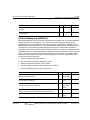
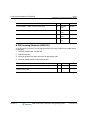
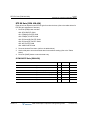
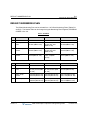
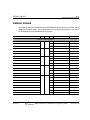
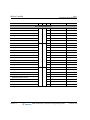
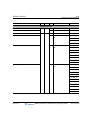
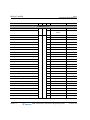
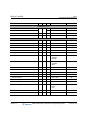
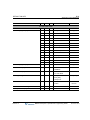
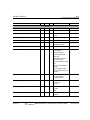
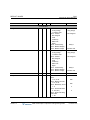
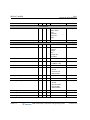
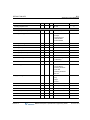
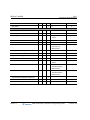
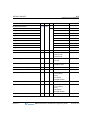
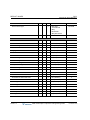
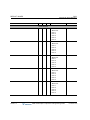
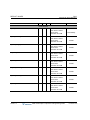
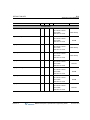
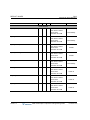
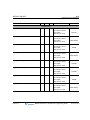
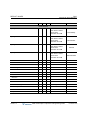
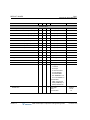
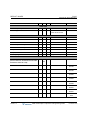
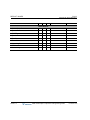
Refer to the table below for a description of the functions and the data entries required.
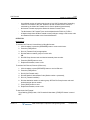
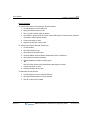
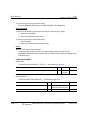
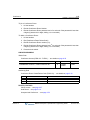
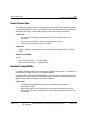
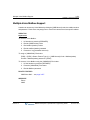
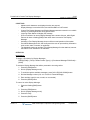
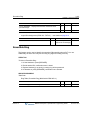
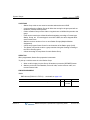
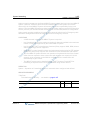
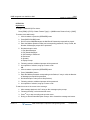
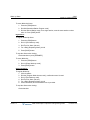
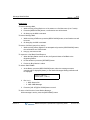
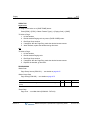
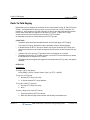
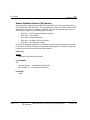
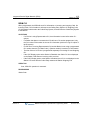
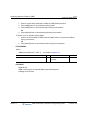
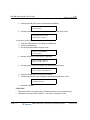
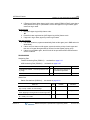
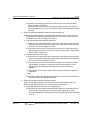
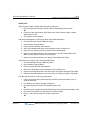
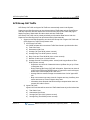
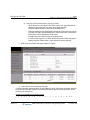
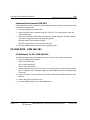
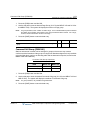
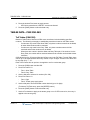
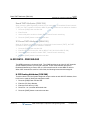
1. Press the [PGM] button and dial 275.
2. Use the dial pad to enter the desired tenant number (1-5 for the MBX IP 100, and 1-9 for
MBX IP 300).
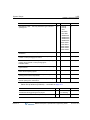
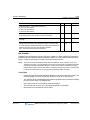
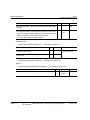
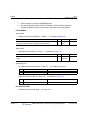
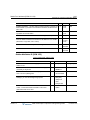
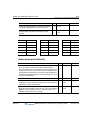
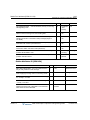
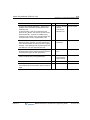
3. Press the Flex button for the desired setting; refer to the following Table.
4. Use the dial pad to enter the desired Attendant Group data.
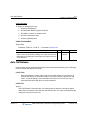
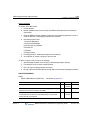
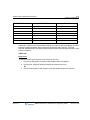
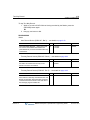
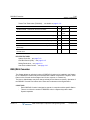
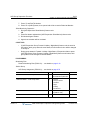
NOTE:
For group members, enter an attendant number or attendant range. For an individual station
press the desired Flex button for the position of the station in the group and dial the attendant
number. For a range, enter the first and last station number in the range (only LKD/LDP/LIP
model can be assigned).
5. Press the [SAVE] button to store the data entered.
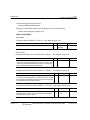
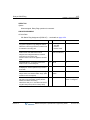
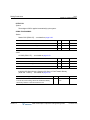
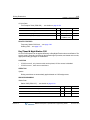
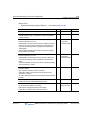
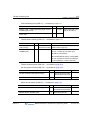
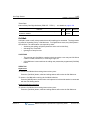
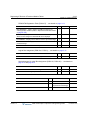
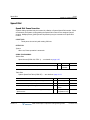
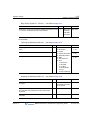
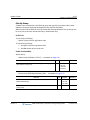
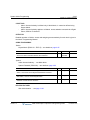
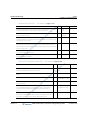
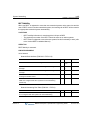
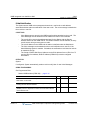
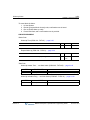
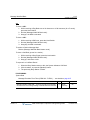
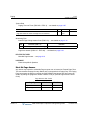
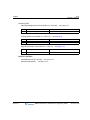
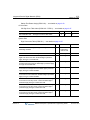
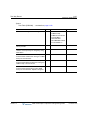
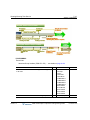
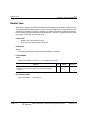
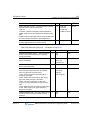
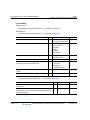
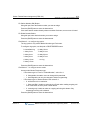
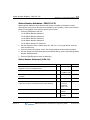
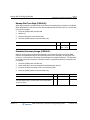
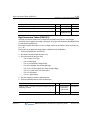
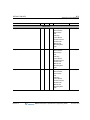
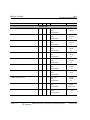
PGM 275
BTN
RANGE
DEFAULT
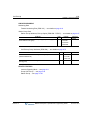
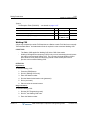
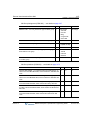
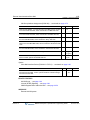
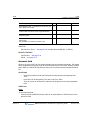
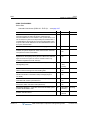
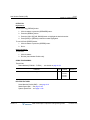
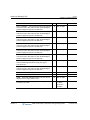
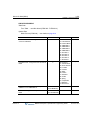
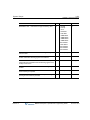
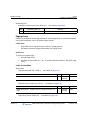
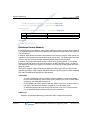
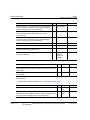
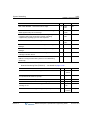
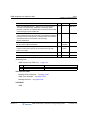
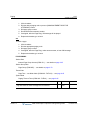
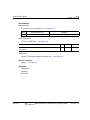
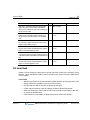
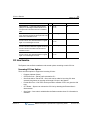
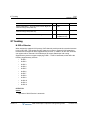
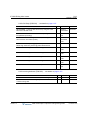
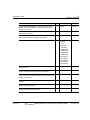
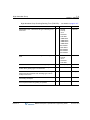
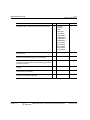
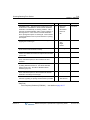
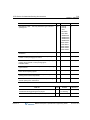
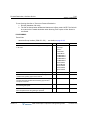
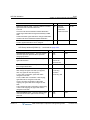
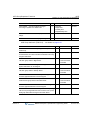
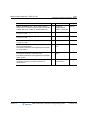
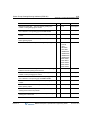
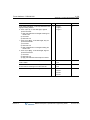
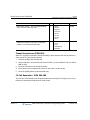
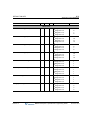
NIGHT ATTD GR TYPE -- NightDetermines the type of Night
Attendant group.
1
0: Terminal
0: Terminal
1: Circular
2: Ring
3: Longest Idle
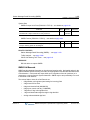
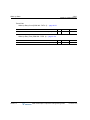
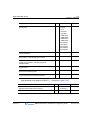
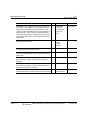
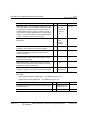
NIGHT ATTD GR NAME -- Determines the name of the night
Attendant group.
2
Max 16
-
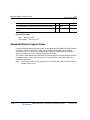
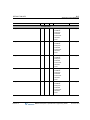
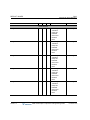
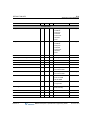
NIGHT MEMBER ASG -- Assigns Stations as members of a Night
Attendant group.
3
-
-
Release 1.0
MBX IP Description / Operations & Programming Guide
November 2010