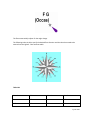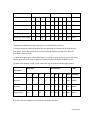
1
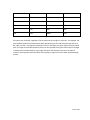
NE
45
SW
225
ENE
68
WSW
248
E
90
W
270
ESE
113
WNW
293
SE
135
NW
315
SSE
158
NNW
338
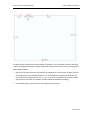
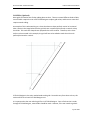
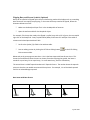
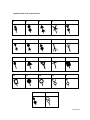
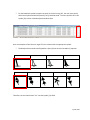
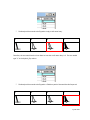
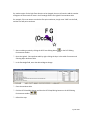
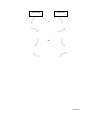
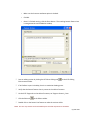
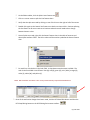
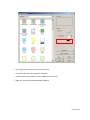
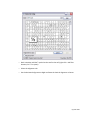
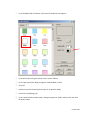
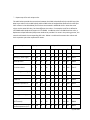
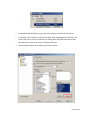
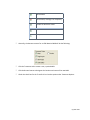
All symbols turn clockwise, regardless if the arrow points to the right or to the left. For example, the
picture below shows curved symbols with both right-pointing arrows and left-pointing arrows at 0°,
90°, 180°, and 270°. By using the visual below, the user can figure out which angle the arrow should
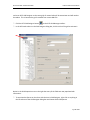
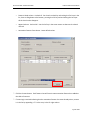
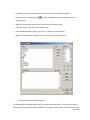
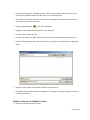
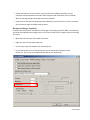
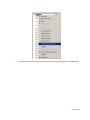
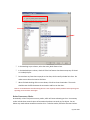
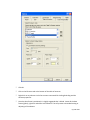
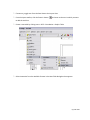
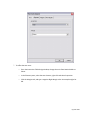
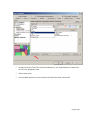
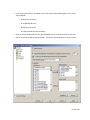
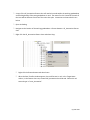
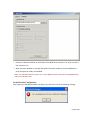
have. The angle of the traffic separation points can also (instead of using the rotate tool) be changed
in the SepartnP attribute table by simply right-clicking on the SepartnP layer file in the table of
contents, choosing Open Attribute Table, and inputting an angle in the rows under the RotateAngle
column.
Page 97 of 204