1
User’s Guide
Microsoft Social Listening
Spring ‘14
Version 1.0.2
Contents
Get started with Social Listening
Customize the user interface
Configure common settings
Manage post quota
Manage users
Set up searches to listen to social media conversations
Manage the quality of your search results
Perform analysis
Analyze Facebook page data
Use filters to see data subsets
Defining and managing alerts
Work with posts
Manage authors
This User’s Guide is for users who work with a Microsoft Social Listening solution.
You’ll get an overview on the key tasks you can perform with the application.
© 2014 Microsoft Corporation. All rights reserved.
Welcome to Microsoft Social Listening ....................................................................................................... 1
In this guide ........................................................................................................................................................... 1
Supported browsers and devices .................................................................................................................. 2
Get started with Social Listening ................................................................................................................... 3
Prepare your organization............................................................................................................................ 3
Create users and assign licenses ................................................................................................................ 3
Set solution defaults ....................................................................................................................................... 4
Set up the first search topic ......................................................................................................................... 4
Customize the user interface........................................................................................................................... 5
Edit your user preferences............................................................................................................................ 5
Reset your user preferences to default ................................................................................................... 6
Configure common settings ............................................................................................................................ 6
Common settings for administrators ....................................................................................................... 6
About basic configuration ............................................................................................................................ 6
Edit solution name .......................................................................................................................................... 7
Edit the default date and time format ..................................................................................................... 7
Edit the default screen language ............................................................................................................... 7
Edit search languages .................................................................................................................................... 8
About search topic defaults ......................................................................................................................... 8
Manage post quota ............................................................................................................................................ 9
Warning notifications on quota manager ............................................................................................ 10
Impact of exceeding limits ......................................................................................................................... 11
Understand estimations .............................................................................................................................. 11
Manage users ...................................................................................................................................................... 12
Understand user roles .................................................................................................................................. 12
Assign a role to a new user ........................................................................................................................ 12
Change a role for a user .............................................................................................................................. 13
Invite users ....................................................................................................................................................... 13
Remove a user license for Social Listening .......................................................................................... 13
Send email to users....................................................................................................................................... 14
Set up searches to listen to social media conversations .................................................................... 15
Available sources for search topics ......................................................................................................... 15
Create a search topic .................................................................................................................................... 16
Add keywords ................................................................................................................................................. 16
Include terms ................................................................................................................................................... 17
Exclude terms .................................................................................................................................................. 17
Access search topics ..................................................................................................................................... 18
Add a search query to a topic ................................................................................................................... 18
Limitations on topic names, keywords, inclusions and exclusions ............................................. 19
Define sources, categories, and languages.......................................................................................... 19
Refine your search queries ......................................................................................................................... 20
Delete a search topic .................................................................................................................................... 20
Manage the quality of your search results............................................................................................... 21
Block posts from a source .......................................................................................................................... 21
View blocked sources ................................................................................................................................... 21
Block a domain from your searches ....................................................................................................... 21
Remove a domain from the list of blocked sources ......................................................................... 22
Exclude words or phrases from your search results ......................................................................... 22
View excluded words or phrases ............................................................................................................. 22
Block words or phrases from your search results.............................................................................. 23
Remove a term from blocked content................................................................................................... 23
Manage data acquisition volume ............................................................................................................ 23
Perform analysis ................................................................................................................................................. 24
Start your analysis on the Home page .................................................................................................. 24
Access the Home page ................................................................................................................................ 24
About analytics overview ............................................................................................................................ 25
About sources analysis ................................................................................................................................ 25
Navigate to sources analysis ..................................................................................................................... 26
About sources details ................................................................................................................................... 26
Access sources details .................................................................................................................................. 26
Understand sentiment analysis ................................................................................................................ 27
Sentiment value .......................................................................................................................................... 27
Sentiment index.......................................................................................................................................... 28
Export data and posts .................................................................................................................................. 29
Export charts as pictures ......................................................................................................................... 29
Export data in Excel or .csv format ...................................................................................................... 29
Analyze Facebook page data ........................................................................................................................ 31
Using Facebook pages as a source ......................................................................................................... 31
View added Facebook pages .................................................................................................................... 32
Add a Facebook page to your sources .................................................................................................. 32
Remove an added Facebook page ......................................................................................................... 32
Compare added Facebook pages............................................................................................................ 33
Analyze activities on a Facebook page.................................................................................................. 33
Use filters to see data subsets ...................................................................................................................... 35
Drill down into data ...................................................................................................................................... 37
View available filters ..................................................................................................................................... 37
Add, edit, or remove a filter ....................................................................................................................... 37
Edit the analysis time frame....................................................................................................................... 38
Defining and managing alerts ...................................................................................................................... 38
Create a new alert.......................................................................................................................................... 39
View the list of your alerts .......................................................................................................................... 40
Change or delete an alert ........................................................................................................................... 41
Deactivate or activate an alert .................................................................................................................. 41
Set the sensitivity in a trend alert ............................................................................................................ 41
Work with posts ................................................................................................................................................. 43
See the list of posts ....................................................................................................................................... 43
Elements of a post ......................................................................................................................................... 43
Change the sentiment value for a post ................................................................................................. 44
Change a post’s sentiment value in Analytics ................................................................................. 45
Change a post’s sentiment value on an added Facebook page .............................................. 45
Delete a post ................................................................................................................................................... 45
Export the content of posts ....................................................................................................................... 45
Share links to posts by email..................................................................................................................... 46
Manage authors ................................................................................................................................................. 46
See the list of the most active authors .................................................................................................. 46
Work with author details ............................................................................................................................ 47
Access author details on Analytics and Facebook pages ............................................................... 47
Exclude an author .......................................................................................................................................... 48
About an author’s reach on Twitter ........................................................................................................ 48
Accessibility .......................................................................................................................................................... 49
Readme.................................................................................................................................................................. 49
Feedback ............................................................................................................................................................... 50
Copyright .............................................................................................................................................................. 50
Welcome to Microsoft Social
Listening
There’s a good chance that your customers and stakeholders are talking about your
company, your products, or your services somewhere on Facebook, Twitter, YouTube,
blogs – anywhere on the worldwide web. How do you stay on top of what people are
saying on social media, so that you can respond quickly and effectively to issues with your
products or services?
Microsoft Social Listening collects data from social media websites and presents it to you
in easy-to-consume charts and graphs that you can use to spot emerging trends in
people’s comments, whether they’re positive, negative, or neutral. You can even drill down
into the data and see who is mentioning you, where they posted the comment, and know
what they said. Armed with these insights, you can pinpoint what you’re doing right, and
address potential issues before bigger problems arise.
In this guide
Supported browsers and devices. Review the list of supported browsers and mobile
devices for Microsoft Social Listening.
Get started with Social Listening. Learn how to get Microsoft Social Listening up and
running. Set up system defaults, create your first search topic, and invite users.
Customize the user interface. Familiarize yourself with features that allow users to set
default values for their analysis in the application.
Configure common settings. Manage the default settings for your solution that apply
to all users.
Manage users. Assign and edit user roles that define the permissions users have on
your Microsoft Social Listening solution.
Set up searches to listen to social media conversations. Learn about the basics of
creating and editing search topics and queries. See what you can do with keywords,
inclusions, and exclusions.
1
Manage the quality of your search results. Optimize your search topics to find the
most relevant data that you’re looking for. Block terms and sources from your analysis
and solution.
Perform analysis. Learn about the basics on how you analyze the data that was picked
up by your search topics. Find help for the available pages in Analytics.
Analyze Facebook page data. Follow conversations that take place on Facebook
pages, see the activity of pages and the audience to efficiently engage with audiences.
Use filters to see data subsets. Narrow your data set to analyze the posts that are
most relevant for you. We provide a set of filters that you can edit at any time while
performing analysis.
Defining and managing alerts. Get information on how to set up alerts that keep you
up to date on new posts and significant trend changes.
Work with posts. Read posts from your data set directly in the application. Remove
posts from your analysis or edit sentiment values for specific posts.
Manage authors. Learn how to analyze posts from specific author and author profiles
in detail. Find out how you can exclude authors from your solution.
Supported browsers and devices
Microsoft Social Listening works with the following browsers:
•
•
•
•
At least Windows Internet Explorer 8
At least Google Chrome 32
At least Mozilla Firefox 26
At least Apple Safari 7
Microsoft Social Listening works on the following mobile devices:
•
•
•
Windows Phone 8 devices with Internet Explorer mobile
Apple iPad and iPhone running at least iOS 6 with Apple Safari browser
Tablets and phones running at least Android 4 with Google Chrome Mobile
browser
2
Get started with Social Listening
This section is for companies’ Office 365 administrators for the initial setup of Microsoft
Social Listening.
Prepare your organization
Before you can use Social Listening, you need to create an Office 365 tenant for your
organization.
1.
2.
3.
4.
5.
Sign up on Office 365.
Follow the wizard to create your organization and your administrator account.
Optionally, select the number of users that you plan to provide access for.
Optionally, select add-ons to enhance your post quota.
Complete the purchase process to start provisioning Social Listening.
Note: It takes a few minutes to complete the provisioning process before you can access
Social Listening. You’ll receive an email when it’s set up. In the meantime, consider creating
users or assigning licenses to users. If you don’t find a shortcut in the Office 365 nav bar to
Social Listening, verify that a Social Listening license is assigned to you.
We recommend to share the URL to your Social Listening solution with your users and ask
them to save it as a bookmark.
If you are looking for Social Listening, the URL is
https://listening.microsoft.com/app/<appID>/
For step-by-step instructions, see Subscriptions and billing.
Create users and assign licenses
When managing your subscription to Microsoft Social Listening through the Microsoft
online services environment using the Office 365 admin portal, you need to create a user
account for every user who requires access to Social Listening. You must also assign a
license to each user account so the user can access the online service.
You can license the user when you create the user account, or you can license the user
later.
For step-by-step instructions, see Assign a license to a user.
3
Set solution defaults
Before your users can start working with social listening data, you need to set up Microsoft
Social Listening for them. Begin by setting the system defaults. You need to be a Social
Listening Administrator to perform this task.
1. On the nav bar, click or tap Microsoft Social Listening > Settings.
2. Click or tap Settings > Solution Defaults.
3. In Solution Defaults, set your options.
Option
What it does
Name
Edit the name of your solution.
Screen language
Set the default language for the user
interface.
Default time frame
Define the default time frame for your users’
analysis.
Date and time format
Set the default date and time format.
Search languages
Set languages for your search. The search
topics will look for posts in the languages
you choose.
Search topic defaults
Select the sources and languages that are
selected by default for new search topics.
Note: The default values apply to all users for your organization. However, users can
override the default settings for their account in their user preferences.
Set up the first search topic
After setting up your system defaults, define your first search topic to have data available
for your analysis. Start out with thinking about what topics are relevant to your users. The
number of queries for a topic isn’t limited, and you can edit your queries any time.
1. On the nav bar, click or tap Microsoft Social Listening > Settings.
2. Click or tap Settings > Search Topics.
3. Click or tap Add search topic.
4. Name your search topic and optionally assign a category.
4
5. Click or tap Add search query.
6. Enter keywords, inclusions, and exclusions.
7. Select how close the inclusions should appear in a post to one of your keywords.
8. Select the sources and languages that you want your query to search for.
9. Validate the query to see an approximate number of posts you can expect from this
query.
10. Click or tap Save to add the query to your search topic.
See also: Set up searches to listen to social media conversations
Customize the user interface
Edit your user preferences
You can review and personalize the default settings for your application.
1. On the nav bar, click or tap Microsoft Social Listening > Settings.
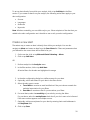
2. Click or tap Settings > User Preferences.
3. On User Preferences, click or tap Set your Preferences if you personalize the
default settings for the first time.
4. In the drop-down menus, set your options.
Option
What it does
Screen language
Choose the language that the application
will be displayed in.
Default time frame
Set the default time frame to present data in
your charts and graphs for analysis. You can
change the time frame at any time.
Date and time format
Set the default date and time format for
charts and graphs.
5
Reset your user preferences to default
You can reset your user preferences at any time to the default values provided by your
administrator.
1. On the nav bar, click or tap Microsoft Social Listening > Settings.
2. Click or tap Settings > User Preferences.
3. On the bottom of the page, click or tap Reset to Defaults.
Configure common settings
Common settings for administrators
The following settings are exclusively available to the Administrator role:
•
•
•
•
•
Solution Defaults
User Management
Facebook Pages
Blocked Sources
Blocked Content
Note: All users can view other settings pages but can’t edit the values, except for
customizing their user interface.
About basic configuration
As an Administrator, you can set the defaults for the solution in Solution Defaults.
Whenever a user signs in to Social Listening for the first time, the default values apply. The
user’s settings remain unchanged even if the defaults are modified. The user can always
reset the preferences to the defaults.
Solution defaults apply to all users in a solution until a specific user decides to customize
the user-based Social Listening profile in User Preferences. The user interface now
displays in respect to the user’s preferences.
See also: Manage users
6
Edit solution name
Your solution name is used for reference in various parts of the application for example on
the nav bar, or while generating alerts and notification emails, or exporting the content.
You need to be a Social Listening Administrator to perform this task.
1. On the nav bar, click or tap Microsoft Social Listening > Settings.
2. Click or tap Settings > Solution Defaults.
3. In Solution Defaults, edit the name of your solution and click or tap Apply.
Edit the default date and time format
You can use the available date and time format or customize it. All charts and analysis will
display the selected date and time format. You need to be a Social Listening Administrator
to perform this task.
1. On the nav bar, click or tap Microsoft Social Listening > Settings.
2. Click or tap Settings > Solution Defaults.
3. In Solution Defaults, click or tap Edit in the Date and time format section.
4. Update your settings, preview the result, and click or tap Confirm to save your
changes.
Note: Users can override default profile settings in User Preferences.
Edit the default screen language
You can set the default language of the user interface for all users of your solution. You
need to be a Social Listening Administrator to perform this task.
1. On the nav bar, click or tap Microsoft Social Listening > Settings.
2. Click or tap Settings > Solution Defaults.
3. In Solution Defaults, select the screen language.
4. Update your settings and click or tap Apply to save your changes.
Note: Users can override default settings for their profile in User Preferences.
7
Edit search languages
You can select the languages you want to have available when you set up or edit a search
topic. You need to be a Social Listening Administrator to perform the following tasks.
To add search languages
1. On the nav bar, click or tap Microsoft Social Listening > Settings.
2. Click or tap Settings > Solution Defaults.
3. In Solution Defaults, under Search languages, click or tap Add and select the
languages you want.
The more search languages you add, the more posts your search queries may find.
For more information on the supported languages, see the Microsoft Social Listening
Translation Guide.
To remove search languages
1. On the nav bar, click or tap Microsoft Social Listening > Settings.
2. Click or tap Settings > Solution Defaults.
3. In Solution Defaults, under Search languages, click or tap the delete icon
next to the language you want to remove.
Removing search languages may have the following impact on existing search topics and
queries:
•
Search query gets updated: The removed search language is removed from
queries with multiple active search languages.
•
Search query gets deleted: If the search query consists only of the removed
search language, the query is removed from the search topic.
•
Search topic gets deleted: This occurs if the search topic consists only of queries
in the removed language.
See also: About search topic defaults
About search topic defaults
As an Administrator, you can define defaults for new search topics. Select the sources and
languages that are selected by default for new search topics. Users that create new search
8
topics can either use your provided defaults for their search topics or override your
settings when they set up search topics. You need to be a Social Listening Administrator to
perform this task.
1. On the nav bar, click or tap Microsoft Social Listening > Settings.
2. Click or tap Settings > Solution Defaults.
3. Under Search topic defaults, select the sources and languages that you want to
provide as default values for new search topics.
4. Click or tap Apply.
See also: Set up searches to listen to social media conversations
Manage post quota
The Quota Manager keeps track of the number of posts that result from your search topics
and added Facebook pages towards your solution’s post quota. Your solution is priced
based on the number of posts you can acquire per month. We strongly suggest that you
optimize your search topics from time to time, to make sure that you’re collecting relevant
data.
If your solution tends to exceed the quota, we’ll send an email notification to all users with
an Administrator role. To take action, your Office 365 admin can increase the post quota of
your solution in the Office 365 admin center, or you can remove or narrow search topics.
Note: If you’re expected to exceed the post quota of the current month, we’ll send you an
email with a warning and grant you some time to react appropriately. When you exceed
your post quota, data acquisition will be stopped if any of the following conditions are
met:
•
•
You still exceed your post quota after 48 hours from the time the notification was
sent.
Your solution passes the temporarily granted additional post quota.
For example, if your monthly post quota is 10,000 posts, your grace period starts when you
receive a notification that your solution will probably exceed your quota limits. Data
acquisition will be stopped automatically after 48 hours if you have exceeded your post
quota by then, or as soon as your solution gathered more than 50,000 posts before the 48
hours have passed.
To access the quota manager, navigate to Settings > Quota Manager.
9
The quota period is one calendar month:
•
•
Start: First day of a month, 00:00 AM.
End: Last day of a month, 11:59 PM.
Once a new quota period has started, all quota counters are reset and start counting and
estimating for the current month.
See also: Refine your search queries
Warning notifications on quota manager
In the Quota Manager area, you’ll find a service notification that reflects the current status
of your post quota.
Quota status
Appears
What you should do
Within quota
When the calculated
expectations are still within
your monthly limits.
There is no action
required.
Expected to exceed quota
If your solution is expected to
reach your monthly quota
before the current month
ends.
Monitor your post quota
closely. Alternatively,
increase the post quota
or edit/remove search
topics or Facebook pages.
Quota exceeded
If your solution acquired more
posts than your post quota
allows.
Take immediate action by
adding post quota. Your
solution will continue to
acquire posts until you
either surpass the
granted grace period, or
until you reach the
additionally granted post
quota.
Acquisition stopped
When Administrators were
informed and the solution
exceeded your post quota
without any action taken. The
solution’s acquisition was
stopped automatically.
Increase the post quota
to restart your acquisition
immediately or wait until
the first day of the next
month to restart the
acquisition.
10
Your Office 365 admin can upgrade your subscription and purchase additional post quotas
for your solution at any time in the Office 365 admin center.
Impact of exceeding limits
All Social Listening Administrators receive email notifications about the monthly post
quota. To reduce the number of posts found by your solution, you can narrow your search
topics and remove Facebook pages that you don’t need to listen to any more.
If no action is taken, exceeding the post quota will get your solution blocked from data
acquisition until the end of the month. No more posts are acquired, even if they match
your search queries. You can purchase additional post quota at any time to unblock your
solution immediately.
Note that Microsoft Social Listening does not gather posts retrospectively. Any missed
post won’t appear in your solution if you update your post quota after the acquisition has
stopped.
Understand estimations
On the quota manager page, you’ll find lists for Active search topics and Active
Facebook pages. The following values are provided for each search topic or Facebook
page:
•
•
Number of posts: The total number of posts that your solution acquired during
the current calendar month.
Monthly expectation: The calculated number of posts that Microsoft Social
Listening is expecting until the end of the calendar month.
When you set up a search topic, you can test the search queries to estimate how their
volume affects your post quota. The search query test provides the number of Tweets that
would match your query within a month. Even if it’s only measuring the last 30 days of the
Twitter history, this value provides a good benchmark regarding the expected post volume.
11
Manage users
Understand user roles
Every invited Microsoft Social Listening user should be assigned a role. An Administrator
needs to confirm the automatically assigned Analyst role to an invited user, or update the
user role. You’ll receive reminders in the user interface if you have any users whose role
hasn’t been confirmed or updated in Social Listening yet. This settings page is visible to
Administrators only.
Note: User roles set in Microsoft Dynamics CRM don’t apply to Social Listening. You’ll need
to set roles in both Social Listening and in CRM. A user can have a different role in each
application.
The following table shows the three user roles that are available in Social Listening.
Role
View all
analysis
Edit
Delete
sentiment posts
value for
posts
Exclude
authors
Manage
users
and
roles
Exclude
sources
and
terms
Create
and
edit
search
topics
Analyst
Yes
Yes
No
No
No
No
No
Power
Analyst
Yes
Yes
Yes
Yes
No
No
Yes*
Administrator Yes
Yes
Yes
Yes
Yes
Yes
Yes
* Power Analysts can only edit owned search topics.
Assign a role to a new user
You need to be a Social Listening Administrator to perform this task.
1. On the nav bar, click or tap Microsoft Social Listening > Settings.
2. Click or tap Settings > User Management.
3. Under Invited Users, click or tap the pen icon
.
4. In the Assign New Role dialog box, select the user role from the drop-down menu.
5. To confirm your assignment, click or tap Save.
12
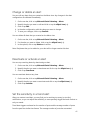
Change a role for a user
You need to be a Social Listening Administrator to perform this task.
1. On the nav bar, click or tap Microsoft Social Listening > Settings.
2. Click or tap Settings > User Management.
3. In the Current Users list, select the user you want to edit and click or tap the pen
icon
.
4. In the Edit User Role dialog box, select the user role from the drop-down menu.
5. Click or tap Save.
The user will receive an email with the updated user role and permissions.
Invite users
Enable a user by assigning a license to the user. You must be your company’s Office 365
administrator to perform this task.
1. In Office 365 admin portal, click users and groups > active users and click the
user.
2. In Assign Licenses, select the Microsoft Social Listening check box.
3. Click Save.
For additional instructions, see Assign or remove licenses.
Remove a user license for Social Listening
Removing the license of a user from Microsoft Social Listening deletes all related custom
settings and they can’t be restored. Search topics owned by a removed user will persist.
You must be your company’s Office 365 administrator to remove a user license.
1. In the Office 365 admin portal, click users and groups > active users and select a
user.
2. In Assign Licenses, clear the Microsoft Social Listening check box.
3. Click Save.
Note: You can also delete users on the Office 365 admin portal. When you remove a user
from your subscription, the license assigned to that user automatically becomes available
13
to be assigned to a different user. If you want the user to still have access to other
applications that you manage through Office 365, for example Microsoft Exchange Online
or Microsoft SharePoint, don't delete the user. Instead, simply remove the Social Listening
license you've assigned to the user.
For additional instructions, see Assign or remove licenses.
Send email to users
Use your email client to send email to Microsoft Social Listening users. You don’t need to
research a user’s email address. The email opens with the recipient’s address already filled
in.
You need to be a Social Listening Administrator to perform this task.
1. On the nav bar, click or tap Microsoft Social Listening > Settings.
2. Click or tap Settings > User Management.
3. Identify the user you want to contact and click or tap the envelope icon
the user’s name. To email all users, click or tap Email All.
beside
14
Set up searches to listen to social
media conversations
Listen to conversations on social media around your brand, business, products, and
competitors. The first step in successful social listening is setting up your search topics to
ensure you’re capturing the right conversations. Once you’ve captured these conversations,
you can fine-tune your searches, analyze your data, and drill into the information that
matters most.
Available sources for search topics
Microsoft Social Listening covers a set of sources where public posts were published.
Currently, the following sources are available:
•
Blogs: Full coverage of blog posts on Tumblr.com and broad coverage of blog
posts from WordPress.
•
Twitter: Full coverage of public Tweets on Twitter.
•
Facebook: Public status updates without age restriction or geographical restriction
from Facebook users as well as posts and comments on Facebook pages.
•
Videos: Video posts published on YouTube.
15
Create a search topic
It’s important to start with a clear idea of what you want to listen to. Set up a new search
topic and add at least one search query to your topic.
You need to be a Social Listening Administrator or Power Analyst to create new search
topics.
1. On the nav bar, click or tap Microsoft Social Listening > Settings.
2. Click or tap Settings > Search Topics.
3. Click or tap Add search topic.
4. Provide a name for your search topic. Optionally, you can assign a category to
your topic.
5. Click or tap Add search query.
6. Define your keywords. You can add inclusions and exclusions.
7. Choose the sources and languages you want the query to listen to.
8. Click or tap Test Search Query to estimate the number of results.
9. Click or tap Close Query to store the query in your search topic and add
another search query to your topic.
10. Click or tap Save in your search topic to activate the queries for data
acquisition.
Note: The search topic names are only for your reference and aren’t used for the actual
search. You can add search topic names with up to 35 characters.
See also:
Include terms
Exclude terms
Define sources, categories, and languages
Add keywords
Keywords define the words and phrases to listen for. Keywords are exact but not casesensitive. We recommend that you include variations of the keywords. For example, if you
put “phone” and the term that appears in a post is “phones,” your result won’t be selected
by the query, and won’t show up in your analysis. For each keyword, the comma serves the
function of “OR.” If you have added more than one search term, your query looks to find at
least one of the listed terms. Also, think about adding acronyms and common contractions.
16
It’s important to review keywords regularly. If your keywords yield too many results, think
about narrowing the query by adding inclusions and exclusions or reducing the number of
keywords.
Note that sentiment analysis in Social Listening is target-specific. A post’s sentiment value
always refers to the keywords of a search query only. For example, if you’re looking for
sentiment values about your brand, make sure to add your brand name as keywords. When
you read the content of the posts, all keywords are highlighted in yellow.
See also:
Understand sentiment analysis
Manage the quality of your search results
Include terms
Inclusions narrow down your search so you get a much higher quality selection of posts
and results. Think of inclusions as the word “AND.” Your search will be filtered so that posts
are selected only if they contain at least one of the keywords AND at least one of the
inclusions. Inclusions aren’t case-sensitive.
When you set up your search query, you can choose from the following options to decide
how close a keyword and an inclusion must appear in a post:
•
•
•
Sentence: Term and inclusions must appear in the same sentence.
Paragraph: Term and inclusions must appear in the same paragraph.
Post: Term and inclusions must appear in the same post.
We recommend starting with the default option (paragraph). If your search topic yields too
many irrelevant results, try narrowing it to the proximity in a sentence. Note that this may
also remove relevant posts because all combinations of inclusions and keywords outside of
a sentence will no longer be picked up by the application.
Inclusions are an efficient way to reduce the number of posts resulting from your search,
and are a great way to make sure you stay within your quota.
See also: Manage post quota
Exclude terms
Sometimes a specific word or phrase can overwhelm your results with irrelevant posts.
Exclusions enable you to narrow down your searches and improve your results. Enter the
words to exclude, separated by commas, and your searches will ignore posts containing
17
these terms. Exclusions aren’t case-sensitive. For every term you add to the exclusions, your
search will be filtered so that posts will not be selected if they match one of the keywords
but contain an exclusion in the same paragraph. Think of exclusions as the term “AND
NOT”.
Exclusions are an efficient way to reduce the number of posts resulting from your search,
and a great way to make sure you stay within your post quota. Choose your exclusions
carefully to avoid missing relevant posts.
See also: Manage post quota
Access search topics
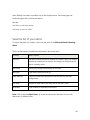
1. On the nav bar, click or tap Microsoft Social Listening > Settings.
2. Click or tap Settings > Search Topics.
Note: For quicker searching, you can sort the available search topics alphabetically or by
category.
Add a search query to a topic
You can add an unlimited number of queries to a search topic. A search topic lets you
focus your analysis on a data set. Each query selects posts that will be available for the
analysis of the data set. You can update your search topics any time and add more queries
or change existing ones. You need to be a Social Listening Administrator or Power Analyst
to perform this task.
1. On the nav bar, click or tap Microsoft Social Listening > Settings.
2. Click or tap Settings > Search Topics.
3. Select the search topic to add a query.
4. Click or tap Add search query.
5. Define your search terms. You can add inclusions and exclusions.
6. Choose the sources and languages you want the query to listen to.
7. To estimate the number of results, click or tap Test Search Query.
8. Click or tap Save to activate your search topic, or add another search query to your
topic.
18
Note: Adding a query usually leads to more posts resulting from your searches. The
increased number of posts will count against your post quota. You’ll need to test every
query you changed before you can save it.
Limitations on topic names, keywords, inclusions and
exclusions
Although you can create an unlimited number of search queries per search topic, there is a
limit on the length and number of terms.
•
•
•
•
•
Maximum length, in characters, of search topic names: 35.
Maximum length, in characters, per keyword, inclusion, and exclusion: 128.
Maximum number of keywords per query: 15.
Maximum number of inclusions per query: 15.
Maximum number of exclusions per query: 25.
Define sources, categories, and languages
Your search queries will be run across the selected sources and languages. You can edit the
search languages and sources for your queries any time to update your search.
Note: Adding a source to an existing query affects the number of posts that result from
this query and, therefore, affects your post quota.
Assign a category to group your search topics when you set up a search topic. This enables
you to see the analysis on a group of search topics that you can filter by category. The
following choices are available:
•
•
•
•
•
•
•
Accounts
Campaigns
Competitors
Contacts
Leads
Products
Uncategorized
See also:
About basic configuration
Set up searches to listen to social media conversations
19
For more information on the supported languages, see the Microsoft Social Listening
Translation Guide.
Refine your search queries
Continue to analyze your results and optimize your search queries from time to time.
Terms and sources change. New abbreviations may gain popularity, or news about your
topic will be defined in a different way with different words. A recommended approach is
to read carefully through new and important posts to identify emerging topics or changes
in wording. You need to be a Social Listening Administrator or Power Analyst to perform
this task.
1. Navigate to Settings > Search Topics.
2. In the list of search topics, find the topic you want to refine and click or tap the pen
icon
.
3. Review your keywords, inclusions, and exclusions. Add synonyms, alternative
spellings, typos, abbreviations, and the singular or plural forms of your terms.
4. Validate your query and confirm your edits.
The updated query starts searching for posts immediately after you apply the changes.
You’ll see the first results from the updated query after a few minutes, when you set the
analysis time frame to Today and navigate to the Posts view. Reload the Posts view to see
the newly acquired posts.
Delete a search topic
As an Administrator, you can delete search topics at any time. Power Analysts can only
delete search topics they own.
1. Click or tap Microsoft Social Listening > Settings.
2. Click or tap Settings > Search Topics.
3. In the list of search topics, click or tap the delete icon
want to delete and confirm.
beside the topic you
Deleting a search topic has the following effects:
•
•
•
An automated email notification is sent to the owner of the deleted search topic.
Posts that matched this topic are no longer available for analysis.
Alerts based on this topic are deactivated.
20
Manage the quality of your search
results
Block posts from a source
To improve the quality of your data set, you can add URLs and partial URLs to a blocked
sources list that will be excluded from data acquisition and analysis. Posts that were
already acquired from a source on your blocked list won’t show up in your analysis any
more. The hidden posts aren’t removed from the database and are available for analysis
again if you remove the blocked source from the list. This applies to posts that are already
acquired and available in your application as well as for future downloads. You’ll need to
remove a blocked source to start the data acquisition for that source again.
For example, you find multiple posts from a specific blog with irrelevant content or spam.
Instead of deleting every post manually from your analysis, you can add the blog URL to
the blocked sources list. Even if future posts on that blog match your keywords, they won’t
show up in your analysis.
View blocked sources
Review the list of blocked sources to find out which URLs are blocked from data
acquisition. You need to be a Social Listening Administrator to perform this task.
1. On the nav bar, click or tap Microsoft Social Listening > Settings.
2. Click or tap Settings > Blocked Sources.
Block a domain from your searches
When you’re not interested in posts from a specific domain, add the domain to the list of
blocked sources. You need to be a Social Listening Administrator to perform this task.
1. On the nav bar, click or tap Microsoft Social Listening > Settings.
2. Click or tap Settings > Blocked Sources.
3. Enter the domain or partial domain in the field.
4. Click or tap the plus icon
.
21
Note: Blocking a top level domain also excludes all of its subdomains. For example, if you
exclude contoso.com, the subdomain shop.contoso.com is also excluded.
Remove a domain from the list of blocked sources
Reactivate the data acquisition from a blocked source by removing the domain from the
list. You need to be a Social Listening Administrator to perform this task.
1. On the nav bar, click or tap Microsoft Social Listening > Settings.
2. Click or tap Settings > Blocked Sources.
3. Identify the source you want to remove and click or tap the remove icon
4. In the confirmation message, click or tap OK.
.
Exclude words or phrases from your search results
Exclude a specific term (word or phrase) by adding it to the blocked content list. Terms on
the blocked content list remove matching posts from all search topics. All posts that
contain the term won’t appear in your analysis. Because terms on the blocked content list
act as a global exclusion, it’s a very efficient way to improve the quality of your data.
However, be cautious of unintentionally removing relevant posts.
Posts that don't show up in Analytics because of your blocked content settings don't count
towards your post quota.
For example, if you’re listening to multiple search topics about cars, but don’t want to see
any posts that mention the term “insurance,” you can add this term to the blocked content
list. This removes all posts that mention “insurance” from your analysis, but Social Listening
will continue to acquire the posts that match your search query.
View excluded words or phrases
Review the list of blocked content to find out which words or phrases are blocked from
data acquisition. You need to be a Social Listening Administrator to perform this task.
1. Make sure that you have the Microsoft Social Listening Administrator role.
2. On the nav bar, click or tap Microsoft Social Listening > Settings.
22
3. Click or tap Settings > Blocked Content.
4. Review the list of excluded keywords below the text input field.
Block words or phrases from your search results
Acting as global exclusions, terms and phrases you add to the list of blocked content won’t
show up in your analysis, but the data will still be acquired. You need to be a Social
Listening Administrator to perform this task.
1. Make sure that you have the Microsoft Social Listening Administrator role.
2. On the nav bar, click or tap Microsoft Social Listening > Settings.
3. Click or tap Settings > Blocked Content.
4. Type the term in the input field.
5. Click or tap the plus icon
.
Remove a term from blocked content
Since data is still acquired for blocked content, you can make it available for analysis by
removing a term from the blocked content list. You need to be a Social Listening
Administrator to perform this task.
1. On the nav bar, click or tap Microsoft Social Listening > Settings.
2. Click or tap Settings > Blocked Content.
3. Identify the blocked term you want to remove and click or tap the remove icon
4. In the confirmation message, click or tap OK.
.
Manage data acquisition volume
•
•
•
Optimize your search topics regularly. Review the search queries to make sure that
only relevant data is selected. Previewing a search query before saving it is a great
help to get an impression on how many posts we’re expecting for the
configuration you provided.
Maintain a list of blocked sources to avoid any posts appearing in your results from
the listed domains or Facebook pages.
Exclude authors who publish irrelevant posts that match one of your search
queries.
23
•
Get additional post quota. Ask your Office 365 admin to add more posts to your
solution’s quota in the Office 365 admin center.
See also: Manage post quota
Perform analysis
Start your analysis on the Home page
The broadest view on your data is on the Home page. Home offers the most aggregated
overview on the data available for further analysis. You can focus the analysis on all search
topics and the available search topic categories in the filter section. In the upper part of
Home, the available visual provides the following information:
•
•
•
•
•
•
Time frame of your current analysis.
Total number of posts found in your data set.
Trend change compared to the past five time frames.
The relative distribution of the posts among your active sources.
The five most active languages in your data set.
The relative amount of posts in your data set in the five most active search topics.
At the bottom of Home, you can find the list of your search topics with information about
the number of posts, trend change, share of voice, sentiment index, most active languages,
and buzz history. Click or tap the visuals to drill down to a more detailed analysis of a
topic.
Note: Not all filters are available on this page. You can change the focus, the time frame,
and add keywords to narrow your data set.
Access the Home page
To access the Home page, click or tap the home icon
Listening > Analytics > Home.
or navigate to Microsoft Social
24
About analytics overview
The Analytics overview page provides you with a more detailed overview of your focus.
You can either focus on all search topics, on one specific topic, or on a search topic
category. Click or tap Microsoft Social Listening > Analytics to access the overview page
or click or tap a search topic on Home.
Analytics summary provides you with the number of posts, trend changes, share of voice,
and sentiment. Note that the sentiment value of a post relates to the keywords used in the
search queries of your topic. If you don’t have any sentiment target in your focus, the
sentiment value will show up blank and is greyed out. To define a search topic as a target,
choose one of your search topics from the drop-down menu in the top left corner.
Below the key performance indicator (KPI) you’ll find additional visuals of your data set:
•
Volume history represents how the posts are distributed over your chosen time
frame. The red line indicates the number of posts in your time frame. The grey line
indicates the average number of posts from the past five time frames of your
current data set. Click or tap the items in the chart’s legend to show or hide the
average number of posts or the total number of posts.
•
Topic buzz by sources lets you compare the post volume of the most active search
topics. The listed search topics are sorted by the number of posts and divided in
the available sources. Click or tap the sources in the chart to drill down to more
detailed analytics of the source. Click or tap the sources in the chart’s legend to
hide or show them in the chart. Note that the sum of posts per search topic may
exceed the total post volume, because some posts may match several search topics.
•
Sources summary provides an overview of how many posts were found and the
trend change for every active source.
•
Sources share of voice by language shows the relative distribution of the sources
between the five most active languages in your data set.
See also: Understand sentiment
About sources analysis
The Sources page enables you to keep track of the available sources in your analysis:
•
Sources summary provides the number of posts, trend changes, and share of voice
of all sources in your data set.
25
•
Sources history displays the number of posts over time, separated by the active
sources. The color of the line corresponds with the respective color of the source.
Click or tap a label of the chart to hide or show a source from the chart.
For all sources, you’ll find an overview of the five most active authors. One list shows the
most active authors over all sources. You’ll find additional information on the number of
posts from an author that matched your search, the share of voice of this author compared
to all posts in your data set, and the change in trend for the top five authors. Additionally,
you find a list of the five most active authors, separated by all active sources.
Navigate to sources analysis
1. On the nav bar, click or tap Microsoft Social Listening > Analytics.
2. Click or tap Analytics > Sources.
About sources details
Sources details provides you with a more detailed view on the posts, authors, languages,
and sentiment for a single source. Below the summary you’ll find Volume history, a visual
of the total number of posts in this source in your time frame, and the average number of
posts compared to the past five time frames.
Topic buzz shows you the five most active search topics in the selected time frame on the
selected source. Click or tap Show line chart/Show bar chart to switch the view on this
data.
At the bottom of the page you’ll find the five most active authors for this source.
Access sources details
See more detailed analysis for a chosen source.
1. On the nav bar, click or tap Microsoft Social Listening > Analytics.
2. Click or tap Analytics > Sources.
3. Click or tap the source you want to analyze in detail.
26
Understand sentiment analysis
Sentiment analysis determines the attitude of an author towards the context of a topic. It
reflects the public perception of a post’s content in relation to the keywords that were
used to find the post. Microsoft Social Listening provides sentiment analysis in the original
language of a post.
1. On the nav bar, click or tap Microsoft Social Listening > Analytics.
2. Click or tap Analytics > Sentiment.
Sentiment calculations only work if you select a search topic because sentiment values are
always related to a certain keyword. Select a search topic from the drop-down menu in the
top left corner of the filter section.
After you’ve selected a search topic, the Sentiment summary appears at the top of the
page. The information displayed is the total number of posts and the sentiment index for
your chosen search topic. You’ll also see the percentage of posts where you either
confirmed or edited the sentiment. Editing a sentiment value for a post doesn’t influence
the sentiment algorithm.
Sentiment summary by sources shows an overview of the sentiment index on all active
sources. It provides the total number of posts per source, the sentiment index for your time
frame, and the change in sentiment index, compared to the past five time frames. The
trend indicator helps to highlight a potential significant change in your public perception.
If you choose to analyze all posts from last week, for example, your sentiment index value
is compared to the sentiment index value of the five weeks before. This helps to keep track
of changes in tonality for the search topic you’re analyzing.
The bar below the sources indicates the relative distribution of sentiment values in your
data set.
Sentiment history visualizes the sentiment index over time. The black line indicates the
sentiment index while the green line shows the average sentiment index in your time
frame.
To see the sentiment values of the posts in your time frame, separated by day, scroll down
to Sentiment volume. By default, neutral posts aren’t displayed. To see the neutral posts,
click or tap Neutral in the legend.
Sentiment value
Each post that results from your defined search queries is processed by the sentiment
algorithm in the original language and annotated with a calculated sentiment value.
27
Sentiment values are provided for the following languages:
•
•
•
•
•
English
Spanish
German
Portuguese
French
The sentiment value results in a positive, negative, or neutral sentiment for a post.
Occasionally, the algorithm identifies positive and negative parts of a sentence and still
rates the post as neutral. This happens because the amount of a post’s text identified as
positive or negative cancel each other out. A post is also classified as neutral if there are no
positive or negative statements detected in it. Note that the sentiment algorithm is not a
self-learning system, even if you can edit any post’s sentiment value in the post list.
The sentiment values from posts with positive or negative sentiment that match your
defined filters are normalized and result in the sentiment index for your search topic.
See also: Sentiment index
For more information on the supported languages, see the Microsoft Social Listening
Translation Guide.
Sentiment index
The sentiment index represents the general perception of the active search topic. It
indicates the ratio of positive and negative posts over all posts that match your filters.
Neutral posts aren’t taken into account.
Sentiment values are calculated in relation to the keywords that define a search topic.
That’s why you need to provide context for the calculations by defining the focus of your
analysis as the target for sentiment. In analytics, you need to focus on a search topic to
provide a target for the sentiment index.
For example, you maintain two search topics: Your Brand and Your Competitor. A blog post
mentions your brand and your competitor. The author writes a negative statement about
your competitor and a positive statement about your brand. If your target for sentiment
calculation is your brand, the sentiment value of the post is positive. If your target for
sentiment calculation is your competitor, the sentiment value of the post is negative.
The sentiment index is normalized to a value between -10 and 10. All your active filters and
parameters are taken into account to define the data set that the sentiment index is
calculated for.
28
•
•
A sentiment index of 10 means that there are no negative posts in your data set.
A sentiment index of 0 means that there is an equal amount of positive and
negative posts in your data set.
•
A sentiment index of -10 means that there are no positive posts in your data set.
You can calculate the sentiment index with the following formula:
Sentiment index = (Positive posts – Negative posts)/(Positive posts + Negative posts) * 10
You find the change in trend next to the sentiment index. Microsoft Social Listening
compares the sentiment index of the five previous time frames to the current value of the
sentiment index in your time frame.
Export data and posts
You can export your social listening data on most charts, lists, and even complete posts
including sentiment value and metadata. Microsoft Social Listening provides charts to help
you present your findings in a visual and compelling way. You can export data points in
.xlsx format in Microsoft Excel, or in comma-separated values (.csv) format and create your
own charts to match your reporting requirements. Lists are another important tool to help
you get useful information about authors, sources, or search topics and can be exported in
.xlsx and .csv format.
Export charts as pictures
1. Verify that a chart can be exported by locating the export icon
2. Click or tap the export icon
.
.
3. Click or tap the desired file format (.png, .jpeg, .svg, or .pdf).
4. Save the file to your desired location.
Export data in Excel or .csv format
1. Verify that a chart can be exported by locating the export icon
2. Click or tap the export icon
.
.
3. Click or tap the desired file format (.xlsx, .csv).
4. Save the file to your desired location.
29
30
Analyze Facebook page data
The Facebook pages analysis gives you an overview of the activities on Facebook pages.
You can see the amount of posts and comments and see the difference between the page
activity and audience activity. In addition, you can also analyze a specific Facebook page.
The Facebook source in Analytics covers public posts from individual users but doesn’t
include posts and comments on Facebook pages. The reason is that queries often don’t
match the casual language used by users. Also, much of the relevant information isn’t
publicly available, so keyword searching posts and comments on public Facebook pages
might give misleading results.
Because Facebook information is typically best analyzed as a conversation, and since much
of that information is not public, Facebook pages are best analyzed in context. Rather than
collecting single and unrelated posts, which would lead to analyzing incomplete
conversations, we monitor and analyze the full conversations on a Facebook page instead.
Therefore, Facebook pages you wish to analyze have to be added to your sources.
See also: Add a Facebook page
Using Facebook pages as a source
Adding specific Facebook pages gives great opportunities for competitive comparisons
and metrics for community engagement.
The Facebook Pages cover conversations between the pages and the audience of the
pages. Typically, you have four different types of posts on a Facebook page:
•
•
Posts by page. These are the posts made by the Facebook page.
Comments by page. These are the comments made by the Facebook page to
posts.
•
•
Posts by audience. These are the posts made by readers of the Facebook page.
Comments by audience. These are the comments to posts made by readers of
the Facebook page.
Note the distinction between Facebook Pages and the Facebook source in Analytics. In
Facebook Pages, you’ll find posts and comments from a defined Facebook page. The
Facebook source gathers public status updates from Facebook users that match your
search topic.
31
View added Facebook pages
Keep track of the Facebook pages you added to your sources. You need to be a Social
Listening Administrator to perform this task.
1. On the nav bar, click or tap Microsoft Social Listening > Settings.
2. Click or tap Settings > Facebook Pages.
Add a Facebook page to your sources
Listen to conversations on Facebook pages to identify issues quickly. You need to be a
Social Listening Administrator to perform this task.
1. On the nav bar, click or tap Microsoft Social Listening > Settings.
2. Click or tap Settings > Facebook Pages.
3. Type the URL of the Facebook page you want to track.
4. Click or tap the magnifier icon
.
5. Select the requested Facebook page in the search results.
6. Click or tap Add Facebook Page.
Remove an added Facebook page
When you don’t want to listen to conversations from a specific Facebook page anymore,
remove it from the list of added Facebook pages. You need to be a Social Listening
Administrator to perform this task.
1. On the nav bar, click or tap Microsoft Social Listening > Settings.
2. Click or tap Settings > Facebook Pages.
3. Click or tap the remove icon
to stop tracking the Facebook page.
Note: If you remove a Facebook page from the list of added Facebook pages, data from
the removed page is no longer acquired for analysis. To remove all existing posts from the
analysis, go to Blocked Sources and add the Facebook page to the list. This excludes all
posts that were acquired earlier from your analysis. Already acquired posts remain in the
application’s data base and aren’t deleted.
32
Compare added Facebook pages
The Facebook Pages Overview provides a list of all Facebook pages that an Administrator
added to the application’s sources.
In the list, you’ll find the following information:
•
•
•
•
•
•
Name and icon of the Facebook page.
Number of likes and talking about – you see the values of today, regardless of
your chosen time frame, which we retrieve directly from Facebook.
Total number of posts and comments on a Facebook page in the active time frame.
Number of posts and comments by the audience of a Facebook page.
Sentiment index for the Facebook page and the change of the sentiment.
Trend indicator that compares the current post volume on a Facebook page to the
post volume in the previous five time frames.
The Activities by Facebook page visual shows the number of posts and comments that
were written by the page and its audience. Click or tap Show as relative/Show as
absolute to switch views. Click or tap the labels in the legend to hide them.
Activity by Facebook page aggregates posts and comments from a page and by its
audience for the Facebook pages that your application listens to. It shows the total post
volume over time. By default, all communication types are active. This widget enables you
to follow the activity of the Facebook pages over time and identify possible peaks in
activity. With a simple click on a peak, you’ll be redirected to the posts and comments on
the Facebook page related to the peak to investigate in more detail.
Analyze activities on a Facebook page
1. On the nav bar, click or tap Microsoft Social Listening > Facebook Pages.
2. In the list, click or tap the Facebook page that you want.
ORSelect a specific Facebook page from the drop-down list in the upper left corner of
the filter section.
On the page, you’ll find the following information:
•
•
•
•
Number of posts on this Facebook page in your data set.
Trend details for the Facebook page.
Sentiment index for the Facebook page.
Number of likes and talking about values of the Facebook page.
33
The likes and talking about values reflect the values from the day you’re analyzing your
data and are retrieved directly from Facebook. The values aren’t stored in the database and
therefore aren’t available for further analysis in the application.
Facebook page activity shows the post volume of the chosen Facebook page over time.
By default, all post types are active. You can deselect post types in the legend to hide them
from your analysis.
Sentiment history visualizes the sentiment index over time for all posts by the audience.
The green line is the average sentiment index for the Facebook page you’re analyzing.
To see the sentiment values of the posts, scroll down to Sentiment value. By default,
neutral posts aren’t displayed. To see neutral posts, click or tap Neutral in the legend.
Top authors provides a ranking of the most active authors that posted or commented on
the Facebook page.
Activities by languages shows the relative distribution of the post types in your time
frame for the Facebook page.
You can follow conversations on a Facebook page on the corresponding posts page.
See also: See the list of posts
34
Use filters to see data subsets
Using filters, you can slice and dice your data to narrow your analysis to the extent it
provides the most relevant view of the data. Filters are only applied on data that matches
one of your search topics, or one of the Facebook pages that were added in Settings.
Imagine a steady stream of data where your search topics or added Facebook pages define
which posts are selected and available for analysis. Filters let you narrow your view of the
data to a more restricted data set. If you navigate the application by drilling down into the
data, filters are applied and removed automatically. You can edit the filters at any time.
Tip: To access an analysis later with all current filters, save the URL of the application to
your browser’s favorites.
The following table lists the filters that are available.
Filter
What you can do
How this affects your data
set
Focus
Select a search topic or a search
topic category to focus your
analysis on. You won’t be able to
see sentiment analysis unless you
select a search topic.
Your analysis focuses on the
posts resulting from a specific
search topic or search topic
category.
Time frame
Edit the time frame for your
analysis. Choose between today,
last week, or last month, or define
a custom time frame.
Your analysis shows search
results for the defined time
frame. .
Sources
Select which sources are active in
your current analysis.
Your analysis shows results
from the selected sources only.
Languages
Choose from the list of active
search languages to focus your
analysis on one or more
languages.
Your analysis shows results
from the languages you
selected in your filter.
35
Filter
What you can do
How this affects your data
set
Site
(Analytics only)
Enter a domain to restrict the data
set to posts originating from
authors on the domains you
entered. To filter for multiple
domains, add a comma-separated
list, for example, contoso.com,
contoso.org…
Your analysis narrows your
results to posts coming from
URLs that share the same
domain ending. For example,
you can add “contoso.com” to
your site filter to narrow your
analysis on posts from sites
with contoso.com URLs only.
Sentiment
Filter your posts by sentiment
value. Select from positive,
negative, and neutral.
Your analysis shows results
that have the sentiment value
that you chose in your filter.
Reach
(Analytics only)
Choose a value from 1 to 5, where
1 is the lowest reach and 5 is the
highest reach.
Your analysis narrows your
results to posts coming from
authors with the reach you
defined in your filter.
Keywords
Add keywords that must appear in
posts to make them available for
analysis. Common characters are
accepted, as well as the special
characters @, #, and $.
Your analysis narrows your
results to posts that contain
the keywords you’ve entered
in your keyword filter.
Contributor
(Facebook pages
only)
Select between audience and page
to filter posts on Facebook pages
by contributor.
Your analysis of Facebook
pages shows posts coming
from the selected contributors.
Post Type
(Facebook pages
only)
Select between comment and post
to filter posts on a Facebook page
by type.
Your analysis of Facebook
pages shows posts that are
either comments on a
Facebook page or posts on a
Facebook page.
You can edit or remove filters from your analysis at any time and the charts, lists, and KPIs
will adapt to your selection.
36
Filters you defined persist on the different pages of Analytics and Facebook Pages and
adapt if you drill down into more detailed analysis. If you switch between Analytics and
Facebook Pages, your filters are reset to the values you defined in User Preferences.
Drill down into data
Microsoft Social Listening application widgets provide you with drill-down functionalities
to narrow your data set. Click or tap a data point to get a more granular view on the data.
When you navigate the application by drilling down, it redirects you to corresponding
pages and updates filters in the filter section. For example, if you click or tap Buzz on
Analytics > Overview, it will drill down to the posts reader without applying any filter. Or
if you click or tap a data point in a Sources history chart (which spans over more than one
day) on Analytics > Sources, you are redirected to the Sources details page for the source
you selected and your time frame updates to the day of the selected data point.
There are many more entry points to drill down into your data. Click or tap the data points
to use the drill-down functionality.
View available filters
1. In the filter section, below the nav bar, click or tap the add icon
.
2. Select the filter you want to add.
3. Click or tap OK.
Add, edit, or remove a filter
Customize your data set with filters. Add filters to your analysis by navigating the
application with drill down or by adding filters to the filter section.
Add a filter
1. Below the nav bar, in the filter section, click or tap the add icon
2. Select the filter you want to add.
3. Select your options and click or tap Apply or the add icon
.
.
37
Edit a filter
1. Below the nav bar, in the filter section, click or tap an active filter with a drop-down
icon
.
2. Adjust your options and click or tap OK.
Remove a filter
1. Below the nav bar, in the filter section, click or tap the remove icon
.
OR
1. Click or tap on an active filter with a drop-down icon
2. Click or tap Clear.
.
OR
1. Click or tap the remove-all icon
next to the filters to remove all filters.
See also: Drill down into data
Edit the analysis time frame
1. In the filter section, below the nav bar, click or tap the date in the top right corner.
2. Choose between Today, Last week, Last month as the time frame, or define a
Custom time frame for your current analysis.
Defining and managing alerts
Active alerts send email to a defined group of recipients if a post or a change in trend
matches your filters.
You can choose from two alert types:
•
Trend alert: You’ll receive an email notification if the volume of posts for any
sources exceeds the statistical expectation. Trend alert notifies you only if there are
significant changes in post volumes that match the filters you defined for an alert.
•
Post alert: You’ll receive an email notification if any new posts match the selected
filters. Important posts are delivered directly to your inbox. With this option you
can stay up-to-date on the topics that matter most to you.
38
To set up alerts directly from within your analysis, click or tap Add alert in the filter
section. If you create an alert from your analysis, the following active filters apply to your
alert configuration:
•
•
•
•
Sources
Languages
Sentiment
Keywords
Note: All alerts created by you are visible only to you. Other recipients of the alert that you
added to the alert configuration won’t be able to see or edit your alert configuration.
Create a new alert
The easiest way to create an alert is directly from within your analysis. You can also
navigate to Alerts and create an alert from the Your Alerts list. Filters and parameters that
you defined for the current view will be filled in for you.
1. On the nav bar, click or tap Microsoft Social Listening > Alerts.
2. Click or tap Add alert.
OR
1. Perform analysis in the Analytics areas.
2. In the filter section, click or tap Add alert.
All active filters for the alert are highlighted in orange.
3. In the alert configuration dialog box, define a name for your alert.
4. Optionally, add or edit filters for your alert in the filter section.
5. Select the alert type to create:
a. Trend Alert to receive an email notification if the post volume exceeds the
statistical expectation for your filters.
b. Post Alert to receive an alert if a post matches your filters.
6. For trend alerts, select the sensitivity of your alert by moving the slider.
For post alerts, select the no duplicates check box if you don’t want to be informed
if the same content appears on multiple sources.
7. Optionally, add more recipients for your alert by entering their email addresses in
the Recipients field.
8. Click or tap Save.
39
Note: Adding a new alert is possible only in the Analytics areas. The Home page and
Facebook pages don’t provide this feature.
See also:
Use filters to see data subsets
Add, edit, or remove a filter
View the list of your alerts
To review the alerts you created, on the nav bar, click or tap Microsoft Social Listening >
Alerts.
The list of alerts gives you additional information about each alert.
List entry
What it means
Alert icon
Indicates whether the alert is enabled or paused. A grey icon means
the alert is currently set to inactive. An orange icon means that the
alert is currently active.
Alert name
Name you provided while setting up the alert.
Alert type
Type of alert that you’ve set up.
Latest delivery
Date of the latest alert notification that was sent by this alert
configuration.
Last week
Number of email alerts that were sent in the past 7 days.
Recipients
Total number of recipients for this alert.
Note: Click or tap the ellipsis icon (…) to see the options for this alert. You can edit,
deactivate, or delete an alert.
40
Change or delete an alert
You can edit any alerts that you created on the Alerts view. Any changes in the alert
configuration are reflected immediately.
1. On the nav bar, click or tap Microsoft Social Listening > Alerts.
2. Identify the alert you want to edit and click or tap the ellipsis icon (…).
3. Click or tap Edit.
4. In the alert configuration, edit the values you want to change.
5. To save your changes, click or tap Confirm.
You can delete all alerts that you created on the Alerts view.
1. On the nav bar, click or tap Microsoft Social Listening > Alerts.
2. For the alert you want to delete, click or tap the ellipsis icon (…).
3. In the options, click or tap Delete and confirm.
Note: Recipients that you’ve added to your alert will no longer receive this alert.
Deactivate or activate an alert
You can stop receiving alerts by deactivating an alert.
1. On the nav bar, click or tap Microsoft Social Listening > Alerts.
2. Identify the alert you want to deactivate and click or tap the ellipsis icon (…).
3. Click or tap Deactivate.
You can reactivate alerts at any time.
1. On the nav bar, click or tap Microsoft Social Listening > Alerts.
2. Identify the alert you want to reactivate and click or tap the ellipsis icon (…).
3. Click or tap Activate.
Set the sensitivity in a trend alert
After you create a trend alert, you may find you’re receiving too many (or too few)
notifications, so you can adjust the sensitivity to more precisely trigger the level of alerts to
suit your needs.
Trend alert triggers are based on the number of posts and the average number of posts
from the past five similar time frames. The average number of posts has a standard
41
deviation. Sensitivity defines how many times the standard deviation is stacked on top of
the average number of posts to trigger an alert.
When you create a trend alert, you can select from five sensitivity settings.
Sensitivity
Condition to trigger a trend alert
Very low
Triggers if the buzz exceeds the average number of posts by at least
4 times the standard deviation on top of the average number of
posts.
Low
Triggers if the buzz exceeds the average number of posts by at least
2.5 times the standard deviation on top of the average number of
posts.
Balanced
Triggers if the buzz exceeds the average number of posts by at least
1.66 times the standard deviation on top of the average number of
posts.
High
Triggers if the buzz exceeds the average number of posts by at least
1.25 times the standard deviation on top of the average number of
posts.
Very high
Triggers if the buzz exceeds the average number of posts by at least
the standard deviation on top of the average number of posts.
42
Work with posts
In the Posts area, you’ll find a list of the ten most recent posts matching your filters. Click
or tap on the button below your list of posts to load another set of ten posts.
The posts view shows you the source icon, the author name, an excerpt of the post, the
author’s reach, the publication date, and the sentiment value of the post. For each post,
you can review and edit the sentiment value, and share the post by email. If your user role
is Power Analyst or Administrator, you can remove posts from the database. Note that if
you remove a post, there is no way to restore it.
See the list of posts
Navigate to the posts page in Analytics:
1. On the nav bar, click or tap Microsoft Social Listening > Analytics.
2. Click or tap Analytics > Posts.
Navigate to the posts page in Facebook pages:
1. On the nav bar, click or tap Microsoft Social Listening > Facebook Pages.
2. Click or tap Facebook Pages > Posts.
Posts on a Facebook page reflect the type of content. We distinguish between comments,
photos, videos, links, and common status updates. The content type is added to the title of
the post. Comments from the audience are linked to the specific post. Comments show up
on top of a post and are labeled in response to. Under the label you see the original post
and can also view the other comments linked to the post.
Elements of a post
You can read posts that resulted from your searches directly in the application from the
Posts view.
On the left side of the Posts view, you’ll find the icon of the post’s source, the profile
picture (if available), and the name of the post’s author.
In the center of the post list, you’ll find the title and content of a post. Click or tap the
expand icon
next to the post’s content excerpt to expand the post and read the full
content.
43
On the top of the Post list, you can toggle to turn keyword highlighting on and off. This
highlights the keywords from your search queries in yellow.
On the right side in the list of posts, you’ll find additional metadata and controls for all
posts:
•
•
•
•
•
•
Sentiment value: See which sentiment value the application calculated for a post.
You can manually update a sentiment value by selecting a different value from the
drop-down menu. Fragments of a post that were rated positive are highlighted in
green and negative fragments are highlighted in red.
Controls: Click or tap the ellipsis icon (…) to open other controls that are available
for the post:
o Open original post: Redirects you to the URL where the post was found.
This allows you to see the post in context of the site or social network it
originates from.
o Email post: Generates a prepopulated email in your email client with
detailed metadata of the post. You can let others know about interesting
posts you found by sharing the link and metadata by email.
o Remove post: Deletes the post from your solution’s database.
Reach: This indicates the potential size of an author’s network and connections.
The higher the number of an author’s reach, the more likely that this is an
influential author.
Language: See the abbreviation for the post’s language.
Date and time of publication: Below the controls, you’ll find the date and time
when the post was published by the author.
In Facebook posts only, you can click or tap the expand icon next to an author’s
name to open the full conversation of a thread on Facebook. If you see “NO POST
FOUND” in your post list, this could indicate that a comment was found on
Facebook, but its post isn’t available for analysis (the original post may be a picture,
for example, without language that can be analyzed). However, you can still open
the original post on Facebook to see the full thread.
Change the sentiment value for a post
In some cases the sentiment algorithm annotates a post’s sentiment differently from your
perception of the tone. You can edit the sentiment value of each post in the Posts view.
44
Change a post’s sentiment value in Analytics
1. On the nav bar, click or tap Microsoft Social Listening > Analytics.
2. Click or tap Analytics > Sentiment.
3. Select a search topic from the drop-down list in the filters section.
4. In the top area of the Sentiment view, click or tap Edited.
5. Edit or confirm the post’s sentiment in the sentiment value drop-down list on the
right-hand side of each post.
Change a post’s sentiment value on an added Facebook page
1. On the nav bar, click or tap Microsoft Social Listening > Facebook Pages.
2. Click or tap Facebook Pages > Posts.
3. Edit or confirm the post’s sentiment in the sentiment value drop-down list on the
right-hand side of each post.
Delete a post
You may find posts in your data set that were matching one of your queries but are
irrelevant in your context. As an Administrator or Power Analyst, you can delete such posts
from your analysis directly on the Posts page.
1. Drill down in your analysis until you reach Posts.
OR
1. Navigate to Analytics > Posts.
2. Click or tap the ellipsis icon (…) and select Remove this post from the options.
Export the content of posts
1. On the nav bar, click or tap Microsoft Social Listening > Analytics.
2. Click or tap Analytics > Posts.
3. To view more posts, scroll to the bottom of the page and click show more.
4. Select the check box for the post or posts you want to export.
5. Click or tap the export icon
located in the upper-right corner of the Posts view.
6. Click or tap the desired file format.
•
•
Select .xlsx to get detailed metadata in an Excel worksheet format.
Select XML if you plan to process your data with other XML applications.
45
7. Save the file to your desired location.
Note: You can export up to 250 posts in a single export. If you select the Select all check
box, it selects only the posts that are displayed. You’ll need to scroll down to the bottom of
the page and click or tap Load more posts until you’ve selected all the posts you want for
export.
Share links to posts by email
Share relevant posts you find in your analysis. Send the link to the content by email.
1. Drill down in your analysis until you reach Posts.
OR
1. Navigate to Analytics > Posts.
2. Click or tap the ellipsis icon (…) and select Email this post from the options.
This action opens your email client and prepopulates an email message with detailed
information about the post you’re about to share.
Manage authors
See the list of the most active authors
Analytics and Facebook pages provide a list with up to Top 100 authors. Authors are
ranked by the number of posts in your data set. Additionally, you’ll find the following
information:
•
A trend indicator, showing the change in post volume in your current time frame
compared to the average of the past five similar time frames.
•
The share of voice for a specific author compared to the data set you analyze.
Find the most active authors in Analytics:
1. On the nav bar, click or tap Microsoft Social Listening > Analytics.
2. Click or tap Analytics > Authors.
Find the most active authors in Facebook pages:
46
1. On the nav bar, click or tab Microsoft Social Listening > Facebook Pages.
2. Click or tap Facebook Pages > Authors.
Work with author details
The Author Details page allows you to analyze the activity of a specific author in more
detail.
You find a summary on the following values:
•
•
•
Number of posts of the author in your data set.
Trend change of the number of posts from this author.
Sentiment index for the author’s posts.
Sources history visualizes the number of posts by the author over time, separated by the
sources this author posted on. The color of the line corresponds with the respective color
of the source. Click or tap a chart label to hide a source from the chart.
Topic buzz shows you the five most active search topics in the selected time frame that
found posts from this author. Click or tap Show line chart/Show bar chart to switch the
view on this data.
To see the sentiment values of the posts in your time frame, scroll down to Sentiment
volume. By default, neutral posts aren’t displayed. If you want to see neutral posts, click or
tap Neutral in the legend.
Access author details on Analytics and Facebook pages
See analysis about posts from specific authors.
1. On the nav bar, click or tap Microsoft Social Listening > Analytics.
2. Click or tap Analytics > Authors.
3. In the list of the most active authors, click or tap the author’s name.
OR
1. On the nav bar, click or tap Microsoft Social Listening > Facebook Pages.
2. Click or tap Facebook Pages > Authors.
3. In the list of the most active authors, click or tap the author’s name.
47
Exclude an author
Occasionally, particular authors post contents that match your queries but are irrelevant in
your context. If you don’t want to see posts from a particular author, you can exclude
them. Note that you need a Power Analyst or Administrator role in Microsoft Social
Listening to perform this task.
In the Authors view, click or tap the remove icon
and confirm your action.
Note: If you exclude an author, the author will be blocked for all future data acquisition. All
posts from this author are deleted from the application’s database and removed from your
analysis. You can’t undo this action and it may have a serious impact on your current and
future data acquisition. You can’t revert this action and support is not able to help you to
restore an excluded author.
About an author’s reach on Twitter
Microsoft Social Listening takes an author’s Klout score into account to determine the
potential size of an author’s influence, based on data that the Klout service gathers from
various social media networks. Microsoft Social Listening maps the author’s Klout score to
reach values, which allow segmentation of authors’ reaches for Twitter. You can add a
reach filter to your analysis to restrict your data set to the reach scores you want to
analyze.
Reach
Klout score
1
0 to 9
2
10 to 19
3
20 to 39
4
40 to 49
5
50 to 100
48
Accessibility
Microsoft is committed to making its products and services easier for everyone to use.
For more information about Microsoft Windows 8 features, products, and services that
make Microsoft products more accessible for all users, on the charm bar, click or tap
Settings, click or tap Control Panel, click or tap Ease of Access, and click or tap Ease of
Access Center.
For more information about Microsoft Windows 7 features, products, and services that
make Microsoft products more accessible for all users, on the Start menu, click or tap Help
and Support, and then click or tap Personalization.
The Microsoft Social Listening application supports zooming on the user interface to 200%
of the original screen size.
If you're using High Contrast settings in either your browser or operating systems, you
should also set the High Contrast option in your personal options.
For accessibility information for specific browsers, visit the following websites:
•
•
•
•
•
Internet Explorer 10 accessibility
Internet Explorer 9 accessibility
Firefox accessibility features
Safari accessibility features
Google Chrome accessibility technical documentation
Readme
We provide the latest readme file as a download for your reference. We encourage you to
review the file from time to time to keep track of the changes and known issues with the
application.
Get the latest readme file.
49
Feedback
To send comments or suggestions about this document, please click the following link and
type your feedback in the message body: Send Feedback
Important: The subject-line information is used to route your feedback. If you remove or
modify the subject line, we may be unable to process your feedback.
Copyright
This document is provided “as-is”. Information and views expressed in this document,
including URL and other Internet Web site references, may change without notice.
Some examples depicted herein are provided for illustration only and are fictitious. No real
association or connection is intended or should be inferred.
This document does not provide you with any legal rights to any intellectual property in
any Microsoft product. You may copy and use this document for your internal, reference
purposes.
© 2014 Microsoft Corporation. All rights reserved.
Microsoft, Microsoft Dynamics, Excel, SharePoint, and Windows are trademarks of the
Microsoft group of companies. All other trademarks are property of their respective
owners.
50