1
UM-548 17 - Standard Delay Format (SDF) Timing Annotation
Verilog SDF
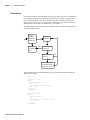
Verilog designs can be annotated using either the simulator command-line options or the
$sdf_annotate system task (also commonly used in other Verilog simulators). The
command-line options annotate the design immediately after it is loaded, but before any
simulation events take place. The $sdf_annotate task annotates the design at the time it is
called in the Verilog source code. This provides more flexibility than the command-line
options.
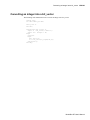
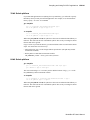
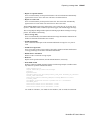
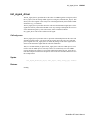
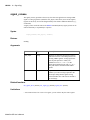
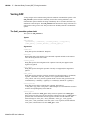
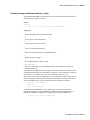
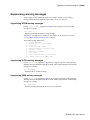
The $sdf_annotate system task
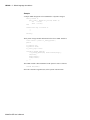
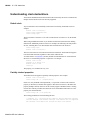
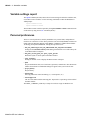
The syntax for $sdf_annotate is:
Syntax
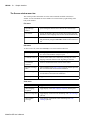
$sdf_annotate
(["<sdffile>"], [<instance>], ["<config_file>"], ["<log_file>"],
["<mtm_spec>"], ["<scale_factor>"], ["<scale_type>"]);
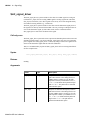
Arguments
"<sdffile>"
String that specifies the SDF file. Required.
<instance>
Hierarchical name of the instance to be annotated. Optional. Defaults to the instance
where the $sdf_annotate call is made.
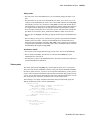
"<config_file>"
String that specifies the configuration file. Optional. Currently not supported, this
argument is ignored.
"<log_file>"
String that specifies the logfile. Optional. Currently not supported, this argument is
ignored.
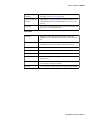
"<mtm_spec>"
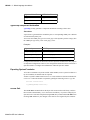
String that specifies the delay selection. Optional. The allowed strings are "minimum",
"typical", "maximum", and "tool_control". Case is ignored and the default is
"tool_control". The "tool_control" argument means to use the delay specified on the
command line by +mindelays, +typdelays, or +maxdelays (defaults to +typdelays).
"<scale_factor>"
String that specifies delay scaling factors. Optional. The format is
"<min_mult>:<typ_mult>:<max_mult>". Each multiplier is a real number that is used to
scale the corresponding delay in the SDF file.
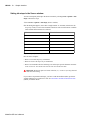
"<scale_type>"
String that overrides the <mtm_spec> delay selection. Optional. The <mtm_spec>
delay selection is always used to select the delay scaling factor, but if a <scale_type> is
specified, then it will determine the min/typ/max selection from the SDF file. The
allowed strings are "from_min", "from_minimum", "from_typ", "from_typical",
"from_max", "from_maximum", and "from_mtm". Case is ignored, and the default is
"from_mtm", which means to use the <mtm_spec> value.
ModelSim SE User’s Manual