1
Appendix B
Configuring iSCSI through
DHCP
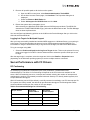
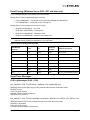
Dynamic Host Configuration Protocol (DHCP)
Recommendations
If you are using the DHCP server to obtain an IP address for the UCNA, Emulex recommends that you
set up a reservation. A reservation assigns a specific IP address based on the MAC address of the
UCNA. If you do not reserve an IP Address through DHCP, then you must set the lease length for the
UCNA IP address to unlimited. This prevents the IP address lease from expiring.
Vendor-Specific Option 43
This section describes the format for the data returned in DHCP vendor-specific option 43. The method
and format for specifying the Vendor ID is outside the scope of this document and is not included here.
The UCNA offers this Vendor ID to the DHCP server to retrieve data in the format described in this
section.
Format of Vendor-Specific Option 43
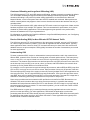
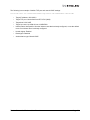
The following describes the format of option 43 and includes guidelines for creating the data string:
'iscsi:'<TargetIP>':'<TargetTCPPort>':'<LUN>':'<TargetName>':'<InitiatorName>':'<Heade
rDigest>':'<DataDigest>':' <AuthenticationType>
•
Strings shown in quotes are part of the syntax and is therefore mandatory
•
Fields enclosed in angular brackets (including the angular brackets) should be replaced with
their corresponding values. Some of these fields are optional and may be skipped.
•
If an optional field is skipped, a colon must be used as a placeholder to indicate the default value
for that field.
•
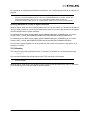
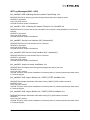
When specified, the value of each parameter should be enclosed in double quotes. See
“Examples” on page 117.
•
All options are case sensitive
Description of Mandatory and Optional Parameters
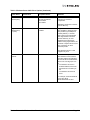
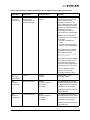
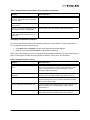
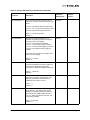
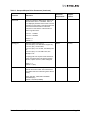
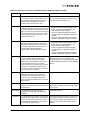
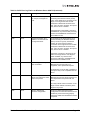
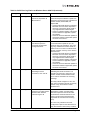
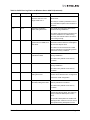
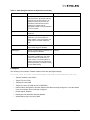
Table 31 describes the parameters used in the data string for option 43.
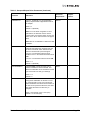
Table 31: Data String Parameters for Option 43
Parameter
Description
Field Type
<TargetIP>
A valid IPv4 address in dotted decimal
notation
Mandatory
<TargetTCPPort>
A decimal number ranging from 1 to
65535 (inclusive). The default TCP port
is 3260.
Optional
Emulex Drivers for Windows User Manual
Page 116