1
CNC-Calc Tab
13
Scale Elements
Use this option to create one or more copies of the selected elements, scaled about
a selected point by a specified scale factor.
It is optional whether the original element should be kept.
Undo
Select this option to undo one or more operations. This can mean deleting
elements created, restoring deleted elements, and/or undoing modifications to
elements. Undo can also be accessed with Ctrl+Backspace.
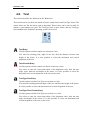
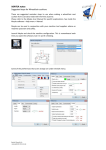
4.4. Snap
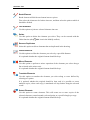
This section describes the different kinds of snap options that are available in the Snap
menu.
The snap option is only available when some point position has to be selected or
indicated.
The Snap menu.
Snap to Grid
Toggle snap to the grid points.
Snap to Points
Toggle snap to points drawn by the user.
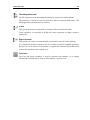
Snap to Center Points
Toggle snap to the centers of circles and arcs.
Snap to Mid Points
Toggle snap to the midpoints of elements.
Snap to End Points
Toggle snap to the endpoints of elements.