1
CNC-Calc Tab
16
Rectangle
Use this option to draw a rectangle where you select the two opposite corners.
It is possible to define a corner radius for the rectangle (the corner radius is
ignored if there is not room for it).
4.6. Arcs and Circles
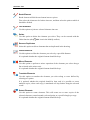
This section describes the functions in the Draw Arcs/Circles menu. These functions let
you draw full circles (360 degree arcs) and arcs defined in different ways.
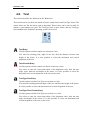
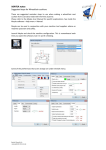
The Draw Arcs/Circles menu.
Center Radius
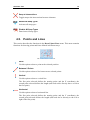
This option lets you define the center of the circle, followed by the radius.
Two Points
Use this option to define the circle by selecting two (diametrically opposite)
points.
Three Points
Use this option to define the circle by selecting three points on the periphery of
the circle.
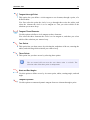
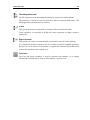
Tangent Two Elements
This option lets you define a circle tangent to two elements, of a defined radius.
You first write the radius, then you select the two elements the circle is to be
tangent to. Last you select which of the solutions you want to keep.
Tangent Center on Line
This option lets you define a circle tangent to one element, with its center on a
line, of a defined radius.
You first write the radius, then you select the line the center is to be on, and the
element the circle is to be tangent to. Last you select which of the solutions you
want to keep.