1
CNC-Calc Tab
19
4.8. Text
This section describes the functions in the Text menu.
These functions let you draw two kinds of letters: simple letters and TrueType letters. The
simple letters are like the letters used on drawings. These letters can be used to mill, for
instance, a part number on a part. The TrueType letter is more artistic, and any TrueType
font installed in the Windows operating system can be used.
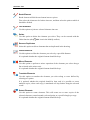
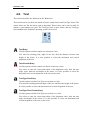
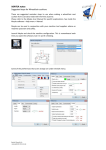
The Text menu.
Text Entry
Use this option to define simple text written on a line.
You enter the starting point, angle of the line, then the distance between and
height of the letters. It is also possible to select the horizontal and vertical
alignment of the text.
Text Circular Entry
Use this option to define simple text that is written on a circle.
You select or enter the center and radius of the alignment circle, then the start
angle, space between and height of the letters. It is also possible to select the
horizontal and vertical alignment of the text on the circle.
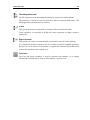
TrueType Text Entry
Use this option to define TrueType text written on a line.
You enter the starting point and angle of the line, and then the height of the letters.
It is also possible to select the horizontal and vertical alignment of the text.
TrueType Text Circular Entry
Use this option to define TrueType text written on a circle.
You select or enter the center and radius of the alignment circle, then the start
angle and height of the letters. It is also possible to select the horizontal and
vertical alignment of the text, on the circle.