1
CNC-Calc v7 User Guide
2
Table of Contents
License Information ........................................................................................................... 3
1.
2.
Overview ...................................................................................................................... 5
1.1.
Designed for usability and productivity ................................................................ 5
1.2.
User Interface ........................................................................................................ 6
Installation................................................................................................................... 7
2.1.
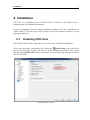
Enabling CNC-Calc .............................................................................................. 7
3.
Mouse Functions ......................................................................................................... 8
4.
CNC-Calc Tab ............................................................................................................ 9
4.1.
File......................................................................................................................... 9
4.2.
View .................................................................................................................... 10
4.3.
Modify ................................................................................................................. 11
4.4.
Snap ..................................................................................................................... 13
4.5.
Points and Lines .................................................................................................. 14
4.6.
Arcs and Circles .................................................................................................. 16
4.7.
Pattern ................................................................................................................. 18
4.8.
Text ..................................................................................................................... 19
4.9.
Milling Operations .............................................................................................. 20
4.10.
5.
Program Menu .......................................................................................................... 24
5.1.
6.
7.
Turning Operations .......................................................................................... 22
File Menu ............................................................................................................ 24
CNC-Calc Settings .................................................................................................... 25
6.1.
Main Configuration ............................................................................................. 25
6.2.
Color Configuration ............................................................................................ 27
Using CNC-Calc Help .............................................................................................. 28
7.1.
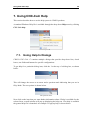
Using Help In Dialogs ......................................................................................... 28
7.2.
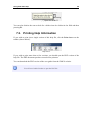
Printing Help Information ................................................................................... 29