1
CNC-Calc Tab
17
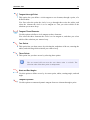
Tangent through Point
This option lets you define a circle tangent to one element, through a point, of a
defined radius.
You first select the point the circle is to go through then write the radius, and
select the element the circle is to be tangent to. Last you select which of the
solutions you want to keep.
Tangent Three Elements
Use this option to define a circle tangent to three elements.
You select the three elements the circle is to be tangent to, and then you select
which of the solutions you want to keep.
Two Points
This option lets you draw an arc by selecting the endpoints of the arc, entering the
radius, and selecting which solution you want to keep.
Three Points
This option lets you draw an arc by selecting three points.
The arc created will not cross the zero degree point (3 o'clock). The
selection order of the three points is unimportant.
Start and End Angles
Use this option to define an arc by its center point, radius, starting angle, and end
angle.
Tangent Dynamic
Use this option to construct dynamic tangent from one element through a point.