1
Mouse Functions
8
3. Mouse Functions
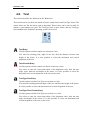
The mouse buttons are used to perform the following functions:
Left button
Selects whatever is described in the lower left corner of the program window.
Middle button (on most mice, pressing the scroll wheel)
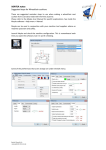
Fits/zooms the geometry drawing to the entire graphics area. This can also be
achieved by clicking the
icon.
Right button
Drag the geometry drawing across the graphics area by holding down the right
mouse button as you drag the mouse.
Scroll wheel
Zoom in and out, centered on the cursor position.