1
Page 36
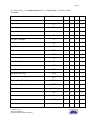
14.2 Text Editors Shortcut Keys
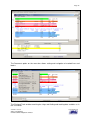
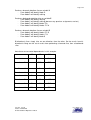
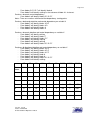
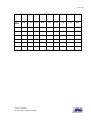
The following table shows the keyboard shortcuts available in the Text Editor:
Key
Function
Key
Function
F3
F4
F5
Cntl-L
F1
F2
Locate Data item
Locate Previous
Locate Next
F6
F7
F8
Shift-F7
Shift-F8
F9
F11
F12
Jump left data item
Jump right data item
Mark Line with current
mark
Clear marked lines
Previous marked line
Next marked line
Previous marked block
Next marked block
Set return point
Goto previous return point
Clear all return points
Cntl-F
Shift-F1
Shift-F2
Alt-F1
Alt-F2
Find Text
Find Previous
Find Next
Go to previous code line
Go to next code line
Cntl-X
Cntl-C
Cntl-V
Cntl-Z
Cntl-Y
Cut
Copy
Paste
Undo
Redo
Cntl-M
Cntl-U
Mark block of lines
Unmark block of lines
Cntl-n
Cntl-Shift-n
Mark line as type n (0-9)
Mark block as type n (1-9)
Alt-F4
Cntl-P
Cntl-N
Home
End
Cntl-Left
Cntl-Right
Cntl-Up
Cntl-Down
Cntl-Home
Cntl-End
Close Editor
Previous Line
Next Line
Start of line
End of line
Previous non space char
Next non space char
Top of file
End of file
Top of file
End of file
Mouse
Double click
Single click
Right click
Select data item
Remove highlight
Popup menu
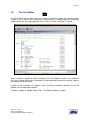
Edit function of the Text Editor
The edit facility differs from the tracking facility, in that whilst it is still aware of the data
elements it enables free string searching of all text including comments, labels in the source
code itself.
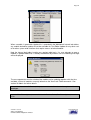
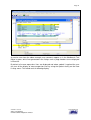
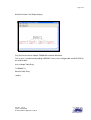
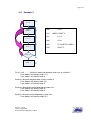
The context menu of the Edit function –
Version: Issued
Status: Confidential
© 2008 Software Migrations Limited
User Guide 138