1
SnapSAN 3000/5000 Disk Array User Guide
•
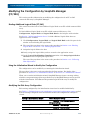
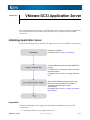
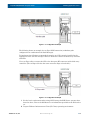
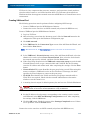
Checking Connection from Application Server
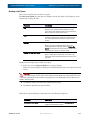
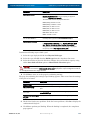
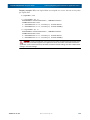
When not adding registration of host port (iSCSI port) for the disk array (non-redundant
configuration)
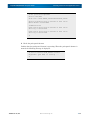
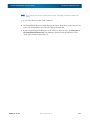
8. Click the OK button. This completes the operations.
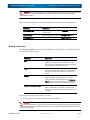
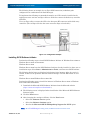
When adding host port registration
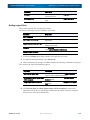
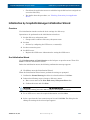
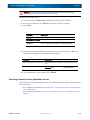
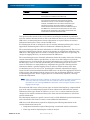
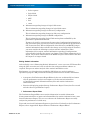
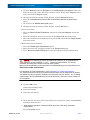
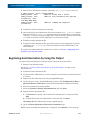
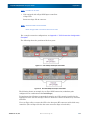
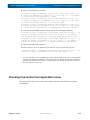
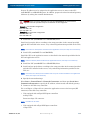
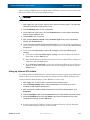
1. Change the following setting. When finished, click the Advanced button.
•
Select the Automatically restore this connection when the system boots
option.
•
Select the Enable multi-path option.
NOTE: Under the settings for the newly registered disk array host port, select the Enable multipath option.
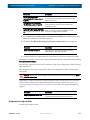
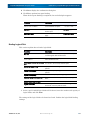
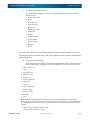
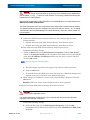
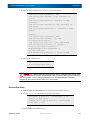
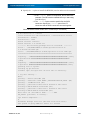
When registering additional host port
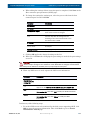
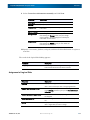
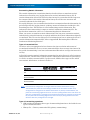
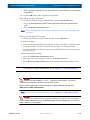
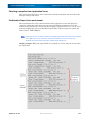
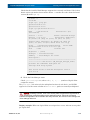
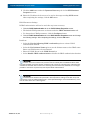
1. Change the following settings. When finished, click the OK button.
Connection settings
•
Select the Microsoft iSCSI Initiator option from the Local Adapter drop-down menu.
•
Select the IP address of the local server from the Source IP drop-down menu.
•
Select the IP address of the disk array host port (iSCSI port) from the Target Portal
drop-down menu.
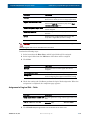
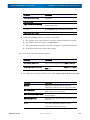
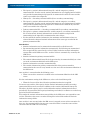
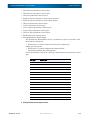
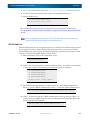
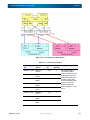
CHAP authentication settings
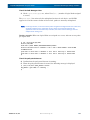
• Select the CHAP logon information option.
• Enter password to be assigned to target in the Target Secret box.
• Select Execute mutual CHAP option when using mutual CHAP authentication.
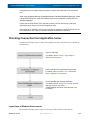
For description of CHAP authentication, refer to Appendix O: "CHAP Authentication".
CAUTION: The CHAP Secret can be specified as any string of 12 to 16 alphanumeric
characters as well as !#$%&’*+~/=?{|}_-. Letters are case-sensitive. For security,
password text strings are indicated as dots or other symbols.
Mutual CHAP authentication is also described in SnapSAN Manager Embedded as
Bidirectional CHAP authentication.
NOTE: For description of CHAP authentication, refer to Appendix O: "CHAP Authentication"
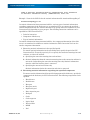
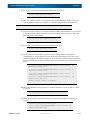
CAUTION: The Target Secret that is set here is a password that a target uses to authenticate
an Initiator. This password is also required for settings on the disk array side (see Section:
13.2.21 iSMcfg setldsetchap in the SnapSAN Manager Command Reference), so be sure to
write it down so it is not forgotten.
10400386-001 07/2012
©2012 Overland Storage, Inc.
C-10