1
Chapter 5: Forcefield commands
•
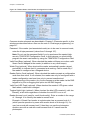
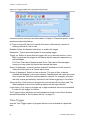
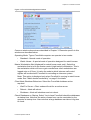
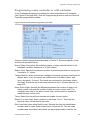
Periodic (and then specify the number of days)
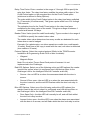
Backup To. Select the required storage device for the backup (backing up to
remote storage is recommended). The archives are available for reporting
and backing up to offline media, and each archive is created in a separate
directory. Selecting the Forcefield server hard disk allows for archiving of
previous history backups.
Note: The ‘Backup to’ storage device must be available at the specified
backup time and the entire backup must fit onto one device because there is
no provision for operator intervention for auto backups.
Use Data Compression. If selected, Forcefield will compress the backup data.
This will take longer to achieve than a uncompressed back up. It will also
temporarily use hard disk space while compressing data for storage.
Note: In the event of a defect in the storage medium, uncompressed data is
typically easier to recover than compressed data.
Archive Previous Backup. This field is visible only when the Forcefield server
hard disk is selected in the Backup To field. Right-click to copy the existing
archive, if any, to a dated archive. The archive is available for later restoral if
required.
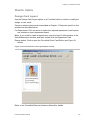
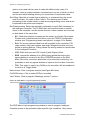
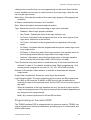
When a scheduled backup is ‘currently active’, an icon displays on the main
window (see “Automatic activity icons” on page 18).
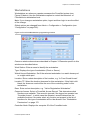
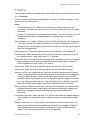
Auto History Backup
Use the Auto History Backup & Purge option to automate the archiving and
purging of history data from Forcefield.
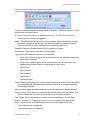
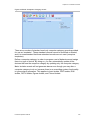
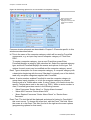
Common window elements are described in Chapter 3. Elements specific to this
window are described below.
Backup Interval. Select the desired interval of archiving history data:
•
Daily
•
Weekly
•
Monthly
•
Periodic (and then specify the number of days)
Only the selected interval will be backed up. For example, if the interval is
weekly, then history records for the past week will be backed up.
Backup From. Optionally specify a number of days or weeks before the start of
the interval to allow for overlapping backup data by adjusting the start date of
the export data by the time specified. For example, if the interval is daily and
you specify 1 month, then the backup will contain data from the month before
the specified interval, plus the day’s data.
Forcefield Operators Manual
87