1
Chapter 5: Forcefield commands
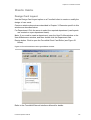
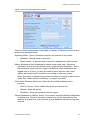
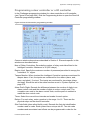
Programming Alarm Groups For a Profile
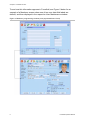
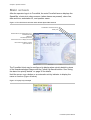
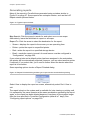
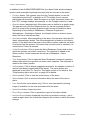
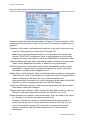
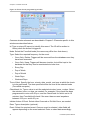
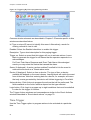
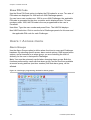
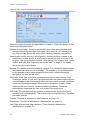
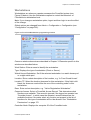
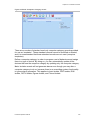
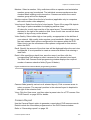
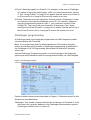
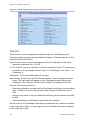
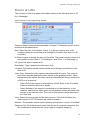
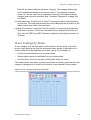
Click the Alarm button on the User Profiles window to program, allocate and view
the Challenger alarm groups for this profile.
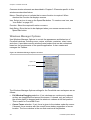
Common window elements are described in Chapter 3. Elements specific to this
window are described below.
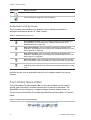
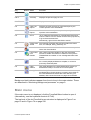
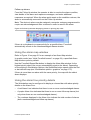
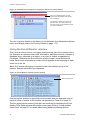
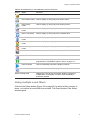
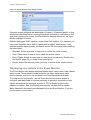
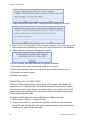
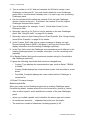
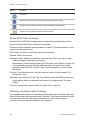
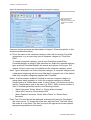
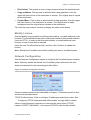
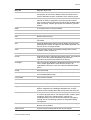
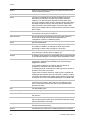
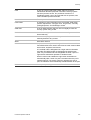
Timed button. Click to program times and dates for the access group to be active
at a particular Challenger panel. See “Programming timed access” below for
details.
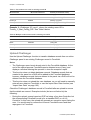
List button. Displays the profile’s group IDs.
Expand button. Displays the profile’s group IDs and their timezones.
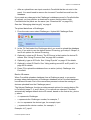
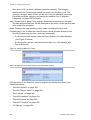
Restore button. Restores the list of Challenger panels after the Find Ch button
reduced the list.
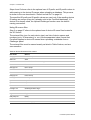
Find Ch button. Opens a Challenger search window to enable rapid selection of a
Challenger from the list.
Note: If you press F8 whilst using this screen, you will delete all of the
Challenger Alarm Group access records that have been assigned to this profile.
Programming timed access
Access groups may have timed access programmed, which Forcefield uses to
determine when the access applies to users of the profile. Timed access works
as follows:
•
If programmed, then the access is given to the user only during the time
specified here, with the proviso that the time assigned to the user record is
not extended by any times assigned to the access group at the profile level.
Time access can only limit, not extend, the user’s access.
•
If not programmed, then the access is given to the user at all times the user is
active.
Example 1: We have some users who we normally want to have access to
particular doors. If we want these users to have alarm group access only during a
particular time period, we would create a profile that has a door group with no
timed access programmed, and an alarm group with timed access programmed
for the particular time period.
Example 2: We have some users who need continuous access to Challenger A’s
doors and timed access to Challenger B’s doors. The profile would therefore
have two door groups: one door group assigned to Challenger A (without timed
access), and the other door group assigned to Challenger B (with timed access).
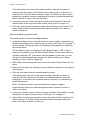
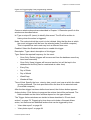
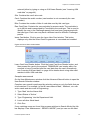
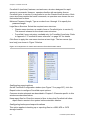
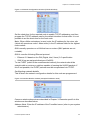
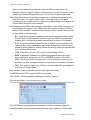
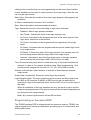
For the particular door group, floor group, and/or alarm group, click the Timed
button to program times and dates for the access group to be active for a
particular Challenger panel. The timed access programming window displays.
150
Forcefield Operators Manual