1
Chapter 4: Forcefield tasks
•
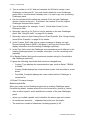
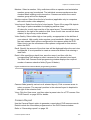
Standard Egress—Egress functionality is used. This option requires a
simple normally open push button to be connected. The smart card
reader’s open collector output controls a door relay. A press of the button
will release the door lock relay.
•
Egress and Arm/disarm—Egress functionality is used, along with alarm
control. This option requires a TS0064 Expanded Button Interface to be
connected. The smart card reader’s open collector output controls a door
relay. A press of the TS0064’s In button will release the door lock relay
and disarm the area. A press of the TS0064’s Out button will release the
door lock relay and arm the area.
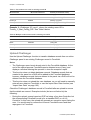
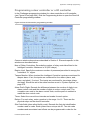
Reader Credit Type (used for credit functionality). Select one of four credit
accounts to apply to the reader. Cards may be used that have the same credit
account.
Reader Location (used for credit functionality). Select one of four location names
to apply to the reader. Cards may be used that have the same location name.
Converting to prohibit shared profiles mode
Prohibit shared profiles mode causes user profiles (and alternative user profiles)
to be locked to user records. For example, user 1 can have only “User 1 Profile|”
and optionally “User 1 Alt Profile|”.
When prohibit shared profiles mode is selected Forcefield converts the entire
user database and creates a profile (and an alternate profile, if required) for each
user. This conversion may take considerable time, depending on the number of
users.
Note: No user maintenance operations may be carried out while the conversion
process is active.
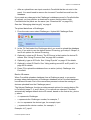
To enable prohibit shared profiles mode, and to convert the user database:
1. Backup the database.
2. If enabled, disable Auto Logoff on the workstation where the conversion will
take place (see “Workstation options—other” on page 177).
3. Logout on that workstation.
4. Log back in with a login that has all privileges.
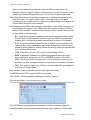
5. Select Admin > Configuration > Configuration, and then click User (see
“Configuring user options” on page 232).
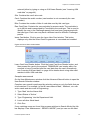
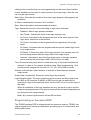
6. Select Prohibit Shared Profiles. A selection dialogue box opens.
Forcefield Operators Manual
55