1
MetaFluor User’s Guide
Calibration Map (Calibration Menu)
Applies a calibration to an experimental image, generating a custom look-up table
that assigns a specific color to a particular ion concentration or pH value. The
"calibration map" that is displayed will correspond to the currently active
experimental image.
Use this command to generate a calibration map which displays the image in calibrated
values, where the difference in color between pixels directly relates to the difference in
concentration. This command allows you to visualize the relationships of ion concentration in
the specimen.
If you want to apply a calibration to an entire series of experimental images, you should first
apply this command, and then perform the procedure for the Save Calibration Maps
command.
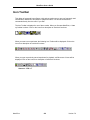
QUICK TIP: To hide the Image Window Toolbar, right-click on the image and choose Hide
Image Window Toolbar from the pop-up shortcut menu that appears.
See Also:
Save Calibration Maps
MetaFluor
368
Version 7.0