Download MetaFluor User Guide
Transcript
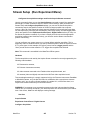
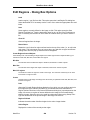
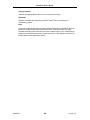
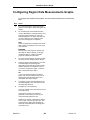
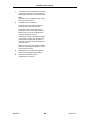
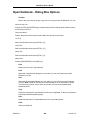
MetaFluor User’s Guide Event Marks (Run Experiment Menu) Marks the time at which a significant event occurred. Use this command when you want to record a significant event during the experiment in a log file. For example, you may want to record the time that you added a receptor agonist to your perfusion medium. You can use the Event Marks command to annotate your data log with the desired text. Each text line will have the current graph time associated with it. If you are saving images to play back later, MetaFluor will also record the event in the .inf file associated with the images so that it can display the event text at the appropriate time as you play back the images. The Event Marks dialog box can be expanded and condensed using the More >> and Less << command buttons. When the dialog box is in its expanded form, you can compose text for the event mark in the Event Text box. Additional options will be available for configuring the use of the experimental timer. Use the Mark New Event Now command button to log newly created events immediately. Events can be added to the Stored Events List using the Add New Event to List command button. After events have been added to the Stored Events List, you can log stored events from the dialog box in its condensed form, either by double-clicking the entry in the Stored Events List, by choosing the F5: Mark command button, or by pressing the [F5] function key on your keyboard. Adding predetermined events to the Stored Events List before starting is usually the best approach to use for a new experiment with fast acquisition intervals. You can then log the event marks as needed during the experiment. If you choose this approach, you will be able to condense the dialog box using Less << after you have added your events to the list; all the commands you need to log stored events will still be available in the condensed dialog box. Note: If you find that logging events is a little tricky, it may be that the Timelapse interval you selected using Timed Acquisition (Experiment Control Panel) is too short. A very short interval, combined with a large number of Frames to Average (Experiment Control Panel), may not allow MetaFluor enough time to handle image acquisition and other tasks, such as logging events. See Also: Experiment Control Panel: For Video Camera with External Monitor For Video Camera with Computer's Monitor For Digital Camera For Playback MetaFluor 244 Version 7.0
Related documents
CoCut Professional für CorelDRAW 6-X3 Illustrator 8, 9, 10, CS, CS2
Pride Mobility Jet 7 Owner`s manual
SOFTWARE SOFTWARE SIMPOE sets its sights on
TissueFAXS 3.0 - TissueGnostics
Filename
Digi Doc-It User Manual
MetaFluor Analyst
フローチャート式 MetaFluor簡易取扱説明書
Axioplan2 Metamorph user manual 041415
リ リ ー ス ノ ー ト
SensiCam SensiCam QE Operating Instructions
VBrick Systems VB6000 Series Instruction manual