1
CLIPSTER Edit Tool User Guide
1.5 New in the Edit Tool
The following lists the most important features and functions that were
new in the latest versions of the Edit Tool:
Please note that the features and functions mentioned may be
part of optional packages.
For further information please refer to the release notes of the
DVS software.
New in Version 2.5
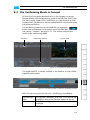
– Comprehensive tool for an easy and fast conforming (conforming
mode of the control area)
– Updated export to EDL
– Smaller changes to keyframing
– Adaptable frame numbering for name options during finalizing
– Automatic creation of metadata file (SequenceInfo.xml) during
finalizing/capturing for multi-clip detection
– Display of alpha channel of individual timeline clips in the video
overlay and at the video outputs
– Presets for time stretching and time stretching for audio
– Relinking of clips in the timeline
– Consistency check of clips allows to change the software’s default
paths to find clips of projects exchanged between systems
New in Version 2.4
– DCI Mastering (see the “CLIPSTER DCI Mastering” supplement
accessible via the software’s online help)
– Variable information in file names for finalizing (name options)
New in Version 2.3
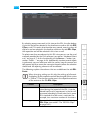
– Scene detection
– Render times for prerendering and finalizing approx. two times
faster
– Real-time effects can be finalized at least in real-time speed
– Background rendering (tab Jobs of the tool area)
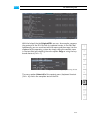
– 6-vector color correction
– Marker list with thumbnails
– ’Adaptive+’ scaling algorithm
New in Version 2.2
– Color scheme for prerendered clips
– Enhanced output settings for SDI and DVI/analog
– Lin-to-Log conversion for 3D LUTs
1-8