1
Configuration Lab (ConfigLab)
How To Compare Objects In Two Databases
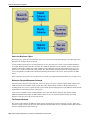
The above sections provided background information about comparing objects in two environments; the following
section reiterates this information in step-by-step instructions:
Note Remember, you always execute the comparison background process from the "target" environment (i.e.,
the one that will be changed)
•
•
•
•
Make sure that an environment reference exists in the "target" database pointing at the source database. This
environment reference must be defined as either a Compare Source or a ConfigLab.
Create a batch control for the DB process (if one doesn't already exist).
Create a DB process to define the maintenance objects to be compared. Make sure to reference the batch control
created in the previous step. Also inspect the DB process instructions to make sure they are consistent with what
you want to compare.
Submit the DB process's batch control.
Note Time saver. The batch control's context menu has an entry that transfers you to the batch submission
page. It also contains an entry that transfers you to the Difference Query (after the batch job completes).
•
•
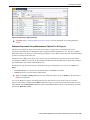
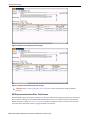
After the comparison batch process completes, transfer to the Difference Query to view the results of the
comparison.
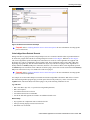
• Approve all changes using the Difference Query.
• Reject all changes that you don't want applied.
After the changes are marked as desired, submit the apply changes background process ( CL-APPCH ). After
this process completes, return to the Difference Query to check that all of your approved changes have become
complete (this means that the target database has been changed).
Note Time saver. A simple business process script in the demonstration database can be used to submit the
apply changes background process from the Difference Query. It's called CI_APPCH.
How To Copy Sample DB Processes From The Demonstration Database
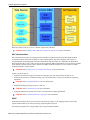
Your product's demonstration database contains sample database processes. These database processes reference
logical groups of maintenance objects that many customers compare. For example, the "control table" database
process references every maintenance object that holds configuration data.
You may find that these sample database processes closely match your needs. If this proves true, you should copy
these from the demonstration database. This will save you time as you won't have to set up the each database process.
The topics in this section describe how to copy database processes from the demonstration database.
Note The following assumes that the demonstration environment has been registered as a Compare Source
environment for your target environment.
If You Work In A Non-English Language
The demonstration database is installed in English only. If you work in a non-English language, you must execute the
NEWLANG background process on the demonstration database before using it as a Compare Source supporting
environment. If you work in a supported language, you should apply the language package to the demonstration
database as well.
If you don't execute NEWLANG on the demonstration database, any objects copied from the demonstration
database will not have language rows for the language in which you work and therefore you won't be able to see the
information in the target environment.
Oracle Utilities Application Framework Administration User's Guide • 319