1
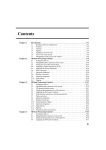
How to Set Acquisition Parameters . . . . . . . . . . . . . . . . . . . . . . 165
How to Display the Peak list . . . . . . . . . . . . . . . . . . . . . . . . . . . . 166
How to Display the Integral list . . .INDEX
. . . . . . . . . . . . . . . . . . . . . . . 167
How to Display the FID . . . . . . . . . . . . . . . . . . . . . . . . . . . . . . . .169
10.5 2D Display OptionsDONE
. . . . . . . . . . . INDEX
. . . . . . . . . . . . . . . . . . . . . . . . 169
How to Switch between Hertz and ppm Axis Units
in F2 and F1 . . . . . . . . . . . . . . . 169
How to Switch on/off the Spectrum Overview display . . . . . . . .169
How to Switch on/off the Projection display . . . . . . . . . . . . . . . . 170
How to Switch on/off the Grid display . . . . . . . . . . . . . . . . . . . . . 172
How to Display a 2D Spectrum in Contour Mode . . . . . . . . . . . .173
How to Set the 2D Contour Levels . . . . . . . . . . . . . . . . . . . . . . . 174
How to Store interactively set Contour Levels . . . . . . . . . . . . . . 175
How to Display a 2D spectrum in Pseudo Color Mode . . . . . . . 176
How to Display a 2D Spectrum in Oblique Mode . . . . . . . . . . . .176
How to Rotate a 2D Spectrum in Oblique Mode . . . . . . . . . . . . 178
How to Switch between Displaying Positive
and Negative levels . . . . . . . . . . . . . . . . . 178
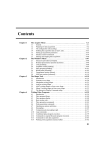
Chapter 11 nD Display . . . . . . . . . . . . . . . . . . . . . . . . . . . . . . . . . . . . . . . . 179
11.1
11.2
11.3
11.4
11.5
Display Planes of 3D Data . . . . . . . . . . . . . . . . . . . . . . . . . . . . . 179
How to Switch to 2D Plane Display . . . . . . . . . . . . . . . . . . . . . . 180
How to Display various Plane Orientations . . . . . . . . . . . . . . . . 180
How to Display various Plane Positions (numbers) . . . . . . . . . . 181
3D Cube Display Mode . . . . . . . . . . . . . . . . . . . . . . . . . . . . . . . .182
How to Display the 3D Cube . . . . . . . . . . . . . . . . . . . . . . . . . . . 182
How to Rotate the 3D Cube . . . . . . . . . . . . . . . . . . . . . . . . . . . . 182
How to Scale Up/Down the 3D Cube . . . . . . . . . . . . . . . . . . . . . 183
How to Reset the Cube Size and Orientation . . . . . . . . . . . . . . . 183
How to Switch Depth Cueing on/off . . . . . . . . . . . . . . . . . . . . . . 183
How to Display a Cube Front or Side view . . . . . . . . . . . . . . . . . 183
nD parameter display . . . . . . . . . . . . . . . . . . . . . . . . . . . . . . . . . 183
nD Fid Display . . . . . . . . . . . . . . . . . . . . . . . . . . . . . . . . . . . . . . . 185
nD Peak and Integral Display . . . . . . . . . . . . . . . . . . . . . . . . . . . 186
Chapter 12 1D Interactive Manipulation . . . . . . . . . . . . . . . . . . . . . . . . . . 189
12.1 1D Interactive Window multiplication. . . . . . . . . . . . . . . . . . . . . . 189
How to Switch to Window Multiplication Mode . . . . . . . . . . . . . . 189
12.2 1D Interactive Phase Correction . . . . . . . . . . . . . . . . . . . . . . . . .191
How to Switch to Phase Correction Mode . . . . . . . . . . . . . . . . . 191
How to Perform a Typical 1D Interactive Phase Correction . . . . 192
How to Set the Phase Pivot Point . . . . . . . . . . . . . . . . . . . . . . . 192
How to Perform Default Zero Order Phase Correction . . . . . . . . 193
8