1
Chapter 17
Configuration/Automation
17.1 NMR Superuser and NMR Administration password
During TOPSPIN installation, you are prompted to define:
• the username for the so called NMR Superuser. Under Windows this
must be the name of an existing user. Under Linux it can also be a
non-existing user, which is then automatically created by the installation program. After the installation, the NMR Superuser is the owner
of all TOPSPIN program files. Logging in as this user allows you to
remove these files, change file permissions etc. The name of the
NMRSUPERUSER will be stored in the file:
<tshome>/conf/nmrsuperuser
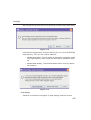
• the NMR Administration password to be used for TOPSPIN configuration commands. This password can be freely chosen and is not connected to any user. It is asked for by TOPSPIN commands like cf,
expinstall etc. The encrypted NMR Administration password is
stored in the file:
<tshome>/conf/nmradminpassword
Note that the NMR Superuser login password and the NMR Administration password have different purposes and are totally independent.