1
SPC
User’s Reference Manual
Bulk Data Entry
SPC
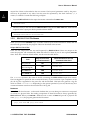
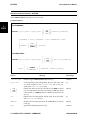
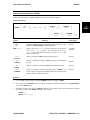
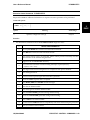
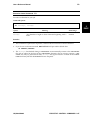
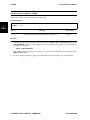
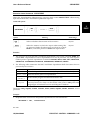
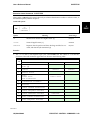
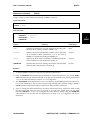
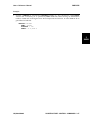
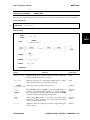
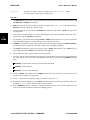
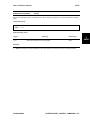
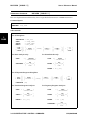
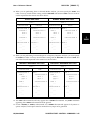
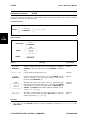
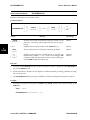
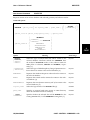
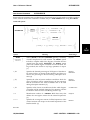
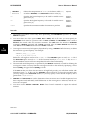
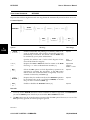
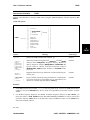
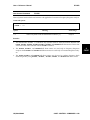
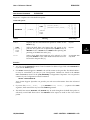
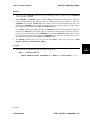
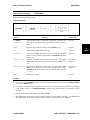
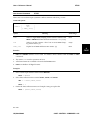
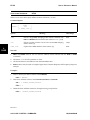
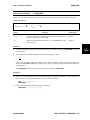
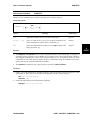
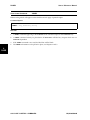
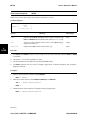
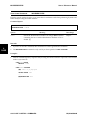
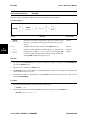
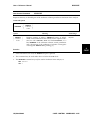
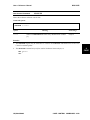
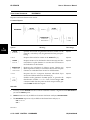
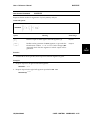
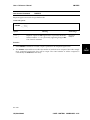
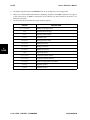
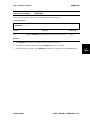
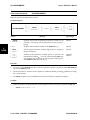
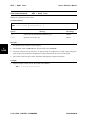
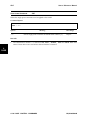
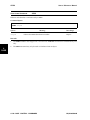
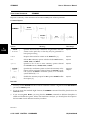
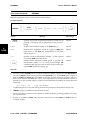
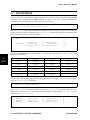
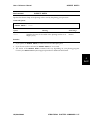
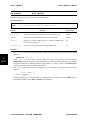
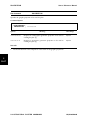
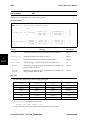
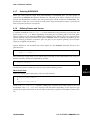
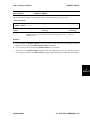
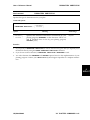
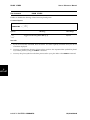
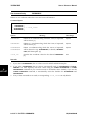
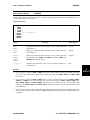
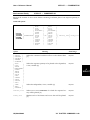
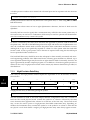
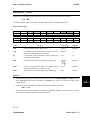
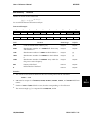
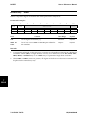
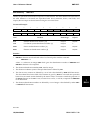
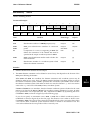
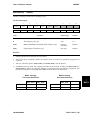
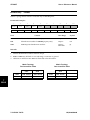
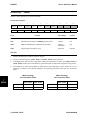
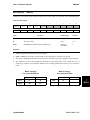
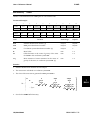
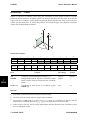
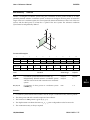
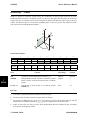
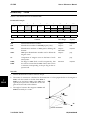
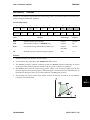
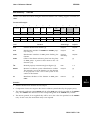
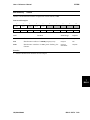
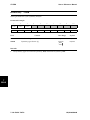
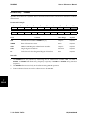
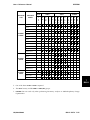
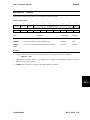
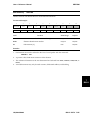
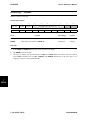
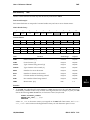
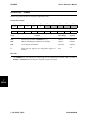
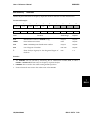
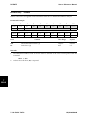
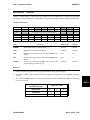
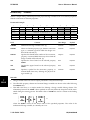
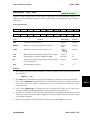
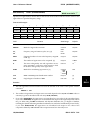
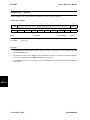
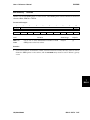
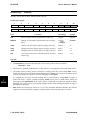
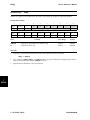
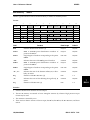
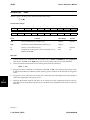
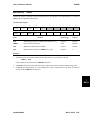
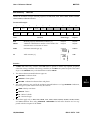
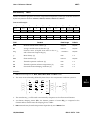
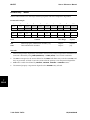
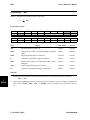
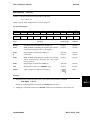
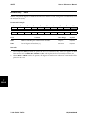
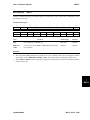
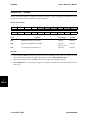
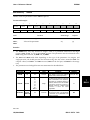
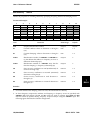
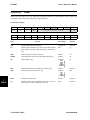
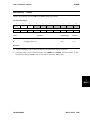
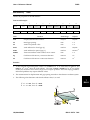
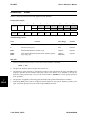
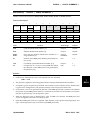
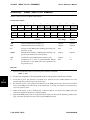
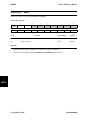
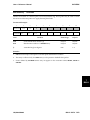
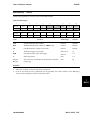
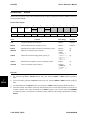
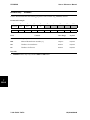
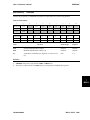
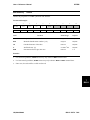
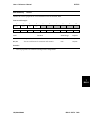
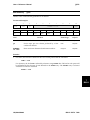
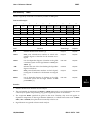
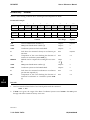
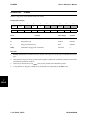
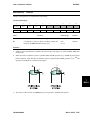
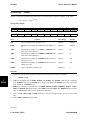
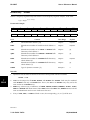
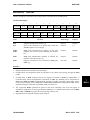
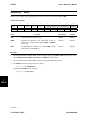
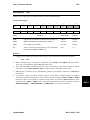
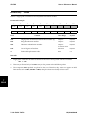
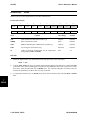
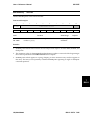
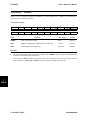
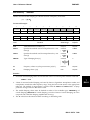
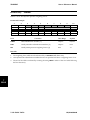
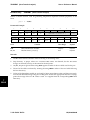
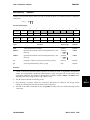
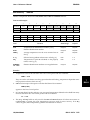
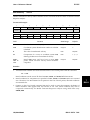
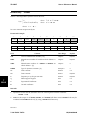
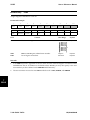
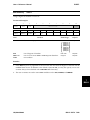
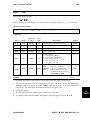
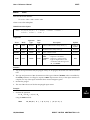
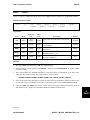
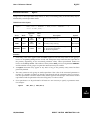
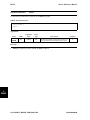
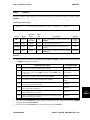
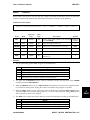
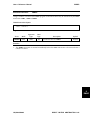
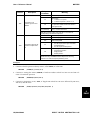
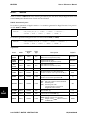
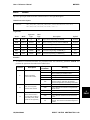
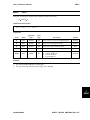
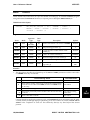
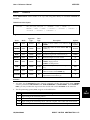
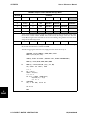
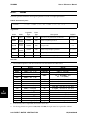
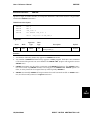
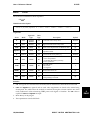
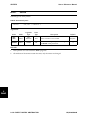
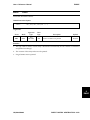
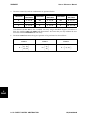
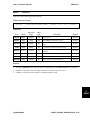
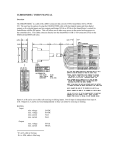
Defines sets of single-point constraints and static enforced displacements.
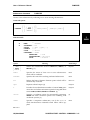
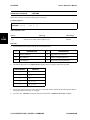
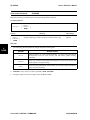
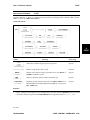
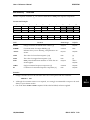
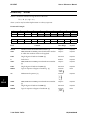
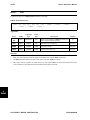
Format and Example:
1
SPC
SPC
2
3
4
5
6
7
8
SID
GID1
DOF1
δ1
GID2
DOF2
δ2
103
133
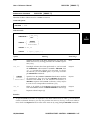
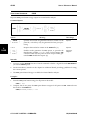
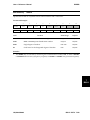
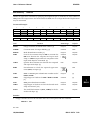
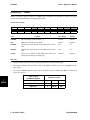
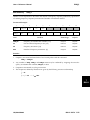
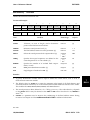
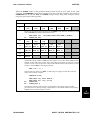
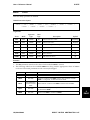
Field
1
1.25
106
1
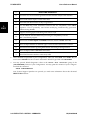
Contents
9
10
-2.4
Data Range
Default
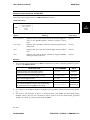
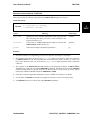
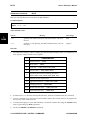
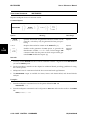
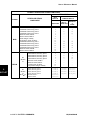
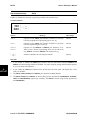
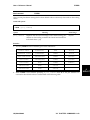
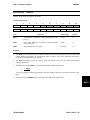
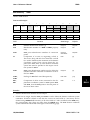
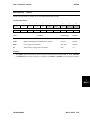
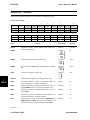
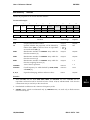
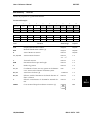
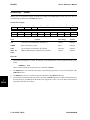
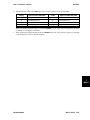
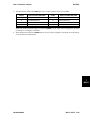
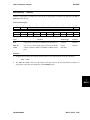
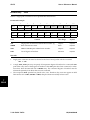
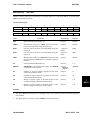
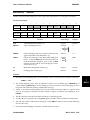
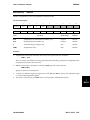
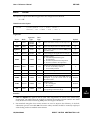
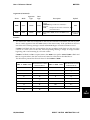
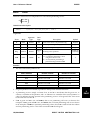
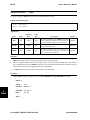
SID
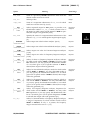
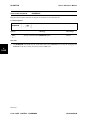
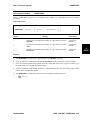
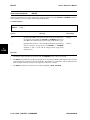
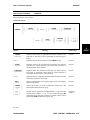
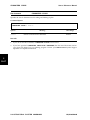
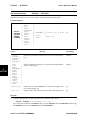
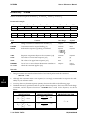
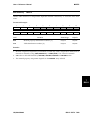
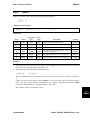
Single-point constraint set identification number. [1]
Integer>0
Required
GIDi
GRID or SCALAR point identification numbers.
Integer>0
Required
DOFi
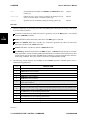
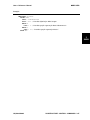
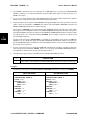
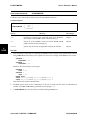
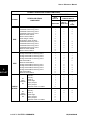
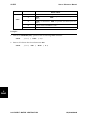
List of degrees of freedom.
DOF Code
Required
di
Value of enforced displacement for all components
designated by GIDi and DOFi. [2]
Real
0.0
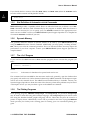
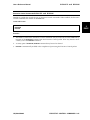
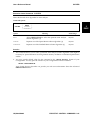
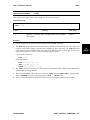
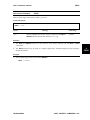
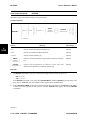
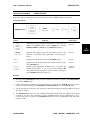
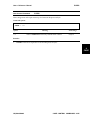
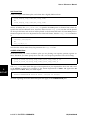
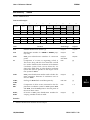
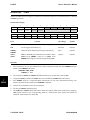
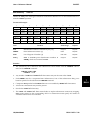
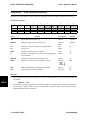
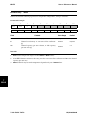
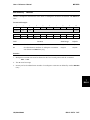
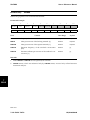
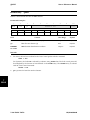
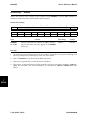
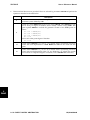
Remarks:
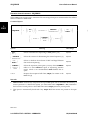
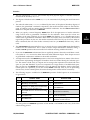
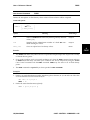
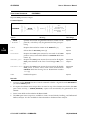
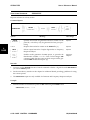
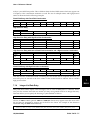
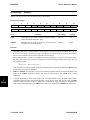
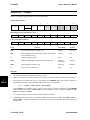
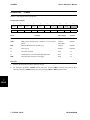
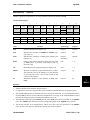
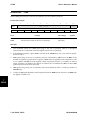
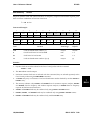
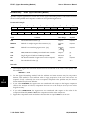
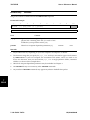
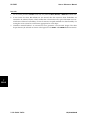
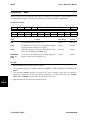
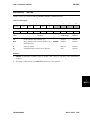
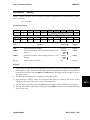
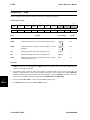
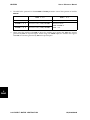
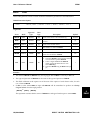
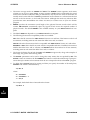
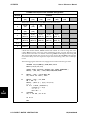
1.
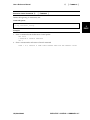
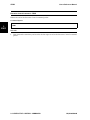
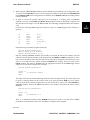
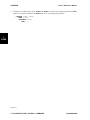
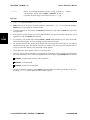
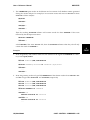
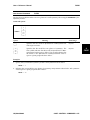
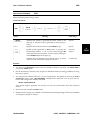
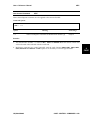
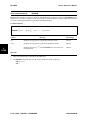
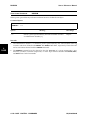
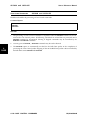
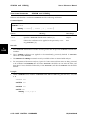
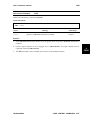
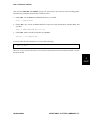
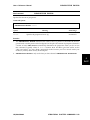
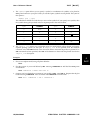
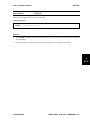
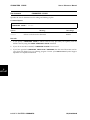
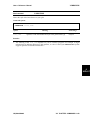
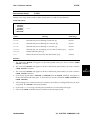
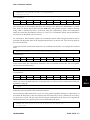
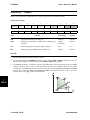
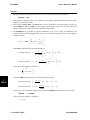
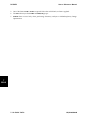
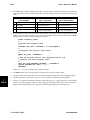
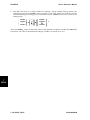
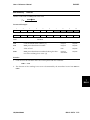
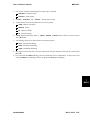
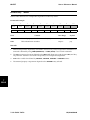
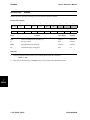
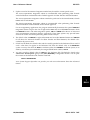
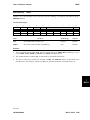
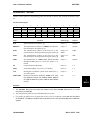
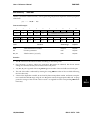
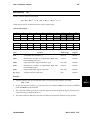
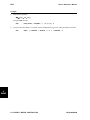
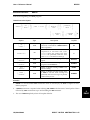
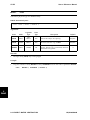
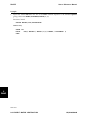
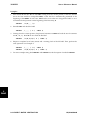
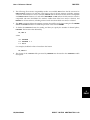
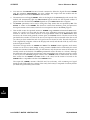
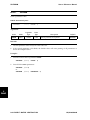
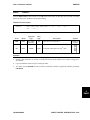
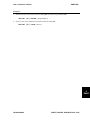
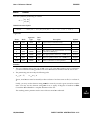
Single-point constraint sets must be selected in the Case Control packet with the command:
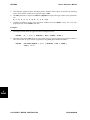
SPC = SID
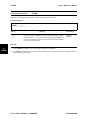
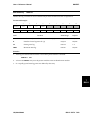
2.
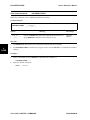
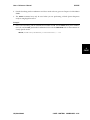
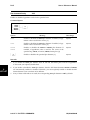
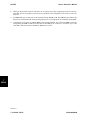
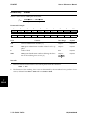
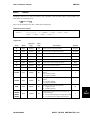
Enforced displacements in dynamics are defined using TLOADi and RLOADi Bulk Data entries.
They may not be defined using the SPC Bulk Data entry.
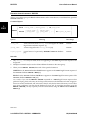
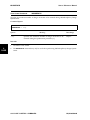
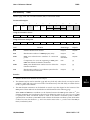
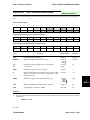
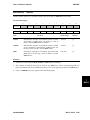
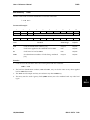
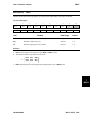
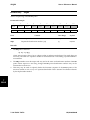
3.
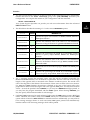
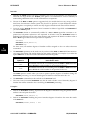
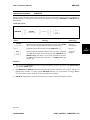
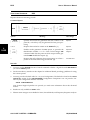
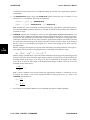
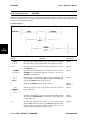
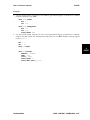
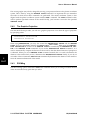
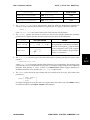
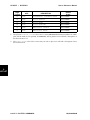
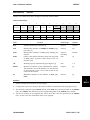
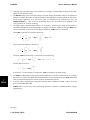
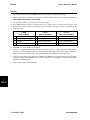
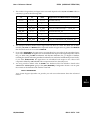
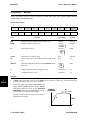
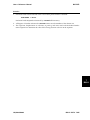
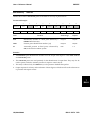
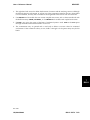
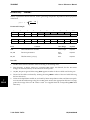
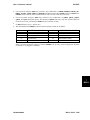
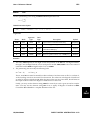
The component DOFi specified are placed in the s-set. Therefore, they must not appear on Bulk
Data entries such as MPC, SUPORT or OMIT, that place them in mutually exclusive sets.
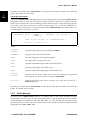
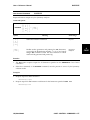
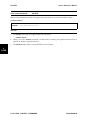
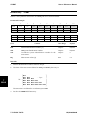
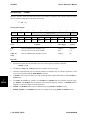
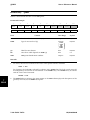
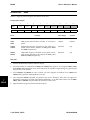
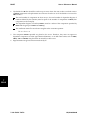
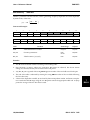
4.
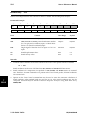
SPC degrees of freedom may be redundantly specified as permanent constraints on GRID Bulk
Data entries.
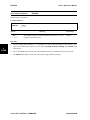
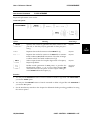
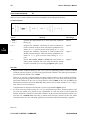
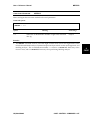
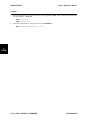
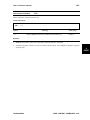
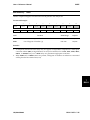
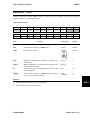
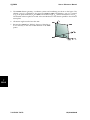
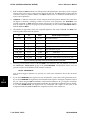
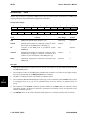
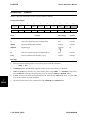
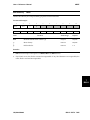
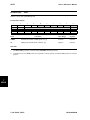
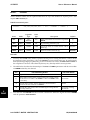
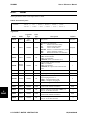
5.
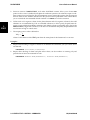
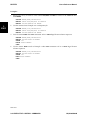
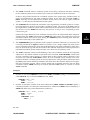
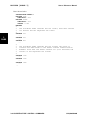
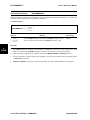
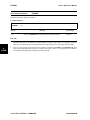
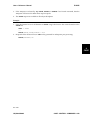
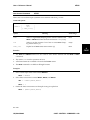
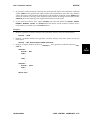
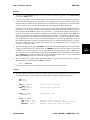
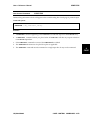
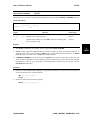
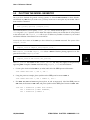
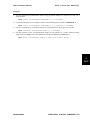
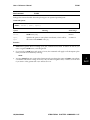
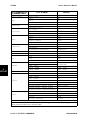
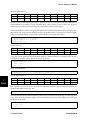
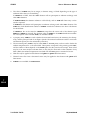
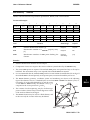
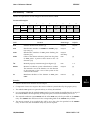
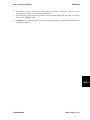
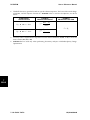
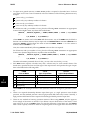
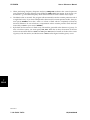
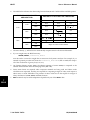
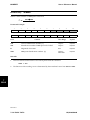
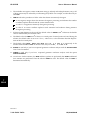
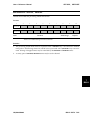
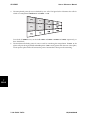
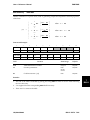
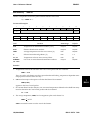
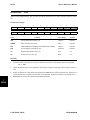
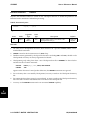
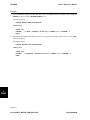
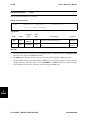
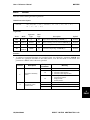
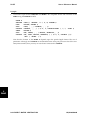
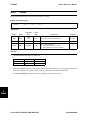
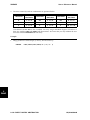
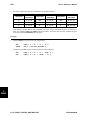
In Nonlinear Steady State Heat Transfer analysis, all boundary condition degrees of freedom
which have prescribed temperature values must be specified using both SPC and TEMP or TEMPD
Bulk Data entries. The boundary condition values which are used by UAI/NASTRAN are those
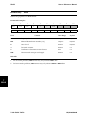
specified on the TEMP or TEMPD entries. These Bulk Data entries must also be selected with the
TEMP(ESTIMATED), TEMP(MATERIAL) or TEMP(BOTH) Case Control command.
UAI/NASTRAN
BULK DATA 7-333
7
BULK