1
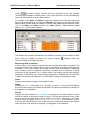
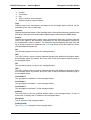
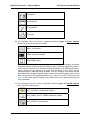
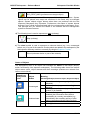
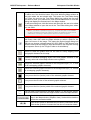
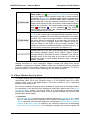
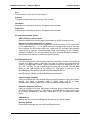
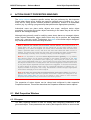
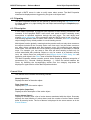
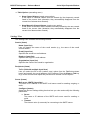
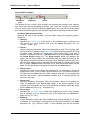
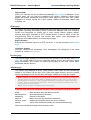
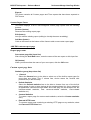
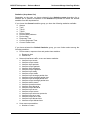
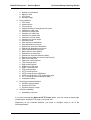
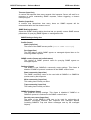
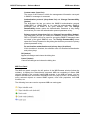
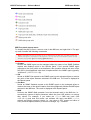
MG-SOFT Net Inspector — Reference Manual Server Settings Dialog Box When you create a trap-to-alarm rule from a received specific SNMP notification, the Specific OID value is automatically set to match the SNMP notification specific OID. Note: Specific OID value is the key condition that is checked first in received SNMP notification message. Only if the specific OID value of a received notification matches the one specified in the trap-to-alarm rule, the remaining conditions of the given rule (trap filter) are evaluated (compared to notification attributes). Edit (button) Opens the Specific OID dialog box that lets you edit or select the notification’s enterprise specific OID from the MIB tree. Name Displays the name of the specific OID as it resolves through loaded MIB modules. For user-friendlier SNMP notification viewing and handling, you should load the private MIB module(s) that define relevant enterprise specific SNMP notifications into Net Inspector. New condition (toolbar) The New condition toolbar lets you create conditions and add them to the trap filter oneby-one, while the central section of the dialog box (Conditions panel) displays existing filter conditions and relations between them. The Conditions panel displays a trap filter in form of a hierarchical tree, where individual conditions are connected with logical operators (AND, OR). CONDITION TYPE OPERATOR VALUE This toolbar lets you create a filter condition by selecting the condition type, operator and value from the corresponding drop-down lists. For the “variable Binding” condition type, more than one property can be set, as explained below. Once the condition is configured, you can add it to the filter by clicking the Add button in the right section of the dialog box. Added conditions appear in the Conditions panel below the New condition toolbar. Condition type (drop-down list) Specifies the type of the condition. You can select among the following types of conditions: SNMP Version Lets you configure a filter condition that will let through only notifications of particular SNMP protocol version (i.e., SNMPv1 Traps or SNMPv2c Traps and Informs or SNMPv3 Traps and Informs). Enterprise Lets you configure a filter condition that will let through only SNMP notifications with a particular enterprise OID (specified in the accompanying input line). If the relevant MIB module is loaded, click the OID button next to this input line to open the Select OID dialog box and select the desired object 131