1
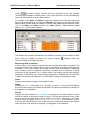
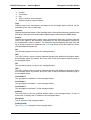
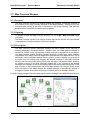
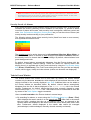
MG-SOFT Net Inspector — Reference Manual Discovery Panel Dialog Box 17 DISCOVERY PANEL DIALOG BOX 17.1 Purpose The Discovery Panel dialog box lists all existing discovery operations within Net Inspector, it lets you view their status and properties, as well as delete existing and add new discovery operations to the dialog box. The subordinated dialog boxes let you add discovered network devices and their interconnections to one or more user views. Discovered devices can also be added to the Device Panel dialog box. 17.2 Opening To open the Discovery Panel dialog box, select the Tools / Discovery Panel command. 17.3 Description The Discovery Panel dialog box lists all existing discovery operations by their names and displays the status of every discovery operation. It also lets you open discovery operations to view their properties and network discovery results, as well as delete existing and add new discovery operations to the dialog box. Users with administrator access rights are permitted to open this dialog box to view and manage discovery operations as well as add discovered devices and their interconnections to the workspace and to the Device Panel dialog box. Discovery operation is a procedure that systematically scans the network for network devices and their (inter)connections by means of ICMP ping and/or SNMP queries. The search is performed in accordance with the user-specified discovery parameters. Net Inspector supports three different network discovery methods (strategies): local - discovers the network (devices and their connections) within the local subnet range - discovers the network within the specified ranges of IP addresses progressive - discovers the network by means of the progressive SNMP-based network scan operation that starts scanning a single SNMP device and progressively discovers its neighbors and subnets they belong to. The depth of a progressive discovery operation is limited by the TTL (time-to-live) parameter that limits the lifetime of discovery packets to the configured number of hops. Discovered devices and their connections within subnets can be added to Net Inspector workspace (i.e., selected user view) either automatically or manually by the user. Furthermore, a network discovery operation can be scheduled to run repeatedly in user-defined intervals and each time automatically add newly discovered devices to the selected user view. More than one discovery operation can exist and run simultaneously in Net Inspector (e.g., each discovery operation being performed on a different part of the network, storing results to different configuration database and adding devices to different user views). Adding objects to maps is a part of the procedure of creating and maintaining a user view (for more information see the User Views Panel section). 191