1
CodeWarrior Bareboard Project Wizard
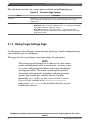
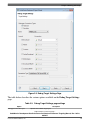
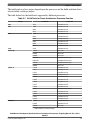
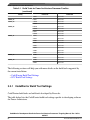
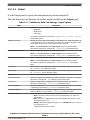
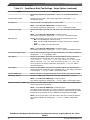
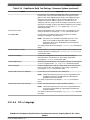
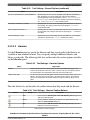
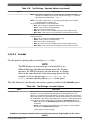
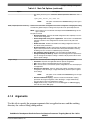
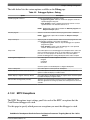
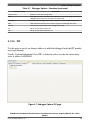
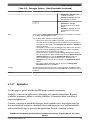
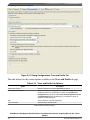
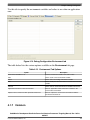
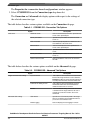
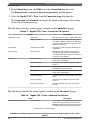
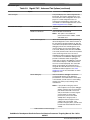
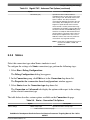
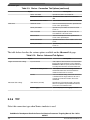
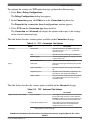
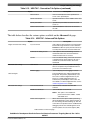
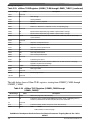
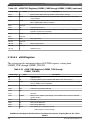
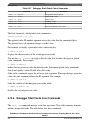
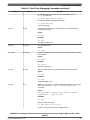
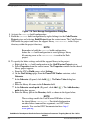
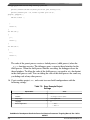
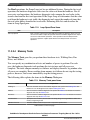
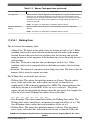
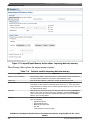
Table 2-3. Debug Target Settings page settings (continued)
Option
Description
• Hardware - Select to execute the program on the target hardware available.
• Simulator - Select to execute the program on a software simulator.
• Emulator - Select to execute the program on a hardware emulator.
Board
Specifies the hardware supported by the selected processor.
Launch
Specifies the launch configurations and corresponding connection, supported by the
selected processor.
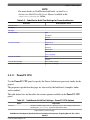
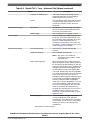
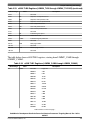
Connection Type
Specifies the interface to communicate with the hardware.
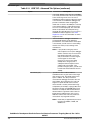
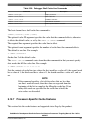
• CodeWarrior TAP (over USB) - Select to use the CodeWarrior TAP interface
(over USB) to communicate with the hardware device.
• CodeWarrior TAP (over Ethernet) - Select to use the CodeWarrior TAP
interface (over Ethernet) to communicate with the hardware device.
• USB TAP - Select to use the USB interface to communicate with the hardware
device.
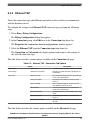
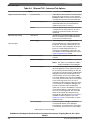
• Ethernet TAP - Select to use the Ethernet interface to communicate with the
target hardware.
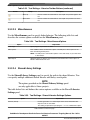
For more details on CodeWarrior TAP, see CodeWarrior TAP User Guide available in
the <CWInstallDir>\PA\Help\PDF\ folder, where <CWInstallDir> is the
installation directory of your Codewarrior software.
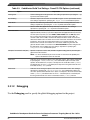
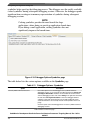
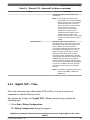
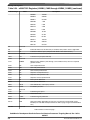
• Gigabit TAP - Corresponds to a Gigabit TAP that includes an Aurora daughter
card, which allows you to collect Nexus trace in a real-time non-intrusive fashion
from the high speed serial trace port (the Aurora interface).
• Gigabit TAP + Trace (JTAG over JTAG cable) - Select to use the Gigabit TAP
and Trace probe to send JTAG commands over the JTAG cable.
• Gigabit TAP + Trace (JTAG over Aurora cable) - Select to use the Gigabit TAP
and Trace probe to send JTAG commands over the Aurora cable.
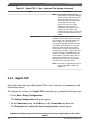
For more details on Gigabit TAP, see Gigabit TAP Users Guide available in the
<CWInstallDir>\PA\Help\PDF\ folder, where <CWInstallDir> is the installation
directory of your Codewarrior software.
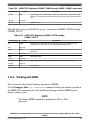
TAP address
Enter the IP address of the selected TAP device.
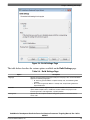
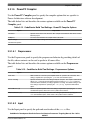
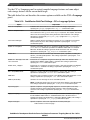
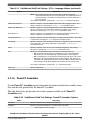
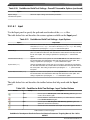
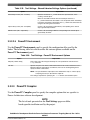
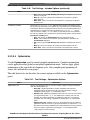
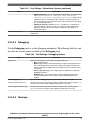
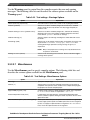
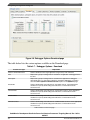
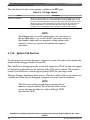
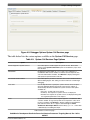
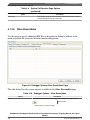
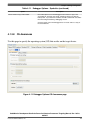
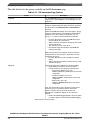
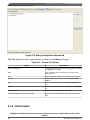
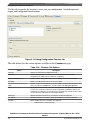
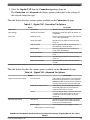
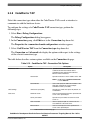
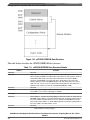
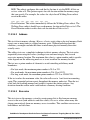
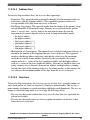
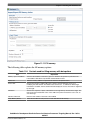
2.1.4 Build Settings Page
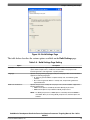
Use this page to select a programming language, toolchain, and the output project type
for your project.
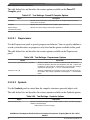
NOTE
The current release does not include toolchains for Linux
applications by default. To add the required build tools support,
you should install the corresponding service pack for the
required target. For more information on installing service
packs, see the Service Pack Updater Quickstart available in the
<CWInstallDir>\PA\ folder.
CodeWarrior Development Studio for Power Architecture Processors Targeting Manual, Rev. 10.5.0,
06/2015
34
Freescale Semiconductor, Inc.