1
Chapter 7 Debugging Embedded Linux Software
7.7.8 Debugging the kernel based on MMU initialization
This section describes how to debug the Linux kernel based on whether the MMU is
disabled, being enabled, or enabled.
Debugging the Linux kernel involves three stages with different views and functionality:
• Debugging the Kernel before the MMU is Enabled
• Debugging the Kernel while the MMU is being Enabled
• Debugging the Kernel after the MMU is Enabled
NOTE
You can debug the kernel on all stages from 0x0 till start_kernel
and further, without the need of PIC changes, breakpoints at
start_kernel, and multiple debug sessions.
7.7.8.1 Debugging the Kernel before the MMU is Enabled
This procedure shows how to debug the kernel before the memory management unit
(MMU) is initialized. You can always debug assembly before virtual addresses are being
used, without setting the alternate load address.
To debug the kernel before the MMU is enabled, follow these steps:
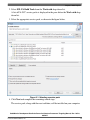
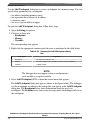
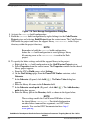
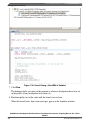
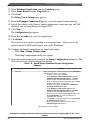
1. Select Run > Debug Configurations from the CodeWarrior menu bar to open the
Debug Configurations dialog box.
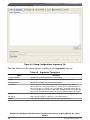
2. From the Debugger page, select the PIC tab.
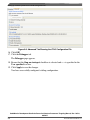
3. Select the Alternate Load Address checkbox.
4. In the Alternate Load Address field, type the hexadecimal form of the memory
address (for example, 0x00000000).
5. Click Apply. The CodeWarrior IDE saves your changes to the launch configuration.
6. Click Debug. The Debug perspective appears.
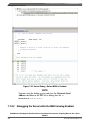
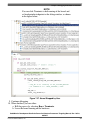
7. Set a breakpoint early in head_fsl_booke.S.
You can perform source level debug until the rfi instruction in head_fsl_booke.S.
CodeWarrior Development Studio for Power Architecture Processors Targeting Manual, Rev. 10.5.0,
06/2015
Freescale Semiconductor, Inc.
333