1
LETTUS User Manual
System Administrator
0.7.4
Menu 0
Supplier Layout Maintenance
The supplier Layout Maintenance option allows the user to design labels, mail merge letters, and general
reports on suppliers. The layout is then specified in the supplier layout list option. (See menu 7 section).
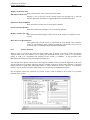
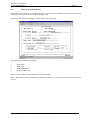
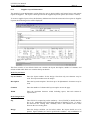
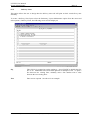
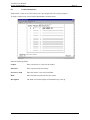
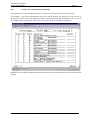
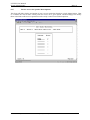
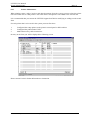
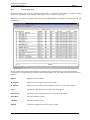
To create a supplier layout, select the Stationery Maintenance from the menu and select option 4, Supplier
Layouts, the following screen will be displayed:
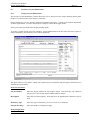
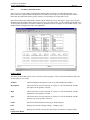
This form consists of two blocks. Block one contains the layout description, number of columns, and
column widths while block two contains the layout details.
In the Layout block
Layout Number
Enter the layout number for the design. Note that only one character may be
used. This layout number must be unique.
Description
Enter the layout description. Note that up to 30 alphanumeric characters may be
used.
Columns
Enter the number of columns this layout requires across the page.
Width
Enter the maximum character width, including spaces, that each column is
required to be.
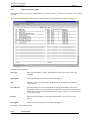
In the Design block
Seq
This field is for sequencing on the stationery. Press [NxtFld] to default the first
line to 10. Additional lines will default upwards in multiples of ten. To print a
line between two existing lines, manually enter a line number with a value
between the two existing lines.
Design
Enter the design variables (as list below) where the layout details are to be
printed. Spaces (blanks) are used to position the variables. Any combination of
Printed on 16 May, 2002
Fresh Computer Systems Pty Ltd
0-18