1
LETTUS User Manual
System Administrator
Menu 0
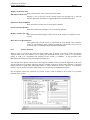
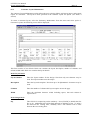
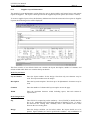
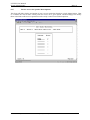
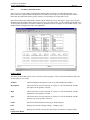
This field is set to Y if the Creditor module is installed. Creditor records will not
be updated if this field is set to N.
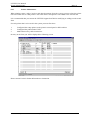
Print Company headings on pre-printed stationery
If the stationery being used does not have the company name already printed then
set this field to Y to print the name at the top of the stationery. If this field is N
then the company name will not print.
Print Aged headings on Statement Pre-printed stationery
If the stationery being used does not have the aged balance headings already
printed then set this field to Y to print the headings on the statements. If this field
is N then the aged headings will not print.
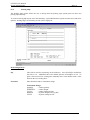
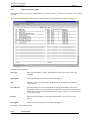
EFT File Transfer Method
Enter (D)isk for Floppy Disk Transfer, else (F)tp for Network Transfer.
EFT File Transfer Directory
Enter the Directory to store the file for Network Transfer. This field is only
required if the value of (F) is used in the EFT File Transfer method.
Terms to be used for AR statistics
Accounts receivable statistics will be maintained for periods of the number of
days entered here. Typically this would be set to 7 days.
Terms to be used for AP statistics
Accounts payable statistics will be maintained for periods of the number of days
entered here. Typically this would be set to 7 days.
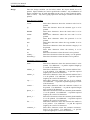
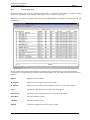
Due Date for Supplier Credits
Enter the default due date to be used when entering Supplier credits. Valid
options are:
B=
Backdated. The due date will be backdated from the document
date by the terms.
D=
Document Date. The due date will be dated the same date as the
document date.
F=
Forward Date. The due date will be forward dated from the
document date by the terms.
Create Contra Documents with the (D)ocument Date or (S)ystem Date
This field determines if the system uses the document or system date when
creating contras. Enter (D) for document date or (S) for system Date
Use System Assigned Supplier Codes
Enter Y in this field if you wish to use supplier codes which are assigned by the
system. These codes are assigned in ascending numeric order.
Use System Assigned Supplier Codes
Enter (Y)es if you wish the system to use system assigned supplier codes.
Host System Interface Format
Enter the Host System Interface Format. Contact your local Support Office for
the required format.
Host System Interface DC G/L Codes
Enter the Host System Interface G/L Code. Contact your local Support Office
for the required format.
Printed on 16 May, 2002
Fresh Computer Systems Pty Ltd
0-24