1
LETTUS User Manual
System Administrator
0.26
Menu 0
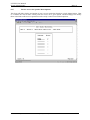
Master Charge GST Maintenance
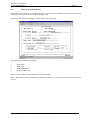
This screen is used for adding, updating and deleting GST percentages on Master Charges. It is broken
into two separate blocks, the Master Charge block that is used to query records and the GST Entries block
that lists individual entries giving a history of transactions on each Master Charge.
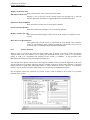
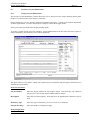
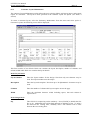
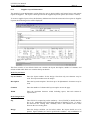
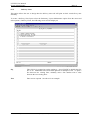
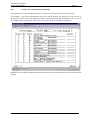
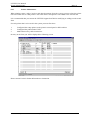
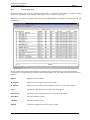
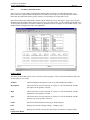
Select the Master Charge GST Maintenance option and the following screen will appear. Enter your
selection information in the Master Charge block and execute the query for your results. Use the NxtBlk
and PrvBlk keys for navigation between the two blocks and the up and down arrows to change records
within a block. The Master Charge block is display only and is not updateable.
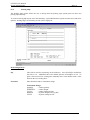
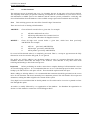
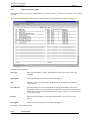
Master Charge Block
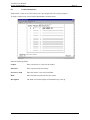
The fields in the Master Charge block can be used for selection purpose. Enter selection information and
press execute query to see results.
Charge
This field displays the Master Charge codes set up and maintained in Menu 1.
Description
This field can be used for selection of a query or it will be defaulted with the
description of the Master Charge selected.
Type
This field can be used for selection of a query or it will be defaulted with the
Master Charge type of the Master Charge selected.
Supplier
This field can be used for selection of a query or it will be defaulted with the Pay
Supplier established in Menu 1 Master charge.
Name
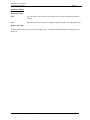
This field will default the full description of the Pay Supplier. (Display Only)
GST
Displays the current GST percentage. (Display Only)
Start
Displays the date the current GST percentage commenced. (Display Only)
Printed on 16 May, 2002
Fresh Computer Systems Pty Ltd
0-44