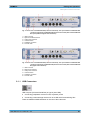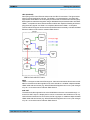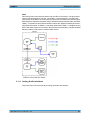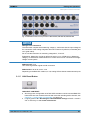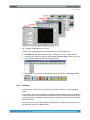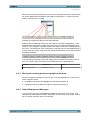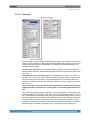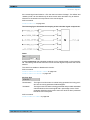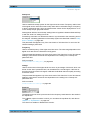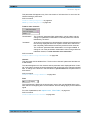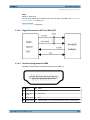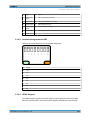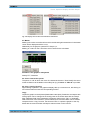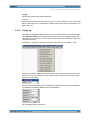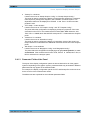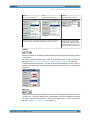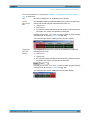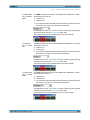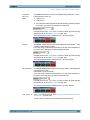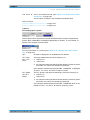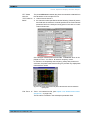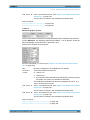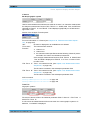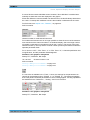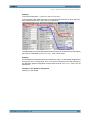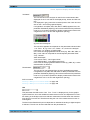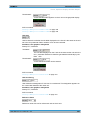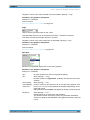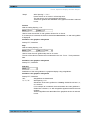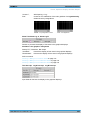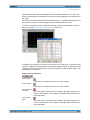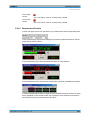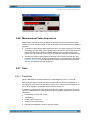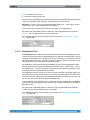
1
R&S®UPP Audio Analyzer User Manual (>;:ÅP) User Manual Test & Measurement 1411.1055.32 ─ 03 This operating manual describes the Audio Analyzers ● R&S®UPP200 ● R&S®UPP400 ● R&S®UPP800 and their options. The firmware of the instrument makes use of several valuable open source software packages. For information, see the "Open Source Acknowledgement" on the user documentation CD-ROM (included in delivery). Rohde & Schwarz would like to thank the open source community for their valuable contribution to embedded computing. © 2011 Rohde & Schwarz GmbH & Co. KG Muehldorfstr. 15, 81671 Munich, Germany Phone: +49 89 41 29 - 0 Fax: +49 89 41 29 12 164 E-mail: [email protected] Internet: http://www.rohde-schwarz.com Printed in Germany – Subject to change – Data without tolerance limits is not binding. R&S® is a registered trademark of Rohde & Schwarz GmbH & Co. KG. Trade names are trademarks of the owners. The following abbreviations are used throughout this manual: R&S®UPP is abbreviated as R&S UPP. R&S®UPP Contents Contents 1 Contents of the Customer Documentation........................................17 2 Putting into Operation.........................................................................19 2.1 Description of the Front View....................................................................................19 2.1.1 USB Connectors...........................................................................................................20 2.1.2 Digital Audio Interfaces.................................................................................................21 2.1.3 Digital Audio/HDMI Interfaces.......................................................................................21 2.1.4 Analog Audio Interfaces................................................................................................24 2.1.5 LAN Reset Button.........................................................................................................25 2.1.6 Standby Mode Pushbutton............................................................................................26 2.1.7 Status LEDs..................................................................................................................26 2.2 Description of the Rear Panel....................................................................................27 2.2.1 Remote-Control Connectors.........................................................................................27 2.2.2 PC Interfaces................................................................................................................28 2.2.3 Cascading Connections................................................................................................28 2.2.4 BNC Monitor Outputs....................................................................................................29 2.2.5 AC Supply Voltage Connector......................................................................................29 2.3 Putting into Operation................................................................................................30 2.3.1 Unpacking the instrument ............................................................................................31 2.3.2 Setting up the instrument..............................................................................................31 2.3.3 Connecting the R&S UPP to the AC Supply.................................................................34 2.4 Function Check...........................................................................................................36 2.5 Presets.........................................................................................................................36 2.6 Windows XP.................................................................................................................38 2.7 Connecting External Keyboard and Mouse..............................................................39 2.7.1 Connecting an External Keyboard................................................................................39 2.7.2 Connecting an External Mouse.....................................................................................39 2.8 Connecting an External Monitor................................................................................39 2.8.1 Changing the screen resolution of the external monitor................................................40 2.9 Installing Options........................................................................................................41 2.10 Connect R&S UPP to a Network (LAN).....................................................................41 2.10.1 Connection to the Network............................................................................................42 User Manual 1411.1055.32 ─ 03 3 R&S®UPP Contents 2.10.2 Configuration of R&S UPP for Network Operation........................................................42 2.10.3 Configuration via LXI.....................................................................................................47 2.10.4 Configuration for Manual Remote Operation................................................................53 2.11 Firmware Update.........................................................................................................57 2.11.1 Troubleshooting during a Firmware Update..................................................................58 2.12 Windows XP Recovery and Backup..........................................................................58 2.12.1 Calling the Windows XP Recovery and Backup Partition Menu...................................59 2.12.2 Backup Current System Partition..................................................................................59 2.12.3 Restoring a Selected Version of the System Partition..................................................60 2.12.4 Recover Factory Default...............................................................................................61 2.12.5 Deleting Backups..........................................................................................................62 3 Getting Started.....................................................................................63 3.1 Introduction - Getting Started....................................................................................63 3.2 Important Information for Measurements.................................................................64 3.2.1 Maximum Output Voltage of the R&S UPP Generator..................................................64 3.2.2 Avoiding Hum Loops.....................................................................................................64 3.2.3 Help System..................................................................................................................65 3.3 Brief Introduction into the Operation........................................................................65 3.3.1 Windows User Interface and Controls...........................................................................65 3.3.2 The Display...................................................................................................................66 3.3.3 Panels and Display Windows........................................................................................67 3.3.4 Structure of the Panels and Display Windows..............................................................68 3.3.5 Basic Rules of Operation..............................................................................................69 3.3.6 Function Selection and Value Entry..............................................................................69 3.3.7 Help Functions..............................................................................................................73 3.3.8 Measurement Functions and Displaying Measurement Results...................................74 3.4 Introduction to Instrument Operation Using Examples..........................................77 3.4.1 Measuring the Frequency Response of an Amplifier, Equalizer, etc............................77 3.4.2 Measuring the Harmonic Distortion (THD+N) of a DUT................................................88 3.5 Loading predefined instrument setups.....................................................................96 4 Manual Operation.................................................................................98 4.1 Introduction - Manual Operation................................................................................98 4.2 Functional Division of the Audio Analyzer...............................................................99 User Manual 1411.1055.32 ─ 03 4 R&S®UPP Contents 4.2.1 Instrument Concept.......................................................................................................99 4.2.2 Generators....................................................................................................................99 4.2.3 Analyzers....................................................................................................................101 4.3 General Information on Operation...........................................................................105 4.3.1 Windows User Interface..............................................................................................105 4.3.2 Operation Using the Mouse........................................................................................106 4.3.3 Operation Using an External PC Keyboard.................................................................106 4.4 The Display................................................................................................................108 4.4.1 The Screens................................................................................................................108 4.4.2 Softkeys......................................................................................................................109 4.4.3 Moving and resizing panels and graphical windows...................................................110 4.4.4 Status Displays and Messages...................................................................................110 4.5 Panels.........................................................................................................................112 4.5.1 Opening, Operating, Hiding and Closing Panels.........................................................112 4.5.2 Panel Structure...........................................................................................................113 4.5.3 Navigating in the Panels.............................................................................................116 4.6 Settings at the Audio Analyzer................................................................................117 4.7 Settings in the Panels...............................................................................................117 4.7.1 Focus..........................................................................................................................117 4.7.2 Changing the Instrument.............................................................................................118 4.7.3 Changing Functions....................................................................................................119 4.7.4 Hiding Parameter Fields..............................................................................................119 4.7.5 Highlighting Controls...................................................................................................120 4.7.6 Activating/Deactivating Functions – Check Boxes......................................................120 4.7.7 Toggling Functions – Radio Buttons...........................................................................120 4.7.8 Selecting a Parameter – Selection Fields...................................................................121 4.7.9 Numeric Entries – Numeric Entry Fields.....................................................................121 4.7.10 Alphanumeric Entries – Text Entry Fields...................................................................125 4.7.11 Display Fields..............................................................................................................126 4.7.12 Adopting parameters – Track Box...............................................................................126 4.7.13 Help Functions............................................................................................................127 4.7.14 Completing Settings....................................................................................................127 4.7.15 Entries during Measurement or Data Output..............................................................128 User Manual 1411.1055.32 ─ 03 5 R&S®UPP Contents 4.8 Measurement Displays.............................................................................................129 4.8.1 Measurement Functions and Displaying Measurement Results.................................129 4.8.2 Numeric Display Field.................................................................................................130 4.8.3 Combo Display............................................................................................................132 4.8.4 Graphical Window.......................................................................................................137 4.9 Settings in the Menu Bar..........................................................................................155 4.10 Settings on the Toolbar............................................................................................162 4.11 Settings in the Operating System............................................................................162 4.12 Auxiliaries Panel.......................................................................................................163 4.12.1 Audio Monitor Function...............................................................................................163 4.13 Rapid Deactivation of Outputs.................................................................................163 4.14 Help System...............................................................................................................164 4.14.1 Operating Help............................................................................................................164 4.14.2 Help Text Language....................................................................................................165 4.15 File Management.......................................................................................................166 4.15.1 Selecting the File Select Window................................................................................167 4.15.2 Loading and Saving Instrument Settings....................................................................167 4.15.3 List of File Extensions Used .......................................................................................167 4.16 Manual Remote Operation........................................................................................168 4.17 Units...........................................................................................................................170 4.17.1 Units in Measurement Result Displays.......................................................................170 4.17.2 Units for Value Entries................................................................................................173 4.18 Overview of Keys......................................................................................................175 4.19 Overview of Panels and Measurement Displays (Graphical Windows)...............178 4.20 Overview of Status Messages..................................................................................181 5 Instrument Function..........................................................................183 5.1 Selecting the Generator............................................................................................183 5.1.1 Generator Configuration Panel...................................................................................183 5.2 Configuring Analog Generator................................................................................184 5.2.1 Analog Generator Config Panel..................................................................................184 5.2.2 Generator Outputs......................................................................................................187 5.2.3 Output Power..............................................................................................................190 5.3 Configuring the Digital Generator...........................................................................190 User Manual 1411.1055.32 ─ 03 6 R&S®UPP Contents 5.3.1 Digital Generator Configuration Panel........................................................................190 5.3.2 Interface Assignment..................................................................................................195 5.4 Configure I2S Generator...........................................................................................196 5.4.1 I2S Generator Configuration Panel..............................................................................196 5.4.2 Timing Diagrams.........................................................................................................202 5.4.3 Interface Assignment..................................................................................................203 5.5 Configure HDMI Generator.......................................................................................206 5.5.1 HDMI Generator Configuration Panel.........................................................................206 5.5.2 Signal Flow between R&S UPP and DUT ..................................................................213 5.5.3 Interface Assignment of HDMI....................................................................................213 5.5.4 Interface Assignment of HEC......................................................................................214 5.5.5 HEAC Support.............................................................................................................214 5.6 Generator Signals.....................................................................................................215 5.6.1 Sine.............................................................................................................................216 5.6.2 Stereo Sine.................................................................................................................218 5.6.3 Multi-sine.....................................................................................................................222 5.6.4 Sine Burst....................................................................................................................225 5.6.5 Mod Dist......................................................................................................................227 5.6.6 DFD.............................................................................................................................229 5.6.7 Random.......................................................................................................................232 5.6.8 Arbitrary.......................................................................................................................237 5.6.9 Play.............................................................................................................................238 5.6.10 Polarity........................................................................................................................244 5.6.11 DC (Direct-Current Voltage)........................................................................................245 5.6.12 Universal.....................................................................................................................246 5.6.13 Lip Sync......................................................................................................................252 5.7 Equalization...............................................................................................................254 5.8 Protocol Generator...................................................................................................255 5.8.1 Higher-Level Settings..................................................................................................256 5.8.2 Setting Bytes as Numerical Values.............................................................................258 5.8.3 Setting Bytes in Remote-Control Mode.......................................................................258 5.8.4 Displaying and Setting Parameters in Plain Text .......................................................259 5.9 Sweeps.......................................................................................................................260 User Manual 1411.1055.32 ─ 03 7 R&S®UPP Contents 5.9.1 Activating / Deactivating the Sweep System...............................................................261 5.9.2 One-Dimensional Sweep............................................................................................263 5.9.3 Two-Dimensional Sweep............................................................................................264 5.9.4 Automatic Sweep........................................................................................................265 5.9.5 Linear and Logarithmic Sweep....................................................................................267 5.9.6 List Sweep...................................................................................................................270 5.9.7 Behavior after Sweep End..........................................................................................272 5.9.8 Sweep Speed..............................................................................................................273 5.10 Selecting the Analyzer..............................................................................................276 5.10.1 Analyzer Configuration Panel......................................................................................276 5.11 Configure Analog Analyzer......................................................................................277 5.11.1 Analyzer Configuration Panel......................................................................................277 5.12 Configuring the Digital Analyzer.............................................................................286 5.12.1 Digital Analyzer Configuration Panel...........................................................................286 5.12.2 Interface Assignment..................................................................................................288 5.13 Configuring the I2S analyzer....................................................................................290 5.13.1 I2S Analyzer Configuration Panel................................................................................290 5.13.2 Timing Diagrams.........................................................................................................294 5.13.3 Interface Assignment..................................................................................................295 5.14 Configuring the HDMI Analyzer...............................................................................298 5.14.1 HDMI Analyzer Configuration Panel...........................................................................298 5.14.2 Signal flow between DUT and R&S UPP ...................................................................305 5.14.3 Interface Assignment of HDMI....................................................................................305 5.14.4 Interface Assignment of HEC......................................................................................306 5.14.5 HEAC Support.............................................................................................................306 5.15 Starting Measurements............................................................................................307 5.15.1 Overview of the Measurement System.......................................................................308 5.15.2 Activating and Deactivating Measurement Types.......................................................308 5.15.3 States of the Measurement System............................................................................309 5.16 Start Conditions........................................................................................................313 5.17 Setting Start Condition.............................................................................................314 5.18 Time-Controlled Measurement Value Recording...................................................320 5.19 External Sweeps and Level-Controlled Measurement Value Triggering.............321 User Manual 1411.1055.32 ─ 03 8 R&S®UPP Contents 5.20 Sweep Options..........................................................................................................324 5.20.1 Overview of Sweep Options........................................................................................324 5.20.2 Activating and Deactivating Sweeps...........................................................................325 5.20.3 States of the Sweep System.......................................................................................326 5.20.4 Several Sweep Traces in One Diagram......................................................................330 5.21 Level Measurements.................................................................................................330 5.21.1 Filter Settings..............................................................................................................331 5.21.2 RMS Measurement, Broadband..................................................................................332 5.21.3 RMS Measurement, Selective.....................................................................................335 5.21.4 Peak Measurement.....................................................................................................344 5.21.5 DC Voltage Measurement...........................................................................................346 5.22 Signal-to-Noise Measurements................................................................................346 5.22.1 S/N Measurement Function........................................................................................347 5.22.2 S/N Sequence in Level Measurements.......................................................................351 5.23 Distortion Measurements.........................................................................................352 5.23.1 General Settings.........................................................................................................353 5.23.2 THD.............................................................................................................................355 5.23.3 THD+N & SINAD.........................................................................................................360 5.23.4 MOD DIST...................................................................................................................367 5.23.5 DFD.............................................................................................................................369 5.24 Polarity Measurement...............................................................................................372 5.25 Frequency Band Analysis........................................................................................373 5.25.1 Nth Octave Analysis....................................................................................................373 5.26 FFT Analysis..............................................................................................................380 5.26.1 Size of the FFT............................................................................................................380 5.26.2 Window Function.........................................................................................................381 5.26.3 Post FFT.....................................................................................................................383 5.26.4 FFT Measurement Function........................................................................................384 5.27 Analysis in the Time Domain...................................................................................391 5.27.1 Waveform Monitor.......................................................................................................391 5.27.2 Delay Measurement....................................................................................................397 5.28 Protocol Analysis......................................................................................................400 5.28.1 Activating and Configuring the Protocol Analysis........................................................400 User Manual 1411.1055.32 ─ 03 9 R&S®UPP Contents 5.28.2 Channel-Status Information Display............................................................................403 5.28.3 Error Flag Display.......................................................................................................404 5.29 Lip Sync analysis......................................................................................................405 5.30 BERT analysis...........................................................................................................409 5.31 Frequency, Phase and Group Delay Measurement...............................................409 5.32 Input Monitor.............................................................................................................415 5.33 Level Monitor.............................................................................................................416 5.34 Settling Methods.......................................................................................................417 5.34.1 Applications.................................................................................................................417 5.34.2 Settling Algorithms......................................................................................................419 5.34.3 Settling for Measurement Functions...........................................................................419 5.34.4 Settling for Start Conditions (Event-Triggered Measurements)..................................422 5.34.5 Examples of Settling ..................................................................................................425 5.35 Filter...........................................................................................................................425 5.35.1 Analyzer Prefilter.........................................................................................................426 5.35.2 Analyzer Function Filters.............................................................................................426 5.35.3 Generator Filters.........................................................................................................426 5.35.4 Filter Table..................................................................................................................427 5.36 User-Definable Filters...............................................................................................427 5.36.1 Filters 01 to 09............................................................................................................428 5.36.2 Low-Pass Filter and High-Pass Filter..........................................................................429 5.36.3 Band-Pass Filters and Band-Stop Filters....................................................................430 5.36.4 Notch Filter, Third-Octave Filter and Octave Filter......................................................431 5.36.5 File-Defined Filter........................................................................................................433 5.36.6 Parameters Common to All Filters..............................................................................435 5.36.7 Filter Settling Time......................................................................................................436 5.37 Weighting Filters.......................................................................................................436 5.38 High-Pass and Low-Pass.........................................................................................442 5.39 Signal Monitoring......................................................................................................443 5.39.1 Auxiliaries Panel..........................................................................................................443 5.40 Switcher Panel...........................................................................................................445 5.40.1 Connecting the Switcher to the R&S UPP.................................................................446 5.40.2 Default Setting.............................................................................................................447 User Manual 1411.1055.32 ─ 03 10 R&S®UPP Contents 5.40.3 Operation....................................................................................................................447 5.41 Traces, Spectrum Displays and Bar Graphs..........................................................450 5.41.1 Graphical Display, Explanation of the Elements.........................................................450 5.41.2 Calling Up....................................................................................................................457 5.41.3 Parameter Fields of the Panel.....................................................................................458 5.41.4 Softkey Menu..............................................................................................................510 5.41.5 Single Scan.................................................................................................................515 5.41.6 Trace Group................................................................................................................516 5.41.7 Interpolation on the Common X Axis...........................................................................519 5.42 Result List..................................................................................................................519 5.42.1 Graphical Display, Explanation of the Elements.........................................................519 5.42.2 Calling Up....................................................................................................................521 5.42.3 Parameter Fields of the Panel.....................................................................................522 5.42.4 Softkey Menu..............................................................................................................524 5.43 Numeric Display........................................................................................................525 5.43.1 Graphical Display, Explanation of the Elements.........................................................525 5.43.2 Calling Up....................................................................................................................528 5.43.3 Parameter Fields of the Panel.....................................................................................528 5.43.4 Softkey Menu..............................................................................................................529 5.44 Combo Display..........................................................................................................529 5.44.1 Graphical Display, Explanation of the Elements.........................................................529 5.44.2 Calling Up....................................................................................................................531 5.44.3 Parameter Fields of the Panel.....................................................................................533 5.44.4 Softkey Menu..............................................................................................................544 5.45 Limit Monitoring........................................................................................................545 5.45.1 Traces and Bar Graphs...............................................................................................545 5.45.2 Measurement Results.................................................................................................548 5.46 Measurement Value Sequences..............................................................................549 5.47 Save............................................................................................................................549 5.47.1 Trace Files..................................................................................................................549 5.47.2 Equalization Files........................................................................................................550 5.47.3 Sweep Lists.................................................................................................................551 5.47.4 Limit Files....................................................................................................................551 User Manual 1411.1055.32 ─ 03 11 R&S®UPP Contents 5.48 Load............................................................................................................................552 5.48.1 Trace Files..................................................................................................................552 5.48.2 Equalization Files........................................................................................................559 5.48.3 Sweep Lists.................................................................................................................559 5.48.4 Limit Files....................................................................................................................560 5.49 Format........................................................................................................................560 5.49.1 Trace files....................................................................................................................560 5.49.2 Equalization Files........................................................................................................565 5.49.3 Sweep Lists.................................................................................................................566 5.49.4 Limit Files....................................................................................................................567 5.50 Editing........................................................................................................................569 5.51 Export.........................................................................................................................574 5.52 Loading and Saving..................................................................................................577 5.52.1 Windows File Selection Box........................................................................................577 5.53 Loading and Saving Setups.....................................................................................578 5.53.1 Saving Setups.............................................................................................................578 5.53.2 Loading Setups...........................................................................................................578 5.54 Printing and Saving..................................................................................................579 5.54.1 Printing and Saving the Display Screen......................................................................579 5.54.2 Configuring Print and Save Operations.......................................................................579 5.54.3 Starting Print and Save Operations.............................................................................582 6 Remote Control - Fundamentals.......................................................583 6.1 Remote Control - Fundamentals..............................................................................583 6.1.1 Introduction - Remote Control Fundamentals.............................................................583 6.2 Brief Instructions......................................................................................................584 6.2.1 IEC Bus.......................................................................................................................584 6.3 Changing to Remote Control...................................................................................585 6.3.1 Remote Control by IEC/IEEE Bus ..............................................................................585 6.3.2 Remote Control via LAN Interface..............................................................................586 6.3.3 Remote Control via the USB Device Interface............................................................591 6.4 Messages...................................................................................................................593 6.4.1 Interface Messages.....................................................................................................593 6.4.2 Device-Dependent Messages.....................................................................................594 User Manual 1411.1055.32 ─ 03 12 R&S®UPP Contents 6.5 SCPI Command Structure and Syntax....................................................................595 6.5.1 Structure of a Program Message................................................................................598 6.5.2 Responses to Queries.................................................................................................599 6.5.3 Parameter...................................................................................................................600 6.5.4 Overview of Syntax Elements.....................................................................................601 6.6 Device Model and Command Processing...............................................................602 6.6.1 Input Unit.....................................................................................................................603 6.6.2 Parser Analyzes..........................................................................................................603 6.6.3 Database and Device Hardware.................................................................................604 6.6.4 Command Sequence (IEC/IEEE)................................................................................604 6.6.5 Status-Reporting-System............................................................................................605 6.6.6 Output Unit..................................................................................................................606 6.6.7 Triggering Measurement or Sweep.............................................................................606 6.6.8 Command Synchronization.........................................................................................606 6.7 Command Recording................................................................................................607 6.7.1 Starting Recording......................................................................................................608 6.7.2 Recording Commands................................................................................................608 6.7.3 Editing Commands......................................................................................................609 6.8 Status Reporting System.........................................................................................609 6.8.1 Structure of SCPI Status Register...............................................................................610 6.8.2 Overview of Status Registers......................................................................................612 6.8.3 Status Byte (STB) and Service Request Enable (SRE) Register................................613 6.8.4 IST Flag and Parallel Poll Enable (PPE) Register......................................................614 6.8.5 STATus:EVENt Register (ESR)..................................................................................614 6.8.6 STATus:OPERation Register......................................................................................615 6.8.7 STATus:QUEStionable Register.................................................................................617 6.8.8 STATus:QUEStionable:UNDERrange Register..........................................................618 6.8.9 STATus:QUEStionable:OVERrange Register.............................................................619 6.8.10 STATus:QUEStionable:MEASuring Register..............................................................620 6.8.11 STATus:XQUEstionable Register...............................................................................620 6.8.12 Use of Status Reporting System.................................................................................621 6.8.13 Initializing the Status Reporting System......................................................................625 7 Remote Control - Command Description.........................................626 User Manual 1411.1055.32 ─ 03 13 R&S®UPP Contents 7.1 Notation of Device-Specific Commands.................................................................627 7.1.1 SCPI Parameters........................................................................................................628 7.2 Common Commands................................................................................................630 7.3 Generator Settings....................................................................................................634 7.3.1 Selecting the Generator..............................................................................................634 7.3.2 Configuring the Generators.........................................................................................635 7.3.3 Generator Signals.......................................................................................................641 7.3.4 Digital Audio Protocol Generator.................................................................................655 7.3.5 Sweeps.......................................................................................................................657 7.3.6 Rapid Deactivation of Outputs....................................................................................660 7.4 Analyzer Settings......................................................................................................660 7.4.1 Selecting the Analyzer................................................................................................660 7.4.2 Configuring the Analog Analyzer.................................................................................660 7.4.3 Configuring the Digital Analyzer..................................................................................663 7.4.4 Configuring the I2S Analyzer.......................................................................................664 7.4.5 HDMI Analyzer konfigurieren......................................................................................665 7.5 Triggering Measurements and Reading Results....................................................667 7.5.1 Starting Measurements...............................................................................................667 7.5.2 External Sweeps and Level-Controlled Measurement Value Triggering.....................671 7.5.3 Reading Measurement Results...................................................................................672 7.5.4 Output of Trace Data Sets..........................................................................................675 7.5.5 Reading out Multi-channel Records............................................................................684 7.6 Sweep Options..........................................................................................................686 7.7 Selecting Measurement and Mode..........................................................................686 7.8 Level Measurements.................................................................................................688 7.8.1 Filter Settings..............................................................................................................688 7.8.2 RMS and RMS Selective Measurement......................................................................689 7.8.3 Peak Measurement.....................................................................................................691 7.8.4 DC Voltage Measurement...........................................................................................691 7.9 Signal-to-Noise Measurements................................................................................691 7.9.1 S/N Measurement Function........................................................................................691 7.9.2 S/N Sequence in Level Measurements.......................................................................692 7.10 Distortion Measurements.........................................................................................692 User Manual 1411.1055.32 ─ 03 14 R&S®UPP Contents 7.10.1 General Settings.........................................................................................................692 7.10.2 THD.............................................................................................................................693 7.10.3 THD+N / SINAD..........................................................................................................694 7.10.4 MOD DIST...................................................................................................................694 7.10.5 DFD.............................................................................................................................694 7.11 Polarity Measurement...............................................................................................694 7.12 FFT Analysis..............................................................................................................695 7.13 Analysis in the Time Domain...................................................................................697 7.14 Protocol Analysis......................................................................................................698 7.15 Lip-Sync Analysis.....................................................................................................699 7.16 Frequency, Phase and Group Delay Measurement...............................................699 7.17 Input and Level Monitor............................................................................................700 7.18 Settling Methods.......................................................................................................700 7.19 Filters.........................................................................................................................701 7.20 Audio Monitoring.......................................................................................................710 7.21 Switcher.....................................................................................................................711 7.22 Traces, Spectrum Displays and Bargraphs............................................................712 7.22.1 Display Configuration..................................................................................................712 7.23 Combi Display...........................................................................................................735 7.23.1 Measurement Result Configuration.............................................................................735 7.24 Softkey Commands of the Graphical Display........................................................738 7.25 Transferring trace data.............................................................................................749 7.26 User-definable data buffers......................................................................................752 7.27 Hardcopy....................................................................................................................753 7.28 MMEMory Subsystem...............................................................................................755 7.28.1 File Naming Conventions............................................................................................755 7.28.2 Load and store setups.................................................................................................756 7.28.3 Common MMEMory commands..................................................................................757 7.29 STATus Subsystem..................................................................................................759 7.30 SYSTem Subsystem.................................................................................................769 8 Cascading...........................................................................................774 8.1 Overview....................................................................................................................774 8.2 Order Code of the Instruments................................................................................774 User Manual 1411.1055.32 ─ 03 15 R&S®UPP Contents 8.3 Wiring of a Cascade..................................................................................................775 8.3.1 Clock Lines..................................................................................................................775 8.3.2 Trigger Lines...............................................................................................................775 8.3.3 Communication Lines..................................................................................................775 8.3.4 Numbering of the Channels........................................................................................776 8.4 Configuration of a Cascade.....................................................................................778 8.4.1 Configuration via the CASCADE Button.....................................................................778 8.5 Operating Modes.......................................................................................................783 8.6 Manual Operation of a Cascade...............................................................................783 8.6.1 Operating Method.......................................................................................................783 8.7 Remote Control.........................................................................................................787 8.7.1 Operating the Slave from the Master..........................................................................787 8.7.2 Distribution of SCPI Commands in a Cascade...........................................................787 8.7.3 Query Commands.......................................................................................................789 8.8 Restrictions and Special Aspects...........................................................................796 8.8.1 Reference and Trigger Channel..................................................................................796 8.9 Generators in a Cascade..........................................................................................797 8.10 Switcher Control in the Cascade.............................................................................797 9 Maintenance and Instrument Interfaces..........................................799 9.1 Introduction - Maintenance and Interfaces.............................................................799 9.2 Maintenance..............................................................................................................799 9.3 Changing the AC Supply Fuse.................................................................................799 9.4 Instrument Interfaces................................................................................................800 9.4.1 IEC/IEEE-Bus Interface (IEC 625 / IEEE 488)............................................................800 9.4.2 Ethernet Interface (LAN).............................................................................................803 9.4.3 USB Connectors (USB)...............................................................................................806 9.4.4 USB Device Port.........................................................................................................806 List of Commands..............................................................................808 Index....................................................................................................828 User Manual 1411.1055.32 ─ 03 16 Basic Safety Instructions Always read through and comply with the following safety instructions! All plants and locations of the Rohde & Schwarz group of companies make every effort to keep the safety standards of our products up to date and to offer our customers the highest possible degree of safety. Our products and the auxiliary equipment they require are designed, built and tested in accordance with the safety standards that apply in each case. Compliance with these standards is continuously monitored by our quality assurance system. The product described here has been designed, built and tested in accordance with the attached EC Certificate of Conformity and has left the manufacturer’s plant in a condition fully complying with safety standards. To maintain this condition and to ensure safe operation, you must observe all instructions and warnings provided in this manual. If you have any questions regarding these safety instructions, the Rohde & Schwarz group of companies will be happy to answer them. Furthermore, it is your responsibility to use the product in an appropriate manner. This product is designed for use solely in industrial and laboratory environments or, if expressly permitted, also in the field and must not be used in any way that may cause personal injury or property damage. You are responsible if the product is used for any intention other than its designated purpose or in disregard of the manufacturer's instructions. The manufacturer shall assume no responsibility for such use of the product. The product is used for its designated purpose if it is used in accordance with its product documentation and within its performance limits (see data sheet, documentation, the following safety instructions). Using the product requires technical skills and a basic knowledge of English. It is therefore essential that only skilled and specialized staff or thoroughly trained personnel with the required skills be allowed to use the product. If personal safety gear is required for using Rohde & Schwarz products, this will be indicated at the appropriate place in the product documentation. Keep the basic safety instructions and the product documentation in a safe place and pass them on to the subsequent users. Observing the safety instructions will help prevent personal injury or damage of any kind caused by dangerous situations. Therefore, carefully read through and adhere to the following safety instructions before and when using the product. It is also absolutely essential to observe the additional safety instructions on personal safety, for example, that appear in relevant parts of the product documentation. In these safety instructions, the word "product" refers to all merchandise sold and distributed by the Rohde & Schwarz group of companies, including instruments, systems and all accessories. Symbols and safety labels Notice, general danger location Observe product documentation ON/OFF supply voltage Caution when handling heavy equipment Standby indication 1171.0000.42-05.00 Danger of electric shock Direct current (DC) Warning! Hot surface PE terminal Alternating current (AC) Ground Direct/alternating current (DC/AC) Ground terminal Be careful when handling electrostatic sensitive devices Device fully protected by double (reinforced) insulation Page 1 Basic Safety Instructions Tags and their meaning The following signal words are used in the product documentation in order to warn the reader about risks and dangers. indicates a hazardous situation which, if not avoided, will result in death or serious injury. indicates a hazardous situation which, if not avoided, could result in death or serious injury. indicates a hazardous situation which, if not avoided, could result in minor or moderate injury. indicates the possibility of incorrect operation which can result in damage to the product. In the product documentation, the word ATTENTION is used synonymously. These tags are in accordance with the standard definition for civil applications in the European Economic Area. Definitions that deviate from the standard definition may also exist in other economic areas or military applications. It is therefore essential to make sure that the tags described here are always used only in connection with the related product documentation and the related product. The use of tags in connection with unrelated products or documentation can result in misinterpretation and in personal injury or material damage. Operating states and operating positions The product may be operated only under the operating conditions and in the positions specified by the manufacturer, without the product's ventilation being obstructed. If the manufacturer's specifications are not observed, this can result in electric shock, fire and/or serious personal injury or death. Applicable local or national safety regulations and rules for the prevention of accidents must be observed in all work performed. 1. Unless otherwise specified, the following requirements apply to Rohde & Schwarz products: predefined operating position is always with the housing floor facing down, IP protection 2X, pollution severity 2, overvoltage category 2, use only indoors, max. operating altitude 2000 m above sea level, max. transport altitude 4500 m above sea level. A tolerance of ±10 % shall apply to the nominal voltage and ±5 % to the nominal frequency. 2. Do not place the product on surfaces, vehicles, cabinets or tables that for reasons of weight or stability are unsuitable for this purpose. Always follow the manufacturer's installation instructions when installing the product and fastening it to objects or structures (e.g. walls and shelves). An installation that is not carried out as described in the product documentation could result in personal injury or death. 3. Do not place the product on heat-generating devices such as radiators or fan heaters. The ambient temperature must not exceed the maximum temperature specified in the product documentation or in the data sheet. Product overheating can cause electric shock, fire and/or serious personal injury or death. 1171.0000.42-05.00 Page 2 Basic Safety Instructions Electrical safety If the information on electrical safety is not observed either at all to the extent necessary, electric shock, fire and/or serious personal injury or death may occur. 1. Prior to switching on the product, always ensure that the nominal voltage setting on the product matches the nominal voltage of the AC supply network. If a different voltage is to be set, the power fuse of the product may have to be changed accordingly. 2. In the case of products of safety class I with movable power cord and connector, operation is permitted only on sockets with an earthing contact and protective earth connection. 3. Intentionally breaking the protective earth connection either in the feed line or in the product itself is not permitted. Doing so can result in the danger of an electric shock from the product. If extension cords or connector strips are implemented, they must be checked on a regular basis to ensure that they are safe to use. 4. If the product does not have a power switch for disconnection from the AC supply network, the plug of the connecting cable is regarded as the disconnecting device. In such cases, always ensure that the power plug is easily reachable and accessible at all times (corresponding to the length of connecting cable, approx. 2 m). Functional or electronic switches are not suitable for providing disconnection from the AC supply network. If products without power switches are integrated into racks or systems, a disconnecting device must be provided at the system level. 5. Never use the product if the power cable is damaged. Check the power cable on a regular basis to ensure that it is in proper operating condition. By taking appropriate safety measures and carefully laying the power cable, you can ensure that the cable will not be damaged and that no one can be hurt by, for example, tripping over the cable or suffering an electric shock. 6. The product may be operated only from TN/TT supply networks fused with max. 16 A (higher fuse only after consulting with the Rohde & Schwarz group of companies). 7. Do not insert the plug into sockets that are dusty or dirty. Insert the plug firmly and all the way into the socket. Otherwise, sparks that result in fire and/or injuries may occur. 8. Do not overload any sockets, extension cords or connector strips; doing so can cause fire or electric shocks. 9. For measurements in circuits with voltages Vrms > 30 V, suitable measures (e.g. appropriate measuring equipment, fusing, current limiting, electrical separation, insulation) should be taken to avoid any hazards. 10. Ensure that the connections with information technology equipment, e.g. PCs or other industrial computers, comply with the IEC60950-1/EN60950-1 or IEC61010-1/EN 61010-1 standards that apply in each case. 11. Unless expressly permitted, never remove the cover or any part of the housing while the product is in operation. Doing so will expose circuits and components and can lead to injuries, fire or damage to the product. 12. If a product is to be permanently installed, the connection between the PE terminal on site and the product's PE conductor must be made first before any other connection is made. The product may be installed and connected only by a licensed electrician. 13. For permanently installed equipment without built-in fuses, circuit breakers or similar protective devices, the supply circuit must be fused in such a way that anyone who has access to the product, as well as the product itself, is adequately protected from injury or damage. 1171.0000.42-05.00 Page 3 Basic Safety Instructions 14. Use suitable overvoltage protection to ensure that no overvoltage (such as that caused by a bolt of lightning) can reach the product. Otherwise, the person operating the product will be exposed to the danger of an electric shock. 15. Any object that is not designed to be placed in the openings of the housing must not be used for this purpose. Doing so can cause short circuits inside the product and/or electric shocks, fire or injuries. 16. Unless specified otherwise, products are not liquid-proof (see also section "Operating states and operating positions", item 1. Therefore, the equipment must be protected against penetration by liquids. If the necessary precautions are not taken, the user may suffer electric shock or the product itself may be damaged, which can also lead to personal injury. 17. Never use the product under conditions in which condensation has formed or can form in or on the product, e.g. if the product has been moved from a cold to a warm environment. Penetration by water increases the risk of electric shock. 18. Prior to cleaning the product, disconnect it completely from the power supply (e.g. AC supply network or battery). Use a soft, non-linting cloth to clean the product. Never use chemical cleaning agents such as alcohol, acetone or diluents for cellulose lacquers. Operation 1. Operating the products requires special training and intense concentration. Make sure that persons who use the products are physically, mentally and emotionally fit enough to do so; otherwise, injuries or material damage may occur. It is the responsibility of the employer/operator to select suitable personnel for operating the products. 2. Before you move or transport the product, read and observe the section titled "Transport". 3. As with all industrially manufactured goods, the use of substances that induce an allergic reaction (allergens) such as nickel cannot be generally excluded. If you develop an allergic reaction (such as a skin rash, frequent sneezing, red eyes or respiratory difficulties) when using a Rohde & Schwarz product, consult a physician immediately to determine the cause and to prevent health problems or stress. 4. Before you start processing the product mechanically and/or thermally, or before you take it apart, be sure to read and pay special attention to the section titled "Waste disposal", item 1. 5. Depending on the function, certain products such as RF radio equipment can produce an elevated level of electromagnetic radiation. Considering that unborn babies require increased protection, pregnant women must be protected by appropriate measures. Persons with pacemakers may also be exposed to risks from electromagnetic radiation. The employer/operator must evaluate workplaces where there is a special risk of exposure to radiation and, if necessary, take measures to avert the potential danger. 6. Should a fire occur, the product may release hazardous substances (gases, fluids, etc.) that can cause health problems. Therefore, suitable measures must be taken, e.g. protective masks and protective clothing must be worn. 7. If a laser product (e.g. a CD/DVD drive) is integrated into a Rohde & Schwarz product, absolutely no other settings or functions may be used as described in the product documentation. The objective is to prevent personal injury (e.g. due to laser beams). 1171.0000.42-05.00 Page 4 Basic Safety Instructions Repair and service 1. The product may be opened only by authorized, specially trained personnel. Before any work is performed on the product or before the product is opened, it must be disconnected from the AC supply network. Otherwise, personnel will be exposed to the risk of an electric shock. 2. Adjustments, replacement of parts, maintenance and repair may be performed only by electrical experts authorized by Rohde & Schwarz. Only original parts may be used for replacing parts relevant to safety (e.g. power switches, power transformers, fuses). A safety test must always be performed after parts relevant to safety have been replaced (visual inspection, PE conductor test, insulation resistance measurement, leakage current measurement, functional test). This helps ensure the continued safety of the product. Batteries and rechargeable batteries/cells If the information regarding batteries and rechargeable batteries/cells is not observed either at all or to the extent necessary, product users may be exposed to the risk of explosions, fire and/or serious personal injury, and, in some cases, death. Batteries and rechargeable batteries with alkaline electrolytes (e.g. lithium cells) must be handled in accordance with the EN 62133 standard. 1. Cells must not be taken apart or crushed. 2. Cells or batteries must not be exposed to heat or fire. Storage in direct sunlight must be avoided. Keep cells and batteries clean and dry. Clean soiled connectors using a dry, clean cloth. 3. Cells or batteries must not be short-circuited. Cells or batteries must not be stored in a box or in a drawer where they can short-circuit each other, or where they can be short-circuited by other conductive materials. Cells and batteries must not be removed from their original packaging until they are ready to be used. 4. Keep cells and batteries out of the hands of children. If a cell or a battery has been swallowed, seek medical aid immediately. 5. Cells and batteries must not be exposed to any mechanical shocks that are stronger than permitted. 6. If a cell develops a leak, the fluid must not be allowed to come into contact with the skin or eyes. If contact occurs, wash the affected area with plenty of water and seek medical aid. 7. Improperly replacing or charging cells or batteries that contain alkaline electrolytes (e.g. lithium cells) can cause explosions. Replace cells or batteries only with the matching Rohde & Schwarz type (see parts list) in order to ensure the safety of the product. 8. Cells and batteries must be recycled and kept separate from residual waste. Rechargeable batteries and normal batteries that contain lead, mercury or cadmium are hazardous waste. Observe the national regulations regarding waste disposal and recycling. Transport 1. The product may be very heavy. Therefore, the product must be handled with care. In some cases, the user may require a suitable means of lifting or moving the product (e.g. with a lift-truck) to avoid back or other physical injuries. 1171.0000.42-05.00 Page 5 Informaciones elementales de seguridad 2. Handles on the products are designed exclusively to enable personnel to transport the product. It is therefore not permissible to use handles to fasten the product to or on transport equipment such as cranes, fork lifts, wagons, etc. The user is responsible for securely fastening the products to or on the means of transport or lifting. Observe the safety regulations of the manufacturer of the means of transport or lifting. Noncompliance can result in personal injury or material damage. 3. If you use the product in a vehicle, it is the sole responsibility of the driver to drive the vehicle safely and properly. The manufacturer assumes no responsibility for accidents or collisions. Never use the product in a moving vehicle if doing so could distract the driver of the vehicle. Adequately secure the product in the vehicle to prevent injuries or other damage in the event of an accident. Waste disposal 1. If products or their components are mechanically and/or thermally processed in a manner that goes beyond their intended use, hazardous substances (heavy-metal dust such as lead, beryllium, nickel) may be released. For this reason, the product may only be disassembled by specially trained personnel. Improper disassembly may be hazardous to your health. National waste disposal regulations must be observed. 2. If handling the product releases hazardous substances or fuels that must be disposed of in a special way, e.g. coolants or engine oils that must be replenished regularly, the safety instructions of the manufacturer of the hazardous substances or fuels and the applicable regional waste disposal regulations must be observed. Also observe the relevant safety instructions in the product documentation. The improper disposal of hazardous substances or fuels can cause health problems and lead to environmental damage. Informaciones elementales de seguridad Es imprescindible leer y observar las siguientes instrucciones e informaciones de seguridad! El principio del grupo de empresas Rohde & Schwarz consiste en tener nuestros productos siempre al día con los estándares de seguridad y de ofrecer a nuestros clientes el máximo grado de seguridad. Nuestros productos y todos los equipos adicionales son siempre fabricados y examinados según las normas de seguridad vigentes. Nuestro sistema de garantía de calidad controla constantemente que sean cumplidas estas normas. El presente producto ha sido fabricado y examinado según el certificado de conformidad adjunto de la UE y ha salido de nuestra planta en estado impecable según los estándares técnicos de seguridad. Para poder preservar este estado y garantizar un funcionamiento libre de peligros, el usuario deberá atenerse a todas las indicaciones, informaciones de seguridad y notas de alerta. El grupo de empresas Rohde & Schwarz está siempre a su disposición en caso de que tengan preguntas referentes a estas informaciones de seguridad. Además queda en la responsabilidad del usuario utilizar el producto en la forma debida. Este producto está destinado exclusivamente al uso en la industria y el laboratorio o, si ha sido expresamente autorizado, para aplicaciones de campo y de ninguna manera deberá ser utilizado de modo que alguna persona/cosa pueda sufrir daño. El uso del producto fuera de sus fines definidos o sin tener en cuenta las instrucciones del fabricante queda en la responsabilidad del usuario. El fabricante no se hace en ninguna forma responsable de consecuencias a causa del mal uso del producto. 1171.0000.42-05.00 Page 6 Informaciones elementales de seguridad Se parte del uso correcto del producto para los fines definidos si el producto es utilizado conforme a las indicaciones de la correspondiente documentación del producto y dentro del margen de rendimiento definido (ver hoja de datos, documentación, informaciones de seguridad que siguen). El uso del producto hace necesarios conocimientos técnicos y ciertos conocimientos del idioma inglés. Por eso se debe tener en cuenta que el producto solo pueda ser operado por personal especializado o personas instruidas en profundidad con las capacidades correspondientes. Si fuera necesaria indumentaria de seguridad para el uso de productos de Rohde & Schwarz, encontraría la información debida en la documentación del producto en el capítulo correspondiente. Guarde bien las informaciones de seguridad elementales, así como la documentación del producto, y entréguelas a usuarios posteriores. Tener en cuenta las informaciones de seguridad sirve para evitar en lo posible lesiones o daños por peligros de toda clase. Por eso es imprescindible leer detalladamente y comprender por completo las siguientes informaciones de seguridad antes de usar el producto, y respetarlas durante el uso del producto. Deberán tenerse en cuenta todas las demás informaciones de seguridad, como p. ej. las referentes a la protección de personas, que encontrarán en el capítulo correspondiente de la documentación del producto y que también son de obligado cumplimiento. En las presentes informaciones de seguridad se recogen todos los objetos que distribuye el grupo de empresas Rohde & Schwarz bajo la denominación de "producto", entre ellos también aparatos, instalaciones así como toda clase de accesorios. Símbolos y definiciones de seguridad Aviso: punto de peligro general Observar la documentación del producto Tensión de alimentación de PUESTA EN MARCHA / PARADA Atención en el manejo de dispositivos de peso elevado Indicación de estado de espera (Standby) 1171.0000.42-05.00 Peligro de choque eléctrico Advertencia: superficie caliente Corriente continua (DC) Conexión a conductor de protección Corriente alterna (AC) Conexión a tierra Conexión a masa Corriente continua / Corriente alterna (DC/AC) Aviso: Cuidado en el manejo de dispositivos sensibles a la electrostática (ESD) El aparato está protegido en su totalidad por un aislamiento doble (reforzado) Page 7 Informaciones elementales de seguridad Palabras de señal y su significado En la documentación del producto se utilizan las siguientes palabras de señal con el fin de advertir contra riesgos y peligros. PELIGRO identifica un peligro inminente con riesgo elevado que provocará muerte o lesiones graves si no se evita. ADVERTENCIA identifica un posible peligro con riesgo medio de provocar muerte o lesiones (graves) si no se evita. ATENCIÓN identifica un peligro con riesgo reducido de provocar lesiones leves o moderadas si no se evita. AVISO indica la posibilidad de utilizar mal el producto y, como consecuencia, dañarlo. En la documentación del producto se emplea de forma sinónima el término CUIDADO. Las palabras de señal corresponden a la definición habitual para aplicaciones civiles en el área económica europea. Pueden existir definiciones diferentes a esta definición en otras áreas económicas o en aplicaciones militares. Por eso se deberá tener en cuenta que las palabras de señal aquí descritas sean utilizadas siempre solamente en combinación con la correspondiente documentación del producto y solamente en combinación con el producto correspondiente. La utilización de las palabras de señal en combinación con productos o documentaciones que no les correspondan puede llevar a interpretaciones equivocadas y tener por consecuencia daños en personas u objetos. Estados operativos y posiciones de funcionamiento El producto solamente debe ser utilizado según lo indicado por el fabricante respecto a los estados operativos y posiciones de funcionamiento sin que se obstruya la ventilación. Si no se siguen las indicaciones del fabricante, pueden producirse choques eléctricos, incendios y/o lesiones graves con posible consecuencia de muerte. En todos los trabajos deberán ser tenidas en cuenta las normas nacionales y locales de seguridad del trabajo y de prevención de accidentes. 1. Si no se convino de otra manera, es para los productos Rohde & Schwarz válido lo que sigue: como posición de funcionamiento se define por principio la posición con el suelo de la caja para abajo, modo de protección IP 2X, grado de suciedad 2, categoría de sobrecarga eléctrica 2, uso solamente en estancias interiores, utilización hasta 2000 m sobre el nivel del mar, transporte hasta 4500 m sobre el nivel del mar. Se aplicará una tolerancia de ±10 % sobre el voltaje nominal y de ±5 % sobre la frecuencia nominal. 2. No sitúe el producto encima de superficies, vehículos, estantes o mesas, que por sus características de peso o de estabilidad no sean aptos para él. Siga siempre las instrucciones de instalación del fabricante cuando instale y asegure el producto en objetos o estructuras (p. ej. paredes y estantes). Si se realiza la instalación de modo distinto al indicado en la documentación del producto, pueden causarse lesiones o incluso la muerte. 3. No ponga el producto sobre aparatos que generen calor (p. ej. radiadores o calefactores). La temperatura ambiente no debe superar la temperatura máxima especificada en la documentación del producto o en la hoja de datos. En caso de sobrecalentamiento del producto, pueden producirse choques eléctricos, incendios y/o lesiones graves con posible consecuencia de muerte. 1171.0000.42-05.00 Page 8 Informaciones elementales de seguridad Seguridad eléctrica Si no se siguen (o se siguen de modo insuficiente) las indicaciones del fabricante en cuanto a seguridad eléctrica, pueden producirse choques eléctricos, incendios y/o lesiones graves con posible consecuencia de muerte. 1. Antes de la puesta en marcha del producto se deberá comprobar siempre que la tensión preseleccionada en el producto coincida con la de la red de alimentación eléctrica. Si es necesario modificar el ajuste de tensión, también se deberán cambiar en caso dado los fusibles correspondientes del producto. 2. Los productos de la clase de protección I con alimentación móvil y enchufe individual solamente podrán enchufarse a tomas de corriente con contacto de seguridad y con conductor de protección conectado. 3. Queda prohibida la interrupción intencionada del conductor de protección, tanto en la toma de corriente como en el mismo producto. La interrupción puede tener como consecuencia el riesgo de que el producto sea fuente de choques eléctricos. Si se utilizan cables alargadores o regletas de enchufe, deberá garantizarse la realización de un examen regular de los mismos en cuanto a su estado técnico de seguridad. 4. Si el producto no está equipado con un interruptor para desconectarlo de la red, se deberá considerar el enchufe del cable de conexión como interruptor. En estos casos se deberá asegurar que el enchufe siempre sea de fácil acceso (de acuerdo con la longitud del cable de conexión, aproximadamente 2 m). Los interruptores de función o electrónicos no son aptos para el corte de la red eléctrica. Si los productos sin interruptor están integrados en bastidores o instalaciones, se deberá colocar el interruptor en el nivel de la instalación. 5. No utilice nunca el producto si está dañado el cable de conexión a red. Compruebe regularmente el correcto estado de los cables de conexión a red. Asegúrese, mediante las medidas de protección y de instalación adecuadas, de que el cable de conexión a red no pueda ser dañado o de que nadie pueda ser dañado por él, p. ej. al tropezar o por un choque eléctrico. 6. Solamente está permitido el funcionamiento en redes de alimentación TN/TT aseguradas con fusibles de 16 A como máximo (utilización de fusibles de mayor amperaje solo previa consulta con el grupo de empresas Rohde & Schwarz). 7. Nunca conecte el enchufe en tomas de corriente sucias o llenas de polvo. Introduzca el enchufe por completo y fuertemente en la toma de corriente. La no observación de estas medidas puede provocar chispas, fuego y/o lesiones. 8. No sobrecargue las tomas de corriente, los cables alargadores o las regletas de enchufe ya que esto podría causar fuego o choques eléctricos. 9. En las mediciones en circuitos de corriente con una tensión Ueff > 30 V se deberán tomar las medidas apropiadas para impedir cualquier peligro (p. ej. medios de medición adecuados, seguros, limitación de tensión, corte protector, aislamiento etc.). 10. Para la conexión con dispositivos informáticos como un PC o un ordenador industrial, debe comprobarse que éstos cumplan los estándares IEC60950-1/EN60950-1 o IEC61010-1/EN 61010-1 válidos en cada caso. 11. A menos que esté permitido expresamente, no retire nunca la tapa ni componentes de la carcasa mientras el producto esté en servicio. Esto pone a descubierto los cables y componentes eléctricos y puede causar lesiones, fuego o daños en el producto. 1171.0000.42-05.00 Page 9 Informaciones elementales de seguridad 12. Si un producto se instala en un lugar fijo, se deberá primero conectar el conductor de protección fijo con el conductor de protección del producto antes de hacer cualquier otra conexión. La instalación y la conexión deberán ser efectuadas por un electricista especializado. 13. En el caso de dispositivos fijos que no estén provistos de fusibles, interruptor automático ni otros mecanismos de seguridad similares, el circuito de alimentación debe estar protegido de modo que todas las personas que puedan acceder al producto, así como el producto mismo, estén a salvo de posibles daños. 14. Todo producto debe estar protegido contra sobretensión (debida p. ej. a una caída del rayo) mediante los correspondientes sistemas de protección. Si no, el personal que lo utilice quedará expuesto al peligro de choque eléctrico. 15. No debe introducirse en los orificios de la caja del aparato ningún objeto que no esté destinado a ello. Esto puede producir cortocircuitos en el producto y/o puede causar choques eléctricos, fuego o lesiones. 16. Salvo indicación contraria, los productos no están impermeabilizados (ver también el capítulo "Estados operativos y posiciones de funcionamiento", punto 1). Por eso es necesario tomar las medidas necesarias para evitar la entrada de líquidos. En caso contrario, existe peligro de choque eléctrico para el usuario o de daños en el producto, que también pueden redundar en peligro para las personas. 17. No utilice el producto en condiciones en las que pueda producirse o ya se hayan producido condensaciones sobre el producto o en el interior de éste, como p. ej. al desplazarlo de un lugar frío a otro caliente. La entrada de agua aumenta el riesgo de choque eléctrico. 18. Antes de la limpieza, desconecte por completo el producto de la alimentación de tensión (p. ej. red de alimentación o batería). Realice la limpieza de los aparatos con un paño suave, que no se deshilache. No utilice bajo ningún concepto productos de limpieza químicos como alcohol, acetona o diluyentes para lacas nitrocelulósicas. Funcionamiento 1. El uso del producto requiere instrucciones especiales y una alta concentración durante el manejo. Debe asegurarse que las personas que manejen el producto estén a la altura de los requerimientos necesarios en cuanto a aptitudes físicas, psíquicas y emocionales, ya que de otra manera no se pueden excluir lesiones o daños de objetos. El empresario u operador es responsable de seleccionar el personal usuario apto para el manejo del producto. 2. Antes de desplazar o transportar el producto, lea y tenga en cuenta el capítulo "Transporte". 3. Como con todo producto de fabricación industrial no puede quedar excluida en general la posibilidad de que se produzcan alergias provocadas por algunos materiales empleados, los llamados alérgenos (p. ej. el níquel). Si durante el manejo de productos Rohde & Schwarz se producen reacciones alérgicas, como p. ej. irritaciones cutáneas, estornudos continuos, enrojecimiento de la conjuntiva o dificultades respiratorias, debe avisarse inmediatamente a un médico para investigar las causas y evitar cualquier molestia o daño a la salud. 4. Antes de la manipulación mecánica y/o térmica o el desmontaje del producto, debe tenerse en cuenta imprescindiblemente el capítulo "Eliminación", punto 1. 1171.0000.42-05.00 Page 10 Informaciones elementales de seguridad 5. Ciertos productos, como p. ej. las instalaciones de radiocomunicación RF, pueden a causa de su función natural, emitir una radiación electromagnética aumentada. Deben tomarse todas las medidas necesarias para la protección de las mujeres embarazadas. También las personas con marcapasos pueden correr peligro a causa de la radiación electromagnética. El empresario/operador tiene la obligación de evaluar y señalizar las áreas de trabajo en las que exista un riesgo elevado de exposición a radiaciones. 6. Tenga en cuenta que en caso de incendio pueden desprenderse del producto sustancias tóxicas (gases, líquidos etc.) que pueden generar daños a la salud. Por eso, en caso de incendio deben usarse medidas adecuadas, como p. ej. máscaras antigás e indumentaria de protección. 7. En caso de que un producto Rohde & Schwarz contenga un producto láser (p. ej. un lector de CD/DVD), no debe usarse ninguna otra configuración o función aparte de las descritas en la documentación del producto, a fin de evitar lesiones (p. ej. debidas a irradiación láser). Reparación y mantenimiento 1. El producto solamente debe ser abierto por personal especializado con autorización para ello. Antes de manipular el producto o abrirlo, es obligatorio desconectarlo de la tensión de alimentación, para evitar toda posibilidad de choque eléctrico. 2. El ajuste, el cambio de partes, el mantenimiento y la reparación deberán ser efectuadas solamente por electricistas autorizados por Rohde & Schwarz. Si se reponen partes con importancia para los aspectos de seguridad (p. ej. el enchufe, los transformadores o los fusibles), solamente podrán ser sustituidos por partes originales. Después de cada cambio de partes relevantes para la seguridad deberá realizarse un control de seguridad (control a primera vista, control del conductor de protección, medición de resistencia de aislamiento, medición de la corriente de fuga, control de funcionamiento). Con esto queda garantizada la seguridad del producto. Baterías y acumuladores o celdas Si no se siguen (o se siguen de modo insuficiente) las indicaciones en cuanto a las baterías y acumuladores o celdas, pueden producirse explosiones, incendios y/o lesiones graves con posible consecuencia de muerte. El manejo de baterías y acumuladores con electrolitos alcalinos (p. ej. celdas de litio) debe seguir el estándar EN 62133. 1. No deben desmontarse, abrirse ni triturarse las celdas. 2. Las celdas o baterías no deben someterse a calor ni fuego. Debe evitarse el almacenamiento a la luz directa del sol. Las celdas y baterías deben mantenerse limpias y secas. Limpiar las conexiones sucias con un paño seco y limpio. 3. Las celdas o baterías no deben cortocircuitarse. Es peligroso almacenar las celdas o baterías en estuches o cajones en cuyo interior puedan cortocircuitarse por contacto recíproco o por contacto con otros materiales conductores. No deben extraerse las celdas o baterías de sus embalajes originales hasta el momento en que vayan a utilizarse. 4. Mantener baterías y celdas fuera del alcance de los niños. En caso de ingestión de una celda o batería, avisar inmediatamente a un médico. 5. Las celdas o baterías no deben someterse a impactos mecánicos fuertes indebidos. 1171.0000.42-05.00 Page 11 Informaciones elementales de seguridad 6. En caso de falta de estanqueidad de una celda, el líquido vertido no debe entrar en contacto con la piel ni los ojos. Si se produce contacto, lavar con agua abundante la zona afectada y avisar a un médico. 7. En caso de cambio o recarga inadecuados, las celdas o baterías que contienen electrolitos alcalinos (p. ej. las celdas de litio) pueden explotar. Para garantizar la seguridad del producto, las celdas o baterías solo deben ser sustituidas por el tipo Rohde & Schwarz correspondiente (ver lista de recambios). 8. Las baterías y celdas deben reciclarse y no deben tirarse a la basura doméstica. Las baterías o acumuladores que contienen plomo, mercurio o cadmio deben tratarse como residuos especiales. Respete en esta relación las normas nacionales de eliminación y reciclaje. Transporte 1. El producto puede tener un peso elevado. Por eso es necesario desplazarlo o transportarlo con precaución y, si es necesario, usando un sistema de elevación adecuado (p. ej. una carretilla elevadora), a fin de evitar lesiones en la espalda u otros daños personales. 2. Las asas instaladas en los productos sirven solamente de ayuda para el transporte del producto por personas. Por eso no está permitido utilizar las asas para la sujeción en o sobre medios de transporte como p. ej. grúas, carretillas elevadoras de horquilla, carros etc. Es responsabilidad suya fijar los productos de manera segura a los medios de transporte o elevación. Para evitar daños personales o daños en el producto, siga las instrucciones de seguridad del fabricante del medio de transporte o elevación utilizado. 3. Si se utiliza el producto dentro de un vehículo, recae de manera exclusiva en el conductor la responsabilidad de conducir el vehículo de manera segura y adecuada. El fabricante no asumirá ninguna responsabilidad por accidentes o colisiones. No utilice nunca el producto dentro de un vehículo en movimiento si esto pudiera distraer al conductor. Asegure el producto dentro del vehículo debidamente para evitar, en caso de un accidente, lesiones u otra clase de daños. Eliminación 1. Si se trabaja de manera mecánica y/o térmica cualquier producto o componente más allá del funcionamiento previsto, pueden liberarse sustancias peligrosas (polvos con contenido de metales pesados como p. ej. plomo, berilio o níquel). Por eso el producto solo debe ser desmontado por personal especializado con formación adecuada. Un desmontaje inadecuado puede ocasionar daños para la salud. Se deben tener en cuenta las directivas nacionales referentes a la eliminación de residuos. 2. En caso de que durante el trato del producto se formen sustancias peligrosas o combustibles que deban tratarse como residuos especiales (p. ej. refrigerantes o aceites de motor con intervalos de cambio definidos), deben tenerse en cuenta las indicaciones de seguridad del fabricante de dichas sustancias y las normas regionales de eliminación de residuos. Tenga en cuenta también en caso necesario las indicaciones de seguridad especiales contenidas en la documentación del producto. La eliminación incorrecta de sustancias peligrosas o combustibles puede causar daños a la salud o daños al medio ambiente. 1171.0000.42-05.00 Page 12 Safety Instructions Kundeninformation zum Batteriegesetz (BattG) Dieses Gerät enthält eine Batterie bzw. Akkumulator. Diese dürfen nicht mit dem Hausmüll entsorgt werden. Nach Ende der Lebensdauer darf die Entsorgung nur über eine geeignete Sammelstelle oder eine Rohde & SchwarzKundendienststelle erfolgen. Beachten Sie unbedingt die Hinweise zu Batterien und Akkumulatoren in den grundlegenden Sicherheitshinweisen. Safety Regulations for Batteries (according to BattG) This equipment houses a battery or rechargeable battery that may not be disposed of as normal household waste. After its useful life, the battery or rechargeable battery may only be disposed of at a suitable depot or at a Rohde & Schwarz customer service center. Always follow the instructions on batteries and rechargeable batteries in the basic safety instructions. Información para el cliente relativa a la Ley de Baterías (BattG) Este equipo contiene una batería o acumulador, que no se deben desechar en los contenedores de basura domésticos. Después de la vida útil, la batería solo se podrá eliminar en un depósito apropiado o en un centro de atención al cliente de Rohde & Schwarz. Le rogamos que respete escrupulosamente las indicaciones referidas a baterías, acumuladores contenidas en las instrucciones de seguridad elementales. Consignes de sécurité pour batteries (selon la loi BattG) Cet appareil contient des batteries (piles, batteries et accumulateurs) qui ne doivent pas être jetées dans une poubelle pour ordures ménagères. Une fois usagées, elles doivent être éliminées dans un centre de collecte agréé ou un centre de service clients de Rohde & Schwarz. Veillez à respecter scrupuleusement les consignes de sécurité fondamentales concernant les piles, batteries et accumulateurs. 1171.0300.41 - 03 DE/EN/ES/FR Customer Information Regarding Product Disposal The German Electrical and Electronic Equipment (ElektroG) Act is an implementation of the following EC directives: • • 2002/96/EC on waste electrical and electronic equipment (WEEE) and 2002/95/EC on the restriction of the use of certain hazardous substances in electrical and electronic equipment (RoHS). Product labeling in accordance with EN 50419 Once the lifetime of a product has ended, this product must not be disposed of in the standard domestic refuse. Even disposal via the municipal collection points for waste electrical and electronic equipment is not permitted. Rohde & Schwarz GmbH & Co. KG has developed a disposal concept for the environmental-friendly disposal or recycling of waste material and fully assumes its obligation as a producer to take back and dispose of electrical and electronic waste in accordance with the ElektroG Act. Please contact your local service representative to dispose of the product. 1171.0200.52-01.01 Qualitätszertifikat Certificate of quality Certificat de qualité Der Umwelt verpflichtet JJ Energie-effiziente, RoHS-konforme Produkte JJ Kontinuierliche Weiterentwicklung nachhaltiger Umweltkonzepte JJ ISO 14001-zertifiziertes Umweltmanagementsystem Dear Customer, You have decided to buy a Rohde & Schwarz product. You are thus assured of receiving a product that is manufactured using the most modern methods available. This product was developed, manufactured and tested in compliance with our quality management system standards. The Rohde & Schwarz quality management system is certified according to standards such as ISO 9001 and ISO 14001. ISO 9001 Certified Environmental System ISO 14001 Cher client, Vous avez choisi d’acheter un produit Rohde & Schwarz. Vous disposez donc d’un produit fabriqué d’après les méthodes les plus avancées. Le développement, la fabrication et les tests respectent nos normes de gestion qualité. Le système de gestion qualité de Rohde & Schwarz a été homologué, entre autres, conformément aux normes ISO 9001 et ISO 14001. Engagement écologique à efficience énergétique JJ Amélioration continue de la durabilité environnementale JJ Système de gestion de l’environnement certifié selon ISO 14001 JJ Produits Environmental commitment JJ Energy-efficient products JJ Continuous improvement in environmental sustainability JJ ISO 14001-certified environmental management system 1171.0200.11 V 04.01 Sehr geehrter Kunde, Sie haben sich für den Kauf eines Rohde & Schwarz-Produktes entschieden. Hiermit erhalten Sie ein nach modernsten Fertigungsmethoden hergestelltes Produkt. Es wurde nach den Regeln unseres Qualitätsmanagementsystems entwickelt, gefertigt und geprüft. Das Rohde & SchwarzQualitätsmanagementsystem ist u.a. nach ISO 9001 und ISO 14001 zertifiziert. Certified Quality System CE Declaration of Conformity Certificate No.: 2010-21 This is to certify that: Equipment type Stock No. Designation UPP200 UPP400 UPP800 1411.1003.02 1411.1003.04 1411.1003.08 AUDIO ANALYZER 2 CHANNELS AUDIO ANALYZER 4 CHANNELS AUDIO ANALYZER 8 CHANNELS complies with the provisions of the Directive of the Council of the European Union on the approximation of the laws of the Member States - relating to electrical equipment for use within defined voltage limits (2006/95/EC) - relating to electromagnetic compatibility (2004/108/EC) Conformity is proven by compliance with the following standards: EN 61010-1: 2001 EN 61326-1: 2006 EN 61326-2-1: 2006 EN 55011: 2007 + A2: 2007, Class B EN 61000-3-2: 2006 EN 61000-3-3: 1995 + A1: 2001 + A2: 2005 For the assessment of electromagnetic compatibility, the limits of radio interference for Class B equipment as well as the immunity to interference for operation in industry have been used as a basis. ROHDE & SCHWARZ GmbH & Co. KG Mühldorfstr. 15, D-81671 München Munich, 2010-03-03 1141.1003.02 Central Quality Management MF-QZ / Radde CE E-1 Customer Support Technical support – where and when you need it For quick, expert help with any Rohde & Schwarz equipment, contact one of our Customer Support Centers. A team of highly qualified engineers provides telephone support and will work with you to find a solution to your query on any aspect of the operation, programming or applications of Rohde & Schwarz equipment. Up-to-date information and upgrades To keep your instrument up-to-date and to be informed about new application notes related to your instrument, please send an e-mail to the Customer Support Center stating your instrument and your wish. We will take care that you will get the right information. Europe, Africa, Middle East Phone +49 89 4129 12345 [email protected] North America Phone 1-888-TEST-RSA (1-888-837-8772) [email protected] Latin America Phone +1-410-910-7988 [email protected] Asia/Pacific Phone +65 65 13 04 88 [email protected] China Phone +86-800-810-8228 / +86-400-650-5896 [email protected] 1171.0200.22-06.00 R&S®UPP Contents of the Customer Documentation 1 Contents of the Customer Documentation The customer documentation for the R&S UPP consists of: ● Compact manual ● Operating manual for the base unit and the options ● Service manual (English only) ● Context-sensitive online help ● Release Notes The respective current version of the documentation is always available on the Internet (www.rohde-schwarz.com/downloads/manuals/upp.html). Compact manual The printed compact manual is part of the equipment supplied of the device. It contains information about the technical properties of the device, its commissioning, the fundamental operating steps and controls. The compact manual is divided into three chapters: ● Commissioning ● Getting Started ● Manual Operation Operating manual The operating manual is located on the supplied CD-ROM. In addition to the chapters of the compact manual, it contains the description of all device functions and the remote control of the device. Furthermore, it features notes for the preventive maintenance of the R&S UPP and for locating errors based on the warnings and error messages issued by the device. It is divided into the following chapters: ● Putting into Operation ● Getting Started ● Manual Operation ● Instrument Function ● Remote Control - Fundamentals ● Remote Control - Commands ● Maintenance and Instrument Interfaces Service Manual The service manual in English is located on the supplied CD-ROM. It contains all the necessary information to maintain the R&S UPP by replacing modules and to expand its functionality by installing options. The service manual is divided into the following chapters: ● Performance Test ● Adjustment ● Repair User Manual 1411.1055.32 ─ 03 17 R&S®UPP Contents of the Customer Documentation ● Firmware Update / Installing Options ● Documents Context-sensitive online help The context-sensitive online help provides support for the operation of the R&S UPP and its options – it describes the manual operation and the remote control. The online help is installed on the R&S UPP by default and is also supplied as external .chm file on the documentation CD-ROM. Release Notes The release notes describe the installation of the firmware, new and improved functions, problems solved and last-minute changes to the documentation. The corresponding firmware version can be seen on the cover sheet of the release notes. The current version of the release notes is available on the Internet (www.rohde-schwarz.com/downloads/ firmware/upp.html). User Manual 1411.1055.32 ─ 03 18 R&S®UPP Putting into Operation Description of the Front View 2 Putting into Operation The R&S UPP audio analyzer is available in three model variants: The 8-channel instrument R&S UPP 800, the 4-channel instrument R&S UPP 400 and the 2-channel instrument R&S UPP 200. The instruments are being offered without display, without front panel controls and without CD/DVD drive. The three model variants are identical with respect to functions except for the number of channels and are handled together in the description. This chapter describes the controls and ports of the R&S audio analyzer UPP based on the front and rear view and shows how to put the instrument into operation. It also describes the connection of peripherals such as printer, keyboard, mouse and monitor. Specifications for the interfaces can be found in the data sheet. The introduction to chapter 3.1, "Introduction - Getting Started", on page 63 provides an overview of the functions and the operating concept of the audio analyzer. Detailed operating instructions and an overview of the menus are provided in chapter 4.1, "Introduction - Manual Operation", on page 98. The CD-ROM contains the entire manual complete with the other chapters in printable PDF format: The individual menus and functions of the instrument including the associated remote-control commands are explained in detail in the reference section of chapter "Device Functions." Basic information on remote control of the instrument is provided in the chapters "Remote Control - Fundamentals" and "Remote Control - Commands". A detailed description of the instrument interfaces can be found in the chapter "Maintenance and Interfaces". The audio analyzer is equipped with the Windows XP® operating system. No special knowledge of the operating system used is required for operating the instrument. Basic PC knowledge, such as what a file, a directory, etc. is, or how data are transferred using Windows Explorer ® are assumed and, therefore, are not discussed in any detail. The R&S UPP audio analyzer is operated via an external keyboard or mouse. Operation follows the same basic rules which apply to other Windows programs in use today. It is also assumed that users are familiar with these basic rules. This information is therefore not specified in detail here. 2.1 Description of the Front View This section provides an overview of the control elements and connectors on the front of the R&S UPP. Specifications for the connectors can be found in the data sheet. User Manual 1411.1055.32 ─ 03 19 R&S®UPP Putting into Operation Description of the Front View Fig. 2-1: Front view of the R&S UPP 400 (4-channel instrument), also representative for R&S UPP 200 (2-channel instrument) and R&S UPP 800 (8-channel instrument) with installed R&S UPPB4 option (HDMI and digital audio interfaces). 1 2 3 4 5 6 = = = = = = USB connectors Digital audio/HDMI interfaces Analog audio interfaces LAN reset button STANDBY pushbutton STATUS LEDs Fig. 2-2: Front view of the R&S UPP 400 (4-channel instrument), also representative for R&S UPP 200 (2-channel instrument) and R&S UPP 800 (8-channel instrument) with installed R&S UPPB2 (digital audio interfaces) . 1 2 3 4 5 6 = = = = = = USB connectors Digital audio interfaces Analog audio interfaces LAN reset button STANDBY pushbutton STATUS LEDs 2.1.1 USB Connectors USB 2.0 ports (Universal Serial Bus) of type A (host USB). ● Connecting peripherals such as mouse, keyboard, printer ● Connecting a mass storage device such as a USB stick for transferring files There are additional USB interfaces on the rear of the instrument. User Manual 1411.1055.32 ─ 03 20 R&S®UPP Putting into Operation Description of the Front View 2.1.2 Digital Audio Interfaces Inputs and outputs for connecting digital consumer instruments and professional studio equipment. Note These interfaces are only available in conjunction with the R&S UPP-B2 option (digital audio interfaces)! DIGITAL OUT BNC output for the SPDIF or AES/EBU format acc. to EIAJ CP-340 and optical output acc. to the TOSLINK system. A double-shielded BNC cable must be used to maintain EMC Class B. DIGITAL IN BNC input for the SPDIF or AES/EBU format acc. to EIAJ CP-340 and optical input acc. to the TOSLINK system. A double-shielded BNC cable must be used to maintain EMC Class B. SYNC IN BNC synchronization input for the generator instrument "Digital Audio" for the external synchronization options "Sync To" = "Ext DARS", "Ext Clock" or "Ext Inv Clock", and for the generator instrument "I2S" for "Sync To" = "Extern Masterclk" or "Ext Wordclk". A double-shielded BNC cable must be used to maintain EMC Class B. DIGITAL BAL 9-pin D-Sub connector for connecting the symmetrical input and output signals for the SPDIF or AES/EBU format acc. to EIAJ CP-340; for the pin assignment, see chapter 5, "Instrument Function", on page 183. The R&S UPP Z2 cable option must be used to maintain EMC Class B. I2S 25-contact D-Sub connector for connecting the input and output lines of the I²S interfaces; for the pin assignment, see chapter 5, "Instrument Function", on page 183. The R&S UPP Z3 cable option must be used to maintain EMC Class B. 2.1.3 Digital Audio/HDMI Interfaces Inputs and outputs for connecting digital consumer instruments and professional studio equipment. User Manual 1411.1055.32 ─ 03 21 R&S®UPP Putting into Operation Description of the Front View Note These interfaces are only available in conjunction with the R&S UPV option UPP-B4 option (HDMI and digital audio interfaces)! DIGITAL OUT BNC output for the SPDIF or AES/EBU format acc. to EIAJ CP-340 and optical output acc. to the TOSLINK system. A double-shielded BNC cable must be used to maintain EMC Class A. DIGITAL IN BNC input for the SPDIF or AES/EBU format acc. to EIAJ CP-340 and optical input acc. to the TOSLINK system. A double-shielded BNC cable must be used to maintain EMC Class A. SYNC IN BNC synchronization input for the generator instrument "Digital Audio" for the external synchronization options "Sync To" = "Ext DARS", "Ext Clock" or "Ext Inv Clock", and for the generator instrument "I2S" for "Sync To" = "Extern Masterclk" or "Ext Wordclk". A double-shielded BNC cable must be used to maintain EMC Class A. I2S 26-contact D-Sub connector for connecting the input and output lines of the I²S interfaces; for the pin assignment, see chapter 5, "Instrument Function", on page 183. The R&S UPP Z4 cable option must be used to maintain EMC Class A. SOURCE HDMI 1.4 generator socket with HEAC support. Video formats can be generated internally or supplied via the AUX IN socket. The audio signals are always generated inside the device. A suitable multiple-shielded HDMI cable with two ferrites (e.g. Würth Elektronik Klappferit 722-712-21) with a length of up to 3 m must be used to maintain EMC Class A. AUX IN Input socket for feeding an externally generated video signal. The video data, together with all the HDMI protocol data as well as info frames with the exception of the internally generated audio info frame, are combined with the internally generated audio data and output via the Source socket. A suitable multiple-shielded HDMI cable with two ferrites (e.g. Würth Elektronik Klappferit 722-712-21) with a length of up to 3 m must be used to maintain EMC Class A. User Manual 1411.1055.32 ─ 03 22 R&S®UPP Putting into Operation Description of the Front View HEC (SOURCE) Decoupling of the Home Ethernet Channel at the HEC RJ-45 socket. The figure below shows a typical application scenario. The HDMI 1.4 implementation in the R&S UPP supports the Audio Return Channel (ARC) as well as the Home Ethernet Channel (HEC). Both signals are transferred together using a dedicated wire pair and referred to as HEAC. HDMI 1.4-compliant receiver and transmitter modules are capable of feeding and decoupling these two signals. An HDMI 1.4-compliant cable and an HDMI 1.4-compliant receiver with HEC support can be used to test its Ethernet functionality. A double-shielded Ethernet cable must be used to maintain EMC Class A. SINK HDMI 1.4 analyzer socket with HEAC support. Various measurement functions are available for the audio and video signals fed in at this interface. A suitable multiple-shielded HDMI cable with two ferrites (e.g. Würth Elektronik Klappferit 722-712-21) with a length of up to 3 m must be used to maintain EMC Class A. AUX OUT The audio and video signals fed in at the HDMI Sink socket are connected through 1:1 to the AUX OUT output. A display device can be connected to this HDMI source to represent the user interface of an AV receiver or a Blu-ray player. A suitable multiple-shielded HDMI cable with two ferrites (e.g. Würth Elektronik Klappferit 722-712-21) with a length of up to 3 m must be used to maintain EMC Class A. User Manual 1411.1055.32 ─ 03 23 R&S®UPP Putting into Operation Description of the Front View SINK Decoupling of the Home Ethernet Channel at the HEC RJ-45 socket. The figure below shows a typical application scenario. The HDMI 1.4 implementation in the R&S UPP supports the Audio Return Channel (ARC) as well as the Home Ethernet Channel (HEC). Both signals are transferred together using a dedicated wire pair and referred to as HEAC. HDMI 1.4-compliant receiver and transmitter modules are capable of feeding and decoupling these two signals. An HDMI 1.4-compliant cable and an HDMI 1.4-compliant source device with HEC support can be used to test its Ethernet functionality. A double-shielded Ethernet cable must be used to maintain EMC Class A. 2.1.4 Analog Audio Interfaces Output and input connectors (XLR) of analog generator and analyzer. User Manual 1411.1055.32 ─ 03 24 R&S®UPP Putting into Operation Description of the Front View Fig. 2-3: R&S UPP variants from top to bottom: R&S UPP 800, R&S UPP 400, R&S UPP 200 Damage to the instrument The instrument complies with measuring category I; make sure that the input voltage at the connectors of the analog analyzers does not exceed 50 V (effective, sinusoidal) and 70 V (peak value). Do not use the instrument in measuring categories II, III and IV. Explanation: Measuring circuits as defined in section 6.7.4 of EN61010-1: Measuring category I is intended for measurements on circuits which are not connected to the highvoltage current system. ANALOG OUT 1 / 2 Two-channel generator signal at XLR connectors ANALOG IN 1 / 2 / 3 / 4 / 5 / 6 / 7 / 8 Depending on the R&S UPP variant 2, 4 or 8, analog XLR sockets as measurement inputs 2.1.5 LAN Reset Button CASCADE / LAN RESET ● Short key press: Configuration of an R&S UPP cascade to combine several R&S UPP instruments into one measurement unit with more than 8 analog audio channels, see chapter 8.4, "Configuration of a Cascade", on page 778. ● Long key press > 10 s: Resetting the LXI LAN default settings to DHCP + AutoIP / VXI-11 discovery on and restart of the device. User Manual 1411.1055.32 ─ 03 25 R&S®UPP Putting into Operation Description of the Front View 2.1.6 Standby Mode Pushbutton Used to switch the instrument alternately on and off. This requires that the power switch on the rear side of the instrument is switched on. If the instrument is switched on, POWER LED is green; if the instrument is switched off but in standby mode, POWER LED is yellow. Risk of electric shock In standby mode, the instrument is supplied by the AC supply voltage! The instrument must be set up in such a way that operation of the power switch is not obstructed. 2.1.7 Status LEDs ERROR ● LED is on steadily: The instrument detected an error during the measurement ● LED flashes: The instrument detected an error during the configuration of the cascading REMOTE The instrument is controlled remotely BUSY The LED is on as long as the measurement is running READY The instrument is ready for operation and can be controlled manually or remotely POWER ● LED is yellow: The instrument is in standby mode ● LED is green: The instrument is switched on User Manual 1411.1055.32 ─ 03 26 R&S®UPP Putting into Operation Description of the Rear Panel CASCADE ● LED is on steadily: The instrument is in cascading mode ● LED flashes: The instrument is in the configuration phase of a cascading LAN The instrument is integrated in a local network GEN OVLD ● LED is yellow: The outputs of the audio analyzer were switched off due to malfunctions ● LED is red: The generator was overloaded by an external signal feed of ≥12 V peak and switched off at high impedance. The outputs can be switched on again, either ● by pressing CTRL+F12 on the external keyboard, ● switching the instrument off/on with the standby mode pushbutton or ● transmitting the SCPI command "OUTPut ON". ANLR OVRG ● LED is red: One of the analog audio inputs is overloaded ● LED is yellow: One of the analog audio inputs is overloaded and could result in an inaccurate or unstable measurement result 2.2 Description of the Rear Panel This section provides an overview of the connectors at the rear panel of the R&S UPP. Specifications for the connectors can be found in the data sheet. Fig. 2-4: Rear view of the R&S UPP 1 2 3 4 5 = = = = = Remote-control connectors PC interfaces Cascading connections BNC monitor outputs AC supply voltage connector 2.2.1 Remote-Control Connectors User Manual 1411.1055.32 ─ 03 27 R&S®UPP Putting into Operation Description of the Rear Panel IEEE 488 IEC/IEEE-bus connector (IEC 625/IEEE 488) for remote control of the instrument USB DEVICE USB 2.0 device connector for remote control of the instrument 2.2.2 PC Interfaces DVI-D DVI-D socket for connecting an external monitor to the instrument. It is recommended to use a very well shielded cable with ferrite sleeves. LAN LAN interface for ● ● ● integrating the audio analyzer in a network, e.g. for cascading several UPP instruments into one measurement unit with more than 8 analog audio channels Remote control of audio analyzer via remote desktop from a remote computer Remote control of audio analyzer via SCPI commands from a controller USB USB 2.0 ports (Universal Serial Bus) of type A (host USB). ● ● Connecting peripherals such as mouse, keyboard, printer Connecting a mass storage device such as a USB stick for transferring files There are additional USB interfaces on the front of the instrument. 2.2.3 Cascading Connections The use of a double-shielded BNC cable is recommended as connecting cable, whether for cascading devices or connecting a device under test. User Manual 1411.1055.32 ─ 03 28 R&S®UPP Putting into Operation Description of the Rear Panel CLOCK IN Required for cascading and must be connected with CLOCK OUT of the previous instrument CLOCK OUT ● Required for cascading and must be connected with CLOCK IN of the next instrument ● The clock output level is 3.3 V ● Can be used for connecting to a device under test. TRIGGER IN This connector is required for cascading and must be connected with TRIGGER OUT of the previous instrument TRIGGER OUT ● Required for cascading and must be connected with TRIGGER IN of the next instrument ● The trigger output level is 3.3 V ● Can be used for connecting to a device under test. 2.2.4 BNC Monitor Outputs The instrument settings determine which signal is present at these BNC sockets: ● The digitized input signal (maximum ± 5 V peak) ● The filtered signal from the analyzer (maximum ± 5 V peak) ● Starting with serial numbers 120100, 140100, 180100, a DC level (maximum ± 5 V) The maximum output level is limited to ± 5 V peak 2.2.5 AC Supply Voltage Connector AC supply voltage connector with integrated power switch User Manual 1411.1055.32 ─ 03 29 R&S®UPP Putting into Operation Putting into Operation Shutting down the operating system It is urgently recommended to shut down the operating system first before switching off the instrument via the power switch by switching off the instrument with the standby mode pushbutton (POWER LED should be orange before the shutdown). AC SUPPLY VOLTAGE CONNECTOR If the instrument is connected to the AC supply voltage, it automatically adjusts to the AC supply voltage (see the labeling for the voltage range). It is not necessary to manually adjust the instrument for a specific voltage or to change the fuse! FUSE CARRIER The fuse holder contains two fuses and is located between the AC supply voltage connector and the power switch. Both fuses protect the circuit. POWER SWITCH The power switch has two positions: ● ● 0: The instrument is disconnected from the AC supply 1: The instrument is supplied by the AC supply voltage. Depending on the activation of the standby mode pushbutton, the instrument is either in standby mode (POWER LED is yellow) or it is switched on (POWER LED is green) 2.3 Putting into Operation The following section describes how to put the instrument into operation, connect external devices such as printer and monitor, and a connection of the audio analyzer with a network. It contains general safety instructions for instrument operation. Installing the options is described for the instructions of the respective option in chapter 5, "Instrument Function", on page 183; an explanation about the software updates is located in chapter 9, "Maintenance and Instrument Interfaces", on page 799. Safety precautions The instructions in the following sections must be observed to prevent and risk to persons or damages to the instrument. This is particularly important if the instrument is used for the first time. The general safety instructions at the beginning of this manual must also be observed. User Manual 1411.1055.32 ─ 03 30 R&S®UPP Putting into Operation Putting into Operation 2.3.1 Unpacking the instrument The instrument is delivered together with the accessories in one box. Proceed as follows to unpack its contents: 1. Remove the instrument from its packaging and check the shipment for completeness using the shipping document and the accessory lists for the various items. 2. First, pull off the protective plastic pads from the rear feet of the instrument and then from the front handles. 3. Remove the protective cover made of corrugated board from the rear of the instrument. 4. Carefully unthread the corrugated cardboard cover at the front that protects the instrument handles and remove it. 5. Check the instrument for any damage. If there is damage, immediately contact the carrier who delivered the instrument. In this case, do not discard the box and packaging material. Packaging material It is recommended to retain the packaging. It is advisable to keep the original packing material in order to prevent control elements and connectors from being damaged in case the instrument is to be transported or shipped at a later date. 2.3.2 Setting up the instrument The instrument is intended for indoor use. It can either be set up as a separate unit or mounted in a 19" rack. The following ambient conditions at the location must be ensured: ● The ambient temperature must comply with the range specified in the data sheet. ● All fan openings must be clear, and the airflow at the openings of the side walls must not be impeded. The distance to the wall must be at least 10 cm. User Manual 1411.1055.32 ─ 03 31 R&S®UPP Putting into Operation Putting into Operation Possible damage from electrostatic discharge Electrical discharges can damage components of the instrument or a connected device under test. For this reason, the instrument may be operated only at a workplace that is protected against electrostatic discharge. The following methods can be used separately or in combination to protect against electrostatic discharges: ● Protective wristband with ground conductor ● Conductive floor covering with heel band EMI suppression To suppress electromagnetic interference (EMI), the instrument may be operated only if it is closed and all covers are in place. The EMC class is listed on the data sheet. The following conditions must be maintained to avoid interferences: 2.3.2.1 ● Use suitable double-shielded cables. ● Do not use any USB cables that are longer than 1 m. ● Use only USB devices that adhere to the permissible EMC values. ● Terminate the outputs and cables with 50 Ω. ● Use only the cables R&S UP-Z2, R&S UP-Z3 and R&S UP-Z4 for the digital interfaces. Separate installation The R&S UPP can be set up on a level surface in horizontal position and with unfolded instrument feet. User Manual 1411.1055.32 ─ 03 32 R&S®UPP Putting into Operation Putting into Operation Risk of injury with unfolded instrument feet The instrument feet can suddenly fold back if the instrument is being moved or the feet are not completely folded out. This can lead to personal injuries or damages to the instrument. The stability of the instrument and, therefore, the safe operation is given only if the instrument feet are completely folded out. With feet folded out, the instrument may not be moved and any work under the instrument should be avoided. Secure the instruments against slipping (e.g. by locking the feet to the top of the front-panel frame). The feet can break in case of overloads. The total uniform load on the folded-out feet must not exceed 500 N (combined weight of instrument and equipment stacked on top). 2.3.2.2 Rack installation A rack adapter (refer to data sheet for Order No.) is required for installation in a 19" rack. The mounting instructions are supplied with the adapter. Possible damage to the instrument from overheating A restricted airflow at the side wall openings can lead to an overheating of the instrument. To ensure sufficient air supply, all fan openings must be clear and the airflow at the openings of the side walls must not be impeded. The distance to the wall must be at least 10 cm. User Manual 1411.1055.32 ─ 03 33 R&S®UPP Putting into Operation Putting into Operation 2.3.3 Connecting the R&S UPP to the AC Supply Possible damage to the instrument Before connecting and switching on the instrument, observe the following items to avoid any damage to the instrument: ● The housing covers must be in place and their screws must have been tightened. ● Vents are not obstructed. Make sure that the air can escape freely through the vents at the rear and at the sides. The minimum distance to the wall should therefore be at least 10 cm. ● The instrument must be dry. ● The instrument should only be operated in horizontal position on an even surface. ● The ambient temperature must not exceed the range specified in the data sheet. ● The signal levels at the inputs do not exceed permissible limits. ● The instrument complies with measuring category I; make sure that the input voltage at the connectors of the analog analyzers does not exceed 50 V (effective, sinusoidal) and 70 V (peak value). Do not use the instrument in measuring categories II, III and IV. Explanation: Measuring circuits as defined in section 6.7.4 of EN61010-1 Measuring category I is intended for measurements on circuits which are not connected to the high-voltage current system. ● The outputs of the instrument should not be overloaded and correct polarity must be ensured. If the instrument is connected to the AC supply voltage, it automatically adjusts to the AC supply voltage (see the labeling for the voltage range). It is not necessary to manually adjust the instrument for a specific voltage or to change the fuse! 2.3.3.1 Switching on the instrument 1. Connect the audio analyzer to the AC supply by means of the supplied power cable. The R&S UPP is in compliance with safety class EN61010-1, it should only be connected to a socket with grounding contact. The power switch has two positions: ● ● 0: The instrument is disconnected from the AC supply 1: The instrument is supplied by the AC supply voltage. Depending on the activation of the standby mode pushbutton, the instrument is either in standby mode (POWER LED is yellow) or it is switched on (POWER LED is green) User Manual 1411.1055.32 ─ 03 34 R&S®UPP Putting into Operation Putting into Operation 2. Used to switch the instrument alternately on and off. This requires that the power switch on the rear side of the instrument is switched on. If the instrument is switched on, POWER LED is green; if the instrument is switched off but in standby mode, POWER LED is yellow. 2.3.3.2 2.3.3.3 Start screen and booting of the R&S UPP ● Without connected monitor After switching on the instrument with the standby mode pushbutton, the POWER LED changes from yellow to green. After a certain period of time, the BUSY LED is on, followed by the READY LED. During this boot phase, the Windows XP operating system boots first followed by the instrument firmware. While booting the instrument firmware, a self-test is performed. The most recent instrument settings saved automatically at power-off are then loaded so that the instrument is in the same state as it was before power-off. If the READY LED is on, the instrument is ready for operation and can be operated via remote control. ● With connected monitor, ext. keyboard and mouse After the instrument has been switched on, the installed BIOS version and the processor details are displayed on the screen for a few seconds. Afterwards, the Windows XP operating system boots first followed by the instrument firmware. While booting the instrument firmware, a self-test is performed. The most recent instrument settings saved automatically at power-off are then loaded so that the instrument is in the same state as it was before power-off. After booting is completed, the audio analyzer screen is displayed and the instrument can be operated manually via an external keyboard and a mouse or via remote control. Restarting the R&S UPP ● Without connected monitor Press the standby mode pushbutton. The BUSY LED and the READY LED extinguish at the same time. The POWER LED changes from green to yellow after a while. Press the standby mode pushbutton again. After the READY LED is green again, the instrument is ready for operation. ● With connected monitor, ext. keyboard and mouse If the R&S UPP firmware was closed without shutting down the operating system (e.g. by clicking on the icon in the title bar or ALT F4 on the keyboard), the program can be restarted with the mouse in two ways: – Clicking on the "R&S UPx firmware" icon on the desktop – ● Clicking on the Start button in the taskbar, and then selecting the folders "All Programs, Rohde & Schwarz, UPP" and clicking on the "R&S UPx firmware" icon With remote control User Manual 1411.1055.32 ─ 03 35 R&S®UPP Putting into Operation Function Check you can also shut down the operating system by using the "SYSTem:SHUTdown" command. In case of an unexpected software lockup, the instrument can be rebooted only by switching the power switch on and off again and pressing the standby mode pushbutton. When using an external monitor, an external keyboard and a mouse, it is recommended to perform a warm start first using the shortcut Ctrl+Alt+Del (restart) or try the Restart icon with the green arrow. 2.3.3.4 Switching Off ● Without connected monitor Press the standby mode pushbutton. The BUSY LED and the READY LED extinguish at the same time. The POWER LED changes from green to yellow. If necessary, the power switch at the rear of the instrument can now be switched off without any problems to completely disconnect the instrument from the AC supply. ● With connected monitor, ext. keyboard and mouse – Click on Start, Shut Down, OK or the red Shutdown icon. – Shortcut Ctrl+Alt+Del, Shut down, OK Possible data loss due to premature switch-off Switching off the instrument with the power switch at the rear without first shutting down the operating system in an orderly manner can cause loss of data or problems with the boot process the next time the instrument is switched on. 2.4 Function Check The audio analyzer monitors the most important instrument functions automatically when it is switched on. 2.5 Presets ● Without connected monitor A preset can be executed only via the remote control command (Common Command) *RST. ● With connected monitor, ext. keyboard and mouse Open the menu bar and select "Preset (Load Default)". User Manual 1411.1055.32 ─ 03 36 R&S®UPP Putting into Operation Presets The preset function sets all parameters and settings, even those of inactive operating modes. The most important parameters set here are: Generator frequency (analog) 1 kHz Generator level (analog) 0.1 V Generator signal Sinusoidal Generator frequency (digital) 997 Hz Generator level (digital) 0.1 FS Generator signal Sinusoidal Generator output impedance 25 Ω Analyzer interface (analog) XLR measuring input (analog) Analyzer interface (digital) Unbalanced input (BNC socket) Analyzer function RMS Analyzer input impedance 200 kΩ Frequency measurement ON User Manual 1411.1055.32 ─ 03 37 R&S®UPP Putting into Operation Windows XP 2.6 Windows XP Possible malfunction of the instrument function due to external software The instrument operates under the Windows XP operating system. This allows installing external software programs on the instrument. The use and installation of commercial off-the-shelf (COTS) software may impair the instrument function. For this reason, we recommend that you only execute programs tested by Rohde&Schwarz with regard to their compatibility with the instrument software. In certain cases, the use of these programs may also impair the performance of the instrument. The drivers and programs used in the instrument under Windows XP have been adapted to the test instrument. Existing instrument software must only be modified with update software released by Rohde & Schwarz. Only the settings described below may be performed. In its delivery state, the configuration of Windows XP is optimized to the functions of the audio analyzer. Changes in the system setup are only required when peripherals like keyboard and printer are installed or in the event that the network configuration does not comply with the default settings (see sections below). After switching on the audio analyzer, the operating system boots and the instrument firmware is started automatically without a password query (auto login). Auto login is performed with the user name and the password "instrument". The standard user has administrator rights so that printer and network installations are possible. The operating system can only be accessed if an external keyboard is connected. The Windows key on the external keyboard (next to the CTRL key) opens the Window XP start menu, and the Windows XP programs can be executed. Connecting a mouse makes Windows XP easier to use. The system settings under Windows XP are performed in the menu "Start – Settings – Control Panel" (see the description about Windows XP and the hardware for the necessary settings). The R&S UPP does not feature a diskette drive. Data is exchanged using a USB stick which is inserted into one of the USB interfaces. The USB stick is automatically assigned a free drive letter and the data can be transferred in Windows Explorer. User Manual 1411.1055.32 ─ 03 38 R&S®UPP Putting into Operation Connecting External Keyboard and Mouse 2.7 Connecting External Keyboard and Mouse 2.7.1 Connecting an External Keyboard. The R&S UPP allows connecting a commercially available, external keyboard with USB interface. A keyboard simplifies the input of list entries, comment texts, file names, etc. and is required for operating Windows XP. The keyboard is connected to one of the USB interfaces at the front or rear of the instrument. The keyboard is detected automatically when it is connected. The US keyboard assignment is the default setting. A change of the keyboard assignment and special settings, such as the repetition rate etc., can be performed in the Windows XP menu "Start - Control Panel - Keyboard" or "Regional and Language Options". The menu is opened by pressing the Windows key on the external keyboard. 2.7.2 Connecting an External Mouse The R&S UPP allows connecting a commercially available mouse with USB interface. The mouse makes it easier to move and resize the panels / graphical windows on the screen and provides alternative operating modes. It is recommended for easy operation of Windows XP. The mouse is connected to one of the USB interfaces on the front or rear of the instrument. The mouse is detected automatically when it is connected. Special settings, such as the speed of the mouse cursor etc., can be performed in the Windows XP menu "Start Control Panel - Mouse". The menu is opened by pressing the Windows key on the external keyboard. 2.8 Connecting an External Monitor Possible impairments of the instrument function Make sure that the instrument is switched off before connecting the monitor. Otherwise, damages of the monitor and the R&S UPP cannot be ruled out. Do not modify the screen driver (Display type) and the display configuration since this will impair instrument operation. The R&S UPP provides the option of connecting an external monitor with DVI-D connection to the DVI-D socket at the rear of the instrument. User Manual 1411.1055.32 ─ 03 39 R&S®UPP Putting into Operation Connecting an External Monitor Connection To prevent damage to the monitor and R&S UPP, the instrument must be switched off before an external monitor is connected. After connection, the external monitor is detected when the instrument is started (but not if it is connected while the instrument is in operation). The screen display with all elements, e.g. panels, measurement displays, softkey bar, etc., appears on the external screen. No further settings are needed. 2.8.1 Changing the screen resolution of the external monitor The R&S UPP audio analyzer is equipped with an internal computer. The setting of the screen resolution when using an external monitor is described below. Set external screen resolution to higher than 800 x 600 pixels. 1. Right-click on the desktop to open the following context menu. 2. "Select Graphics properties…". 3. "Select Display Settings", then select the desired resolution, e.g. "1024 by 768". 4. Click on "Apply". 5. Click on "O.K." to confirm the change, then on "OK" to close the window. User Manual 1411.1055.32 ─ 03 40 R&S®UPP Putting into Operation Installing Options Reset external screen to a resolution of 800 x 600 pixels The external monitor, mouse and keyboard are connected to the R&S UPP, the R&S UPP is switched on. 1. Exit or minimize the UPP program by clicking on the the title bar. buttons on the right in 2. Right-click on the desktop to open the following context menu again. 3. "Select Digital Display/Monitor". The resolution is reset to 800 x 600. 2.9 Installing Options The R&S UPP can be equipped with a few options. These options can be divided into two basic categories: Software options Can be installed by the user himself; a unique activation code supplied with the option is required. Hardware options that are installed in the R&S UPP audio analyzer, can be retrofitted only by a Rohde & Schwarz service facility. 2.10 Connect R&S UPP to a Network (LAN) The R&S UPP has a network connector and can be connected to a LAN (Local Area Network). Network administrators with the appropriate rights can transfer files across the network and use network resources such as the network directories or printers. The instrument can also be remote-controlled and manually operated in the network. User Manual 1411.1055.32 ─ 03 41 R&S®UPP Putting into Operation Connect R&S UPP to a Network (LAN) The manual remote allows operating the R&S UPP from any remote external computer. For example, the user can operate one or several R&S UPPs from his workplace that are integrated inn a test setup in another part of the building. The R&S UPP is shipped with activated Windows XP firewall. File transfer via LAN or manual remote operation using the remote desktop requires only a partial exception in the firewall. It is advisable to coordinate the configuration of the firewall with the network administrator. The remote control of the instrument via the LAN interface is described in chapter 6, "Remote Control - Fundamentals", on page 583. 2.10.1 Connection to the Network Possible malfunction of the network operation It is recommended that the connection of the instrument to the network be coordinated with the network administrator. Connection errors may affect the entire network. Do not connect or disconnect the network cable until the instrument is switched off (standby). Only then can the network connection be reliably detected and impairments to instrument operation can be avoided. The instrument is connected to the network using a commercially available RJ-45 cable connected to the LAN interface at the rear of the instrument. 2.10.2 Configuration of R&S UPP for Network Operation The network interface operates with 100-MHz Ethernet IEEE 802.3u. The TCP/IP network protocol and the associated network services are preconfigured. In order to exchange data in a local network (LAN), each connected computer or instrument must have a unique IP address or a unique computer name. In addition, network access of the different users is organized by the assignment of access rights. The access rights determine which of the available network resources, e.g. file storage systems, are available for the R&S UPP. Networks with DHCP The R&S UPP is preconfigured for networks using DHCP (dynamic host configuration protocol). In these networks, the R&S UPP is automatically assigned an unused IP address. User Manual 1411.1055.32 ─ 03 42 R&S®UPP Putting into Operation Connect R&S UPP to a Network (LAN) In this case, a unique computer name is used for identification in the network. Every R&S UPP is assigned an individual computer name at the factory. This name can be queried in the Windows XP menu "Start - My Computer" and changed (see chapter 2.10.2.3, "Querying the computer name", on page 46). Networks with fixed IP addresses In networks using fixed IP addresses, the addresses are mostly assigned by the network administrator. The fixed IP address must be entered in the Windows XP menu "Start Control Panel" (see chapter 2.10.2.2, "Entering the IP Address", on page 43). Point-to-point connections To set up a simple network – a LAN connection between an R&S UPP and a computer without integration in a larger network – an IP address must be assigned for the R&S UPP and the computer. The IP addresses 192.168.xxx.yyy are available, whereby both xxx and yyy can have the values 1 to 254; the value for the subnet mask is 255.255.255.0. In this case, a commercially available crossover RJ-45cable must be used for the connection. User ID For the R&S UPP, the user instrument has been defined. The user is used for the auto login when the instrument is started and for manual remote operation. The password is also instrument. By assigning the respective rights, the network administrator decides which directories and resources in the network can be accessed by the R&S UPP. 2.10.2.1 Preparations The instrument is configured for network operation in the menus of the Windows XP operating system. The operating system can only be accessed if an external monitor and an external keyboard are connected; connection of a mouse is recommended for easy operation. The instrument should be switched off before the monitor, keyboard and mouse are connected. This will ensure that they are correctly detected by the operating system. 2.10.2.2 Entering the IP Address By default, "Obtain an IP address automatically " (DHCP (Dynamic Host Configuration Protocol) is preset. 1. "Click on Start – Settings – Control Panel". User Manual 1411.1055.32 ─ 03 43 R&S®UPP Putting into Operation Connect R&S UPP to a Network (LAN) 2. "Click on Network and Internet Connections" and then click on "Network Connections" at the bottom right in this menu. 3. Right-click in the menu "Network Connections Local Area Connection" and then click on "Properties". 4. On the "General" tab in the field "This connection uses the following items:", mark the "Internet Protocol (TCP/IP)" selection and then click on "Properties". User Manual 1411.1055.32 ─ 03 44 R&S®UPP Putting into Operation Connect R&S UPP to a Network (LAN) 5. In the "Internet Protocol (TCP/IP) Properties" menu, enter the IP address in the "Use the following IP address" field (the complete data are available from the network administrator). Complete the entry with "OK" in all menus. User Manual 1411.1055.32 ─ 03 45 R&S®UPP Putting into Operation Connect R&S UPP to a Network (LAN) 2.10.2.3 Querying the computer name 1. "Click on Start – Settings – Control Panel: Performance and Maintenance" 2. "Click on System" and select "Computer Name" in the tab menu. The computer name is displayed under "Full Computer Name". It can be changed in the "Change" submenu. 2.10.2.4 Accessing directories in the network Access to network drives depends on access rights and whether the drives in question have been enabled. The complete integration of R&S UPP in a larger network with the required rights assignment is very complex and is generally performed by a network administrator. Access from R&S UPP to the hard disk of a computer that is also connected to the network can, however, be performed relatively easy. The directory which the R&S UPP is to access simply has to be enabled on the remote computer. Access from R&S UPP to this directory is done with the help of a Windows XP search function. This procedure is also of importance for a point-to-point connection, for instance in order to start a firmware update for which the files have been stored on the hard disk of the remote computer. User Manual 1411.1055.32 ─ 03 46 R&S®UPP Putting into Operation Connect R&S UPP to a Network (LAN) Both the computer and the audio analyzer must have a computer name and an IP address (see chapter 2.10.2, "Configuration of R&S UPP for Network Operation", on page 42). The menu name may deviate from the name specified in the following operating sequence, depending on the language and on the operating system used on the computer. Enabling the desired directory on the remote computer 1. On the computer, select the directory to be enabled in Windows Explorer and rightclick to call up the "Properties" menu. 2. In the "Sharing" panel, activate the "Share this folder" check box. 3. Record the computer name of the PC (see chapter 2.10.2.3, "Querying the computer name", on page 46). At the R&S UPP, access the enabled directory 1. Use the Windows key to call up the "Start" menu. 2. In the menu, select "Search Computers or People", followed by "A Computer on the Network". 3. In the input window with the query "Which computer are you looking for?", enter the name of the computer and start the search with Enter. The PC is listed with its computer name as the search result. 4. Click on the computer name. The enabled directory is displayed and the files stored in it can be used in the R&S UPP. Note: If a user name and password are requested when you click the computer, the login name and password used on the computer must be entered. 2.10.3 Configuration via LXI LAN eXtensions for Instrumentation (LXI) is an instrumentation platform for measuring instruments and test systems that is based on standard Ethernet technology. LXI is intended to be the LAN-based successor to GPIB, combining the advantages of Ethernet with the simplicity and familiarity of GPIB. This standard provides a new way for configuring virtual front panel instruments by using a network and a Web interface. The main tool for this configuration method is a browser, such as Microsoft Internet Explorer, but it is also possible to use other browsers such as Firefox or Netscape. 2.10.3.1 LXI classes and LXI functionality LXI-compliant instruments are divided into three classes, A, B and C, with the functionality of the classes hierarchically based one upon the other: User Manual 1411.1055.32 ─ 03 47 R&S®UPP Putting into Operation Connect R&S UPP to a Network (LAN) ● ClassC instruments are characterized by a common LAN implementation, including an ICMP ping responder for diagnostics. The instruments can be configured via a web browser; a LAN Configuration Initialize (LCI) mechanism resets the LAN configuration. LXI instruments of classC shall also support automatic detection in a LAN via the VXI-11 discovery protocol and programming by means of IVI drivers. ● ClassB adds IEEE 1588 Precision Time Protocol (PTP) and peer-to-peer communication to the base classC. IEEE1588 allows all instruments on the same network to automatically synchronize to the most accurate clock available and then provide time stamps or time-based synchronization signals to all instruments with exceptional accuracy. ● ClassA-instruments are additionally equipped with the eight-channel hardware trigger bus (LVDS interface) defined in the LXI standard. Instruments of classes A and B can generate and receive software triggers via LAN messages and communicate with each other without involving the controller. The R&S UPP meets the general requirements of LXI Class C. In addition to the properties described above, the instrument offers the following folios LXI-related functions: 2.10.3.2 ● Integrated display of the current instrument settings ● Possibility of remote controlling the instrument within the WEB browser. LXI LAN Indicator The green LAN LED on the front panel of the R&S UPP shows the LAN status of the instrument. The indicator is green color and has three states. ● LAN LED off – The instrument does not have valid IP address. This may be due to one of the following reasons: 1) the instrument is configured with DHCP, but no DHCP router is connected, 2) the instrument is manually configured and an IP address conflict is present, User Manual 1411.1055.32 ─ 03 48 R&S®UPP Putting into Operation Connect R&S UPP to a Network (LAN) 3) the instrument lost its IP address that was configured with DHCP and switched to Auto IP. This state is called "error state" and normally can be resolved by the LCI mechanism (LAN reset). This mechanism is required by the LXI standard and can be invoked with the "LAN RESET" button (key press > 10 s) on the front side of the instrument (see chapter 2.2, "Description of the Rear Panel", on page 27). 2.10.3.3 ● LAN LED is on – The instrument has a valid IP address and is reachable via TCP/IP. ● LAN LED flashes – The instrument is in the "Device Indicator" state initiated by the WEB interface. This state is required by the standard and is used for finding instruments in racks (see chapter 2.10.3.4, "LXI Browser Interface", on page 49). LXI Default State of Network Settings After a LCI (LAN reset) the instrument automatically reboots and starts up with following LAN settings: Parameter Setting Host name RSUPPvvv-xxxxxx Description Audio analyzer TCP/IP Mode DHCP + Auto IP Address Dynamic DNS Enabled ICMP Ping Enabled Negotiation Auto Detect VXI-11 Discovery Enabled Password for LAN Configuration LxiWebIfc More information about the LXI standard is located on the LXI website under http://www.lxistandard.org or in the article about LXI in "News from Rohde & Schwarz, 2006/II - 190". 2.10.3.4 LXI Browser Interface The only information necessary for performing configuration via the LXI/Web interface is the name of the instrument (which means its Windows name) in networks that operate with DHCP enabled, or its IP address in networks that operate with manual network configuration. In rare cases where neither one of these names is known, it is also possible to derive the IP address from the MAC address, which is printed on the rear panel of the instrument. The instrument's LXI browser interface works correctly with all W3C compliant browsers. User Manual 1411.1055.32 ─ 03 49 R&S®UPP Putting into Operation Connect R&S UPP to a Network (LAN) To start the instrument home page (welcome page), open a browser on the PC and enter the instrument name or the IP address of R&S UPP in the address field, e.g. http://rsUPP800-100002 or http://10.113.10.203. The instrument name for the R&S UPP is always RSUPPvvv-xxxxxx, whereby vvv represents the variant and xxxxxx the six-digit serial number of the instrument. The instrument home page shows all important information in a compact form. The MAC address and the (often dynamically assigned) IP address as well as the complete resource string for the remote control via VISA are also located here (see also chapter 6, "Remote Control - Fundamentals", on page 583). The LAN indicator on the instrument will blink if Device Indicator is set to ACTIVE. Clicking on "INACTIVE (press to toggle)" switches the status on and off. It can be used to quickly identify an instrument that is mounted together with several other instruments of the same type, such as in a 19" rack. Clicking on "ACTIVE (press to toggle)" switches the flashing state off again. The left side shows a navigation bar containing the important "LAN Configuration" menu. This page of the LXI Web configuration website enables extensive configuration of all important LAN parameters, which is necessary because the configuration steps mentioned in the next sections cannot be performed as described with a virtual front panel instrument. User Manual 1411.1055.32 ─ 03 50 R&S®UPP Putting into Operation Connect R&S UPP to a Network (LAN) Changing the LAN configuration is password-protected. The password reads LxiWebIfc (notice upper and lower case characters). This password cannot be changed in the current firmware version. 2.10.3.5 IP Configuration ● TCP/IP Mode – decides whether DHCP is switched on or not. The IP Address, Subnet Mask, Default Gateway and DNS Server configuration fields are only enabled if DHCP is disabled. Consult the network administrator if it is necessary to modify these settings or any other settings. Switching from DHCP enabled mode to manual configuration mode may trigger an instrument restart when the new setting is confirmed (depends on the configuration). If incorrect network configuration settings have been entered, LAN RESET on the rear panel of the instrument must be used to restore access to the Web interface. ● IP address – Allows the IP address of the instrument to be modified if DHCP is disabled. ● Subnet mask, default gateway – are settings that may have to be changed at times compared to the displayed presets if DHCP is switched off. Consult the network administrator for the proper values if it is necessary to modify these settings. ● DNS server – This is the IP address of the domain name server of the network segment. Consult the network administrator if it is necessary to modify this setting when operating with DHCP disabled. ● Dynamic DNS User Manual 1411.1055.32 ─ 03 51 R&S®UPP Putting into Operation Connect R&S UPP to a Network (LAN) – 2.10.3.6 Allows different DNS servers to be addressed in succession. Consult the network administrator if it is necessary to modify this setting when operating with DHCP disabled. Advanced LAN Configuration "Advanced LAN Configuration" provides LAN settings that are not declared mandatory by the LXI standard. These advanced parameters should only be modified by experienced users. 2.10.3.7 ● Negotiation – The Negotiation configuration field provides different Ethernet speed and duplex mode settings. In general, the Auto Detect mode is sufficient. ● ICMP Ping – ICMP Ping must be enabled to use the ping utility. ● VXI-11 Discovery – Enables or prevents discovering the instrument via the VXI-11 Discovery protocol, which is a protocol jointly developed by National Instruments and VISA for searching for devices on a LAN. VXI-11 is the protocol that is used for discovery of the instrument in the LAN. According to the standard, LXI instruments must use VXI-11 to provide a discovery mechanism; other additional discovery mechanisms are permitted. Ping Client Ping is a utility that verifies the connection between the LXI-compliant instrument and another instrument. The ping command uses the ICMP echo request and echo reply packets to determine whether the LAN connection is functional. Ping is useful for diagnosing IP network or router failures. User Manual 1411.1055.32 ─ 03 52 R&S®UPP Putting into Operation Connect R&S UPP to a Network (LAN) The ping utility is not password-protected. To initiate a ping between the LXI-compliant instrument and a second connected instrument, 1. "Activate ICMP Ping" on the "Advanced LAN Configuration" page (activated after LCI). 2. Enter the IP address of the second device without the ping command and without any further parameters into the Destination Address field (e.g. 10.113.10.203). 3. Click on "Submit". 2.10.4 Configuration for Manual Remote Operation The R&S UPP can be operated manually from an external computer via a network connection. The Windows program Remote Desktop Connection is used for operation, see chapter 4.16, "Manual Remote Operation", on page 168. Manual remote control of the audio analyzer is possible under the following conditions: ● the Windows 95 operating system or higher and the Remote Desktop Connection program are installed on the external computer and a LAN interface is configured for the network ● the audio analyzer and the computer are connected via LAN (see chapter 2.10.2, "Configuration of R&S UPP for Network Operation", on page 42), ● the Remote Desktop Connection program is activated on the audio analyzer (see chapter 2.10.4.1, "Activating the Remote Desktop Connection program at the R&S UPP", on page 54), User Manual 1411.1055.32 ─ 03 53 R&S®UPP Putting into Operation Connect R&S UPP to a Network (LAN) 2.10.4.1 ● on the external computer, the R&S UPP data have been entered in the Remote Desktop Connection program (IP address or computer name of R&S UPP in the network (see chapter 2.10.2.3, "Querying the computer name", on page 46), ● the login at the external computer for R&S UPP was performed with the correct user name (instrument) and the correct password (instrument) (see chapter 2.10.4.2, "Starting manual remote operation at the external computer", on page 55). Activating the Remote Desktop Connection program at the R&S UPP Unauthorized access possible to audio analyzer After activating Remote Desktop, access to this R&S UPP is possible for any user in the network who knows the computer name and the login data of the audio analyzer. Activating Remote Desktop 1. "Click on Start – Settings – Control Panel": "Performance and Maintenance". 2. "Click on System" and select "Remote" in the tab menu. 3. Activate the "Allow users to connect remotely to this computer" check box. User Manual 1411.1055.32 ─ 03 54 R&S®UPP Putting into Operation Connect R&S UPP to a Network (LAN) 2.10.4.2 Starting manual remote operation at the external computer The Remote Desktop Connection program is already installed in the Windows XP operating system. For all other Windows operating systems from Windows 95 and higher, the program can be downloaded free-of-charge from the Internet (http://www.microsoft.com). It can be loaded onto any external computer by following the instructions provided on the Internet. 1. If necessary, install the Remote Desktop Connection program on the external computer 2. Start the program in the Windows menu "Start - All Programs - Accessories - Communications". User Manual 1411.1055.32 ─ 03 55 R&S®UPP Putting into Operation Connect R&S UPP to a Network (LAN) Before the program can be used for the first time, the instrument and user ID of the R&S UPP must be entered on the external computer. The instrument ID - the computer name of R&S UPP - identify the R&S UPP in the network. Every R&S UPP is supplied together with a computer name which can be used for manual remote operation. Querying the computer name is described in chapter 2.10.2.3, "Querying the computer name", on page 46. The user ID is necessary as it authorizes access to the R&S UPP. They are preset on the R&S UPP and are "instrument" for both the user name and the password. No entry is needed in the Domain field. 3. Enter the instrument and user ID on the "General "tab of the extended "Remote Desktop Connection" menu (called up by pressing the "Options>>" button). 4. The login data can be saved with the "Save as" button. When saving as default.rdp file, the connection to R&S UPP is offered as default at the start of the program. When saving under a different name, the setting for the User Manual 1411.1055.32 ─ 03 56 R&S®UPP Putting into Operation Firmware Update connection with R&S UPP is provided in the selection list which is called up by clicking on the button in the "Computer:" entry line. 5. The resolution for the display of the R&S UPP monitor is set to 800 x 600 on the Display tab. 6. Establish the connection by clicking on the "Connect" button. After the connection has been established, the audio analyzer screen appears on the external computer. Operation is possible with the mouse and/or the keyboard. If several R&S UPPs should be manually remote-controlled by one computer, a separate Remote Desktop Control window must be opened for every R&S UPP. This is possible by repeatedly starting the program on the external computer. 2.11 Firmware Update The firmware of R&S UPP is supplied in a file with the name Setup-xxxxRe lease.exe . The sequence of digits for xxxx consists of the main version number followed by the subversion number, revision number and build number. It is required to connect an external monitor, an external keyboard and a mouse. The initial installation and firmware updates are carried out by starting this EXE file. By doing this you start an Installer program which automatically checks which type of installation is necessary: User Manual 1411.1055.32 ─ 03 57 R&S®UPP Putting into Operation Windows XP Recovery and Backup Main installation The Installer displays what it has found out about the environment into which the firmware will be installed and how much disk space is needed. It then takes you through the "Setup Wizard". Normally, the "Next" button is always used to continue. Major update The Installer detects that the installed firmware is too old for a minor update to be carried out. It therefore displays a message asking you to uninstall the old software completely. Minor update The Installer simply displays a short prompt asking whether you wish to update the firmware. The rest is performed automatically. 2.11.1 Troubleshooting during a Firmware Update The two most common problems that can occur when installing the software (or during a major update) are these: ● At the beginning, just before the progress bar starts, the progress window displays the text "InstallShield is preparing InstallScript". Occasionally you then see an error message and installation is canceled. This problem can usually be solved by restarting Windows and carrying out the firmware installation again. ● After the installer has installed the firmware, i.e., the progress bar is completely filled, the progress window displays the text "Removing Backup Files", "Registering Components" or "Publishing Product Information". Here, too, it occasionally happens that an error message is followed by a second message, and the firmware is subsequently not installed. This problem can sometimes be solved by restarting Windows and carrying out the setup again. If the error occurs again, this can be for two reasons: – Installation of the front panel driver went wrong. In this case, it must be installed using the Windows wizard; the required INI file is named C:\UPV \fpnl_wdm.inf. You should now reinstall the firmware. – The installation of additional Windows settings went wrong. In this case, execute the files C:\UPP\ScanFirmwareVersions.exe and C:\UPP\SetReg.exe in succession. You should now reinstall the firmware. If neither of these steps is successful, the instrument needs to go in for service (or the Windows image program must be reloaded). 2.12 Windows XP Recovery and Backup The R&S UPP provides an invisible backup and recovery partition. A backup of the factory system partition (C:\) is saved by default and can be restored in case of a system crash. In addition, backups of up to 5 firmware versions can be stored on this partition. It is e.g. possible to backup the current system partition prior to a firmware update or to provide different system configurations for different environments. For the R&S UPP, the connection of an external keyboard is required. User Manual 1411.1055.32 ─ 03 58 R&S®UPP Putting into Operation Windows XP Recovery and Backup The operation is described with respect to an external keyboard. It is recommended to connect a mouse that allows an intuitive operation! During restore, the system partition (C:\) is deleted, formatted and rewritten. This does not apply to the data partition (D:\). 2.12.1 Calling the Windows XP Recovery and Backup Partition Menu If several backups are already stored on the disk, the remaining space might not be sufficient for an additional backup. In this case a warning is indicated in the Windows XP Recovery and Backup Partition menu and the user is requested to remove an old backup before making a new one. 1. Switch the instrument off and on again Press the cursor keys multiple times during the boot phase to ensure that the Boot menu does not independently close after a short period of time. 2. In the Boot menu, use the cursor keys to select the"Backup/Recovery" line. 3. Open the "Windows XP Recovery and Backup Partition" menu with ENTER. The menu shows the available selections for the recovery and backup partition: 2.12.2 Backup Current System Partition 1. In the Windows XP Recovery and Backup Partition menu, use the cursor keys to select the "Make Backup" button. 2. Open the "Make Backup" menu with the ENTER key. The menu shows the current versions of the firmware and the software platform. User Manual 1411.1055.32 ─ 03 59 R&S®UPP Putting into Operation Windows XP Recovery and Backup 3. Select the "Make Backup" button with the TAB keys. 4. Start the backup by pressing the ENTER key. After the backup, the "Windows XP Recovery and Backup Partition" menu appears again. 5. Select "Exit and Shutdown" with the cursor keys. 6. Exit the program and shut down the R&S UPP with the ENTER key. 2.12.3 Restoring a Selected Version of the System Partition 1. Use the cursor keys to select "Restore Backup" in the "Windows XP Recovery and Backup Partition" menu to select the desired version of the system partition. 2. Open the "Restore Backup" menu with the ENTER key. The menu shows the versions of the firmware and the software platform of the backup which is displayed in the "Select Backup" window. User Manual 1411.1055.32 ─ 03 60 R&S®UPP Putting into Operation Windows XP Recovery and Backup 3. Select the "Select Backup" window with the TAB keys. 4. Select the backup to be restored with the up/down cursor keys and the ENTER key. 5. Select the "Restore" button with the TAB keys. 6. Start the restore process with the ENTER key. The script that is performed during recovery is displayed. 7. After the restore, shut down and switch off the R&S UPP. The new setting is now active. 2.12.4 Recover Factory Default 1. Select the "Factory Default" button in the Windows XP Recovery and Backup Partition menu with the cursor keys to recover the factory default version of the system partition. 2. Open the "Factory Default" menu with the ENTER key. The menu shows the versions of the firmware and the software platform on delivery. 3. Select the "Restore now" button with the TAB keys. 4. Start the restore process with the ENTER key. The script that is performed during recovery is displayed. 5. After the restore, shut down and switch off the R&S UPP. The new setting is now active. User Manual 1411.1055.32 ─ 03 61 R&S®UPP Putting into Operation Windows XP Recovery and Backup 2.12.5 Deleting Backups Up to five backups in addition to the factory default can be stored on the recovery partition. To provide space for new backups, it might be necessary to remove older backups. The factory default cannot be deleted. 1. Use the cursor keys to select the "Remove Backup" button in the Windows XP Recovery and Backup Partition menu to delete a selected backup. 2. Open the "Remove Backup" menu with the ENTER key. The menu shows the versions of the firmware and the software platform of the backup displayed in the Select Backup window. 3. Select the "Select Backup" button with the TAB keys. 4. Use the cursor keys and the ENTER key to select the backup to be removed. 5. Select the "Remove" button with the TAB keys. 6. Start the removal process with the ENTER key. After the deletion, the instrument returns to the Remove Backup menu as long as backups are still available. If the last backup is deleted, the Windows XP Recovery and Backup Partition menu opens again. 7. Select the "Cancel" button with the TAB keys. 8. Close the "Remove Backup" menu with the ENTER key. The Windows XP Recovery and Backup Partition menu opens. 9. Select "Exit and Shutdown" with the cursor keys. 10. Exit the menu and shut down the R&S UPP by clicking on the ENTER key. User Manual 1411.1055.32 ─ 03 62 R&S®UPP Getting Started Introduction - Getting Started 3 Getting Started 3.1 Introduction - Getting Started This chapter describes the manual operation of the R&S UPP audio analyzer. The information in this chapter also largely applies to the instrument designed primarily for use in systems provided that an external monitor, keyboard and mouse are connected to the instrument. More detailed information on the operation via external keyboard and mouse are explained in the chapter 4, "Manual Operation", on page 98. The R&S UPP audio analyzer is able to perform virtually all measurements occurring in the audio world, from frequency response measurements through distortion factor and spectral displays to the analysis of digital data streams. Several measurement functions can be carried out and displayed at the same time, whereby the measurements are performed perfectly simultaneously at all switched-on channels. The R&S UPP performs all measurements using digital signal processing. Here, analog signals to be measured are first subjected to complex preprocessing on analog measurement modules before they are digitalized and fed to the digital measurement routines. This concept offers numerous advantages, for example: ● The measurement methods at the analog and digital interfaces are identical. ● The measurement functions are available at both the analog and the digital interfaces. ● Operation at the analog and digital interfaces is the same. The many available options mean that the R&S UPP can be adapted to perform a wide variety of different tasks. The basic version of the instrument has analog audio interfaces. A number of special measurement functions are also available, but only after the appropriate options have been installed (see the data sheet for details). This chapter, "Getting Started", only describes the functions available in the basic version of the R&S UPP audio analyzer. User Manual 1411.1055.32 ─ 03 63 R&S®UPP Getting Started Important Information for Measurements 3.2 Important Information for Measurements 3.2.1 Maximum Output Voltage of the R&S UPP Generator Possible damage or destruction of input circuits The generator of the audio analyzer can generate analog output voltages with an RMS of up to 14 V. These levels can damage or even destroy sensitive input circuits. In the "Generator Config" panel, it is possible to limit the analog output voltage. For measurements on sensitive circuits, it is advisable to set an appropriately low value in the "Max Voltage" field; this value then applies to all analog output signals, irrespective of the signal shape. The pulse level of the digital audio signals can be up to 8.5 V. Although the risk of destruction is generally much smaller than for analog circuits, care must still be taken when making settings for digital circuit energizing. 3.2.2 Avoiding Hum Loops It is generally known in audio engineering that analog circuits must always be set up in such a way that hum signal pick-up is avoided. For this reason, it is important that a ground connection (grounding contact) be provided at only one point in the entire circuit. Generator: Pin 1 is not connected at the XLR connector. Symmetric (Bal) and asymmetric (Unbal) output are electronically floating (exception: Bal with switched-on output divider!). The output can be placed on ground (grounding it) by connecting pin 3 with ground. Analyzer: Starting with serial numbers 120100, 140100, 180100, Pin 1 is connected to ground via a capacitor, thereby connecting the pin with instrument ground only on the HF side. This avoids problems if the external connection connects pin 1 and 3 with each other. To prevent establishing any additional inadvertent ground connection via the generator, it is designed as electronically floating (exception: Balanced operation with switched-on output divider). Pin 1 of the XLR connector is not connected. To prevent establishing any additional inadvertent ground connection via the audio analyzer when connecting the test setup with the analyzer inputs, pin 1 of the XLR cable must not be connected with ground User Manual 1411.1055.32 ─ 03 64 R&S®UPP Getting Started Brief Introduction into the Operation of the test setup (applies only to instruments with serial numbers lower than 1x0100, x = 2, 4, 8). There are, however, some applications where the audio circuit to be tested is set up without any ground connection at all. It may be necessary to create a defined ground connection especially if hum pick-up is suspected. When connecting the UPP analyzer with the test setup via a standard XLR cable, it is grounded via the analyzer inputs if pin 1 of the cable is connected with ground of the test setup. 3.2.3 Help System The audio analyzer has a context-sensitive help system. If you have a question while operating the instrument, pressing the F1 key on the external keyboard opens a help page containing information on the currently highlighted parameter field. From here it is possible to move to other help pages using the contents list, the index, scroll arrows and page-internal links. For more detailed information about help, see chapter 4.14, "Help System", on page 164. 3.3 Brief Introduction into the Operation 3.3.1 Windows User Interface and Controls To provide the user with a familiar environment, the operation of R&S UPP is largely based on the Windows user interfaces. All panels, entry windows, etc. are made up of known elements. Operation follows the same basic rules which apply to other Windows programs in use today. It is assumed that the user is familiar with these basic rules. This information is therefore not given in detail in this manual. The R&S UPP can be operated manually, provided that an external monitor, an external keyboard and a mouse are connected. After being switched on, the instrument is in the same state as it was before it was switched off. This applies to all setting parameters of the R&S UPP, including those not currently displayed on the screen. Operating the panels, the menu bar, the keys of the toolbar and the softkeys (changing functions depending on the application) with the mouse is done using the external monitor. Selection frames or the highlighting of an entry field (dark background) indicate the current entry focus. Entries can be made in the element with entry focus. User Manual 1411.1055.32 ─ 03 65 R&S®UPP Getting Started Brief Introduction into the Operation 3.3.2 The Display The display is the central element for manually operating the R&S UPP. Both the instrument settings in the various panels, and the measurement results are displayed here. To make the various functions of the R&S UPP audio analyzer easier to operate, they are organized in a series of panels. The measurement results can be displayed as digital numeric values, data lists, in analog bar graphs or in result graphics. The user can freely choose the number of panels and the number of graphical windows to be shown in the display. The size of the windows can be changed within wide limits, whereby the font size, scaling and so on are adapted automatically (depending on the selected window). Panels and display windows can be activated via the menu bar. The vertical menu bar opens by right-clicking in a white area (i.e., in an area that is not covered by panels or graphics). The horizontal menu bar opens if the mouse pointer is moved to the left edge of the R&S UPP application. Five display windows (or "screens") are provided so that the wealth of information can be better organized; these windows can be selected via the menu bar. Fig. 3-1: Screen with the essential elements 1 2 3 4 5 6 7 8 = = = = = = = = Menu bar Panel Numeric display Graphical window Toolbar Reduced panels Status bar Softkey bar or WINBAR User Manual 1411.1055.32 ─ 03 66 R&S®UPP Getting Started Brief Introduction into the Operation The softkey bar is always shown at the bottom edge of the window. In normal operating mode, the softkey bar is visible; it contains eight buttons which are assigned the functions available in the selection windows of the panels. If there are more than 8 elements to choose from, the hidden elements in the selection list can be displayed by pressing the last softkey containing the >> symbol or the first softkey containing the << symbol. 3.3.3 Panels and Display Windows The R&S UPP audio analyzer distinguishes between the following panels and display windows: ● Panels used to perform function settings. ● Configuration panels used for configuring how the measurement values are to be displayed. ● Numeric display fields for displaying the measurement values of the various measurement functions. ● Combo displays in which numeric measurement values can be supplemented by bar graphs and limit monitoring. ● Graphical windows in which measurement values are displayed in the form of diagrams. ● Data lists in which the measurement values are listed in tabular form. Panels are moved to the currently visible screen by activating the menu bar, moving the mouse onto "Instruments" or "DispConfig" and clicking in the desired panel in the opening pull-down menu. Display windows are selected in the same way, except that they are listed under the "Displays" menu item. Each panel and display window is a separate window which can be either closed, opened or hidden. Panels / display windows are open if they are displayed on the currently visible screen. If the window is minimized and moved to the bottom of the screen, it is referred to as being "hidden". As soon as a panel/display window can be operated, it can be moved on the screen and adjusted in size: Grab the panel at the tile bar with the mouse and move it. The size of the panels can be changed by grabbing the edges or corners of the panels with the mouse and moving them. The same panel / display window can be displayed in several screens at the same time. The display characteristics can be different for each of the screens; the content is, however, always the same. User Manual 1411.1055.32 ─ 03 67 R&S®UPP Getting Started Brief Introduction into the Operation 3.3.4 Structure of the Panels and Display Windows The R&S UPP audio analyzer features the following panels with their main settings (for a detailed list of all panels with the most important setting parameters, see chapter 4, "Manual Operation", on page 98). Panels which can be selected via the "Instruments" menu bar button: Generator Config ● ● ● Selection of instrument (analog or digital interfaces) Configuration of channels and bandwidths Reference values Generator Function ● ● ● ● ● Selection of test signals Sweep function Frequency and level settings Filter and equalizer DC Offset Analyzer Config ● ● ● ● ● Selection of instrument (analog or digital interfaces) Configuration of channels, measuring bandwidth and pre-filter Range configuration Reference values Start and trigger conditions Analyzer Function ● ● ● ● ● ● ● ● Selection of measurement functions Measurement speed and accuracy Activation of filter and equalizer Activation of Post-FFT Selection and settings for level monitor Selection and settings for input monitor Selection and settings for frequency, phase, group delay measurement Selection and settings for waveform monitor Filter ● Definition of filter properties Auxiliaries ● Settings for the audio monitor Switcher Panel ● Operation of one or more R&S UPZ audio switchers Protocol Generator ● Settings for the R&S UPP-K21 digital audio protocol Panels which can be selected via the "DispConfig" menu bar button: Function Config Level Monitor Config These four panels contain settings for displaying measurement values in the numeric display fields ● in the associated combo displays ● and settings for limits, minimum values and maximum values ● Input Config Freq Phase Config Sweep Graph Config FFT Graph Config Waveform Config Bar Graph Config User Manual 1411.1055.32 ─ 03 Up to four of each of these panels are available; they contain settings for displaying measurement values in the graphical windows, e.g. one or two-channel display ● units, scaling, grid lines, etc. ● Evaluation of minimum and maximum values ● Entry of limit curves ● Settings for cursors and markers ● 68 R&S®UPP Getting Started Brief Introduction into the Operation The measurement results of the audio analyzer are shown in the following display windows (for a detailed list of all panels with the most important setting parameters, see chapter 4, "Manual Operation", on page 98). Except for the Dig Analyzer Protocol window, the panels can be selected via the "Displays" button in the menu bar: Numeric Display ● ● ● Funct Ch1…2 Lev Mon Ch1…2 Input Ch1…2 Freq Ch1 Display of measurement results for measurement function selected in Analyzer Function panel Display of measurement results for level monitor and/or input monitor selected in Analyzer Function panel Frequency measurement results, or frequency measurement result and phase / group delay measurement result These combo displays are extensions to the numeric measurement displays; they show the respective numeric value plus the following additional features: Analog bar graphs ● Limits ● Minimum and maximum values ● Freq / Phase Sweep Graph 1…4 FFT Graph 1…2 Waveform ● ● ● Bar Graph 1…2 Dig Analyzer Protocol ● Up to four of each of these display windows can be opened (depending on the window type) in order to display the scans of the different measurements Graphical display shows one or two channels The measurement results are displayed in the way defined in the associated configuration panel The analyzed data of the digital audio protocol is displayed here (R&S UPPK21 (option) 3.3.5 Basic Rules of Operation The following basic rules are intended to simplify operation of the audio analyzer: ● Operating sequence in the panels from top to bottom Changes to parameters of individual menu items may affect the selection or value range of menu items which are usually located further down (they affect the selection or value range in fields located higher up in only a few exceptional cases). ● Sequence Generator – Analyzer – Measurement value display Many setting parameters can be copied to other panels. For example, the sweep frequency settings can automatically be adopted as the scaling for the graph. 3.3.6 Function Selection and Value Entry All functions and parameters are set in the panels. Besides the mouse, the up/down cursor keys of the external keyboard can also be used for navigating. User Manual 1411.1055.32 ─ 03 69 R&S®UPP Getting Started Brief Introduction into the Operation Panels can only be operated if they have the focus (indicated by the blue title bar). Changing from one panel to another is done by clicking on the title bar. Before settings can be made in a panel, the relevant parameter field must be highlighted, i.e. it must have the focus. This is indicated by a selection frame around the entry field. The settings are made in the following ways: Highlighting controls Click on the control with the mouse. The entry focus is indicated by a blue, green or magenta border. Activating/deactivating functions A tick box is used to activate or deactivate functions. If the check box is activated (check mark), the assigned setting can be disabled or enabled. Toggling functions Radio buttons are used for functions which can be toggled between two settings. A black dot in the appropriate button indicates the selected status. Only one of the two options can be active at any one time. Select parameter Clicking on the button next to the current selection displays a selection field. The folddown parameter list is displayed below the selection field. User Manual 1411.1055.32 ─ 03 70 R&S®UPP Getting Started Brief Introduction into the Operation The selection is made by clicking on the desired entry. The parameter list can be exited without adopting the selected parameter by clicking in any area of the screen or with the ESC key of the external keyboard. If the list is longer than the display, it is indicated by a scroll bar which can be grabbed and moved with the mouse. Alternatively, parameters can also be selected using the softkeys. The contents of the parameter lists are not fixed but vary depending on other settings selected. Enter numeric value Numeric values can be entered or edited in these fields. The following applies: Entries outside the possible value range are not accepted; an audible warning is issued and the entry is changed to its permissible minimum or maximum value. The possible value range is displayed above the softkey bar. Edit mode: When the focus is moved to a numeric entry field, the system enters Edit mode, which is indicated by a green selection frame. The new value is entered via the external keyboard. The numeric entry field is closed with: ● ENTER on the external keyboard or by clicking in another panel area adopts the newly entered value. ● Pressing ESC on the external keyboard retains the old value. ● Softkeys – The selected unit is set and adopted together with the newly entered value. The entered value is set in the hardware as soon as the numeric entry field is closed. Direct mode: It is also possible to enter the value in Direct mode. Changing to Direct mode is performed by pressing the ENTER key of the external keyboard; the color of the selection frame then changes to magenta. User Manual 1411.1055.32 ─ 03 71 R&S®UPP Getting Started Brief Introduction into the Operation A digit can now be entered using the external keyboard; the digit at the cursor position is replaced. In Direct mode, every setting change is immediately passed on to the hardware and executed. Direct mode can be exited using the ENTER or ESC key on the external keyboard. Entering / changing the unit of a value The unit of a numeric value is displayed next to the entry field. When the value is entered, all units available for the respective function are offered on the softkey bar (on more than one level where necessary). The entry can be completed by selecting the unit using a softkey. This is done differently depending on the selected mode: ● In Edit mode, the newly entered numeric value is adopted and set together with the selected unit. ● In Direct mode, the physical value (number with the previously selected unit) is converted to the newly selected unit and adopted as the new numeric value. Information on using reference values The audio analyzer allows reference values to be used when entering various values. These reference values are used as a basis for settings for other parameters. The example below explains these interdependencies: A reference voltage ("Ref Voltage") can be set in the "Generator Config" panel. The actual output voltage is set in the "Generator Function" panel where the unit is dBr, i.e. it is possible to enter the output voltage in dB relative to this reference value. Enter alphanumeric values When the focus is moved to a text entry field, the system enters Edit mode, which is indicated by a green selection frame. If the complete text (e.g. for graph labels) is to be newly entered, simply begin entering characters using the external keyboard; the old text is deleted automatically when the first key is pressed. User Manual 1411.1055.32 ─ 03 72 R&S®UPP Getting Started Brief Introduction into the Operation The backspace/delete key can be used during the entry to delete the character to the left/ right of the cursor. The text entry field is closed with: ● ENTER – The newly entered text is adopted ● ESC – The old text is retained. Display fields Sometimes it is very useful for operators to receive additional information about their settings. Display fields inside the panels are used in such cases. These fields are shown in gray and cannot be accessed. They always contain valid values and therefore always show settings active in the background; the fields are updated as soon as a setting in the associated parameter field is changed. Adopting parameters In many cases, settings are to apply e.g. to both measurement channels or to both traces. Here, the R&S UPP provides multi-column panels which allow settings to be transferred from the left-hand to the right-hand column without the parameter having to be entered a second time. If the track box has a check mark, all of the settings within the function group are applicable to both columns. All fields with transferred settings in the right-hand column are shown as display fields. They appear gray and cannot be accessed while the track function is active. If a setting is changed in the associated parameter field in the left-hand column, this change is also shown in the display field in the right-hand column. 3.3.7 Help Functions Information on the possible entries is given at the bottom of the screen above the softkey bar. The units offered in the softkey bar and the limits specified in the "Valid Range" field always refer to the highlighted parameter field. The valid value range is given in the unit currently selected. Entries outside the specified value range are not accepted; an audible warning is issued and the entry is changed to its permissible minimum or maximum value. User Manual 1411.1055.32 ─ 03 73 R&S®UPP Getting Started Brief Introduction into the Operation The specified ranges for value entries always take the current status of the instrument into consideration. They are therefore not constant and depend on the presets already configured for other parameters. Below is an example for entering the generator output voltage; additional units can be displayed by activating the >> button: 3.3.8 Measurement Functions and Displaying Measurement Results The audio analyzer offers various types of measurement windows for displaying the results of the numerous measurement functions. The measurement results can be displayed as digital numeric values, in analog bar graphs, in result graphics or in data lists. The user can open any number of measurement windows on the screen. 3.3.8.1 ● What (which measurement function) is measured and how (which measurement method) measurement is performed, is preset in the "AnalyzerFunction" panel. ● The panels for configuring the measurement value display are used to determine how the measurement results are presented (i.e. which unit, how many digits, etc.). A series of panels for the different measurement windows are provided for this purpose. ● The results are finally displayed in the various measurement windows. Numeric display field The numeric display field provides a clear overview of the numeric values from various analyzer functions and displays a maximum of 8 numeric value results from the "Analyzer Function" panel. The individual columns are permanently assigned, from left to right: ● Column 1: User Manual 1411.1055.32 ─ 03 74 R&S®UPP Getting Started Brief Introduction into the Operation Measurement results of the function that is set in the "AnalyzerFunction" panel in the"Function" line. ● Column 2: Measurement results for the set "LevelMonitor" function. ● Column 3: Measurement results for the "InputPeak" function. ● Column 4: Display of either the frequency measurement result or, if "Freq & Phase" or "Freq & GrpDel" is set, display of the frequency measurement result in the first row and display of the phase or group delay measurement in the second row. Combo display The combo display is used if the numeric value of a measurement result is to be supplemented by analog bar graphs, limit monitoring or the storage of maximum and minimum values. The free selection and free scalability mean that especially important or critical results can be monitored and tracked even when viewing the screen from a relatively long distance. The easiest way to open combo displays is by double-clicking on the corresponding measurement display in the numeric display field. Configuring the numeric display field and combo display The settings for the individual columns of the numeric display field or for the combo displays are made in the following four configuration panels which can be opened by actuating the "DispConfig" button in the menu bar: ● "FunctConfig" ● "LevMonConfig" ● "InputConfig" ● "Freq/PhaseConfig" User Manual 1411.1055.32 ─ 03 75 R&S®UPP Getting Started Brief Introduction into the Operation Graphical window The most informative way of displaying measurement results is to use a two-dimensional graph. The audio analyzer distinguishes the graphical windows ● SweepGraph ● FFT Graph ● Waveform ● Bar Graph These windows can be set using the associated configuration panels. All graphical displays can be evaluated using horizontal and vertical cursors; markers are used to identify important measurement points. A broad range of softkey control functions can be used to scale graphs, to display sections of graphs, and to perform many other tasks. User Manual 1411.1055.32 ─ 03 76 R&S®UPP Getting Started Introduction to Instrument Operation Using Examples 3.4 Introduction to Instrument Operation Using Examples 3.4.1 Measuring the Frequency Response of an Amplifier, Equalizer, etc. This example is based on the factory settings of the audio analyzer. It explains the changes made in the individual panels to set up the measurement and describes how to graphically display the measurement results. Finally, the example shows how to save the defined measurement setup so that it can be used again for other applications. 1. Step : Loading the factory settings The easiest way to load the factory setting of the instrument is by opening the menu bar with the mouse and clicking on File, followed by Preset (Load Default). 2. Step: Setting the required generator signal User Manual 1411.1055.32 ─ 03 77 R&S®UPP Getting Started Introduction to Instrument Operation Using Examples a) The basic settings for configuring the generator are made in the "Generator Config" panel. The frequency response is usually measured on both channels; this is already configured in the "Channel" field. Depending on the device under test, the "Output Type" field allows switching over to symmetric mode connection with the optional output impedance of 25 Ω or 600 Ω starting with serial numbers 120100, 140100, 180100. If needed, click on the corresponding parameter field and perform the desired selection. b) A maximum signal frequency of 22 kHz is generally the correct setting here. The other following are also suitable for the majority of applications and do not have to be adjusted unless necessary. This completes the settings in the "Generator Config" panel. This completes the settings in the "Generator Config" panel. c) Next, the "GeneratorFunction" panel is activated using the mouse. Sinusoidal signals (Sine) are required; this setting is already selected. To be able to measure the frequency response, the sinusoidal signal must be swept in the frequency. A fixed frequency of "1 kHz" is preset in the default instrument setup. To activate the sweep, select the "Sweep Ctrl" line, open the parameter list and selected the desired setting. User Manual 1411.1055.32 ─ 03 78 R&S®UPP Getting Started Introduction to Instrument Operation Using Examples d) The parameter list closes and a number of additional fields appear in which further sweep parameters can be set. e) The "Next Step" field must remain set to "Anlr Sync" this setting causes the next sweep step to be triggered as soon as a valid measurement result is available in the analyzer part. This synchronization optimizes the sweep speed. f) The sweep variable must now be specified in the "X Axis" field. Frequency is already preset here (as required in this example). No other sweep variable is required; therefore, the "Z Axis" field also remains unchanged and set to "Off". The "Spacing" selection field is used to select the algorithm for advancing through the sweep points. This can be done using a linear or logarithmic step size; the number of individual sweep points ("Points") or the step size from point to point ("Steps") can be set. This selection field is factory-set to "Log Points"; this is the usual setting for frequency response measurements. User Manual 1411.1055.32 ─ 03 79 R&S®UPP Getting Started Introduction to Instrument Operation Using Examples g) The values for the start and stop frequency of the sweep must be entered in the two fields "Start" and "Stop". Highlighting the desired field gives it the green selection frame. The desired frequency value can now be entered directly (here: 20 Hz). Pressing the ENTER key adopts the value and adjusts the hardware accordingly. The possible value range is given above the softkey bar. Entries outside the specified value range are not accepted; an audible warning is issued and the entry is changed to its permissible minimum or maximum value. As soon as the value entry field is highlighted, all available units are displayed on the softkey bar; additional hidden units can be shown by actuating the >> button. Value entry can be completed by actuating the softkey labeled with the desired unit; this is a particularly useful feature if a value is to be changed to a different unit. The value for the stop frequency is entered in the same way (here 20 kHz). h) The number of desired sweep points must be entered in the "Points" field, 30 points are preset here. Up to 1024 points can be selected. 50 points are entered in this example; this generally provides an adequate number of measurement values without making the overall measurement cycle too long. i) The desired output voltage for the measurement is entered in the "Voltage field"; once again, the field must be highlighted before the value can be entered. The value range is again displayed above the softkeys and the available units are shown in the softkeys. The remaining fields are not relevant for this example. Configuration of the generator is therefore complete. 3. Step: Selection of required measurement User Manual 1411.1055.32 ─ 03 80 R&S®UPP Getting Started Introduction to Instrument Operation Using Examples a) The basic settings for configuring the analyzer are again made in the "Analyzer Config" panel. To panel must be selected and receive the focus to be able to operate it. The frequency response is usually measured on all channels; this is already configured in the Meas Channel field. The following parameter fields occur only once and are set to "Track" and affect all channels. b) The "AC/DC Coupl" parameter field is set to "Track", i.e., AC and DC coupling can be switched as necessary for all channels using the two radio buttons. If the coupling is to be set individually for each channel, then the AC/DC Coupl parameter field must be set to Split. The fields for the measurement bandwidth are already preset with the appropriate setting; no prefilter is required here. The signal to be measured is fed via the symmetrical input sockets. The auto-range function for all channels ("Range = Track") is generally the correct setting here. If range is to be set individually for each channel, then the "Range" parameter field must be set to "Split". The default settings in the following fields are also correct. This completes the settings in the "Analyzer Config" panel. User Manual 1411.1055.32 ─ 03 81 R&S®UPP Getting Started Introduction to Instrument Operation Using Examples c) The following are set in the Analyzer Function panel: ● ● what is measured (which measurement function) and how measurement is performed (which measurement method) The RMS of the voltage must be measured for the frequency response measurement described here; the required setting ("RMS") is already preselected. The measurement time for each individual measurement point is selected in the "Meas Time" field. The default instrument setting here is Auto which means that the measurement time is automatically adapted to the input frequency, i.e. the measurement cycle speeds up as the frequency increases. This setting can (with just a few exceptions) be used for the majority of applications. If the integrated generator is used for measuring the frequency response (as in this example), the setting "Gen Track" should be used. The measurement time is then automatically adapted to the frequency generated in the generator. The frequency information from the generator is passed on directly to the analyzer. The analyzer then adjusts its measurement time to precisely one period (or to an integer multiple of one period). The advantage of this method is maximum measurement speed with maximum accuracy. All other parameter fields are not relevant for this example; the settings in the "Analyzer Function" panel are therefore complete. 4. Step: Displaying the measurement results – Numeric measurement display In the default instrument setup, the numeric measurement display is also already open. If the DUT is correctly connected to the audio analyzer, measurement values will already be displayed. User Manual 1411.1055.32 ─ 03 82 R&S®UPP Getting Started Introduction to Instrument Operation Using Examples The panels for configuring the measurement value display are used to determine how the measurement results are presented (i.e. which unit, how many digits, etc.). A series of panels for the different measurement windows are provided for this purpose. The "Function Config" panel is shown here as an example; the first column of the numeric measurement display is configured in this panel, i.e. the display fields which show the measured level values for the frequency response measurement described here. The unit for the numeric measurement displays is set in the Unit field. The Engineering parameter is used to determine whether the display automatically toggles between µV, mV and V, for example, or whether other unit formats are desired. If the measurement results are to be displayed as relative values, they are referred to the reference value set in the Reference field. Other parameter fields in this panel are used to set limits and to display extreme values. These functions are described in detail in chapter 4, "Manual Operation", on page 98 and in chapter 5, "Instrument Function", on page 183. 5. Step : Starting the sweep Although the analyzer is already supplying measurement results, the status message "Sweep Waiting" above the softkeys indicates that the sweep has not yet been started although it has been configured in the "Generator Function" panel. a) This is done with the "Start" button from the toolbar (the two double arrows) or the "Ctrl F5" key on the external keyboard. The status message "Sweep Run Cont" informs the user that when this key is pressed the sweep will start and be repeated continuously. b) The "Stop/Cont" button of the toolbar (two vertical bars) or the "Ctrl F7" key of the external keyboard can be used to interrupt the sweep process at any time ("Sweep Stopped" status message), pressing the key again continues the process. c) The "Single" button of the toolbar (single arrow) or "Ctrl F6" of the external keyboard can be used to start the sweep only once; after the sweep process is complete, the status bar indicates "Sweep Terminated". User Manual 1411.1055.32 ─ 03 83 R&S®UPP Getting Started Introduction to Instrument Operation Using Examples 6. Step : Displaying the measurement results – Graphical windows The results of a frequency response measurement are usually displayed graphically with the measured output voltage values of the DUT being plotted on the frequency axis. The following settings are required for this: a) To avoid overloading screen 1 with too many panels, change to screen 5 to display the graphical representation. b) Open the menu bar and from the selection list under the "DispConfig" button select the "Sweep Graph 1 Config" panel. As explained above, the way in which the measurement results are presented is determined in the configuration panels. Each graphical window has its own configuration panel. The "Sweep Graph 1 Config" panel required here has two columns, but only Trace A is shown to provide a better overview. c) The associated graphical window can be opened by actuating the "Show" button in the "Display" field. The window appears in the same screen so that the effect of the following settings can be observed directly. In each graphical window, one or two traces (Trace A and Trace B) can be plotted on one X-axis. Each trace can consist of a large number of scans. In this example, only one single scan is to be displayed; the "Scan" field can therefore remain set to "Single". User Manual 1411.1055.32 ─ 03 84 R&S®UPP Getting Started Introduction to Instrument Operation Using Examples d) The scans can display the results of the different measurements available in the R&S UPP. For the frequency response measurement, the measurement results for the measurement function selected in the Function field in the Analyzer Function panel (here the RMS measurement) must be displayed on a graph. For trace A, the Y source field is set to the function result and the measuring channel to be displayed is selected with the Channel = Ch1 parameter field underneath it (this is already preset in the default setup). The "Alive" setting means that the results are displayed continuously; the "Hold" setting "freezes" the traces. e) The units to be used for the measurement values on the Y-axis are set in the next section. If the unit used in the numeric display window is also to be used in the graphical window, the "Unit Fnct Track" tick box must be activated. If this is not the case, a unit can be selected from the parameter list next to the tick box. The "Engineering" parameter is used to determine whether the display automatically toggles between µV, mV and V, for example, or whether other unit formats are desired. f) All the other default instrument settings are correct and allow a result to be displayed immediately in the form of a graph. If the sweep is started with the "Start" or "Single" button from the toolbar or "Ctrl F6" or "Ctrl F7" of the external keyboard, the scan appears in the graphical window. g) The scaling will probably need to be adjusted. Actuating the "Exec" button in the line "Autoscale" rescales the graph on the basis of the measured minimum and maximum values so that the entire trace fits in the graphical window. The end values for the Y-axis can, however, also be entered in the two fields "Top" and "Bottom". User Manual 1411.1055.32 ─ 03 85 R&S®UPP Getting Started Introduction to Instrument Operation Using Examples h) The default settings for the X-axis are also mostly correct for this example: By selecting a frequency sweep in the Generator Function panel, the X-axis is automatically defined as the frequency axis with the unit Hz. If "Auto" is set in the "Scaling" field, the start and stop frequency of the sweep defined in the "Generator Function" panel is automatically used as the upper and lower end value for the X-axis. The "Lin" setting in the "Spacing" field is unsuitable for this example. Since a sweep with logarithmic step size has been selected for this measurement, the Xaxis should also be subdivided logarithmically. 7. Step : Using a relative unit in the graphical window The settings so far made allow the frequency response of the DUT to be displayed graphically but not in a way that conforms to standards. In the case of frequency response measurement, the relevant standards stipulate that the deviations of the output voltage must be plotted over frequency, whereby the output voltage of the DUT at the reference frequency 1 kHz (for analog measurements) is used as the reference level. The following settings in the "Sweep Graph 1 Config" panels are used to adapt the graph for this measurement example: User Manual 1411.1055.32 ─ 03 86 R&S®UPP Getting Started Introduction to Instrument Operation Using Examples a) A default reference value of 1 V is set in the Reference field. This value must be replaced by the output voltage value of the DUT measured with the reference frequency of 1 kHz. Here, the R&SUPP offers a very elegant option: If the parameter list is opened in the "Reference" field, it is possible to select the setting "Ref 1000 Hz". With this setting, the value measured at this frequency is determined (if necessary by means of interpolation between the measurement values at the two adjacent frequencies) and used as the reference value. b) All that remains is to select the unit dBr in the "Unit Fnct Track" field. All measurement values are then displayed in dB relative to the reference value selected above. This satisfies the standards defining frequency response measurement. c) The Y-axis must now be scaled according to requirement, e.g. from +20 dBr to -20 dBr. User Manual 1411.1055.32 ─ 03 87 R&S®UPP Getting Started Introduction to Instrument Operation Using Examples d) If the measurement result of the second channel has been selected for Trace B, the graphical display for the measured frequency response of the DUT may look like the example shown below. 8. Step: Saving the device settings a) The menu bar, "File", "Save Setup as" opens a window for saving files. b) The desired file name can now be entered with the external keyboard. The file extension is assigned automatically once the file name has been entered (here .SET); it is advisable to use this automatic assignment function as it prevents entry errors. c) If this device setting is to be used again at a later time, simply open the menu bar and click on "File", "Load Setup" to be able to load this setup again in the File window. 3.4.2 Measuring the Harmonic Distortion (THD+N) of a DUT This example is also based on the factory settings of the audio analyzer. However, only the settings in the individual panels which differ from the settings in the previous example are explained. 1. Step : Loading the factory settings a) Load the default setting by opening the menu bar and selecting "File", "Preset (Load Default)". 2. Step: Setting the required generator signal User Manual 1411.1055.32 ─ 03 88 R&S®UPP Getting Started Introduction to Instrument Operation Using Examples a) In the "Generator Config" panel, the basic settings for configuring the generator in this example are the same as those set for the frequency response measurement described in the previous section. Depending on the DUT, "Output Type " may have to be switched to balanced circuitry. b) Next, the "Generator Function" panel is activated. Sinusoidal signals are required. This setting is one of the presets. The harmonic distortion is often only specified for the reference frequency 1 kHz (for analog applications). Fixed frequencies are therefore used for measurement; as a result, "Sweep Ctrl" must remain set to Off. c) The frequency 1 kHz is already preset in the default instrument setup. Only the output level required for the measurement may have to be adjusted (in the Voltage field). The remaining fields are not relevant for this example. Configuration of the generator is therefore complete. 3. Step: Selection of required measurement User Manual 1411.1055.32 ─ 03 89 R&S®UPP Getting Started Introduction to Instrument Operation Using Examples a) The basic settings for configuring the analyzer are again made in the "Analyzer Config" panel. These settings are made in the same way as shown in the previous example. b) Next, the "Analyzer Function" panel is activated. The measurement function and measurement method are set in this panel. First, the measurement function is selected by unfolding the parameter list and selecting the THD+N & SINAD item. c) In the next field "Meas Mode", various modes for distortion factor measurement can be selected; the presetting "THD+N" is correct for this example. d) With the THD+N measurement, the fundamental of the signal to be measured is suppressed using a notch filter. The audio analyzer can automatically determine the fundamental from the spectrum and adjust the notch filter to it ("Fundamental Auto"). Filter and Equalizer are only required in exceptional cases. e) The calculation for harmonics and noise components can if necessary be restricted to within band limits which can be entered in the two fields "Freq Lim Low" and "Freq Lim Upp". All other parameter fields are not relevant for this example; the settings in the "Analyzer Function panel" are therefore complete. 4. Step: Displaying the measurement results – Numeric measurement display User Manual 1411.1055.32 ─ 03 90 R&S®UPP Getting Started Introduction to Instrument Operation Using Examples a) In the default instrument setup, the numeric measurement display is already open. If the DUT is correctly connected to the audio analyzer, the measurement values for the harmonic distortion can be read off in the first column. In the default setup, THD+N values are given in dB; if a display in % is desired, this unit can be changed in the "Function Config" panel. 5. Step : Displaying the spectrum in the graphical window Display of the numeric value alone is sufficient for the majority of harmonic distortion measurements. Here, however, the spectral composition of the output signal at the DUT is also to be analyzed. With the audio analyzer, it is possible to follow up all distortion measurements with an FFT analysis. The necessary settings for this are explained in the following section: a) In the "AnalyzerFunction" panel already used for configuring the THD+N measurement, an FFT analysis to be performed following the measurement can be set after the actual measurement function has been selected. To do this, highlight the "Post FFT" tick box with the rotary knob and activate it with a rotary-knob click. The size of the FFT can be adjusted if necessary. b) To graphically display the results of the FFT analysis, first change to screen 5 which is empty in the default setting. User Manual 1411.1055.32 ─ 03 91 R&S®UPP Getting Started Introduction to Instrument Operation Using Examples c) Open the menu bar and from the selection list under the "DispConfig" button, select the "FFT Graph 1 Config" panel. As explained in the previous example, the way in which the measurement results are presented is determined in the configuration panels. Each graphical window has its own configuration panel. The "FFT Graph 1 Config" panel required here has two columns; to simplify matters, only Trace A is shown in the example. d) The associated graphical window can be opened by actuating the "Show" button in the "Display" field. The window appears in the same screen so that the effect of the following settings can be observed directly. e) In each FFT window, one or two traces (Trace A and Trace B) can be plotted on the frequency axis. In this example, the level measurement results of the FFT analysis are to be displayed on a graph. For Trace A, the "Source" field is therefore set to "FFT Level" and "Channel"to Ch1 (this is already preset in the default setup). The "Alive" setting means that the results are displayed continuously; the "Hold" setting "freezes" the traces. User Manual 1411.1055.32 ─ 03 92 R&S®UPP Getting Started Introduction to Instrument Operation Using Examples f) The settings for unit, Y-axis scaling and grid are already preset in the default setup; a result should therefore be visible. If necessary, these settings must be adjusted. The settings for the X-axis are also mostly correct for this example; they were explained in the previous example. g) In the "Analyzer Function" panel, you can also use the "Show" button to open the graphical window for Post FFT. However, this displays the window in the same screen, without opening the associated configuration panel. h) The spectral display of the output signal with its harmonics may now look like the example shown below. 6. Step : Evaluating the graphical display with markers and cursors All graphical displays can be evaluated using horizontal and vertical cursors; the X and Y-values shown in the display fields associated with the cursors are always current values. Markers are used to identify important measurement points. The cursors User Manual 1411.1055.32 ─ 03 93 R&S®UPP Getting Started Introduction to Instrument Operation Using Examples and markers can only be operated using the softkey bar; the required softkeys are displayed at the bottom of the screen as soon as the graphical window has the focus. The softkeys are arranged in several levels; the lower levels are accessed by actuating the respective button. Actuating the "Back" button redisplays the higher level. a) Setting markers: Pressing the "Marker" button calls up the Marker softkeys which are used first in this example to select the Trace A scan so that markers can be set. The next softkey level appears simultaneously: The "Track to Max" button is used to set a marker at the maximum value of the curve, i.e. the fundamental in this example THD+N measurement. The "Harmonics" button is used to mark the harmonics of the fundamental indicated by the marker. Pressing the "Back" button twice calls up the first softkey level again. User Manual 1411.1055.32 ─ 03 94 R&S®UPP Getting Started Introduction to Instrument Operation Using Examples b) Using cursors: Activating the "Cursor" button displays the cursor softkeys: The audio analyzer uses two cursors which are identified by the symbols ⃝ and X. These symbols are used to mark the measured points in the graph (see the example graph below). Only one cursor is active and can be moved in the graph at any one time. The active cursor is displayed with a solid line; the inactive cursor is displayed with a broken line. With the ⃝ <--> X button, the ⃝ and X cursor are alternately switched on. If, for example, the cursor was activated with the ⃝ cursor button, the following softkeys appear: Activating theVert A button activates a vertical cursor on Trace A; this cursor can then be grabbed and moved with the mouse. The step size with which the cursor is being moved can be set via additional softkeys of the next level which are called with the "Movement" softkey. The Movement button opens the next softkey level where various step sizes for moving the cursor are offered. The currently selected step size is indicated in brackets in the second label line of the "Movement" button. User Manual 1411.1055.32 ─ 03 95 R&S®UPP Getting Started Loading predefined instrument setups c) With activated markers and a cursor, the graphical display of the output signal with its harmonics may look like the example shown below. 7. Step: Saving the device settings This example can also be saved as an instrument setup. The save routing is performed as described in the previous example. 3.5 Loading predefined instrument setups To make initial measurements easier for new users, example setups for the basic measurements required in audio engineering are supplied with every audio analyzer. These setups allow the instrument to be used almost immediately. The setup files are available for the different domains (analog or digital) of the generator and analyzer. They are stored in the directory D:\UPV\Setup Examples in the subdirectories AA, AD, DA, DD, whereby the generator domain is listed first, followed by the analyzer domain. The file name indicates the respective application. Many of these example measurements (essentially those at the analog interfaces) can be performed using the basic version of the audio analyzer. The R&S UPP-B2 (digital audio interfaces) option is required for all measurements at the digital audio interfaces. The predefined instrument setups can be loaded in the following way: ► Open the menu bar, move the mouse pointer to the "File" button and select the "Load Example Setup" entry from the opening list The file window is opened displaying the directory in which the example measurements can be selected. All of the setups listed here use the same basic settings. User Manual 1411.1055.32 ─ 03 96 R&S®UPP Getting Started Loading predefined instrument setups Basic settings for analog inputs/outputs: ● All channels of the generator and analyzer are active; the unbalanced generator output signal with minimum output impedance and maximum analyzer input impedance are used. ● All inputs/outputs are floating; the auto-range function is activated. ● Frequency sweeps are usually performed logarithmically from 20Hz to 20kHz; the appropriate graphical windows are open on the screen; the X-axis is scaled automatically in the associated configuration panels; the Y-axis is permanently set to standard values. ● Voltages are mostly given in volts; the generator output voltage is set to 0.1V; distortion and intermodulation values are given in dB. Basic settings for digital inputs/outputs: ● Both channels are active; the generator generates 24 bit words; the analyzer analyzes 24 audio bits. The sampling frequency is set to 48kHz, the Professional format acc. to AES3 is used. The digital pulse amplitude of the generator is 1V at the BNC outputs, which corresponds to 4V at the symmetric outputs. ● Levels are mostly given in dBFS; audio signals are usually generated at a level of -20dBFS. Users can, of course, adapt the used basic settings to their own specific measurement tasks at any time. To do this, the respective setup must be loaded and the appropriate changes are then made in the panels. The setup can then be saved again. The application setups are also updated when new audio analyzer firmware is installed. Modified setups should therefore be saved under a different file name. Users are also free to create new directories for their customized setups. User Manual 1411.1055.32 ─ 03 97 R&S®UPP Manual Operation Introduction - Manual Operation 4 Manual Operation 4.1 Introduction - Manual Operation The R&S UPP audio analyzer is available in three model variants that differ with respect to the number of analog analyzer channels: The R&S UPP can be ordered with 8 (R&S UPP800), 4 (R&S UPP400) or 2 (R&S UPP200) channels. All models are optimized for use in production with remote control interfaces and are offered without display, without front panel controls and without CD/DVD drive. To enable a convenient manual control, the instrument can be equipped with an external monitor, an external keyboard and a mouse. All models feature the same functions. The R&S UPP audio analyzer uses the Windows® XP operating system. The instrument is therefore operated in largely the same way as other Windows® applications. All panels and display windows have the standard Windows® format and are operated in the same way. An external monitor, an external keyboard and/or mouse allow direct and convenient access to entries and settings. The clearly organized display shows the current state of the audio analyzer. If the R&S UPP model is to be operated manually, you need to connect an external screen, a mouse, and a PC keyboard. In the Overview of keys section at the end of this chapter, the keys or shortcuts on a PC keyboard and their function for the manual control are listed. For additional notes for the control via mouse and keyboard, see chapter 4.3.2, "Operation Using the Mouse", on page 106 and chapter 4.3.3, "Operation Using an External PC Keyboard", on page 106. The use of the toolbar simplifies the operation when using the mouse. See chapter 4.9, "Settings in the Menu Bar", on page 155. Numerous online help functions assist the user in making settings. After being switched on, the instrument is in the same state as it was before it was switched off. This applies to all setting parameters of the R&S UPP, including those not currently displayed on the screen. The following chapter describes the manual operation of the R&S UPP audio analyzer. This includes a description of the screen displays, how to operate the panels and how to set parameters. Each of the setting descriptions is accompanied by a table explaining how the different functions are performed using an external PC keyboard or mouse. An overview of the keys, panels and display windows can be found at the end of this chapter. The functions of the R&S UPP audio analyzer are described in detail chapter 5, "Instrument Function", on page 183. An explanation of the general operating concept and a brief introduction that contains step-by-step configurations for initial measurements is described in chapter 3, "Getting Started", on page 63. The remote control of the instrument is described in chapter 6, "Remote Control - Fundamentals", on page 583 and chapter 7, "Remote Control - Command Description", on page 626. User Manual 1411.1055.32 ─ 03 98 R&S®UPP Manual Operation Functional Division of the Audio Analyzer 4.2 Functional Division of the Audio Analyzer 4.2.1 Instrument Concept The audio analyzer combines the following components in a single housing: ● Generators with analog and – with the R&S UPP-B2 option (digital audio interfaces) – also digital audio interfaces for generating the multiple test signals, ● Analyzers with analog and – with the R&S UPP-B2 – also digital audio interfaces for extensive measurement options and ● a computer (PC) with the Windows XP® operating system for controlling and operating the entire instrument and with connections for PC peripherals and LAN 4.2.2 Generators 4.2.2.1 Universal generator The universal generator consists of an FPGA and generates the various test signals from sinusoidal tones through intermodulation test signals (two-tone signals) to noise signals and multi-tones. Following appropriate conversion, these signal are made available at the analog outputs. With the R&S UPP-B2 option (digital audio interfaces), they can also be output as digital data streams in various formats at the AES/EBU or SPDIF interfaces as well as at optical interfaces. The R&S UPP-B4 option (HDMI and digital audio interfaces) allows generating the channel status data in the data stream of the digital audio interface of the generator instruments "Digital Audio" and "HDMI". All test signals can be output on both channels. However, different signals are also available at the digital outputs. 4.2.2.2 Function blocks and their assignment to the panels The diagram below shows the function blocks of the generators in the audio analyzer: User Manual 1411.1055.32 ─ 03 99 R&S®UPP Manual Operation Functional Division of the Audio Analyzer The generators of R&S UPP are operated in two stages: 1. In the first step, the following settings are made in the "Generator Config" panel: ● ● ● ● the audio interfaces at which the test signals are to be output the channels which are to be active maximum level and reference values etc. 2. In the second step, the following settings are made in the Generator Function panel: ● ● ● ● type of test signal output level frequencies etc. User Manual 1411.1055.32 ─ 03 100 R&S®UPP Manual Operation Functional Division of the Audio Analyzer 4.2.3 Analyzers The R&S UPP performs all measurements using digital signal processing. Here, analog signals to be measured are first subjected to complex analog preprocessing on analog measurement modules before they are digitized and fed to the digital measurement routines. This concept has the following advantages: ● All audio measurement functions are available at both the analog and the digital interfaces. ● The measurement methods at the analog and digital interfaces are identical. ● Operation at the analog and digital interfaces is always the same. ● The R&S UPP can also perform the complex measurement functions simultaneously on all channels; this results in an overall measuring time that is insignificantly higher than the sample time. ● Several measurement functions, e.g. level measurement, FFT analysis, waveform analysis, etc., are calculated simultaneously in FPGAs and can therefore be displayed at the same time without a delay. ● The digital measurement routines can continuously adapt their speed to the current input frequency and thus achieve high measurement speeds. ● Since the filters are also digital, an almost infinite number of filters is available and can also be used for measurements at analog interfaces. With the R&S UPP-B2 option (digital audio interfaces), digital audio data streams can also be measured at the AES/EBU or SPDIF interfaces. 4.2.3.1 Function blocks and measurement levels The analyzer component of R&S UPP contains a series of measurement options that are organized in various measurement levels. The measurement results of these levels can also be displayed simultaneously. The unfiltered input signal is analyzed in the input-monitor level. The peak level at the input connectors is analyzed here. User Manual 1411.1055.32 ─ 03 101 R&S®UPP Manual Operation Functional Division of the Audio Analyzer The pre-filter, which can be looped into the signal path before all other analyses, is located in front of the level monitor. Here you can analyze the RMS value, the peak value or the DC voltage component of the signal to be tested. Following any additional filtering using one or two filters, detailed analysis is initiated in the function level. All the usual analysis tools for measuring linear and non-linear distortion, interferences etc., can be found here. The analysis in the time domain (waveform) as well as the FFT analysis with extreme dynamic response and frequency resolution take place here. Moreover, it is possible to record input signals to the hard disk in order to analyze them at some point later. In the Freq/phase level, the measurement values for frequency and phase or group delay can be displayed in a different measurement window parallel to the structure described above. The monitor outputs at the rear side of R&S UPP allow connecting an oscilloscope or external circuitry, can be switched to the input-monitor level or function level, thereby allowing the control of analog or digital input signals as well the different analysis levels directly at the input. With the R&S UPP-B2 options (digital audio interfaces), the digital ancillary data in a standard configuration, such as channel status data, validity and parity bits, can also be output. The results of these different measurement functions can be displayed in various ways in the measurement windows. The type of display, the units used, scaling, etc., can be set differently for each measurement function in the associated panels. The diagram below shows the function blocks and the analysis levels of the R&S UPP: Similar to the generator component, the analyzer component is operated in two stages: User Manual 1411.1055.32 ─ 03 102 R&S®UPP Manual Operation Functional Division of the Audio Analyzer 1. Operation begins in the "Analyzer Config" panel with the selection of: ● ● ● ● ● analog or digital input connectors number of channels AC or DC coupling Measurement bandwidth and a number of other parameters User Manual 1411.1055.32 ─ 03 103 R&S®UPP Manual Operation Functional Division of the Audio Analyzer 2. In the second step, the measurements are set at the various analysis levels in the "Analyzer Function" panel. The measurements are set in the order of their importance: ● ● ● ● measurements in the function level, e.g. distortion measurements (possibly with Post-FFT enabled) Settings in the monitor level, e.g. DC measurement Display of the peak value in the input monitor level Display of frequency, phase / group delay in the freq/phase level In addition, the waveform function can be switched on and off in this panel. User Manual 1411.1055.32 ─ 03 104 R&S®UPP Manual Operation General Information on Operation 3. If the monitor outputs at the rear of the instrument are to be used, these settings are made in the "Auxiliaries" panel. 4. The following settings can be made in other panels: ● ● ● ● ● the way in which the measurement results are to be displayed (numerically or graphically) scaling limit monitoring minimum and/or maximum values and many other parameters 4.3 General Information on Operation 4.3.1 Windows User Interface To provide the user with a familiar environment, operation is largely based on the Windows® user interfaces. All panels, entry windows, etc., are made up of known elements, for example: ● Selection fields with parameter lists ● Tick boxes ● Radio buttons ● Entry fields A blue, green or magenta selection frame or the highlighting of an entry field (dark background) indicates the current entry focus. Entries can be made in the element with entry focus. User Manual 1411.1055.32 ─ 03 105 R&S®UPP Manual Operation General Information on Operation Operation follows the same basic rules which apply to other Windows programs in use today. It is assumed that the user is familiar with these basic rules. This information is therefore not given in detail in this manual. 4.3.2 Operation Using the Mouse Similar to other Windows® programs, the R&S UPP can also be operated with a mouse. To permit this, a commercially available mouse (not supplied with the instrument) is connected to one of the four USB interfaces at the front or rear of the instrument (see chapter 2.7.2, "Connecting an External Mouse", on page 39). The mouse makes it easier to move and resize the panels and graphical windows on the screen and provides alternative operating modes. It allows easy operation of Windows®. Specifically for mouse operation, the R&S UPP also features a menu bar that either can be displayed permanently at the top of the screen or appear at the top of the screen as soon as the mouse pointer is moved to the left side of the screen, and a toolbar that either can be displayed permanently at the top edge of the screen of appear at the right side of the screen as soon as the mouse pointer is moved there. In both cases, the permanent display is set in the config panel under the heading "Always visible". This tool bar contains a number of icons for calling up frequently used functions. The functions of the mouse correspond to the following instrument functions: Mouse Function Left-click ● ● ● ● ● Activates selection fields Selects parameters Activates/deactivates tick boxes Toggles radio buttons Quits the Edit mode Moves mouse pointer to left-hand edge of screen ● Shows the menu bar Move mouse pointer to right-hand edge of screen ● Shows the toolbar Turn mouse wheel ● ● Navigation in panels, parameter lists, etc. Changes numeric values Turn mouse wheel ● ● Selects parameters Quits the Edit mode 4.3.3 Operation Using an External PC Keyboard A commercially available, external PC keyboard (not supplied with the instrument) can be connected to one of the four USB interfaces at the front or rear of the instrument (see chapter 2.7.1, "Connecting an External Keyboard.", on page 39). It simplifies the input of list entries, comment texts, file names, etc. A keyboard is required for operating Windows®. The keys or shortcuts on the external PC keyboard correspond to the following instrument functions: User Manual 1411.1055.32 ─ 03 106 R&S®UPP Manual Operation General Information on Operation PC keyboard Function PC keyboard Function F5 to F12 Softkeys 1 ... 8 0 to 9; a to z 0 to 9; a to z CTRL + F5 START SPACE Space CTRL + F6 SINGLE ●;*…# ●;*…# CTRL + F7 STOP CONT +/- +/- CTRL + F8 Audio monitor on/ off SHIFT + A to Z A ... Z CTRL + F9 Level of audio monitor CTRL + M MENU bar CTRL + P Hard copy BACKSPACE Undo last action CTRL + F10 Switching Off ESC Exit selection without changes CTRL + F11 Switch from remote to local ENTER Enter CTRL + F12 Switch off all outputs Cursor keys Cursor keys CTRL + PAGE UP Scroll screens backward ALT + W Switch WINBAR on/off Activating windows that are in the background. CTRL + PAGE DOWN Scroll screen forward ALT + M MODIFY softkey bar for size and position change of windows in predefined increments only with the help of softkey buttons. Size and position change using the keys TAB or SHIFT+TAB. CTRL + SHIFT + TAB Scroll WINDOW backward ALT + H Reduce window CTRL + TAB Scroll WINDOW forward ALT + C Close window ALT + PAGE UP Scroll SCAN backward F1 Displays a help page for the currently selected parameter field ALT + PAGE DOWN Scroll SCAN forward ALT + S Opens a dialog box for saving instrument settings. PAGE DOWN PAGE ∇ ALT + L Opens a dialog box for defining instrument settings. PAGE UP PAGE ∆ ALT + P PRESET function switches the instrument to default setting User Manual 1411.1055.32 ─ 03 107 R&S®UPP Manual Operation The Display PC keyboard Function TAB Scroll down in selection lists, variation of numeric values in input fields SHIFT+TAB Scroll up in selection lists, variation of numeric values in input fields PC keyboard Function 4.4 The Display The display is the central element for operating the audio analyzer. Both the instrument settings in the various panels, and the measurement results are displayed here. To make the various functions of the audio analyzer easier to operate, they were organized in a series of panels. The measurement results can be displayed as digital numeric values, in data lists, in analog bar graphs, or in result graphics. The user can freely choose the number of panels and the number of graphical windows to be shown in the display. The size of the panels can be changed within wide limits, whereby the font size, scaling and so on are adapted automatically according to the type of display window. 4.4.1 The Screens Five display windows (or "screens") are provided so that the wealth of information can be better organized. User Manual 1411.1055.32 ─ 03 108 R&S®UPP Manual Operation The Display Fig. 4-1: Monitor of R&S UPP with its 5 screens The user can toggle between the individual screens in the following way: ● PC keyboard: with the shortcuts CTRL + PAGE UP or CTRL + PAGE DOWN ● First open the menu bar at the top of the display with the mouse, then click on the Screen button and finally select the desired screen. ● Alternatively, you can also select the desired screen directly by clicking it on the tool bar. 4.4.2 Softkeys The softkey bar which has a varying range of functions is visible in normal operating mode. In most cases, the functions available in the selection windows of the panels are displayed in the eight buttons; these functions are displayed even if the parameter lists have not (yet) been opened. The labeling of these buttons indicates the functions of the softkeys underneath them. The function that has just been selected is indicated by a "pressed" button, as shown in the example below for the RMS function. User Manual 1411.1055.32 ─ 03 109 R&S®UPP Manual Operation The Display If there are more than eight elements to choose from, the hidden elements in the selection list can be displayed by pressing the last softkey containing the >> symbol or the first softkey containing the << symbol. Pressing the respective softkey permits rapid selection. Softkeys with an additional tick box are also used for a number of applications. In the example below, the left-hand softkey F5 can be used to activate and deactivate the X cursor in a curve diagram. The other softkeys are used to make other settings affecting this cursor. The advantage of this combination is that the user can activate/deactivate a function (here the cursor) using one button and at the same time use the other softkeys for additional settings. If an external PC keyboard is used, the softkeys can be operated using the F5 to F12 keys; if a mouse is used, the buttons in the softkey bar can be clicked directly. Function PC keyboard Mouse Select softkey function Press keys F5 to F12. Click button of associated softkey. 4.4.3 Moving and resizing panels and graphical windows As soon as a panel or display window is active, it can be operated and moved on the screen using the mouse ● by grabbing the title bar and dragging it to the desired position, or ● changing its size by grabbing its edges or corners and resizing it. 4.4.4 Status Displays and Messages In some cases, the user is presented with additional information on the screen. This information includes status messages, messages concerning the value ranges, information on settings, warnings and error messages. User Manual 1411.1055.32 ─ 03 110 R&S®UPP Manual Operation The Display 4.4.4.1 Status displays The status of the R&S UPP is continuously displayed for the generator, analyzer, sweep system and other instrument states at the bottom of the screen above the four right-hand softkeys. Status displays always appear at the same position; they are assigned to the fields above the softkeys as shown below. A list of all possible status messages is available, see chapter 4.20, "Overview of Status Messages", on page 181. 4.4.4.2 Valid value range Information on the possible entries is given at the bottom of the screen above the softkey bar. The ranges for value entries specified here always take the current status of the instrument into consideration and therefore depend on the presets already configured. Below is an example for entry of the generator output voltage: 4.4.4.3 Notes Information concerning the panel settings and so on is also given at the bottom of the screen above the softkey bar (only the space above the four left-hand softkeys is used). 4.4.4.4 Warnings If the user attempts to make measurement settings which conflict with the usual test specifications, warnings appear on the screen; and remain there until they are acknowledged with ENTER or a mouse click on OK. Warnings are issued if no measurement results are produced during measuring mode. This is normally the result of unsuitable input signals or settings. For example, input signals may be too low to produce a stable measurement result. In this case, a warning is displayed in the middle of the screen instead of the measurement result. The warning indicates why no measurement result can be displayed and may also list several reasons for this. 4.4.4.5 Error messages If faults in the instrument occur during operation, an error message appears in the middle of the screen. This message remains on screen until it is acknowledged with ENTER. User Manual 1411.1055.32 ─ 03 111 R&S®UPP Manual Operation Panels 4.5 Panels In the case of the audio analyzer, associated settings and functions are always combined in "panels". Each of these panels has a name (headline in the title bar) by which it is called up. Only one panel can have the focus, i.e. only one panel can be active at any one time. The panel with the focus can be identified by its blue title bar. The audio analyzer distinguishes between the following panels and display windows: ● Panels used to make function settings ● Configuration panels used for configuring how the measurement values are to be displayed ● Numeric display fields for displaying the measurement values of the various measurement functions ● Combo displays in which the numeric display of measurement values can be supplemented by bar graphs, min/max values and limit monitoring ● Graphical windows in which measurement values are displayed in the form of diagrams ● Data lists in which the measurement values are listed in tabular form. A detailed list of all panels together with the most important setting parameters can be found at the end of this chapter (see chapter 4.19, "Overview of Panels and Measurement Displays (Graphical Windows)", on page 178). 4.5.1 Opening, Operating, Hiding and Closing Panels Each panel and display window is a separate panel which can be either closed, opened or hidden. All displayed panels/display windows on the currently visible screen are designated as open. If the panel size is minimized and moved to the bottom edge of the screen, it is referred to as hidden. The same panel or display window can be displayed (i.e. opened) in several screens. The display characteristics (position, size) can be different for each of the screens; the content is, however, always the same. ● Open panel Panels/display windows are open if they are visible on the currently displayed screen. A panel is opened on the currently displayed screen by activating the menu bar, moving the mouse over the selection items "Instruments", "DispConfig" or "Displays" and clicking on a panel in the pull-down menu that opens. ● Activate panel Only one panel can be active on the screen at any one time. User Manual 1411.1055.32 ─ 03 112 R&S®UPP Manual Operation Panels ● Hide panel Open panels/display windows can be minimized and placed at the bottom of the screen. They are then referred to as hidden in the menu bar. A panel must be activated before it can be hidden. Clicking on the left icon ( ) in the title bar hides the panel. ● Close panel Opened panels/display windows can be closed. They are then referred to as closed in the menu bar. A panel must be activated before it can be closed. Clicking on the right icon ( ) in the title bar closes the panel. The table below shows the operating modes for mouse and external keyboard: Function PC keyboard Mouse Open panel Press the short cut CTRL+M to open the menu bar, then highlight the Instruments, Disp Config or Displays button using the TAB or SHIFT+TAB keys, open the pulldown menu using the Enter key, highlight a panel using cursor keys and select it with the Enter key. Open the menu bar by moving to the left edge of screen, activate the "Instruments", "Disp Config" or "Displays" button and click on the desired panel. Activate panel --- Click anywhere in desired panel. With hidden panels: Press the shortcut ALT+W (WINBAR), then bring the desired panel to the foreground using the corresponding softkeys. Hide panel Pressing shortcut ALT + H hides currently active panel. Click on the left button (_) in the title bar of the corresponding panel. Close panel Pressing the shortcut ALT+C closes the currently active panel. Click on the right button (X) in the title bar of the corresponding graphical window. 4.5.2 Panel Structure This section describes the panel structure. To operate the panels on the screen, see chapter 4.5.1, "Opening, Operating, Hiding and Closing Panels", on page 112, to set the parameters, see chapter 4.7.8, "Selecting a Parameter – Selection Fields", on page 121. The panels are in Windows® format. They differ in detail depending on their function but they consist of the same main elements. User Manual 1411.1055.32 ─ 03 113 R&S®UPP Manual Operation Panels Panels consist of up to three columns, depending on the function block on which the panel is based. For example, two-channel functions are operated in panels with two columns. When defining graphical windows, settings from trace 1 can be adopted for trace 2 in a third column between the two original columns so that trace 2 does not have to be configured separately. Each panel contains a selection of different parameter fields which are combined in groups. Various types of parameter fields, which are operated in different ways, are used. The parameter fields have labels indicating their function. Panels consist of the following elements: ● Title bar The top field contains the name of the panel (here: "Analyzer Function") and the title bar buttons for hiding and closing the menu. The buttons can be operated with the mouse. The button maximizes graphical windows so that they cover the entire screen (see chapter 4.4.2, "Softkeys", on page 109). ● Headlines in panels With multi-column panels, each column has a headline. ● Function groups User Manual 1411.1055.32 ─ 03 114 R&S®UPP Manual Operation Panels In panels, parameter fields which belong together with respect to their function are frequently combined in function groups. Gray lines indicate these groups. ● Numeric entry field A numeric value (e.g. the frequency) can be entered in this field. ● Units The unit of a numeric value is displayed next to the entry field (see above). When the value is entered, all possible units are offered on the softkey bar (on more than one level where necessary). The entry can be completed by selecting the unit using a softkey. The unit can be changed after the entry has been made. In this case, the physical value remains unchanged; however, the value displayed in the entry field is adapted automatically to the changed unit. ● Text entry field An alphanumeric value (e.g. a label text) can be entered in this field. ● Button Buttons are used to trigger actions; here, for example, to show the display of a measurement graph. ● Tick box If a check box is activated, the assigned setting is selected or enabled. ● Radio button With radio buttons, it is possible to toggle between two settings by simply clicking the desired setting. Only one of the two options can be active at any one time. ● Selection field The button indicates that a parameter list is available. The fold-down parameter list is displayed below the selection field. Depending on the number of items, the full User Manual 1411.1055.32 ─ 03 115 R&S®UPP Manual Operation Panels list or only part of it is shown. Only one item at a time can be selected from the parameter list. ● Display fields Some settings can only be made in a specific configuration. If the setting is not permitted with the specific configuration selected, the respective item is disabled and displayed in gray and the field cannot be accessed. In this case, the field acts as a display field, i.e. the value displayed there corresponds to the value actually set. ● Track box With multi-column panels, settings can be transferred from the left-hand to the righthand column without the parameter having to be entered a second time. If the track box is activated, all of the settings within the function group are applicable to both columns. All fields with transferred settings are shown as display fields and cannot be accessed while the track function is active. ● Hidden parameter fields It is always attempted to keep the panels as short as possible. For this reason, unneeded fields are hidden. The aforementioned example demonstrates this more clearly: The fields "Meas Mode", "Trace Length" and "Trigger Source" appear only if the Waveform function is activated. 4.5.3 Navigating in the Panels If a panel has more fields than can be displayed on the screen or if the size of the panel has been fixed such that its full length cannot be displayed (see chapter 4.4.3, "Moving and resizing panels and graphical windows", on page 110), the scroll bar appears along the right-hand side of the panel. The length of the scroll bar symbolizes the overall length of the panel; the dark part of the scroll bar indicates which section of the panel is currently visible. User Manual 1411.1055.32 ─ 03 116 R&S®UPP Manual Operation Settings at the Audio Analyzer The mouse can also be used to move inside the panels in the same way as other Windows® applications, i.e. by directly clicking the desired parameter fields or by moving the scroll bar. 4.6 Settings at the Audio Analyzer The parameters of R&S UPP are set with an external keyboard and a mouse (see chapter 4.3, "General Information on Operation", on page 105). Most of the parameters are set in the panels. The panels are operated on the screen as described in the section Opening, operating, hiding and closing panels. How to enter and select setting parameters in the panels is described in the following sections; a detailed description of all setting parameters is described in detail in chapter 5, "Instrument Function", on page 183. Entries for file management tasks, such as saving and loading instrument settings, saving files, and so on, are made in special panels, see chapter 4.15, "File Management", on page 166. A number of settings are made via the menu bar. This includes all settings that configure the R&S UPP as a complete instrument, e.g. the setting of the IEC bus address, function of the HCopy key, etc. For more detailed information, see chapter 4.9, "Settings in the Menu Bar", on page 155 and chapter 5, "Instrument Function", on page 183. The R&S UPP is equipped with the Windows XP operating system. Settings at system level are only rarely required, e.g. installation of a new printer driver. Connecting a keyboard and mouse makes Windows easier to use. 4.7 Settings in the Panels In the panels of the R&S UPP audio analyzer, associated settings and functions are combined. Each function block has its own panel. 4.7.1 Focus Panels can only be operated if they have the focus (indicated by the blue title bar). Before settings can be made in a panel, the relevant parameter field must be highlighted, i.e. it must have the focus. This is indicated by a selection frame which is blue, green or magenta depending on the entry mode. The colors of the selection frame have the following meaning: ● A blue selection frame indicates a highlighted field. User Manual 1411.1055.32 ─ 03 117 R&S®UPP Manual Operation Settings in the Panels ● A green selection frame highlights fields in which parameters can be selected or in which an entry can be made without the selection / entry having an immediate effect on the hardware of the R&S UPP. ● A magenta selection frame indicates that selecting a button, activating a tick box or changing a numeric value will be immediately passed on to the hardware and executed. When the instrument is switched on, the most recently saved instrument settings are loaded automatically so that the instrument is in the same state as it was before poweroff. The focus is placed on the first position of the active panel. Panels are opened using the menu bar (see chapter 4.5.1, "Opening, Operating, Hiding and Closing Panels", on page 112). How to move the focus has already been described earlier, see chapter 4.5.3, "Navigating in the Panels", on page 116. 4.7.2 Changing the Instrument Depending on the installed options, the audio analyzer can be used at analog and digital interfaces. Each of these interfaces determines the basic characteristics of the R&S UPP, whereby these characteristics are separate for generator and analyzer. These interface characteristics define quasi-independent instruments within the R&S UPP. The settings for these instruments are made in the selection field in the first field of the "Generator Config" and "Analyzer Config" panel. Each of these instruments has its own data set. If a different instrument is selected, this data set is saved. As a result, the previous settings are available when the original instrument is selected again. The data set has a different content for each instrument. The data sets differ with regard to the following points: ● Selection of parameter fields / parameters: Example: In the case of analog instruments, all settings for configuring the analog interfaces are available (e.g. coupling); all settings for the other instruments, e.g. the digital sampling rate and so on, do not appear in the panel but remain in the background. ● Valid value range of parameters The frequency ranges in the different instruments may be different. ● Units used Levels are output in different units in analog and digital applications. The examples given above show that the choice of instrument not only affects the "Generator Config" and "Analyzer Config" panel, but also has an effect on the other panels. User Manual 1411.1055.32 ─ 03 118 R&S®UPP Manual Operation Settings in the Panels 4.7.3 Changing Functions The principles that apply to changing an instrument also apply to changing functions (e.g. from an RMS measurement to a THD measurement or from generating a sinusoidal to a multi-tone signal): Each measurement function and generator function has its own data set. If a different function is selected, this data set is saved. As a result, the previous settings are available again when a different function is selected. The data set has a different content for each function. The data sets differ with regard to the following points: ● Selection of parameter fields / parameters: Example: With the RMS measurement, various measurement times are offered; which is not the case for the FFT analysis. ● Valid value range of parameters Example: Other frequencies can be set for intermodulation test signals than for sinusoidal signals. ● Units used Example: THD measurements and level measurements are specified in different units. The following generally applies: All the settings for the other functions, e.g. filter settings and so on, remain in the background with the function settings and are displayed in the panel and set in the instrument again the next time this function is called up. 4.7.4 Hiding Parameter Fields The R&S UPP always attempts to keep the panels as short as possible. For this reason, unneeded fields are hidden. The example below explains this more clearly: As soon as "Auto Sweep" is selected in the "Sweep Ctrl" menu item in the "Generator Function" panel, all of the fields required for configuring the sweep are displayed in the panel (together with the parameters set for the sweep last performed). If the sweep is deactivated, all of the sweep parameter fields are hidden. The user is presented with a shorter panel and is not burdened with parameter fields which are currently not needed. User Manual 1411.1055.32 ─ 03 119 R&S®UPP Manual Operation Settings in the Panels The sequence of the individual parameter fields in the panel is such that changes to parameters usually only cause changes in the fields below. When making settings in panels, it is therefore recommended to begin at the top of the panel and work down. 4.7.5 Highlighting Controls A control element is always selected in the same way, regardless of whether it is a tick box, radio button, entry field and so on. A control element is activated by shifting the focus to this element. The entry focus is indicated by a blue, green or magenta border. The entry focus is moved with the mouse. 4.7.6 Activating/Deactivating Functions – Check Boxes A check box is always used for functions which can be activated and deactivated only. If the check box is activated, the assigned setting is selected or enabled. To activate or deactivate a function, the corresponding element is clicked on by the mouse. Multiple clicking acts as a toggle function. Function PC keyboard Mouse Activate/deactivate Highlight desired element with cur- Click tick box. sor keys, switch function with Enter key. 4.7.7 Toggling Functions – Radio Buttons Radio buttons are used for functions which can be toggled between two settings. A black dot in the appropriate button indicates the selected status. Only one of the two options can be active at any one time. To toggle a function, the corresponding radio button is clicked on with the mouse. Function PC keyboard Mouse Toggle Highlight desired element with cur- Click desired radio button. sor keys, Toggle function with Enter key. User Manual 1411.1055.32 ─ 03 120 R&S®UPP Manual Operation Settings in the Panels 4.7.8 Selecting a Parameter – Selection Fields button displays a selection field. As soon as a parameter field Activating the adjacent has the focus, a list for selecting the available parameters can be opened with the ENTER key or by opening a list for selecting provided parameters with a click of the mouse. The fold-down parameter list is displayed below the selection field. If a mouse is used, the items are selected and activated by clicking with the mouse. Only one entry can be selected at any given time. The parameter list can be quit without adopting the highlighted parameter by pressing the ESC key. If the list is longer than the displayed window, a scroll bar is available. Note1: The contents of the parameter lists are not fixed but vary depending on other settings selected. Note2: Alternatively, parameters can also be selected using the softkeys. Function PC keyboard Mouse Open parameter list Press the Enter key. Click button. Scroll Move displayed section of list using up/down cursor keys. Activate the UP or DOWN button in the scroll bar until the desired entry is displayed. Select parameter Highlight selection using up/down cursor keys and press Enter key. Click parameter. Quit parameter list without adopting a setting Press the ESC key. Click anywhere outside parameter list. 4.7.9 Numeric Entries – Numeric Entry Fields Numeric values (e.g. the output voltage) can be entered or edited in these fields. User Manual 1411.1055.32 ─ 03 121 R&S®UPP Manual Operation Settings in the Panels This can be done is various ways. However, the following applies irrespective of the chosen method: Entries outside the possible value range are not accepted; an audible warning is issued and the entry is changed to its permissible minimum or maximum value. The possible value range is displayed above the softkey bar. 4.7.9.1 Value entries in Edit mode – green selection frame When the focus is moved to a numeric entry field, the system enters Edit mode, which is indicated by a green selection frame. In addition, the current numeric value is highlighted with a blue background. If the value must be completely re-entered, simply start with the keypad of the external PC keyboard, the first keystroke automatically deletes the old value. The digit to the left of the cursor can be deleted at any time during entry using the <-- key. If certain digits only are to be changed, position the digit cursor accordingly using the cursor key or digit cursor and enter the new digits (if the position of the digit cursor is changed before the first digit is entered, the old value will not be deleted). Itis only possible to change between insert and overwrite mode with the INSERT key. The numeric entry field is closed with: ● ENTER The newly entered value is adopted. ● ESC The old value is retained. ● Softkeys The selected unit is set and adopted together with the newly entered value. ● "m" or "k" on the external keyboard The number entry can also be completed with the entry of the unit. Here it is sufficient for example to enter "m" to the set voltage value to mV, or "k" to set a frequency value to kHz. The entry is set in the hardware as soon as the numeric entry field is closed. Only the number keys and cursor keys are accepted; letters and special characters have no effect when numeric values are being entered. 4.7.9.2 Value entries in Direct mode – magenta selection frame When the focus is moved to a numeric entry field, the system enters Edit mode, which is indicated by a green selection frame. Changing to Direct mode is performed by pressing the ENTER key; the color of the selection frame then changes to magenta. User Manual 1411.1055.32 ─ 03 122 R&S®UPP Manual Operation Settings in the Panels The digit cursor then moves to the first digit to the right of the decimal point or, if there is no decimal point, to the digit at the extreme right. A digit can now be entered using the keyboard; the digit at the cursor position is replaced. The cursor does not change its position. The digit cursor can be placed at a different position at any time using the cursor keys. Digits are then entered at the new position. Entries in Direct mode always use the overwrite mode. In Direct mode, every setting change is immediately passed on to the hardware and executed. For this reason, this method is particularly suited for adjustment work. The Direct mode can be quit with ENTER, ESC or by clicking with the mouse in a different field. Only number keys and cursor keys are accepted; letters and special characters have no effect. Changes made to values are not accepted if the entries are outside the possible value range; an audible warning is issued and the entry is changed to its permissible minimum or maximum value. The possible value range is displayed above the softkey bar. 4.7.9.3 Entering / changing the unit of a value The unit of a numeric value is displayed next to the entry field. When the value is entered, all units available for the respective function are offered on the softkey bar (on more than one level where necessary). The entry can be completed by selecting the unit using a softkey. This is done differently depending on the selected mode: ● In Edit mode, the newly entered numeric value is adopted and set together with the selected unit. ● In Direct mode, the physical value (number with the previously selected unit) is converted to the newly selected unit and adopted as the new numeric value. It is possible to change the unit in any highlighted numeric field using the softkeys at a later stage after value entry has been completed and also if the value itself is not to be changed. In this case, the physical value remains unchanged (as in the Direct mode); however, the value displayed in the entry field is adapted automatically to the changed unit. This function allows numeric values to be "converted" to other units very easily. 4.7.9.4 Information on using reference values when entering values The audio analyzer allows reference values to be used when entering various values. These reference values are used as a basis for settings for other parameters. The example below explains these interdependencies: A reference voltage ("Ref Voltage") can be set in the "Generator Config" panel. The actual output voltage is set in the "Generator Function" panel where the unit is dBr, i.e. it is possible to enter the output voltage in dB relative to this reference value. User Manual 1411.1055.32 ─ 03 123 R&S®UPP Manual Operation Settings in the Panels This method is particularly useful if, e.g. with an A/D converter, the clipping level has been determined and other measurements (frequency response, THD+N, etc.) have to be performed using test signals which are a certain dB value (defined in the test specifications) below this full-scale level. It should be noted, however, that the maximum values of the R&S UPP cannot be exceeded, neither system-based not with the "Max Voltage" voltage. If the maximum output voltage is exceeded by increasing the reference value, the reference-based value in the "Voltage" field of the "Generator Function" panel is automatically reduced. In the following example, the maximum output voltage of 20 V forms the limit. The setting of the reference value to 100 V leads to a reduction of the value in the lower window. Function PC keyboard Mouse Entering a new value: Highlight numeric entry field and enter new value directly using number keys. --- Highlight numeric entry field, position digit cursor with > or < cursor key and enter new digit directly using numeric keys. --- (Edit mode) Complete value entry Complete entry with ENTER key. --- Complete value entry with unit selection Use F5 to F12 keys to select the desired unit or Click softkey button with desired unit. (Edit mode) Change individual numbers Complete the entry with the keys m, k, etc. to enter the value, e.g. as mV or kHz. Quit value entry without adopting value Press the ESC key. Change value Highlight numeric entry field, --switch to Direct mode with Enter key, position the digit cursor with the > or < cursor key and enter the new digit directly using the numeric keys. All changes are set directly in hardware. (Direct mode) User Manual 1411.1055.32 ─ 03 Click in a different entry field. 124 R&S®UPP Manual Operation Settings in the Panels Function PC keyboard Mouse Change value Highlight numeric entry field, switch to Direct mode with Enter key; position digit cursor with > or < cursor key. Change the numeric value with the UP/DOWN cursor keys. --- (Direct mode) All changes are set directly in hardware. Change unit Highlight numeric entry field, select Highlight numeric entry field, click unit using F5 to F12 keys. appropriate softkey button to select Physical value is converted to new unit. numeric value with newly selected Physical value is converted to new unit. numeric value with newly selected unit. 4.7.10 Alphanumeric Entries – Text Entry Fields When the focus is moved to a text entry field, the system enters Edit mode, which is indicated by a green selection frame. The first key stroke automatically deletes the old text. Enter characters as usual. If certain characters only are to be changed, position the cursor accordingly using the cursor keys and enter the new characters (if the position of the cursor is changed before the first character is entered, the old text will not be deleted). The default setting is insert mode. It is only possible to change between insert and overwrite mode if an external PC keyboard is used. The text entry field is closed with: ● ENTER – The newly entered text is adopted ● ESC – The old text is retained. Whenever files stored on the R&S UPP are to be called up, e.g. to load saved scans in a diagram, or special functions are to be adopted from files, etc., a text entry field also appears. Here, the file name can be typed or the ••• button can be activated to call up the file directory where the desired file can then be selected. For details, see chapter 4.15, "File Management", on page 166. Function PC keyboard Mouse Enter new text Highlight text entry field and enter new text directly using keyboard. --- Change individual characters Highlight text entry field, position cursor with cursor keys and enter new character directly using the keyboard. --- User Manual 1411.1055.32 ─ 03 125 R&S®UPP Manual Operation Settings in the Panels Function PC keyboard Mouse Complete character entry Complete entry with ENTER key. --- Quit text entry without adopting entered characters Press the ESC key. Click in a different entry field. 4.7.11 Display Fields Sometimes it is very useful for operators to receive additional information about their settings. For example, the selected FFT parameter directly affects the frequency resolution in the displayed spectrum. Display fields inside the panels are used in such cases. These fields are shown in gray and cannot be accessed. They always contain valid values and therefore always show settings active in the background; the fields are updated as soon as a setting in the associated parameter field is changed. Depending on the settings selected beforehand, it may in some cases no longer be possible to operate certain elements – the entry field then becomes a display field and is shown in gray as described above. Example: If measurement results are displayed in V, a linear or logarithmic divisioning can optionally be selected for the bar graph. For measurement results in logarithmic units, only a linear subdivided bar graph is meaningful; for this reason, the input field cannot be changed and, by default, is displayed with the "Lin" setting. Display fields are also used when adopting parameters using track boxes. 4.7.12 Adopting parameters – Track Box In many cases, settings are to apply e.g. to both measurement channels or to both traces. Here the R&S UPP provides multi-column panels which allow settings to be transferred from the left-hand to the right-hand column without the parameter having to be entered a second time. The track boxes, which are displayed in a separate column, are used for this purpose. Track boxes always apply to an entire function group. User Manual 1411.1055.32 ─ 03 126 R&S®UPP Manual Operation Settings in the Panels If the track box has a check mark, all of the settings within the function group are applicable to both columns. All fields with transferred settings in the right-hand column are shown as display fields. They appear gray and cannot be accessed while the track function is active. If a setting is changed in the associated parameter field in the left-hand column, this change is also shown in the display field in the right-hand column. 4.7.13 Help Functions Information on the possible entries is given at the bottom of the screen above the softkey bar. The units offered in the softkey bar and the limits specified in the "Valid Range" field always refer to the highlighted parameter field. The valid value range is given in the unit currently selected. Entries outside the specified value range are not accepted; an audible warning is issued and the entry is changed to its permissible minimum or maximum value. The specified ranges for value entries always take the current status of the instrument into consideration. They are therefore not constant and depend on the presets already configured for other parameters. Below is an example for entering the generator output voltage: Additional units can be selected with the >> button: 4.7.14 Completing Settings For the entry of numeric values, the R&S UPP distinguishes edit mode (identified by a green selection frame) and direct mode (identified by a magenta selection frame). See also the section chapter 4.7.9, "Numeric Entries – Numeric Entry Fields", on page 121. ● Numeric entries in Edit-Mode are adopted only with ENTER or by selecting a unit via the softkey bar and set in the hardware. ● In Direct-Mode, numeric values entered or changed using the mouse wheel are immediately passed on to the hardware and executed. With tick boxes, functions are activated and deactivated by the hardware as soon as the status of the tick box is toggled with the ENTER function. In the case of operation using the mouse, functions are activated/deactivated as soon as the tick box is clicked. User Manual 1411.1055.32 ─ 03 127 R&S®UPP Manual Operation Settings in the Panels With radio buttons, settings are executed by the hardware as soon as the radio button is toggled with the ENTER function. In the case of operation using the mouse, functions are toggled as soon as the corresponding radio button is clicked. A parameter from a selection field is also executed by activating the ENTER function. In this case, a simple mouse-click will select and activate the desired parameter. Most settings are made without any noticeable adjustment or calculation times. If a brief calculation time is necessary (e.g. to calculate a multi-tone signal adapted to the FFT analysis), the calculation is performed in the background while the current measurements are continued. Function PC keyboard Mouse Complete numeric value entry (Edit Complete entry with ENTER key or Click softkey button with desired mode) unit. Use F5 to F12 keys to select the desired unit or Complete the entry with the keys m, k, etc. to enter the value, e.g. as mV or kHz. Set numeric value changes immediately in the hardware (Direct mode) Highlight numeric entry field, --switch to Direct mode with Enter key, position the digit cursor with the > or < cursor key and enter the new digit directly using the numeric keys. Change numeric values with imme- Highlight numeric entry field, diate adoption by hardware switch to Direct mode with Enter key; position digit cursor with > or (Direct mode) < cursor key. Change the numeric value with the UP/DOWN cursor keys. Activate/deactivate function --- Highlight desired element with cur- Click tick box. sor keys, switch function with Enter key. Toggle function Highlight desired element with cur- Click desired radio button. sor keys, Toggle function with Enter key. Select parameter from list Highlight selection using up/down cursor keys and press Enter key. Click parameter. 4.7.15 Entries during Measurement or Data Output Entries can be made at any time. ● Single measurements, spectral displays: If the entry affects parameters of the current measurement, the current measurement or output is terminated as soon as the entry is confirmed (the newly selected parameters are set and the measurement or output is restarted). ● Sweep activated: User Manual 1411.1055.32 ─ 03 128 R&S®UPP Manual Operation Measurement Displays Since changes to parameters during a sweep can influence the measurement and thus have a negative effect on the reliability of the results displayed in the screen graphic, the current sweep is stopped and then after restarted such changes are made. ● Entries which do not affect the measurement process: Entries which do not affect the current measurement process (e.g. changing a unit) are adopted immediately without the current measurement being interrupted. 4.8 Measurement Displays The audio analyzer offers various types of measurement windows for displaying the results of the numerous measurement functions. The measurement results can be displayed as digital numeric values, in analog bar graphs, in result graphics or in data lists. The user can open any number of measurement windows on the screen. The size of the panels can be changed within broad limits, whereby the font size, scaling and so on are adapted automatically; see also chapter 4.4.3, "Moving and resizing panels and graphical windows", on page 110. 4.8.1 Measurement Functions and Displaying Measurement Results ● What (which measurement function) is measured and how (which measurement method) measurement is performed, is preset in the "Analyzer Function" panel. ● The panels for configuring the measurement value display are used to determine how the measurement results are presented (i.e. which unit, how many digits, etc.). A series of panels for the different measurement windows are provided for this purpose. ● The results are finally displayed in the various measurement windows. The basic settings in these configuration panels and measurement windows are described in the following sections. For a detailed description of the individual parameter fields, see chapter 4.8.2, "Numeric Display Field", on page 130 and chapter 5.41, "Traces, Spectrum Displays and Bar Graphs", on page 450. User Manual 1411.1055.32 ─ 03 129 R&S®UPP Manual Operation Measurement Displays Fig. 4-2: Measurements and display of results for audio analyzer How the measurement is performed: = Analyzer Function Type of displays of measurement results = Waveform Config Display of measurement results = Numeric display and measurement graph (here: waveform) 4.8.2 Numeric Display Field The numeric display field provides a clear overview of the numeric values from various analyzer functions and displays a maximum of 32 numeric value results from the "Analyzer Function" panel. The individual columns are permanently assigned, from left to right: ● Column 1: Measurement results of the function which is set in the "Analyzer Function" panel in the "Function" field. ● Column 2: Measurement results for the set "LevelMonitor" function. ● Column 3: Measurement results for the "Input Peak" function. ● Column 4: Display of either the frequency measurement result or, if "Freq & Phase" or "Freq & GrpDel" is set, display of the frequency measurement result in the first row and display of the phase or group delay measurement in the second row. Each column is labeled with the name of the displayed measurement function, whereby additional, more specific function-related information may also be shown. Example: With difference frequency distortion measurement, the type of measurement and the associated measurement standard, e.g. DFDd2 (IEC268), is also displayed. User Manual 1411.1055.32 ─ 03 130 R&S®UPP Manual Operation Measurement Displays The results from the two measurement channels are shown in the measurement fields (exception: frequency/phase or frequency/group delay measurement). If not all of the columns are required because one or more of the associated measurement functions is deactivated, the column in question is hidden. The numeric display field is opened via the menu bar and called up using the Displays button. 4.8.2.1 Function PC keyboard Mouse Open numeric display field Press the shortcut CTRL+M, then highlight the Displays button using the TAB or SHIFT+TAB keys, open the pull-down menu using the Enter key, highlight the numeric display field using cursor keys and select it using the Enter key. Open menu bar by moving to left edge of screen, activate Displays button and click numeric display field. Measurement result display in numeric display field The display of measurement results in the numeric display field is configured in the following panels: ● Function Config ● Level Mon Config ● Input Config ● Freq / Phase Config The following examples of measurement value displays demonstrate the various display options. A number of basic settings made in these configuration panels are described in the following section. A detailed description of the display options can be found in the chapter 5.43.1, "Graphical Display, Explanation of the Elements", on page 525. If the measurement value is within the preset limits or no limits were specified, the measurement value is displayed in green on a black background. A measurement value in a linear unit is displayed with 3 to 7 digits; a measurement value in logarithmic units can be displayed with a resolution of 0.1 dB up to 0.00001 dB. If the measurement value underruns or overruns the preset limits, it appears red on black. As soon as the measurement value is back within the limits, it changes to green again. If a measurement channel is switched off, the text OFF appears in the corresponding measurement value display. If no measurement result is available (e.g. frequency result for DC measurement), "---" appears. User Manual 1411.1055.32 ─ 03 131 R&S®UPP Manual Operation Measurement Displays 4.8.3 Combo Display It is often the case that the numeric value of a measurement result does not contain adequate information. Additional features such as analog bar graphs, limit monitoring or the storage of maximum and minimum values are frequently required. The combo display is used for this purpose. Additional information can be displayed for every measurement shown in the numeric display. The free selection and free scalability mean that especially important or critical results can be monitored and tracked even when viewing the R&S UPP screen from a relatively long distance. 4.8.3.1 Opening combo displays The easiest way to open combo displays is by double-clicking on the corresponding measurement value display in the numeric display field. Alternatively, the combo displays can also be opened via the corresponding configuration panels (see chapter 4.8.3.1, "Opening combo displays ", on page 132. The associated combo display is activated using the "Show" button in the "Display" line. The combo displays can also be opened via the die menu bar: They are located under the "Displays" button underneath the "Numeric Display" option. Depending on the channel number of the selected analyzer instrument, fonts and menu structure for "Display" Function, Lev Mon, Input, Frequency and Phase measurement results change. User Manual 1411.1055.32 ─ 03 132 R&S®UPP Manual Operation Measurement Displays Function PC keyboard Mouse Activate combo display via numeric Select the numeric measurement display field display with CTRL+TAB or CTRL +SHIFT+TAB. Highlight desired measurement display in numeric display field with TAB or SHIFT +TAB and open combo display with ENTER. Double-click desired measurement display in numeric display field. Activate combo display via menu bar and Config panel Click on the "DispConfig" button in the menu bar. Click on the desired Config panel. In the Config panel, click on the "Display Show" button. Select the menu bar with CTRL+M. Select the "DispConfig" button. Open the pull-down menu with ENTER. Select the desired Config panel with CURSOR DOWN or CURSOR UP and open it with ENTER. In the Config panel, select the "Display Show" button with TAB or SHIFT+TAB and open the combo display with ENTER. Activate the combo display directly Select the menu bar with CTRL+M. Click on the "Display" button in the via the menu bar Select the "Display" button with menu bar, then on the desired TAB or SHIFT+TAB. Open the pull- combo display . down menu with ENTER. Select the desired combo display with CURSOR DOWN or CURSOR UP and open it with ENTER. 4.8.3.2 Settings for measurement result display in combined fields Since a combo display is available for each measurement display of the numeric display field, up to 32 of these displays can be opened. The settings for the combo displays (and for the numeric display field itself) are made in four configuration panels, whereby up to 8 measurement channels are displayed in one panel. This results in the following four panels for configuring the measurement results in the combo displays: ● Funct Config ● Lev Mon Config ● Input Config ● Freq / Phase Config The associated panels for configuring the combo displays are opened via the menu bar; they are called up using the "Disp Config" button. Function PC keyboard Mouse Open panel for configuring combined field or numeric display field Press shortcut CTRL + M, then highlight Disp Config button using TAB or SHIFT + TAB keys, open pull-down menu using Enter key, highlight desired panel using cursor keys and select using Enter key. Move the mouse pointer to the left edge of the screen, activate the Disp Config button in the menu bar and click on the desired panel. User Manual 1411.1055.32 ─ 03 133 R&S®UPP Manual Operation Measurement Displays For the analog analyzer instrument, the Config panels are offered as a single column since the settings apply uniformly to all channels. For the other analyzer instruments, the Config panels are offered in two columns since each channel can be configured by itself. Some of the basic settings in these panels are described here using the "Lev Mon Config" panel as an example. Since the combo display is an extension of the numeric display field, the settings also influence the numeric display field. For a detailed description of the display options, see chapter 5.43.1, "Graphical Display, Explanation of the Elements", on page 525. Some of the settings described below are only visible if the combined display is of adequate size on the screen. For example, scaling and grid lines are hidden automatically and stepwise if the display is reduced in size. ● Unit of measurement result This parameter field is used to set the unit for the measurement result display. The units available in the parameter list depend in the type of measurement. An overview with all the units that occur for the audio analyzer and their conversion formulas is located in chapter 4.17, "Units", on page 170. Details concerning the numeric value display can be specified here for all linear units. For example, it is possible to select whether voltage is to be given in V, mV, µV, and so on. If "Auto" is set, these unit prefixes are automatically adapted to the measured value. ● Reference values The reference value for relative measurement values can be set here. User Manual 1411.1055.32 ─ 03 134 R&S®UPP Manual Operation Measurement Displays This can be a fixed preset value; however, values measured at a different location or values based on the generator settings and so on can also be adopted automatically as reference values. ● Bar Graph scaling If the "Autoscale" button is activated, the extreme values that have so far occurred are used for scaling the left-hand and right-hand scale end value. The scaling can, however, also be set manually. The axis can be displayed with linear or logarithmic subdivisions. If manual scaling was selected, the start and end value of the bar graph must be entered in the two fields. If the selected scaling does not encompass all measurement values, a red arrow indicates the end of the scale at which the measurement value is beyond the range of the bar graph. ● Gridlines The settings Main Grid and Sub Grid are used to subdivide the bar graph. Main gridlines which are labeled with the associated numeric values can be added with different intervals. Subgridlines are used for further subdivisions; these lines are not labeled. ● Limits A lower and/or upper limit can be defined for each measurement result. If the limit is activated, each measurement value is compared with the limit. The set limits are shown in the bottom part of the combined display and appear as a red limit marking on the bar graph. As soon as one of the limits is exceeded, the measurement display and measurement bar changes from green to red. If the measurement value is within the limits, the measurement display and measurement bar are displayed in green. User Manual 1411.1055.32 ─ 03 135 R&S®UPP Manual Operation Measurement Displays In order to monitor limit violations over a long period of time without having to watch the measurement displays continuously, the lower and/or upper limit is displayed permanently in red as soon as it is exceeded. Pressing the START key again or entering a new limit resets the limit to green. The measurement display in the numeric display field always behaves in the same way as the measurement display in the combined field; current limit violations can therefore also be monitored in the numeric display field. ● Extreme values If this tick box is activated, the lowest and highest measurement value is displayed. Display of the Min/Max values can be set separately for each measurement display and for the two measurement channels. The minimum and maximum values which have been measured are shown in the top part of the combined display; an additional blue bar which records the span between the extreme values is also displayed. The Min/Max values can thus also be recorded over a long period of time without the measurement displays having to be monitored continuously. Pressing the START key again resets the Min/Max values. ● Number of displayed digits The "Resolution" field is used to set the number of digits used when displaying the measurement values, Min/Max values and limits. User Manual 1411.1055.32 ─ 03 136 R&S®UPP Manual Operation Measurement Displays Values in linear units can be displayed with 3 to 7 digits; values in logarithmic units can be displayed with a resolution of 0.1 dB to 0.00001 dB. 4.8.4 Graphical Window The most informative method of displaying measurement results is usually a two-dimensional graphic. Measurement values as a function of frequency, measurements over a time axis and so on are just a few examples of the many possible applications. The audio analyzer makes a distinction between the graphical windows (shown in the following sections) which can be set and modified using the associated configuration panels. All graphical displays can be evaluated using horizontal and vertical cursors; markers are used to identify important measurement points. A broad range of softkey control functions can be used to scale graphs, to display sections of graphs, and to perform many other tasks. 4.8.4.1 Sweep Graph Here, the measurement values of a measurement sequence (sweep) can be displayed as a line diagram in a coordinate system. One or two traces (TRACE A and TRACE B) can be recorded along an X-axis. Each trace can consist of a large number of scans. The traces can be saved and saved traces, reference curves and/or limit curves can be imported into the graph. User Manual 1411.1055.32 ─ 03 137 R&S®UPP Manual Operation Measurement Displays Up to four "sweep graphs" can be displayed at the same time and can all be configured differently. As a result, it is possible to display different measurement functions or display the same measurement function in a different way. 4.8.4.2 FFT Graph The frequency spectrum of the FFT measurement function and of the Post FFT which follows a different measurement function is displayed in these panels. One or two traces (TRACE A and TRACE B) can be recorded along a frequency axis. Each trace can consist of a large number of scans. The traces can be saved and saved traces, reference curves and/or limit curves can be imported into the graph. Up to two FFT graphs can be displayed at the same time and can both be configured differently. User Manual 1411.1055.32 ─ 03 138 R&S®UPP Manual Operation Measurement Displays 4.8.4.3 Waveform The waveform display is a type of oscillogram in which the signal characteristic of the analyzed audio signal over time is displayed. One or two traces (TRACE A and TRACE B) can be recorded along a time axis. The traces can be saved and saved traces, reference curves and/or limit curves can be imported into the graph. This graph can be displayed once only; it is linked to the "Waveform" function in the "Analyzer Function" panel. User Manual 1411.1055.32 ─ 03 139 R&S®UPP Manual Operation Measurement Displays 4.8.4.4 Bar Graph If one of the functions "THD", "Mod Dist" or "DFD" is selected in the "Analyzer Function" panel, the function measurement result can be displayed broken down into its frequency components on a bar graph. The individual distortion products are recorded along a frequency axis. The structure of the distortion products (2nd, 3rd, 4th, nth harmonic, DFD of 2nd or 3rd order, etc.) can be recognized at a glance. The bar graph can display one or two channels; once again, the results can be saved and saved results can be imported into the graph. Two bar graphs are available so that, for example, THD values at two different measurement points can be displayed or the measurement values of both input channels can be shown on two separate graphs. 4.8.4.5 Opening graphical windows The graphical windows can be opened via the menu bar; they are called up using the "Displays" button. Depending on the channel number of the selected analyzer instrument, fonts and menu structure for "Display" Function, Lev Mon, Input, Frequency and Phase measurement results change. User Manual 1411.1055.32 ─ 03 140 R&S®UPP Manual Operation Measurement Displays Alternatively, the graphical windows can also be opened using the associated configuration panels (see the following section). The associated graphical window is activated using the "Show" button. In the "Analyzer Function" panel, it is also possible to use the "Show" button to open some graphical or data windows. They will then be displayed in the same screen, without opening the associated configuration panels. 4.8.4.6 Function PC keyboard Mouse Open graphical window via menu bar Press the shortcut CTRL+M, then highlight the Displays button using the TAB or SHIFT+TAB keys, open the pull-down menu using the ENTER key, highlight the desired graphical window using the cursor keys and select it using the ENTER key. Open menu bar by moving to left edge of screen, activate Displays button and click desired graphical window. Open graphical window via Config panel Highlight the DISPLAY button in Click DISPLAY button in associthe associated Config panel and ated Config panel. open the graphical window with the Enter key. Open graphical window via Analyzer Function panel Highlight SHOW button in AnaClick SHOW button in Analyzer lyzer Function panel and open Function panel. graphical window with ENTER key. Settings for measurement result display in the graphical windows The associated panels for configuring the graphical windows are opened either using the "Disp Config" button in the menu bar or using the "Settings" softkey in the graphical window. The settings for configuring the graphical displays are made in the following panels: ● Sweep Graph 1 to 4 Config ● FFT Graph 1 to 2 Config ● Waveform Config ● Bar Graph 1 to 2 Config User Manual 1411.1055.32 ─ 03 141 R&S®UPP Manual Operation Measurement Displays Function PC keyboard Mouse Open panel for configuring a graphical window Press shortcut CTRL + M, then highlight Disp Config button using TAB or SHIFT + TAB keys, open pull-down menu using Enter key, highlight desired panel using cursor keys and select using Enter key. Open menu bar by moving to left edge of screen, activate Disp Config button and click desired panel. Open panel for configuring a graphical window via softkeys in graphical window Press F12 key for Settings softkey Click Settings softkey in respective in respective graphical window. graphical window. Some of the basic settings in these panels are described here using the "FFT Graph1 Config" panel as an example. For a detailed description of the display options, see chapter 5.41, "Traces, Spectrum Displays and Bar Graphs", on page 450. Some of the settings described below are only visible if the graphical window is of adequate size on the screen. For example, scaling and gridlines are hidden automatically and stepwise if the display is reduced in size. Settings for the Y-axis All the panels used for configuring graphical windows have three columns. User Manual 1411.1055.32 ─ 03 142 R&S®UPP Manual Operation Measurement Displays In all graphical windows, two traces (TRACE A and TRACE B) can be recorded along an X-axis. In the sweep graphics, every trace can also consist of several individual traces (scans). In many cases, settings are to apply to both traces. The track boxes provide multi-column panels which allow settings to be transferred from the left-hand to the right-hand column without the parameters having to be entered a second time. If the track box has a check mark, all of the settings within the function group are applicable to both columns. All fields with transferred settings are shown in the right-hand column as gray display fields. These fields cannot be accessed while the track function is active. If a setting is changed in the associated parameter field in the left-hand column, this change is also shown in the display field in the right-hand column. Displayed values The data which is to be graphically displayed can be determined for each trace. Usually this data comes from the selected measurement functions; however, saved data (reference data) can also be displayed. Label Auto is used either to label the Y-axis of the graph with the data designation selected under source (see example below), or the user can define a separate label. The "Hold" radio button is used to "freeze" the graphical display. Additional scans can be added to a graph ("Append"), or existing scans in a graph can be replaced by new ones ("Replace"). Reference values The reference value for relative measurement values can be set here. This can be a fixed preset value; however, values measured at a different location or entire scans from files, from the other measurement channel and so on can also be used automatically as reference values / reference curves. User Manual 1411.1055.32 ─ 03 143 R&S®UPP Manual Operation Measurement Displays Units of measured values This parameter field is used to set the unit for the trace. The units available in the parameter list depend in the type of measurement. Alternatively, if the tick box is selected, the unit used in the analyzer will be used. An overview with all the units that occur for the audio analyzer and their conversion formulas is located in chapter 4.17, "Units", on page 170. Details concerning the numeric value display can be specified here for all linear units. For example, it is possible to select whether voltage is to be given in V, mV, µV, etc. If "Auto" is set, these unit prefixes are automatically adapted to the measured value. The unit used will appear on the Y-axis of the graph (see example below). Sometimes it is better to use a label defined by the user; this label can be entered in the parameter field. Y-axis scaling If the button for automatic scaling is selected, the audio analyzer uses the minimum and maximum values of the available measurement cycle to automatically determine a suitable value range for the graph to be displayed. This scaling is determined once and retained until the autoscale function is triggered again. If manual scaling is required, the upper and lower end value of the Y-axis must be entered in the two fields. If a linear unit has been selected for the Y-axis, this axis can be displayed with linear or logarithmic subdivisions. Gridlines The settings Main Grid and Sub Grid are used to subdivide the bar graph. Main gridlines which are labeled with the associated numeric values can be added with different intervals. User Manual 1411.1055.32 ─ 03 144 R&S®UPP Manual Operation Measurement Displays Subgridlines are used for further subdivisions; these lines are not labeled. Limits A lower and/or upper limit can be defined for each measurement result. If the limit is activated, each measurement value is compared with the limit. Limit curves appear as a red line on the graph. Each measurement value which violates a limit is highlighted by a red dot on the curve. In addition, a red arrow pointing up/down in the bottom right-hand corner of the graph provides a permanent indication of limit overranging/underranging. Every restart of a continuous measurement with START resets the limit monitoring again. Resetting the limit monitoring can also be done with the "Restart Min/Max, Lim Violation" softkey. 1 2 3 4 5 6 = = = = = = = Limit overshooting (here also highlighted with circles) Limit line Max value trace Trace Min value trace Limit display Extreme values If this check box is activated, a Min and Max characteristic is displayed that indicates the lowest and highest measurement results of a measuring sequence. User Manual 1411.1055.32 ─ 03 145 R&S®UPP Manual Operation Measurement Displays Two additional gray lines which represent the measured extreme values (see the example above) then appear in the graph. The Min/Max values can thus also be recorded over a long period of time without the measurement displays having to be monitored continuously. Every restart of a continuous measurement with START resets the limit monitoring again. Resetting the limit monitoring can also be done with the "Restart Min/Max, Lim Violation" softkey. Settings for the X-axis The same rules that apply to the Y axis also apply to the settings of the X axis. Display of X and Y values The "Resolution" field is used to set how many digits the values on the X and Y-axis and at the cursor are to have. Values in linear units can be displayed with 3 to 7 digits; values in logarithmic units can be displayed with a resolution of 0.1 dB to 0.00001 dB. Loading and saving traces / scans The current trace together with all scans can be saved in these parameter fields by calling up the file directory using the ••• button; for details, see chapter 4.15, "File Management", on page 166. Here, saved traces together with all of their scans can be loaded and displayed in the current graph by calling up the file directory using the ••• button. 4.8.4.7 Evaluating Graphical Displays with Cursors and Markers All graphical displays can be evaluated using horizontal and vertical cursors; the X and Y-values shown in the display fields associated with the cursors are always current values. Markers are used to identify important measurement points. User Manual 1411.1055.32 ─ 03 146 R&S®UPP Manual Operation Measurement Displays The cursors and markers can only be operated using the softkey bar; the softkeys can be operated from the front panel, using the keys F5 to F12 on the external PC keyboard or by clicking with the mouse. The graphics can be scaled or displayed zoomed in sections via softkeys or by using the mouse. The basic settings in these functions are described here using examples. For a detailed description of the display options, see chapter 5.41, "Traces, Spectrum Displays and Bar Graphs", on page 450. 1 2 3 4 5 6 7 = = = = = = = Additional cursor values Cursor Y value Marker Horizontal Cursor Vertical Cursor Harmonic Marker Cursor X-value As soon as the graphical window has the focus, the softkey bar for operating the graphical elements is shown at the bottom of the screen. The softkeys are arranged in several levels; the lower levels are accessed by activating the respective button. Activating the "Back" button redisplays the higher level. The desired function is executed by activating the buttons displayed in the lowest level. Showing and hiding traces – Trace function Activating the "Trace" button opens another softkey level. User Manual 1411.1055.32 ─ 03 147 R&S®UPP Manual Operation Measurement Displays Scaling graph – Autoscale function Activating the "Autoscale" button opens another softkey level. The softkeys available here are used to rescale the selected axes (if required, it is also possible to rescale the axes for certain traces only). The action triggered with these buttons corresponds to that of the "Auto Scale" or "Scaling Auto" button for the Y or X axis in the associated configuration panels. The "All" button scales X and Y axis simultaneously. Operating the cursors Activating the "Cursor" button displays the cursor softkeys: The audio analyzer uses two cursors which are identified by the symbols O and X. These symbols indicate the measured point in the graph (see the example graph above). Only one cursor is active and can be moved in the graph at any one time. The active cursor is displayed with a solid line; the inactive cursor is displayed with a broken line. The "O<->X" button alternately switches the O and X cursor. Alternatively, the ENTER key can also be used to switch between cursors. The two buttons "O-Cursor" or "X-Cursor" activate the respective cursor and display the next softkey level. The two buttons "Set O-Cursor" and "Set X-Cursor" open the next softkey level where the respective cursor can be set to certain values, e.g. maximum, minimum, etc. If, for example, the cursor was activated with the "O-Cursor" button, the following softkeys appear: For the "O Active" button, a softkey with an additional check box is used. The softkey indicates that the O-cursor is active and that further settings for this cursor are available under the adjacent softkeys. Activating/deactivating the check box shows/hides the cursor in the graph. The two buttons "O Vert A" or "O Vert B" activate vertical cursors and place them on TRACE A or TRACE B. Both the cursor and its label fields are displayed in the color of the associated trace. User Manual 1411.1055.32 ─ 03 148 R&S®UPP Manual Operation Measurement Displays Activating the "O Vert A-B" button displays a grey cursor which represents the difference between the values for TRACE A and TRACE B. The two buttons "O Hor A" or "O Hor B" activate horizontal cursors and place them on TRACE A or TRACE B. Both the cursor and its label fields are displayed in the color of the associated trace. The "Movement" button leads to the next softkey level where you define how the cursor can be moved. The second line of the label shows the currently set step size in parentheses. Moving cursor Only one cursor is active and can be moved in the graph at any one time. The active cursor is displayed with a solid line; the inactive cursor is displayed with a broken line. The "O<->X" button alternately switches the O and X cursor. Alternatively, the ENTER key can also be used to switch between cursors. In the case of operation using the mouse, the desired cursor or one of its display fields can be activated and moved by simply clicking with the mouse. A cursor can be moved in a number of different ways: ● On the external PC keyboard, the keys TAB / CTRL + TAB move the cursor to the right / left. ● In the case of operation using the mouse, the cursor can be clicked and moved by holding down the mouse key. The step size with which a cursor is moved can be set using softkeys. To do so, the softkey of the desired O or X-cursor must first be selected: The "Movement" button opens the next softkey level where various step sizes for moving the cursor are offered irrespective of the graph currently being used. This is described in greater detail below. The currently selected step size is indicated in brackets in the second label line of the "Movement" button. Sweep Graph ● "Next Pixel" Selecting the "Next Pixel" button moves the cursor by one pixel in the graphic with every increment. If there is not a measurement value at every pixel in the graphical display (because only a few measurement points were recorded relative to the size of the displayed graph), the cursor value is interpolated linearly at the pixels between the measurement values. If the number of recorded measurement points in the graph is greater than the number of pixels available for display, the largest measurement value in each case is displayed at the corresponding pixel with X and Y-value. ● "Next Step" Selecting the "Next Step" button moves the cursor to the next measured value with every increment. The cursor is therefore moved in smaller or larger steps depending User Manual 1411.1055.32 ─ 03 149 R&S®UPP Manual Operation Measurement Displays on the number of measurement points. If the graph is displayed relatively small or the number of recorded measurement values displayed is greater than the number of pixels available in the graphical field, the cursor sometimes does not appear to move (it remains on the same pixel). However, the associated display fields always show the currently selected measurement point with X and Y-value. ● "Next Peak" Selecting the "Next Peak" button moves the cursor to the next measured peak with every increment. FFT Graph ● "Next Pixel" Selecting the "Next Pixel" button moves the cursor by one pixel in the graphic with every increment. With FFT analyses, the number of recorded measurement points (bins) is usually much greater than the number of pixels available for display in the graph; the cursor then indicates the bin with the largest measurement value at the pixel in question and displays this bin with its X and Y-values. ● "Next Bin" Selecting the "Next Bin" button moves the cursor to the next measured bin with every increment. Since with FFT analyses the number of recorded measurement points (bins) is usually much greater than the number of pixels available for display, the cursor sometimes does not appear to move (it remains on the same pixel). However, the associated display fields always show the currently selected measurement point with X and Y-value. ● "Next Peak" Selecting the "Next Peak" button moves the cursor to the next measured peak with every increment. ● "Next Harmonic" Selecting the "Next Harmonic" button moves the cursor to the next marked harmonic with every increment. This button is also available if the harmonic marker is not active (see the next section, Operating the markers). In this case, the button activates the harmonic marker. Waveform ● "Next Pixel" Selecting the "Next Pixel" button moves the cursor by one pixel in the graphic with every increment. If there is not a measurement value at every pixel in the graphical display (because only a few measurement points were recorded relative to the size of the displayed graph), the cursor value is interpolated linearly at the pixels between the measurement values. If the number of recorded measurement points in the graph is greater than the number of pixels available for display, the largest measurement value in each case is displayed at the corresponding pixel with X and Y-value. ● "Next Sample" Selecting the "Next Sample" button moves the cursor to the next measured value with every increment. User Manual 1411.1055.32 ─ 03 150 R&S®UPP Manual Operation Measurement Displays If the graph is displayed relatively small or the number of recorded measurement values (samples) displayed is greater than the number of pixels available in the graphical field, the cursor sometimes does not appear to move (it remains on the same pixel). However, the associated display fields always show the currently selected measurement point with X and Y-value. Bar Graph ● "Next Value" Only the "Next Value" setting is available here; the cursor moves to the next measured distortion point (harmonic or intermodulation product) with each increment. The softkey movement indicates the step size. All of the step-size settings for cursor movement described here only affect the currently selected cursor and are only applicable in the selected graphical window. This means that when a different cursor is activated or a different graphical window is selected, the cursor is moved using the settings applicable there. The selected step size applies equally to vertical and horizontal cursors. Function PC keyboard Mouse Moving cursor Activate desired cursor via softkeys and move using keys TAB and CTRL + TAB. Click desired cursor or associated display field and move cursor with mouse key held down. Select active cursor via softkey Press the F5 function key of the "O<->X "softkey; this softkey toggles between O and X-cursor. Click desired cursor or one of its display fields. Select active cursor via Enter func- If desired graph has focus, Enter Click desired cursor or one of its tion key toggles between both cursors. display fields. Cursor in traces with several scans If a trace consists of several scans, the cursors only move along one scan and indicate the X and Y-values of this scan. The scan number displayed in the bottom left-hand corner of the graph in the respective display field indicates which scan is being analyzed. In order to analyze individual scans with cursors, the cursor is switched to the desired scan in the following way: ● External PC keyboard: with the keys ALT + PAGE UP and ALT + PAGE DOWN ● Mouse: by clicking the "Scan" field shown above Operating the markers Activating the "Marker" button displays the marker softkeys: User Manual 1411.1055.32 ─ 03 151 R&S®UPP Manual Operation Measurement Displays .The user must first select the trace on which a marker is to be set. The next softkey level appears simultaneously: The two buttons "Set to O-Curs" and "Set to X-Curs" set the marker to the value of the currently selected cursor. ● "Track to Max" The "Track to Max" button is used to set a marker at the maximum value of the curve. If the maximum value changes, the marker is set at the new maximum value. ● "Harm" The "Harm" button marks harmonics of the frequency indicated by the marker. If no marker has been set, activating the "Harmonics" button sets the marker to the maximum value of the trace and calculates and marks the harmonics from this frequency. ● "Off" The "Off" button deactivates the marker and the indication of the harmonics. Zooming the graph Activating the "Zoom" button displays the zoom functions. ● "Act Curs In" The "Act Curs In" button zooms in on the section of graph on either side of the active Xcursor. ● "Act Curs Out" The "Act Curs Out" button zooms out from the section of graph on either side of the active X-cursor. ● "Betw V Curs" or "Betw H Curs" The "Betw V Curs" or "Betw H Curs" button zooms in on the area between the two X or Y-cursors. The zoomed display is fitted to the size of the set graph. ● "Unzoom" The "Unzoom" button restores the original axis, i.e. undoes all of the zoom operations performed. ● "Undo" The "Undo" button undoes the zoom operation last performed. ● "Autoscale" User Manual 1411.1055.32 ─ 03 152 R&S®UPP Manual Operation Measurement Displays The "Autoscale" button displays the next softkey level. The softkeys available here are used to rescale the selected axes (if required, it is also possible to rescale the axes for certain traces only). The initiated action corresponds to that of the "Autoscale "button in the corresponding configuration panel. Restart Min/Max, Lim Viol function Activating the "Restart Min/Max, Lim Violation" button displays another softkey level. If the Show Min/Max function was selected in the associated configuration panel, activating the appropriate button in the softkey bar reactivates indication of the lowest and highest measurement value. If the Lim upper or Lim lower function was selected in the associated configuration panel, activating the appropriate button in the softkey bar reactivates limit monitoring. Config function The "Config" button allows the user to open or close the configuration panel while operating the associated graphical window. 4.8.4.8 Measurement value display in lists The measurement values can also be displayed in lists instead of or in combination with the graphical windows. Measurement values which have violated the preset limits are displayed in red. In addition, a red arrow pointing up/down in the bottom right-hand corner of the graph provides a permanent indication of limit overranging/underranging. Restarting a continuous measurement with START and activating the "Restart Min/Max, Lim Violation" button resets the limit monitoring. User Manual 1411.1055.32 ─ 03 153 R&S®UPP Manual Operation Measurement Displays 1 2 3 4 5 6 = = = = = = Columns with measured values Numbering of measured values Measurement value with limit violation Cursor Display for limit violation Display filter Open data list Data lists can be opened via the corresponding configuration panels. The associated graphical window is activated with the "Data List Show" button. Function PC keyboard Mouse Open data list Highlight Data List button in associated Config panel and open graphical window with Enter key. Click Data List button in associated Config panel. Function PC keyboard Mouse Open panel for configuring a data list Press shortcut CTRL + M, then highlight Disp Config button using TAB or SHIFT + TAB keys, open pull-down menu using Enter key, highlight desired panel using cursor keys and select using Enter key. Open menu bar by moving to left edge of screen, activate Disp Config button and click desired panel. Data list settings For an in-depth description with the detailed options for the settings in these panels, see chapter 5.42, "Result List", on page 519. A number of basic settings for the data lists are described here using examples. The measurement values displayed in the lists are always linked to the values in the result graphics. This means that all settings in the configuration panels, e.g. unit, engineering, set limits and so on, are also applied to the measurement values in the lists. User Manual 1411.1055.32 ─ 03 154 R&S®UPP Manual Operation Settings in the Menu Bar The position of the cursor is also shown in the lists; the highlighted measurement number indicates the location of the cursor. Similarly, the step size of cursor movement set via the softkey bar (see the previous section) also affects the movement of the cursor in the data list. Navigating in lists: ● If a mouse is used, you can either click the desired value or navigate using the scroll bar. ● As soon as a value has been highlighted in the list with the mouse (blue selection frame), the up/down cursor keys and the TAB/Shift+TAB keys allow navigating in the columns and the left/right cursor keys in the rows. As soon as the data list has the focus, softkeys appear at the bottom of the screen. The "Close" button closes the data list. If the "Find Cursor" button is activated, the displayed section of the data list changes so that the value highlighted with the cursor is in the middle of the list. If both cursors are activated, this button is used to toggle between the two cursor values. Using the "Selection" button, it is possible to filter the list of displayed measurement values, i.e. to list only selected rows. If this button is activated, a further softkey level appears containing softkeys for selecting the displayed values: Depending on the selected softkey, the following are listed in the data list: ● All ● only the values which exceed the upper, lower or both limits ● only harmonics or ● only peaks Cursor in lists with several individual scans If a trace consists of several scans, only the values of one scan can be displayed in the list at any one time. The scan number displayed in the bottom left-hand corner of the data list in the respective display field indicates which scan is entered in the list. In order to list individual scans, the desired scan is selected in the following way: ● External PC keyboard: with the keys ALT + PAGE UP and ALT + PAGE DOWN ● Mouse: by clicking the "Scan" field shown above 4.9 Settings in the Menu Bar User Manual 1411.1055.32 ─ 03 155 R&S®UPP Manual Operation Settings in the Menu Bar The menu bar of the audio analyzer is used in a similar way to other Windows® applications. The following settings are made in the menu bar: File ● Preset (Load Default) To load instrument default settings (see chapter 4.15.2, "Loading and Saving Instrument Settings", on page 167). A dialog box appears with the confirmation query: "Do you want to preset the device?" – Yes Preset is performed – No Cancel – LAN Reset Another confirmation query appears: "Do you really want to reset the LAN Settings? The settings will be set to DHCP + AutoIP / VXI-11 discovery on". Answering with "Yes" resets the LXI LAN default settings, loads the factory-preset instrument default settings and restarts the instrument. ● Load Setup To load device settings (corresponds to ALT+L on external keyboard). ● Load Example Setup To load instrument settings already prepared by Rohde & Schwarz for a broad range of typical measurements and available on the instrument as example applications; these setups are divided into various application areas (AA, AD, DD, DA) depending on whether the generator or analyzer is operated with analog or digital interfaces. ● Save Setup As To save instrument settings under a new name or to overwrite a setup that already exists (corresponds to ALT+S on external keyboard). ● Load Display Plug-in A plug-in can be selected here that expands the display options of UPP by additional panels, e.g. a spectrogram representation. ● Print Preview A preview window of the current graphic is displayed here which is shown with the color profile configured for the respective output device. From here, the actual output can be initiated or the action can be canceled. ● Exit To exit the R&S UPP measurement program. User Manual 1411.1055.32 ─ 03 156 R&S®UPP Manual Operation Settings in the Menu Bar Edit ● Cut To cut characters, character strings, data, etc., and transfer them to the clipboard. ● Copy To copy characters, character strings, data, etc., to the clipboard. ● Paste To paste characters, character strings, data, etc., from the clipboard. ● Select All To select characters, character strings, data, etc., and transfer them to the clipboard. Screens ● To select one of the five display options (screens), see chapter 4.4, "The Display", on page 108. Instruments To select the panels for configuring the generators, analyzers, filters and supplementary functions. ● The desired panel must first be highlighted and is then displayed on the currently selected screen (see chapter 4.5.1, "Opening, Operating, Hiding and Closing Panels", on page 112) ● In the list, open panels are displayed without a suffix, closed panels are identified by the suffix "closed", and open minimized panels by the suffix "hidden". User Manual 1411.1055.32 ─ 03 157 R&S®UPP Manual Operation Settings in the Menu Bar DispConfig ● To select the panel used to configure the measurement display windows. ● The desired panel must first be highlighted and is then displayed on the currently selected screen (see chapter 4.5.1, "Opening, Operating, Hiding and Closing Panels", on page 112) ● In the list, open panels are displayed without a suffix, closed panels are identified by the suffix "closed", and open minimized panels by the suffix "hidden". Displays ● To select the measurement display windows. ● The desired measurement window must first be highlighted and is then displayed on the currently selected screen (see chapter 4.5.1, "Opening, Operating, Hiding and Closing Panels", on page 112) ● In the list, open panels are displayed without a suffix, closed panels are identified by the suffix "closed", and open minimized panels by the suffix "hidden". User Manual 1411.1055.32 ─ 03 158 R&S®UPP Manual Operation Settings in the Menu Bar Sequence ● Execute Macro To select sequences (macros) used to automate previously programmed measurement procedures to start. ● SCPI Recording Recording of remote control commands to simplify the creation of measurement programs (see chapter 6, "Remote Control - Fundamentals", on page 583) Utilities ● Diagnostic Panel Opens a panel for entering service settings ● Config panel Opens a panel for entering instrument-wide settings, e.g. IEC bus address, the appearance of the file select box or whether the menu bar or tool bar is permanently displayed on the monitor. ● Comments panel Allows entering a comment for the current setup. This comment is stored in the setup and displayed again after reloading. A few style options are available for the entry and can be selected via the right mouse button. ● Quick Launch Config ... In the toolbar, you can define up to 8 icons that either load setups or execute macros when clicked with the mouse. You can determine these functions in the "Quick Launch Config…" window. User Manual 1411.1055.32 ─ 03 159 R&S®UPP Manual Operation Settings in the Menu Bar If a check box on the left side is enabled, the corresponding setup or macro is executed by means of the CTRL+F11 key on the front panel. If several check boxes were enabled, the entries are processed from top to bottom. Icons can be randomly defined by the user for the adjacent button column. You can do this by using the symbols (S1 to S8 or M1 to M8), which are standard on the instrument and can be found in the C:\UPV\Config\res directory. However, you can also use any other icon. The only requirements are that the icon has a size of 20 x 20 pixels and that it is available as a BMP file on the hard disk of the audio analyzer. Clicking the button with the mouse opens the File Selector, where you can select the icon file you want. In the text lines, you can enter comments to describe the individual setup/macro. In the command column, you can select the setup/macro that is to be activated with the symbol. The easiest way to do this is to click on the button with the mouse, whereupon the File Selector is opened, making it possible to select the required file. ● Edit Graphic Profiles ... Opens a window in which the current graphic is displayed with additional controls for editing the selected color profile. The line colors and types as well as the background colors can be set individually. ● Install Options ... Displays installed options and allows installing software options Utilities Config panel, General Configuration settings The audio analyzer allows you to have the menu bar and/or the tool bar displayed at the top edge or at the right-hand edge of the screen all the time. This feature is primarily for operation with the mouse. ● Menu bar always visible If the "Menu Bar" box is not activated, the menu bar appears at the top edge of the screen as soon as you move the mouse pointer to the left-hand edge of the screen. It disappears again after a function has been selected. User Manual 1411.1055.32 ─ 03 160 R&S®UPP Manual Operation Settings in the Menu Bar If the "Menu Bar" box is activated, the menu bar always remains visible at the top edge of the screen. ● Tool bar always visible If the "Tool Bar" box is not activated, the tool bar appears at the right-hand edge of the screen as soon as you move the mouse pointer to this edge. The bar disappears again after a function has been selected. If the "Tool Bar" box is activated, the tool bar always remains visible at the top edge of the screen. Windows ● Cascade To cascade all open panels / measurement windows. ● Tile To tile all open panels / windows. ● Panel names To display and select all panels and measurement windows which are open and displayed on the current screen. Selecting a panel moves it to the foreground. Help ● Contents Calls up the help system of the audio analyzer, see chapter 4.14, "Help System", on page 164. ● Index Call up of the help system of the audio analyzer with an alphabetically sorted listing of all terms used in the help system. ● About To call up information about the firmware version installed on the instrument. User Manual 1411.1055.32 ─ 03 161 R&S®UPP Manual Operation Settings on the Toolbar 4.10 Settings on the Toolbar Similar to other Windows® applications, the toolbar uses icons for the R&S UPP that execute functions if clicked on with the mouse. The following functions are offered: Starts continuous measurements and sweeps. Resets the Min/Max values for bar graph displays, averaging for measurement results, and limit overranging Starts a single measurement or a single sweep Measurement / sweep is stopped or continued (toggle function). Depending on the settings under "Utilities" in the menu bar, "Config Panel" printout of the screen contents on the connected printer is started or the screen contents are stored in a file. Switches all outputs of the measuring instrument off or on again (toggle function). Opens a panel for loading predefined instrument settings Opens a panel for storing instrument settings Selects the appropriate display window (screen), where the colors used have the following meaning: ● The currently selected visible display window is indicated in green. ● All screens in which windows are activated are indicated in yellow. ● Blank display windows are indicated in grey. Symbols for conveniently loading predefined instrument settings or starting macros using the mouse. For the settings for this purpose, see chapter 4.9, "Settings in the Menu Bar", on page 155. 4.11 Settings in the Operating System The R&S UPP is equipped with the Windows XP operating system. Settings at system level are only rarely required, e.g. installation of a new printer driver. Connecting a keyboard and mouse makes Windows easier to use. User Manual 1411.1055.32 ─ 03 162 R&S®UPP Manual Operation Auxiliaries Panel 4.12 Auxiliaries Panel In the "Auxiliaries" panel, the "Audio Monitor" add-on function can be selected for setting the monitor function for viewing analyzer signals. 4.12.1 Audio Monitor Function The monitor outputs (BNC sockets at the rear of the instrument) allow monitoring analog or digital input signals directly at the input of the audio analyzer as well as after any activated filters. The required settings are made in the Auxiliaries panel; the settings described here are intended as examples. An in-depth description of the detailed options can be found in chapter 5, "Instrument Function", on page 183. "Audio Monitor" switches the monitoring function on or off. The "Signal Source" field is used to select which signal is to be monitored. This can be the measurement signal switched to the analysis path either in the "Input" or "Function" level, i.e., with or without corresponding filtering. The individual levels of the analyzer are explained in greater detail in the section "Function blocks and measurement levels". Starting with serial numbers 120100, 140100, 180100, two DC voltages independent of each other in the range from -5 V to +5 V can be output. The lines "Monitor 1" and "Monitor 2" are used to select which BNC socket is assigned to which measurement channel. In the "Volume" field, the level at the BNC sockets is set by entering or changing the numeric value in the range from -120 dB to 120 dB. Alternatively, CTRL+F9 of the external keyboard can be used to set the level at the BNC sockets. A window with a symbolized volume control opens which can be operated directly with the cursor keys or the mouse. 4.13 Rapid Deactivation of Outputs CTRL+F12 of the external keyboard can be used in case of malfunctions to switch off the outputs of the generator. The switched-off lines can be reactivated only by pressing CTRL+F12 again. User Manual 1411.1055.32 ─ 03 163 R&S®UPP Manual Operation Help System The switch-off of generator outputs is indicated by the GEN OVLD LED: ● LED lights yellow: The generator outputs were switched off due to malfunctions or with CTRL+F12 of the external keyboard. ● LED lights red: The generator outputs were overloaded by an external signal feed >= of approx. 12 V peak and switched off at high impedance. Remote-control command: OUTPut on page 660 4.14 Help System The R&S UPP has a context-sensitive help system. The help system provides a help page for every parameter and can be called up at any time while the instrument is being operated. The help system has a navigation bar, i.e. starting from the context-sensitive page it is possible to move to other help pages using the contents list, the index, scroll arrows and page-internal links. In addition to the context-sensitive help, a compiled online help for all functions of the R&S UPP is provided on the supplied CD. This help can be called up on any computer using the Internet Explorer (version 4.0 and higher). 4.14.1 Operating Help The Help window is divided into three areas. On the left-hand side is a column that displays either the entire help contents list or the index. To the right of that is a large area showing the current help page and, if necessary, a vertical scrollbar. This area can also be moved up or down upon demand. If the left-hand area containing the contents list or the index is activated, you can use the letter keys to go directly to the desired first letters in the area. User Manual 1411.1055.32 ─ 03 164 R&S®UPP Manual Operation Help System Click on the desired term with the mouse. The bottom of the window contains several buttons for operating the help system. These buttons can be operated using the mouse or the buttons: ● "Go to Index" This button changes the display on the left-hand side to the index. You also use this button to return to the contents list; the button is then called "Go to Content". ● "Find/Back" If you navigate in the online help by activating links, activating this button returns you to the previous page. ● "Scroll Left/Scroll Right" Sometimes the help pages are too wide to fit completely in the display. In this case, a horizontal scrollbar is displayed. You can then use these buttons to scroll horizontally without losing the input focus. ● "Zoom In / Zoom Out" These keys enlarge / reduce the presentation of the help content. The advantage of using these buttons is that the appropriate help area is always activated, allowing you to work smoothly. 4.14.2 Help Text Language Both the context-sensitive help and the online help are available in English and German. The language in which the help texts are displayed can be set via the menu bar under the "Utilities", "Config Panel" button in the "Help Language" parameter field. Function PC keyboard Open help for a highlighted param- Press F1 key. eter field. Mouse --- Help page for selected parameter is displayed. Close help Press F1 key again. --- Activate link Highlight link using cursor keys and activate with Enter key. Click link. Help opens linked page. Scroll through help Highlight Previous or Next in help Click Previous or Next. window using cursor keys and activate with Enter key. Change size of text Use the F11 (Zoom In) and F12 Use the Zoom In and Zoom Out (Zoom Out) keys to set the desired buttons to set the desired size. size. Switch to index F5 (Go to Index) key switches to index or back to contents list. Go to Index button switches to index or back to contents list. Scroll horizontally Use the F9 (Scroll Left) and F10 (Scroll Right) keys. Use the Scroll Left and Scroll Right buttons. User Manual 1411.1055.32 ─ 03 165 R&S®UPP Manual Operation File Management Function PC keyboard Select item from contents list Highlight Focus button below con- Click item. tents list using cursor keys and activate with Enter key. Highlight desired item using cursor keys and then press Enter key. Help page for selected item is displayed. Select index item Help page for selected item is displayed. Mouse Highlight Focus button below index Click item. using cursor keys and activate with Enter key. Enter desired item in the entry field and press Enter key or Highlight entry with cursor keys and press the Enter key. Select help text language Press shortcut CTRL+M, then highlight Utilities button using keys TAB or SHIFT+TAB, open pulldown menu with Enter key, highlight Config Panel button using cursor keys, select with Enter key and highlight desired language in Help Language item in next level using cursor keys and select with Enter key. Click top of screen to open menu bar, activate Utilities button, click Config Panel button and click desired language in Help Language item in next level. 4.15 File Management The R&S UPP uses files to store all instrument data, i.e. system and user data. User data includes stored instrument settings, data for equalizer files, lists for sweeps, and so on. The files are stored on the instrument's hard disk. The D:\drive is available for storing user-defined data and can have any number of directory structures. A number of default directories is preconfigured; they can, however, be changed at any time. Files can be transferred either using a USB stick or via a connected network. The USB stick is inserted into one of the USB ports; a newly formatted stick receives the next available drive letter E:\. In the case of a connected network, all network drives that can be accessed are available (see chapter 2.10.2.4, "Accessing directories in the network", on page 46). The files are distinguished by their extension; each file type has a certain content. Normally, the extension is of no importance to the user since the files are accessed in the associated panels where only the relevant file type is available. For example, the files with equalizer settings can only be loaded in the "Generator Function" and "Analyzer Function" panels if the appropriate function settings have been made. To load loaded settings or to store results, the "File Manager" must be called up using the ••• button in the respective panel and a File Select window appears. User Manual 1411.1055.32 ─ 03 166 R&S®UPP Manual Operation File Management 4.15.1 Selecting the File Select Window In the R&S UPP, you can select between two fundamentally different types of "File Select" windows. The desired style can be defined in the menu bar under the button "Utilities", "Config Panel", "File Selector = Win Style". File Selector Selects the style in which the "File Select" window is to be displayed. "Activated" The "File Select" window known from Windows is used to select files. This makes for very convenient operation when using the mouse. "Deactivated" The R&S UPPuses its integrated "File Select"window for selecting files which is completely accessible via the external keyboard. Due to the significantly more complex operation, the Windows style file selector in conjunction with mouse operation should be preferred. 4.15.2 Loading and Saving Instrument Settings With the menu bar and the button "File", "Load Setup", "Load Example Setup", "Save Setup as", "Save Setup" or "Load Display Plug-in", the "File Select" window is called up. Every R&S UPP audio analyzer has a range of instrument settings which have been prepared by Rohde & Schwarz for a broad selection of typical measurements and which are available on the instrument as sample setups. These setups are divided into different application areas (AA, AD, DD, DA), depending on whether generator or analyzer is operated with analog or digital interfaces, and are selected via the menu bar, "File" and "Load Example Setup". This allows users to make settings for their own specific measurement tasks very simply by modifying these example setups. All of these sample settings are located in the directory D:\UPV\Setup Examples. Every R&S UPP also features the factory-based default instrument setting which can be called up directly via the menu bar, "File", "Preset (Load Default)". 4.15.3 List of File Extensions Used File type File extension Meaning Instrument settings .SET Setup file for saving and loading the instrument parameters set by the user ("complete" setup) .SAC Setup file for saving and loading the instrument parameters set by the user ("current" setup) .FTF Amplitude/frequency table for noise generation in the frequency range Equalizer setting User Manual 1411.1055.32 ─ 03 167 R&S®UPP Manual Operation Manual Remote Operation File type Equalizer setting File extension Meaning .VEQ Equalizer file; loaded in the "Equal File" parameter field of the Generator Function and Analyzer Function panels .SWL Sweep list for the following: Dwell times for automatic generator sweeps, loaded in the "Dwell File" field of the Generator Function panel Frequency of the generator or of the selective RMS measurement; loaded in the Generator Function panel ("Freq File", "Mean Freq File", "Upper Freq File" fields) or in the Analyzer Function panel ("File Name" field) Burst interval; loaded in the "Interval File" field of the Generator Function panel Burst duration; loaded in the Generator Function panel. On Time File menu item Generator voltage; loaded in the "Volt File" or "Tot Volt File" field (depending on the function) of the Generator Function panel Files for data or limit lists .LIM Limit curve, loaded in the configuration panels for measurement windows under "Limit Upper" and "Limit Lower" .TRC Trace lists for measurement values, loaded in the configuration panels for measurement windows Graphic files .BMP Pixel graphic Other instrument files .ARB Time table for generating arbitrary signals .WAV Standard format for audio signals to allow processing with PC sound cards .COE Coefficient file for file-defined filters, loaded in the Filter panel in the "File Name" field .NPZ Pole/zero file for file-defined filters, loaded in the Filter panel in the "File Name" field Filter files .XPZ .ZPZ 4.16 Manual Remote Operation The R&S UPP permits manual remote operation using an external computer. As a result, the audio analyzer can be operated conveniently from the user's desk even if, for example, the audio analyzer is installed in a rack in a different room. Unlike remote operation where remote-control commands are used, the manual remote operation requires separate Windows software which is installed on the external computer. When launched, the Windows software Remote Desktop Connection simulates the user interface of the R&S UPP. This allows the instrument to be manually operated at the external computer in the same way as at the instrument itself. Manual remote operation is only possible if the audio analyzer and computer are connected via LAN and the Windows software is installed on the computer. User Manual 1411.1055.32 ─ 03 168 R&S®UPP Manual Operation Manual Remote Operation Establishing the connection and installation of the remote-control software on the external PC is described in chapter 2.10.4, "Configuration for Manual Remote Operation", on page 53. Manual remote operation is started on the external computer by calling up the Remote Desktop Connection program and clicking on the Connect button. The R&S UPP must be selected as the remote operation device, i.e. its computer name must be displayed in the Computer: field. If the computer has been configured for remote operation of more than one instrument, the desired instrument can be selected from the list which is disbutton. The user ID and password (instrument in both cases) played by clicking the can be stored when the software is first installed. The entry is possible in the expanded "Options>>" menu. After logon, the instrument firmware of R&S UPP boots on the external computer. After the completion of the boot process, the screen of the audio analyzer appears and the R&S UPP can be manually remote-controlled from the external computer. The starting configuration is that which was active before the connection was set up. The individual functions are operated using the mouse and panel. When establishing the connection, the instrument firmware at the R&S UPP is being exited. During the manual remote control, it is not possible to perform any operations at the R&S UPP itself. Access by an external computer and the identity of the remote user is indicated on the login display of Windows. To return to direct operation at the R&S UPP, it is necessary to log off the external user and log on the local user. The external user can be logged off at the external computer in the "Start" menu of the R&S UPP window by clicking on "Disconnect" in the bottom right menu area. Logging off is also possible directly at the R&S UPP in the remote control window. The local user can be logged on at the R&S UPP in the remote control screen only after pressing the shortcut Ctrl + Alt + Del. By default, the R&S UPP uses instrument for this user name, and the password is also instrument. After login, the instrument software starts with the settings used for manual remote operation. User Manual 1411.1055.32 ─ 03 169 R&S®UPP Manual Operation Units 4.17 Units The R&S UPP features two types of units: ● Units for measurement result display: In the configuration panels for the measurement displays, a display unit must be selected for each measurement function. This unit is then used for the measurement result displayed in the measurement display windows. The unit is selected in the Unit fields of the respective panel. ● Units for value entries (e.g. reference values, frequencies, levels, etc.): When data is entered, the available units are displayed on the softkeys. This allows value entries to be adopted by selecting the unit without a further entry window having to be opened. 4.17.1 Units in Measurement Result Displays To simplify matters: In the following conversion formulas the entry values are designated by the unit only. Example: "dBu" means "value in dBu". 4.17.1.1 Units for analog level measurement results Basic unit: V User Manual 1411.1055.32 ─ 03 170 R&S®UPP Manual Operation Units All digital analyzer measurement functions usually deliver values ranging from 0 to 1 FS. FS values >1 may occur in the following cases: 4.17.1.2 ● In the case of the "Peak" measurement function with "Meas Mode" "Peak to Peak" ● In the case of a filter with gain (e.g. CCIR wtd) is used. Units for digital level measurement results Basic unit: FS (Full Scale) User Manual 1411.1055.32 ─ 03 171 R&S®UPP Manual Operation Units *) Level measurement result in hex notation All digital analyzer measurement functions usually deliver values ranging from 0 to 1 FS. FS values >1 may occur in the following cases: 4.17.1.3 ● In the case of the "Peak" measurement function with "Meas Mode" "Peak to Peak" ● In the case of a filter with gain (e.g. CCIR wtd) is used. Units for distortion measurement results Basic unit: % 4.17.1.4 Unit for S/N measurement results 4.17.1.5 Units for frequency measurement results Basic unit: Hz User Manual 1411.1055.32 ─ 03 172 R&S®UPP Manual Operation Units 4.17.1.6 Units for phase measurement results Basic unit: ° (degrees) 4.17.1.7 Units for group delay measurement results Basic unit: s 4.17.2 Units for Value Entries To simplify matters: In the following conversion formulas the entry values are designated by the unit only. Example: "dBu" means "value in dBu". User Manual 1411.1055.32 ─ 03 173 R&S®UPP Manual Operation Units Absolute analog level units (without reference) Relative analog level units (with reference) Absolute digital level units (without reference) Relative digital level units (with reference) Absolute time units User Manual 1411.1055.32 ─ 03 174 R&S®UPP Manual Operation Overview of Keys Absolute frequency units Relative frequency units (with reference) Absolute phase units Deviations (tolerance) relative to previous measurement values in settling function Step size of a logarithmic level sweep Absolute resistance unit 4.18 Overview of Keys The following table provides an overview of the shortcuts of the PC keyboard and the mouse operation and its function. User Manual 1411.1055.32 ─ 03 175 R&S®UPP Manual Operation Overview of Keys Table 4-1: Softkeys Key of the PC keyboard Function Operation with mouse F5 to F12 Triggers the function assigned to the softkey. Table 4-2: CONTROL panel Key of the PC keyboard Function Operation with mouse CTRL + F5 Starts continuous measurements and sweeps Resets the Min/Max values for bar graph displays, averaging for measurement results, and limit overranging CTRL + F6 Starts a single measurement or a single sweep CTRL + F7 Measurement / sweep is stopped or continued (toggle function) CTRL + F8 Switches the loudspeaker or connected headphones on and off (toggle function) CTRL + F9 Opens / closes the window for adjusting the audio monitoring volume CTRL + P Depending on the settings under Utilities, printout of the screen contents on the connected printer is started or the screen contents are stored in a file CTRL + F10 Stores the current settings on the hard disk and then shuts down the Windows® operating system CTRL + F11 Switches the instrument from remote operation to manual operation CTRL + F12 Switches the outputs of the measuring instrument off or on again (toggle function) Table 4-3: Navigation keys Key of the PC keyboard Function Operation with mouse CTRL+PAGE UP / Switches to the previous / next display setting (screen) CTRL + PAGE DOWN CTRL+SHIFT+TAB (left) / CTRL+TAB (right) ALT+PAGE UP / Switches the focus to the previous / next panel open in the visible screen (the panel with the focus is active) ALT * PAGE DOWN Changes to the previous / next scan in graphical displays so that, for example, measurement values can be read off using the cursor PAGE DOWN / Scrolls to the next / previous page in tables PAGE UP User Manual 1411.1055.32 ─ 03 176 R&S®UPP Manual Operation Overview of Keys Table 4-4: Data entry keys Key of the PC keyboard Function Operation with mouse 1...9 Number entry: 1 to 9 a to z Letter entry: a to z 0 Entry of numeric value: 0 SPACE Entry of a space . Entry of a period / decimal point; * ... # Entry of special characters - Entry of sign; (SHIFT +) A to Z Switchover between uppercase and lowercase letters Table 4-5: VARIATION panel Key of the PC keyboard Function Operation with mouse CTRL + M Displays the menu bar on the screen BACKSPACE Deletes the character to the left of the cursor Undoes the action last performed ESC Closes the open panel; the old value or parameter is retained ENTER Completes the data entry (the new value is adopted); confirms and closes open entry windows Left-click Turn mouse wheel TAB (to the right) Moves the focus in the panels, selection windows and tables SHIFT+TAB (to the left) Varies the entry value at the cursor position Turn mouse wheel Moves the active cursor in the graphical windows Switches the measuring steps forwards and backwards for manual sweeps UP/DOWN cursor keys Move the focus in the panels, selection windows and tables Change the entry value at the cursor position LEFT/RIGHT cursor keys Move the active cursor inside the graphical windows Move the cursor position in entered values Switch the measuring steps forwards and backwards for manual sweeps Table 4-6: WINDOW and SETUP panels Key of the PC keyboard Function Operation with mouse ALT + W Toggles between the softkey bar and the WINBAR ALT + M Opens a selection of functions on the softkey bar; these functions can be used to move or resize the active panel or graphical window ALT + H Minimizes ("hides") the active panel or graphical window User Manual 1411.1055.32 ─ 03 177 R&S®UPP Manual Operation Overview of Panels and Measurement Displays (Graphical Windows) Key of the PC keyboard Function Operation with mouse ALT + C Closes the active panel or graphical window F1 Opens and closes the context-sensitive help function ALT + S Opens a panel for storing instrument settings ALT + L Opens a panel for loading predefined instrument settings ALT + P Loads the factory settings of the instrument 4.19 Overview of Panels and Measurement Displays (Graphical Windows) Panels which can be selected via the Instruments menu bar button: Generator Config ● ● ● ● ● Selection of instrument (analog or digital interfaces) Configuration of channels Bandwidth and sampling rate Reference values Synchronization settings and word length (for digital interfaces) Generator Function ● ● ● ● Selection of test signals Sweep function Frequency and level settings Filter and equalizer Analyzer Config ● ● ● ● ● Selection of instrument (analog or digital interfaces) Configuration of channels Measurement bandwidth and sampling rate Reference impedance Start and trigger conditions Analyzer Function ● ● ● ● ● ● ● ● Selection of measurement functions Measurement speed and accuracy Activation of filter and equalizer Activation of Post-FFT Selection and settings for level monitor Selection and settings for input monitor Selection and settings for frequency, phase, group delay measurement Selection and settings for waveform monitor Filter ● Definition of filter properties Auxiliaries Audio Monitor ● ● ● ● User Manual 1411.1055.32 ─ 03 Settings for the two BNC monitor sockets at the rear of the instrument Switch-on/switch-off function Signal source and channels Output level 178 R&S®UPP Manual Operation Overview of Panels and Measurement Displays (Graphical Windows) Switcher Panel ● Function settings and operation of one or more connected Audio Switchers R&S UPZ. At the UPP, the switcher is connected via a USB-to-serial adapter which is mapped to an open COM port by Windows. This port is also indicated in the panel. Protocol Generator ● Settings for the generator functions for generating the digital audio protocol of the R&S UPP.-B2 option (digital audio interfaces). Panels which can be selected via the Disp Config menu bar button Function Config ● ● ● ● Settings for measurement values of active measurement function in numeric display field Settings for associated combo displays Settings for limits, minimum values and maximum values ● ● Settings for numeric measurement values of level monitor in numeric display field Settings for associated combo displays Settings for limits, minimum values and maximum values Input Config ● ● ● Settings for measurement values of input monitor in numeric display field Settings for associated combo displays Settings for limits, minimum values and maximum values Freq Phase Config ● Settings for measurement values of frequency, phase and group delay measurement in numeric display field Settings for associated combo displays Settings for limits, minimum values and maximum values Level Monitor Config ● ● Sweep Graph 1 to 4 Config ● ● ● ● ● FFT Graph 1 to 2 Config ● ● ● ● ● Waveform Config ● ● ● Bar Graph 1 to 2 Config ● ● ● ● ● User Manual 1411.1055.32 ─ 03 Four of these panels are available so that up to 4 sweep graphical windows can be displayed simultaneously Setting of all details for one-channel or two-channel graphical display of sweep functions, e.g. units, scaling, gridlines, etc. Evaluation of minimum and maximum values Entry of limit curves Settings for cursors and markers Two of these panels are available so that up to 2 FFT graphical windows can be displayed simultaneously Setting of all details for one-channel or two-channel display of FFT graph, e.g. units, scaling, gridlines, etc. Evaluation of minimum and maximum values Entry of limit curves Settings for cursors and markers Setting of all details for graphical display of waveform analyzer, e.g. number of curves, units, scaling, gridlines, etc. Entry of limit curves Settings for cursors and markers Two of these panels are available so that up to 2 bar graph windows can be displayed simultaneously Setting of all details for one-channel or two-channel display of bar graphs, e.g. units, scaling, gridlines, etc. Evaluation of minimum and maximum values Entry of limits Settings for cursors and markers 179 R&S®UPP Manual Operation Overview of Panels and Measurement Displays (Graphical Windows) Measurement windows which can be selected via the Displays menu bar button: Numeric Display ● ● ● ● ● Funct Ch1…2 ● Funct ... ● ● ● ● Lev Mon Ch 1 to 2 ● Lev Mon ... ● ● ● ● Input Ch1…2 ● Input ... ● ● ● ● Freq Ch1 ● Phase Ch2/Ch1 Freq/Phase ... ● ● ● ● Sweep Graph 1…4 ● ● ● FFT Graph 1…2 ● ● ● User Manual 1411.1055.32 ─ 03 Display of measurement results for measurement function selected in the "Analyzer Function" panel Display of measurement results for level monitor selected in the "Analyzer Function" panel Display of measurement results for input monitor selected in the "Analyzer Function" panel Display of frequency measurement results or frequency measurement result and phase or group delay measurement results The measurement results are displayed in the way defined in the configuration panel These combo displays are extensions to the numeric measurement displays of the measurement function selected in the "Analyzer Function" panel; they show the respective numeric value plus the following additional features: Analog bar graphs Monitoring and display of limits Storage of minimum and maximum values The measurement results are displayed in the way defined in the configuration panel These combo displays are extensions to the numeric measurement display of the level monitor selected in the "Analyzer Function" panel; they show the respective numeric value plus the following additional features: Analog bar graphs Monitoring and display of limits Storage of minimum and maximum values The measurement results are displayed in the way defined in the configuration panel These combo displays are extensions to the numeric measurement display of the input monitor selected in the "Analyzer Function" panel; they show the respective numeric value plus the following additional features: Analog bar graphs Monitoring and display of limits Storage of minimum and maximum values The measurement results are displayed in the way defined in the configuration panel These combo displays are extensions to the numeric measurement display of the frequency/phase measurement selected in the "Analyzer Function" panel; they show the respective numeric value plus the following additional features Analog bar graphs Monitoring and display of limits Storage of minimum and maximum values The measurement results are displayed in the way defined in the configuration panel Up to four of these display windows can be open simultaneously to display scans from sweep measurements One-channel or two-channel graphical display The measurement results are displayed in the way defined in the respective "Sweep Graph 1 to 4 Config" configuration panel Up to two of these display windows can be open simultaneously to display the FFT analyses of the selected measurement function or of the Post-FFT One-channel or two-channel graphical display The measurement results are displayed in the way defined in the respective "FFT Graph 1 to 2 Config" configuration panel 180 R&S®UPP Manual Operation Overview of Status Messages Waveform ● ● ● Bar Graph 1…2 ● ● ● This display window shows the characteristic of the measurement signal over time One-channel or two-channel graphical display The measurement results are displayed in the way defined in the "WaveformConfig" configuration panel Up to two of these display windows can be opened to display bar graphs of the selected measurement function One-channel or two-channel graphical display The measurement results are displayed in the manner defined in the respective "Bar Graph 1 to 2 Config "configuration panel 4.20 Overview of Status Messages The status of the R&S UPP is continuously displayed for the generator, analyzer, sweep system and other instrument states at the bottom of the screen in four fields above the four right-hand softkeys. Status displays always appear at the same position; they are assigned to the fields above the softkeys as shown below. The following overview shows the possible status messages and their meaning: Analyzer status - Status information for the channels Anlr For the UPP, the status displays of the channels are compressed to one row with a character coding. One character corresponds to each channel viewed from left to right, whereby a switched-off channel is marked with a black line, a switched-on channel with the respective number in green. The conditions Overrange and Underrange are indicated by a color marking (red or black) Status display for channel - Measurement channel is deactivated Number in green Measurement channel is correctly modulated Number in red Measuring range has been overranged; this can occur if: ● ● ● Number in black Range Fix setting is being used A signal with a level at range limit is applied with a crest factor > 2 Common-mode voltage is applied in BAL input configuration Measuring range has been underranged; this can occur if Range Fix or Lower setting is being used Other status display Single User Manual 1411.1055.32 ─ 03 Single measurement is being performed 181 R&S®UPP Manual Operation Overview of Status Messages Cont Continuous measurement is being performed Terminated Single measurement has been terminated Stopped Measurement has been stopped Wait for Trigger Analyzer is waiting for set trigger condition Generator status Gen Off Generator is deactivated Gen Running Generator signals are being output Output Off All output lines are deactivated Gen Overload Generator has been deactivated owing to overload Sweep status Sweep Off No sweep is being performed Sweep Waiting Sweep has been defined but not yet started Sweep Terminated Single sweep has been terminated Sweep Stopped Sweep has been stopped but can be continued Sweep Run Cont Continuous sweep is being performed Sweep Run Single Single sweep is being performed Sweep Run Manual Manual sweep is being performed User Manual 1411.1055.32 ─ 03 182 R&S®UPP Instrument Function Selecting the Generator 5 Instrument Function 5.1 Selecting the Generator 5.1.1 Generator Configuration Panel The Config panel allows settings for the analog and digital generators. To adapt the R&S UPP generator to the measurement task at hand, first define the settings in the Generator Config panel. These settings will determine which capabilities are available in the Generator Function panel. Instrument Used to select the generator. "Analog" Used to select the analog generator. The user has access to a universal generator for almost any signal form (up to 80 kHz). "Digital Audio" Select digital audio generator. Generating audio data in AES/EBU or SPDIF format. "I2S" Select I2S generator The I2S generator allows generating audio data in the I2S format. "HDMI" Select HDMI generator The HDMI generator can be used to output video and audio data according to the HDMI 1.4 standard. In addition, the generation of HDMI-specific info frames and protocol data is supported. SCPI command: INSTrument<n1> on page 634 User Manual 1411.1055.32 ─ 03 183 R&S®UPP Instrument Function Configuring Analog Generator 5.2 Configuring Analog Generator 5.2.1 Analog Generator Config Panel Fig. 5-1: Analog generator configuration panel The Config panel allows settings for analog and digital generator. The configuration options for the analog generator are described below. Channel Select the XLR plugs for the signal path on the bottom right front side of the R&S UPP. "OFF" Both XLR plugs are deactivated. "1" XLR plug 1 supplies the generator signal; XLR plug 2 is deactivated. "2" XLR plug 2 supplies the generator signal; XLR plug 1 is deactivated. "2 = 1" Both XLR plugs supply an output signal. Note: If the generator function Stereo Sine is selected, the output signal may differ with regard to level and frequency. SCPI command: OUTPut:CHANnel on page 635 Output type The generator output can be configured as asymmetrical (Unbal) or symmetrical (Bal). The setting always applies to both outputs. User Manual 1411.1055.32 ─ 03 184 R&S®UPP Instrument Function Configuring Analog Generator "Unbal" The average value of the generator signal can be max. 7 V. Starting with serial numbers 120100, 140100, 180100, the output impedance can be switched between 25 Ω and 600 Ω, previously 25 Ω were permanently set. To be able to work with commercially available BNC cables, we recommend using an R&S UP-Z1F XLR/BNC adapter. "Bal" The average value of the generator signal can be max. 14 V. Starting with serial numbers 120100, 140100, 180100, the output impedance can be switched between 25 Ω and 600 Ω, previously 25 Ω were permanently set. SCPI command: OUTPut:TYPE on page 636 Impedance Starting with serial numbers 120100, 140100, 180100, an output impedance of either 25 Ω or 600 Ω can be set in this field, previously 25 Ω were permanently set. SCPI command: OUTPut:IMPedance on page 635 OUTPut:IMPedance:UNBalanced on page 636 Bandwidth When you choose the universal generator you can set three different fixed frequency ranges and one signal-dependent sampling frequency. "22 kHz" The maximum output frequency is 22 kHz. The generator DAC is clocked at 48 kHz. "40 kHz" The maximum output frequency is 40 kHz. The generator DAC is clocked at 96 kHz. "80 kHz" The maximum output frequency is 80 kHz. The generator DAC is clocked at 192 kHz. "Play Auto" For the Play generator function only. The bandwidth is automatically determined as a function of the sample rate entered in the WAV file. This sample rate is likewise used for clocking the generator DAC. SCPI command: OUTPut:BANDwidth:MODE on page 635 Volt Range Two different modes are available for generator level control. User Manual 1411.1055.32 ─ 03 185 R&S®UPP Instrument Function Configuring Analog Generator "Auto" The internal signal paths are optimally driven; the output voltage is adjusted using the analog hardware. Advantage: Optimum noise and distortion values. "Fix" The analog hardware is permanently set to the specified maximum voltage. The actual output voltage is obtained by controlling the level of the D/A converter; the analog hardware settings remain unchanged. Advantage: Faster level changes and better settling. Voltage dips when switching over the attenuator are avoided as no relays are connected. Note: If the Volt Range = Fix setting is chosen for the signal to noise measurement, the generator level does indeed oscillate more rapidly, but in certain cases the lowest possible noise level may not be obtained. This restricts the dynamic response of the signal to noise measurement. SCPI command: SOURce:VOLTage:RANGe on page 636 Max Voltage Maximum value for the output voltage; prevents excessively high voltage values from being entered inadvertently in the Generator Function panel. It is not possible to configure a higher voltage in the Generator Function panel than the one specified here. The average value for sine wave signals is entered, i.e. the maximum peak value is higher by a factor of . SCPI command: SOURce:VOLTage:MAXimum on page 636 Ref Voltage Reference value for the relative voltage units. If the reference level is changed, all voltage settings linked to the reference value also change. The relative voltage of the generator signal remains unchanged. By varying the reference voltage, a level sweep defined with relative start and stop levels, for example, can be shifted by a constant "gain factor". SCPI command: SOURce:VOLTage:REFerence on page 635 Ref Frequency Reference value for the relative frequency units. If the reference frequency is changed, all frequency settings linked to the reference value also change. User Manual 1411.1055.32 ─ 03 186 R&S®UPP Instrument Function Configuring Analog Generator The relative frequency of the generator signal remains unchanged. By varying the reference frequency, the fundamental of a distortion spectrum set using a multi-sine wave, for example, can thus be shifted without the harmonics having to be calculated and set again by the user. SCPI command: SOURce:FREQuency:REFerence on page 635 5.2.2 Generator Outputs The outputs of the analog R&S UPP generator can be configured in various ways with regard to Channel and Output Type (see previous chapter). Starting with serial numbers 120100, 140100, 180100, the output impedance can be switched between 25 Ω and 600 Ω, previously 25 Ω were permanently set. The schematic circuit diagram for the generator output is shown below. User Manual 1411.1055.32 ─ 03 187 R&S®UPP Instrument Function Configuring Analog Generator Unbalanced Output (Output Type "Unbal") Fig. 5-2: Unbalanced Output As can be seen in the circuit diagram, the two generator outputs are supplied by two independent sources. The selected output impedance is retained even if the output is deactivated; XLR Pin 3 is set to 0 V, electronically floating. User Manual 1411.1055.32 ─ 03 188 R&S®UPP Instrument Function Configuring Analog Generator Balanced Output (Output Type "Bal") The balanced output signal is applied between Pin 2 and Pin 3 of the XLR plug. Pin 1 is not connected. The source impedance consists of two identical resistors in both signal lines. In the schematic circuit diagrams, the ground symbol corresponds to the R&S UPP enclosure ground. Fig. 5-3: Balanced Output As can be seen in the circuit diagram, the two generator outputs are supplied by two independent sources. The selected output impedance is retained even if the output is deactivated. User Manual 1411.1055.32 ─ 03 189 R&S®UPP Instrument Function Configuring the Digital Generator The above illustration applies for all generator functions. 5.2.3 Output Power The output amplifier, attenuator and all internal resistors are short-circuit-proof. The peak value of the current is limited to about 250 mA. For a maximum average value of 14 V (symmetric mode) and 7 V (asymmetric mode), the maximum power dissipation in the load resistor (for short circuit in the internal resistor) is 2.5 W or 1.25 W. 5.3 Configuring the Digital Generator 5.3.1 Digital Generator Configuration Panel The configuration options of the digital audio generator are described here. The "Digital Audio" generator instrument requires the options R&S UPP-B2 (digital audio interfaces) or R&S UPP-B4 (HDMI and digital audio interfaces) . Channel Selection of the left and right digital audio channels. "OFF" Both channels are deactivated. The frequency and level setting of the channels have no effect. A so-called empty frame without audio data content is being generated. "1" The left channel supplies the generator signal, the right channel is deactivated. User Manual 1411.1055.32 ─ 03 190 R&S®UPP Instrument Function Configuring the Digital Generator "2" The right channel supplies the generator signal, the left channel is deactivated. "2 = 1" Both channels, left and right, return the same output signal. If the generator function "Stereo Sine" is selected, both channels may differ with regard to frequency, phase and amplitude. SCPI command: OUTPut:CHANnel on page 635 Sync To (only with R&S UPP-B2). Used to select the source to which the digital audio generator is synchronized. "Internal CLK" The generator is synchronized to the internal clock generator. The generator sample rate is determined by the set sample frequency. "Audio In" Synchronizes to a digital audio signal at the "Digital In" BNC jack. The generator runs at the same sampling rate as the supplied signal. "Ext DARS" Synchronizes to a digital audio signal. If the R&S UPP-B2 option (digital audio interfaces) is installed for the digital audio interfaces, the synchronization to a digital audio signal is done either at the asymmetrical "Sync In" BNC jack or at the 9-pin "DIGITAL BAL" D-Sub connector of the option. The selection is made in the subsequent "Sync Input" parameter field. If the R&S UPP-B4 option (HDMI and digital audio interfaces) is installed for the digital audio interfaces, the synchronization to a digital audio signal is done exclusively at the "Sync In" BNC jack of the option. The generator runs at the same sampling rate as the supplied signal. "Ext Clock" Synchronizes to a clock signal. The feed of the clock signal depends on the option, see the description under "Ext DARS". The sampling rate of the generator is determined by the frequency of the supplied clock signal. "Ext Inv Clock" Synchronizes to an inverted clock signal. The feed of the inverted clock signal depends on the option, see the description under "Ext DARS". The sampling rate of the generator is determined by the frequency of the supplied clock signal. SCPI command: SOURce:SYNC:TO on page 637 User Manual 1411.1055.32 ─ 03 191 R&S®UPP Instrument Function Configuring the Digital Generator Sync Input This parameter field appears only with installed R&S UPP-B2 option (digital audio interfaces) and determines which socket is used for supplying a synchronization signal which was selected with the "Sync To" parameter field above. "Unbal" The supply of the synchronization signal is done in asymmetric mode at the "SYNC IN" BNC jack of the option. "Bal" The supply of the synchronization signal is done in symmetric mode at the 9-pin "DIGITAL BAL" D-Sub connector of the option at the pin contacts Pin 3 (SYNC IN-) and Pin 7 (SYNC IN+), see chapter 5.3.2, "Interface Assignment", on page 195. SCPI command: SOURce:SYNC:INPut on page 637 Termination Selection of the input termination of the synchronization signal for the modes "Ext Clock" and "Ext Inv Clock". "75 Ω" Input termination 75 Ω "High" High-impedance input termination SCPI command: SOURce:SYNC:TERMination on page 637 Sample Frequency Used to set the clock rate of the digital audio signal for the generator. The sample frequency setting is used as a reference whenever audio data signals are generated. The selected clock rate determines the maximum signal frequency which can be input. For sine wave signals, it is 49.9 % of the sampling rate. If the sample frequency entered does not match the actual clock rate (e.g. with external synchronization), all audio data signals shift accordingly in frequency. This setting is also used to select the correct range for the Sync PLL. Value range for numeric input: 30 kHz ... 200 kHz Standard sampling frequencies can be set directly in the selection field. Synchronization ranges for the generator sync PLL: User Manual 1411.1055.32 ─ 03 192 R&S®UPP Instrument Function Configuring the Digital Generator Base Rate band 30 kHz ... 64 kHz Base Rate range 65 kHz ... 128 kHz Base Rate band 129 kHz ... 200 kHz "32 ...192 kHz" Standard sampling rate 32 kHz ... 192 kHz "Value" Variable input of sampling rate SCPI command: OUTPut:SAMPle:MODE on page 637 Sink ARC With installed R&S UPP-B4 option (HDMI and digital audio interfaces), the audio return channel of the HDMI analyzer can be supplied either via direct looping of the audio signal present at the Sink socket or optionally through the SPDIF output of the digital audio generator. "Loopback" The supplied audio signal at the Sink socket is returned via the ARC. "Dig Aud Gen" The signal of the digital audio generator is returned via the ARC. SCPI command: SOURce:HDMI:SARC on page 640 Protocol Generator The options R&S UPP-B2 (Digital audio interfaces) and R&S UPP-B4 (HDMI and digital audio interfaces) enable you to generate and analyze the channel status data in the data stream of the digital audio interface according to the standard IEC 60958-3 for the Consumer mode and IEC 60958-4 or AES3 for the Professional mode. Open the control panel for the digital audio protocol generator by means of the Show button. Alternatively, this panel can also be opened via the "Menu bar - Instruments - Protocol Generator". Audio bits If the word width is decreased, the values of the audio samples are rounded to the specified word width. Unused data bits are encoded as zeroes in the digital audio signal. Value range: 8 to 24 SCPI command: OUTPut:AUDiobits on page 636 Bal Ampl With option R&S UPP-B2 only. User Manual 1411.1055.32 ─ 03 193 R&S®UPP Instrument Function Configuring the Digital Generator Used to set the pulse amplitude of the digital audio signal at the BAL (XLR) output. The configured voltage corresponds to the peak-peak value of the pulse amplitude when the output is terminated at the rated impedance (110 ohms) The standard voltage is 4 V Setting range: 0 V to 8.5 V This voltage is linked to the setting for the UNBAL amplitude and is always 4 times higher than this amplitude. SCPI command: OUTPut:SIGNal:BALanced:LEVel on page 637 Unbal Ampl Used to set the pulse amplitude of the digital audio signal at the UNBAL (BNC) output. The configured voltage corresponds to the peak-peak value of the pulse amplitude when the output is terminated at the rated impedance (75 ohms). The standard voltage is 1 V Setting range: 0 V to 2.125 V This voltage is linked to the setting for the BAL amplitude and is always a quarter of this amplitude. SCPI command: OUTPut:SIGNal:LEVel on page 637 Ref Voltage Reference value for the relative amplitude units. If this reference value is changed, all amplitude settings linked to the reference value also change. SCPI command: SOURce:VOLTage:REFerence on page 635 Ref Frequency Reference value for the relative frequency units. If the reference frequency is changed, all frequency settings linked to the reference value also change. SCPI command: SOURce:FREQuency:REFerence on page 635 User Manual 1411.1055.32 ─ 03 194 R&S®UPP Instrument Function Configuring the Digital Generator 5.3.2 Interface Assignment Use of the R&S UPP-B2 option (digital audio interfaces) for the 2-channel generation. DIGITAL OUT BNC output for the SPDIF or AES/EBU format according to EIAJ CP-340 and optical output according to TOSLINK system DIGITAL IN BNC input for the SPDIF or AES/EBU format according to EIAJ CP-340 and optical input according to TOSLINK system SYNC IN BNC input for synchronization signals with switchable termination. DIGITAL BAL plug (9-pin D-Sub connector) Connection Signal Input (I) Description Output (O) 1 TX+ O Transmitter output Bal+ 2 GND 3 SYNC IN- I Synchronization input Bal- 4 RX+ I Receiver input Bal+ 5 GND 6 TX- O Transmitter output Bal- 7 SYNC IN+ I Synchronization input Bal+ RX- I Receiver input Bal- Ground connection Ground connection 8 9 Use of the R&S UPP-B4 option (HDMI and digital audio interfaces) for the 2-channel generation. DIGITAL OUT BNC output for the SPDIF or AES/EBU format according to EIAJ CP-340 and optical output according to TOSLINK system User Manual 1411.1055.32 ─ 03 195 R&S®UPP Instrument Function Configure I2S Generator DIGITAL IN BNC input for the SPDIF or AES/EBU format according to EIAJ CP-340 and optical output according to TOSLINK system SYNC IN BNC input for synchronization signals with switchable termination. 5.4 Configure I2S Generator 5.4.1 I2S Generator Configuration Panel The "I2S" generator instrument requires the options R&S UPP-B2 (digital audio interfaces) for the 2-channel generation or R&S UPP-B4 (HDMI and digital audio interfaces) for the 8-channel "I2S" generation. The Config panel enables the configuration of the digital I2S generator which is described below. A difference in the Config panel due to the installation of the options R&S UPP-B2 or R&S UPP-B4 applies only to the "Channel" command with the "Multi" option which is offered only for the 8-channel "I2S" generation. Channel Setting of the respectively active generator channel. User Manual 1411.1055.32 ─ 03 196 R&S®UPP Instrument Function Configure I2S Generator "OFF" Both channels are deactivated. The frequency and level setting of the channels have no effect. A so-called empty frame without audio data content (all bits = zero) is created. "1" Only the left channel supplies the generator signal; the right channel is deactivated (all bits = null). "2" Only the right channel supplies the generator signal; the left channel is deactivated (all bits = null). "2 = 1" Both channels, left and right, return the same output signal. "Multi" This option is offered only if the R&S UPP-B4 option (HDMI and digital audio interfaces) for the 8-channel "I2S" generation is installed and enables the free configuration of up to 8 channels in the following parameter fields. SCPI command: OUTPut:CHANnel on page 635 Gen Channels Setting of the respectively active generator channel. The free configuration of up to 8 channels is offered if the R&S UPP-B4 option (HDMI and digital audio interfaces) for the 8-channel "I2S" generation is installed and "Multi" was selected in the parameter field above. "1-8" The corresponding generator channel is switched on or off. SCPI command: OUTPut:MCHannels<n2> on page 638 Sync To Selects the source to which the I2S generator is synchronized. "Intern" User Manual 1411.1055.32 ─ 03 The generator uses the device’s internal clock. The sampling rate of the generator is based on the configured value. 197 R&S®UPP Instrument Function Configure I2S Generator "Ext Mclk" Synchronizes to the external master clock supplied at the BNC jack SYNC IN of the R&S UPP-B2 option (digital audio interfaces) or B4 (HDMI and digital audio interfaces) at the front side. The sampling rate of the generator is determined using the parameter MClk Ratio. Sample Freq= f MCLK/MClk Ratio. "Ext Wordclk" Synchronizes to the external word clock supplied at the BNC jack SYNC IN of the R&S UPP-B2/-B4 option. The sampling rate of the generator corresponds directly to the frequency of the supplied clock signal. SCPI command: SOURce:SYNC:TO on page 637 Word Length Word width of one data frame per channel in bits. SCPI command: OUTPut:WLENgth on page 639 Sample Freq Setting the sampling frequency. The sampling frequency corresponds to the frequency of the FSYNC signal. All frequency information of generated audio data are with reference to this setting. If the I2S generator is operated with external word clock synchronization and the frequency of the external clock signal does not correspond to the configured sample frequency, the I2S generator generates audio data with the wrong frequency. Even with external master clock synchronization, the external clock signal must correspond to the configured sample frequency multiplied by the selected MClk-Ratio, as otherwise the I2S generator generates audio data with the wrong frequency. The selected clock rate determines the maximum signal frequency which can be input. For sine wave signals, this is 49.9% of the sampling rate. The standard sampling frequencies can be set directly in the selection field. The selection item "Value" permits the variable input of the sampling rate in the following line. Value range for numeric input: User Manual 1411.1055.32 ─ 03 198 R&S®UPP Instrument Function Configure I2S Generator 6.75 kHz to 200 kHz SCPI command: OUTPut:SAMPle:MODE on page 637 OUTPut:SAMPle:FREQuency on page 639 MClk Freq Display of the master clock frequency according to the relationship: "Sample Freq" * "MClk Ratio". Value range: 864 kHz to 49.152 MHz SCPI command: OUTPut:FSYNc:FREQuency on page 638 BClk Freq Display of the bit clock frequency. This is calculated from the product of Word Length / Sample Freq. Value range: 216 kHz to 12.80 MHz SCPI command: OUTPut:BCLK:FREQuency on page 638 MClk Ratio Ratio between MCLK and FSYNC. Value range: 64, 96, 128, 192, 256, 384, 512 The value range is limited by word length and sampling frequency. The MClk-Ratio is dependent on the sample frequency: "Sync To Intern" "Sync To Extern Masterclk" "Sync To Extern Wordclk" User Manual 1411.1055.32 ─ 03 "Word Length" 6.75-108 kHz >108-200 kHz "16 bit " 64, 128, 256, 512 64, 128, 256 "24 bit" 96, 192, 384 96, 192 "32 bit" 128, 256, 512 128, 256 "16 bit" 128, 256, 512 128, 256 "24 bit" 192, 384 192 "32 bit" 128, 256, 512 128, 256 "16 bit" 64, 128, 256, 512 64, 128, 256 199 R&S®UPP Instrument Function Configure I2S Generator "Word Length" 6.75-108 kHz >108-200 kHz "24 bit " 96, 192, 384 96, 192 "32 bit" 128, 256, 512 128, 256 "64" 64 times the sampling rate (with word length 16 bits) "96" 96 times the sampling rate (with word length 24 bits) "128" 128 times the sampling rate (with word length 16 and 32 bits) "192" 192 times the sampling rate (with word length 24 bit) "256" 256 times the sampling rate (with word length 16 and 32 bit) "384" 384 times the sampling rate (with word length 24 bits) "512" 512 times the sampling rate (with word length 16 and 32 bits) SCPI command: OUTPut:MCLKratio on page 639 Audio bits Word width of the audio data within a frame. Audio samples are rounded to the specified word length. Unused data bits are coded as zeros. Value range: 8 ... "Word Length" SCPI command: OUTPut:AUDiobits on page 636 Format Selection of the I2S generator format "Standard I2S" The I2S generator transmits in the standard I2S format. The following parameters that have an effect on the format have fixed default settings: Fsync Shape = Square Pulse Fsync Polarity = Left(1) = Low Word Offset = -1 "User Def." The I2S generator transmits in a format similar to I2S. The following parameters are additionally available: Fsync Shape Fsync Polarity Word Offset SCPI command: OUTPut:FORMat on page 638 User Manual 1411.1055.32 ─ 03 200 R&S®UPP Instrument Function Configure I2S Generator Fsync Shape Selection of the FSYNC signal form. "Square Pulse" The FSYNC signal is transmitted as a symmetrical rectangle. "Bit Pulse" The FSYNC signal is transmitted as a bit pulse. SCPI command: OUTPut:FSHape on page 638 Fsync Polarity Polarity of the FSYNC signal The selection varies, and is available depending on the setting of Fsync Shape = Square Pulse or Bit Pulse. "Left (1) = Low" Fsync Shape = Square Pulse While the left channel (channel 1) is being sent, a low level is applied at the FSYNC signal at a word offset of 0. "Left (1) = High" Fsync Shape = Square Pulse While the left channel (channel 1) is being sent, a high level is applied at the FSYNC signal at a word offset of 0. "Positive" Fsync Shape = Bit Pulse At a Word Offset of 0, a positive pulse marks the beginning of the left data word. "Negative" Fsync Shape = Bit Pulse At a Word Offset of 0, a negative pulse marks the beginning of the left data word. SCPI command: OUTPut:POLarity on page 639 Word Offset By using Word Offset, you can set the number of SCK clock cycles by which the Fsync signal transmission is delayed relative to the audio data. Value range: -"Word Length"… 0 ... +"Word Length"-1 SCPI command: OUTPut:WOFFset on page 639 Ref Voltage Reference value for the relative amplitude units. If this reference value is changed, all amplitude settings linked to the reference value also change. SCPI command: SOURce:VOLTage:REFerence on page 635 User Manual 1411.1055.32 ─ 03 201 R&S®UPP Instrument Function Configure I2S Generator Ref Frequency Reference value for the relative frequency units. If case of a change, all frequency settings linked to the reference frequency also change. SCPI command: SOURce:FREQuency:REFerence on page 635 5.4.2 Timing Diagrams The timing diagrams below show a number of configuration examples that illustrate the effect of the parameters. User Manual 1411.1055.32 ─ 03 202 R&S®UPP Instrument Function Configure I2S Generator 5.4.3 Interface Assignment I2S plug (25-pin D-Sub connector) of R&S UPP-B2 option (digital audio interfaces). Connection Signal Input (I) Description Output (O) 1 GND Ground connection 2 GND Ground connection 3 GND Ground connection 4 GND Ground connection 5 GND Ground connection 6 GND Ground connection 7 GND Ground connection 8 GND Ground connection User Manual 1411.1055.32 ─ 03 203 R&S®UPP Instrument Function Configure I2S Generator Connection Signal Input (I) Description Output (O) 9 GND Ground connection 10 GND Ground connection 11 GND Ground connection 12 GND Ground connection 13 GND Ground connection 14 not connected 15 RX_SCK I Serial Clock Analyzer 16 RX_FSYNC I Frame Sync Analyzer 17 RX_DATA I Serial Data Analyzer 18 not connected 19 +3.3 V (500 mA) O Power Supply 20 +5 V (500 mA) O Power Supply 21 not connected 22 TX_DATA O Serial Data Generator 23 TX_FSYNC O Frame Sync Generator 24 TX_SCK O Serial Clock Generator 25 TX_MCLK O Master Clock Output Generator I2S plug (26-pin D-Sub connector) of R&S UPP-B4 (HDMI and digital audio interfaces) . Connection Signal Input (I) Description Output (O) 1 GND 2 TX SCK User Manual 1411.1055.32 ─ 03 Ground connection O Serial Clock Generator 204 R&S®UPP Instrument Function Configure I2S Generator Connection Signal Input (I) Description Output (O) 3 GND Ground connection 4 TX FSYNC O Frame Sync Generator 5 TX DATA Ch 1,2 O Serial Data Generator Ch1,2 6 TX DATA Ch 3,4 O Serial Data Generator Ch3,4 7 TX DATA Ch 5,6 O Serial Data Generator Ch5,6 8 TX DATA Ch 7,8 O Serial Data Generator Ch7,8 9 GND 10 TX MCLK 11 GND 12 RX_SCK 13 GND 14 RX FSYNC I Frame Sync Analyzer 15 RX DATA Ch 1,2 I Serial Data Analyzer Ch 1,2 16 RX DATA Ch 3,4 I Serial Data Analyzer Ch 3,4 17 RX DATA Ch 5,6 I Serial Data Analyzer Ch 5,6 18 RX DATA Ch 7,8 I Serial Data Analyzer Ch 7,8 19 GND Ground connection 20 GND Ground connection 21 GND Ground connection 22 GND Ground connection 23 GND Ground connection 24 GND Ground connection 25 GND Ground connection 26 GND Ground connection Ground connection O Master Clock Output Generator Ground connection I Serial Clock Analyzer Ground connection SYNC IN (BNC jack) Connection Signal Input (I) Meaning Output (O) Outer conductor GND Inner conductor TX_CLK Ground connection I Sync Input Generator Synchronizes to the external master clock or word clock supplied at the BNC jack SYNC IN of the R&S UPP-B2 option (digital audio interfaces) or R&S UPP-B4 option (HDMI and User Manual 1411.1055.32 ─ 03 205 R&S®UPP Instrument Function Configure HDMI Generator digital audio interfaces)! The desired clock is selected in the parameter field "Sync To " with "Extern Masterclk " or "Ext Wordclk ". 5.5 Configure HDMI Generator 5.5.1 HDMI Generator Configuration Panel The "HDMI" generator instrument requires the options R&S UPP-B4 (HDMI and digital audio interfaces) . SCPI command: SOURce:FUNCtion on page 642 The Config panel enables the settings of the digital HDMI generator which is described below. Source Selection of the video source. In the HDMI generator, the video data and test patterns can be generated either internally or supplied via the AUX IN socket, combined with the audio signals and output at the SOURCE socket. In this mode, all info frames are also copied to the SOURCE socket, with the exception of the internally generated audio info frames. User Manual 1411.1055.32 ─ 03 206 R&S®UPP Instrument Function Configure HDMI Generator "Intern" The video data are internally generated. The test signal is selected via the "Pattern" parameter field. The "Internal" selection in conjunction with "Pattern" = "Lip Sync" automatically provides the "Lip Sync" generator function. The trigger pattern used for this measuring function must be generated internally. "Aux In" The AUX IN socket can be used to supply externally generated video data, combined with the internally generated audio signals and output via the SOURCE socket. SCPI command: SOURce:HDMI:VIDeo:SOURce on page 641 Format Resol This selection describes the horizontal and vertical resolution as well as the aspect ratio of the created video format according to the CEA-861 standard. Depending on the selected resolution, one or several VSYNC frequencies can be selected in the following parameter field The resulting video identification code according to CEA-861 is shown in the "Format No" field. SCPI command: SOURce:HDMI:VIDeo:RESolution on page 641 Format Freq Selection of the vertical video frequency. Corresponds to the VSYNC frequency. The values available for selection are oriented to the previously selected resolution according to CEA-861. User Manual 1411.1055.32 ─ 03 207 R&S®UPP Instrument Function Configure HDMI Generator Depending on the selected resolution in the parameter field above, one or several vertical frequencies can be selected The resulting video identification code according to CEA-861 is shown in the "Format No" field. SCPI command: SOURce:HDMI:VIDeo:FREQuency on page 641 Format No Video identification code of the generated video signal according to CEA-861. The ID code is copied to the AVI Info Frame of the HDMI generator signal during the format selection. SCPI command: SOURce:HDMI:VIDeo:FORMat on page 641 (query only) Content Generated test pattern. "Monochrome" A monochrome picture content with selectable color depth is being generated. "Lip Sync" Available only with the R&S UPP-K45 option (advanced audio/video measurements). The "Lip Sync" selection in conjunction with "Source" = "Internal" restricts the availability of the generator functions to the "Lip Sync" function and adjusts it. A selectable trigger pattern with defined time reference to the audio data is being generated to detect latencies of picture and sound. "BERT" Available only with the R&S UPP-K45 option (advanced audio/video measurements). Generation of bit patterns for measuring the bit error rate of the video data of an HDMI transmission path. The analyzer measuring function "BERT" requires the settings "Source" = "Intern" and "Pattern" = "BERT" in the generator, otherwise a corresponding message appears. "Pattern" Available only with the R&S UPP-K45 option (advanced audio/video measurements). Generation of test patterns. SCPI command: SOURce:HDMI:VIDeo:CONTent on page 641 Pattern Config Editor for generating test patterns. User Manual 1411.1055.32 ─ 03 208 R&S®UPP Instrument Function Configure HDMI Generator Color Depth Selection of color depth of the picture data in bit. SCPI command: SOURce:HDMI:VIDeo:COLor:DEPTh on page 640 Color If "Pattern" = "Monochrome" was selected, the color of the picture to be output can be configured with the color selection dialog. In the following parameter field, the colors are always shown as decimal equivalents of 12-bit long numeric values. With a lower color depth in the "Color Depth" selection field, the corresponding LSBs are not transmitted, but set to 0. RGB string If "Pattern" = "Monochrome" was selected, the color selection from the color selection dialog above is mapped as RGB string and can be configured here, if necessary. In each case, the decimal equivalent of 12-bit long numeric values is mapped. With a lower color depth in the "Color Depth" selection field, the corresponding LSBs are not transmitted, but set to 0. AVI Available only with the R&S UPP-K45 option (advanced audio/video measurements). Opens a dialog in which the currently set AVI Info Frame of the generator is shown. The data structure of this Info Frame is specified in the CEA-861 standard. SPD Available only with the R&S UPP-K45 option (advanced audio/video measurements). Opens a dialog in which the currently set SPD Info Frame of the generator is shown. The data structure of this Info Frame is specified in the CEA-861 standard. E-EDID Available only with the R&S UPP-K45 option (advanced audio/video measurements). Opens a dialog in which the currently set E-EDID data structure of the R&S UPP HDMI analyzer at the SINK socket is shown. The structure of the E-EDID data is specified in the VESA Enhanced Extended Display Identification Data standard. User Manual 1411.1055.32 ─ 03 209 R&S®UPP Instrument Function Configure HDMI Generator The E-EDID data structure can be changed and notifies an HDMI source about the capabilities of the HDMI load. Audio Format Selection of the audio format generated in the HDMI generator. The Dolby formats are available only with the R&S UPP-K41 option (Dolby decoding) . The DTS formats are available only with the R&S UPP-K42 option (DTS decoding). "PCM 2ChLay 0" PCM stereo signal. The "Channel" parameter field underneath it allows configuring two channels. "PCM 8Ch Lay 1" 8-channel PCM data. In addition to the 2-channel settings, the "Channel" parameter field underneath it also offers the "Multi" option which enables the open configuration of up to 8 channels. "Dolby Digital" Playing a Dolby Digital audio file. The available generator functions are limited to the "Play" selection. "Dolby Dig Plus" Playing a Dolby Digital Plus audio file. The available generator functions are limited to the "Play" selection. "Dolby True HD" Playing a Dolby True HD audio file. The available generator functions are limited to the "Play" selection. "DTS" Playing a DTS audio file. The available generator functions are limited to the "Play" selection. "DTS HD" Playing a DTS HD audio file. The available generator functions are limited to the "Play" selection. "DTS HD Master" Playing a DTS HD Master audio file. The available generator functions are limited to the "Play" selection. SCPI command: For all coded audio formats, i.e. all Dolby and DTS formats, all parameter fields which could cause changes to the data stream are suppressed in the "Play" generator function, since playing coded formats of files does not allow any manipulation possibilities. SOURce:HDMI:AUDio:FORMat on page 640 Channel Selection of the active generator channels for internally generated PCM formats. The channel selection is not offered for the generation of compressed signals (Dolby/DTS). User Manual 1411.1055.32 ─ 03 210 R&S®UPP Instrument Function Configure HDMI Generator "OFF" All channels are switched off. The frequency and level setting of the channels have no effect. Zero samples are being generated. "1" Only the left channel supplies the generator signal; the right channel is deactivated (all bits = null). "2" Only the right channel supplies the generator signal; the left channel is deactivated (all bits = null). "2 = 1" Left and right channel furnish the same output signal. "Multi" The option can be selected only if "PCM 8Ch Lay 1" is selected in the parameter field above and it allows the open configuration of up to 8 channels in the following parameter fields. SCPI command: OUTPut:CHANnel on page 635 Gen Channels Setting of the respective active generator channel for the audio format "PCM 8Ch Lay1" with the "Multi" channel setting. SCPI command: OUTPut:MCHannels<n2> on page 638 Sync To Determines the source of the master clock used for the audio signal generation. "Intern" All audio clocks are generated internally. The selection of the sampling rate is not affected by external signals. "Aux In" The audio master clock is determined by the audio signal supplied at the AUX IN socket, regardless of whether the sampling rate is supported by the video format selected in the HDMI generator or not. SCPI command: SOURce:SYNC:TO on page 637 Sample Freq Selecting of the sampling rate of the generated audio data. User Manual 1411.1055.32 ─ 03 211 R&S®UPP Instrument Function Configure HDMI Generator "Fixed frequen- The permissible scanning rates depend on the selected "audio format" and the video "Format Resol". For the audio format "PCM 8Ch cies" Lay1", the selected video "Format Resol" determines the permissible sample frequencies - only they will be offered. For all other audio formats, sample frequencies in the range from 30.72 kHz to 192 kHz are available. The corresponding dependencies between video format and supported sampling rates can be found in the HDMI 1.4 specification under item 7.3.3 "Video Dependency". "Value" Allows entering a "freely" selectable frequency within certain limits. At this point, values that deviate by no more than 4% from a standard sampling rate allowed for this video format are permissible. SCPI command: OUTPut:SAMPle:MODE on page 637 Sample Freq Value Variable entry of a sampling frequency in Hz or kHz, if "Value" was selected in the input field above. Entry values from -4% to +4% of the allowed standard sampling frequencies are permissible and are copied without changes. Entry values outside of this range are automatically corrected to -4% or +4% of the next closest standard sampling frequency. SCPI command: OUTPut:SAMPle:FREQuency on page 639 Audio Info Frame Available only with the R&S UPP-K45 option (advanced audio/video measurements). Opens a dialog in which the content of the current Audio Info Frame of the generator is shown. The data structure of this Info Frame is specified in the CEA-861 standard document. Stream Header Available only with the R&S UPP-K21 option (digital audio protocol). Opens a dialog in which audio-relevant information of the HDMI stream header can be displayed and changed. This data structure consists of the channel status bytes 0 to 4 of a consumer format according to IEC 60958. User Manual 1411.1055.32 ─ 03 212 R&S®UPP Instrument Function Configure HDMI Generator Ref Voltage Reference value for the relative amplitude units. If this reference value is changed, all amplitude settings linked to the reference value also change. SCPI command: SOURce:VOLTage:REFerence on page 635 Ref Frequency Reference value for the relative frequency units. If the reference frequency is changed, all frequency settings linked to the reference value also change. SCPI command: SOURce:FREQuency:REFerence on page 635 5.5.2 Signal Flow between R&S UPP and DUT 5.5.3 Interface Assignment of HDMI All HDMI sockets follow the standard assignment for HDMI 1.4. Pin Signal Pin Signal 1 TMDS Data2+ 11 TMDS Clock Shield 2 TMDS Data2 Shield 12 TMDS Clock– 3 TMDS Data2– 13 CEC User Manual 1411.1055.32 ─ 03 213 R&S®UPP Instrument Function Configure HDMI Generator Pin Signal Pin Signal 4 TMDS Data1+ 14 Reserved (HDMI 1.0-1.3c), HEC Data- (Optional, HDMI 1.4+ with Ethernet) 5 TMDS Data1 Shield 15 SCL (I²C Serial Clock for DDC) 6 TMDS Data1– 16 SDA (I²C Serial Data Line for DDC) 7 TMDS Data0+ 17 DDC/CEC/HEC Ground 8 TMDS Data0 Shield 18 +5 V Power (max 50 mA) 9 TMDS Data0– 19 Hot Plug Detect (all versions), HEC Data+ (Optional, HDMI 1.4+ with Ethernet) 10 TMDS Clock+ 5.5.4 Interface Assignment of HEC All Ethernet sockets follow the RJ-45 standard assignment. Pin Signal 1 TX+ 2 TX- 3 RX+ 4 NC 5 NC 6 RX- 7 NC 8 NC 5.5.5 HEAC Support The HDMI generator supports the Audio Return Channel (ARC) as well as the HDMI Ethernet Channel (HEC). The following block diagram illustrates the internal wiring: User Manual 1411.1055.32 ─ 03 214 R&S®UPP Instrument Function Generator Signals For the analysis of the Audio Return Channel fed into the generator socket at the rear side, the "Input" audio can be set to "Source ARC" in the Analyzer Config Panel. To test the Ethernet functionality of a device under test, the HEC (Source) RJ-45 socket can be used. 5.6 Generator Signals The section "Generator Signals" describes the setting parameters for all signals which can be generated at the analog or digital outputs. The signals are selected using the "Function" selection field in the "Generator Function" panel. The selected function determines which parameter fields are available in the panel. User Manual 1411.1055.32 ─ 03 215 R&S®UPP Instrument Function Generator Signals The panels for the analog and digital generator are almost identical; the settings are therefore described together. Any differences are indicated. 5.6.1 Sine The generator generates a sine wave signal. Frequency and level are the same for both channels. SCPI command: SOURce:FUNCtion on page 642 Dither In the digital generator, a noise component with adjustable amplitude can be superimposed on the signal. The check box enables or disables this function. The parameter fields for Dither do not appear in the analog generator. SCPI command: SOURce:SINusoid:DITHer:STATe on page 642 SOURce:SINusoid:DITHer on page 642 Sweep Ctrl Used to enable the sweep system. The frequency or level of the signal can be varied within a selectable range from the start to the stop value. If frequency or level is selected as the X axis, the measurement values can be displayed as a curve in the Sweep Graph graphical window. Sweep points: Linear or logarithmic between Start and Stop or read out of the file. Forwarding: Automatic in a defined time frame or synchronized to the measuring time of the analyzer. All setting parameters of the sweep system are described in detail in chapter 5.9, "Sweeps", on page 260. User Manual 1411.1055.32 ─ 03 216 R&S®UPP Instrument Function Generator Signals Frequency Used to set the frequency of the sine wave. The value range depends on the analog bandwidth set in the Generator Config panel or the digital clock rate. Sinusoidal signals from digital generators can be generated up to 49.9 % of the sampling rate. Note: If Gen Track is selected as the measuring time in the analyzer, the measuring time and generator frequency are synchronized such that the signal periods recorded during the measuring time contain an entire number of samples. If necessary the generator frequency is modified slightly to allow this to happen. SCPI command: SOURce:FREQuency<n2> on page 642 Voltage Used to set the level of the sine wave. The maximum value depends on the configured DC offset. In the analog generator, the maximum total voltage also depends on the settings for Output Type and Max Voltage in the Generator Config panel. SCPI command: SOURce:VOLTage<n2> on page 643 Filter The generator signal is filtered in the time domain. One of the user-definable filters in the Filter Panel or a weighting filter can be selected. All level settings apply to the unfiltered signal For a list of the <parameter>, see chapter 5.35.4, "Filter Table", on page 427. SCPI command: SOURce:FILTer<n2> on page 708 Equalizer The generator signal is precorrected in the frequency domain using the file selected in the "Equal File" parameter field, see chapter 5.7, "Equalization", on page 254. DC Offset A common-mode voltage offset is superimposed on the generator signal. This decreases the maximum possible AC voltage. The check box enables or disables this function. The value configured for the offset voltage is always displayed. SCPI command: SOURce:VOLTage:OFFSet:STATe on page 643 SOURce:VOLTage:OFFSet on page 643 User Manual 1411.1055.32 ─ 03 217 R&S®UPP Instrument Function Generator Signals 5.6.2 Stereo Sine The generator generates a sine wave signal on both channels. The frequency, level and phase can be set freely and separately for Channel 1 and 2. SCPI command: SOURce:FUNCtion on page 642 Dither In the digital generator, a noise component with adjustable amplitude can be superimposed on the signal. The check box enables or disables this function. The Dither setting is the same for both channels. The parameter fields for Dither do not appear in the analog generator. SCPI command: SOURce:SINusoid:DITHer:STATe on page 642 SOURce:SINusoid:DITHer on page 642 Freq Mode Determines the frequency and phase setting for Channel 1 and 2. The value range for frequency depends on the analog bandwidth set in the Generator Config panel or the digital clock rate. "f&Ph" Channel 1 and 2 have the same frequency but the phase between the two channels can be selected. With the frequency sweep, the phase between the two channels remains constant. "Ch1&2" The frequency can be entered separately for Channel 1 and 2. There is no fixed phase relationship between the channels. With the frequency sweep, the frequency of Channel 1 is swept but Channel 2 remains unchanged. Note: If Gen Track is selected as the measuring time in the analyzer, measuring channel 1 follows the frequency of generator channel 1 and measuring channel 2 follows the frequency of generator channel 2. SCPI command: SOURce:FREQuency:SELect on page 644 Volt Mode Determines the level setting for Channel 1 and 2. The maximum value depends on the set DC offset. In the analog generator, the maximum total voltage also depends on the settings for Output Type and Max Voltage in the Generator Config panel. "Ch2/1" User Manual 1411.1055.32 ─ 03 The levels of Channel 1 and 2 have a fixed ratio relative to each other. With the level sweep, this ratio remains constant. 218 R&S®UPP Instrument Function Generator Signals "Ch1&2" The level can be set separately for Channel 1 and 2. With the level sweep, the level of Channel 1 is swept but Channel 2 remains unchanged. SCPI command: SOURce:VOLTage:SELect on page 645 Sweep Ctrl Used to enable the sweep system. The frequency, phase or level of the signal can be varied within a selectable range from the start to the stop value. The Freq Mode and Volt Mode settings determine how frequencies and levels are changed during the sweep. If frequency, phase or level is selected as the X axis, the measurement values can be displayed as a curve in the Sweep Graph graphical window. Sweep points: Linear or logarithmic between Start and Stop or read out of the file. Forwarding: Automatic in a defined time frame or synchronized to the measuring time of the analyzer. All setting parameters of the sweep system are described in detail in chapter 5.9, "Sweeps", on page 260. Frequency The frequency is identical for both channels (Freq Mode F&Ph). Note: If Gen Track is selected as the measuring time in the analyzer, the measuring time and generator frequency are synchronized such that the signal periods recorded during the measuring time contain an entire number of samples. If necessary the generator frequency is modified slightly to allow this to happen. SCPI command: SOURce:FREQuency<n2> on page 642 Freq Ch1 Frequency of Channel 1 (Freq Mode Ch1&2). Note: If Gen Track is selected as the measuring time in the analyzer, measuring channel 1 follows the frequency of generator channel 1. The generator frequency may be modified slightly so that the signal periods measured during the measuring time contain an entire number of samples. SCPI command: SOURce:FREQuency<n2> on page 642 Volt Ch1 Level of Channel 1. SCPI command: SOURce:VOLTage<n2> on page 643 Phase Ch2/1 Phase of Channel 2 relative to Channel 1 (Freq Mode F&Ph). SCPI command: SOURce:PHASe<n2> on page 644 User Manual 1411.1055.32 ─ 03 219 R&S®UPP Instrument Function Generator Signals Freq Ch2 Frequency of Channel 2 (Freq Mode Ch1&2). Note: If Gen Track is selected as the measuring time in the analyzer, measuring channel 2 follows the frequency of generator channel 2. The generator frequency may be modified slightly so that the signal periods measured during the measuring time contain an entire number of samples. SCPI command: SOURce:FREQuency:CH2Stereo on page 644 Volt Ch2 Level of Channel 2 (Volt Mode Ch1&2). SCPI command: SOURce:VOLTage:CH2Stereo on page 645 Volt Ch2/1 Ratio of the level of both channels relative to Channel 1 (Volt Mode Ch2/1). SCPI command: SOURce:VOLTage:RATio on page 645 Filter The filter can be selected for both channels together (Track) or separately from each other (Split). SCPI command: SOURce:FILTer:CHANnels on page 644 Filter / Filter Ch1 Common filter for channel 1 and channel 2, if "Track" filter was selected. Filter for channel 1, if "Split" filter was selected. The generator signal is filtered in the time domain. One of the user-definable filters in the Filter Panel or a weighting filter can be selected. All level settings apply to the unfiltered signal For a list of the <parameter>, see chapter 5.35.4, "Filter Table", on page 427. SCPI command: SOURce:STEReo<n2>:FILTer on page 645 Filter Ch2 Filter for channel 2, if "Split" filter was selected. The generator signal is filtered in the time domain. One of the user-definable filters in the Filter Panel or a weighting filter can be selected. All level settings apply to the unfiltered signal SCPI command: SOURce:STEReo<n2>:FILTer on page 645 User Manual 1411.1055.32 ─ 03 220 R&S®UPP Instrument Function Generator Signals Equalizer The equalizer can be selected for both channels together (Track) or separately from each other (Split). SCPI command: SOURce:VOLTage<n2>:EQUalize:CHANnels on page 645 Equalizer / Equalizer Ch1 Common equalizer for channel 1 and channel 2, if "Track" equalizer was selected. Equalizer for channel 1, if "Split" equalizer was selected. The generator signal is precorrected in the frequency domain using the file selected in the "Equal File/Equal File Ch1" parameter field. The check box enables or disables this function. The precorrection is the same for both channels. The button opens a browser in which you can select the equalizer file, refer also to chapter 5.7, "Equalization", on page 254. SCPI command: SOURce:VOLTage:EQUalize on page 643 MMEMory:LOAD:OEQualize on page 642 Equalizer Ch2 Equalizer for channel 2, if "Split" equalizer was selected. The generator signal is precorrected in the frequency domain using the file selected in the ""Equal File CH2"" parameter field. The check box enables or disables this function. The precorrection is the same for both channels. The button opens a browser in which you can select the equalizer file, refer also to chapter 5.7, "Equalization", on page 254. SCPI command: MMEMory:LOAD:STEReo<n3>:OEQualize on page 644 SOURce:VOLTage:STEReo<n3>:EQUalize on page 645 DC Offset A common-mode voltage offset is superimposed on the generator signal. This decreases the maximum possible AC voltage. The check box enables or disables this function. The value configured for the offset voltage is always displayed. SCPI command: SOURce:VOLTage:OFFSet:STATe on page 643 DC Offset User Manual 1411.1055.32 ─ 03 221 R&S®UPP Instrument Function Generator Signals The DC Offset can be selected for both channels together (Track) or separately from each other (Split). SCPI command: SOURce:VOLTage<n2>:OFFSet<n3>:CHANnels on page 645 Offset Ch1 Common DC Offset for channel 1 and channel 2, if "Track" DC Offset was selected. DC Offset for channel 1, if "Split" DC Offset was selected. SCPI command: SOURce:VOLTage:OFFSet on page 643 Offset Ch2 DC Offset for channel 2, if "Split" DC Offset was selected. SCPI command: SOURce:VOLTage:OFFSet on page 643 5.6.3 Multi-sine The generator generates a multi-tone signal with up to 32 sine wave tones. The frequency, level and phase can be freely selected for each tone. However, it is also possible to optimize the phase so that the ratio of peak value to rms value is minimal, as is often required in the case of noise-like signals. Owing to the absence of associated windowing, linking the frequency spacing of the multi-sine wave to the resolution of the FFT allows extremely fast frequency response measurement. SCPI command: SOURce:FUNCtion on page 642 Spacing Used to set the frequency spacing. The frequency of each sine wave line is an integer multiple of this frequency spacing. "Def" The frequency spacing can be freely defined. Minimum value: Sampling rate/262144 "Anl Trk" The frequency spacing is adopted from the FFT set in the analyzer. This value depends on the sampling rate and the size of the FFT. This setting is only possible if an FFT or Post FFT is selected in the analyzer. The parameter field for entering values is then hidden. SCPI command: SOURce:RANDom:SPACing:MODE on page 646 SOURce:RANDom:SPACing:FREQuency on page 646 Voltage Mode Used to select the entry mode for the voltages of the individual sine wave tones. User Manual 1411.1055.32 ─ 03 222 R&S®UPP Instrument Function Generator Signals "Equal" All sine wave lines have the same amplitude. It is entered in the "Volt No1" parameter field. "Define" A separate amplitude can be defined for each sine wave line. SCPI command: SOURce:FUNCtion:MODE on page 646 Crest Factor The peak value to rms value ratio (crest factor) of the signal can be influenced by the phase of the individual sine wave lines. "Optimized" The ratio of peak value to RMS of the signal is minimized. "Define Phase" The start phase of each sine wave line can be defined. SCPI command: SOURce:VOLTage:CREStfactor:MODE on page 647 No of Sine Used to set the number of sine wave tones of the multi-sine wave signal. SCPI command: SOURce:MULTisine:COUNt on page 646 Freq No i Sets the frequency of the Sine No i of the multi-sine wave signal. Based on the internal programming, several sine waves of the same frequency cannot have different phase references. The phase of the first sine wave is set, the phase information of the other ones is ignored and represented as non-changeable. SCPI command: SOURce:FREQuency<n2> on page 642 Phase No i Used to set the start phase of sine wave number i of the multi-sine wave signal. This parameter field only appears if Define Phase is selected for Crest Factor. Based on the internal programming, several sine waves of the same frequency cannot have different phase references. The phase of the first sine wave is set, the phase information of the other ones is ignored and represented as non-changeable. SCPI command: SOURce:PHASe<n2> on page 644 Volt No i Used to set the voltage of sine wave number i of the multi-sine wave signal. The maximum value depends on the configured DC offset. In the analog generator, the maximum total voltage also depends on the settings "Output type " on page 184and "Max Voltage " on page 186 in the Generator Config panel. SCPI command: SOURce:VOLTage<n2> on page 643 User Manual 1411.1055.32 ─ 03 223 R&S®UPP Instrument Function Generator Signals Total Gain Used to set a gain factor which can be used to vary the total level of the multi-sine wave signal. The maximum value depends on the configured DC offset. In the analog generator, the maximum total voltage also depends on the settings "Output type " on page 184and "Max Voltage " on page 186 in the Generator Config panel. SCPI command: SOURce:VOLTage:TOTal:GAIN on page 647 Total Peak Indicates the peak value of the multi-sine wave signal. SCPI command: SOURce:VOLTage:TOTal on page 647 Total RMS Indicates the RMS of the multi-sine wave signal (only in the analog generator). SCPI command: SOURce:VOLTage:RMS on page 647 Filter The generator signal is filtered in the time domain. One of the user-definable filters in the Filter Panel or a weighting filter can be selected. All level settings apply to the unfiltered signal For a list of the <parameter>, see chapter 5.35.4, "Filter Table", on page 427. SCPI command: SOURce:FILTer<n2> on page 708 Equalizer The generator signal is precorrected in the frequency domain using the file selected in the "Equal File" parameter field, see chapter 5.7, "Equalization", on page 254. DC Offset A common-mode voltage offset is superimposed on the generator signal. This decreases the maximum possible AC voltage. The check box enables or disables this function. The value configured for the offset voltage is always displayed. SCPI command: SOURce:VOLTage:OFFSet:STATe on page 643 SOURce:VOLTage:OFFSet on page 643 User Manual 1411.1055.32 ─ 03 224 R&S®UPP Instrument Function Generator Signals 5.6.4 Sine Burst The generator generates a sine wave signal, the amplitude of which changes periodically between high level (Voltage) during the burst duration (On Time) and low level (Low Level) during the burst pause. The "Interval" parameter field is used to set the repetition rate of the burst. The following always applies: Burst pause = Burst period (Interval) – Burst duration (On Time). Low Level can be set as a fixed value or as a ratio relative to the burst level. When generator settings have been changed or a measurement has been started, the burst starts with the positive sinusoidal half-wave of the burst duration (On Time). The "Burst On Delay" parameter is used to set a defined delay time. SCPI command: SOURce:FUNCtion on page 642 Sweep Ctrl Used to enable the sweep system. The frequency and level of the burst signal can be varied within a selectable range from the start to the stop value. If one of these parameters is selected as the X axis, the measurement values can be displayed as a curve in the Sweep Graph graphical window. The individual sweep points are calculated linear or logarithmic between start and stop values or read out of a file. The individual sweep points are automatically forwarded in a defined time grid or synchronized to the measuring time of the analyzer. All setting parameters of the sweep system are described in detail in chapter 5.9, "Sweeps", on page 260. Frequency Used to set the frequency of the sine wave. The value range depends on the analog bandwidth set in the Generator Config panel or the digital clock rate. SCPI command: SOURce:FREQuency<n2> on page 642 User Manual 1411.1055.32 ─ 03 225 R&S®UPP Instrument Function Generator Signals Voltage Used to set the level of the sine wave during the burst duration. The maximum value depends on the configured DC offset. In the analog generator, the maximum total voltage also depends on the settings for Output Type and Max Voltage in the Generator Config panel. SCPI command: SOURce:VOLTage<n2> on page 643 On Time Used to set the burst duration. Entered as a fixed time or as a number of periods (cycles) of the sine wave frequency. Minimum value: 1 sample Maximum value: 60 s – 1 Sample With SINGLE, the burst signal is output once, with START the burst signal is output again with every completed measurement. In this operating mode, the set measuring time determines the repetition rate of the burst signal. SCPI command: SOURce:ONTime on page 647 Burst on Delay Used to set the delay time which must expire (after generator settings have been changed or a measurement has been started) before the generator can start the burst with the high level (Voltage). During this time, the signal is output with the low level (Low Level). Value range 0 to 60 s. SCPI command: SOURce:ONTime:DELay on page 647 Filter The generator signal is filtered in the time domain. One of the user-definable filters in the Filter Panel or a weighting filter can be selected. All level settings apply to the unfiltered signal For a list of the <parameter>, see chapter 5.35.4, "Filter Table", on page 427. SCPI command: SOURce:FILTer<n2> on page 708 Equalizer The generator signal is precorrected in the frequency domain using the file selected in the "Equal File" parameter field. The check box enables or disables this function. User Manual 1411.1055.32 ─ 03 226 R&S®UPP Instrument Function Generator Signals The button opens a browser in which you can select the equalizer file, refer also to chapter 5.7, "Equalization", on page 254. SCPI command: SOURce:VOLTage:EQUalize on page 643 MMEMory:LOAD:OEQualize on page 642 DC Offset A common-mode voltage offset is superimposed on the generator signal. This decreases the maximum possible AC voltage. The check box enables or disables this function. The value configured for the offset voltage is always displayed. SCPI command: SOURce:VOLTage:OFFSet:STATe on page 643 SOURce:VOLTage:OFFSet on page 643 5.6.5 Mod Dist The generator generates a test signal for the intermodulation measurement in accordance with SMPTE and for the modulation factor analysis in accordance with IEC 268-3. The signal consists of two sine waves: a low-frequency noise signal and a high-frequency useful signal. The level of the disturbance signal is 1 to 10 times as high as that of the useful signal. According to IEC 268-3, the frequency of the disturbance signal is between 0.5 and 1.5 octaves above the lower cutoff frequency of the instrument under test (60 Hz according to SMPTE). According to IEC 268-3, the frequency of the useful signal is between 0.5 and 1.5 octaves below the lower cutoff frequency of the instrument under test (7 kHz according to SMPTE). The frequency ratio of useful signal to noise signal should be greater than 8. According to SMPTE, the level ratio of noise signal to useful signal must be 4:1; according to IEC 268-3, a ratio of 10:1 is also possible. Panel of digital generator with Mod Dist function selected User Manual 1411.1055.32 ─ 03 227 R&S®UPP Instrument Function Generator Signals SCPI command: SOURce:FUNCtion on page 642 Dither In the digital generator, a noise component with adjustable amplitude can be superimposed on the signal. The check box enables or disables this function. The parameter fields for Dither do not appear in the analog generator. SCPI command: SOURce:SINusoid:DITHer:STATe on page 642 SOURce:SINusoid:DITHer on page 642 Sweep Ctrl Used to enable the sweep system. The frequency of the useful signal (Upper Freq) or the total level (Total Voltage) of the signal can be varied within a selectable range from the start to the stop value. If frequency or level is selected as the X axis, the measurement values can be displayed as a curve in the Sweep Graph graphical window. Sweep points: Linear or logarithmic between Start and Stop or read out of the file. Forwarding: Automatic in a defined time frame or synchronized to the measuring time of the analyzer. All setting parameters of the sweep system are described in detail in chapter 5.9, "Sweeps", on page 260. Upper Freq Used to set the frequency of the high-frequency useful signal. SCPI command: SOURce:FREQuency<n2> on page 642 Lower Freq Used to set the frequency of the low-frequency noise signal. SCPI command: SOURce:FREQuency<n2> on page 642 User Manual 1411.1055.32 ─ 03 228 R&S®UPP Instrument Function Generator Signals Volt LF:UF Used to set the level ratio of noise signal to useful signal as a dimension-less number. SCPI command: SOURce:VOLTage:RATio on page 645 Total Voltage Used to set the level of the total signal. The maximum RMS depends on the level ratio. The maximum value depends on the configured DC offset. In the analog generator, the maximum total voltage also depends on the settings for Output Type and Max Voltage in the Generator Config panel. SCPI command: SOURce:VOLTage:TOTal on page 647 Filter The generator signal is filtered in the time domain. One of the user-definable filters in the Filter Panel or a weighting filter can be selected. All level settings apply to the unfiltered signal For a list of the <parameter>, see chapter 5.35.4, "Filter Table", on page 427. SCPI command: SOURce:FILTer<n2> on page 708 DC Offset A common-mode voltage offset is superimposed on the generator signal. This decreases the maximum possible AC voltage. The check box enables or disables this function. The value configured for the offset voltage is always displayed. SCPI command: SOURce:VOLTage:OFFSet:STATe on page 643 SOURce:VOLTage:OFFSet on page 643 5.6.6 DFD The generator generates a test signal for the intermodulation measurement using the differential-tone method in accordance with IEC 118 or 268. The signal consists of two very close sine waves of the same amplitude. Panel of digital generator with DFD function selected User Manual 1411.1055.32 ─ 03 229 R&S®UPP Instrument Function Generator Signals SCPI command: SOURce:FUNCtion on page 642 Mode Used to select the entry mode for the frequencies of both signals. "IEC 268" Entry of center frequency (Mean Freq) and difference frequency (Diff Freq). If a frequency sweep (for the X or Z axis) is selected, the center frequency is swept. "IEC 118" Entry of upper frequency (Upper Freq) and difference frequency (Diff Freq). If a frequency sweep (for the X or Z axis) is selected, the upper frequency is swept. SCPI command: SOURce:FUNCtion:MODE on page 646 Dither In the digital generator, a noise component with adjustable amplitude can be superimposed on the signal. The check box enables or disables this function. The parameter fields for Dither do not appear in the analog generator. SCPI command: SOURce:SINusoid:DITHer:STATe on page 642 SOURce:SINusoid:DITHer on page 642 Sweep Ctrl Used to enable the sweep system. The center frequency (in the IEC 118 mode) or the upper frequency (in the IEC 268 mode) or the total level (Total Voltage) of the signal can be varied within a selectable range from the start to the stop value. If frequency or level is selected as the X axis, the measurement values can be displayed as a curve in the Sweep Graph graphical window. Sweep points: Linear or logarithmic between Start and Stop or read out of the file. User Manual 1411.1055.32 ─ 03 230 R&S®UPP Instrument Function Generator Signals Forwarding: Automatic in a defined time frame or synchronized to the measuring time of the analyzer. All setting parameters of the sweep system are described in detail in chapter 5.9, "Sweeps", on page 260. Mean Freq Used to set the center frequency (in the IEC 268 mode). SCPI command: SOURce:FREQuency:MEAN on page 648 Upper Freq Used to set the upper frequency (in the IEC 118 mode). SCPI command: SOURce:FREQuency<n2> on page 642 Diff Freq Used to set the frequency difference of the two sine waves. SCPI command: SOURce:FREQuency:DIFFerence on page 648 Total Voltage Used to set the level of the total signal. The maximum value depends on the configured DC offset. In the analog generator, the maximum total voltage also depends on the settings "Output type " on page 184and "Max Voltage " on page 186 in the Generator Config panel. SCPI command: SOURce:VOLTage:TOTal on page 647 Filter The generator signal is filtered in the time domain. One of the user-definable filters in the Filter Panel or a weighting filter can be selected. All level settings apply to the unfiltered signal For a list of the <parameter>, see chapter 5.35.4, "Filter Table", on page 427. SCPI command: SOURce:FILTer<n2> on page 708 Equalizer The generator signal is precorrected in the frequency domain using the file selected in the "Equal File" parameter field. The check box enables or disables this function. User Manual 1411.1055.32 ─ 03 231 R&S®UPP Instrument Function Generator Signals The button opens a browser in which you can select the equalizer file, refer also to chapter 5.7, "Equalization", on page 254. SCPI command: SOURce:VOLTage<n2>:EQUalize:STATe on page 649 MMEMory:LOAD:OEQualize on page 642 DC Offset A common-mode voltage offset is superimposed on the generator signal. This decreases the maximum possible AC voltage. The check box enables or disables this function. The value configured for the offset voltage is always displayed. SCPI command: SOURce:VOLTage:OFFSet:STATe on page 643 SOURce:VOLTage:OFFSet on page 643 5.6.7 Random The generator creates a noise signal whose properties can be defined either in the time or frequency domain. Several thousand equidistant sine wave lines in a selectable frequency domain Special application: If the frequency spacing of the sine wave lines generated here is identical to the analysis grid of the FFT, analysis can be performed without leakage in the FFT. It is therefore possible to obtain a selectivity of one line with the square-wave window. This type of generator/analyzer configuration allows frequency responses of DUTs to be determined in one go with high precision and selectivity. SCPI command: SOURce:FUNCtion on page 642 User Manual 1411.1055.32 ─ 03 232 R&S®UPP Instrument Function Generator Signals Shape Defines the amplitude distribution of the signal spectrum within a selectable frequency domain. "White" Time domain: Uncorrelated white noise without periodicity is produced. Frequency range: Uncorrelated white noise without periodicity is produced. "Pink" Time domain: To generate broadband pink noise that is free of periodicity, for the fixed frequencies between 11.025 kHz and 192 kHz (and thus for all configurable generator bandwidths), WAV files are available in the "User" directory. They can be played back using the "Play" generator function and are called Pink_Noise_xxxxx.WAV , where xxxxx designates the sampling rate in Hz. Frequency range: Pink noise. The amplitude of the sinusoidal lines between the upper and , and thus is lower cutoff frequency is proportional to the function attenuated by 3 dB per octave. Measurements performed using a thirdoctave analyzer return a uniform frequency spectrum. "Third Octave" Frequency domain only: Pink noise with a bandwidth of one third octave. The center frequency is adjustable. "File" Frequency domain only: The amplitude distribution is read from the file which is displayed in the next parameter field "Shape File". SCPI command: SOURce:RANDom:SHAPe on page 649 Shape File Frequency domain, only with the selection "Shape File" File containing the amplitude distribution. The opens a browser that you can use to select the file. "File format:" User Manual 1411.1055.32 ─ 03 233 R&S®UPP Instrument Function Generator Signals ASCII file containing max. 8192 amplitude values which have to be entered as a sequence of numbers (value range FLOAT). The file must contain one line with the keyword "FREQUENCY_FILE" before the number sequence. Comment lines must begin with '#' and can be used anywhere in the file. No distinction is made between upper-case and lower-case characters. The recommended and preset file extension is '.FTF'. However, due to the keyword "FREQUENCY_FILE" which must always be entered, it is also possible to use any other file extension. Beginning at 0Hz, the amplitudes of the individual frequency lines must be entered as dimensionless numerical values. The numbers only indicate the amplitude ratio of the lines with respect to each other and not the output amplitude. It is set after the phase optimization according to the value defined in the "Volt Peak" parameter field. Since the ratio of peak value to RMS is calculated internally, it is also possible to enter the RMS. The frequency spacing is taken from the "Spacing" setting defined in the panel. Alternatively it can also be defined in the file. This requires specifying the keyword frequency_spacing (not case-sensitive), followed by the value in Hz. If this value is less than the minimum value: (sampling rate/16384), then the minimum value is set. Example: rs_exam.ftf in the directory D:\UPV\User In addition to this file format, an equalization file (example: rs_exam.veq in directory D: \UPV\User) can be loaded as the shape file. The amplitudes of individual frequency lines are set with respect to the equalization frequency response. The noise signal band is limited to the frequency range defined in the equalization file. SCPI command: MMEMory:LOAD:... Spacing Used to set the frequency spacing. The frequency of each sine wave line is an integer multiple of this frequency spacing. "Def" User Manual 1411.1055.32 ─ 03 The frequency spacing can be freely defined. Minimum value: Sampling rate/16384 If frequency spacing has been defined in the file, the line where a value would be entered for this setting is grayed out and the value is displayed instead. 234 R&S®UPP Instrument Function Generator Signals "Anl Trk" The frequency spacing is adopted from the FFT set in the analyzer. This value depends on the sampling rate and the size of the FFT. This setting is only possible if an FFT or Post FFT is selected in the analyzer. The line where a value would be entered for this setting is grayed out and the value is displayed. Note: The finest frequency grid corresponds to an FFT size of 16 k. ARB files labeled "pseudoRandomxxxk.arb" are available for measuring longer FFTs – and, therefore, smaller frequency grid – in the "User" folder, whereby xxx is the FFT size expressed in k to which the frequency grid of the generator is dimensioned. The prerequisite is that the generator and analyzer are operated at the same sampling rate/ same analog bandwidth. SCPI command: SOURce:RANDom:SPACing:MODE on page 646 Lower Freq Used to define the lower frequency limit of the noise signal if Shape is set to White or Pink. SCPI command: SOURce:RANDom:FREQuency:LOWer on page 649 Upper Freq Used to define the upper frequency limit of the noise signal if Shape is set to White or Pink. SCPI command: SOURce:RANDom:FREQuency:UPPer on page 649 Mean Freq Used to set the center frequency in the case of third-octave noise. SCPI command: SOURce:FREQuency:MEAN on page 648 Volt Peak Used to enter the peak value of the noise signal. The maximum value depends on the configured DC offset. In the analog generator, the maximum total voltage also depends on the settings for Output Type and Max Voltage in the Generator Config panel. The peak value to rms value ratio of the signal (crest factor) is minimized. If the noise is defined in the time domain, the selected distribution function for amplitude determines the crest factor. SCPI command: SOURce:VOLTage:TOTal on page 647 User Manual 1411.1055.32 ─ 03 235 R&S®UPP Instrument Function Generator Signals Volt RMS Used to enter the RMS of the noise signal (only in the analog generator). The peak value to rms value ratio of the signal (crest factor) is minimized. If the noise is defined in the time domain, the selected distribution function for amplitude determines the crest factor. SCPI command: SOURce:VOLTage:RMS on page 647 Filter The generator signal is filtered in the time domain. One of the user-definable filters in the Filter Panel or a weighting filter can be selected. All level settings apply to the unfiltered signal For a list of the <parameter>, see chapter 5.35.4, "Filter Table", on page 427. SCPI command: SOURce:FILTer<n2> on page 708 Equalizer The generator signal is precorrected in the frequency domain using the file selected in the "Equal File" parameter field. The check box enables or disables this function. These parameter fields are hidden if time-domain noise (Domain Time) is selected. The button opens a browser in which you can select the equalizer file, refer also to chapter 5.7, "Equalization", on page 254. SCPI command: SOURce:VOLTage<n2>:EQUalize:STATe on page 649 MMEMory:LOAD:OEQualize on page 642 DC Offset A common-mode voltage offset is superimposed on the generator signal. This decreases the maximum possible AC voltage. The check box enables or disables this function. The value configured for the offset voltage is always displayed. SCPI command: SOURce:VOLTage:OFFSet:STATe on page 643 SOURce:VOLTage:OFFSet on page 643 User Manual 1411.1055.32 ─ 03 236 R&S®UPP Instrument Function Generator Signals 5.6.8 Arbitrary The generator generates a freely definable curve shape which is read out from a file as a sequence of samples. The maximum length is 262144 (256 k) samples. When output, the curve is repeated continuously in an unbroken sequence. If a measurement is restarted (Start button), the curve starts again from the beginning of the file. The individual samples are output at the sampling rate selected in the generator. SCPI command: SOURce:FUNCtion on page 642 File File from which the curve shape is read. The opens a browser that you can use to select the file. File format: ASCII file with max. 524288 (512 k) samples. The individual samples are entered as a sequence of numbers (value range -1.0 to +1.0). The file must contain one line with the keyword "TIMETAB_FILE" before the number sequence. Comment lines must begin with '#' and can be used anywhere in the file. No distinction is made between upper-case and lower-case characters. The recommended and preset file extension is '.ARB'. However, due to the keyword "TIMETAB_FILE" which must always be entered, it is also possible to use any other file extension. The numerically highest value (Maximum) is output with the peak voltage set in the "Volt Peak" entry field; the other samples are level-controlled according to their ratio to the maximum. Since the ratio of peak value to RMS is calculated internally from the samples, it is also possible to enter the RMS. Example: rs_exam.arb in the directory D:\UPV\User SCPI command: MMEMory:LOAD:ARBitrary on page 650 User Manual 1411.1055.32 ─ 03 237 R&S®UPP Instrument Function Generator Signals Volt Peak Used to enter the peak value of the arbitrary signal. The maximum value depends on the configured DC offset. In the analog generator, the maximum total voltage also depends on the settings "Output type " on page 184and "Max Voltage " on page 186 in the Generator Config panel. The peak value and RMS are interlinked by means of the crest factor. SCPI command: SOURce:VOLTage:TOTal on page 647 Volt RMS Used to enter the RMS of the arbitrary signal (only in the analog generator). The peak value and RMS are interlinked by means of the crest factor. SCPI command: SOURce:VOLTage:RMS on page 647 Filter The generator signal is filtered in the time domain. One of the user-definable filters in the Filter Panel or a weighting filter can be selected. All level settings apply to the unfiltered signal For a list of the <parameter>, see chapter 5.35.4, "Filter Table", on page 427. SCPI command: SOURce:FILTer<n2> on page 708 DC Offset A common-mode voltage offset is superimposed on the generator signal. This decreases the maximum possible AC voltage. The check box enables or disables this function. The value configured for the offset voltage is always displayed. SCPI command: SOURce:VOLTage:OFFSet:STATe on page 643 SOURce:VOLTage:OFFSet on page 643 5.6.9 Play This function enables any WAV file to be replayed. Coded audio signals are not decoded, but instead are played back to the DUT unchanged. This generator function covers the following cases: ● Offline analysis of data streams that have been recorded using a suitable recording instrument. ● Playing back specific speech and music signals for special measurements in mobile radio or for gearing aids, ● Playing back specific test sequences such as for external sweeps. User Manual 1411.1055.32 ─ 03 238 R&S®UPP Instrument Function Generator Signals ● Data source for coded audio signals that are intended to be decoded by a connected DUT. For offline analysis, the generator is operated not with the DUT, but directly (internally) using the R&S UPP analyzer, which then – in sequence or simultaneously – carries out all desired measurements. All available interfaces (preferably digital) can be used for this. Thus a previously analog measurement signal can be examined losslessly, for example during offline analysis, via one of the optional R&S UPP digital interfaces. Playback starts immediately after successfully loading the WAV file. Every time a generator setting is changed or the START button is pressed, playback restarts. Panel of the analog generator for the Play function. This panel also displays information about the WAV header. The meanings attached to this information are dependent on the format (standard or extended) and may be inferred from the WAV specification. SCPI command: SOURce:FUNCtion on page 642 Shape File For entering the drive, path and file name of the WAV file from which the waveform will be read. The opens a browser that you can use to select the WAV file. Since the file is read online during playback, only data media having a high transfer rate are suitable. These include data partition of the hard drive or a network drive with at least 100 Mbits/s. USB sticks and drives should be used only for files of less than 0.5 Msamples. User Manual 1411.1055.32 ─ 03 239 R&S®UPP Instrument Function Generator Signals When the file name has been entered, the WAV file header information is displayed in the panel and playback starts. This process also checks whether the configured sampling rate (or bandwidth in the analog generator) matches the sampling rate stored in the WAV file. If necessary, a warning is displayed; however, the sampling rate used is always that configured in the Config panel of the generator. Note: In the analog generator, the sampling rate is calculated from the configured bandwidth (see "Bandwidth " on page 280). The special setting Play Auto causes the sampling rate stored in the WAV file to be used, thus making it possible to play back even WAV files with uneven sampling rates (e.g. 44.1 kHz) in the analog generator. SCPI command: MMEMory:LOAD:ARBitrary on page 650 Scale Pk to FS Enables optional scaling up of samples in order to obtain full control. "Deactivated:" The samples from the WAV file are output without change. This mode enables the WAV file to be loaded faster, since it does not need to be fully scanned. WAV files that are already fully controlled should be used in this mode. "Activated:" The WAV file is searched for the highest sample and is scaled during playback in such a way that the highest occurring sample reaches exactly to full scale and is therefore output with the specified peak voltage. In the case of poorly controlled WAV files, this mode improves the dynamic response of the analog generator. Note: Because in order to determine the scaling factor, the entire WAV file must be searched when loading, the loading process – particularly for long files – takes somewhat longer in this mode. SCPI command: SOURce:PLAY:SCALepktofs on page 651 Channel Only for stereo WAV files; enables a single WAV channel to be played back as a mono signal on both generator channels. For mono WAV files, this selection does not apply; they are always output on both generator channels. Note: Whether a signal is actually output at both generator channels depends, as for all generator signals, on the menu item of the same name in the Generator Config panel. "Mono Left" The left WAV channel is output on all active generator channels. "Mono Right" The right WAV channel is output on all active generator channels. User Manual 1411.1055.32 ─ 03 240 R&S®UPP Instrument Function Generator Signals "Stereo" The left WAV channel is output on generator channel 1, the right on channel 2. SCPI command: SOURce:PLAY:CHANnel on page 650 Delay Ch1, Delay Ch2 Delayed start of one or both WAV channels. Enables the delayed start of one or both WAV channels. With different values for left and right, an interchannel delay can be defined; in "Single" play mode, the output of the channel started first (the channel with the shorter delay) stops earlier by the delay difference. Only selectable if a stereo WAV file was loaded and played back in stereo mode. The maximum delay is 1 s with a sampling rate of 48 kHz or 22 kHz bandwidth. Less accordingly for higher sampling rates/bandwidths. Note: As soon as at least one of the two delays > 0 s, both "Cont" modes (even for short file or play length) are played back online: Result: Higher performance utilization. SCPI command: SOURce:PLAY:DELay<n3> on page 650 Restart Determines the behavior of the play file with generator settings. "Off" The signal is muted immediately. If the level changes, the playback of the play file is not interrupted. Level changes include the settings "Volt Peak Ch1", "Volt Peak Ch2", "Volt Ch2/1", "Filter" and "DC Offset". For all other generator settings that change the physical properties of the signal, the signal is muted. Only the activation of the item "Once" or START causes the playback of the play file to restart. "Auto" The playback of the play file is restarted with any setting in the generator panel. "Once" Forces the restart of the playback of the play file only once. SCPI command: SOURce:PLAY:RESTart on page 651 Play Mode Determines the playback mode of the loaded WAV file. User Manual 1411.1055.32 ─ 03 241 R&S®UPP Instrument Function Generator Signals "Total Cont" The complete WAV file is played back in a loop; when the end of the file is reached, playback jumps back to the beginning of the file without interruption. Note: During the jump back, the signal normally becomes discontinuous, which for pure sine wave signals, is visible as noise of the spectrum close to the carrier. "Total Single" The complete WAV file is played back once, after which the generator is muted. "Time Cont" The beginning of the WAV file is played back in a loop; after the playback time selected in the next menu line expires, playback jumps back to the beginning of the file without interruption. "Time Single" The beginning of the WAV file is played back once; after the playback time selected in the next menu line expires, playback stops and the generator is muted. SCPI command: SOURce:PLAY:MODE on page 650 Time Used to display or enter the playback duration. Since the R&S UPP cannot output WAV files online, a maximum of 16 Msamples of a WAV file can be played. The maximum playback duration is calculated using the number of samples in the WAV file and the sampling rate. With a sampling rate of 48 kHz, this results in a maximum playback time of approx. 350 s. Depending on the selected Play Mode, the playback duration can be ● displayed ("Play Mode Total …") if the intention is to play back the WAV file in full; ● entered ("Play Mode Time …") in order to reset or prematurely interrupt playback. Note: If the sampling rate is increased subsequently, the playback duration may be reduced. SCPI command: SOURce:PLAY:TIME on page 651 Volt Mode Determines the level setting for Channel 1 and 2. The maximum value depends on the set DC offset. In the analog generator, the maximum total voltage also depends on the settings for Output Type and Max Voltage in the Generator Config panel. "Ch2/1" User Manual 1411.1055.32 ─ 03 The level of channel 2 is at a fixed ratio to the level of channel 1 and can be set as a f actor with the command "Volt Ch2/1". 242 R&S®UPP Instrument Function Generator Signals "Ch1&2" The level can be set separately for Channel 1 and 2. SCPI command: SOURce:VOLTage:SELect on page 645 Volt Peak Ch1 Level of Channel 1. SCPI command: SOURce:VOLTage<n2> on page 643 Volt Peak Ch2 Level of channel 2 in "Volt Mode Ch1&2" SCPI command: SOURce:VOLTage:CH2Stereo on page 645 Volt Ch2/1 Ratio of the level of both channels relative to channel 1 in "Volt Mode Ch2/1". SCPI command: SOURce:VOLTage:RATio on page 645 Filter The filter can be selected for both channels together (Track) or separately from each other (Split). SCPI command: SOURce:FILTer:CHANnels on page 644 Filter / Filter Ch1 Common filter for channel 1 and channel 2, if "Track" filter was selected. Filter for channel 1, if "Split" filter was selected. The generator signal is filtered in the time domain. One of the user-definable filters in the Filter Panel or a weighting filter can be selected. All level settings apply to the unfiltered signal For a list of the <parameter>, see chapter 5.35.4, "Filter Table", on page 427. SCPI command: SOURce:FILTer<n2> on page 708 User Manual 1411.1055.32 ─ 03 243 R&S®UPP Instrument Function Generator Signals Filter Ch2 Filter for channel 2, if "Split" filter was selected. The generator signal is filtered in the time domain. One of the user-definable filters in the Filter Panel or a weighting filter can be selected. All level settings apply to the unfiltered signal SCPI command: SOURce:STEReo<n2>:FILTer on page 645 DC Offset A common-mode voltage offset is superimposed on the generator signal. This decreases the maximum possible AC voltage. The check box enables or disables this function. The value configured for the offset voltage is always displayed. SCPI command: SOURce:VOLTage:OFFSet:STATe on page 643 SOURce:VOLTage:OFFSet on page 643 5.6.10 Polarity The generator generates a test signal for polarity measurement. This measurement is used to check the polarity of the input signal transmitted by the DUT. SCPI command: SOURce:FUNCtion on page 642 The test signal consists of two sine waves, one of which is a fundamental and the other a harmonic, having the same amplitude in each case. The phase of the harmonic is selected so that the positive peak value is greater than the negative. Frequency Used to set the frequency of the fundamental. SCPI command: SOURce:FREQuency<n2> on page 642 User Manual 1411.1055.32 ─ 03 244 R&S®UPP Instrument Function Generator Signals Total RMS Used to set the level of the signal. In the analog generator, the maximum total voltage depends on the settings "Output type " on page 184and "Max Voltage " on page 186 in the Generator Config panel. SCPI command: SOURce:VOLTage<n2> on page 643 Total Peak Used to display the peak value of the signal. SCPI command: SOURce:VOLTage:TOTal on page 647 5.6.11 DC (Direct-Current Voltage) The generator generates a DC voltage signal. Unlike the DC offset, it is possible to sweep this DC voltage. SCPI command: SOURce:FUNCtion on page 642 Sweep Ctrl Used to enable the sweep system. The DC voltage can be varied within a selectable range from the start to the stop value. If the level is selected as the X axis, the measurement values can be displayed as a curve in the Sweep Graph graphical window. Sweep points: Linear or logarithmic between Start and Stop or read out of the file. Forwarding: Automatic in a defined time frame or synchronized to the measuring time of the analyzer. All setting parameters of the sweep system are described, see chapter 5.9, "Sweeps", on page 260. Voltage DC voltage level. In the analog generator, the maximum value depends on the settings "Output type " on page 184and "Max Voltage " on page 186 in the Generator Config panel. SCPI command: SOURce:VOLTage:TOTal on page 647 User Manual 1411.1055.32 ─ 03 245 R&S®UPP Instrument Function Generator Signals 5.6.12 Universal The "Universal" function provides a digital generator signal for 8 channels; it is configured through common settings for all 8 channels and individual settings for each channel. The corresponding panel areas are identified by the headings "All Channel Settings" and "Single Channel Settings". Common to all channels is a noise signal (dither), a higher-level sine wave that can also be swept in frequency and/or amplitude and the option for equalizing the higher-level sine wave. Individually for every individual channel, it is possible to set a filter, a sine wave, an equalizer acting on its level, a DC Offset, an arbitrary signal as well as the higher-level sine wave with a percentage share. The overall signal for every individual channel is limited to 1 FS with "Limit to FS" or leveled to a maximum of 1 FS by applying an attenuation or gain. Hence, the signal for the "Universal" generator function consists of several signal components and is referred to as "overall signal" in the following descriptive section. If the total of the individual signal components, i.e. the overall signal, would exceed 1 FS, then the overall signal is limited to 1 FS with the "Limit to FS" parameter field. If "Limit to FS" is deactivated, it is possible to freely enter a level adjustment (attenuation or gain) of the overall signal with the "Total Gain" parameter field of up to 1 FS. If the level of a signal component that caused the overall signal to be cut to 1 FS is reduced again, then the "Total Gain" value that led to the attenuation of the overall signal is retained. This behavior applies equally to all signal components and is not mentioned in their description. User Manual 1411.1055.32 ─ 03 246 R&S®UPP Instrument Function Generator Signals If the overall signal was limited to 1 FS, then the level values "Voltage", "DC Offset" and "Arbitrary Peak" can be viewed only as ratios to each other and allow only an indirect inference to the actual level components in the overall signal! SCPI command: SOURce:FUNCtion on page 642 The following figure illustrates the interplay of the individual signal components: Dither A noise component with adjustable amplitude can be superimposed on the overall signal. This setting reduced the maximum level of the other signal components that can be entered. The check box enables or disables this function. SCPI command: SOURce:SINusoid:DITHer:STATe on page 642 SOURce:SINusoid:DITHer on page 642 All Chan Sine "Deactivated:" The higher-level sine wave is neither being generated nor being provided. All concerning parameter fields disappear. "Activated:" The higher-level sine wave is being generated and provided and added channel-based to the overall signal with a percentage via the "Gain" parameter field if the check mark is set in the "All Chan Sine" parameter field at the end of the panel. SCPI command: SOURce:ACHSine:STATe on page 652 User Manual 1411.1055.32 ─ 03 247 R&S®UPP Instrument Function Generator Signals Sweep Ctrl Used to enable the sweep system for the higher-level sine wave. Frequency and/or level of the signal can be varied from start to stop value within a selectable range. If frequency or level is selected as the X axis, the measurement values can be displayed as a curve in the "Sweep Graph" graphical window. Sweep points: With the "Auto Sweep" setting linear or logarithmic between Start and Stop or with the "Auto List" setting from a file. Forwarding: Automatic in a defined time frame or synchronized to the measuring time of the analyzer. All setting parameters of the sweep system are described in detail in chapter 5.9, "Sweeps", on page 260. This parameter field appears only if the check mark of "All Chan Sine" is set in the "All Channel Settings" panel area. Frequency Used to set the frequency of the higher-level sine wave. The value range depends on the digital clock rate set in the Generator Config panel. This parameter field appears only if the check mark of "All Chan Sine" in the "All Channel Settings" panel area is set and is also dependent on the setting in the "Sweep Ctrl" parameter field. SCPI command: SOURce:ACHSine:FREQuency on page 652 Voltage Used to set the level of the higher-level sine wave. A percentage of this level, which can be set via the "Gain" parameter field, can be added to the overall signal. If the level of the higher-level sine wave is changed, it affects the individual channels equally according to the Gain factor. This parameter field appears only if the check mark of "All Chan Sine" in the "All Channel Settings" panel area is set and is also dependent on the setting in the "Sweep Ctrl" parameter field. SCPI command: SOURce:ACHSine:VOLTage on page 653 Equalizer The higher-level sine wave is precorrected in the frequency band based on the entries in the "Equal File". button opens a browser in which you can select the equalizer file, refer also to The chapter 5.7, "Equalization", on page 254. The check box enables or disables this function. User Manual 1411.1055.32 ─ 03 248 R&S®UPP Instrument Function Generator Signals This parameter field appears only if the check mark of "All Chan Sine" is set in the "All Channel Settings" panel area. SCPI command: SOURce:VOLTage:EQUalize on page 643 MMEMory:LOAD:OEQualize on page 642 Track to other channels "Deactivated:" The "Channel" parameter field underneath it can be edited, and the change of a parameter underneath it exclusively affects the channel identified by "Channel". "Activated:" At the time of switching from deactivated to activated, all parameters of the currently displayed channel is copied to all the other channels so that completely identical data records are present for all 8 channels. The "Channel" parameter field underneath it is no longer editable. A change in one of the parameters underneath it does no longer affect an individual channel, but all 8 channels at the same time. SCPI command: SOURce:SCHSettings:TTOChannels on page 655 Channel This parameter field is editable if the "Track to other channels" parameter field above it is deactivated. The value designates one of 8 channels whose parameter set is displayed below "Channel" in the panel. Changes of these parameters refer exclusively to the channel indicated here. A change of the number in this field allows a quick overview of the parameters of all channels. SCPI command: SOURce:SCHSettings:CHANnels on page 655 Filter The overall signal is filtered in the time domain. One of the user-definable filters in the Filter Panel or a weighting filter can be selected. All level settings apply to the unfiltered signal For a list of parameters, see chapter 5.35.4, "Filter Table", on page 427. SCPI command: SOURce:MCHannel<n2>:FILTer on page 653 User Manual 1411.1055.32 ─ 03 249 R&S®UPP Instrument Function Generator Signals Sine The channel-based sine wave signal is generated based on the parameter fields "Frequency", "Phase" and "Voltage" underneath it and added to the overall signal. The check box enables or disables this function. SCPI command: SOURce:MCHannel<n2>:SINE:STATe on page 654 Frequency Frequency of the channel-based sine wave signal SCPI command: SOURce:MCHannel<n2>:SINE:FREQuency on page 654 Phase For signals with the exact same frequency and activated higher-level sine wave signal, a two-tone signal is generated in every channel at which the channel-based sine wave has the specified phase with respect to the higher-level sine wave signal. With deactivated higher-level sine wave signal, the channels have the difference of their phase entries as phase relationship among each other. SCPI command: SOURce:MCHannel<n2>:SINE:PHASe on page 654 Voltage Level of the channel-based sine wave signal SCPI command: SOURce:MCHannel<n2>:SINE:VOLTage on page 654 Equalizer The content of the equalization file affects the adjustable level range of the channel-based sine wave. If the selection of "Equalization" results in a level increase, it leads to the cutoff of level values if the overall signal of 1 FS is exceeded. The channel-based sine wave signal is precorrected in the frequency band based on the entries in the "Equal File". The check box enables or disables this function. The button opens a browser in which you can select the equalizer file, refer also to chapter 5.7, "Equalization", on page 254. SCPI command: MMEMory:LOAD:MCHannel<n3>:SINE:EQUalize on page 652 SOURce:MCHannel<n2>:SINE:EQUalize:STATe on page 654 User Manual 1411.1055.32 ─ 03 250 R&S®UPP Instrument Function Generator Signals DC Offset A DC voltage is added to the overall signal. The check box enables or disables this function. SCPI command: SOURce:MCHannel<n2>:SINE:OFFSet:STATe on page 654 SOURce:MCHannel<n2>:SINE:OFFSet:VOLTage on page 654 Arbitrary A signal with random frequency and shape and the level specified in "Volt Peak" is added to the overall signal. The signal is determined by the "File" waveform file. The check box enables or disables this function. SCPI command: SOURce:MCHannel<n2>:SINE:ARBitrary:STATe on page 653 SOURce:MCHannel<n2>:SINE:ARBitrary:VOLTage on page 654 All Chan Sine This parameter field appears only if the check mark of "All Chan Sine" is set in the "All Channel Settings" panel area. "Deactivated:" The higher-level sine wave is not added to the overall signal in the indicated channel. The following "Gain" parameter field serves as default setting and takes effect only if the check mark is set. "Activated:" The higher-level sine wave is added to the overall signal in a percentage that is determined with the following "Gain" parameter field. SCPI command: SOURce:MCHannel<n2>:ACHSine:STATe on page 653 SOURce:MCHannel<n2>:GAIN on page 653 Gain If the "All Chan Sine" check mark in the parameter field above it is set, a percentage from the level of the higher-level sine wave is added to the overall signal. SCPI command: SOURce:MCHannel<n2>:ACHSine:STATe on page 653 SOURce:MCHannel<n2>:GAIN on page 653 Limit to FS Limit overall signal to a maximum of 1 FS User Manual 1411.1055.32 ─ 03 251 R&S®UPP Instrument Function Generator Signals "Deactivated:" With the subsequent "Total Gain" parameter field, the overall signal can be attenuated or amplified. "Activated:" Limit overall signal to a maximum of 1 FS SCPI command: SOURce:MCHannel<n2>:LIMittofs on page 653 Total Gain This parameter field can be edited only if "Limit to FS" is deactivated and allows a leveling of the overall signal. The upper limit value is calculated so that the level of the overall signal cannot exceed 1 FS. SCPI command: SOURce:MCHannel<n2>:TOTal:GAIN on page 654 5.6.13 Lip Sync Available only with the R&S UPP-K45 option (advanced audio/video measurements). The Lip Sync generator function is automatically activated if "Video Source" is set to "Intern" and "Pattern" to "Lip Sync" in the HDMI generator. The "Lip Sync" generator function generates a sine burst signal of variable frequency, length, periodicity and amplitude. With the start of the burst signal, the picture content of the HDMI signal is set to the color of the "Audio Active Pattern" for the duration of the burst. During the breaks, in which no audio signal is output, the picture information changes to the "Mute Pattern". This change creates a trigger condition for the analyzer with which an offset can be measured between picture and sound. The illustration below shows the association. User Manual 1411.1055.32 ─ 03 252 R&S®UPP Instrument Function Generator Signals Based on the fixed time relationship of audio and video data, the delay of the picture compared to the sound and vice versa can be measured within a device under test in the analyzer. SCPI command: SOURce:FUNCtion on page 642 Frequency Frequency of the generated sine burst signal. SCPI command: SOURce:FREQuency<n2> on page 642 Voltage Amplitude of the sine burst. SCPI command: SOURce:VOLTage<n2> on page 643 On Time Determines the periodicity of Lip Sync pattern together with the "Meas Time" set in the corresponding analyzer measuring function "Lip Sync". The following illustration shows the time association. SCPI command: SOURce:ONTime on page 647 Mute Color Color to be output if no audio data are present. User Manual 1411.1055.32 ─ 03 253 R&S®UPP Instrument Function Equalization The color can be configured using the color selection dialog. In the following parameter field, the colors are always shown as decimal equivalents of 12-bit long numeric values. With a lower color depth in the "Color Depth" selection field, the corresponding LSBs are not transmitted, but set to 0. RGB String Color to be output if no audio data are present. The color selection from the above color selection dialog above is mapped as RGB string and can be configured here, if necessary. In each case, the decimal equivalent of 12-bit long numeric values is mapped. With a lower color depth in the "Color Depth" selection field, the corresponding LSBs are not transmitted, but set to 0. Active Color Color to be output if audio data are output. The color can be configured using the color selection dialog. In the following parameter field, the colors are always shown as decimal equivalents of 12-bit long numeric values. With a lower color depth in the "Color Depth" selection field, the corresponding LSBs are not transmitted, but set to 0. RGB String Color to be output if audio data are output. The color selection from the above color selection dialog above is mapped as RGB string and can be configured here, if necessary. In each case, the decimal equivalent of 12-bit long numeric values is mapped. With a lower color depth in the "Color Depth" selection field, the corresponding LSBs are not transmitted, but set to 0. 5.7 Equalization The generator can be given a predefined frequency response using a table containing frequency points and the associated gain factors. The set amplitude of the generator is changed as a function of frequency in accordance with the values specified in the table . User Manual 1411.1055.32 ─ 03 254 R&S®UPP Instrument Function Protocol Generator Equalizer Activating/deactivating the precorrection. SCPI command: SOURce:VOLTage:EQUalize on page 643 Equal File Selection of the table. The button opens a browser that you can use to select the precorrection file. The table must be saved in a particular format in a file (see example RS_EXAM.VEQ in the folder d:/upv/user) which can be loaded in the "Equalization" parameter field in the Generator Function panel. The file can also be created from a measured curve or a curve imported from a file by storing the trace as Equalization List in the Display Config panel. A number of different settings are available which are explained under "Store Trace as " on page 505. SCPI command: MMEMory:LOAD:OEQualize on page 642 5.8 Protocol Generator The R&S UPP-B2 option (digital audio interfaces) in conjunction with the R&S UPPK21 option (digital audio protocol) with the "Digital Audio" generator instrument enables you to generate and analyze the channel status data in the data stream of the digital audio interface according to the standard IEC 60958-3 for the Consumer mode and IEC 60958-4 or AES3 for the Professional mode. The R&S UPP-B4 option (HDMI and digital audio interfaces) in conjunction with the R&S UPP-K21 option (digital audio protocol) with the "Digital Audio" generator instrument enables you to generate and analyze the channel status data in the data stream of the digital audio interface according to the standard IEC 60958-3 for the Consumer mode and IEC 60958-4 or AES3 for the Professional mode. In addition, the B4 option with the "HDMI" generator instrument enables the generation and analysis of the channel status data according to the IEC standard 60958-3 only for the Consumer mode. For HDMI, the audio-relevant data are embedded in the channel status bytes 0 to 4 of the HDMI stream header. All setting options of the protocol generator are described here as they occur in conjunction with the "Digital Audio" generator instrument. For the "HDMI" generator instrument, the setting options are limited to the Consumer mode. User Manual 1411.1055.32 ─ 03 255 R&S®UPP Instrument Function Protocol Generator 5.8.1 Higher-Level Settings The control panel for the digital audio protocol generator is opened via the menu bar or in the Generator Config panel of the "Digital Audio" generator instrument with the button and in the Generator Config panel of the "HDMI" generator button instrument with the Coding Mode Set the input dialog for channel status data to Consumer or Professional. "Automatic" The dialog is set depending on Bit 0 in Byte 0. Bit 0 = 0 → Consumer Bit 0 = 1 → Professional "Consumer" Entry mask for the Consumer mode. "Professional" Entry mask for the Professional mode. User Manual 1411.1055.32 ─ 03 256 R&S®UPP Instrument Function Protocol Generator "Channel Status File" The channel status bytes are read from a text file, set in the hardware and back-translated into the corresponding entry masks. User entries are not possible. To change settings, the loaded file must be edited. SCPI command: SOURce:PROTocol:MODE on page 656 Channel Status File File name for the channel status file from the channel status bytes to be set are read. Examples are located in the BIN directory as ChannelStatusCons.txt and Chan nelStatusProf.txt. SCPI command: SOURce:PROTocol:FILE on page 656 CRC Cyclic redundancy check character: A checksum is generated from the content of bytes 0 to 22 of the channel status data and transferred to byte 23 (Professional mode only). The check box enables or disables the function. SCPI command: SOURce:PROTocol:CRC on page 656 Validity Defines the state of the validity bit. "1 & 2" The validity bit is set. "None" The validity bit is not set. SCPI command: SOURce:PROTocol:VALidity on page 656 All Bits = Zero This sets all bits to zero once only. Exception: Bit 0 in byte 0, which defines the coding mode as Consumer or Professional, is not changed. SCPI command: SOURce:PROTocol:AZERo on page 655 User Manual 1411.1055.32 ─ 03 257 R&S®UPP Instrument Function Protocol Generator 5.8.2 Setting Bytes as Numerical Values A byte can be set to any value in this entry block. It is even possible to set bit combinations that are not yet defined in the standard. Byte Number Selects the byte, 0 to 4. SCPI command: SOURce:PROTocol:NUMerical:BYTE on page 656 Value The decimal value for the byte selected is displayed here and can also be entered. SCPI command: SOURce:PROTocol:NUMerical:VALue on page 656 Hex Entry The byte value can be displayed or entered in hexadecimal, binary or decimal. If the entry brings about a bit combination that is not yet defined in the standard, the parameter has no meaning that can be displayed. In this event *********** is displayed. 5.8.3 Setting Bytes in Remote-Control Mode When entering or querying values in remote control mode, an easier method than the two individual commands for byte and value SOURce:PROTocol:NUMerical:BYTE <y> SOURce:PROTocol:NUMerical:VALue <n> is to use the following, combined remote-control command: SOURce:PROTocol:CH<x>:BYTE<y> <n> for an input SOURce:PROTocol:CH<x>:BYTE<y>? for the query After the switchover back into Local mode, the settings which are configured via this remote-control command in the protocol generator panel are displayed in plain text in the corresponding parameter fields. "Parameter:" <x> → 1 <y> → 0 to 4 <n> → 0 to 255 (decimal) User Manual 1411.1055.32 ─ 03 258 R&S®UPP Instrument Function Protocol Generator 5.8.4 Displaying and Setting Parameters in Plain Text Parameters can be entered here as defined in the standard. This is possible only for manual operation, not in remote-control mode. The bit combination and meaning are displayed. The effect of an entry via Numerical Byte Entry is also displayed here. Setting parameters A selection is offered for each parameter as defined in the standard. This example is for the Sample Frequency in Consumer mode. The line *********** indicates an undefined bit combination (which is possible when Numeric Byte Entry is used). An attempt to set this line is refused with the following message: . The hardware remains unchanged and the prior status is displayed. User Manual 1411.1055.32 ─ 03 259 R&S®UPP Instrument Function Sweeps 5.9 Sweeps With many generator functions, it is advisable to output the signal parameters (level and frequency) not only statically but also to vary them over time. Varying one or more of the signal parameters is referred to as a (generator) sweep. The measurement values obtained can be, but do not have to be, recorded as series of measurement values. The R&S UPPhas a highly flexible sweep system for this purpose, in which up to two generator parameters or one analyzer parameter (variation of the center frequency of the RMS selective filter) can be varied in a wide variety of ways. When the generator sweep is switched on, any active analyzer sweep is switched off and vice versa. The sweep results (measured value series) can be displayed graphically (as a 2-D curve display in a sweep window) or numerically (as a sweep list, see chapter 5.9.6, "List Sweep", on page 270). In the graphic display, the first sweep parameter is normally assigned the X axis, the recorded measured value is assigned the Y axis, and the optional second sweep parameter is assigned to the Z axis (which is not visible in the 2-D graphic) Z axis. A Z sweep is therefore equivalent to a sweep with two parameters (2-dimensional sweep). However, the X axis can also be determined by the measured frequency ( "X-Source " = Frequency) or the measured level ( "X-Source " = LevMon…). Up to 8 measurement values can be recorded for each sweep point (in 4 sweep windows each with 2 traces). To plot a specific measurement parameter, the following setting has to be made in (at least) one of the four sweep display panels: ● the X-Source must be set to Sweep or the desired measurement function, ● (at least) one trace must be set to the desired Y-measurement function. You can also set multiple traces to one measurement function, for example to be able to measure them using different marker and/or cursor settings. The generator sweeps can be configured in many different ways and can be distinguished according to the following characteristics: ● According to the number of varied signal parameters in 1 or 2-dimensional sweeps (known as Z-sweeps). ● According to the stepping condition into synchronous and time-triggered sweeps . ● According to the sweep axis division into linear, logarithmic and list-controlled sweeps . ● According to the sweep direction into upward and downward sweeps . ● According to the physical basic unit of the Sweep parameter into Frequency, level and phase sweeps . ● According to the behavior when the full-scale value is reached into single and continuous sweeps . User Manual 1411.1055.32 ─ 03 260 R&S®UPP Instrument Function Sweeps Which sweep parameters are available for the individual generator functions depends on the characteristics of the respective signal. The following generally applies: ● A frequency sweep is not possible for multi-tone signals or noise signals. ● A phase sweep, i.e. the variation in phase shift between Channel 1 and 2, is only possible for stereo sine waves and should only be performed if both frequencies are the same. ● Z-Sweeps are possible if at least two 2 signal parameters of the configured generator function are sweep-capable. Table 5-1: List of the sweepable function parameters depending on the selected function Function VOLTAGE FREQUENCY Phase Sine yes yes --- Stereo Sine yes yes yes Multi-sine --- --- --- Sine Burst yes yes --- Mod Dist yes (total voltage) yes (user frequency) --- DFD yes (total voltage) yes --- IEC268 mode: center frequency IEC118 mode: upper frequency Arbitrary --- --- --- Random --- --- --- DC yes --- --- Polarity --- --- --- Play --- --- --- Universal Yes (higher-level sine wave) Yes (higher-level sine wave) --- 5.9.1 Activating / Deactivating the Sweep System The sweep system is enabled and disabled using "Sweep Ctrl ". This simultaneously defines how the sweep is to be stepped and how the sweep axis is to be defined. For generator sweeps, this parameter field is located in the generator functions, the analyzer sweep is available only for the measurement function "RMS Selective" and explained in greater detail there (see chapter 5.21.3, "RMS Measurement, Selective", on page 335). The sweep system can be activated and configured separately in each generator function. If the function (or instrument) is changed, the sweep system is reconfigured, activated or deactivated implicitly. The generator sweep is also disabled when activating the analyzer sweep and when selecting Time Chart as the start condition (see chapter 5.16, "Start Conditions", on page 313). User Manual 1411.1055.32 ─ 03 261 R&S®UPP Instrument Function Sweeps You can start a sweep cycle by clicking the Start button (for continuous sweeps) or the Single button (for single sweeps) in the toolbar or using CTRL F5 or CTRL F6 on the external keyboard. Each new sweep point that the sweep system sets automatically triggers a new measurement. If the measurement values generated during measurement are to be recorded and displayed (graphically or numerically), the desired measurement values (e.g. "Funct Ch1") must be selected as "Traces" in the sweep display panels. Furthermore, it must also be ensured that during measurement value recording the X axis is set to "Auto" in the used sweep display panels. On completion of the sweep measurements, the used traces and the associated X-axes should be switched to "Hold" to prevent the sweep results from being deleted if instrument settings are changed inadvertently. When the sweep system is enabled, START, SINGLE and STOP/CONT has the following effect: ● START starts a continuous sweep, ● SINGLE starts a single sweep or continues an already started continuous sweep as a single sweep. ● STOP/CONT stops an ongoing sweep or continues a stopped sweep. Sweep Ctrl Used to activate and configure or deactivate the generator sweep system. "Off" The generator sweep system is deactivated; no additional parameter fields are displayed. If the analyzer sweep system is likewise switched off, START, SINGLE and STOP/CONT has an effect on the measurement system: "Auto Sweep" User Manual 1411.1055.32 ─ 03 ● START starts a continuous measurement, ● SINGLE starts a single measurement or continues an already started continuous measurement as a single measurement. ● STOP/CONT interrupts an ongoing measurement or continues an interrupted or terminated measurement as a continuous measurement. The generator sweep system is activated; the sweep stepping is performed automatically; the sweep axis is calculated from the start value, stop value and step size or point number. The stepping condition (fixed time grid or synchronized to the analyzer) is determined in the "Next Step" parameter field. 262 R&S®UPP Instrument Function Sweeps "Auto List" The generator sweep system is activated; the sweep stepping is performed automatically; the sweep axis is determined from the predefined list of sweep points (usually loaded as a file). The stepping condition (fixed time grid or synchronized to the analyzer) is determined in the "Next Step" parameter field. SCPI command: SOURce:SWEep:CONTrol on page 658 5.9.2 One-Dimensional Sweep With one-dimensional sweeps, only 1 parameter is varied; the Z axis is deactivated. Each sweep cycle can consist of max. 1024 individual points, which means that the X axis is divided into max. 1023 steps. As soon as all of the points on the X axis have been processed, the analyzer returns to the 1st X-value and performs the next sweep cycle using the same settings. The last 20 sweep cycles (scans) are available as the data set. If more than 20 scans have been performed, only the last 20 can be saved as the trace data set. Similarly, only the last 20 scans are retained if the graph is rescaled. A one-dimension continuous sweep started using START is repeated in an infinite loop. X Axis Used to select the sweep parameter (with one-dimensional sweeps) or the first sweep parameter (with two-dimensional sweeps). Only visible for activated generator sweep system. The reason for designating the sweep axis as the "X axis" is that this sweep parameter is normally entered as the X axis in the 2-D graphic. Note: It is also possible to plot a measurement value on the X axis (e.g. the measured RMS in the case of external measurement value triggering). In such cases, the sweep axis (sweep X axis) and the graphical X axis are not necessarily identical. "Voltage" Used to activate a level sweep. Which signal parameter is actually swept (e.g. the level of a single sine wave line or the total level of a multi-tone signal) depends on the respective generator function. "Frequency" Used to activate a frequency sweep. Not possible for noise signals and multi-tone signals. Which signal parameter is actually swept (e.g. the frequency of a single sine wave line or the center frequency of a twotone signal) depends on the respective generator function. User Manual 1411.1055.32 ─ 03 263 R&S®UPP Instrument Function Sweeps "Phase" Used to activate a phase sweep. Possible only for the generator function "Stereo Sine ". SCPI command: SOURce:SWEep:XAXis on page 659 5.9.3 Two-Dimensional Sweep For two-dimensional sweeps, 2 (different) parameters are varied; the first parameter is selected as the X axis, the second parameter is selected as the Z axis. Both axes (sweep dimensions) can each consist of max. 1024 individual points, which means that each axis is divided into max. 1023 steps. As soon as all of the points on the X axis have been processed, the analyzer returns to the 1st X-value and simultaneously sets the next Z-value. When the sweep cycle for the last Z-point has been completed, the X and Z-values are reset to their original start values. The last 20 sweep cycles (scans) are available as the data set. If the Z axis contains more than 20 points, only the last 20 scans can be stored as a trace data record. Similarly, only the last 20 scans are retained if the graph is rescaled. A two-dimension continuous sweep started using START is terminated after the sweep cycle of the last Z-point. Z Axis Select the second sweep parameter for the two-dimensional sweep. Is simultaneously used to enable or disable the two-dimensional sweep. Only visible for activated generator sweep system. Note: With some generator functions (DC), it is possible to sweep one parameter only. The "Z Axis" parameter field (and therefore a two-dimensional sweep) is not available in this case. Note: When switching on the Z-sweep, the Sweep Graph Config panel is switched over to Multi Scan, provided the "X-Source " of the respective window is set to Sweep. At the same time, the number of points on the Z axis (20 maximum) is copied to the Sweep Graph Config panel as “History” if it is larger than the value specified there. "Off" User Manual 1411.1055.32 ─ 03 Used to deactivate the two-dimensional sweep (switch-over to a onedimensional sweep). 264 R&S®UPP Instrument Function Sweeps "Voltage" Used to activate the two-dimensional sweep and select the level variation as the second sweep parameter. Which signal parameter is actually swept (the level of a single sine wave line or the total level of a multi-tone signal) depends on the respective generator function. "Frequency" Used to activate the two-dimensional sweep and select the frequency variation as the second sweep parameter. Not possible for noise signals and multi-tone signals. Which signal parameter is actually swept (the frequency of a single sine wave line or the center frequency of a twotone signal) depends on the respective generator function. "Phase" Used to activate a two-dimensional sweep and select phase variation as the second sweep parameter. Only possible for stereo signal. SCPI command: SOURce:SWEep:ZAXis on page 659 5.9.4 Automatic Sweep With automatic sweeps, the sweep stepping is performed automatically when a measurement has been completed (synchronous sweep) or when a definable dwell time has expired (time-triggered sweep, dwell sweep). After START, the sweep runs continuously without further user input (for one-dimensional continuous sweeps), for SINGLE sweeps until the last sweep point is reached. Synchronous sweep ensures that sweep stepping is performed when the analyzer has carried out all the required measurements. At the same time it ensures the highest possible sweep speed, since the next sweep point is set as soon as measurements have finished. Time-triggered sweep is only worthwhile in exceptional cases: ● When the analyzer is not in use. ● When the analyzer is actually being used, but the intention is for sweep stepping to be performed independently of measurement time. However, the chosen dwell time must be long enough for all measurements to have been completed before the dwell time expires. If you want to also generate valid measured values during a time-triggered sweep, we recommend selecting the settings in the analyzer to eliminate the possibility of unexpectedly prolonging the measuring period (e.g. by disabling Settling, disabling the autoranger in the analog analyzer, selecting a fixed measuring time). The automatic sweeps are selected in the "Sweep Ctrl" parameter field, whereby the sweep axis ● is calculated from user entries ("Auto Sweep") or ● is loaded with a predefined list (e.g. from a file) ("Auto List") Next Step Used to select the sweep stepping. Only visible for automatic sweeps. User Manual 1411.1055.32 ─ 03 265 R&S®UPP Instrument Function Sweeps "Anlr Sync" The sweep stepping is synchronized to the analyzer, i.e. a new sweep point is set automatically when all measurements activated in the analyzer have been completed. This setting should be selected whenever the internal analyzer is used for sweeping. It ensures that a measurement value is determined for every sweep point with minimum sweep time. Note: If one or more measured values cannot be determined for a sweep point (e.g. because the level range of the analyzer was selected too low or the signal supplies too high of a level), the affected measured values are marked as invalid (NAN) and the next sweep point is configured. "Dwell Value" The sweep stepping is time-controlled in constant intervals, i.e. a new sweep point is set automatically if the preset time has expired, irrespective of whether the measurements activated in the analyzer have been completed. A new measurement is started at the same time. The user can enter the dwell time in the next parameter field. This setting ensures that sweep stepping is carried out in a fixed time grid. It should only be chosen if the internal analyzer is not in use, measurement values are not needed or the dwell time is longer than the longest measurement time. Note: Especially for frequency sweeps, the required measuring time of the individual sweep points is very different. If it is intended to generate measurement values, the "slowest" sweep point must be taken as a basis when defining the necessary dwell time (for frequency sweeps this is normally the lowest frequency). A higher sweep speed can be achieved by using "dwell files". If the selected dwell time is too short thus preventing one or more measurement values from being determined, the measurement values concerned are marked as invalid ("NAN"). User Manual 1411.1055.32 ─ 03 266 R&S®UPP Instrument Function Sweeps "Dwell File" The sweep stepping is time-controlled in individually set intervals, i.e. a new sweep point is set automatically if the associated time has expired, irrespective of whether the measurements activated in the analyzer have been completed. A new measurement is started at the same time. The file containing the list of dwell times can be specified by the user in the parameter field below. This setting makes it possible to specify not only a separate dwell time for each sweep point, but also an individual measurement time. It should only be chosen if the internal analyzer is not in use, measurement values are not needed or the dwell time of a sweep point is longer than the associated measurement time. The dwell list is processed in the direction of the sweep, i.e. starting with the last entry in the case of a downward sweep. The specified dwell time will thus be maintained for each sweep point even if the sweep direction is changed. Note: If measured values are also required in this mode, the individual measuring time should be determined and entered to attain a high sweep speed. This applies particularly to frequency sweeps using automatic measurement time. If the dwell-time list is shorter than the sweep list or the length of the sweep axis, the last dwell time in the list is applicable for all remaining sweep points. SCPI command: SOURce:SWEep:NEXTstep on page 658 SOURce:SWEep:DWELl on page 658 MMEMory:LOAD:DWELl on page 657 5.9.5 Linear and Logarithmic Sweep Both linear and logarithmic sweeps are calculated automatically from user entries. For this purpose, the user must specify: ● the spacing type (logarithmic or linear) ● either the number of points ("Points") or the step size ("Step") User Manual 1411.1055.32 ─ 03 267 R&S®UPP Instrument Function Sweeps ● the start and stop value ("Start" and "Stop"), which implies the sweep direction If no logarithmic spacing was selected, the DC generator function for "Start", "Stop" and "Halt" can be assigned a negative level. The start and stop value mark the region of interest of the X axis and thus are used as the X axis scaling in the sweep graphs if the "Scaling " of the X axis is set to Auto. A maximum of 1024 points are available for each sweep axis which means that each axis can be divided into max. 1023 (linear or logarithmic) equidistant steps. Spacing Used to select the sweep range spacing, i.e. the way in which the sweep points are distributed on the sweep axes. Only visible for activated generator sweep system. It is set separately for each sweep parameter. Can be selected separately for each sweep parameter (i.e. X and Z axis). "Lin Points" The sweep range is divided linearly by specifying a number of points (linear sweep). This number is entered in the "Points" parameter field. Should be selected if equidistant, linear spacing of all points is required. "Lin Steps" The sweep range is divided into intervals of a specified linear step size starting at "Start" (linear sweep). This step size is entered in the "Step" parameter field. "Log Points" The sweep range is divided logarithmically by specifying a number of points (logarithmic sweep). This number is entered in the "Points" parameter field. Not possible for phase sweep. Should be selected if equidistant, logarithmic spacing of all points is required. "Log Steps" The sweep range is divided into intervals of a specified logarithmic step size starting at "Start" (logarithmic sweep). Each sweep point is calculated by multiplying the previous point by a constant factor. This factor is entered in the "Step" parameter field. Not possible for phase sweep. SCPI command: SOURce:SWEep:FREQuency:SPACing on page 659 SOURce:SWEep:PHASe:SPACing on page 659 SOURce:SWEep:VOLTage:SPACing on page 659 Start Used to enter the start value for the sweep parameter set in the parameter field above. Only visible for activated generator sweep system. It is set separately for each sweep parameter. User Manual 1411.1055.32 ─ 03 268 R&S®UPP Instrument Function Sweeps The start and stop value implicitly determine the sweep direction: If the start value is less than the stop value, an upward sweep is performed, otherwise a downward sweep will be performed. If a start value identical to the stop value is entered, the stop value is automatically loaded with the old start value. In this way, it is possible to change the sweep direction by entering just one value. SCPI command: SOURce:SWEep:FREQuency:STARt on page 659 SOURce:SWEep:PHASe:STARt on page 659 SOURce:SWEep:VOLTage:STARt on page 659 Stop Used to enter the stop value for the sweep parameter set in the parameter field above. Only visible for activated generator sweep system. It is set separately for each sweep parameter. The start and stop value implicitly determine the sweep direction: If a stop value identical to the start value is entered, the start value is automatically loaded with the old stop value. SCPI command: SOURce:SWEep:FREQuency:STOP on page 659 SOURce:SWEep:PHASe:STOP on page 659 SOURce:SWEep:VOLTage:STOP on page 659 Points Used to enter the number of sweep points for the sweep parameter set in the parameter field above. Only visible for activated generator sweep system if "Lin Points" or "Log Points" is set for "Spacing". It is set separately for each sweep parameter. The sweep range is divided into "Points – 1" (linear or logarithmic) equidistant steps. At least 2 points (start and stop value) are required. A maximum of 1024 points can be selected for each sweep parameter. Note: If the Z axis contains more than 20 points, only the last 20 scans are available as the data set (for saving and rescaling the graph). If you want to store a two-dimensional sweep as a complete trace data record, the number of points of the Z axis must not exceed 20. Note: The number of points on the Z axis (20 maximum) is copied to the Sweep Graph Config panel as “History” if it is larger than the value specified there and the X-Source of the respective window is set to Sweep. SCPI command: SOURce:SWEep:FREQuency:POINts on page 659 SOURce:SWEep:PHASe:POINts on page 659 SOURce:SWEep:VOLTage:POINts on page 659 User Manual 1411.1055.32 ─ 03 269 R&S®UPP Instrument Function Sweeps Step Used to enter the (linear or logarithmic) step size for the sweep parameter set in the parameter field above. Only visible for activated generator sweep system if "Lin Steps" or "Log Steps" is set for "Spacing". It is set separately for each sweep parameter. The entry range is limited automatically so that at least one and at most 1023 steps exist (corresponding to 1024 sweep points). With linear step, the size of the step must always be entered, i.e. the numeric value is positive even if the start value is greater than the stop value. The physical unit is the same as that used when specifying "Start" and "Stop". (Example for lin. frequency sweep) With logarithmic step, the factor must be entered by which each sweep point is to be multiplied in order to move to the next sweep point. The logarithmic step size of level sweeps can also be specified in dB. Swapping the start and stop value (reversal of the sweep direction), therefore produces the reciprocal value and changes the sign of the dB value. The closer the numeric value is to 1.0 or 0dB, the more sweep steps are carried out. (Example for log. upward sweep) Note: Since the last step of the sweep is automatically adapted such that it corresponds exactly to the stop value, it may deviate by max. 50% from the selected step size. If this is to be avoided, either the start / stop value must be corrected accordingly or the sweep spacing must be set using the "Points" parameter. Note: The number of points on the Z axis (20 maximum) – determined by Start, Stop and Step – is copied to the Sweep Graph Config panel as “History” if it is larger than the value specified there and the X-Source of the respective window is set to Sweep. SCPI command: SOURce:SWEep:FREQuency:STEP on page 659 SOURce:SWEep:PHASe:STEP on page 659 SOURce:SWEep:VOLTage:STEP on page 659 5.9.6 List Sweep With list-controlled sweeps, any sweep axis can be defined. The sweep points may be any distance apart, but must be in ascending or descending order ("Random sweep"). The sweep points are processed by the sweep system in the order in which they are listed. To define the list sweep as an upward or downward sweep, the sweep points must be entered in the appropriate order. Whereas in a normal sweep each sweep point is measured once only within a scan, the list sweep also offers the ability to measure individual sweep points a multiple number of times. This is achieved by entering the relevant sweep point in the list an appropriate number of times. The list is usually loaded as a file. It must contain at least two (different) points. For the format of the list, refer to chapter 5.47.3, "Sweep Lists", on page 551. User Manual 1411.1055.32 ─ 03 270 R&S®UPP Instrument Function Sweeps A maximum of 1024 points are available for each sweep axis; if the list contains more than 1024 values, only the first 1024 points are loaded. The first and last points in the list define the sweep direction. If the list contains a point which does not comply with this direction, the point and all subsequent points are ignored. The first and last (valid) point of the sweep list mark the region of interest of the X axis and thus are used as the X axis scaling in the sweep graphs if the scaling of the X axis is set to Auto. When the sweep list is being loaded, a check is made to see whether the actual basic measurement unit of the sweep file matches the sweep parameter. In addition to the R&S UPP list format (preferably with the extension *.SWL), files are also accepted that originate from the predecessor instruments, R&S UPL and R&S UPD. If the Z axis of the two-dimensional sweep is defined as a list containing more than 20 points, only the last 20 scans are available as the data set (for saving and rescaling the graph). If you want to store a two-dimensional sweep as a complete trace data record, the number of points of the Z axis must not exceed 20. Tot Volt File, Volt File Used to enter the file name for the list of the level sweep parameter (level sweep list). Only visible with generator list sweep activated. Which signal parameter is actually swept (the level of a single sine wave line or the total level of a multi-tone signal) depends on the selected generator function. SCPI command: MMEMory:LOAD:VOLTage on page 658 Freq File, Upp Freq File, Mean Freq File Used to enter the file name for the list of the frequency sweep parameter (frequency sweep list). Only visible with generator list sweep activated. Which signal parameter is actually swept (the frequency of a single sine wave line or the center frequency of a two-tone signal) depends on the selected generator function. SCPI command: MMEMory:LOAD:FREQuency on page 658 Phase File Entry of file name for the phase sweep list. Only visible with generator list sweep activated. Reference SCPI command: MMEMory:LOAD:PHASe on page 658 User Manual 1411.1055.32 ─ 03 271 R&S®UPP Instrument Function Sweeps 5.9.7 Behavior after Sweep End The behavior after sweep end determines which signal the generator outputs after a completed sweep or if the generator is muted. Halt After a completed sweep, the generator outputs a signal to be determined by the user or is muted. "Start" After a completed sweep, the generator is set as follows: ● For "Sweep Ctrl " = "Auto Sweep ": As specified in the parameter field above it, "Start ". ● For "Sweep Ctrl " = "Auto List ": As specified in the first entry of the sweep list. "Value" After a completed sweep, the generator is set to the value specified in the following parameter field. This value can be outside of the values defined by "Start " and "Stop " or outside the first and last entries of the sweep list. "Mute" After a completed sweep, the generator level is set to 0 V or 0 FS. The next sweep cycle eliminates the mute and begins again with the "Start "value or the first entry of the sweep list. With running sweep, the generator is immediately muted, the sweep is restarted, and the generator is implicitly switched on again. SCPI command: SOURce:SWEep:FREQuency:HALT on page 658 SOURce:SWEep:PHASe:HALT on page 658 SOURce:SWEep:VOLTage:HALT on page 658 Halt value If the parameter field above it is set to "Halt " = "Value " after a completed sweep, the generator is set to the value specified here. This value can be outside of the values defined by "Start " and "Stop " or outside the first and last entries of the sweep list. SCPI command: SOURce:SWEep:FREQuency:HALT:VALue on page 658 SOURce:SWEep:PHASe:HALT:VALue on page 658 SOURce:SWEep:VOLTage:HALT:VALue on page 658 User Manual 1411.1055.32 ─ 03 272 R&S®UPP Instrument Function Sweeps 5.9.8 Sweep Speed The time required for a sweep cycle is only relevant for automatic sweeps and is determined by the following factors: ● Setting time of the generator ● Required dwell time; depends on the characteristics of the DUT (e.g. settling time) ● Only with synchronous sweeps (i.e. when using the internal analyzer): measurement speed The setting times of the generator and, if necessary, the measurement time should be minimized in order to ensure the shortest possible cycle time and thus a high sweep speed. A series of optimization options are provided for this purpose: Minimizing the generator setting time The setting time of the digital generator part is just a few microseconds and can therefore be disregarded. However, configuration of the analog software in the analog generator (which involves settling procedures) requires a number of milliseconds and should therefore be avoided for sweeps wherever possible. ● Use of a fixed level range for level sweeps and active precorrection; the level should be set to the highest value that occurs during the sweep. The automatic operating mode controls the level of the analog hardware to maximize the signal-to-noise value of the generator at every level. This mode should only be used if sweeping is to be performed over several decades and both the DUT and the measurement function require a high S/N value. ● Turning the filter off . Whenever the frequency or level is changed, if a filter is switched on, it requires a settling time – even if it is only a short one. ● Turning off the frequency equalizer for frequency sweeps. If the equalizer is activated, a new level must be set for each new frequency. An alternative method of frequency response correction is to use suitable reference curves when recording the measurement values. ● Reducing the dwell time when using an external analyzer. The dwell time required by the DUT and the external analyzer must be determined by trial and error and can be specified as a fixed value or separately for each sweep point as a list. ● Synchronization of the generator to the analyzer when using an internal analyzer. If the generator and analyzer of the R&S UPP are operated together, a generator sweep should always be synchronized to the analyzer. This ensures that the generator is advanced precisely at the point when all measurement results are available User Manual 1411.1055.32 ─ 03 273 R&S®UPP Instrument Function Sweeps and have settled (where applicable also frequency, level monitor and input measurements on the active channels). ● Reducing the measurement points for low frequencies . Low frequencies require longer measuring times than higher frequencies. The sweep axis should therefore be divided in such a way that only a few low tones are used. This can be achieved in the following ways: Linear instead of logarithmic spacing Increasing the lower sweep limit List sweep ● Reducing the measurement points. The duration of the sweep cycle increases more or less linearly with the number of sweep points. The list sweep enables you to set the distances between the individual sweep points and thus to carry out a burst at locations of particular interest without increasing the total number drastically. List sweep Avoiding an unnecessarily small step size Avoiding an unnecessarily large number of sweep points Minimizing the measurement time When using the internal analyzer, the required measurement time depends on the selected measurement functions. Generally speaking, every measurement function used should wherever possible be configured for high measurement speed; this, of course, depends on the specific measurement function. For this reason, only a few generally applicable rules are given below: ● Only activate those measurement channels which are to be measured. An unconnected measurement input can increase the measurement time considerably because measurement is only completed when a measurement value exists for this channel. A number of measurement functions require considerably more time to measure a signal with a low level (noise). Even if there is a signal on the other channels, the measurement time will still be at least slightly longer than for single-channel mode, since the other channels must be fully evaluated and displayed. ● Only activate those measurement functions which are required for the specific measurement task. User Manual 1411.1055.32 ─ 03 274 R&S®UPP Instrument Function Sweeps ● Deactivate any traces that are not required. In 4 sweep windows, 2 traces can be activated in each window. Only those traces that are required for measurement value recording should be active. ● If the internal generator is used, many measurement functions allow reference to its settings ("Gen Track"). These functions should be used since they not only shorten the measurement time (because, for example, the frequency does not have to be measured) but can also increase the measurement accuracy (e.g. sample-precise setup and measurement over entire periods without errors due to measurement termination in the case of RMS). (With RMS and RMS Selective) (With THD+N and THD) (With RMS Selective) ● Deactivating unnecessary filters. The filters must resettle whenever generator settings are changed. Measurement is not possible during this time. The start of measurement is delayed by the sum of settling times for all activated filters. ● Reducing the order and/or attenuation with user-defined high-pass and low-pass filters. This reduces the settling time. ● Deactivating the settling functions. The settling function does not need to be activated for the majority of measurement signals. If a stable signal is present at the DUT, the R&S UPP delivers measured values in settled state even without Settling. The settling (or averaging) increases the measuring time by a factor of at least the number of configured samples. ● Deactivating the measurement start delay. The measurement start delay is intended to compensate delays of the DUT. Whenever generator or analyzer settings are User Manual 1411.1055.32 ─ 03 275 R&S®UPP Instrument Function Selecting the Analyzer changed, the start of the 1st measurement (and consequently every single sweep point) is delayed by the specified time. This time should be set to 0.0 if no start delay is necessary. ● Manual selection of the analyzer level range (only with analog measurement signals). If the level of the measurement signal is known and a limitation of the dynamic response is acceptable, the analyzer level range should be selected manually. It should be set to the highest anticipated level; an "UNDERRANGE" must be expected and tolerated in this case; a new measurement with corrected range setting is not performed. "Range LOWER" can be selected to make sure that a higher level which would invalidate the measurement does not occur. This mode allows the measurement to correct the measuring range in case of OVERRANGE. 5.10 Selecting the Analyzer 5.10.1 Analyzer Configuration Panel The Config panel is used to set up the analog and digital analyzer. To adapt the R&S UPP analyzer to the measurement task at hand, first define the settings in the Analyzer Config panel. These settings will influence which capabilities are available in the Analyzer Function panel. The first step is to select one of the two analyzers (analog or digital). Instrument Used to selection the analyzer. "Analog" Up to 8 channels with different bandwidths can be synchronously measured, see chapter 5.11, "Configure Analog Analyzer", on page 277. "Digital Audio" Audio data can be measured, see chapter 5.12, "Configuring the Digital Analyzer", on page 286. User Manual 1411.1055.32 ─ 03 276 R&S®UPP Instrument Function Configure Analog Analyzer "I2S Board" The I2S Audio Analyzer can measure audio data (8 bit to 32 bit) in I2S format, see chapter 5.13, "Configuring the I2S analyzer", on page 290. SCPI command: INSTrument<n1> on page 660 5.11 Configure Analog Analyzer 5.11.1 Analyzer Configuration Panel The Config panel allows you to make settings for the analog analyzers and the digital analyzer. The options for configuration of the analog Analyzer are described below. When Analyzer is called for the first time, all channels are activated and all ranges are set to Autorange to prevent overranging when any input signal is applied. For safety reasons the inactive channels are set to the most sensitive measurement range (50 V). User Manual 1411.1055.32 ─ 03 277 R&S®UPP Instrument Function Configure Analog Analyzer Danger of electric shock The instrument complies with measuring category I; make sure that the input voltage at the connectors of the analog analyzers does not exceed 50 V (effective, sinusoidal) and 70 V (peak value). Do not use the instrument in measuring categories II, III and IV. Explanation: Measuring circuits as defined in section 6.7.4 of EN61010-1: Measuring category I is intended for measurements on circuits which are not connected to the high-voltage current system. Fig. 5-4: Balanced analyzer input The eight analyzer inputs are provided on the front panel of the R&S of XLR input sockets). User Manual 1411.1055.32 ─ 03 UPP in the form 278 R&S®UPP Instrument Function Configure Analog Analyzer Fig. 5-5: UPP variants from top to bottom: R&S UPP800, R&S UPP400, R&S UPP200 If the signal is to be supplied via unbalanced analyzer inputs, it is advisable to use the R&S UP-Z1M or R&S UP-Z1MF XLR/BNC adapter. The internal connection of this adapter is shown in the illustration below. Fig. 5-6: R&S UP-Z1M XLR/BNC adapter Meas Channels Selecting active inputs. The active measurement channels are selected by enabling the desired channels. All inputs are floating. Starting with serial numbers 120100, 140100, 180100, the input impedance can be switched between 200 kΩ and 600 Ω, previously 200 kΩ were permanently set. SCPI command: INPut:MCHannels<n2> on page 661 AC/DC Coupling Used to select the input coupling. AC or DC coupling can be selected. The coupling can be selected for all channels together (Track) or separately from each other (Split). User Manual 1411.1055.32 ─ 03 279 R&S®UPP Instrument Function Configure Analog Analyzer "Track mode" If Track is selected in the top line, you see the following line: The reference channel for the Track function is always the reference channel. The coupling of the inactive channels does not change. "Split mode:" If Split is set, coupling can be selected for each channel individually: SCPI command: INPut:COUPling:CHANnels on page 661 Chx Coupling Used to select the input coupling. AC or DC coupling can be selected. The selection of the coupling can be performed with the "AC/DC Coupling" program field above it jointly for all channels (Track) or separate of each other (Split). DC coupling should be selected if input voltages with very low-frequency signal components are to be measured. "AC" The DC component of the measurement signal is removed at the input using a high-pass filter and therefore cannot affect the measurement result. "DC" Measurement signals up to 0 Hz are recorded and taken into consideration in the measurement results of RMS, RMS Selective, Peak, DC, FFT and Waveform. Note: If the input signal contains a large DC component, this results in a reduced dynamic response for the AC component, since the measurement range of the input amplifier is based on the overall signal. SCPI command: INPut<n1>:COUPling on page 661 Bandwidth 3 different analyzer bandwidths are available; the selected bandwidth determines the upper frequency limit for the measurement signal. User Manual 1411.1055.32 ─ 03 280 R&S®UPP Instrument Function Configure Analog Analyzer "22 kHz" The maximum signal frequency is 22 kHz. The signal is sampled at 48 kHz. "40 kHz" The maximum signal frequency is 40 kHz. The signal is sampled at 96 kHz. "80 kHz" The maximum signal frequency is 80 kHz. The signal is sampled at 192 kHz. SCPI command: INPut:BANDwidth:MODE on page 661 Pre Filter The selected prefilter affects all measurement functions. This permits desired prefiltering without selecting appropriate filters for the individual measuring functions. For the characteristics of the various filters, see chapter 5.35, "Filter", on page 425. For a list of the <parameter>, see chapter 5.35.4, "Filter Table", on page 427 SCPI command: INPut:FILTer on page 702 Impedance The input impedance can be selected for all 8 channels together (Track) or separately for each channel (Split). Starting with serial numbers 120100, 140100, 180100, the input impedance can be switched between 200 kΩ and 600 Ω, previously 200 kΩ were permanently set. SCPI command: INPut:MIMPedance<n2>:CHANnels on page 662 Chx Imped Channel-specific setting of the input impedance. Starting with serial numbers 120100, 140100, 180100, the "Split" setting provides the two impedances 600 Ω or 200 kΩ for each of the 8 channels, previously 200 kΩ were permanently set. Minor restrictions for the Chx Range settings (see next page) protect the 600 Ω input impedances against overload. SCPI command: INPut:MIMPedance<n2> on page 662 User Manual 1411.1055.32 ─ 03 281 R&S®UPP Instrument Function Configure Analog Analyzer Range Selecting an appropriate measurement range enables settings to be optimized for the voltage range depending on the measuring task. As with the switch-over between AC and DC coupling, it is also possible to select between two options for range setting: either a common setting function for all ranges of the active channels or independent setting of individual channels. The reference channel for the Track function is always the active channel. Independent of this, the inactive channels always remain in the most insensitive range. To prevent overranging of one or more active channels, the least sensitive range of all active channels is set by the following manual switch-overs: ● ● In Track mode when switching over from Auto to Lowest, or from Fix to Lowest When switching over from Split to Track if the reference channel is set to Fix or Lowest. If Split was selected in the top line, the range settings can be selected separately for each activated channel above. The number of newly displayed lines depends on the number of activated measurement channels. SCPI command: INPut:RANGe:CHANnels on page 662 Chx Range Selecting an appropriate measurement range enables settings to be optimized for the voltage range depending on the measuring task. As with the switch-over between AC and DC coupling, it is also possible to select between two options for range setting: either a common setting function for all ranges of the active channels or independent setting of individual channels, see "Range" on page 282. It is possible to switch between 3 modes. If all channels have the same setting (Track), only the text "All Ranges " appears to the left of the selection box. If the Fix or Lowest mode is selected, the set nominal range value appears in the next line, where a new range can be set by opening the selection window. User Manual 1411.1055.32 ─ 03 282 R&S®UPP Instrument Function Configure Analog Analyzer The ranges are graduated in steps of 12 dB from 200 mV to 50 V and allow very good dynamic response when measuring nonlinear distortion. If "Range Auto" (automatic range selection) is set, overranging or underranging of the limits in a current measuring range causes the instrument to switch to the next step. This is also the case for the "Range Lowest" range setting; here, however, the instrument only goes down to the selected range limit. The range values are RMS values for sine waves or other signal shapes up to a crest factor of √2. ch = Channel number 1 … 8 nu = "range nominal value or "any voltage value "" nu = 200 mV (0.00 ... 0.21999 V) nu = 800 mV (0.22 ... 0.87999 V) nu = 3 V (0.88 ... 3.29999 V) nu = 12 V (3.3 ... 13.19999 V) nu = 50 V (13.2 ... 55.00 V) "Auto" Automatic measurement range selection. The optimum range is set separately for each channel. If an input impedance of 600 Ω was selected in instruments starting with serial numbers 120100, 140100, 180100,. and the auto ranger detects a level of more than 12 V in any channel, then the input impedance is switched for all channels to 200 kΩ and the 50-V range is activated to protect the input impedances against overload! "Fix" The set measurement range is fixed. If an input impedance of 600 Ω was selected for instruments starting with serial numbers 120100, 140100, 180100, "Fix" is not being offered to protect the input impedances against overload! Note: If a voltage exceeding the selected level range is applied, the analyzer status is displayed with a red digit in the lower status line (the digit indicates the channel that is overranged) and the measurement values are shown as invalid ("---"). On switching from Auto to Fix, the currently valid range in the channel is taken over. User Manual 1411.1055.32 ─ 03 283 R&S®UPP Instrument Function Configure Analog Analyzer "Lowest" The set measuring range is fixed as the lowest range; in the case of overranging, this range is automatically substituted by higher ranges. If an input impedance of 600 Ω was selected for instruments starting with serial numbers 120100, 140100, 180100, the 50-V measuring range is not being offered. If the auto ranger detects a level of more than 12 V in any channel, then the input impedance is switched to 200 kΩ for all channels and the 50-V range is activated to protect the input impedances against overload Note: On switching from Auto to Lowest, the currently valid range in the channel is taken over. SCPI command: SENSe:VOLTage:RANGe<n3>:MODE on page 662 SENSe:VOLTage:RANGe<n3>:VALue on page 662 Ref Imped Reference value for impedance. Reference impedance for the indicated power in the units dBm, W, (Δ%W, ΔW, P/Pr and %P/Pr. The power is calculated using the following formula: where U is the measured voltage and R is the set reference impedance. The indicated power is only correct if the reference impedance is identical to the resistance of the DUT. SCPI command: SENSe:POWer:REFerence:RESistance on page 662 Ref Channel Reference channel for phase measurements, channel-specific measurements such as common-channel selectivity and the like. Each measurement channel can be selected as a reference channel. If a channel which is selected as a reference channel is not yet active (switched off) the channel is automatically switched on. Switching off a channel that was selected as the reference channel is prevented, and the user is advised of this by the following warning: User Manual 1411.1055.32 ─ 03 284 R&S®UPP Instrument Function Configure Analog Analyzer SCPI command: SENSe:REFerence:CHANnel on page 670 Trigger Chan Used to select the channel whose event triggers a measurement. If a measuring channel which was inactive is selected as a trigger channel it is automatically switched on. If the channel selected as a trigger channel is switched off, a warning appears. Switching off the measuring channel, which was selected as the trigger channel, therefore changes the trigger channel after this warning has been acknowledged. SCPI command: TRIGger:CHANnel on page 671 Start Cond Specifies the event which triggers a measurement. After the "Start Cond" has been selected the measurement either begins immediately (Auto) or only when the desired trigger condition is fulfilled; for details see chapter 5.16, "Start Conditions", on page 313. SCPI command: TRIGger:SOURce on page 671 Delay Delay for Start Cond. User Manual 1411.1055.32 ─ 03 285 R&S®UPP Instrument Function Configuring the Digital Analyzer A delay time can be entered for the "Start Cond Auto" menu item, for details see chapter 5.16, "Start Conditions", on page 313. SCPI command: TRIGger:DELay on page 671 5.12 Configuring the Digital Analyzer 5.12.1 Digital Analyzer Configuration Panel The Config panel is used to set up the analog and digital analyzer. The configuration options for the digital audio analyzer are described below. The digital audio analyzer is only available with the option R&S UPP-B2 (digital audio interfaces) or R&S UPP-B4 (HDMI and digital audio interfaces). With digital audio interfaces, there are basically two signal types, i.e. the physical interface signal and the encoded audio signal itself. The R&S UPP measures the encoded audio signal. The data content of the selected digital audio input is extracted from the digital audio signal and analyzed. The measurement of the physical interface signal is only performed by the R&S Audio Analyzer UPP. Channel Used to set the active measurement channel. Used to select the audio data for the left channel (Channel = 1), right channel (Channel = 2) or both channels (Channel = Both). If a single-channel measurement is selected (Ch1 or Ch2), the data content of the other channel is not taken into consideration. "1" Only the signal on the left channel is measured. "2" Only the signal on the right channel is measured. User Manual 1411.1055.32 ─ 03 286 R&S®UPP Instrument Function Configuring the Digital Analyzer "Both" Both channels are measured (stereo). SCPI command: INPut:CHANnel on page 663 Audio Bits Word width used by the digital audio analyzer in the Meas Mode "Audio Data". Value range: 8 to 24 If the word width is reduced, the values of the audio samples are trimmed down to the specified word width. Reduced word width results in a corresponding reduction in dynamic response. SCPI command: INPut:AUDiobits on page 663 Sample Freq Used to set the clock rate of the digital audio signal for the analyzer. The sample frequency setting is used as a reference for all audio data frequency measurements. If the entered frequency does not correspond to the applied frequency, all filters and frequency measurements are shifted accordingly with respect to frequency. Value range for numeric input: 30 kHz ... 200 kHz Standard sampling frequencies can be set directly in the selection field. "Auto" The sampling rate is measured, set and displayed in the following line. If the applied sampling rate is changed the set value is automatically updated. Note: The digital analyzer must re-initialized with every new sampling frequency. To avoid the need to repeat this time-consuming procedure too often, minor variations (below 3Hz) are ignored. "32 kHz ... 192 kHz" Standard sampling rate 32 kHz ... 192 kHz "Value" Variable input of sampling rate SCPI command: INPut:SAMPle:FREQuency:MODE on page 664 INPut:SAMPle:FREQuency on page 663 User Manual 1411.1055.32 ─ 03 287 R&S®UPP Instrument Function Configuring the Digital Analyzer Pre Filter The selected prefilter affects all measurement functions. This permits desired prefiltering without selecting appropriate filters for the individual measuring functions. SCPI command: INPut:FILTer on page 702 Input Selection of the input interface for the Digital Audio Analyzer with option R&S UPP-B2 "Unbal (BNC)" Unbalanced digital audio input at the BNC socket "Optical" Optical digital audio input (TOSLINK). "Bal (D-Sub)" Balanced digital audio input at the D-Sub male connector on the front panel "Intern" Internal connection to the Digital Audio Generator Loop measurement possible without connected cable. SCPI command: INPut:TYPE on page 664 Start Cond Specifies the event which triggers a measurement. After the Start Cond has been selected the measurement either begins immediately (Auto) or only when the desired trigger condition is fulfilled; for details see chapter 5.16, "Start Conditions", on page 313. Delay Delay for Start Cond. A delay time can be entered for the Start Cond Auto menu item, for details see chapter 5.16, "Start Conditions", on page 313. 5.12.2 Interface Assignment Use of the R&S UPP-B2 (digital audio interfaces) for the 2-channel analysis. DIGITAL BAL plug (9-pin D-Sub connector) User Manual 1411.1055.32 ─ 03 288 R&S®UPP Instrument Function Configuring the Digital Analyzer Connection Signal Input (I) Description Output (O) 1 TX+ O Transmitter output Bal+ 2 GND 3 SYNC IN- I Synchronization input Bal- 4 RX+ I Receiver input Bal+ 5 GND 6 TX- O Transmitter output Bal- 7 SYNC IN+ I Synchronization input Bal+ RX- I Receiver input Bal- Ground connection Ground connection 8 9 Use of the R&S UPP-B4 (HDMI and digital audio interfaces) for the 2-channel analysis. DIGITAL OUT BNC output for the SPDIF or AES/EBU format according to EIAJ CP-340 and optical output according to TOSLINK system DIGITAL IN BNC input for the SPDIF or AES/EBU format according to EIAJ CP-340 and optical output according to TOSLINK system User Manual 1411.1055.32 ─ 03 289 R&S®UPP Instrument Function Configuring the I2S analyzer 5.13 Configuring the I2S analyzer 5.13.1 I2S Analyzer Configuration Panel The "I2S" analyzer instrument requires the R&S UPP-B2 options for the 2-channel or the R&S UPP-B4 option (HDMI and digital audio interfaces) for the 8-channel "I2S" analysis. A difference in the Config panel due to the installation of the options R&S UPP-B2 or R&S UPP-B4 applies only to the "Channel" command with the "Multi" option which is offered only for the 8-channel "I2S" generation. Channel Used to set the active measurement channel. If a single-channel measurement is selected (1 or 2), the data content of the other channel is not taken into consideration. "1" Only the signal on the left channel is measured. "2" Only the signal on the right channel is measured. "Both" Both channels are measured (stereo). User Manual 1411.1055.32 ─ 03 290 R&S®UPP Instrument Function Configuring the I2S analyzer "Multi" This option is offered only if the R&S UPP-B4 option (HDMI and digital audio interfaces) for the 8-channel "I2S" analysis is installed and enables the free configuration of up to 8 channels in the following parameter fields. SCPI command: INPut:CHANnel on page 663 Meas Channels Setting of the respectively active analyzer channel. The free configuration of up to 8 channels is offered if the R&S UPP-B4 option (HDMI and digital audio interfaces) for the 8-channel "I2S" analysis is installed and "Multi" was selected in the parameter field above. "1-8" The corresponding analyzer channel is switched on or off. SCPI command: OUTPut:MCHannels<n2> on page 638 Word Length Word length of a data frame for each channel. Value range: 16, 24, 32 SCPI command: INPut:WLENgth on page 665 Audio Bits Word width of audio data that is analyzed. If the word width is reduced, the values of the audio samples are trimmed down to the specified word width. Reduced word width results in a corresponding reduction in dynamic response. Value range: 8 ... "Word Length" SCPI command: INPut:AUDiobits on page 663 Sample Freq Setting the sampling frequency. The sampling frequency corresponds to the frequency of the FSYNC signal. All frequency information of generated audio data is with reference to this setting. User Manual 1411.1055.32 ─ 03 291 R&S®UPP Instrument Function Configuring the I2S analyzer If the selected frequency does not correspond to the applied frequency, all filters and frequency measurements are shifted accordingly with respect to frequency. Standard sampling frequencies can be set directly in the selection field. "Auto" The sampling rate is measured, set and displayed in the following line. If the applied sampling rate is changed the set value is automatically updated. Note: The digital analyzer must re-initialized with every new sampling frequency. To avoid the need to repeat this time-consuming procedure too often, minor variations (below 3Hz) are ignored. "8 kHz ... 192 kHz" Standard sampling rates 8 kHz ... 192 kHz "Value:" Variable input of sampling rate Value range for numeric input: 6.75 kHz to 200 kHz SCPI command: INPut:SAMPle:FREQuency:MODE on page 664 BClk Freq Displays the bit clock frequency. This is calculated from Sample Freq" * "Word Length" * 2. SCPI command: INPut:BCLK:FREQuency on page 664 Input Used to select the data source for the I2S audio analyzer: "D-Sub" The D-Sub connector at the rear of the instrument is selected as the input. "Intern" The internal generator is selected as the input. A loop measurement can be performed without a connected cable being required (loopback test). SCPI command: INPut:INPut on page 665 User Manual 1411.1055.32 ─ 03 292 R&S®UPP Instrument Function Configuring the I2S analyzer Format Selection of the I2S analyzer format "Standard I2S" The I2S analyzer receives in the standard I2S format. The following parameters that have an effect on the format have fixed default settings: Fsync Slope .... Left(1) = Falling Word Offset .... -1 "User- definable" The I2S analyzer receives in a format similar to I2S. The following format-influencing parameters are additionally available: Fsync Slope Word Offset SCPI command: INPut:FORMat on page 665 First Bit Used to define the data bit receiving sequence "MSB" The most significant data bit is received first. "LSB" The least significant data bit is received first. SCPI command: INPut:FBIT on page 664 Fsync Slope Polarity of the Fsync signal. "Rising" With a word offset of 0 a rising signal edge indicates the word beginning of the left data word (channel 1). "Falling" With a word offset of 0 a falling signal edge indicates the word beginning of the left data word (channel 1). SCPI command: INPut:FSLope on page 665 Word Offset By using Word Offset, you can set the number of the SCK cycles by which the Fsync signal is analyzed with delay with respect to the audio data. Value range: -"Word Length"… 0 ... +"Word Length"-1 SCPI command: INPut:WOFFset on page 665 User Manual 1411.1055.32 ─ 03 293 R&S®UPP Instrument Function Configuring the I2S analyzer Pre Filter The selected pre-filter affects all measuring functions. This permits desired prefiltering without selecting appropriate filters for the individual measuring functions. For a list of the <parameter>, see chapter 5.35.4, "Filter Table", on page 427. SCPI command: INPut:FILTer on page 702 Start Cond Specifies the event which triggers a measurement. After the Start Cond has been selected the measurement either begins immediately (Auto) or only when the desired trigger condition is fulfilled; for details see chapter 5.16, "Start Conditions", on page 313. Delay Delay for Start Cond. A delay time can be entered for the Start Cond Auto menu item, for details see chapter 5.16, "Start Conditions", on page 313. 5.13.2 Timing Diagrams A number of configuration examples are shown in the timing diagrams below which illustrate the effect of some parameters. User Manual 1411.1055.32 ─ 03 294 R&S®UPP Instrument Function Configuring the I2S analyzer 5.13.3 Interface Assignment I2S plug (25-pin D-Sub connector) when using the R&S UPP-B2 (digital audio interfaces) for the 2-channel analysis. Connection Signal Input (I) Description Output (O) 1 GND Ground connection 2 GND Ground connection 3 GND Ground connection 4 GND Ground connection 5 GND Ground connection 6 GND Ground connection 7 GND Ground connection 8 GND Ground connection User Manual 1411.1055.32 ─ 03 295 R&S®UPP Instrument Function Configuring the I2S analyzer Connection Signal Input (I) Description Output (O) 9 GND Ground connection 10 GND Ground connection 11 GND Ground connection 12 GND Ground connection 13 GND Ground connection 14 not connected 15 RX_SCK I Serial Clock Analyzer 16 RX_FSYNC I Frame Sync Analyzer 17 RX_DATA I Serial Data Analyzer 18 not connected 19 +3.3 V (500 mA) O Power Supply 20 +5 V (500 mA) O Power Supply 21 not connected 22 TX_DATA O Serial Data Generator 23 TX_FSYNC O Frame Sync Generator 24 TX_SCK O Serial Clock Generator 25 TX_MCLK O Master Clock Output Generator I2S plug (26-pin D-Sub connector) when using the R&S UPP-B4 option (HDMI and digital audio interfaces) for the 8-channel generation. Connection Signal Input (I) Description Output (O) 1 GND 2 TX SCK User Manual 1411.1055.32 ─ 03 Ground connection O Serial Clock Generator 296 R&S®UPP Instrument Function Configuring the I2S analyzer Connection Signal Input (I) Description Output (O) 3 GND Ground connection 4 TX FSYNC O Frame Sync Generator 5 TX DATA Ch 1,2 O Serial Data Generator Ch1,2 6 TX DATA Ch 3,4 O Serial Data Generator Ch3,4 7 TX DATA Ch 5,6 O Serial Data Generator Ch5,6 8 TX DATA Ch 7,8 O Serial Data Generator Ch7,8 9 GND 10 TX MCLK 11 GND 12 RX_SCK 13 GND 14 RX FSYNC I Frame Sync Analyzer 15 RX DATA Ch 1,2 I Serial Data Analyzer Ch 1,2 16 RX DATA Ch 3,4 I Serial Data Analyzer Ch 3,4 17 RX DATA Ch 5,6 I Serial Data Analyzer Ch 5,6 18 RX DATA Ch 7,8 I Serial Data Analyzer Ch 7,8 19 GND Ground connection 20 GND Ground connection 21 GND Ground connection 22 GND Ground connection 23 GND Ground connection 24 GND Ground connection 25 GND Ground connection 26 GND Ground connection Ground connection O Master Clock Output Generator Ground connection I Serial Clock Analyzer Ground connection SYNC IN (BNC jack) Connection Signal Input (I) Description Output (O) Outer conductor GND Inner conductor TX_CLK Ground connection I Sync Input Generator An external master clock or an external word clock are supplied at the BNC jack SYNC IN of the R&S UPP-B2 option (digital audio interfaces) or R&S UPP-B4 option (HDMI and User Manual 1411.1055.32 ─ 03 297 R&S®UPP Instrument Function Configuring the HDMI Analyzer digital audio interfaces)! The desired clock is selected in the parameter field "Sync To " with "Extern Masterclk " or "Ext Wordclk ". 5.14 Configuring the HDMI Analyzer 5.14.1 HDMI Analyzer Configuration Panel The Config panel enables the settings for the digital HDMI analyzer whose configuration is described below. The HDMI analyzer is available only with the R&S UPP-B4 (HDMI and digital audio interfaces). Format No Video identification code of the supplied video signal according to CEA-861. The ID code is extracted directly from the AVI Info Frame of the connected HDMI source. SCPI command: SENSe:HDMI:VIDeo:FORMat on page 667 User Manual 1411.1055.32 ─ 03 298 R&S®UPP Instrument Function Configuring the HDMI Analyzer Color Depth Color depth of the supplied video format. This information is extracted from the General Control Packet of a connected HDMI source. "8, 10, 12" Color depth of the supplied video format. SCPI command: SENSe:HDMI:VIDeo:COLor:DEPTh on page 667 HDCP Indicates whether the A/V signal of a connected HDMI source is encrypted or not. "On/off" HDCP is switched on or off SCPI command: SENSe:HDMI:HDCP on page 667 Timings Available only with the R&S UPP-K45 option (advanced audio/video measurements). Opens a measurement display in which the frequencies of Pixelclock, HSync and VSync as well as their time reference are displayed. Deviations of these parameters from the values specified for this format are highlighted in color as errors based on the CEA-861 standard. AVI Available only with the R&S UPP-K45 option (advanced audio/video measurements). Opens a window in which the content of the AVI Info Frame of a connected HDMI source is shown. The data structure of this Info Frame is specified in the CEA-861 standard. SPD Available only with the R&S UPP-K45 option (advanced audio/video measurements). Opens a window in which the content of the SPD Info Frame of a connected HDMI source is shown. The data structure of this Info Frame is specified in the CEA-861 standard. E-EDID Available only with the R&S UPP-K45 option (advanced audio/video measurements). Opens a window in which the content of the E-EDID data structure of a connected HDMI source is shown. The structure of the E-EDID is specified in the VESA Enhanced Extended Display Identification Data standard. User Manual 1411.1055.32 ─ 03 299 R&S®UPP Instrument Function Configuring the HDMI Analyzer Input Selection of the audio source. By default, the audio data are received and analyzed via the HDMI SINK socket in the HDMI analyzer. The Audio Return Channel (ARC) can be analyzed as an alternative. In this mode, the audio signal supplied to the HDMI 1.4 load connected to the SOURCE socket is analyzed in the audio analyzer. The analysis of compressed data formats (Dolby/DTS) is available only with the R&S UPP-K41 option (Dolby decoding) or the R&S UPP-K42 option (DTS decoding). If one of these two options is installed, compressed data formats can also be supplied directly at the Digital Audio BNC socket (DigIn Unbal) and the TOSLINK plug (DigIn Optical) via SPDIF and analyzed. "HDMI Sink" Audio source is the HDMI SINK socket. "Source ARC" Audio source is the Audio Return Channel supplied via the SOURCE socket. "DigIn Unbal" Audio source is the Digital In BNC socket. "DigIn Optical" Audio source is the Digital In TOSLINK socket. SCPI command: SENSe:HDMI:AUDio:INPut on page 667 Audio Format HDMI layout of the supplied audio data. "PCM Lay 0" 2 channels with PCM data or compressed audio. "PCM Lay 1" 8 channels with PCM data. SCPI command: SENSe:HDMI:AUDio:FORMat on page 666 Coding Selection of the decoder functionality. The analysis of compressed data formats (Dolby/DTS) is available only with the R&S UPP-K41 option (Dolby decoding) or the R&S UPP-K42 option (DTS decoding). "PCM" User Manual 1411.1055.32 ─ 03 Incoming audio data are directly analyzed. 300 R&S®UPP Instrument Function Configuring the HDMI Analyzer "Auto Detect" Coded audio data are automatically decoded. The determined decoding method is displayed in the next line. SCPI command: SENSe:HDMI:AUDio:CODing on page 666 Detected Display field in which the determined decoding method (e.g. Dolby/DTS) is displayed. The analysis of compressed data formats (Dolby/DTS) is available only with the R&S UPP-K41 option (Dolby decoding) or the R&S UPP-K42 option (DTS decoding). This display field appears only if "Coding = Auto Detect" was selected in the parameter field above it. SCPI command: SENSe:HDMI:AUDio:CODing:DETected:STRing on page 666 N The parameters N and CTS are required by an HDMI load for the regeneration of the audio master clock. They describe a fractional-rational ratio of the audio master clock to the video pixel clock. According to the HDMI 1.4 specification, the N parameter is calculated according to the following relationship: SCPI command: SENSe:HDMI:AUDio:N on page 667 CTS The parameters N and CTS are required by an HDMI load for the regeneration of the audio master clock. They describe a fractional-rational ratio of the audio master clock to the video pixel clock. According to the HDMI 1.4 specification, the CTS parameter is calculated according to the following relationship: SCPI command: SENSe:HDMI:AUDio:CTS on page 666 User Manual 1411.1055.32 ─ 03 301 R&S®UPP Instrument Function Configuring the HDMI Analyzer Channel Selection of the channels to be analyzed. If a 2-channel audio format (PCM 2Ch Lay 0) is supplied, the following selection box is provided. For an 8-channel audio format (PCM 8Ch Lay 1), this selection box disappears and 8 Meas Channel checkboxes are provided. The analyzer is in Channel Multi mode internally. "1" Only signal on channel 1 is measured. "2" Only signal on channel 2 is measured. "Both" Channel 1 and 2 are measured. (Stereo). "Multi" Enables the selection of channels via checkboxes. SCPI command: INPut:CHANnel on page 663 Meas Channel Selection of audio channels to be measured. Depending on the number of channels of the supplied audio format, the options of these checkboxes change. SCPI command: INPut:MCHannels<n2> on page 661 Audio Info Frame Available only with the R&S UPP-K45 option (advanced audio/video measurements). Opens a window in which the content of the Audio Info Frame of a connected HDMI source is shown. The data structure of this Info Frame is specified in the CEA-861 standard. Stream Header Available only with the R&S UPP-K21 option (digital audio protocol). Opens a window in which audio-relevant information of the HDMI stream header are displayed. This data structure consists of the channel status bytes 0 to 4 of a consumer format according to IEC 60958. See also chapter 5.28, "Protocol Analysis", on page 400. Audio Bits Word length used. User Manual 1411.1055.32 ─ 03 302 R&S®UPP Instrument Function Configuring the HDMI Analyzer Value range: 8 to 24 SCPI command: INPut:AUDiobits on page 663 Sample Freq Setting of the audio sampling rate of the HDMI analyzer used for analysis. With the "Auto" selection, the sampling rate of incoming audio data is automatically determined and used for the analysis. "Auto" The sampling rate present is automatically determined and set. Note: The HDMI analyzer must re-initialized with every new sampling frequency. To avoid the need to repeat this time-consuming procedure too often, minor variations (below 3Hz) are ignored. "32...192 kHz" Standard sampling rates 32...192 kHz "Value:" Variable input of sampling rate Value range for numeric input: 30.72 kHz to 192 kHz SCPI command: INPut:SAMPle:FREQuency:MODE on page 664 INPut:SAMPle:FREQuency on page 663 Pre Filter The selected pre-filter affects all measuring functions. This permits desired prefiltering without selecting appropriate filters for the individual measuring functions. For a list of the <parameter>, see chapter 5.35.4, "Filter Table", on page 427. SCPI command: INPut:FILTer on page 702 Ref Channel Reference channel for phase measurements, channel-specific measurements such as common-channel selectivity and the like. User Manual 1411.1055.32 ─ 03 303 R&S®UPP Instrument Function Configuring the HDMI Analyzer Each measurement channel can be selected as a reference channel. If a channel which is specified as a reference channel is not yet active (switched off) the channel is automatically switched on. Switching off a channel that was selected as the reference channel is prevented, and the user is advised of this by the warning: It is not possible to switch off a Meas Channel if it is in use as the Ref Channel! SCPI command: SENSe:REFerence:CHANnel on page 670 Trigger Chan Used to select the channel whose event triggers a measurement. If a measuring channel which was inactive is selected as a trigger channel it is automatically switched on. If the channel selected as a trigger channel is switched off, a warning appears. Upon confirming it, the trigger channel is set the same as the reference channel.chapter 5.16, "Start Conditions", on page 313. SCPI command: TRIGger:CHANnel on page 671 Start Cond Specifies the event which triggers a measurement. Depending on the "Start Cond" selected, the measurement either begins immediately (Auto) or only when the desired trigger condition is fulfilled; for details see chapter 5.16, "Start Conditions", on page 313. SCPI command: TRIGger:SOURce on page 671 User Manual 1411.1055.32 ─ 03 304 R&S®UPP Instrument Function Configuring the HDMI Analyzer Delay Delay for Start Cond. You can enter a delay for the "Start Cond Auto" menu item. For details, see chapter 5.16, "Start Conditions", on page 313. SCPI command: TRIGger:DELay on page 671 5.14.2 Signal flow between DUT and R&S UPP 5.14.3 Interface Assignment of HDMI All HDMI sockets follow the standard assignment for HDMI 1.4. Pin Signal Pin Signal 1 TMDS Data2+ 11 TMDS Clock Shield 2 TMDS Data2 Shield 12 TMDS Clock– 3 TMDS Data2– 13 CEC 4 TMDS Data1+ 14 Reserved (HDMI 1.0-1.3c), HEC Data- (Optional, HDMI 1.4+ with Ethernet) User Manual 1411.1055.32 ─ 03 305 R&S®UPP Instrument Function Configuring the HDMI Analyzer Pin Signal Pin Signal 5 TMDS Data1 Shield 15 SCL (I²C Serial Clock for DDC) 6 TMDS Data1– 16 SDA (I²C Serial Data Line for DDC) 7 TMDS Data0+ 17 DDC/CEC/HEC Ground 8 TMDS Data0 Shield 18 +5 V Power (max 50 mA) 9 TMDS Data0– 19 Hot Plug Detect (all versions), HEC Data+ (Optional, HDMI 1.4+ with Ethernet) 10 TMDS Clock+ 5.14.4 Interface Assignment of HEC All Ethernet sockets follow the RJ-45 standard assignment. Pin Signal 1 TX+ 2 TX- 3 RX+ 4 NC 5 NC 6 RX- 7 NC 8 NC 5.14.5 HEAC Support The HDMI analyzer supports the Audio Return Channel (ARC) as well as the HDMI Ethernet Channel (HEC). The following block diagram illustrates the internal wiring: User Manual 1411.1055.32 ─ 03 306 R&S®UPP Instrument Function Starting Measurements The settings for "Sink ARC" are performed in the Config panel for the "Digital Audio" generator instrument, see "Sink ARC" on page 193. As the signal source for the Audio Return Channel, the supplied audio signal can either be directly looped through, or the internally generated signal of the digital audio generator can be selected. To test the Ethernet functionality of a device under test, the HEC (Sink) RJ-45 socket can be used. 5.15 Starting Measurements Measurements are started - and stopped - in manual mode using the keys CTRL+F5 (Start), CTRL+F6 (Single) or CTRL+F7 (Stop/Cont) on the external keypad, or by using the buttons "Start ", "Single " and "Stop/Cont " on the toolbar. The effect of these keys or buttons depends on whether or not the sweep system is active: ● The measurement system can only be directly controlled using the keys if the sweep system is inactive. User Manual 1411.1055.32 ─ 03 307 R&S®UPP Instrument Function Starting Measurements ● If, however, the sweep system is active, the measurement system is controlled by the sweep system and the keys or buttons are used to control the sweep system. 5.15.1 Overview of the Measurement System The following information refers to a "deactivated sweep system ", i.e. a sweep is not activated in either the generator or the analyzer. A measurement, in a narrower sense, is the one-off or continuous "recording of measurement values " for all activated measurement types. It can take the form of a single measurement value or a data set (sample in the time domain, spectral lines in the frequency domain). The one-off recording of measurement values is referred to as a "single measurement " (see chapter 5.15.3.2, "Single measurement", on page 311), and continuous recording as "continuous measurement " (see chapter 5.15.3.1, "Continuous measurement", on page 310). The measurement system is controlled ● explicitly via the keys and buttons described in the introduction ● implicitly by means of termination events . These are events (user entries) which invalidate the measurement currently being performed, i.e. changes in the generator, analyzer or filter bank. Following a termination event, the current measurement is restarted automatically. This ensures that the displayed measurement data is not corrupted by internal switching operations. Since it takes a few milliseconds to terminate and restart a measurement in progress, settings should not be entered in remote-control mode unless measurement has stopped. 5.15.2 Activating and Deactivating Measurement Types With the R&S UPP it is possible to record up to 32 different measurement values simultaneously and display them numerically and/or graphically. These measurement values are ● selected measurement functions of all channels, ● level monitor (RMS or DC downstream of the prefilter) of all channels, ● input monitor (peak measurement upstream of the prefilter) of all channels, ● frequency on channel 1; frequency, phase or group delay on all channels. It is also possible to record a large number of data sets which can also be displayed numerically and/or graphically: ● Post FFT and/or bar graph for all channels with distortion measurements; frequency band analysis; FFT as measurement function, ● Waveform (display of the measurement signal in the time domain) of all channels. Although the measurement types mentioned above are performed simultaneously and therefore affect each other only slightly with respect to time, it is only possible to display the results of these measurements in sequence. User Manual 1411.1055.32 ─ 03 308 R&S®UPP Instrument Function Starting Measurements It is therefore recommended to deactivate any measurement types that are not required in order to reduce the total measurement time: ● Unnecessary measurement times are avoided by deactivating unused channels. ● Deactivating individual measurement types (in the "Analyzer Function" panel) stops measurement results which are not required from being recorded and displayed. All activated measurement types are measured in each (single) measurement. The measurement is not regarded as having been completed until all of the desired results (possibly also with settling) are available. Only then can the sweep be stepped or a triggered measurement result be retrieved by the remote control station. Consequently, the slowest measurement type determines the measurement speed of the entire instrument. 5.15.3 States of the Measurement System The states of the measurement system are displayed above the softkeys (channel 1 above the 5th softkey and channel 2 above the 6th softkey). The current state is also indicated by the two LEDs above the START and SINGLE key. The states of the measurement system are displayed above the 5th and 6th softkeys. Two-channel analyzer Multichannel analyzer Table 5-2: The following states are possible: Off Channel is deactivated; measurement values are not recorded on this channel. Single Single measurement in progress Cont Continuous measurement is being performed User Manual 1411.1055.32 ─ 03 309 R&S®UPP Instrument Function Starting Measurements Terminated (Single) measurement terminated Stopped Measurement has been terminated; continuous measurement has been paused. Further messages about the states of a current measurement, e.g., underrange or overrange information, can also be displayed. For more detailed information, see chapter 4.20, "Overview of Status Messages", on page 181. 5.15.3.1 Continuous measurement This is the standard operating mode of the measurement system, and it is set each time the R&S UPP is switched on. The R&S UPP measures all activated measurement types continuously until one of the following events occurs: START START terminates the current measurement immediately, resets the MIN/MAX indicator, the MIN/MAX values, the limit violations of the measurement displays, and causes continuous measurement to be restarted. Furthermore, starting or restarting a measurement also causes certain generator functions to restart: ● The sine-burst burst signal is reset, that is, it starts with the burst phase or burst on delay. ● The Play function starts again at the first sample in the WAV file. ● The Arbitrary function also starts again at the beginning. SCPI command: INITiate:CONTinuous on page 669 SINGLE SINGLE switches to single measurement. Each measurement type first completes the measurement that has already been started; when all measurement types have been completed, the measurement system is in the "Term" (terminated) state. Continuous measurement can be reactivated by pressing START or STOP/CONT. SCPI command: INITiate:CONTinuous on page 669 User Manual 1411.1055.32 ─ 03 310 R&S®UPP Instrument Function Starting Measurements STOP/CONT STOP/CONT stops the current measurement immediately and causes the measurement system to enter the "Stop" state. Continuous measurement can be reactivated either with START or by pressing STOP/CONT again. SCPI command: INITiate:FORCe on page 670 Termination event ... stops the current measurement immediately and causes the continuous measurement to be restarted (see chapter 5.15.1, "Overview of the Measurement System", on page 308). 5.15.3.2 Single measurement Each measurement type is performed once only; the measurement system then assumes the "Term" (terminated) state. The measurement does not necessarily have to produce a real result: if an error occurs during the measurement, the measurement result is classed as invalid. In such case, "----" rather than the measured value will be displayed in the associated result window. With remote control, a NAN ("not a number", 9.97e37) value will be returned. Each single measurement must be triggered again by pressing SINGLE, or by a termination event. In continuous single measurements, the control keys or buttons have the following functions: START START terminates the current measurement immediately, resets the MIN/MAX indicator, the MIN/MAX values, the limit violations of the measurement displays, and causes continuous measurement to be started. Furthermore, starting or restarting a measurement also causes certain generator functions to restart: ● The sine-burst burst signal is reset, that is, it starts with the burst phase or burst on delay. ● The Play function starts again at the first sample in the WAV file. ● The Arbitrary function also starts again at the beginning. SCPI command: INITiate:CONTinuous on page 669 SINGLE SINGLE stops the current measurement immediately and causes the single measurement to be restarted. Restarting the single measurement also causes a restart of the "sine burst" burst, that is, they start at the burst phase or "Burst on Delay". SCPI command: INITiate:CONTinuous on page 669 User Manual 1411.1055.32 ─ 03 311 R&S®UPP Instrument Function Starting Measurements STOP/CONT STOP/CONT stops the current measurement immediately and causes the measurement system to enter the "Stop" state. Reactivating the single measurement with SINGLE. SCPI command: INITiate:FORCe on page 670 Termination event ... stops the current measurement immediately and causes the continuous measurement to be restarted (see chapter 5.15.1, "Overview of the Measurement System", on page 308). 5.15.3.3 Terminated measurement The measurement system only assumes this state when a single measurement is terminated. No further measurements are performed; the measurement values and data sets are frozen until the next measurement is started. Measurement values should only be read out via the remote-control station when the system is in this state. The control keys have the following function: START START resets the MIN/MAX indicator, the Min/Max values and the limit violations of the measurement displays, and causes continuous measurement to be started. Furthermore, starting or restarting a measurement also causes certain generator functions to restart: ● The sine-burst burst signal is reset, that is, it starts with the burst phase or burst on delay. ● The Play function starts again at the first sample in the WAV file. ● The Arbitrary function also starts again at the beginning. SCPI command: INITiate:CONTinuous on page 669 SINGLE SINGLE causes the start of a single measurement. Restarting the single measurement also causes a restart of the "sine burst" burst signal, that is, it starts at the burst phase or "Burst on Delay". SCPI command: INITiate:CONTinuous on page 669 STOP/CONT STOP/CONT causes the start of continuous measurement. SCPI command: INITiate:FORCe on page 670 User Manual 1411.1055.32 ─ 03 312 R&S®UPP Instrument Function Start Conditions Termination event ... stops the current measurement immediately and causes the continuous measurement to be restarted (see chapter 5.15.1, "Overview of the Measurement System", on page 308). In remote-control mode, the automatic measurement start is disabled so that setting commands can be dealt with at maximum speed. 5.15.3.4 Stopped measurement The measurement system only assumes this state when STOP/CONT is pressed while a measurement is being performed. No currently valid measurement values or data sets are available. Measurement values should not be read out via the remote-control station when the system is in this state. The Control keys or buttons have the same function as when a measurement is terminated (see chapter 5.15.3.3, "Terminated measurement", on page 312). 5.16 Start Conditions The Analyzer Config panel is used to define which conditions trigger the start of a measurement. The menu item "Start Cond " defines when, how often or under what conditions measurement values are to be recorded. In addition to continuous operation, the following operating modes for recording measurement values can be selected from this panel: ● Time-controlled measurement value recording ● Externally controlled measurement value recording (i.e., controlled by altering the measurement signal), known for short as "external sweeps ● Level-controlled measurement value triggering When the conditions for measurement value recording are met, the measurement value is triggered, displayed in the measurement results panel and if appropriate stored in a measurement value buffer internal to the device. The measurement value list can be displayed numerically or graphically in one or more "sweep graphs" out of the available total of four. In order for the measurement value list to be recorded, the measurement values of interest must be selected as traces (Y source) in the "Sweep Graph Config" panels. "X-Axis" ("X-Source") should be set to "Sweep". Four sweep graphs with two traces each are available for measurement value recording, so that a maximum of eight measurement values can be recorded simultaneously. User Manual 1411.1055.32 ─ 03 313 R&S®UPP Instrument Function Setting Start Condition 5.17 Setting Start Condition Ref Channel Indicates the reference channel; only appears on multichannel analyzers. The "Ref Channel" is the reference channel for measurements between two channels. They include the following measurements: ● Phase and group-delay measurement (the frequency measurement result is shown on the reference channel) ● Crosstalk measurements (ratio of two level measured values) ● Frequency tracking of selective RMS measurement The reference channel cannot be switched off. If a reference channel that is not yet active is selected, then this channel is automatically switched on. Conversely, the attempt to switch off a channel that has been selected as the reference channel is rejected with a corresponding error message. "Ch 1 / Ch 2 / Ch 3 ..." Selection of the reference channel from the parameter list. SCPI command: SENSe:REFerence:CHANnel on page 670 Trigger Chan Indicates the trigger channel; only appears on multichannel analyzers. The "Trigger Chan" determines on which channel the trigger condition is tested. The following are affected: ● The "Start Condition" ● The trigger source of the waveform monitors If a channel that is not yet active is selected as the trigger channel, this channel is switched on automatically. If the measurement channel that is selected as the trigger channel is deactivated, then the trigger channel is automatically switched over to the reference channel. Note: The parameter field for the trigger channel that is visible on the Waveform Monitor is identical to the field in the "Start Cond " area of the Analyzer Config panel. User Manual 1411.1055.32 ─ 03 314 R&S®UPP Instrument Function Setting Start Condition "Off" No trigger channel is defined; the following restrictions apply: The waveform monitor operates in untriggered mode; "Trigger Source" is unavailable. Only "Auto" or "Time Tick" can be selected as "Start Cond". "Ch x" Selection of the trigger channel from the parameter list. SCPI command: TRIGger:CHANnel on page 671 Start Cond Specifies the event which triggers a measurement. Depending on the "Start Cond" selected, the measurement starts either immediately (Auto) or only once the required trigger condition is met. Note: With the two-channel analyzers, the trigger conditions appear together with the possible trigger channels in the parameter list; in this case, only the active channels are offered as trigger channels. In the multichannel analyzers , first a trigger channel must be specified so that all start conditions are available. If the trigger channel is switched off, only "Auto" or "Time Tick" can be selected. Note: With the multichannel analyzers, the trigger conditions appear in the parameter list without an explicit channel specification. Note: If the reference points of a sweep are modified under the influence of the start condition during the sweep (e.g. due to over long measurement times during a time tick sweep), some sweep points may be outside of the visible X axis of the sweep graphs. A User Manual 1411.1055.32 ─ 03 315 R&S®UPP Instrument Function Setting Start Condition further Autoscale call at the end of the sweep will enter the new X limits in the sweep graph. "Auto" Continuous measuring mode without trigger condition. Values are recorded in the measurement value buffer only if the frequency sweep for the selective RMS measurement or any type of generator sweep is active at the same time. It is possible to switch between single and continuous measurements by pressing SINGLE or START if a sweep is not active. "Time Tick" Time-controlled measurement value recording; measurement value triggering at fixed intervals. In the gap between time ticks, measurements are started, the measurement results are entered in the measurement value buffer and displayed in the measurement results panel. This start condition cannot be combined with a time-triggered generator sweep. If time tick is combined with the frequency sweep of the selective RMS measurement or with a synchronous generator sweep, sweep stepping is performed as usual, but measurement starts only after the time tick has expired. If neither the frequency sweep of the selective RMS measurement nor any generator sweep is active, the time tick defines the sweep X axis: User Manual 1411.1055.32 ─ 03 ● During the time tick sweep, the time stamps on the X axis are updated and corrected if necessary (e.g. if a measurement lasts longer than the set time tick) and the individual measurement values are entered according to their correct times. ● When START is pressed a series of periodic measurement value recordings begins, and when the number of sweep points specified under "Points" is reached the series starts again from the beginning. ● When SINGLE is pressed, a single series of periodic measurement value recordings begins. When the number of sweep points specified under "Points" is reached the sweep goes to "terminated" status. 316 R&S®UPP Instrument Function Setting Start Condition "Time Chart" Time-controlled measurement value recording; measurement value acquisition at fixed intervals; not available in the multichannel analyzers. Measurement values (from the currently running continuous measurement) are entered in a time chart in the timescale that can be entered under "Time". In contrast to "Time Tick", where at each tick a new (single) measurement starts and the result is only entered when the measurement ends, with "Time Chart" intermediate results can also be displayed. Note: If the chosen time grid (update rate) is shorter than the measurement time required for the measurement function, intermediate results are displayed. Otherwise, end results are displayed. This start condition cannot be combined with a frequency sweep of the selective RMS measurement or a generator sweep. The time stamps of the measurement value acquisition define the sweep X axis: ● When START is pressed and immediately after the time chart sweep is switched on, a series of periodic measurement value recordings begins. When the number of sweep points specified under "Points" is reached, the series starts again from the beginning. ● When SINGLE is pressed, a single series of periodic measurement value recordings begins. When the number of sweep points specified under "Points" is reached the sweep goes to "terminated" status. Note: The sweep starts as soon as time chart is switched on, that is, intermediate or end results of the selected continuous measurement are displayed and recorded at fixed intervals. User Manual 1411.1055.32 ─ 03 317 R&S®UPP Instrument Function Setting Start Condition "Freq ..." Externally controlled measurement value recording; measurement value triggering when a significant frequency change occurs on the trigger channel (external frequency sweep); available on multichannel analyzers only if the trigger channel is switched on. The measurement results are entered in the measurement value buffer and displayed in the measurement results panel. The measured frequency is entered as an X value of the sweep. This start condition cannot be combined with the frequency sweep of the selective RMS measurement. The sweep X axis is always predefined by the external frequency sweep, even if the internal generator is generating the sweep signal. ● Clean signals For particularly fast frequency sweeps with clean signal (e.g. from CD), the Fast variant "Freq Fast", "Freq Fast Ch1", "Freq Fast Ch2" can be selected. ● Signals with high noise component If the signal has a high noise component, the slower but more precise measuring method "Freq", "Freq Ch1", "Freq Ch2" must be used. To achieve the shortest possible measuring times, the measurement of the trigger condition is done via an FFT with an FFT size that is automatically optimized to the expected signal frequency. If no frequency can be determined, then the FFT size is adjusted to the lowest expected frequency (start or stop value). "Volt ..." Externally controlled measurement value recording; measurement value triggering when a significant level change occurs on the trigger channel (external level sweep); can be selected on multichannel analyzers only if the trigger channel is switched on. The measurement results are entered in the measurement value buffer and displayed in the measurement results panel. The measured level is entered as an X value of the sweep. This start condition cannot be combined with the frequency sweep of the selective RMS measurement. The sweep X axis is always predefined by the external level sweep, even if the internal generator is generating the sweep signal. "Lev Trig ..." Measurement value triggering due to a level detected on the trigger channel at the analyzer input; can be selected on the multichannel analyzers only if the trigger channel is switched on. This start condition can be combined with any sweep and has no effect on the sweep X axis. Sweep stepping or - if the sweep system is inactive - pressing START or SINGLE alerts level monitoring to wait until a level in the range between start and stop is measured (level triggering). When this occurs a single measurement is started, if necessary after a specified delay. In the case of continuous measurement, a further triggering in the specified range occurs only if the level has gone over or under the set range in the interim. This means that level monitoring is not put on alert again until a level outside of the specified range is detected. User Manual 1411.1055.32 ─ 03 318 R&S®UPP Instrument Function Setting Start Condition "Edge ..." Measurement value triggering due to a voltage edge detected at the analyzer input on the trigger channel; can only be selected in the multichannel analyzers if the trigger channel is switched on. This start condition can be combined with any sweep and has no effect on the sweep X axis. Level monitoring is started by sweep stepping or - if the sweep system is inactive - by pressing START or SINGLE. However, it is not put on alert until a level beyond the start level (outside of the start-stop interval) is measured. Triggering occurs at the moment when the level first enters the range between start and stop (edge triggering). When this occurs a single measurement is started, if necessary after a specified delay. In the case of continuous measurement, a further triggering in the specified range occurs only if in the interim the level has left the set range and moved in the direction of the start level. This means that level monitoring is not put on alert again until a level beyond the start level is detected. SCPI command: TRIGger:SOURce on page 671 Delay Delay for Start Cond. You can enter a delay for the "Start Cond Auto" menu item. It applies under the following conditions: ● Signal change on the generator by entering a value ● Performance of sweeps ● STOP/CONT or START (Continuous Measurement) ● SINGLE (Single Measurement) ● Change in the Analyzer panels ● Change in the Generator panels ● Change in the Filter panel The "Delay" setting determines the time that must elapse between the above events and restarting of the measurement so that, for example, a DUT has sufficient time to settle. The total measuring time – i.e. the time that elapses until the measuring result is available – is thus increased by the specified delay. Note: In the case of continuous measurement, a delay is only applied to the first measurement after the START. No delay is applied to subsequent measurements. Note: If the overall delay (including internal delays) is greater than 2 s, the measurement will not be restarted automatically if changes are made at the generator, analyzer, or filter bank. Note: The delay is applied to all measured channels. In the case of multichannel analyzers, the delay only extends the total measuring time of the first partial measurement User Manual 1411.1055.32 ─ 03 319 R&S®UPP Instrument Function Time-Controlled Measurement Value Recording (first pair of channels); all further (measured offline) channel pairs can be measured without an additional time loss. SCPI command: TRIGger:DELay on page 671 5.18 Time-Controlled Measurement Value Recording In time-controlled measurement value recording, the estimated total recording time is derived from the product of the time interval per measurement and the number of measurement value acquisitions. The actual duration of the measurement value recording may be considerably longer in the case of the time tick start condition if the value entered for the time tick is shorter than the required measurement time. Time Used for entering the time grid in which it is intended measurements should be started ("time tick") or measurement values should be read ("time chart"). When the start condition is "Time Tick " the measurement has priority over the start of a new measurement. If the time tick is longer than the measurement time, the system waits for the next time tick after each single measurement. During this waiting time no measurement is performed. If the time tick is shorter than the measurement time, any time ticks occurring during a running measurement will be ignored. This means that measurements will be started at time intervals corresponding to an integer multiple (≥1) of the selected time tick. When the start condition is "Time Chart " (not available in the multichannel analyzers) the measurement value is read in the specified time grid, regardless of whether a new measurement value is present. If the chosen time grid (update rate) is longer than the measurement time for the measurement function, then only end results are displayed. If the time grid is shorter than the measurement time, intermediate results are displayed if available. If no intermediate results are yet available, the last valid results are entered in the time chart again. SCPI command: TRIGger:TIMer on page 671 Points For entering the number of measurement value recordings. Time-controlled measurement value recording ends as soon as the number of measured data items specified here are available. User Manual 1411.1055.32 ─ 03 320 R&S®UPP Instrument Function External Sweeps and Level-Controlled Measurement Value Triggering Note: If the start condition "Time Tick" is combined with the frequency sweep of the selective RMS measurement or a synchronous generator sweep, the number of sweep points is taken from there and cannot be entered separately. SCPI command: TRIGger:COUNt on page 671 5.19 External Sweeps and Level-Controlled Measurement Value Triggering External sweeps are usually controlled by means of an external signal source. The internal sweep generator should not be active in this case. A warning message is output if the internal sweep generator is still active when an external sweep is activated. Basically, the internal sweep generator can be used as a signal source also with external sweeps . This is meaningful, for example, if the delay of the DUT is not known or not constant and it is, therefore, not possible to couple the generator stepping permanently to the measurement start. Sweep stepping is performed as usual, but measurement does not start until a trigger event occurs. Generator stepping should be time-controlled (Dwell sweep; generator setting: "Next Step " = "Dwell Value " or "Dwell File "), in order to make generator sweep stepping independent of measurement. In the case of analyzer-synchronous stepping (generator setting: "Next Step " = "Anlr Sync "), it is important to ensure that each sweep step extends beyond the variation selected for the start condition. If this condition is not met, the external sweep comes to a stop. The following rules must be followed for setting the generator sweep in the case of an external sweep: ● "Spacing " must be set to "Log Steps " (optional for dwell sweep). ● The sweep direction (specified by the sequence between "Start " and "Stop ") must agree with the recording direction chosen in the analyzer. ● The sweep range must be within the recording range (optional for dwell sweep). ● The step width, or increment (specified in the generator as a factor under "Step ") must be greater than "Variation" in the analyzer (optional for dwell sweep). for upward sweeps (Start < Stop) gilt: Step > 1 + Variation / 100) for downward sweeps (Start > Stop): Step < 1 – Variation / 100 User Manual 1411.1055.32 ─ 03 321 R&S®UPP Instrument Function External Sweeps and Level-Controlled Measurement Value Triggering The sweep X axis is always predefined by the external sweep, even if it is the internal generator that generates the sweep signal. In the case of external sweeps the start and stop values define the sweep direction: If the start value is less than the stop value, the sweep is upward, otherwise it is downward. Signal changes counter to the sweep direction affect continuous mode and single mode differently: ● If an external continuous sweep was started using START any significant change of frequency in the stop to start direction causes the sweep to restart. ● If an external single sweep was started using SINGLE, changes in the stop to start direction are interpreted as interference and ignored. A measurement value beyond the stop value terminates the sweep. Though using the internal generator for level-controlled measurement value triggering is not actually prohibited, in most cases it gives no advantage. In the case of edge-sensitive triggering , the triggering edge is defined by the start and stop values: If the start value is less than the stop value, triggering occurs on a positive edge, that is, at the exact moment when a value below "Start" is followed by a value above "Start". Min Volt This is used to enter a minimum level for external frequency sweeps. If the signal is below this threshold, no triggering occurs. It prevents triggering at pauses in the signal. An excessively low minimum level would cause even frequency values measured in the noise to be used for triggering. SCPI command: ARM:LEVel:MIN on page 672 Start This is used to enter the start value for the recording interval (in the case of external sweeps) or for the trigger range (in the case of level triggering). User Manual 1411.1055.32 ─ 03 322 R&S®UPP Instrument Function External Sweeps and Level-Controlled Measurement Value Triggering The start value should be selected so that the first value to be recorded lies within the start/stop interval even for measurement uncertainties. If the start value is less than the stop value, the external sweep runs as an upward sweep; in the case of edge triggering the system awaits a positive edge. Measurement values that are lower than "Start" are ignored. If the present stop value is entered as the start value, the sweep direction is automatically reversed and the stop value is given the old start value. SCPI command: ARM:FREQuency:STARt on page 672 ARM:VOLTage:STARt on page 672 Stop This is used to enter the stop value for the recording interval (in the case of external sweeps) or for the trigger range (in the case of level triggering). The stop value should be set to the expected full-scale value of the external sweep. If the stop value is less than the start value, the external sweep runs as a downward sweep; in the case of edge triggering the system awaits a negative edge. If the present start value is entered as the stop value, the sweep direction is automatically reversed and the start value is given the old stop value. Termination condition: For a scan to terminate correctly, the last measured value must exceed the specified stop value or approach it by less than the specified "variation". Note: Multiscan mode: It must be ensured that the termination condition is met to ensure that all scans are stored. SCPI command: ARM:FREQuency:STOP on page 672 ARM:VOLTage:STOP on page 672 Variation For entering the relative change of frequency or level in the form of a percentage with effect from which a new measurement is triggered in the case of external sweeps. For external level sweeps the value can also be entered in dB. The variation chosen should be some 5% to 10% smaller than the expected changes, so that on the one hand triggering will occur reliably and on the other hand will not occur on intermediate values. The entered value is used to calculate the internal variation factor ● For upward sweeps: 1 + var/100 ● For downward sweeps: 1 – var/100 User Manual 1411.1055.32 ─ 03 323 R&S®UPP Instrument Function Sweep Options Note: Due to the different variation factors for upward and downward sweeps, the number of sweep points in an upward sweep - given identical values for "Start", "Stop" and "Variation" - is somewhat greater than in a downward sweep. In the case of continuous sweeps, a change by at least this value in the stop to start direction (i.e. counter to the sweep direction) causes measurement value recording to restart. The lower entry value takes account of the current start and stop values and is automatically limited so that regardless of the sweep direction a maximum of 1024 measurement values can be recorded. Values of less than 0.1% cannot generally be entered. SCPI command: TRIGger:FREQuency:VARiation on page 671 TRIGger:VOLTage:VARiation on page 671 5.20 Sweep Options Besides the measurement system, the R&S UPP is also equipped with a comprehensive sweep system. This sweep system is enabled as a generator sweep system by activating a generator sweep or as an analyzer sweep system by activating the RMS selection sweep, and then takes control of the measurement system. When a sweep system is activated, sweeps are started and also stopped in manual operating mode using the START, SINGLE and STOP/CONT keys or buttons. Starting or restarting a sweep (via START) also causes certain generator functions to restart: ● The sine-burst burst signal is reset, that is, it starts with the burst phase or burst on delay. ● The Play function starts again at the first sample in the WAV file. ● The Arbitrary function also starts again at the beginning. 5.20.1 Overview of Sweep Options The following information refers to an activated sweep system , i.e. a sweep is activated in either the generator or the analyzer. Sweeps are measurement cycles in which the individual measurements are triggered by predefined generator and analyzer settings. The generator and analyzer sweeps can be defined either by entering the start value, stop value, spacing and points/step or by specifying a sweep list. Both methods ultimately define a table of settings (X axis) which is processed when the sweep is started. A one-off sweep is referred to as a single sweep and a continuously repeated sweep as a continuous sweep . The active sweep system is controlled ● explicitly using START (Ctrl F5), SINGLE (Ctrl F6) and STOP/CONT (Ctrl F7) User Manual 1411.1055.32 ─ 03 324 R&S®UPP Instrument Function Sweep Options ● implicitly by means of "termination events ". These are events (user entries) which invalidate the current measurement and, therefore, the current sweep, i.e. changes in the generator, analyzer or filter bank. Following a termination event, the current sweep is restarted automatically. This ensures that the recorded data sets are based on the same settings. It is not possible to control the measurement system if the sweep system is activated. Exception: When a sweep has been terminated, STOP/CONT or a termination event activates the continuous measurement (see chapter 5.20.3.3, "Terminated sweep", on page 328). The R&S UPP offers many different sweep options, which are briefly summarized here: ● Generator sweep system: time-synchronous sweeps (DWELL sweeps) and analyzersynchronous sweeps (AUTO sweeps). They can also be 2-dimensional (provided that more than one sweepable parameter exists for the selected generator function), i.e. 2 generator parameters are varied. This is then referred to as a Z sweep because the Z axis is swept in addition to the X axis. ● Analyzer sweep system: analyzer-synchronous sweep of the RMS selection frequency. All sweeps can be performed either as parameter sweeps with constant increment or as list sweeps. 5.20.2 Activating and Deactivating Sweeps In the R&S UPP the desired sweep system is activated or deactivated directly on the associated function panel: ● generator sweep under "Sweep Ctrl " in the Generator Function panel. ● sweep of the tracking filter for the "RMS Selective" measurement function under "Sweep Ctrl " in the Analyzer Function panel. Only one of the two sweep systems can be active at any one time. If the user activates a sweep while another sweep is already active, the sweep that is already active is deactivated and a warning is issued. If an instrument or function which contains a sweep is activated while another sweep is already active, the new sweep is deactivated and an appropriate warning is issued. When a sweep is activated, the measurement system first continues to run in continuous or single-measurement mode; the sweep system does not assume control of the measurement system until the sweep is started. When the active sweep is deactivated, the measurement system switches back to continuous measurement. User Manual 1411.1055.32 ─ 03 325 R&S®UPP Instrument Function Sweep Options 5.20.3 States of the Sweep System The state of the sweep system is indicated above the 8th softkey. If the sweep system is activated, the current state is also indicated by the two LEDs above the START and SINGLE key. Two-channel analyzer Multichannel analyzer Table 5-3: The following states are possible: 5.20.3.1 Off Sweep is deactivated; the measurement system is controlled directly by the user. Single Single sweep is being performed Cont Continuous sweep is being performed Waiting Sweep is waiting for a (re)start; has been reactivated or has been run at least once as a single sweep. Stopped Sweep has been stopped; can be continued or restarted. Continuous sweep Continuous sweeps are started with START. The sweep state is indicated by "Sweep Cont ". When the sweep reaches the stop value of the X axis or the end of the X sweep list, it starts again at the start value. This is repeated until one of the following events occurs: START Pressing START ● interrupts the currently running sweep at once ● deletes the sweep curves (in multiscan mode all scans are deleted) including the min/ max curves ● resets the Min/Max. data and the limit violations of the sweep curves ● causes the continuous sweep to restart SCPI command: INITiate:CONTinuous on page 669 ON INITiate:FORCe on page 670 STARt SINGLE Pressing SINGLE switches to single sweep. The remaining points are plotted on the trace and the sweep system then enters the "Sweep Waiting" state. User Manual 1411.1055.32 ─ 03 326 R&S®UPP Instrument Function Sweep Options Reactivation of continuous sweep with START; SCPI command: INITiate:CONTinuous on page 669 OFF INITiate:FORCe on page 670 SINGle STOP/CONT Pressing STOP/CONT terminates the current measurement and pauses the sweep system (Sweep Stopped state). Reactivation of continuous sweep either with START (starts from the beginning) or by pressing STOP/CONT again (resumes the sweep from the point where it was stopped). SCPI command: INITiate:FORCe on page 670 STOP Termination event … stops the current sweep immediately and causes the continuous sweep to be restarted (see chapter 5.20.1, "Overview of Sweep Options", on page 324). Z stop value reached The continuous sweep is stopped; the sweep system changes to the "Sweep Waiting" state (only with 2-dimensional generator sweeps, see chapter 5.9.3, "Two-Dimensional Sweep", on page 264). 5.20.3.2 Single sweep Single sweeps are started by pressing the SINGLE key and are performed once only. When the stop value (of the X axis) has been reached, the sweep system switches to the "Sweep Waiting" state. With a 2-dimensional sweep, every new Z point (and the associated sweep over the X axis) must therefore be retriggered. The sweep state is indicated by "Sweep Single ". A current single sweep is interrupted or terminated by the following events: START Pressing START ● interrupts the currently running sweep at once ● deletes the sweep curves (in multiscan mode all scans are deleted) including the min/ max curves ● resets the Min/Max. data and the limit violations of the sweep curves ● starts a continuous sweep SCPI command: INITiate:CONTinuous on page 669 ON INITiate:FORCe on page 670 STARt User Manual 1411.1055.32 ─ 03 327 R&S®UPP Instrument Function Sweep Options SINGLE Pressing SINGLE stops the current sweep immediately and causes the single sweep to be restarted. SCPI command: INITiate:CONTinuous on page 669 OFF INITiate:FORCe on page 670 SINGle STOP/CONT Pressing STOP/CONT terminates the current measurement and pauses the sweep system (Sweep Stopped state). The single sweep is reactivated either using SINGLE (sweep starts from the beginning) or by pressing STOP/CONT again (sweep continues from the point at which it was stopped). SCPI command: INITiate:FORCe on page 670 STOP Termination event … stops the current sweep immediately and causes the single sweep to be restarted (see chapter 5.20.1, "Overview of Sweep Options", on page 324). X stop value reached The single sweep is stopped; the sweep system changes to the "Sweep Waiting" state. SCPI command: 5.20.3.3 Terminated sweep The sweep system only enters this state if a single sweep or a 2-dimensional continuous sweep is terminated. No further measurements are performed; the measurement values, data sets and sweep traces are frozen. Sweep traces should only be read out via the remote-control station when the system is in this state. The sweep state is indicated by "Sweep Waiting ". A terminated single sweep is affected by the following events: START Pressing START ● deletes the sweep curves (in multiscan mode all scans are deleted) including the min/ max curves ● resets the Min/Max. data and the limit violations of the sweep curves ● starts a continuous sweep SCPI command: INITiate:CONTinuous on page 669 ON INITiate:FORCe on page 670 STARt User Manual 1411.1055.32 ─ 03 328 R&S®UPP Instrument Function Sweep Options SINGLE Pressing SINGLE causes the single sweep to be restarted. SCPI command: INITiate:CONTinuous on page 669 ON INITiate:FORCe on page 670 SINGle STOP/CONT Pressing STOP/CONT starts continuous measurement. Reactivating the single sweep with SINGLE. SCPI command: Termination event … starts the continuous measurement (see chapter 5.20.1, "Overview of Sweep Options", on page 324). 5.20.3.4 Stopped sweep The measurement system only assumes this state when the STOP/CONT key is pressed while a measurement is being performed. Valid measurement values and data sets from the sweep point last set are available. However, only some of the measurement values of the sweep trace are available. Sweep traces should not be read out via the remotecontrol station when the system is in this state. The sweep state is indicated by "Sweep Stopped"; none of the LEDs light up. A stopped sweep is affected by the following events: START Pressing START ● deletes the sweep curves (in multiscan mode all scans are deleted) including the min/ max curves ● resets the Min/Max. data and the limit violations of the sweep curves ● starts a continuous sweep SCPI command: INITiate:CONTinuous on page 669 ON INITiate:FORCe on page 670 STARt SINGLE Pressing SINGLE causes the single sweep to be restarted. SCPI command: INITiate:CONTinuous on page 669 OFF INITiate:FORCe on page 670 SINGle STOP/CONT Pressing STOP/CONT continues the sweep. SCPI command: - User Manual 1411.1055.32 ─ 03 329 R&S®UPP Instrument Function Level Measurements Termination event … starts the continuous measurement (see chapter 5.20.1, "Overview of Sweep Options", on page 324). 5.20.4 Several Sweep Traces in One Diagram Up to 2 traces can be displayed in every sweep window. There are two options for displaying the sweep traces. These options can be selected in the individual sweep windows: ● Each new sweep cycle deletes the old trace; only one trace (or trace pair) is visible at any one time (single-scan mode). ● Each new sweep cycle plots a new trace without deleting the old trace; all recorded traces are visible (multi-scan mode). Since only a finite number of traces (i.e. the last 20 traces) can be stored in multi-scan mode, all the traces only remain visible until rescaling is performed. When rescaling is performed, the graphical display is deleted and the most recent traces are replotted making the graph easier to read. The number of traces to be replotted can be set in the "History" entry field. 5.21 Level Measurements The R&S UPP provides various level measurements which can be used to determine the AC or DC voltage component of a measurement signal using various methods. ● "RMS" determines the RMS of any given signal using a broadband analysis, optionally with suppression of a DC component contained in the signal. ● "RMS Selective" determines the RMS of a specific frequency inside or outside a selectable frequency band (by using a band-pass filter or a band-stop filter). Once again, it is possible to suppress a DC component contained in the signal. ● Level Monitor in the DC setting determines the DC component of any signal. ● "Peak" determines the peak value of any given signal, the measurement value changes with the peak value without a delay. The voltage of an analog signal is determined in volts and the amplitude of a digital signal is determined in FS. According to AES-17, a full-scale digital sine wave signal has a peak value and an RMS of 1.0 FS, i.e. in contrast to the analog signal, the RMS determined for a digital signal is higher by a factor of √2. User Manual 1411.1055.32 ─ 03 330 R&S®UPP Instrument Function Level Measurements Level measurement is also possible using the FFT analysis by means of integration via the frequency lines. If the FFT measurement function is selected, the RMS value calculated by this method is shown as a function measurement value, and the measurement bandwidth can be restricted using the parameter fields "Freq Limit ", followed by "Freq Lim Low " and "Freq Lim Upp ". The interval during which the level of the measurement signal is monitored can be specified by the user as the measurement time or the interval time. Other digital filters - besides the input filter - can also be looped into the measurement path for AC measurements. 5.21.1 Filter Settings DC Suppress Used to activate DC suppression (only with RMS measurements in the digital analyzer). With the level measurements "RMS" and "RMS Selective", the user can decide whether DC levels are to be taken into consideration or suppressed in the RMS. This parameter field is not available in the analog analyzer because the suppression function is already provided by the AC coupling, which can be set up using the hardware. "Deactivated" DC suppression deactivated. The DC component of the measurement signal is not suppressed ("DC coupling") and is included in the measurement result. "Activated" DC suppression activated. The DC component of the measurement signal is suppressed ("AC coupling"); the measurement result includes the AC component only. For DC suppression in the digital analyzer, the DC level is measured and subtracted from the total RMS value. SCPI command: SENSe:FUNCtion:DCSuppression on page 692 Filter For activating a digital filter in the test channel. Depending on the level measurement method selected, up to 2 user-defined filters or weighting filters can be looped into the measurement path: ● ● ● RMS, Peak, FFT: max. 2 Filter RMS Selective: max. 1 filter in addition to selection filter DC: no filters User Manual 1411.1055.32 ─ 03 331 R&S®UPP Instrument Function Level Measurements The user-definable filters are configured as filters 01 to 09 in the filter panel (see chapter 5.36, "User-Definable Filters", on page 427) and can then be used (repeatedly if necessary) in the analyzer. For more information on the available weighting filters, see chapter 5.37, "Weighting Filters", on page 436. For a list of parameters, see chapter 5.35.4, "Filter Table", on page 427. Note: Regardless of the digital filters selected here, a further input filter ("prefilter") can be looped into the test channel. Moreover the analog bandwidth can be restricted with the aid of the "Bandwidth" parameter field, which corresponds to an additional low pass filter. SCPI command: SENSe:FILTer<n2> on page 704 5.21.2 RMS Measurement, Broadband Method used to measure the RMS of an AC voltage, either taking account of or disregarding a superimposed DC voltage. Any given signal shape can be measured. Analog operation: Depending on the selected coupling, a superimposed DC component is measured (DC coupling) or suppressed (AC coupling). For more settings, see chapter 5.21, "Level Measurements", on page 330. Digital operation: The true RMS value of the signal content is displayed as a full-scale value from 0.0 to 1.0. Depending on whether "DC Suppress" is activated or deactivated, a superimposed DC component is measured (deactivated) or suppressed (activated). SCPI command: SENSe<n1>:FUNCtion RMS User Manual 1411.1055.32 ─ 03 332 R&S®UPP Instrument Function Level Measurements Meas Time This is used for choosing the measurement time for the purpose of adapting the measurement speed to the waveform or, in the case of single tone signals, to the signal frequency. The priority can be set to a short measurement time or high accuracy depending on specific measurement requirements. In automatic measurement modes the measurement time is adapted to the measured signal frequency, provided an AC signal that is sufficiently strong and not too low in frequency is present (f ≥ 10 Hz). Note: With severely noise-corrupted or distorted signals and multi-tone signals, the automatic measurement modes (especially "Auto Fast") may no longer be able to clearly detect the signal period. To prevent measurement errors, such signals should therefore be measured using "Gen Track" or (if an external generator is used) using the "Value" measurement mode. "Auto Fast" Where possible, the RMS measurement is performed over entire AC periods; with high frequencies, the measurement time is increased so that the maximum algorithmic error does not exceed 1 %. With very weak, low-frequency or pure DC signals, the maximum measurement time is limited to 100 ms (corresponding to 1 period at 10 Hz). Recommended for single-tone measurements using an unknown external signal source if maximum measurement speed is desired. Note: For infrasound measurements (below 10 Hz), can only be measured using a fixed measurement time (Value or Gen Track). "Auto" Where possible, the RMS measurement is performed over entire AC periods; with medium or high frequencies, the measurement time is increased so that the maximum algorithmic error does not exceed 0.05 %. With very weak, low-frequency or pure DC signals, the maximum measurement time is limited to 200 ms (corresponding to 2 periods at 10 Hz). Recommended for single-tone measurements using an unknown external signal source if maximum measurement accuracy is desired. Note: For infrasound measurements (below 10 Hz), can only be measured using a fixed measurement time (Value or Gen Track). User Manual 1411.1055.32 ─ 03 333 R&S®UPP Instrument Function Level Measurements "Value" The RMS measurement is performed over a preset time which must be entered in the parameter field below. To prevent errors due to termination of measurements, the selected measurement time should be an integer multiple of the period. If the frequency of the signal to be measured is unknown or not constant, the selected measurement time should be as long as possible in order to minimize such errors. Recommended for "Gen Track" ● AC measurements of a known external signal source ● measurements of severely noise-corrupted or distorted signals of unknown frequency ● measurements of noise signals or multi-tone signals The RMS measurement is performed over (at least) 1 whole period of the generator signal; to allow this, the generator frequency is adapted to the sampling rate of the analyzer, if necessary. In the case of high frequencies the measurement time is extended to several periods in order to increase the measurement accuracy. Recommended for all AC measurements when using the R&S UPP Universal Generator; also particularly suitable for measuring severely noise-corrupted or distorted signals, and for fast sweeps. Note: If the "Mod Dist" signal is used as the generator signal, the measurement time is based on the (usually dominant) "Lower Frequency". Note: If "Stereo Sine" is used as the generator signal, in two-channel analyzer instruments measurement channel 1 tracks generator channel 1 and measurement channel 2 tracks generator channel 2. In the case of multichannel analyzers, measurement channel 1 tracks generator channel 1 and measurement channels 2 ... 8 track generator channel 2. Note: If "Arbitrary" is used as the generator signal, the measurement time is synchronized to the number of samples in the loaded file. As a result, measurement is always performed over a complete period of the (repeatedly output) ARB signal. SCPI command: SENSe:FUNCtion:APERture:MODE on page 688 SENSe:VOLTage:APERture on page 688 User Manual 1411.1055.32 ─ 03 334 R&S®UPP Instrument Function Level Measurements 5.21.3 RMS Measurement, Selective Selective RMS measurement with narrow band band-pass filter or narrow band bandstop filter, either taking account of or disregarding a superimposed DC voltage. In analog operation, depending on the coupling selected, a superimposed DC component is measured (DC coupling), or it is suppressed (AC coupling). In digital operation, depending on whether "DC Suppress" is activated or deactivated, a superimposed DC component is measured (deactivated) or suppressed (activated). If a band-pass filter is used, the desired frequency component is measured; if a bandstop filter is used, this component is suppressed. Any given signal shape can be measured. For more settings, see chapter 5.21, "Level Measurements", on page 330. SCPI command: SENSe[1]:FUNCtion RMSSelect Meas Time This is used for choosing the measurement time for the purpose of adapting the measurement speed to the waveform or, in the case of single tone signals, to the signal frequency. The priority can be set to a short measurement time or high accuracy depending on specific measurement requirements. In automatic measurement modes the measurement time is adapted to the measured signal frequency, provided an AC signal that is sufficiently strong and not too low in frequency is present (f ≥ 10 Hz). Note: With severely noise-corrupted or distorted signals and multi-tone signals, the automatic measurement modes (especially "Auto Fast") may no longer be able to clearly detect the signal period. To prevent measurement errors, such signals should therefore be measured using "Gen Track" or (if an external generator is used) using the "Value" measurement mode. User Manual 1411.1055.32 ─ 03 335 R&S®UPP Instrument Function Level Measurements "Auto Fast" Where possible, the RMS measurement is performed over entire AC periods; with high frequencies, the measurement time is increased so that the maximum algorithmic error does not exceed 1 %. With very weak, low-frequency or pure DC signals, the maximum measurement time is limited to 100 ms (corresponding to 1 period at 10 Hz). Recommended for single-tone measurements using an unknown external signal source if maximum measurement speed is desired. Note: For infrasound measurements (below 10 Hz), can only be measured using a fixed measurement time (Value or Gen Track). "Auto" Where possible, the RMS measurement is performed over entire AC periods; with medium or high frequencies, the measurement time is increased so that the maximum algorithmic error does not exceed 0.05%. With very weak, low-frequency or pure DC signals, the maximum measurement time is limited to 200 ms (corresponding to 2 periods at 10 Hz). Recommended for single-tone measurements using an unknown external signal source if maximum measurement accuracy is desired. Note: For infrasound measurements (below 10 Hz), can only be measured using a fixed measurement time (Value or Gen Track). "Value" The RMS measurement is performed over a preset time which must be entered in the parameter field below. To prevent errors due to termination of measurements, the selected measurement time should be an integer multiple of the period. If the frequency of the signal to be measured is unknown or not constant, the selected measurement time should be as long as possible in order to minimize such errors. Recommended for User Manual 1411.1055.32 ─ 03 ● AC measurements of a known external signal source ● measurements of severely noise-corrupted or distorted signals of unknown frequency ● measurements of noise signals or multi-tone signals 336 R&S®UPP Instrument Function Level Measurements "Gen Track" The RMS measurement is performed over (at least) 1 whole period of the generator signal; to allow this, the generator frequency is adapted to the sampling rate of the analyzer, if necessary. In the case of high frequencies the measurement time is extended to several periods in order to increase the measurement accuracy. Recommended for all AC measurements when using the R&S UPP Universal Generator; also particularly suitable for measuring severely noise-corrupted or distorted signals, and for fast sweeps. Note: If the "Mod Dist" signal is used as the generator signal, the measurement time is based on the (usually dominant) "Lower Frequency". Note: If "Stereo Sine" is used as the generator signal, in two-channel analyzer instruments measurement channel 1 tracks generator channel 1 and measurement channel 2 tracks generator channel 2. In the case of multichannel analyzers, measurement channel 1 tracks generator channel 1 and measurement channels 2 ... 8 track generator channel 2. Note: If "Arbitrary" is used as the generator signal, the measurement time is synchronized to the number of samples in the loaded file. As a result, measurement is always performed over a complete period of the (repeatedly output) ARB signal. SCPI command: SENSe:FUNCtion:APERture:MODE on page 688 SENSe:VOLTage:APERture on page 688 Bandwidth Used to select the bandwidth and filter type (band-pass filter BP… or band-stop filter BS…). Fig. 5-7: Filter characteristic of an RMS Selective band-pass filter User Manual 1411.1055.32 ─ 03 337 R&S®UPP Instrument Function Level Measurements "BP 1 % ""BS 1 Band-pass filter / band-stop filter with relative width of 1 % (geometri%" cally symmetrical about the center frequency). (Band-Pass filter) (Band-Stop filter) "BP 3 % ""BS 3 Band-pass filter / band-stop filter with relative width of 3 % (geometri%" cally symmetrical about the center frequency). (Band-Pass filter) (Band-Stop filter) "BP 1/12 Oct""BS 1/12 Oct" Band-pass filter / band-stop filter with the relative width of one twelfth octave (geometrically symmetrical around the center frequency). (Band-Pass filter) (Band-Stop filter) The relative bandwidth of one twelfth octave is ≈ 6 %. It is calculated from 24 "BP 1/3 Oct""BS 1/3 Oct" 21 24 2 0.0577 5.77% Band-pass filter / band-stop filter with the relative width of one third octave (geometrically symmetrical around the center frequency). (Band-Pass filter) (Band-Stop filter) The relative bandwidth of one third octave is ≈ 23 %. It is calculated from 6 2 0.2315 23.15% 21 6 Note: With the third-octave filter, the 0.1dB bandwidth is reduced until an attenuation of approx. 3 dB is obtained for the cutoff frequencies. The effective bandwidth is therefore smaller than the precise bandwidth determined by calculation. User Manual 1411.1055.32 ─ 03 338 R&S®UPP Instrument Function Level Measurements "BP 1/3 Oct Fast""BS 1/3 Oct Fast" Very fast settling third-octave filter (see above) with only 40 % attenuation. (Band-Pass filter) (Band-Stop filter) "BP Fix""BS Fix" Band-pass filter / band-stop filter with selectable, arithmetically symmetrical bandwidth which must be entered in the parameter field below. (Band-Pass filter) (Band-Stop filter) Note: For infrasound measurements, the bandwidth can be reduced down to a sampling rate/48000 (but at least 1 Hz). As very long filter settling times occur in the range below 10 Hz, measurement results can only be viewed after several seconds. SCPI command: SENSe:BANDwidth:MODE on page 689 SENSe:BANDwidth on page 689 Sweep Ctrl Used to activate and configure or deactivate the band-pass sweep / band-stop sweep in the analyzer sweep system. Note: The sweeps are also deactivated implicitly when the generator sweep is activated and when certain start conditions are selected (e.g. external sweeps or "Time Chart"). "Off" User Manual 1411.1055.32 ─ 03 The band-pass sweep / band-stop sweep is deactivated; the band center frequency can be specified in the "Freq Mode" parameter field. If the generator sweep system is also deactivated, START, SINGLE and STOP/CONT affect the measurement system: ● START starts a continuous measurement, ● SINGLE starts a single measurement or continues an already started continuous measurement as a single measurement. ● STOP/CONT interrupts an ongoing measurement or continues an interrupted or terminated measurement as a continuous measurement. 339 R&S®UPP Instrument Function Level Measurements "Auto Sweep" The band-pass sweep / band-stop sweep is activated; the sweep stepping is performed automatically; the sweep axis is calculated from the start value, stop value and step size or point number. "Auto List" The band-pass sweep / band-stop sweep is activated; the sweep stepping is performed automatically; the sweep axis is determined from the predefined list of sweep points (usually loaded as a file). SCPI command: SENSe:SWEep:CONTrol on page 690 Spacing Used to select the sweep range spacing, i.e. the way in which the sweep points are distributed on the sweep axis. Only visible for activated band-pass / band-stop sweep. "Lin Points" The sweep range is divided linearly by specifying a number of points (linear sweep). This number is entered in the "Points" parameter field. Should be selected if equidistant, linear spacing of all points is required. "Lin Steps" The sweep range is divided into intervals of a specified linear step size starting at "Start" (linear sweep). This step size is entered in the "Step" parameter field. "Log Points" The sweep range is divided logarithmically by specifying a number of points (logarithmic sweep). This number is entered in the "Points" parameter field. Should be selected if equidistant, logarithmic spacing of all points is required. "Log Steps" The sweep range is divided into intervals of a specified logarithmic step size starting at "Start" (logarithmic sweep). Each sweep point is calculated by multiplying the previous point by a constant factor. This factor is entered in the "Step" parameter field. SCPI command: SENSe:SWEep:SPACing on page 690 Start Used to enter the start value for the band-pass / band-stop center frequency. Only visible for activated band-pass / band-stop sweep. The start and stop value implicitly determine the sweep direction: If the start value is less than the stop value, an upward sweep is performed, otherwise a downward sweep will be performed. User Manual 1411.1055.32 ─ 03 340 R&S®UPP Instrument Function Level Measurements If a start value identical to the stop value is entered, the stop value is automatically loaded with the old start value. In this way, it is possible to change the sweep direction by entering just one value. SCPI command: SENSe:SWEep:STARt on page 690 Stop Used to enter the stop value for the band-pass / band-stop center frequency. Only visible for activated band-pass / band-stop sweep. The start and stop value implicitly determine the sweep direction: If a stop value identical to the start value is entered, the start value is automatically loaded with the old stop value. SCPI command: SENSe:SWEep:STOP on page 690 Points Used to enter the number of sweep points for the band-pass / band-stop center frequency. Only visible for activated band-pass / band-stop sweep if "Lin Points" or "Log Points" is set for "Spacing". The sweep range is divided into "Points – 1" (linear or logarithmic) equidistant steps. At least 2 points (start and stop value) are required. A maximum of 1024 points can be selected. SCPI command: SENSe:SWEep:POINts on page 690 Step Used to enter the (linear or logarithmic) step size for the band-pass / band-stop center frequency. Only visible for activated band-pass / band-stop sweep if "Lin Steps" or "Log Steps" is set for "Spacing". The entry range is limited automatically so that at least one and at most 1023 steps exist (corresponding to 1024 sweep points). With linear step, the size of the step must always be entered, i.e. the numeric value is positive even if the start value is greater than the stop value. The physical unit is the same as that used when specifying "Start" and "Stop". (Example for lin. frequency sweep) With logarithmic step, the factor must be entered by which each sweep point is to be multiplied in order to move to the next sweep point. Swapping the start and stop value (reversal of the sweep direction) therefore produces the reciprocal value. The closer the numeric value is to 1.0, the more sweep steps will be performed. User Manual 1411.1055.32 ─ 03 341 R&S®UPP Instrument Function Level Measurements (Example for log. upward sweep) Note: Since the last step of the sweep is automatically adapted such that it corresponds exactly to the stop value, it may deviate by max. 50% from the selected step size. If this is to be avoided, either the start / stop value must be corrected accordingly or the sweep spacing must be set using the "Points" parameter. SCPI command: SENSe:SWEep:STEP on page 690 Filename Entry of the file name for the list of band-pass/band-stop center frequencies (frequency sweep list). Only visible if band-pass / band-stop list sweep is activated. SCPI command: MMEMory:LOAD:FREQuency:SLCFrequency on page 689 Freq Mode Used to determine the band-pass / band-stop center frequency. Two-channel analyzer: Multichannel analyzer: "Fix" Fixed band-pass / band-stop center frequency. The center frequency must be entered in the parameter field below. Note: For infrasound measurements, the center frequency can be reduced down to a sampling rate/48000 (but at least 1Hz). As very long filter settling times occur in the range below 10Hz, measurement results can only be viewed after several seconds. User Manual 1411.1055.32 ─ 03 342 R&S®UPP Instrument Function Level Measurements "Gen Track" The band-pass / band-stop center frequency tracks the generator (nominal) frequency. This can be changed by means of manual entry in the Generator Function panel or owing to a generator frequency sweep. If the internal stereo generator is used, on two-channel analyzers measurement channel 1 tracks generator channel 1 and measurement channel 2 tracks generator channel 2. On multichannel analyzers, measurement channel 1 tracks generator channel 1 and measurement channels 2 ... 8 track generator channel 2. By entering a factor in the next parameter field, the user can select whether the center frequency is to be identical to the generator frequency (factor = 1) or a multiple of the generator frequency. Setting a whole number for this factor will allow individual harmonics to be measured. An error message is output if an unsuitable signal function is selected in the generator (e.g. a multi-tone signal or noise signal). Recommended for use with the internal R&S UPP Universal Generator. "Freq Ch1" The bandpass/band-stop center frequency tracks the frequency measured in channel 1; not selectable in the multichannel analyzers. Recommended for use with an external signal source. "Freq Ch2" The bandpass/band-stop center frequency tracks the frequency measured in channel 2; not selectable in the multichannel analyzers. Recommended for use with an external signal source. "Auto Each" The band-pass / band-stop center frequency of each channel tracks the frequency measured in the respective channel. If one of the channels does not provide unambiguous frequency information - e.g., in the case of multitone or noise signals, or if there is no input signal - the measurement for this channel is marked as invalid. This does not have any negative impact on the measured value for the other (valid) channel, but the measurement time is considerably longer. In these cases, it is therefore advisable to use the appropriate mode for each situation: "Freq Ch1" or "Freq Ch2" for the two-channel analyzers, and "Freq RefCh" mode for multichannel analyzers. This is to be recommended when using an external stereo signal source. "Freq Ref Ch" The bandpass/band-stop center frequency tracks the frequency measured in the reference channel; only available in the multichannel analyzers. Recommended for use with an external signal source. SCPI command: SENSe:FREQuency:SELect on page 690 SENSe<n1>:FREQuency on page 690 Factor Used to enter the factor by which the center frequency of the band-pass filter or bandstop filter is to be higher than the generator frequency. Only visible in "Freq Mode Gen Track". User Manual 1411.1055.32 ─ 03 343 R&S®UPP Instrument Function Level Measurements Setting an integer factor greater than 1 will therefore allow an individual harmonic to be measured. If the fundamental is to be selected, the factor must be set to 1. SCPI command: SENSe:FREQuency:FACTor on page 690 5.21.4 Peak Measurement Measurement of the peak value of any given signal, and the rise and fall of the measurement value all occur without a delay. The measurement value contains both AC and DC components. SCPI command: SENSe[1]:FUNCtion PEAK If a square-wave signal is applied, it is limited with respect to bandwidth by the upper measurement limit of the selected analyzer, and overshoots occur at the edges (Gibbs phenomenon). The overshoots are also measured during the peak analysis, which means that the returned measurement value may be greater than the input peak. FS values greater than 1 may be measured, especially in the digital range. For more settings, see chapter 5.21, "Level Measurements", on page 330. Meas Mode Used to select the measurement mode. User Manual 1411.1055.32 ─ 03 344 R&S®UPP Instrument Function Level Measurements Result of Peak measurement on 2 example signals depending on selected measurement mode "Pos Peak" The highest positive voltage value is measured. "Neg Peak" The (numerically) highest negative voltage value is measured. "Peak to Peak" The difference between the highest and lowest level is measured (peakto-peak voltage). "Abs Peak" The numerically highest (positive or negative) voltage value is measured. SCPI command: SENSe:FUNCtion:MMODe on page 688 Intv Time Used to select the measurement interval within which the peak search is to be performed. When the interval time has expired, the peak value memory is reset and the next peak value is sought. "Fix 50 ms" Measurement interval 50 ms. "Fix 20 ms" Measurement interval 200 ms. "Fix 1000 ms" Measurement interval 1000 ms. "Value" The interval time is entered in the parameter field below. SCPI command: SENSe:VOLTage:INTVtime:MODE on page 691 SENSe:VOLTage:INTVtime on page 691 User Manual 1411.1055.32 ─ 03 345 R&S®UPP Instrument Function Signal-to-Noise Measurements 5.21.5 DC Voltage Measurement Measurement of the DC voltage component of an analog or digital signal. The "DC measurement " is not a separate measurement function, but a measurement method that can be selected under “Level Monitor”). This makes it possible to perform any other desired measurement function at the same time as a DC level measurement. The level is acquired at the Monitor level, i.e., after the prefilter. The measurement is performed using zero-crossing detection to eliminate the level component of any superimposed periodic AC signal that may be present. As a result, the measurement time is not constant, but instead is an integer multiple of the period of the superimposed AC signal. In the case of very weak signals or signals with no AC component, the upper measurement time limit is 100 ms. If “DC” is selected as a measurement function, a reference to the Level Monitor is shown and the previously configured measurement function is maintained. SENSe[1]:FUNCtion DC 5.22 Signal-to-Noise Measurements The R&S UPP provides signal-to-noise measurements ( "", "S/N measurements ") according to a number of different weighting methods. Each of these measurement functions measures the level with and without a signal: For measurement of the signal the set generator signal is output; for noise measurement the generator signal is turned off and the noise level of the DUT is measured. The measured signal-to-noise ratio is displayed as the measurement result. The S/N sequence consists of two complete level measurement cycles that are performed and displayed independently of one another. ● The measurement values for level monitor, input monitor, post FFT and waveform are displayed for signal measurement first, and then for noise measurement. ● The frequency and phase are measured only during signal measurement. The measurement values remain unchanged during noise measurement. ● The result of the function can be determined only at the end of noise measurement. In continuous measurement mode the display shows the latest valid result or "---" during signal measurement. For signal-to-noise measurements, the internal Universal Generator must be used, since an external generator cannot be controlled by the measurement function. If the DUT is inadvertently not connected to the internal generator, measurement values of around 0 dB would be determined. The signal for noise measurement is generated by an analog or digital generator depending on the DUT: ● In the case of an analog generator instrument, the generator output voltage is switched off and the output impedance remains unchanged. User Manual 1411.1055.32 ─ 03 346 R&S®UPP Instrument Function Signal-to-Noise Measurements ● In the case of digital generator instruments, a level value of 0.0 fullscale is output with an unchanged clock rate (all bits on 0). If the analog universal generator is used, care must be taken to ensure that the correct Volt Range is selected on the Generator Config Panel (see chapter 5.2.1, "Analog Generator Config Panel", on page 184). In Auto mode the analog gain is canceled during noise measurement, which on the one hand brings about an improvement in the inherent noise (and therefore in the S/N dynamic response), but on the other hand results in a longer measurement time. The level weighting method can be chosen from the following: ● "RMS": root-mean-square broadband measurement ● "Peak": peak-value measurement. When the analog analyzer is used, switching off the generator causes a DC jump at the analyzer input, and this must not be allowed to affect the highly sensitive noise measurement. There are two measures which will solve this problem: ● The S/N measurement should preferably be carried out using a low-frequency highpass or comparable weighting filter. Failing to use a suitable filter will resuIt in an error message. ● For measurement at low frequencies, where a highpass filter cannot be used, the recommended alternative is a file-defined delay filter with around 1.5 s of delay. This allows the DC jump to decay before the noise measurement starts. S/N measurement can be performed via the S/N measurement function. This measurement function is found at menu item "Meas Mode" and offers a choice of level weighting methods. Conversely – as with the previous products, R&S UPD, R&S UPL and R&S UPV – the S/N sequence can also be activated during level measurements. This alternative operating mode ensures compatibility with the earlier models mentioned, and in particular enables remote-control programs to be used unchanged. 5.22.1 S/N Measurement Function Measurement function for determining the signal to noise of a DUT. User Manual 1411.1055.32 ─ 03 347 R&S®UPP Instrument Function Signal-to-Noise Measurements SCPI command:SENSe[1]:FUNCtion SN For more settings, see chapter 5.21, "Level Measurements", on page 330. Meas Mode Used for choosing the level weighting method for signal and noise measurement. "RMS" Both level measurements are carried out in the form of broadband RMS measurements. "Pos Peak" Both level measurements are carried out in the form of peak value measurements of the highest positive level. "Neg Peak" Both the level measurements are carried out in the form of peak value measurements of the highest negative level "Pk to Pk" Both level measurements are carried out in the form of peak to peak measurements "Abs Peak" Both the level measurements are carried out in the form of peak value measurements of the absolute magnitude of the highest level. SCPI command: SENSe:FUNCtion:MMODe on page 688 DC Suppress Used to activate DC suppression (in the digital analyzer only). You can decide whether any DC level which may be present in the RMS value should be taken into account or suppressed. This parameter field is not available in the analog analyzer because the suppression function is already provided by the AC coupling which can be set up using the hardware. "Deactivated" DC suppression deactivated. The DC component of the measurement signal is not suppressed ("DC coupling") and is included in the measurement result. "Activated" DC suppression activated. The DC component of the measurement signal is suppressed ("AC coupling"); the measurement result includes the AC component only. For DC suppression in the digital analyzer, the DC level is measured and subtracted from the total RMS value. SCPI command: SENSe:FUNCtion:DCSuppression on page 692 User Manual 1411.1055.32 ─ 03 348 R&S®UPP Instrument Function Signal-to-Noise Measurements Filter For activating a digital filter in the test channel. Up to 2 user-defined or weighting filters can be looped into the measurement path. At least one of the 2 filters in the analog analyzer should be a highpass or comparable weighting filter in order to filter out the DC jump when the generator is turned off. For this purpose, HighPass 22 Hz is activated in Filter #1 by default. The user-definable filters are configured as filters 01 to 09 in the filter panel (see chapter 5.36, "User-Definable Filters", on page 427) and can then be used (repeatedly if necessary) in the analyzer. For a description of selectable weighting filters, see chapter 5.37, "Weighting Filters", on page 436. For a list of parameters, see chapter 5.35.4, "Filter Table", on page 427. The filters chosen in this way work during noise measurement only. During signal measurement they are bypassed. This makes it possible to apply a deliberate weighting to the noise signal without affecting the other signal level. Note: The input filter "prefilter" in the configuration part of the analyzer affects both signal measurement and noise measurement. Thus if there is a need for a filter that also filters the signal component, it can be chosen as a prefilter. Moreover the analog bandwidth can be restricted with the aid of the "Bandwidth" parameter field, which corresponds to an additional low pass filter. SCPI command: SENSe:FILTer<n2> on page 704 Meas Time This is used for choosing the measurement time for the purpose of adapting the measurement speed to the waveform or, in the case of single tone signals, to the signal frequency. The priority can be set to a short measurement time or high accuracy depending on specific measurement requirements. In automatic measurement modes the measurement time is adapted to the measured signal frequency, provided an AC signal that is sufficiently strong and not too low in frequency is present (f ≥ 10 Hz). Note: With severely noise-corrupted or distorted signals and multi-tone signals, the automatic measurement modes (especially "Auto Fast") may no longer be able to clearly detect the signal period. For the avoidance of measurement errors, such signals should therefore preferably be measured using "Gen Track" or "Value". User Manual 1411.1055.32 ─ 03 349 R&S®UPP Instrument Function Signal-to-Noise Measurements "Auto Fast" For use with the RMS measurement mode only. Level measurements are performed as far as possible over whole AC periods. In the case of high frequencies, the measurement time is extended so that a maximum algorithmic error of 1% is not exceeded. In the case of low-noise DUTs the upward measurement time for noise measurement is limited to 100 ms (corresponding to 1 period at 10 Hz). This setting is recommended when the excitation (in signal measurements) is a single tone signal, if the aim is to achieve the highest measurement accuracy. "Auto" For use with the RMS measurement mode only. Level measurements are performed as far as possible over whole AC periods. In the case of medium or high frequencies, the measurement time is extended so that a maximum algorithmic error of 0.05% is not exceeded. In the case of low-noise DUTs, the upper measurement time is limited to 200 ms (corresponding to 2 periods at 10 Hz). "Gen Track" For use with the RMS measurement mode only. Level measurements are performed over at least 1 whole period of the generator signal. For this purpose the generator frequency is adapted as necessary to the sampling rate of the analyzer. In the case of high frequencies the measurement time is extended to several periods in order to increase the measurement accuracy. This setting is recommended when the excitation (in signal measurements) is a single tone signal. Note: If "Stereo Sine" is used as the generator signal, in two-channel analyzer instruments measurement channel 1 tracks generator channel 1 and measurement channel 2 tracks generator channel 2. In the case of multichannel analyzers, measurement channel 1 tracks generator channel 1 and measurement channels 2 ... 8 track generator channel 2. Note: If "Arbitrary" is used as the generator signal, the measurement time is synchronized to the number of samples in the loaded file. As a result, measurement is always performed over a complete period of the (repeatedly output) ARB signal. User Manual 1411.1055.32 ─ 03 350 R&S®UPP Instrument Function Signal-to-Noise Measurements "Value" Measurement is performed inside a predefined time which has to be entered in the following parameter field. In order to avoid errors caused by the termination of measurements, the chosen measurement time should be an integer multiple of the period and, due to the noise measurement, should not be too short. This setting is recommended when the excitation (in signal measurements) consists of noise signals or multitone signals. "Fix 50 ms" For use with peak measurement modes only The measurement time is 50 ms. "Fix 200 ms" For use with peak measurement modes only The measurement time is 200 ms. "Fix 1000 ms" For use with peak measurement modes only The measurement time is 1000 ms. SCPI command: SENSe:FUNCtion:APERture:MODE on page 688 SENSe:VOLTage:APERture on page 688 5.22.2 S/N Sequence in Level Measurements In order to ensure compatibility with the previous models R&S UPD, R&S UPL and R&S UPV, the R&S UPP also has the capability of activating the S/N sequence in level measurements; as a result, particularly remote control programs can still be used without any modifications. For more settings, see chapter 5.21, "Level Measurements", on page 330. S/N Sequence Used for activating the S/N sequence in order to determine the signal to noise. Signal-to-noise measurement can thus be performed in the "RMS" and "Peak" level measurement modes. "Deactivated" The S/N sequence is disabled. A pure level measurement is carried out. "Activated" The S/N sequence is enabled Level measurement is performed with the generator signal switched on and then with it switched off. The S/N measurement result is determined from this. SCPI command: SENSe:FUNCtion:SNSequence on page 692 User Manual 1411.1055.32 ─ 03 351 R&S®UPP Instrument Function Distortion Measurements 5.23 Distortion Measurements The R&S UPP provides various methods for measuring distortions. These methods can be used to determine harmonic or intermodulation distortions of a DUT. The measurement signals required in each case can be generated by the internal generator (recommended) or by an external signal source. ● THD is a distortion measurement over the first 8 harmonics or over any given combination of the first 8 harmonics. The noise between the harmonics is not measured. An ultra-pure sine wave signal is required as the measurement signal. ● " THD+N & SINAD " ("total harmonic distortion + noise") is a distortion measurement which measures the energy of the broadband noise and (optionally) of all harmonics within a selectable frequency band. An ultra-pure sine wave signal is required as the measurement signal. ● Mod Dist is a modulation factor analysis which determines the total intermodulation factor of the 2nd and 3rd order of a low-frequency interfering signal to a high-frequency useful signal. The interfering signal should have the same or a higher amplitude than the useful signal (preferably an amplitude ratio of 4 : 1). ● " DFD " is a difference-tone factor analysis which determines the 2nd and 3rd order intermodulation products generated by two sine wave signals of the same amplitude. The individual distortion components can be assessed visually using the bar graph or (Post) FFT, see also chapter 5.26.3, "Post FFT", on page 383. The measurement values can only have the full dynamic range if both the signal source and the analyzer are at full-scale level. If the measurement values are worse than expected, the following rules should be checked and observed. ● The digital generator should use all available audio bits, the (overall) signal should have a level of 1.0 FS and as little dither as possible. ● The analog analyzer should be operated in the optimum "Range", preferably in the "Auto" mode. If the "Fix" or "Lower" mode is used, it is important to ensure that the selected range is not significantly higher than the applied total voltage. Calculation of the individual distortion component (harmonics or intermodulation products) and thus of the distortion measurement values is carried out using FFT. The FFT value is automatically adapted to the measurement signal. The longer the required FFT, the longer the necessary integration and therefore the longer the total measurement time. You can choose the minimum FFT value when Post FFT is enabled: User Manual 1411.1055.32 ─ 03 352 R&S®UPP Instrument Function Distortion Measurements By increasing the minimum FFT value you can increase the ratio of measurement accuracy to measurement speed loading, since the distortion components are then measured in a narrower band. If the selected FFT value is not large enough to capture the measurement signal, increase the FFT gradually by a factor of 2. The maximum FFT value depends on the bandwidth or sampling rate: ● at a 22 kHz bandwidth (analog) the FFT value can be increased to a maximum of 64 k, ● at sampling rates of less than 50 kHz (digital) or at a 40 kHz bandwidth (analog) the FFT value can be increased to a maximum of 128 k, ● at sampling rates higher than 50 kHz (digital) or at a 80 kHz bandwidth (analog) the FFT value is increased to a maximum of 256 k, The maximum integration time in the analog analyzer (fast mode) is therefore around 1.4 s. 5.23.1 General Settings This chapter contains the settings that occur in a number of distortion measurements where they have the same meaning. Equalizer Used for activating/deactivating a precorrector table for the FFT bins. In this way the frequency response of a transmission link can be precorrected, for example, and in so doing the measurement point is transformed into another reference point. When precorrection is enabled the computed FFT bins are multiplied by a frequencydependent factor after which they are used to calculate the distortion measurement and applied to the display. The factor is determined by interpolation between the two adjacent frequency reference points in the precorrector table. Precorrection of the FFT spectrum is an attractive alternative to filtering the input signal, since the precorrector file can simply be generated from the frequency response requiring precorrection and need not be in the form of a coefficient file or pole/zero file. Application: User Manual 1411.1055.32 ─ 03 353 R&S®UPP Instrument Function Distortion Measurements In acoustic measurements (e.g. with mobile telephones) on artificial ears of type 3.2 or higher, it is possible to compensate for the transfer function ERP (ear reference point) to DRP (drum reference point). Measurement of the sound waves by the microphone applied to the "eardrum" can thus be referred to the required measurement point (at the auricle). Note: The precorrector table is created after acquiring or reading in the trace data from the DUT in the "DispConfig" panels. "Deactivated" The precorrector is disabled. The FFT bins are used and displayed without change. The measurement value is calculated from the original FFT spectrum. "Activated" The precorrector is enabled. The next entry field, which is "Equal File", for the file name of the precorrector table, is activated and the file shown there is loaded. The measurement value is calculated from the precorrected FFT spectrum. SCPI command: SENSe:VOLTage:EQUalize on page 693 MMEMory:LOAD:IEQualize on page 692 Bar Graph Used for activating bar graph computation and display. In addition the "Bargraph1" window can be opened from here. Configuration of the bar graphs is reserved for the "Bargraph1 Config" and/or "Bargraph2 Config" windows. The actual display takes place in the "Bargraph1" or "Bargraph2" windows. Note: When measuring total harmonic distortion "(THD+N & SINAD) " there is no point in having a bar graph display, since the measurement does not involve discrete harmonics but rather the entire harmonic spectrum complete with noise. Therefore "Bar Graph" is not available and the graph is not updated. "Deactivated" Bar Graph computation (and update) disabled Recommended for increasing the measurement speed (e.g. for sweeps or remote control). "Activated" Bar Graph computation (and update) enabled. The associated measurement function defines the remaining settings dynamically. SCPI command: SENSe:FUNCtion:BARGraph on page 692 Post FFT Activation of the Post FFT; furthermore, the graphics window "FFT Graph1" can be opened from here. For details, see chapter 5.26.3, "Post FFT", on page 383. User Manual 1411.1055.32 ─ 03 354 R&S®UPP Instrument Function Distortion Measurements 5.23.2 THD THD (total harmonic distortion) is a measurement of distortion over the first 8 harmonics or over any combination of the first 8 harmonics (d2 ... d9), wherein the amplitudes of the individual harmonics amplitudes are measured selectively. The root from the squared sum of the harmonics can be displayed either as an RMS or as a ratio to the total RMS. Unlike with THD+N & SINAD measurement, the noise between the harmonics is not measured. An ultra-pure sine wave signal is required as the measurement signal. The selected frequency of this sine wave signal should be such that the significant components of the distortion spectrum are still below the upper measurement limit. If the first harmonic lies above the set IF bandwidth, an error message appears in the user info line and the measurement value is identified as invalid (---). The "Sine" signal function of the internal generator is recommended as the signal source . The sine wave level and frequency can be varied or swept. SCPI command: SENSe[1]:FUNCtion THD For alternative distortion measurement, see chapter 5.23.3, "THD+N & SINAD", on page 360. For more distortion measurements, see chapter 5.23, "Distortion Measurements", on page 352. User Manual 1411.1055.32 ─ 03 355 R&S®UPP Instrument Function Distortion Measurements Fig. 5-8: THD measurement of a 1 kHz sine wave signal with two harmonics of -60 dB and -80 dB Meas Mode Used to select the harmonics to be taken into consideration in the THD measurement value and to select the calculation formula for the measurement value. Note: All 8 harmonics - and the fundamental - are always displayed in the graphic irrespective of the selected measurement mode. The term " Level " indicates that the measurement result is displayed as an RMS and is not referenced to the total RMS (as is customary with distortion measurements). "Select di" The distortion of any given combination of harmonics d2 to d9 (root from the squared sum of the selected harmonics) is measured referenced to the total RMS. U THD dB 20 log U d22 U d23 ... TotalRMS The measurement value can be displayed in % as well as in dB. User Manual 1411.1055.32 ─ 03 356 R&S®UPP Instrument Function Distortion Measurements "All even di" The distortion of all even harmonics d2 to d8 – root from the squared sum of the even harmonics – is measured relative to the total RMS. U THD dB 20 log U d22 U d24 U d26 U d28 TotalRMS The measurement value can be displayed in % as well as in dB. "All odd di" The distortion of all odd harmonics d3 to d9 – root from the squared sum of the odd harmonics – is measured relative to the total RMS. U THD dB 20 log U d23 U d25 U d27 U d29 TotalRMS The measurement value can be displayed in % as well as in dB. "All di" The distortion of all harmonics d2 to d9 (root from the squared sum of all 8 harmonics) is measured referenced to the total RMS. U THD dB 20 log U d22 U d23 ... U d28 U d29 TotalRMS The measurement value can be displayed in % as well as in dB. "Level Select di" The distortion voltage of any given combination of harmonics d2 to d9 (root from the squared sum of the selected harmonics) is measured. U THD V U d22 U d23 ... The measurement value is displayed in voltage units (volts or FS). The desired harmonics are selected in the parameter fields below. "Level even di" The distortion voltage of all even harmonics d2 to d8 (root from the squared sum of the even harmonics) is measured. U THD V U d22 U d24 U d26 U d28 The measurement value is displayed in voltage units (volts or FS). "Level odd di" The distortion voltage of all odd harmonics d3 to d9 (root from the squared sum of the even harmonics) is measured. U THD V U d23 U d25 U d27 U d29 The measurement value is displayed in voltage units (volts or FS). "Level all di" The distortion voltage of all harmonics d2 to d9 (root from the squared sum of all 8 harmonics) is measured. U THD V U d22 U d23 ... U d28 U d29 The measurement value is displayed in voltage units (volts or FS). SCPI command: SENSe:FUNCtion:MMODe on page 688 User Manual 1411.1055.32 ─ 03 357 R&S®UPP Instrument Function Distortion Measurements Even Harmonics Used to select the desired even harmonics; only available if "(Level) Select di" is selected under "Meas Mode". SCPI command: SENSe:FUNCtion:DISTortion<n3> on page 693 <n3> designates harmonics 2 ... 9 Odd Harmonics Used to select the desired odd harmonics; only available if "(Level) Select di" is selected under "Meas Mode". SCPI command: SENSe:FUNCtion:DISTortion<n3> on page 693 <n3> designates harmonics 2 ... 9 Fundamental Used to determine the fundamental frequency. "Auto" The fundamental frequency is determined (separately for each channel) by means of internal frequency measurement. Recommended for use with an external signal source. "Value" Fixed fundamental frequency; the value must be entered in the parameter field below. Recommended for signals with a high noise component if an external generator is used as the signal source. User Manual 1411.1055.32 ─ 03 358 R&S®UPP Instrument Function Distortion Measurements "Gen Track" The fundamental frequency changes with the generator (nominal) frequency. This can be changed by means of manual entry in the Generator Function panel or owing to a generator frequency sweep. Setting reliability in the case of signals with a high noise component is thus improved and measurement speed is increased. An error message is output if an unsuitable signal function is selected in the generator (e.g. a multi-tone signal or noise signal). Recommended when using the internal universal generator. SCPI command: SENSe:VOLTage:FUNDamental:MODE on page 693 SENSe:VOLTage:FUNDamental on page 693 Refinement Improvement of the signal-to-noise ratio "1" The refinement factor 1 is suitable for the THD measurement on signals with good S/N ratio. "2, 4, 8" With an adverse S/N ratio and low total harmonic distortion, the noise signal can receive a higher level than the distortion product in the analysis bandwidth, thereby leading to hardly any informative measurement results. With the refinement factors 2, 4 or 8, the analysis bandwidth is reduced accordingly, thereby increasing the frequency resolution, which leads to an improvement in the S/N ratio in increments of 3 dB each. SCPI command: SENSe<n1>:FUNCtion:REFNment on page 693 User Manual 1411.1055.32 ─ 03 359 R&S®UPP Instrument Function Distortion Measurements 5.23.3 THD+N & SINAD THD+N & SINAD (Total Harmonic Distortion + Noise) is a distortion measurement which measures and displays the energy of the broadband noise without the fundamental (residual signal) within a selectable frequency band (optionally, the energy can also be displayed referenced to the total energy). This measurement function allows different measurement modes; it is also possible to eliminate the harmonics, except for the fundamental, so that the measurement value only contains non-harmonic components and noise. An FFT is used to record the spectrum, filter out the fundamental and calculate the total remaining energy (residual spectrum) – comprising of harmonics and broadband noise – within the band limits specified with "Frq Lim Low" and "Frq Lim Upp". The FFT value is automatically adapted to the measured fundamental frequency; the lower the frequency is, the longer the required FFT and, therefore, the integration time will be. The user can select the minimum FFT value: ● implicitly by selecting the rejection bandwidth (with deactivated Post FFT) ● explicitly by selecting the minimum FFT length "Min FFT Size " with activated "PostFFT ". User Manual 1411.1055.32 ─ 03 360 R&S®UPP Instrument Function Distortion Measurements Here a compromise must be made between measurement speed and measurement accuracy: ● A small (initial) FFT length and a large rejection bandwidth ("Rejection Bandwidth") mean a short measurement time; the filtered-out sideband of the fundamental is, however, relatively large. Non-harmonic signal components close to the fundamental are not measured. ● A large (initial) FFT length means a long sampling time; the filtered-out sideband of the fundamental is, however, relatively small so that signal components (non-harmonics and noise) close to the fundamental are also measured. If the selected FFT value is not large enough to determine the fundamental of the measurement signal, the length of the FFT is increased gradually by a factor of 2. The maximum FFT value depends on the bandwidth or sampling rate: ● at a 22 kHz bandwidth (analog) the FFT value can be increased to a maximum of 64 k, ● at sampling rates of less than 50 kHz (digital) or at a 40 kHz bandwidth (analog) the FFT value can be increased to a maximum of 128 k, ● at sampling rates higher than 50 kHz (digital) or at a 80 kHz bandwidth (analog) the FFT value is increased to a maximum of 256 k, The maximum integration time in the two-channel analog analyzer (fast mode) is therefore around 1.4 s. Sideband suppression is designed for the shortest possible measurement time. For very low frequency signals (less than 12 Hz), sideband suppression can be improved – at the cost of a longer measurement time – by increasing the minimum FFT size to 128 K (with 48 kHz sampling rate and 22 kHz bandwidth) or 256 K (with 96 kHz sampling rate and 40 kHz bandwidth). The energy of the noise and (if applicable) the harmonics (i.e. without fundamental) can be displayed as RMS value with "Meas Mode" ="Level THD+N" or set in relationship to the total RMS with "Meas Mode" = "THD+N". The total RMS is band-limited to "FrqLim Upp" and is identified in the following figure with RMS value. An ultra-pure sine wave signal is required as the measurement signal. The selected frequency of this sine wave signal should be such that the significant components of the distortion spectrum are still below the upper measurement limit. The "Sine" signal function of the internal generator is recommended as the signal source. The sine wave level and frequency can be varied or swept. User Manual 1411.1055.32 ─ 03 361 R&S®UPP Instrument Function Distortion Measurements SCPI command: SENSe[1]:FUNCtion THDNsndr For alternative distortion measurement, see chapter 5.23.2, "THD", on page 355. For more distortion measurements, see chapter 5.23, "Distortion Measurements", on page 352. Meas Mode Used to select the THD+N measurement method and the calculation formula for the measurement value. The term " Level " indicates that the measurement result is displayed as an RMS and is not referenced to the total RMS (as is customary with distortion measurements). With the Noise measurements, it is also possible to filter all harmonics (except the fundamental) out of the overall signal. Note: The noise energy of the respective sideband is also filtered out with each harmonic so that with very low frequencies - with theoretically with large numbers of harmonics - a large part of the noise energy is lost. To counter this, measurement is performed with a very fine frequency resolution, which (compared to the THD+N measurement) results in a considerably longer measurement time. The Level measurement modes should therefore only be used for high frequencies. User Manual 1411.1055.32 ─ 03 362 R&S®UPP Instrument Function Distortion Measurements "THD+N" The total distortion – broadband noise and harmonic, is measured relative to the total RMS. U THD N dB 20 log 2 U d22 U d23 ... U Noise TotalRMS The total RMS is band-limited to Frq Lim Upp. The measurement value can be displayed in % as well as in dB. "SINAD" Measurement method similar to THD+N, but the result is displayed as a positive e dB value, i.e. the total RMS is referenced to the residual signal (overall spectrum without fundamental). U SINAD dB 20 log TotalRMS U d22 2 U d23 ... U Noise The total RMS is band-limited to Frq Lim Upp. "Noise" The noise factor (broadband noise without harmonics, referenced to the total RMS) is measured. U Noise dB 20 log 2 U Noise TotalRMS The total RMS is band-limited to Frq Lim Upp. The measurement value can be displayed in % as well as in dB. "Level THD+N" The total distortion voltage – consisting of broadband noise and the harmonic is measured. 2 U THD N V U d22 U d23 ... U Noise The measurement value is displayed in voltage units (volts or FS). "Level Noise" The noise voltage (broadband noise without the harmonics) is measured. The measurement value is displayed in voltage units (volts or FS). SCPI command: SENSe:FUNCtion:MMODe on page 688 Rejection Used to select the fundamental rejection. "Narrow" User Manual 1411.1055.32 ─ 03 The fundamental is suppressed extremely narrowly. As a result, it is also possible to detect noise components which are immediately next to the carrier. 363 R&S®UPP Instrument Function Distortion Measurements "Wide" A digital notch filter with properties identical to those previously implemented in analog measuring instruments is used to reject the fundamental. The broader filtering range produces slightly better measurement values since noise components close to the carrier are also suppressed. Recommended if the measurement results are to be comparable to those of analog measuring instruments. SCPI command: SENSe:THDN:REJection on page 694 Reject Bandw Used to select the rejection bandwidth ("Rejection Bandwidth") by implicitly entering the initial FFT value. Only functions with deactivated Post FFT; with activated Post FFT, the initial FFT value must be specified explicitly by the user. The larger the bandwidth is (absolute frequency band around the fundamental), the smaller the initial FFT and the higher the measurement speed will be. The actual initial value of the FFT is determined automatically taking the sampling rate, the analog bandwidth and the dynamic range of the used analyzer into consideration. The final value of the FFT is determined by the frequency of the measurement signal; it is increased automatically with low frequencies. Apart from the measurement frequency, the actual measurement time also depends on the analog bandwidth and sampling frequency. Note: When the Post FFT is activated, the internally calculated initial FFT value is entered in the "Min FFT Size " parameter field. It can then be freely changed by the user. "1 kHz max" The rejection bandwidth is max 1 kHz, i.e., 500 Hz below and above the fundamental. The initial FFT value is very small (e.g., 1 k at 22 kHz analog bandwidth and 48 kHz sampling rate) and the measurement time is very short (especially at higher frequencies). Non-harmonic signal components close to the fundamental are not measured. Recommended for fast measurement of the harmonics. "240 Hz max" The rejection bandwidth is max 240 Hz, i.e., 120 Hz below and above the fundamental. The initial FFT value is at least 4 k. Compromise between measurement time and loss of sideband energy User Manual 1411.1055.32 ─ 03 364 R&S®UPP Instrument Function Distortion Measurements "60 Hz max" The rejection bandwidth is max 60 Hz, i.e., only 30 Hz below and above the fundamental. The initial FFT value is not below 16 k. Recommended for measuring signal components close to the fundamental and especially for noise measurements as this bandwidth ensures that the fundamentals and harmonics are suppressed as narrowly as possible. SCPI command: SENSe:FUNCtion:APERture:MODE on page 688 Fundamental Used to determine the fundamental frequency. "Auto" The fundamental frequency is determined (separately for each channel) by means of internal frequency measurement. Recommended when using an external signal source "Value" Fixed fundamental frequency; the value of which must be entered in the parameter field below Recommended for signals with a high noise component if an external generator is used as the signal source "Gen Track" The fundamental frequency changes with the generator (nominal) frequency. This can be changed by means of manual entry in the Generator Function panel or owing to a generator frequency sweep. Setting reliability in the case of signals with a high noise component is thus improved and measurement speed is increased. An error message is output if an unsuitable signal function is selected in the generator (e.g. a multi-tone signal or noise signal). Recommended when using the internal universal generator. SCPI command: SENSe:VOLTage:FUNDamental:MODE on page 693 SENSe:VOLTage:FUNDamental on page 693 Filter Two digital filters (user-definable filters or weighting filters) in the measurement path. User Manual 1411.1055.32 ─ 03 365 R&S®UPP Instrument Function Distortion Measurements The filters used here only affect the residual signal. In other words, the THD+N reference value is always the RMS signal at the Monitor level, regardless of the filters selected here. By contrast, the input filter (“Pre Filter”) affects the residual signal and the total RMS value. Five measurement scenarios for THD+N, SINAD and noise can thus be distinguished based on the selected input and function filters: ● Scenario 1 - Input and function filter off: Reference value is the unweighted input signal, band-limited to Frq Lim Upp (such as R&S UPL / UPD without weighting filter). ● Scenario 2 - Prefilter off, function filter on: Reference value is the unweighted broadband input signal. ● Scenario 3 - Prefilter as weighting filter, function filter off: Reference value is the weighted input signal, band-limited to Frq Lim Upp. ● Scenario 4 - Prefilter as weighting filter, function filter on: Reference value is the weighted, broadband input signal. ● Scenario 5 - Prefilter as lowpass filter with cutoff frequency like Frq Lim Upp, function filter as weighting filter: Reference value is the unweighted input signal, band-limited to "Frq Lim Upp " (as with R&S UPL / UPD with weighting filter). For a description of selectable weighting filters, see chapter 5.37, "Weighting Filters", on page 436. For a list of parameters, see chapter 5.35.4, "Filter Table", on page 427 Note: The previous generation of instruments R&S UPL and R&S UPD did not allow a prefilter to be selected. Consequently, only measurement scenarios 1 and 5 were possible with these instruments. Note: The upper band limit can be limited in the analog analyzer using the "Bandwidth" parameter field, which has the same effect as an additional low-pass filter. SCPI command: SENSe:FILTer<n2> on page 704 Frq Lim Low Used to enter the lower band limit for calculating the distortion voltage; this limit does not affect calculation of the total RMS. SCPI command: SENSe:FREQuency:LIMit:LOWer on page 694 User Manual 1411.1055.32 ─ 03 366 R&S®UPP Instrument Function Distortion Measurements Frq Lim Upp Used to enter the upper band limit for calculating the distortion voltage and the total RMS. Note: If the fundamental of the measurement signal is above "Frq Lim Upp", the referenced measurements (THD+N, SINAD and Noise) are not to be performed because the energy of the fundamental is filtered out in the reference value. An error message appears in the user info line and the measurement value is identified as invalid (---). SCPI command: SENSe:FREQuency:LIMit:UPPer on page 694 5.23.4 MOD DIST Mod Dist is a modulation factor analysis which determines the intermodulation of a lowfrequency (dominant) interfering signal to a high-frequency useful signal. According to IEC 60268 Part 3, the interfering signal should be 60 Hz, and the useful signal 7 kHz, and the amplitude ratio preferably 4 : 1. The R&S UPP measures the 2nd and 3rd order intermodulation products selectively (measurements are therefore largely unaffected by noise) and calculates their squared sum. Contrary to the recommendation in IEC 60268, the total intermodulation factor is therefore measured to ensure that this measurement method is comparable to the customary SMPTE measurement method. The measurement algorithm is highly tolerant with respect to the level ratio of the noise signal to the useful signal. The level of the of the noise signal may be up to 48 dB lower than the level of the (higher-frequency) useful signal. The level of the useful signal may be max. 68 dB lower than that of the noise signal. The "Mod Dist" signal function of the internal universal generator is recommended as the signal source . This allows the frequencies of the interfering and useful signal as well as their amplitude ratio to be varied. Furthermore, it is also possible to sweep the total level and useful frequency. User Manual 1411.1055.32 ─ 03 367 R&S®UPP Instrument Function Distortion Measurements d2 U f 1 f 2 U f 2 f 1 U f 2 2nd order intermodulation product (5 - 1) d3 U f 2 2 f 1 U f 2 2 f 1 U f 2 3rd order intermodulation product (5 - 2) MODDIST dB 20 lg d 2 2 d 32 Total intermodulation factor in dB (5 - 3) SCPI command: SENSe[1]:FUNCtion MDISt For alternative intermodulation measurement, see chapter 5.23.5, "DFD", on page 369. For more distortion measurements, see chapter 5.23, "Distortion Measurements", on page 352. User Manual 1411.1055.32 ─ 03 368 R&S®UPP Instrument Function Distortion Measurements Fig. 5-9: Mod-Dist measurement with 7 kHz useful signal and quadrupled interferer at 60 Hz 5.23.5 DFD DFD is a difference-tone factor analysis which determines the intermodulation products generated by two sine wave signals of the same amplitude. Depending on the selected measurement mode, the R&S UPP measures the 2nd or 3rd order intermodulation products selectively in accordance with DIN IEC 60268 Part 3. Measurements are therefore largely unaffected by noise. The arithmetical center frequency of the double-tone signal should be selected from the third-octave band (5, 6.3, 8, 10, 12.5, 16, 20 kHz) and the frequency difference should preferably be 80 Hz. The "DFD" signal function of the internal universal generator is recommended as the signal source . This allows the center frequency and difference frequency (for IEC 60268) and the upper frequency and difference frequency (for IEC 60118) to be varied. Furthermore, it is also possible to sweep the center frequency and upper frequency. SCPI command: SENSe[1]:FUNCtion DFD User Manual 1411.1055.32 ─ 03 369 R&S®UPP Instrument Function Distortion Measurements For alternative intermodulation measurement, see chapter 5.23.4, "MOD DIST", on page 367. For more distortion measurements, see chapter 5.23, "Distortion Measurements", on page 352. Meas Mode Used to select the order of the intermodulation products and the measurement standard. With IEC 60268, the measured intermodulation products are referenced to double the upper frequency; with IEC 60118, the measured intermodulation products are referenced to the undoubled upper frequency only. The results to IEC 60268 are therefore approx. 6 dB better than the results according to IEC 60118. "d2 (IEC 268)" Measurement of the 2nd order intermodulation product referenced to double the upper frequency level (to IEC 60268): d 2 dB 20 lg User Manual 1411.1055.32 ─ 03 U f 2 f 1 2 U f 2 370 R&S®UPP Instrument Function Distortion Measurements "d3 (IEC 268)" Measurement of the 3rd order intermodulation products referenced to double the upper frequency level (to IEC 60268): d 3 dB 20 lg U 2 f 2 f 1 U 2 f 1 f 2 2 U f 2 Fig. 5-10: DFD-d3 measurement in accordance with IEC 60268 User Manual 1411.1055.32 ─ 03 371 R&S®UPP Instrument Function Polarity Measurement "d2 (IEC 118)" Measurement of the 2nd order intermodulation product referenced to the undoubled upper frequency level (to IEC 60118): d 2 dB 20 lg U f 2 f 1 U f 2 Fig. 5-11: DFD-d2 measurement in accordance with IEC 60118 "d3 (IEC 118)" Measurement of the lower 3rd order intermodulation product referenced to the undoubled upper frequency level (to IEC 60118): d 3 dB 20 lg U 2 f 1 f 2 U f 2 SCPI command: SENSe:FUNCtion:MMODe on page 688 5.24 Polarity Measurement Polarity measurement is used to test whether a DUT (such as a cable) forwards an applied signal with the identical or reversed polarity. To determine the polarity, a peak measurement is performed for a measurement time of 20 ms and the highest positive peak is compared with the highest negative peak. The signal applied to the DUT must therefore fulfill the following requirements: ● The positive amplitude must be greater than the negative amplitude. User Manual 1411.1055.32 ─ 03 372 R&S®UPP Instrument Function Frequency Band Analysis ● The repetition rate must be 50 Hz or an integer multiple thereof. The "Polarity" signal function of the internal universal generator is recommended as the signal source . However, the polarity signals of other R&S audio analyzers (e.g., R&S UPL, R&S UPD, R&S UPV) can also be used. If using an external signal source, something like a sine² burst signal with 50 % duty cycle can be applied. Function Switching the measurement function to polarity measurement The measurement result for the function is displayed as ● + 1.0 Pol for a non-reversed signal and ● – 1.0 Pol for a reversed signal . No further settings are needed. Note: When using polarity signals that are not DC free, measurements in the analog analyzer should preferably be performed using DC coupling in order to keep the negative amplitude as low as possible. SCPI command: SENSe[1]:FUNCtion POLarity 5.25 Frequency Band Analysis 5.25.1 Nth Octave Analysis This measuring function is available only with installed R&S UPP-K601 option (1/n-octave analysis). It is offered for all analyzer instruments. Nth octave analysis is a selective level measurement performed simultaneously in a number of adjacent frequency bands. The levels of the individual frequency bands are, however, not measured by narrow bandpass filters as in the case of conventional octave User Manual 1411.1055.32 ─ 03 373 R&S®UPP Instrument Function Frequency Band Analysis or third analysis, but instead with the aid of a special high-resolution FFT by integration of the FFT bins (frequency lines) in the respective band. The advantage compared to the filter method is the significantly higher frequency resolution, which enables bandwidths down to 1/24th of an octave. The bandwidth of the subbands is theoretically fully scalable by varying "n" or using frequency tables such as the "Critical Bands" defined by means of the Bark scale. The advantage compared to pure FFT is the logarithmic or user-definable stepping of the frequency range. Each subband has the relative bandwidth of (upper band limit – lower band limit). Referred to the band center this gives the following results: ● Octave analysis 70.71 %, ● Third octave analysis (third analysis) 23.16 %, ● Sixth octave analysis 11.56 %, ● Twelfth octave analysis 5.78 %, ● Twenty-fourth octave analysis 2.89 %, The reference frequency is 1 kHz. All other band center frequencies are computed by reference to this frequency by multiplying or dividing by . Selecting the frequency bands to be measured involves specifying the upper and lower limit frequencies. A separate RMS value is determined for each selected frequency band by integrating all the FFT bins in the said band together with the attenuated bins in the adjacent band. The total RMS value of all the selected frequency bands is applied to the display of measurement results for the function. The measurement range of the nth octave analysis starts at a nominal band center frequency of 16 Hz and ends at half the sampling rate or the bandwidth of the analog analyzer. The exact, computed frequency bands are used in measurements and for numerical displays (e.g. with the X value displayed graphically as a cursor or for values displayed in the "Data List"). The nominal band center frequencies (in line with DIN 323) are given only for the numerical display of the third and the twelfth octave. Only the octave frequencies are captioned in the graphical display due to space restrictions. Since nth octave analysis is usually performed in the audio range only, the bandwidth in the analog analyzer should be set to 22 kHz. This avoids not only needlessly large FFTs but also long computation times. A good candidate for use as the excitation signal in the nth octave analysis is the frequency-defined Pink Noise that can be created with the R&S UPP Generator (see its level roll-off comchapter 5.6.7, "Random", on page 232). Unlike white noise, pensates for the apparent level increase encountered with nth octave analysis, which results from the absolute bandwidth increasing as the frequency increases. If possible the spacing of the frequency lines on the FFT size should be synchronized ("Spacing Anlr Track"). Function For selecting FFT based nth octave analysis. User Manual 1411.1055.32 ─ 03 374 R&S®UPP Instrument Function Frequency Band Analysis The RMS value of the signal is displayed in the range "Frq Lim Low" to "Frq Lim Upp" as the measurement result for the function. SCPI command: SENSe[1]:FUNCtion NOCTave Meas Mode This defines the measurement mode and thus implicitly the center frequencies and relative bandwidth of the bandpass filters. The center frequencies of the subbands are spaced at intervals of 21/n from the 1 kHz reference frequency. The exact values can be taken from the "Bar Graph Data List" (Reference). The band limits of a subband are at a distance of from the center frequency. The larger the chosen value of "n" the narrower the bands and the longer the minimum measurement time. "Octave" The audio range is divided into octave bands. "1/3 Octave" The audio range is divided into third octave bands. "1/6 Octave" The audio range is divided into sixth octave bands. "1/12 Octave" The audio range is divided into twelfth octave bands. "1/24 Octave" The audio range is divided into twenty-fourth octave bands. Due to the extremely narrow bands, analysis is only possible with effect from 21.5 Hz. "Critical Bands" The audio range is divided into "critical bands" according to the Bark scale. The band limits are on the Bark scale and the center frequencies are 0.5 Bark above the lower band limit in each case. Due to the division into "critical bands" the low frequency bands are wider than in the case of the comparable third octave analysis, for which reason both the required FFT size and the measurement time are smaller. SCPI command: SENSe:FUNCtion:MMODe on page 688 Meas Time For selecting the measurement time. User Manual 1411.1055.32 ─ 03 375 R&S®UPP Instrument Function Frequency Band Analysis The minimum measurement time is the same as the sampling time of the FFT and is therefore defined by the FFT size used. When a longer measurement time is selected, a greater number of FFTs is performed and averaged, reducing both the update rate and fluctuations in the measurement values. In turn the required FFT size is dependent on the sampling rate or the analog bandwidth and the width of the narrowest subband, that is, on the measurement mode and the lower band limit. "Auto" This sets the minimum possible measurement time. This setting is recommended for the purpose of measuring independently of the lower band limit and measurement mode, and always using the highest measurement speed. "Value" A numerical value for the measurement time is entered in the next parameter field. The measurement time entered is rounded to an integer multiple of the minimum measurement time and thus implicitly defines the number of averages. This setting is recommended for the purpose of reducing the update rate and fluctuations in the measurement values. SCPI command: SENSe:FUNCtion:APERture:MODE on page 688 SENSe:VOLTage:APERture on page 688 Filter For activating a digital filter in the test channel. Up to two user-defined or weighting filters can be looped into the test channel: The user-definable filters are configured as filters 01 to 09 in the filter panel (see chapter 5.36, "User-Definable Filters", on page 427) and can then be used (repeatedly if necessary) in the analyzer. For more information on the available weighting filters, see chapter 5.37, "Weighting Filters", on page 436. For a list of parameters, see chapter 5.35.4, "Filter Table", on page 427. Note: Regardless of the digital filters selected here, a further input filter ("prefilter") can be looped into the test channel. Moreover the analog bandwidth can be restricted with User Manual 1411.1055.32 ─ 03 376 R&S®UPP Instrument Function Frequency Band Analysis the aid of the "Bandwidth" parameter field, which corresponds to an additional low pass filter. SCPI command: SENSe:FILTer<n2> on page 704 Equalizer Used for activating/deactivating a precorrector table for the FFT bins. In this way the frequency response of a transmission link can be precorrected, for example, and in so doing the measurement point is transformed into another reference point. When precorrection is enabled the computed FFT bins are multiplied by a frequencydependent factor after which they are used to calculate the nth octave bands and applied to the display. The factor is determined by interpolation between the two adjacent frequency reference points in the precorrector table. Precorrection of the FFT spectrum is an attractive alternative to filtering the input signal, since the precorrector file can simply be generated from the frequency response requiring precorrection and need not be in the form of a coefficient file or pole/zero file. Application: In acoustic measurements (e.g. with mobile telephones) on artificial ears of type 3.2 or higher, it is possible to compensate for the transfer function ERP (ear reference point) to DRP (drum reference point). Measurement of the sound waves by the microphone applied to the "eardrum" can thus be referred to the required measurement point (at the auricle). Note: The precorrector table is created after acquiring or reading in the trace data from the "DUT " in the "DispConfig" panels. "Deactivated" The precorrector is disabled. The FFT bins are used and displayed without change. The levels of the subbands are calculated from the original FFT spectrum. "Activated" The precorrector is enabled. The next entry field, which is "Equal File", for the file name of the precorrector table, is activated and the file shown there is loaded. The levels of the subbands are calculated from the precorrected FFT spectrum. SCPI command: SENSe:VOLTage:EQUalize on page 693 MMEMory:LOAD:IEQualize on page 692 Frq Lim Low For entering the lower band limit for computing the subbands and the total RMS value. Display and computation of the subbands starts at the band in which the lower limit frequency is located. The lower subband is measured in full, that is, the limit frequency entered does not alter the energy content of the lower band. User Manual 1411.1055.32 ─ 03 377 R&S®UPP Instrument Function Frequency Band Analysis The lower the frequency of the lower limit frequency, the narrower the frequency bands which have to be measured. In order to not to drop below a minimum number of bins per band, the FFT resolution and the FFT size must be increased in the narrower frequency bands. The lower limit frequency therefore has a decisive influence on the measurement speed and should therefore not be lower than the measurement task requires. SCPI command: SENSe:FREQuency:LIMit:LOWer on page 694 Frq Lim Upp For entering the upper band limit for computing the subbands and the total RMS value. Display and computation of the frequency bands ends at the band in which the upper limit frequency is located. The upper subband is measured in full, that is, the limit frequency entered does not alter the energy content of the upper band. The upper limit frequency has no effect on the measurement speed. SCPI command: SENSe:FREQuency:LIMit:UPPer on page 694 Bar Graph Used for activating bar graph computation and display. In addition the "Bargraph1" window can be opened from here. Configuration of the bar graphs is reserved for the "Bargraph1 Config" and/or "Bargraph2 Config" windows. The actual display takes place in the "Bargraph1" or "Bargraph2" windows. "Deactivated" Bar Graph computation (and update) disabled. Only the band-limited total RMS value is measured. "Activated" Bar Graph computation (and update) enabled. SCPI command: SENSe:FUNCtion:BARGraph on page 692 Post FFT For activating/deactivating Post FFT. At the same time it is possible to switch between automatic and manual selection of the FFT size and window. In addition the "FFT Graph1" window can be opened from here. Configuration of the FFT Graph is reserved for the "FFT Graph1 Config" and/or "FFT Graph2 Config" windows. The actual display takes place in the "FFT Graph1" or "FFT Graph2" windows. User Manual 1411.1055.32 ─ 03 378 R&S®UPP Instrument Function Frequency Band Analysis "Deactivated" Post FFT deactivated. The necessary Post FFT size is computed automatic from the sampling rate and the width of the narrowest subband (defined by the lower limit frequency and the measurement mode). The received samples are weighted using the Hann window function. "Activated" Post FFT is enabled and can be displayed. The FFT size and window can be selected manually. Note: When Post FFT is turned on the FFT size and window are loaded with the recommended standard settings. The manual settings are discarded when Post FFT is turned off. SCPI command: SENSe:FUNCtion:FFT:STATe on page 692 FFT Size This is the FFT size to be used in computing the subbands, and is adjustable in powers of 2 from 512 (0.5 k) to 256 k. When using manual selection the FFT size should not be less than the recommended value (which is produced when Post FFT is activated), otherwise there will be too few FFT bins in the lower subbands. With every increase in FFT size the measurement accuracy and stability increase, particularly in the relatively narrow lower subbands. At the same time, however, the measurement time doubles. Unnecessarily high FFT sizes should be avoided in order to reduce measurement times. SCPI command: SENSe:FUNCtion:FFT:SIZE on page 696 Window Selection of the window function. For details, see chapter 5.26.2, "Window Function", on page 381. User Manual 1411.1055.32 ─ 03 379 R&S®UPP Instrument Function FFT Analysis 5.26 FFT Analysis The "FFT" analysis (Fast Fourier Transformation) enables the input signal to be displayed in the spectral range (frequency range). For this purpose, the (digitized) input signal is recorded over a selectable period and transformed into the frequency range by a fast "DFT" (Discrete Fourier Transformation). The result is a "list" of equidistant frequency lines (bins) which indicate the magnitude or the phase of the respective frequency components. The graphical display of the magnitude or phase bins is referred to as a spectrum or spectral display. According to system theory, the "FFT " analysis assumes that the signal is periodic, i.e. it continues continuously beyond the observed time period. Since this ideal state only exists in a few exceptional cases, the input signal can if required be weighted using a window which attenuates both ends of the observed signal section with respect to zero. The recording time for the "FFT", i.e. the length of the measurement interval (integration time), is determined using the FFT size and, like the frequency resolution, also depends on the sampling rate and bandwidth used. In the R&S UPP, 2 different types of "FFT " can be selected: ● The "Post FFT " for distortion measurements is calculated with double precision with up to 256 k points thus ensuring a very high frequency resolution and dynamic response. The size of the FFT and the used window cannot be selected, but instead are preset according to the requirements of the respective measurement function. The Post FFT is displayed in the "FFT Function" graphical window. ● The "FFT as measurement function " (Function FFT) is, like the Post FFT, also calculated with double precision but additionally allows a number of other functions such as averaging and undersampling (limiting the frequency range to increase the frequency resolution) as well as free selection of the FFT size and window. The Function FFT is displayed in the "FFT Function" graphical window. 5.26.1 Size of the FFT The size of the FFT together with the sampling rate and bandwidth determines the length of the measurement interval (integration time) and thus the frequency resolution of the calculated spectrum. The following correlations apply: ● Integration time = FFT size / Sampling rate ● Number of lines = FFT size / 2 ● Frequency resolution = Sampling rate / FFT size = 1 / Integration time Therefore, if a higher sampling rate and bandwidth are used, a higher FFT size will be required to produce the same frequency resolution. Other variables which appear as display fields in the group of FFT parameter fields are derived from the FFT size, see "Resolution " and "Meas Time ". In the analog analyzer, the internal sampling rate is determined by the selected bandwidth. User Manual 1411.1055.32 ─ 03 380 R&S®UPP Instrument Function FFT Analysis FFT Size Size of the "Function FFT ", can be set in powers of 2 from 512 (0.5 k) to 256 k. Not only the integration time but also the time required to calculate the transformation and graphical display increase with increasing FFT size. This results in an overproportional increase in the total measurement time. Unnecessarily high FFT sizes should therefore be avoided in order to reduce the measurement time. Note: For the Post FFT, no fixed "FFT size " but only a (variable) lower limit ("Min FFT Size") can be entered. The measurement function carried out in each case can dynamically increase the FFT size as a function of the measurement signal frequency. Other variables which appear as display fields in the group of FFT parameter fields are derived from the "FFT size ": SCPI command: SENSe:FUNCtion:FFT:SIZE on page 696 5.26.2 Window Function According to system theory, the FFT analysis requires a periodic signal which continues continuously beyond the observed time period. Normally, however, there is no continuous continuation (even with periodic signals). The FFT would interpret any discontinuity at the boundaries of the signal section as a pulse whose (white) spectrum would be superimposed on the useful signal spectrum. In order to prevent this "leakage" effect, the input signal is weighted using a window which attenuates both ends of the observed signal section with respect to zero. As a result, the signal is continuous for the FFT; there is, however, a reduction in selectivity, indicated by a relatively wide bell-shaped curve. By selecting the window function, the user makes a compromise between selectivity (frequency selectivity, width of bell-shaped curve at top), crosstalk between adjacent lines (width of bell-shaped curve at bottom), slope of the bell-shaped curve and "leakage" suppression in the far-off range. Selecting the rectangular window deactivates windowing. Window Selection of the window function. With the Post FFT of the distortion and level measurements, the window cannot be selected by the user but instead is preset by the respective measurement function and displayed here. User Manual 1411.1055.32 ─ 03 381 R&S®UPP Instrument Function FFT Analysis "Hann" This window combines selectivity with good leakage suppression in the "far-off range " but has a relatively wide bell-shaped curve around the signal lines. Recommended application: Standard window. "Rectangular" Window function deactivated (by using a rectangular window with a constant weighting of 1). If the signal fits in the section for the FFT exactly with an integer multiple of periods, there is no discontinuity at the section boundaries. A window is then not required and the maximum frequency resolution is possible. This feature may be of advantage when using a special generator signal (FFT noise) as it allows fast measurement of frequency responses at specific frequencies. Recommended application: Only suitable for special signals. "Blackman Harris" Only for Function FFT. The slope of the bell-shaped curve up to approx. 80dB is very steep; however, this window has considerable "leakage" for values below 80 dB. "Rife Vincent x" The suppression of far-off interference is very good for all 3 windows. The width of the bell-shaped curve at the bottom of the individual lines drops and the width at the top increases as the Rife Vincent number increases. It is therefore possible to set various compromises between frequency resolution and the suppression of adjacent lines. Recommended application: For precise frequency determination. "Hamming" This window does not provide any significant advantages; it was implemented simply to complete the range. "Flat Top" Only for Function FFT. Here, the region around the carrier is deliberately distorted to such an extent that at least two adjacent lines (in the case of excitation with one sine wave line only) always have roughly the same magnitude. This allows the amplitude to be read off very precisely from the graph. In contrast, the frequency selectivity is rather poor. Recommended application: For precise level determination. SCPI command: SENSe:FUNCtion:FFT:WINDow on page 696 User Manual 1411.1055.32 ─ 03 382 R&S®UPP Instrument Function FFT Analysis 5.26.3 Post FFT For distortion measurements, the Post FFT displays the frequency spectrum recorded for calculating the measurement values. It can be activated for the measurement functions THD+N & SINAD, THD, DFD and Mod Dist, as well as for RMS measurements. Measurement is performed in the same level as the associated measurement function, i.e. downstream of all filters. The respective measurement function adjusts the FFT size and window to its specific requirements. For example, the required FFT size increases as the signal frequency decreases. The settings for the Post FFT cannot therefore be selected by the user and can vary from measurement to measurement. The Post FFT is calculated with double precision using up to 256 k points, thus ensuring a very high frequency resolution and dynamic response. The Post FFT of a measurement channel is displayed in the graphical windows "FFT, Panel 1" or "FFT, Panel 2" either as a magnitude or phase. Since 2 traces are displayed in each graphical window, the magnitude and phase of both channels can be recorded simultaneously. Post FFT Used to activate the Post FFT. In addition the "FFT Graph1" window can be opened from here. Configuration of the FFT Graph is reserved for the "FFT Graph1 Config" and/or "FFT Graph2 Config" windows. The actual display takes place in the "FFT Graph1" or "FFT Graph2" windows. Note: In measurement functions for which users cannot select Post FFT, this menu line is grayed out. In this case, there are two options: 1. FFT is not needed by any currently selected measurement and is therefore not computed in order to save time. There is no live FFT in the FFT graph. 2. FFT is needed by at least one selected measurement (e.g. phase measurement, precision frequency measurement) and cannot be deactivated. The internally used FFT can be displayed in the FFT graph. "Deactivated" Post FFT deactivated. Recommended for increasing the measurement speed (e.g. for sweeps or remote control). "Activated" Post FFT activated; all other settings are determined dynamically by the associated measurement function. SCPI command: SENSe:FUNCtion:FFT:STATe on page 692 User Manual 1411.1055.32 ─ 03 383 R&S®UPP Instrument Function FFT Analysis 5.26.4 FFT Measurement Function The "FFT " can be selected as a separate measurement function (Function FFT). Unlike the other FFT analyses, all FFT parameters can be determined by the user. The following additional functions are also available: ● Delay compensation ● DC suppression (digital only) ● Filtering (2 user-definable filters) ● Averaging Measurement is performed in the same level as the other measurement functions, i.e. downstream of all filters. The Function FFT is calculated with double precision using up to 256 k points, thus ensuring a very high frequency resolution and dynamic response. The Function FFT of a measurement channel is displayed in the graphical windows "FFT, Panel 1" or "FFT, Panel 2" either as a magnitude or phase. Since 2 traces are displayed in each graphical window, the magnitude and phase of both channels can be recorded simultaneously. only in generator and analyzer: analog only: User Manual 1411.1055.32 ─ 03 384 R&S®UPP Instrument Function FFT Analysis Function Used to change the measurement function to FFT analysis. The band-limited and, possibly, filtered RMS is displayed as the function measurement result. The RMS is calculated by means of integration over all magnitude frequency lines from "Start" to "Stop". The frequency and phase value derived from the FFT is displayed as the "Freq/Phase" measurement result if "Precision" is set as "Meas Time" for the frequency measurement. With AC coupling (analog) or "DC Suppress" (digital), the DC component (bell-shaped curve) is not included in the measurement. If a Window function is used, it is 5 bins wide, so the bottom 6 bins are not included in the RMS result. Note: To include very low frequency signals in the RMS measurement, either the FFT size must be selected sufficiently large (so that the desired signal components are above the 6th bin, or the square window must be used (which ignores only the DC bin). The panel segment shown here represents a digital FFT that is band-limited to 12 kHz. The “Start” value of this FFT is always 0.0 Hz, the “Stop” value is set to the resulting bandwidth. Resolution and Meas Time depend on the selected FFT size. SCPI command: SENSe[1]:FUNCtion FFT Delay Ch1, Delay Ref Chan Used to activate the delay compensation. This compensates delay differences of the DUT. Two-channel analyzers: The time by which Channel 1 is to be offset relative to Channel 2 is entered. If the delay of Channel 2 is shorter than that of Channel 1, this can be compensated by entering a negative time. Multichannel analyzers: The time by which the channel specified as the "Ref Channel " in the Analyzer Config Panel is to be offset relative to the other channels. If the delay of the other channels is shorter than that of the "Ref Channel ", this can be compensated by entering a negative time. The compensation of delay differences is particularly useful for phase measurements since a time offset of both measurement signals causes a frequency-dependent phase displacement and can thus invalidate the phase measurement result. User Manual 1411.1055.32 ─ 03 385 R&S®UPP Instrument Function FFT Analysis Note: Delay compensation cannot be selected when the “Compressed” or “Undersample” waveform modes are used. SCPI command: SENSe:CHANnel:DELay on page 695 DC Suppress Used to activate DC suppression (in the digital analyzer only). For DC suppression in the digital analyzer, the DC level is measured in the Monitor level and subtracted from the input samples. This parameter field is not available in the analog analyzer because the suppression function is already provided by the AC coupling which can be set up using the hardware. "Deactivated" DC suppression deactivated. The DC component of the measurement signal is not suppressed ("DC coupling") and is included in the measurement result and the graphical display. Recommended when using a high-pass or band-pass filter because additional DC suppression is not necessary in these cases and would increase the calculation time (slightly). "Activated" DC suppression activated. The DC component of the measurement signal is suppressed ("AC coupling"); the measurement result and the graphical display only include the AC component. SCPI command: SENSe:FUNCtion:DCSuppression on page 692 Filter 2 separate filters can be looped into the measurement path. Apart from those filters which can be user-defined in the filter panel, filters can also be selected from a set of supplied weighting filters. Selecting "OFF" deactivates the respective filter. SCPI command: SENSe:FILTer<n2> on page 704 Equalizer Used for activating/deactivating a precorrector table for the FFT bins. User Manual 1411.1055.32 ─ 03 386 R&S®UPP Instrument Function FFT Analysis In this way the frequency response of a transmission link can be precorrected, for example, and in so doing the measurement point is transformed into another reference point. When precorrection is enabled the computed FFT bins are multiplied by a frequencydependent factor after which they are used to calculate the total RMS value and applied to the display. The factor is determined by interpolation between the two adjacent frequency reference points in the precorrector table. Precorrection of the FFT spectrum is an attractive alternative to filtering the input signal, since the precorrector file can simply be generated from the frequency response requiring precorrection and need not be in the form of a coefficient file or pole/zero file. Application: In acoustic measurements (e.g. with mobile telephones) on artificial ears of type 3.2 or higher, it is possible to compensate for the transfer function "ERP " (ear reference point) to "DRP " (drum reference point). Measurement of the sound waves by the microphone applied to the "eardrum" can thus be referred to the required measurement point (at the auricle). Note: The precorrector table is created after acquiring or reading in the trace data from the "DUT " in the "DispConfig" panels. "Deactivated" The precorrector is disabled. The FFT bins are used and displayed without change. "Activated" The precorrector is enabled. The next entry field, which is "Equal File", for the file name of the precorrector table, is activated and the file shown there is loaded. SCPI command: SENSe:VOLTage:EQUalize on page 693 MMEMory:LOAD:IEQualize on page 692 Freq Limit RMS value calculation on the basis of the FFT bins between frequency marks "Deactivated" User Manual 1411.1055.32 ─ 03 The frequency limits for calculating the RMS value from the FFT bins is based on the Start and Stop values of the FFT (shown but not accessible), i.e., the calculation is broadband-based. 387 R&S®UPP Instrument Function FFT Analysis "Activated" The bandwidth for calculating the RMS value from the FFT bins can be limited. In the two following fields, the lower and upper band limits are indicated – as for the THD+N measurement. When the bandwidth is reduced, the device only looks for the frequency in this range when in "Meas Time " = "Prec " measuring mode. If the frequency of the broadband signal is to be determined, either the time for measuring the frequency must be set to "Meas Time " = "Fast " or the bandwidth limitation must be disabled. When the AC coupling is enabled (or "DC-Suppress" in the digital range), the RMS calculation starts above the DC bell curve. When the Window function is disable, i.e., "Window " = "Rectangular ", only the DC bin, and otherwise the first 6 bins, are suppressed. Thus, with DC suppression the actual lower frequency limit depends on the Window function, which means that the FFT size may be larger than the value selected by the user. Applying band limits that have been limited with both of the following parameter fields to the limit values of the X-axis in the FFT graphic would not be desirable in most cases, and is not done. SCPI command: SENSe:FREQuency:LIMit on page 695 Freq Lim Low Lower band limit for RMS value calculation based on the FFT bins. SCPI command: SENSe:FREQuency:LIMit:LOWer on page 694 Freq Lim Upp Upper band limit for RMS value calculation based on the FFT bins. SCPI command: SENSe:FREQuency:LIMit:UPPer on page 694 Avg. Mode Used to activate the averaging function and select the averaging method. When averaging is activated, an additional parameter field appears in which the average count can be specified. User Manual 1411.1055.32 ─ 03 388 R&S®UPP Instrument Function FFT Analysis Note: The energy of the individual bins is averaged, not their levels. This is necessary so that the displayed RMS value, which is computed by integration over all bins (of the averaged FFT), can be correctly determined. "OFF" No averaging; each FFT analysis result is displayed immediately and is independent of previous analyses. "Exponential" Averaging is performed continuously and displayed. When the current result is calculated, the previous measurements are taken into consideration using a constant factor. The weighting of the current measurement (n) and of the previous measurements (n-1) is determined by the selectable average count (k); the displayed result of the nth measurement (n ≥2) is derived using the following formula: AVGn "Normal" 1 k 1 FFT n AVGn 1 k k The specified number of FFT cycles is performed, the partial results added together and then divided by this number. The result does not appear until all "k" cycles have been completed. SCPI command: SENSe:FUNCtion:FFT:AVERage:MODE on page 696 Avg Count Used to enter the average count; only if averaging is activated. With "normal averaging", the number entered here determines how many consecutive FFTs are used for averaging. With "exponential averaging", the number "k" entered here determines the extent to which the previous measurements are taken into consideration in the result. The weighting of the previous measurements is (k-1)/k. If, for example, k = 20 is entered as the average count, the current analysis result is weighted by 5 % and the previous measurements by 95 %. SCPI command: SENSe:FUNCtion:FFT:AVERage on page 695 triggered Triggered FFT Selectable only with switched-off averaging. "Deactivated" User Manual 1411.1055.32 ─ 03 Untriggered FFT 389 R&S®UPP Instrument Function FFT Analysis "Activated" Triggered FFT The trigger condition is set in the Waveform menu. Forces activation of the waveform in "Meas Mode " "Standard ". All triggers can be selected, including "Manual" (results in untriggered operation and is therefore not recommended) and "Genburst" A "Pretrigger" can be selected The parameter field "Autotrigger " at the end of the Waveform menu is permanently disabled (view only) to ensure that data is only collected when the trigger condition occurs. SCPI command: SENSe:FUNCtion:FFT:TRIGgered on page 696 Start Start value of the FFT frequency band (display only) SCPI command: SENSe:FUNCtion:FFT:STARt on page 696 Stop End value of the FFT frequency band (display only) In the case of a wideband FFT in the digital analyzer, this is 23 or 48 times the sampling frequency; in the case of an undersampled FFT, the value here is the “Span” value less one bin. SCPI command: SENSe:FUNCtion:FFT:STOP on page 696 Resolution ← Stop Displays the frequency resolution. The frequency resolution is the quotient of sampling rate and FFT size. SCPI command: SENSe:FUNCtion:FFT:RESolution on page 696 Meas Time ← Stop Displays the integration time. The integration time is the quotient of FFT size and sampling rate. SCPI command: SENSe:FUNCtion:FFT:MTIMe on page 696 User Manual 1411.1055.32 ─ 03 390 R&S®UPP Instrument Function Analysis in the Time Domain 5.27 Analysis in the Time Domain Besides analysis in the frequency domain, the R&S UPP can also be used to analyze input signals in the time domain. Time and frequency-domain analyses can be performed simultaneously and irrespective of the selected measurement function. 5.27.1 Waveform Monitor The waveform monitor is used for signal analysis in the time domain. Both channels of the active analyzer can be measured and displayed simultaneously and synchronously. ● The "Analyzer Function" panel is used to activate the waveform monitor and to configure its trigger condition and memory depth. The wave form graphics dialog can also be opened from here. ● The scaling (including limit checking and the reference source) are selected in the Waveform Config panel. ● The graphic display is shown in the wave form graphics dialog. Waveform Used to activate the waveform monitor; the graphic is configured and displayed in the configuration and graphical window "Waveform (Config)". "" Click the "Show " button to open the Waveform graphic. As with any other window, the graphic can be closed by clicking over the title bar with the mouse, provided it is the active window. "Deactivated" User Manual 1411.1055.32 ─ 03 Waveform monitor deactivated Recommended for increasing the measurement speed (e.g. for sweeps or remote control). 391 R&S®UPP Instrument Function Analysis in the Time Domain "Activated" Waveform monitor activated The parameter fields shown above appear. SCPI command: SENSe7:FUNCtion ON | OFF Meas Mode Used to select the operating mode. "Standard" Uncompressed recording of all samples. A maximum of 480000 samples can be stored. The possible recording length depends only on the bandwidth (analog) or sampling rate (digital). At a sampling rate of 48 kHz or an analog bandwidth of 22 kHz. the probable time is 10 s. Recommended for short recordings (maximum of a few seconds) and for periodic signals. "Compressed" Compressed recording of the samples produced by peak value rectification. Specifying a value (n) for the "Comp Fact" (compression factor) in the next operator field means that the highest value out of every n consecutive samples is determined and this peak value is used as the input signal for the waveform function. The maximum recording time increases in proportion to the factor n. Since this waveform contains only positive data, a logarithmic display is possible. Recommended for recording low-frequency signals if the Standard recording time is too short or the only aspect of interest is the peak value trace (envelope). Note: "Delay Ch1" or "Delay Ref Chan" (only for the "FFT" measurement function) cannot be used in this mode and is thus set to 0s. "Undersample" Compressed recording of the samples produced by undersampling. Specifying a value (n) for the "Comp Fact" (compression factor) in the next operator field means that only every nth sample is recorded. The maximum recording time increases in proportion to the factor n. Recommended for recording low-frequency signals if the Standard recording time is too short and the aspect of interest is the signal trace over time. Note: "Delay Ch1" or "Delay Ref Chan" (only for the "FFT" measurement function) cannot be used in this mode and is thus set to 0s. SCPI command: SENSe7:MMODe on page 697 Comp Factor Used for entering the compression factor in compressed recording. User Manual 1411.1055.32 ─ 03 392 R&S®UPP Instrument Function Analysis in the Time Domain The factor entered here is the factor by which ● the maximum recording and pretrigger times increase compared to standard recording ● the time resolution deteriorates compared to standard recording The size of the trace memory (480000 samples) and pretrigger memory (19200 samples) remain unaffected. A reduction in the compression factor reduces the maximum possible recording time and therefore where appropriate also the set recording and pretrigger times. An increase in the compression factor does not alter the set recording time, but only the maximum possible recording and pretrigger times. You can then set a longer recording time ("Trace Length") and a longer pretrigger time. SCPI command: SENSe7:CMPFactor on page 697 Trace Length Used to enter the recording length (memory depth), including an optional pretrigger, in seconds. A maximum of 48000 samples can be stored. Apart from the bandwidth (analog) and sampling rate (digital), the possible recording length also depends on the selected operating mode (the compression factor): ● The higher the bandwidth or sampling rate is, the shorter the maximum possible recording length will be. ● The recording length can be multiplied by using one of the compression modes. Note: If a multichannel analyzer is used, max. 1.44 million samples can be monitored. For an analog bandwidth of 40 kHz, for example, this corresponds to 15 s. Therefore, the recording length is automatically limited to this time when of the compression modes is used. The recording length does not depend on the length of the time axis (selected in the "Waveform Config" panel). The lower the selected recording length is, the higher the update rate for the graphic will be. If a long recording duration is set, any section of the recorded samples can be analyzed by reducing the graphical time axis (also possible at a later stage). Note: The selected "Trace Length" (not the length of the displayed trace section) determines the recording duration for each measurement and thus also the total measurement time. If a high measurement speed is required (e.g. for sweeps or remote-control mode), the memory depth should not be longer than the measurement time of the measurement function. SCPI command: SENSe7:TRIGger:TRCLength on page 698 Trigger Chan Used to select the channel whose event triggers a measurement. User Manual 1411.1055.32 ─ 03 393 R&S®UPP Instrument Function Analysis in the Time Domain If a measuring channel which was inactive is selected as a trigger channel it is automatically switched on. If the channel selected as a trigger channel is switched off, a warning appears. Switching off the measuring channel, which was selected as the trigger channel, therefore changes the trigger channel after this warning has been acknowledged. SCPI command: TRIGger:CHANnel on page 671 Trigger Source Used to activate the trigger and to select the trigger source. Note: If Undersample FFT is enabled, the waveform trigger source cannot be selected. Instead, it is automatically set to Manual. Selects the source (usually one of the measurement channels) which is to trigger measurement recording if the trigger threshold is overranged or underranged. Note: In the case of multichannel analyzers, the trigger channel must be defined before it can be used as trigger source for the waveform. If no trigger channel is activated, the trigger source is automatically set to "Manual". "Channel 1" Measurement channel 1 triggers recording. Only available in the two-channel analyzers if measurement channel 1 (or both channels) is activated. "Channel 2" Measurement channel 2 triggers recording. Only available in the two-channel analyzers if measurement channel 2 (or both channels) is activated. User Manual 1411.1055.32 ─ 03 394 R&S®UPP Instrument Function Analysis in the Time Domain "Trigger Chan" The measurement channel selected as "Trigger Chan" triggers the recording. Only available in the multichannel analyzers if the trigger channel is not deactivated. Note: If the trigger channel is deactivated, the "Trigger Source" is not operable. "Manual" Recording is triggered as soon as the measurement starts. "Gen Burst" Recording is synchronized to the start of the generator signal (preferably Sine Burst). The generator signal is first muted briefly (approx. 3 ms) and then restarted with zero-degree phase (“Burst On” phase). Measurement data recording is started at the same time, taking internal signal delays into account. It is thus possible to graphically determine the signal delay of the device under test from the waveform display by selecting “Gen Burst” and using a suitable signal from the internal generator (see chapter 5.27.2, "Delay Measurement", on page 397). Note: In this mode, the settling time of any filter that may be enabled is not taken into account for starting the measurement. In other words, the measurement starts without any delay and thus includes the settling time response of the filters. SCPI command: SENSe7:TRIGger:SOURce on page 698 Trigger Level Entering the trigger level Recording is triggered according to the " "Trigger Slope "" when this level is overranged or underranged. When measurement has been started or recording has been triggered (in the case of continuous measurement), a new recording cycle is not armed again until the trigger threshold is violated in the opposite direction. SCPI command: SENSe7:TRIGger:LEVel on page 697 Trigger Slope Used to select the signal edge on which measurement is to be triggered (trigger slope). "Rising" User Manual 1411.1055.32 ─ 03 "Triggering" as soon as the level of the trigger threshold in the channel selected as trigger source is reached for the first time. (Re-)arming takes place as soon as a level below the trigger threshold occurs. 395 R&S®UPP Instrument Function Analysis in the Time Domain "Falling" The "Triggering" takes place when the level on the measurement channel selected as the "Trigger Source" first falls below the trigger threshold. (Re-) "arming " occurs as soon as a level above the trigger threshold exists. SCPI command: SENSe7:TRIGger:SLOPe on page 698 Pretrigger Used to activate the pretrigger and to enter the pretrigger interval in seconds: The pretrigger is deactivated by entering a pretrigger time of 0.0 s. Entering a pretrigger time moves the instant known as the trigger time within the recording time selected as the "Trace Length". The pretrigger memory is 19200 samples in size, that is 4 % of the maximum possible trace length. With a compressed waveform display (“Compressed” or “Undersample”), the maximum possible pretrigger time (and the trace length) is increased by the compression factor. The pretrigger memory is filled from the start of the measurement and always contains the latest samples of the time frame selected as the pretrigger, before triggering occurs. For so long as the pretrigger is not completely full, triggering remains locked. It is only armed when the pretrigger memory is full and is at least one sample below the trigger threshold. The pretrigger memory is filled from the front in the manner of a shift register, so that the older samples move back one position as each new sample is added: ● If the pretrigger time is longer than the total trace length, triggering takes place when the trace length is reached. The pretrigger memory (which is only partially full) is then displayed. ● If the desired pretrigger interval has expired, the older samples in the back part are replaced by newer samples. The trigger time is always t = 0.0 s, the pretrigger time is given as a negative time. Note: The total length of the waveform trace is 480000 samples and is entered under Trace Length. If the pretrigger is used, the recording duration for the triggered section of the signal is reduced. SCPI command: SENSe7:TRIGger:PRE on page 697 Autotrigger For activating the autotrigger, that is, forced triggering, when the trigger condition is not fulfilled ("true") within the time selected as "Trace Length". User Manual 1411.1055.32 ─ 03 396 R&S®UPP Instrument Function Analysis in the Time Domain "Deactivated" Autotrigger off The triggering of waveform recording – and thus the termination of a single measurement that has been started – occurs only when the trigger event has occurred (i.e. has changed to "true"). If an unfavorable trigger condition is chosen (e.g. the trigger level is too high) the measurement continues indefinitely and must be interrupted manually (STOP key). This setting is recommended if the waveform is to be displayed only if the trigger condition is fulfilled. "Activated" Autotrigger on When the trace length has expired, forced triggering occurs, that is, the waveform is then displayed untriggered, as in the case of manual triggering. This setting is recommended if you wish to ensure that the measurement terminates, or in the case of an unknown signal trace. SCPI command: SENSe7:TRIGger:AUTO on page 697 5.27.2 Delay Measurement The delay measurement function is used to measure signal propagation delay in a DUT (e.g. between the input and the output). For this purpose, a known signal is applied to the input of the DUT and the time required for the signal to appear at the output of the DUT is measured. With this type of measurement, it is essential for the time measurement to be started exactly when the signal appears at the input of the DUT, i.e. at the output of the generator. The internal delays of the generator and the analyzer must be taken into account automatically. To allow measurements to be made at the D/A and A/D converters, this synchronization must effectively extend over both domains – from analog to digital and from digital to analog. Just like the previous UPP devices, the R&S UPD and R&S UPL – the R&S provides a specific waveform measurement mode for this measurement task: Gen Burst mode. In this operating mode, the start of the measurement (and thus the start of waveform recording) is synchronized to the start of the generator signal (preferably Sine Burst): ● The generator signal is muted briefly (approximately 3 ms) and then restarted with zero-degree phase (in the case of a burst signal with “Burst On”) ● The analyzer does not start recording until it receives an internal trigger signal from the generator and the internal signal delays of the generator and analyzer being used have expired. As the generator signal contains an (intentional) signal dropout and reset at the start of each measurement cycle in this operating mode, it should only be used for measuring delays and not for measuring signal quality. The delay of the DUT can be read directly from the waveform display by comparison with the start of the generator signal. A sine burst signal is particularly suitable for this type of User Manual 1411.1055.32 ─ 03 397 R&S®UPP Instrument Function Analysis in the Time Domain measurement, since it has a zero level before and after the burst if the “Low Level” value, burst duration and burst interval parameters are suitably configured. Internal triggering to the generator signal cannot be applied if a multichannel analyzer is used. Instead, however, one of the measurement channels – as reference and trigger channel – can record the generator signal and trigger the waveform measurement while two other channels are displayed as waveform. Sine Burst is equally suitable for single and continuous measurements, since the trigger for the next measurement is automatically re-armed by the burst pause. However, any other type of generator signal can also be used for single measurements, since the start of the signal can be recognized from the brief signal blanking interval. The settings for operation with a sine burst signal are described below: To run the delay measurement as a continuous measurement or sweep, Burst must be selected as the generator function with Low Level = 0 (no offset) so that arming can be performed by the burst pause. ● The measurement can be made using "one or two channels ". If only one signal is to be observed, the unused channel should be disabled in the Analyzer Config panel, and Trace B should be disabled in the Waveform Config panel. ● The "Filter " and "Equalizer " should not be used unless absolutely necessary. If a filter or filters are used, it must be borne in mind that the settling of the filter will be visible in the waveform trace, since in this case the start of the measurement cannot be delayed by the filter settling time as is otherwise usual. ● For "analog measurements, " the Autoranger must be switched off (Range Fix for the measurement channels used), and the input coupling must be set to DC. A range that is large enough to acquire the expected signal level without overranging must be selected. For very long delays ( > 2 s) the bandwidth must be reduced. ● With "pure analog measurements " (analog generator and analog analyzer), the generator and analyzer should be configured with the same bandwidth. With "D/A measurements, " it is recommended that you adapt the generator bandwidth to the analyzer sampling rate (i.e., 22 kHz bandwidth for 48 kHz sampling rate, 40 kHz bandwidth for 96 kHz sampling rate, 80 kHz bandwidth for 192 kHz sampling rate). ● For evaluation of the measurement, the "waveform window " must visible and a vertical graphic cursor (or two cursors for two-channel measurements) must be enabled (“Movement Next Sample”). With a two-channel measurement, this allows the relative User Manual 1411.1055.32 ─ 03 398 R&S®UPP Instrument Function Analysis in the Time Domain delay of the two measurement signals to be read in addition to the absolute delay of each signal. The X-axis should initially be scaled automatically so that the entire waveform trace can be seen. The graphic zoom function can then be used for more precise examination of the signal start. ● A measurement function with a short measurement time (such as FFT with a size of 1 k) should be selected in the "Analyzer Function-Panel ", and all unnecessary supplementary "measurement functions " (especially frequency and level monitoring) should be disabled. The Waveform Monitor must be enabled. ● “Meas Mode Standard” should be selected in the "Waveform menu " (Analyzer Function Panel); It is not necessary to select “Undersample” except for very long delays (> 9 s). “Trigger Source” must be set to “Gen Burst.” ● The "generator function " should always be set to “Sine Burst,” although other types of signals from the internal generator can also be used for single measurements. ● The "Low Level " of the burst signal must be set to “0.0” (V or FS), especially for continuous measurements, so that the burst pause can arm the trigger for the next measurement. The voltage must be greater than 0.0; otherwise the message “No Generator Signal” will be displayed and it will not be possible to trigger the measurement. ● “Burst on Delay” is normally not necessary. It can be used to lengthen the standard generator mute time (3 ms) at the start of the measurement. The following settings depend on the length of the expected delay and apply to the generator “Sine Burst” function: ● The "recording length " (Trace Length) ”) should be around 110% of the maximum expected delay, but at least 10 ms. Reducing the recording time increases the update rate with continuous measurements and the time resolution of the graphic display. ● The "frequency " of the burst signal should be selected such that the period of the signal is approximately 2% to 10% of the recording length. If possible, it should be a subharmonic of the generator sampling frequency. ● The "burst duration " should not exceed 10% of the recording time, and it should be set to an integer multiple of the period (1 to 5 cycles) so that the test signal will not have a DC component. The following two examples show configurations for very short (1 ms) and very long (1 s) delays: User Manual 1411.1055.32 ─ 03 399 R&S®UPP Instrument Function Protocol Analysis Delay DUT 1 ms Delay DUT 1 s 5.28 Protocol Analysis To be able to select the protocol analysis in the digital audio instrument and in the HDMI instrument, the option R&S UPP-B2 (Digital Audio I/O 192 kHz) or R&S UPP-B4 (HDMI and digital audio interfaces) must be installed and additionally the R&S UPP-K21 option (digital audio protocol). The Digital Audio interface can be used not only to analyze the audio data content of both channels, but also at the same time to decode the channel-status information and display transmission errors by means of error flags. 5.28.1 Activating and Configuring the Protocol Analysis The protocol analysis is configured in the Analyzer Function panel. The channel-status information and error flags are displayed in a separate window known as the Dig Analyzer Protocol window. This window can be opened via the "Menu bar - Displays - Dig Analyzer Protocol" from within the Analyzer Config panel or from within the Analyzer Function panel. The setting parameters for the protocol analysis appear at the end of the Analyzer Function panel. Prot Analysis / Stream Header For activating the protocol analyzer. Depending on the selected analyzer instrument "Digital Audio" or "HDMI", the button for opening the protocol analyzer is offered either with "Prot Analysis" or "Stream Header". User Manual 1411.1055.32 ─ 03 400 R&S®UPP Instrument Function Protocol Analysis The term "Stream Header" identifies a subset of audio-relevant information of the HDMI analyzer. This data structure consists only of the channel status bytes 0 to 4 of a consumer format according to IEC 60958. Independent of it, the protocol window that is opening now will always be referred to with "Dig Analyzer Protocol" window. Click the Show button to open the "Dig Analyzer Protocol" window. You can close the window, as with any other, by means of clicking on the title bar button . "Deactivated" The protocol analyzer is off. This setting is recommended for increasing the measurement speed (e.g. in the case of sweeps or in remote-control mode), if protocol data is not currently needed. The current channel-status information is frozen when this feature is switched off. "Activated" The protocol analyzer is on. The parameter fields shown above are displayed. Note: Protocol analysis in the "Digital Audio" analyzer instrument: The internal hardware determines the channel-status information for channels 1 and 2 on a sequential basis. This information is therefore available only after 2*192 samples at the earliest. A single measurement must therefore capture at least 384 samples, which can lengthen the measurement time during fast measurements. Protocol analysis in the "HDMI" analyzer instrument: Since the stream header has no channel reference for HDMI, the channels are always represented as identical in the protocol analyzer. SCPI command: SENSe8:FUNCtion ON | OFF User Manual 1411.1055.32 ─ 03 401 R&S®UPP Instrument Function Protocol Analysis Display Mode For selecting the display format of the channel-status information. Depending on the format bit (bit #0 of the channel-status bits), the following bit fields have a different meaning. This menu item defines whether the channel-status information is interpreted according to the Consumer format or the Professional format. "Automatic" The channel-status bits are interpreted in the format specified by bit #0. If this bit changes, the format is changed automatically to the correct one. "Consumer" The channel-status bits are always interpreted in Consumer format in accordance with the IEC 60958-3 standard regardless of the state of bit #0. This avoids the possibility that a bit error in bit #0 might cause the display format to switch over. "Professional" The channel status bits are always interpreted in Professional format in accordance with the IEC 60958-4 or AES3 standard regardless of the state of bit #0. This avoids the possibility that a bit error in bit #0 might cause the display format to switch over. SCPI command: SENSe8:PROTocol:MODE on page 698 Highlight For defining whether and if so when channel-status information is to be highlighted. Highlighted channel-status information is displayed in red instead of black. "Nothing" Channel-status information is not highlighted. "From Output" Changes compared to the channel-status information generated by the R&S UPP generator are highlighted. This setting is only worthwhile when the internal generator is used and channel-status information is being generated. "Between Channels" Differences between the two channels are highlighted. The differences are displayed on both channels. For the HDMI protocol analysis, the channels are always represented as identical, therefore, the setting is without effect in this case. "Changes" This is for highlighting all changes since the start of the measurement, that is, since the START key was last used. SCPI command: SENSe8:PROTocol:HIGHlight on page 698 User Manual 1411.1055.32 ─ 03 402 R&S®UPP Instrument Function Protocol Analysis Persistence For defining how long a highlight should stay. Regardless of the setting selected here, all highlighting is reset when the START key is used. "Short" Highlighting is only brief and is reset after one second. "Long" Highlighting is reset after five seconds. "Forever" Highlighting is never reset. SCPI command: SENSe8:PROTocol:PERSistence on page 698 View Mode For defining how the channel-status information should appear. "Binary+Text" The bit fields are displayed both as binary values (MSB first) and in plain text. "Binary" The bit fields are displayed only as binary values (MSB first). This reduces the space required by the "Dig Analyzer Protocol" window. SCPI command: SENSe8:PROTocol:VIEW on page 698 5.28.2 Channel-Status Information Display The R&S UPP decodes the first five bytes of each channel and displays the current information from the individual bit fields in a readable form for both channels in the "Dig Analyzer Protocol" window. Digital Audio instrument: Channel information is always decoded and displayed for both channels, regardless of whether only one or both audio channels are being measured. HDMI instrument: The decoding and display of the channel information is always done for one channel. There are two different formats, defined by the value of the first bit: ● The format for the consumer area (Consumer format); bit #0 = 0 ● The format for the professional area (Professional format); bit #0 = 1 In the Automatic display mode the correct format (Consumer or Professional) is set for each channel according to its format bit, so that even data streams with a different format in channels 1 and 2 can be displayed. User Manual 1411.1055.32 ─ 03 403 R&S®UPP Instrument Function Protocol Analysis When the format is predefined the meaning of the individual bit fields, as well as the interpretation of the content and even of the position and length of the bit fields depend on other, preceding bit fields. These formats are continually being developed by the IEC standardization committee, for which reason new and previously reserved bit combinations are added. The Dig Analyzer Protocol window can be upgraded to the latest state with the aid of updates to the R&S UPP software. The values and meanings currently available for a bit field can be found in IEC standard 60958-3 (Consumer Applications) or IEC 60958-4 (Professional Applications), or the Protocol Generator panel. 5.28.3 Error Flag Display In addition to channel-status information, the "Dig Analyzer Protocol" window also displays the "Error-Flags " which indicate errors in the data stream. When an error occurs the color of the "LED "changes from green to red. As soon as the error disappears the "LED " goes back to green. Just as with the channel-status information, the error flags are read at the end of a measurement cycle. The error flag update rate therefore depends on the measurement time of the function that has been set. In the case of single measurement the status read at the end of the measurement stays unchanged until a new measurement has started and finished. User Manual 1411.1055.32 ─ 03 404 R&S®UPP Instrument Function Lip Sync analysis ● "PCM" indicates whether the signal is Linear PCM-coded (green) or not (red). This error flag corresponds to audio mode (bit #1 of the channel-status data). ● parity indicates whether parity checking has detected an error (red). ● lock indicates whether a valid digital signal is present (green); if the DUT delivers no clock or the input is open, "lock" is (red). ● In the Professional format, CRC indicates that CRC checking has detected an error (red). IN the Consumer format, no CRC error is indicated (green). ● CH1 invalid or CH2 invalid indicates the status of the validity bit in the protocol. Red means that the corresponding channel is invalid. All error flags will be set (red) if a Lock error occurs. 5.29 Lip Sync analysis Available only with the R&S UPP-K45 option (advanced audio/video measurements). The "Lip Sync" analyzer function allows measuring a time offset between picture and sound of an HDMI transmission path. This requires an input signal with a change in picture information between two colors (Active Color and Mute Color) with sound switched on and off. The principle can be seen in the illustration below. User Manual 1411.1055.32 ─ 03 405 R&S®UPP Instrument Function Lip Sync analysis The "Lip Sync" generator function creates such a signal with user-configurable Active and Mute Color pattern and a time offset of 0 (see also chapter 5.6.13, "Lip Sync", on page 252). The Lip Sync analyzer operates internally with two trigger events: The video trigger is initiated as soon as a certain color value has been detected. With the aid of a configurable threshold, a blurriness can be implemented, e.g. if the device under test reduces the color depth of the generator signal or converts color values. The audio trigger is initiated as soon as an audio sample exceeds the user-configurable threshold. This allows implementing a blurriness, e.g. if the device under test performs a sample rate conversion with corresponding filtering so that the audio data in the mute phases do not measure exactly 0. The offset of the audio signal to the video signal is measured from the time difference of the trigger events. If the time shown is negative, then the video signal leads the audio signal. SCPI command: SENSe<n1>:FUNCtion on page 687 Meas Time Determines the time period (indicated with "Measurement Time" in the figure), in which the audio and video signal are observed and the periodicity of the Lip Sync pattern together with the "On Time" set in the corresponding "Lip Sync" generator function. The measurement time must always be greater than the "On Time", otherwise a corresponding message appears and the measurement is not started. If the audio or video trigger event does not occur during the measurement time, the measurement is aborted with a "timeout" message. User Manual 1411.1055.32 ─ 03 406 R&S®UPP Instrument Function Lip Sync analysis "Value" The Lip Sync measurement is performed inside a predefined time which has to be entered in the following parameter field. SCPI command: SENSe:FUNCtion:APERture:MODE on page 688 SENSe:VOLTage:APERture on page 688 Active Color Low The two thresholds "Active Color Low" and "Active Color High" define the condition of the video trigger for the Lip Sync measurement. The trigger condition is considered met if the individual values of the color components all fall within the two limits: (Active_Color_Low.Red ≤ Color.Red ≤ Active_Color_High.Red) (Active_Color_Low.Green ≤ Color.Green ≤ Active_Color_High.Green) (Active_Color_Low.Blue ≤ Color.Blue ≤ Active_Color_High.Blue) The color can be configured using the color selection dialog. In the following parameter field, the colors are always shown as decimal equivalents of 12-bit long numeric values. With a lower color depth in the "Color Depth" selection field, the corresponding LSBs are not transmitted, but set to 0. RGB String Entry option for "Active Color Low" in text form. The color selection from the above color selection dialog above is mapped as RGB string and can be configured here, if necessary. In each case, the decimal equivalent of 12-bit long numeric values is mapped. With a lower color depth in the "Color Depth" selection field, the corresponding LSBs are not transmitted, but set to 0. SCPI command: SENSe:LIPSync:COLor:THReshold:LOW:STRing on page 699 Active Color High The two thresholds "Active Color Low" and "Active Color High" define the condition of the video trigger for the Lip Sync measurement. The trigger condition is considered met if the individual values of the color components all fall within the two limits: (Active_Color_Low.Red ≤ Color.Red ≤ Active_Color_High.Red) (Active_Color_Low.Green ≤ Color.Green ≤ Active_Color_High.Green) (Active_Color_Low.Blue ≤ Color.Blue ≤ Active_Color_High.Blue) The color can be configured using the color selection dialog. In the following parameter field, the colors are always shown as decimal equivalents of 12-bit long numeric values. With a lower color depth in the "Color Depth" selection field, the corresponding LSBs are not transmitted, but set to 0. User Manual 1411.1055.32 ─ 03 407 R&S®UPP Instrument Function Lip Sync analysis RGB String Entry option for "Active Color High" in text form. The color selection from the above color selection dialog above is mapped as RGB string and can be configured here, if necessary. In each case, the decimal equivalent of 12-bit long numeric values is mapped. With a lower color depth in the "Color Depth" selection field, the corresponding LSBs are not transmitted, but set to 0. SCPI command: SENSe:LIPSync:COLor:THReshold:HIGH:STRing on page 699 Low This threshold defines the condition of the audio trigger for the Lip Sync measurement. If the supplied audio data are processed in the device under test (e.g. filtering), a value greater than 0 should be defined. In such a case, the audio signal on the input side with defined signal and mute frames will no longer show any exact zero sample phases at the output of the device under test. It should be noted that the measurement result is always falsified in this case which can be seen in the following representation. SCPI command: SENSe:LIPSync:AUDio:THReshold:LOW on page 699 User Manual 1411.1055.32 ─ 03 408 R&S®UPP Instrument Function BERT analysis 5.30 BERT analysis Available only with the R&S UPP-K45 option (advanced audio/video measurements). The "BERT" analyzer function enables measuring the bit error rate across an HDMI transmission path by sending defined bit patterns in the picture content. The measurement can be selected only if the "Generator Config panel" shows the option "Pattern" = "BERT" as selected. An informative measurement result is present only if a device under test outputs the received BERT pattern of the HDMI generator unchanged since the measurement compares transmitted and received data patterns with each other. The measurement result of the bit error analysis is displayed as percentage of defective bit patterns, based on the total number of patterns transmitted during the defined measuring time. SCPI command: Meas Time Duration of the BERT measurement. For a continuous measurement, the measurement is restarted after the measuring time expires. "Value" The BERT measurement is performed inside a predefined time which has to be entered in the following parameter field. SCPI command: SENSe:FUNCtion:APERture:MODE on page 688 SENSe:VOLTage:APERture on page 688 5.31 Frequency, Phase and Group Delay Measurement The frequency measurement and combined frequency/phase/group delay measurement are performed upstream of the function-specific digital filters, but downstream of the prefilter. Freq/Phase Used to activate the frequency measurement (for the reference channel) and to select the measurement value for the other channels. User Manual 1411.1055.32 ─ 03 409 R&S®UPP Instrument Function Frequency, Phase and Group Delay Measurement With 1-channel measurements, it is only possible to select the frequency measurement here; measurement of the sampling frequency can be selected here in the digital analyzer. With 2-channel or multichannel measurements, the frequency on the other channels is often the same as the frequency on the reference channel. In such cases, it is advisable to display a frequency-related measurement value instead of the frequency in the measurement window of the other channels. Note: In two-channel analyzers, the "reference channel " is always "channel 1 ", in multichannel analyzers, the reference channel is "user-definable in the Analyzer Config Panel ". "Off" Frequency measurement is deactivated. Note: For signals for which no zero-axis crossing can be detected (e.g. weak noise signals, pure DC signals or very low frequency AC signals), the frequency measurement can be switched off, which will considerably reduce the total measurement time. Note: For frequency measurements, the input signal – beginning in the zero crossing – must be observed over one complete period, but with at least 100 samples. For function measurements with an extremely short measurement time (e.g. peak measurement 1 ms interval), the frequency measurement should therefore be deactivated. "Frequency " User Manual 1411.1055.32 ─ 03 Frequency measurement is performed on all activated channels. 410 R&S®UPP Instrument Function Frequency, Phase and Group Delay Measurement "Freq & Phase" Only available for two-channel measuring mode or in a multichannel analyzer. Frequency measurement is performed on the reference channel; the measurement windows of the other channels contain the phase of the other channel referenced to the reference channel. If a phase is shown as invalid, the frequencies of this channel and the reference channel are different or one of the channels does not have an input signal. Note: This measuring mode should only be selected if the frequency on the reference channel is identical with the frequency on at least one other measurement channel. User Manual 1411.1055.32 ─ 03 411 R&S®UPP Instrument Function Frequency, Phase and Group Delay Measurement "Freq & Grp Del" Only available for two-channel measuring mode or in a multichannel analyzer. Frequency measurement is performed on the reference channel; the measurement windows of the other channels contain the group delay of the respective channel referenced to the reference channel. Note: This measuring mode should only be selected if the frequency on the reference channel is identical with the frequency on at least one other measurement channel. The group delay measurement should only be used in the case of frequency changes (e.g. with frequency sweeps); a group delay is not defined in the case of constant frequency. The group delay is measured by differentiation of phase with respect to frequency, i.e. by evaluating the difference quotient. t 2 s 2 f where 2 mes 1mes The following points must be taken into consideration when selecting a frequency sweep for measuring the group delay: ● The frequency step size and the number of sweep points must be selected such that no phase shifts of more than 180° occur between two consecutive sweep points. ● The spacing should be linear; with logarithmic spacing the frequency increments at the bottom could become too small and the phase shifts at the top could become too large. ● In the case of group delay measurement over frequency (e.g. by means of a generator frequency sweep), the first sweep point is undefined because a reference point for calculating the delta values of frequency and phase is only available as of the 2nd frequency value. Note: For signals with a poor S/N ratio, the quality of the group delay measurement can be considerably improved by increasing the "FFT size " or by "FFT " averaging (Avg Normal). "To this effect, the measurement function is to be set to FFT. " User Manual 1411.1055.32 ─ 03 412 R&S®UPP Instrument Function Frequency, Phase and Group Delay Measurement "Freq & Samplefreq" Only available for two-channel or multichannel measuring mode in the digital analyzer. The sampling frequency is measured on the channel last activated. On all other channels (i.e. channel 1 in two-channel analyzers), a frequency measurement is performed. Note: In this measuring mode, the audio frequency of the last channel is not measured. The sampling frequency is measured with a resolution of 22.9 mHz and an update interval of approx. 700 ms. Note: If the sampling frequency is changed by more than 3 Hz, a precision measurement is performed that takes max. 1.5 s. If the "Sampl Freq" measurement is activated, therefore, the total time required by a single measurement may be extended to up to 1.5 s. "Sample Freq" Only available in the digital analyzer. The measurement windows contain the sampling frequency. In this measuring mode, the audio frequency is not measured. The sampling frequency is measured with a resolution of 22.9 mHz and an update interval of approx. 700 ms. Note: If the sampling frequency is changed by more than 3 Hz, a precision measurement is performed that takes max. 1.5 s. If the "Sampl Freq" measurement is activated, therefore, the total time required by a single measurement may be extended to up to 1.5 s. SCPI command: SENSe3:FUNCtion OFF | FREQuency | FQPHase | FQSamplefrequency | SFRequency Meas Time Used to select the measurement speed. User Manual 1411.1055.32 ─ 03 413 R&S®UPP Instrument Function Frequency, Phase and Group Delay Measurement "Fast" The frequency and (if applicable) phase measurement is optimized with respect to speed. A 4 k FFT is used as the measurement basis for high frequencies and the phase; low frequencies are determined by means of an evaluation of period (with interpolation). This measuring mode does not require any additional processing performance, i.e. the total measurement time of all activated measurement functions does not increase. Recommended for pure frequency measurements on single-tone signals or for phase measurements on signals whose frequency is not too low (higher than 2 % of the bandwidth and 1 % of the sampling frequency). Note: In the case of distortion measurements the frequency must be very accurately determined. The accurate result of this frequency measurement is then displayed. The frequency accuracy in fast mode therefore depends on the measurement function selected. "Prec" The frequency and (if applicable) phase measurement is optimized with respect to precision. A precision FFT with up to 256 k points is used as the measurement basis. The FFT length is automatically adapted to the measured signal frequency so that measurement can always be performed with the smallest possible FFT (and, therefore, in the shortest possible time). Depending on the activated measurement function, the total measurement time can increase in this measuring mode since it may be necessary to calculate an (additional) FFT. Note: Digital or analog filters which are active in the activated function measurement are also used in the frequency measurement. If only the unfiltered frequency or phase measurement result is required, the function measurement should be deactivated. Recommended for signals with a high noise component, multi-tone signals and for measuring the phase of low frequencies. SCPI command: SENSe3:FREQuency:APERture:MODE on page 700 Format Phase Used to select the phase display format; only available if phase measurement is activated. or User Manual 1411.1055.32 ─ 03 414 R&S®UPP Instrument Function Input Monitor depending on whether degrees or RAD has been selected for the phase unit. "0..360°" The phase is displayed in the range 0° to 360°; only available if "°" has been selected for the phase unit. "-180..180°" The phase is displayed in the range +/- 180°; only available if "°" has been selected for the phase unit. "-360..0°" The phase is displayed in the range -360° to 0°; only available if "°" has been selected for the phase unit. "0..2π" The phase is displayed as a radian from 0 to 2π; only available if "RAD" has been selected for the phase unit. "-π..+π" The phase is displayed as a radian from -π to +π; only available if "RAD" has been selected for the phase unit. "-2π..0" The phase is displayed as a radian from –2π to 0; only available if "RAD" has been selected for the phase unit. "Infinite" The phase is displayed continuously (-∞ to +∞). Note: The continuous phase display is mainly used for frequency sweeps, to allow the phase characteristic to be displayed even in the case of phase displacement above 360°. This measuring mode is usually unsuitable for measurements without frequency variation since such measurements do not have a valid previous value. The continuous phase is measured by adding the phase difference between two consecutive phase measurement results to the phase measurement value of the first measurement result: 2 1 where 2 mes 1mes When configuring a frequency sweep for measuring the continuous phase, the frequency step size and the number of sweep points must be selected such that no phase shifts of more than 180° occur between two consecutive sweep points. SCPI command: SENSe3:PHASe:FORMat on page 700 5.32 Input Monitor The input monitor is a genuine level meter that acts as a level monitor and measures the input level upstream of all digital filters (i.e. also upstream of the prefilter). User Manual 1411.1055.32 ─ 03 415 R&S®UPP Instrument Function Level Monitor For other level measurement options, see chapter 5.21, "Level Measurements", on page 330, and chapter 5.33, "Level Monitor", on page 416. Input Monitor Used to activate the input level meter and to select the measurement method. "Off" The "Input Monitor " is switched off. "Peak" The peak input value is measured. The numerically highest input sample is determined within a preset interval. Note: In contrast to peak measurement, which – like all measuring functions – takes place downstream of the filters, no interpolation filter (oversampling filter) is used. SCPI command: SENSe2:FUNCtion OFF | IPEak 5.33 Level Monitor The level monitor is a level meter which is used to determine the level downstream of the prefilter but upstream of the function-specific digital filters. For other level measurement options, see chapter 5.21, "Level Measurements", on page 330 and chapter 5.32, "Input Monitor", on page 415. The level monitor works with period detection and measures the input signal – starting at the zero crossing – across a complete period, but at least with 100 samples. With function measurements with extremely short measuring times (e.g. peak measurement with 1 ms interval time), the level monitor should therefore be switched off. Level Monitor Used to activate the level monitor and to select the measurement method. "Off" User Manual 1411.1055.32 ─ 03 The level monitor is deactivated. 416 R&S®UPP Instrument Function Settling Methods "RMS" A broadband RMS measurement is performed which – with the frequency measurement switched on – uses automatic period detection. (The measurement method in this case corresponds to the "RMS measurement function " in the "Meas Time Auto mode "). With weak signals, measurement is performed over a fixed period of 100 ms. Any superimposed DC components are also measured but (in the analog analyzer) are suppressed by the system hardware if the AC coupling is activated. Note: In the case of multitone signals without dominant components, period detection cannot deliver reliable results; in this case, the RMS result exhibits slightly larger fluctuations. "DC" A DC voltage measurement with automatic AC suppression is performed. With weak signals, measurement is performed over a fixed period of 100 ms. In the analog analyzer, DC coupling should be selected for this measurement mode because the DC component of the measurement signal is filtered out with AC coupling. A suitable warning will be displayed if the coupling is switched to AC with DC measurement enabled, or if the mode is switched to DC measurement with AC coupling selected; however, the measurement is performed. Note: In the case of multitone signals without dominant components, AC period detection cannot deliver reliable results; in this case, the DC result exhibits slightly larger fluctuations. "Peak" A measurement of the input peak value is performed. The numerically highest input same is determined within a predefined time interval that is also obtained from the period length of the measurement signal. With weak signals, measurement is performed over a fixed period of 100 ms. Note: In contrast to peak measurement, which – like all measuring functions – takes place downstream of the filters, no interpolation filter (oversampling filter) is used. SCPI command: SENSe6:FUNCtion OFF | LRMS | DC | PEAK 5.34 Settling Methods 5.34.1 Applications Every signal that is output by the R&S UPP generator passes through several delay elements until it returns via the "DUT " to the measurement hardware of the R&S UPP analyzer. The delay times must be taken into account in order to prevent a new measurement being started – after a signal change – before the new signal becomes visible on the analyzer. The total measurement time, therefore, is made up of the actual measurement time and the delay time. User Manual 1411.1055.32 ─ 03 417 R&S®UPP Instrument Function Settling Methods The internal delays of the R&S UPP are known and taken into account automatically on starting a measurement. The instrument delays are in the range of a few milliseconds, depending on the sampling rate. What may actually cause problems are delays and settling times that occur in the "DUT " and, possibly, also on the transmission lines from the generator to the "DUT " and from the "DUT " to the analyzer. If they are known and constant for all signal changes that occur, the total delay may be entered as "Start Condition Delay", and is then treated as a waiting time prior to the start of the measurement – same as the internal delays. If external delays and settling times are known but not constant , the worst-case value can be entered as the total delay. In the case of most measurements, however, this will unduly extend total measurement time, especially where the actual measurement time is significantly shorter than the waiting time. Conditions are particularly difficult if external waiting or settling times are unknown or if an external signal source is used. In the latter two cases, it is advantageous to determine – by way of measurement – the time at which the DUT has settled and start the measurement only then. The purpose of the settling method described here is to determine the settling time by means of a measurement. The basic idea is to perform as many measurements as possible while settling is still in progress and to determine the time at which the signal has settled to an extent that the measured value can be regarded as stable. This time is determined based on the – continuously decreasing – difference between successive measured values. The settling method is particularly reliable when combined with a trigger condition, as with an external sweep or an external level trigger. In such cases, the trigger condition is not fulfilled until a signal change is detected of the measured parameter and the new signal stabilizes over several measurements. If no such trigger condition is active (e.g. with manually started single measurements), it may happen – in the case of very long delays or very short measurement times – that the desired number of measurements is completed before the signal change (new signal) becomes visible on the analyzer. With manually started single measurements, therefore, the external signal delay should be entered as exactly as possible as "Delay" under "Start Condition", while the settling method is activated as well. ● The external signal delay is entered as a fixed delay under "Start Condition". ● The settling time is dynamically measured with the settling method. The following types of settling can be activated and also combined with one another as desired (i.e. several types of settling can be used simultaneously): ● Settling in the "Start Condition" menu, i.e. with an external level or frequency sweep or with an external level trigger. An additional delay is not required. ● Function settling in the case of distortion measurements and (most) level measurements. As the measurement time becomes shorter relative to the signal delay, it becomes more important to compensate for the signal delay. ● Frequency Settling (not for multichannel analyzers) ● Phase Settling (not for multichannel analyzers) User Manual 1411.1055.32 ─ 03 418 R&S®UPP Instrument Function Settling Methods 5.34.2 Settling Algorithms The R&S UPP offers two different settling algorithms. As a feature common to both algorithms, each current measured value is compared to up to five of the immediately preceding measured values and is accepted as valid only if the differences between the current value and the preceding values are within specified tolerances. In addition, an averaging function is available in order to reduce measured-value variations. "Flat Settling" employs a tolerance mask with a completely flat characteristic (tolerance "band") whose capture range is determined by fixed tolerance limits. In the case of very small tolerance values, this algorithm supplies a result only after the DUT settles almost completely. "Exponential Settling" uses a tolerance mask with an exponential characteristic (tolerance "funnel ") whose capture range enlarges toward the earlier measured values, i.e. larger deviations are tolerated for the earlier values. This algorithm is suitable for level and distortion measurements, where most DUTs likewise exhibit an exponential settling characteristic. 5.34.3 Settling for Measurement Functions Fnct Settling Used to activate the settling measurement for results of measurement functions and to select the settling method. User Manual 1411.1055.32 ─ 03 419 R&S®UPP Instrument Function Settling Methods Results of measurement functions are valid only if the selected settling condition is fulfilled. With the S/N measurement function and with level measurement functions in the S/N mode, the instrument determines the settling times separately for the useful signal plus noise and for the noise signal only. This yields two level values, of which the signal-tonoise quotient is formed. Function Settling is available for most level measurement functions (except rub & buzz) and for distortion measurements. The following applies to settling measurements, irrespective of the selected unit: ● With level measurements, the settling measurement is based on the results in volts (analog) or FS (digital). ● With distortion measurements, the settling measurement is based on the results in %. Note: For the FFT measurement function, averaging of FFT data is available instead of a settling measurement, which is possible for measured values only (see section "Avg. Mode " on page 388). "Off" Function Settling is switched off. The measurement time is very short, since only a single measurement is performed. This setting is recommended if the DUT settling time "Exponential" ● can be ignored. ● is known and taken into account by entering a fixed delay. Function Settling is switched on and the exponential method is employed. Several measurements have to be performed. The measurement time is, therefore, considerably longer than if Function Settling is switched off. This setting is recommended if the DUT settling time cannot be taken into account by entering a fixed delay because "Flat" User Manual 1411.1055.32 ─ 03 ● it is not known. ● it is not constant. Function Settling is switched on and the flat method is employed. All measurement samples should occur within a tolerance band of uniform width. This method, therefore, usually requires a higher number of measurements than the (softer) exponential method. This setting is recommended if it must be ensured that the results of several successive measurements are settled. 420 R&S®UPP Instrument Function Settling Methods "Average" The arithmetic average of a selectable number of successive results (obtained with a measurement function) is formed. This setting is recommended in order to compensate for measuredvalue variations. Where possible, the DUT settling time should additionally be taken into account by entering a corresponding delay under "Start Condition". SCPI command: SENSe:FUNCtion:SETTling:MODE on page 701 Samples Designates the number of measured values to be covered by the settling algorithm, i.e. it defines how many measured values are to be used in the settling measurement or for averaging. Note: In this exceptional case, the term "sample" is used to designate an internal measurement result instead of a digital sample. SCPI command: SENSe:FUNCtion:SETTling:COUNt on page 701 Tolerance The tolerance value designates the maximum permissible value by which the current measured value may differ from the preceding measured values so that it is accepted as settled. With exponential settling, the selected tolerance value applies only to the difference between the current and the last preceding measured value; for each earlier measured value, the tolerance value increases by a factor of 2. SCPI command: SENSe:FUNCtion:SETTling:TOLerance on page 701 Resolution The resolution value designates the maximum permissible absolute value by which the current measured value may differ from the preceding measured values in order to be accepted as settled, although the tolerance condition may be violated. This means that a measured value is regarded as not settled only if it fails to meet both the tolerance and the resolution condition. With exponential settling, the selected resolution value applies only to the difference between the current and the last preceding measured value; for each earlier measured value, the resolution value increases by a factor of 2. SCPI command: SENSe:FUNCtion:SETTling:RESolution on page 701 User Manual 1411.1055.32 ─ 03 421 R&S®UPP Instrument Function Settling Methods Timeout Defines the maximum time that a settling algorithm is allowed to detect a settled result after the start of a measurement. If no stable measurement value is detected during this time, the measurement is aborted. An invalid result is output in the numeric and the sweep display and also via the remote line. Defining a timeout is important especially with "true" settling methods, because, with these methods, a settled value may never be detected if tolerance limits are too narrow. If averaging is employed, on the other hand, the number of measurements, and thus the measurement time, are finite and the timeout may be deactivated, as it were (by entering the maximum value of 2000 s). Note: If a multichannel analyzer is used, max. 1.44 million samples can be monitored. In these analyzers, the maximum timeout is therefore dependent on the sampling rate and the analog bandwidth; at 40 kHz analog bandwidth, for example, it is 15 s. SCPI command: SENSe:FUNCtion:SETTling:TOUT on page 0 5.34.4 Settling for Start Conditions (Event-Triggered Measurements) The settling procedure can also be applied to all event-triggered measurements – i.e. measurements that are measured-value-triggered rather than time-triggered. With external sweeps, the value of a measured parameter never changes simultaneously with the start of the frequency or level measurement that monitors the measured parameter for changes. In the event of a value change, therefore, the monitoring routine usually does not measure the new frequency or level value but an intermediate value, i.e. a value between the old and the new value. If the trigger threshold (variation) is smaller than the actual value change, it may happen that even the measured intermediate value triggers the next measurement in a sweep. This does not produce an falsified result (Y value of the sweep display) since the next measurement is not started until the value change is detected. However, the sweep parameter (X value of the sweep display) that triggers the next measurement is too close to the preceding X value. To ensure that the X values of an external sweep are also measured with great accuracy, the settling procedure should be applied to external sweeps as well. With some DUTs, it takes a long time until the level has settled upon a frequency change (e.g. hearing aids with a sound level limiter or compander/expander circuits with short level rise times and long decay times). With such DUTs, it is not sufficient to apply the settling procedure to the trigger routine only. Furthermore, a start delay or Function Settling should be activated in addition. Timeout monitoring is not meaningful in settling procedures applied to event triggers (i.e. not time triggers), since it takes an indefinite period of time until the external event triggering a measurement occurs, and an early abortion of the monitoring routine would be of no avail. User Manual 1411.1055.32 ─ 03 422 R&S®UPP Instrument Function Settling Methods If a multichannel analyzer is used, max. 1.44 million samples can be monitored. In these analyzers, the maximum measuring time for detecting (and settling to) the external trigger condition is therefore dependent on the sampling rate and the analog bandwidth; at 40 kHz analog bandwidth, for example, it is 15 s. Settling Used to activate the settling measurement for the frequency/level monitoring routine in the case of external sweeps and external level/edge triggering, and to select the "settling " method. Results of trigger signal measurements are valid only if the selected "settling "condition is fulfilled. The following applies to settling measurements, irrespective of the selected unit: ● With external level sweeps and external level/edge triggering, the settling measurement is based on the results of the trigger signal measurement in volts (analog) or FS (digital). ● With external frequency sweeps, the settling measurement is based on the results of the trigger signal measurement in Hz. Note: Averaging the results of trigger signal measurements would not provide conclusive information and is therefore not implemented. "Off" The frequency/level monitoring routine is performed without the settling function. This setting offers the shortest possible response time to a detected signal change. It is not sure, however, whether the nominal trigger value (X value of the sweep display) is actually attained. "Exponential" The settling function is switched on for the frequency/level monitoring routine, and the exponential method is employed. Since several measurements have to be performed, the response time to a detected signal change is extended. This setting is recommended for external level sweeps and external level/edge triggering since most DUTs exhibit an exponential level settling characteristic. "Flat" The settling function is switched on for the frequency/level monitoring routine, and the flat method is employed. Since several measurements have to be performed, the response time to a detected signal change is extended. This setting is recommended for external frequency sweeps if the actual trigger value (X value of the sweep display) is to be determined very accurately. In the event of a frequency change, the DUT will maximally supply one invalid intermediate frequency value. It is, therefore, sufficient to set the number of samples to a value of "2", so that only two or three measurements of the trigger signal are performed. SCPI command: SENSe:TRIGger:SETTling:MODE on page 701 User Manual 1411.1055.32 ─ 03 423 R&S®UPP Instrument Function Settling Methods Samples Designates the number of measured values to be covered by the settling algorithm, i.e. it defines how many frequency or level measured values are to be used for settling. For "n samples" selected, the following number of trigger-value measurements is performed: ● With frequency triggering and flat settling: n or n+1 ● With level triggering and exponential settling: > n Note: In this exceptional case, the term "sample" is used to designate an internal measurement result instead of a digital sample. SCPI command: SENSe:TRIGger:SETTling:COUNt on page 701 Tolerance The tolerance value designates the maximum permissible value by which the current trigger value may differ from the preceding trigger values so that it is accepted as settled. With exponential settling, the selected tolerance value applies only to the difference between the current and the last preceding trigger value; for each earlier trigger value, the tolerance value increases by a factor of 2. SCPI command: SENSe:TRIGger:SETTling:TOLerance on page 701 Resolution The "Resolution " value designates the maximum permissible absolute value by which the current trigger value may differ from the preceding trigger values in order to be accepted as settled, although the tolerance condition may be violated. This means that a trigger value is regarded as not settled only if it fails to meet both the tolerance and the resolution condition. Fig. 5-12: (for external frequency sweeps) Fig. 5-13: (for external digital level sweeps) Fig. 5-14: (for external analog level sweeps) With exponential settling, the selected resolution value applies only to the difference between the current and the last preceding trigger value; for each earlier measured value, the resolution value increases by a factor of 2. SCPI command: SENSe:TRIGger:SETTling:RESolution on page 701 User Manual 1411.1055.32 ─ 03 424 R&S®UPP Instrument Function Filter 5.34.5 Examples of Settling The examples below are based on the following settings: With the above settings, the current measured value may deviate: ● from the last measured value by max. +/- 1% (or +/- 0.086 dB), ● from the 2nd last measured value by max. +/- 2 % (or +/- 0.172 dB). ● from the 3rd last measured value by max. +/- 4 % (or +/- 0.340 dB). ● from the 4th last measured value by max. +/- 8 % (or +/- 0.668 dB). ● from the 5th last measured value by max. +/- 16% (or +/- 1.289 dB) . For an analog level measurement with a result of 1 V this means that ● the last measured value must be between 0.99 and 1.01 V. ● the 2nd last measured value must be between 0.98 and 1.02 V. ● the 3rd last measured value must be between 0.96 and 1.04 V. ● the 4th last measured value must be between 0.92 and 1.08 V. ● the 5th last measured value must be between 0.84 and 1.16 V . For a distortion measurement with a result of 0.01% this means that ● the last measured value must be between 0.0099 and 0.0101% ● the 2nd last measured value must be between 0.0098 and 0.0102% ● the 3rd last measured value must be between 0.0096 and 0.0104% ● the 4th last measured value must be between 0.0092 and 0.0108% ● the 5th last measured value must be between 0.0084 and 0.0116% in settled state. 5.35 Filter Filter This section describes the describes the settling options for the filter, see chapter 5.36, "User-Definable Filters", on page 427, and chapter 5.37, "Weighting Filters", on page 436. The user-definable filters are configured in the Filter panel. They can then be used in the analyzer as prefilters and function filters and also in the generator. User Manual 1411.1055.32 ─ 03 425 R&S®UPP Instrument Function Filter The weighting filters and the fixed high-pass and low-pass filters are not selected in the Filter panel. They are selected together with the user-configurable filters in the selection fields of the analyzer and generator. Here, there is an overview of the filters which can be set up in the analyzer and generator, together with the remote-control parameters, see chapter 5.35.4, "Filter Table", on page 427. 5.35.1 Analyzer Prefilter A filter which influences all measurement functions can be selected in the Analyzer Config panel. One of the user-definable filters in the Filter Panel or a weighting filter can be selected. This means that prefiltering is possible without having to select the required filter for every single measurement function. SCPI command: INPut:FILTer CMES 5.35.2 Analyzer Function Filters In the Analyzer Function panel, up to 2 of the user-definable filters in the Filter panel or weighting filters can be looped into the measurement path regardless of which level measurement method is selected. 5.35.3 Generator Filters Most of the generator signals can be filtered in the time domain. A user-defined filter, a weighting filter, or a high-pass or low-pass filter can be selected in the Function panel. Remote-control command: SOURce:FILTer<n2> on page 708 User Manual 1411.1055.32 ─ 03 426 R&S®UPP Instrument Function User-Definable Filters If a filter with gain is used (such as the “CCIR 1k wtd” weighting filter), the generator signal level must be selected as described below in such a way that overranging cannot occur with the maximum filter gain. Analog generator: In the Generator Config panel, set “Voltage Range” to “Fix”, and in the Generator Function, panel set the level low enough to ensure that the amplified level will always be less than the selected fixed voltage range. Example: Here the maximum allowable gain of the filter is 4 (12 dB). Digital generator: Select a level that is low enough to ensure that the level plus the maximum gain of the filter will always be less than the full-scale level. With both types of generator (analog and digital), any DC offset that has been configured must be taken into account when setting the level. 5.35.4 Filter Table The overview of the filters which can be set up in the analyzer and generator, together with the remote-control parameters, is located under the description of the commands, see INPut:FILTer on page 702. 5.36 User-Definable Filters In the Filter panel, 9 filters (defined as Filter 01 to Filter 09) can be defined individually as low-pass filters, high-pass filters, bandpass filters, band-stop filters, notch filters, thirdoctave filters or octave filters. These filters are implemented as recursive, elliptical eighth-order digital filters (exception: fourth order is also possible for low-pass and high-pass filters). All filters are calculated by means of frequency transformation from a database with standardized reference lowpass filters. The ripple in the passband is 0.1 dB; stop band attenuation is available in steps of approx. 10 dB. The user only has to enter the passband and the minimum stop band attenuation. The frequencies of the stop band are calculated and displayed taking the required stop band attenuation into consideration. The implemented stop band attenuation is always equal to or greater than the specified value. User Manual 1411.1055.32 ─ 03 427 R&S®UPP Instrument Function User-Definable Filters Apart from the parameters entered in the Filter panel, the sampling rate must also be known to allow calculation of the filter. The other parameters (stop frequency, delay and the attenuation actually implemented) can therefore only be calculated and displayed after the filter has been activated in the analyzer or generator. 5.36.1 Filters 01 to 09 Selection of the filter type for the filters 1 to 9. Filters 01 to 09 SCPI command: SENSe:UFILter<n2> on page 706 User Manual 1411.1055.32 ─ 03 428 R&S®UPP Instrument Function User-Definable Filters 5.36.2 Low-Pass Filter and High-Pass Filter Fig. 5-15: Low-pass and high-pass frequency response with filter parameters Order Used to specify the filter order. Only available for low-pass and high-pass filters. Loworder filters have edges with a lower rate of rise, but settle more quickly. "4" 4th Order Filter "8" 8th Order Filter SCPI command: SENSe:UFILter<n2>:ORDer on page 707 User Manual 1411.1055.32 ─ 03 429 R&S®UPP Instrument Function User-Definable Filters Passband Used to specify the corner frequency (- 0.1 dB) of the passband in low-pass and highpass filters SCPI command: SENSe:UFILter<n2>:PASSb on page 707 Stop band Displays the cutoff frequency of the stop band in the case of low-pass and high-pass filters; the cutoff frequency is derived from the selected passband and the stop band attenuation. This value is only updated after the filter is activated. SCPI command: SENSe:UFILter<n2>:STOPb on page 707 5.36.3 Band-Pass Filters and Band-Stop Filters Fig. 5-16: Band-pass frequency response with filter parameters Fig. 5-17: Band-stop frequency response with filter parameters User Manual 1411.1055.32 ─ 03 430 R&S®UPP Instrument Function User-Definable Filters Passb Low Used to specify the lower corner frequency (- 0.1 dB) of the passband for band-pass or band-stop filters. SCPI command: SENSe:UFILter<n2>:PASSb:LOWer on page 707 Passb Upp Used to specify the lower corner frequency (- 0.1 dB) of the passband for band-pass or band-stop filters. SCPI command: SENSe:UFILter<n2>:PASSb:UPPer on page 707 Stopb Low Displays the lower cutoff frequency of the stop band in the case of band-pass and bandstop filters; the cutoff frequency is derived from the selected passband and the stop band attenuation. This value is only updated after the filter is activated. SCPI command: SENSe:UFILter<n2>:STOPb:LOWer on page 707 Stopb Upp Displays the upper cutoff frequency of the stop band in the case of band-pass and bandstop filters; the cutoff frequency is derived from the selected passband and the stop band attenuation. This value is only updated after the filter is activated. SCPI command: SENSe:UFILter<n2>:STOPb:UPPer on page 708 5.36.4 Notch Filter, Third-Octave Filter and Octave Filter Third-octave and octave filters are bandpass filters whose passband is geometrically symmetrical to the center frequency, whereby the passband frequencies are derived from the center frequency as follows: User Manual 1411.1055.32 ─ 03 431 R&S®UPP Instrument Function User-Definable Filters Fig. 5-18: Notch filter frequency response with filter parameters Thirdoctave filter: Passband low CenterFreq 6 2 Passband upp CenterFreq 6 2 2 0.2315 23.15% Bandwidth 6 2 1 Octave filter: 6 Passband low CenterFreq 2 Passband upp CenterFreq 2 2 0.7071 70.71% Bandwidth 2 1 With the third-octave and octave filters, the 0.1 dB bandwidth is reduced until an attenuation of approx. 3 dB is obtained for the cutoff frequencies. The displayed numeric value for "Width" is therefore less than the 3 dB bandwidth of the third-octave and octave filter. Center Freq Used to specify the center frequency. The notch filter has a transmission zero at the center frequency; the attenuation at this frequency is considerably greater than the specified stop band attenuation. SCPI command: SENSe:UFILter<n2>:CENTer on page 706 Width For notch filter: used to specify the difference between the upper and lower cutoff frequency (- 0.1 dB) of the passband. User Manual 1411.1055.32 ─ 03 432 R&S®UPP Instrument Function User-Definable Filters For third-octave and octave filter: displays the width of the passband. SCPI command: SENSe:UFILter<n2>:WIDTh on page 708 Stopb Low Displays the lower cutoff frequency of the stop band; the cutoff frequency is derived from the selected passband and the stop band attenuation (only for the notch filter). This value is only updated after the filter is activated. SCPI command: SENSe:UFILter<n2>:STOPb:LOWer on page 707 Stopb Upp Displays the upper cutoff frequency of the stop band; the cutoff frequency is derived from the selected passband and the stop band attenuation (only for the notch filter). This value is only updated after the filter is activated. SCPI command: SENSe:UFILter<n2>:STOPb:UPPer on page 708 5.36.5 File-Defined Filter If the filters installed on the instrument do not satisfy the requirements of the application concerned, it is possible to read in a filter from a file. Two file formats are supported in which the filter is described either by means of the coefficients of the transmission function ( *.coe ) or using the poles and zeros ( *.zpz or *.npz and *.xpz ) on the Z level. 5.36.5.1 File Def Filter File Def Filter A file can be loaded in which the filter is described either by means of the coefficients of the transmission function ( *.coe ) or using the poles and zeros ( *.zpz or *.npz and *.xpz ) on the Z level. The button opens a browser which can be used to select the filter file. SCPI command: SENSe:UFILter<n2>:FNAMe on page 706 5.36.5.2 Coefficients of the transmission function The filter in the file must be an IIR filter with four pairs of poles and zeros in the form of four consecutive biquads. User Manual 1411.1055.32 ─ 03 433 R&S®UPP Instrument Function User-Definable Filters The transmission function S(z) is then derived as follows: 3 S z gain z 2 z b1i b2i i 0 3 z 2 z a1i a 2i i 0 Example: See RS_EXAM.COE in D:\UPV\USER The coefficient file *.coe is only valid for the sampling rate determined during the design stage, i.e. the frequency response of the filter is standardized to this sampling rate. If a different sampling rate is set in the R&S UPP, the frequency response changes accordingly. 5.36.5.3 Poles and zeros of the transmission function The filter is defined by specifying the poles and zeros on the Z level. Four pairs of poles and zeros are permitted. Unused poles and zeros must be placed at the origin of the Z level. The transmission function S(z) is then derived as follows: 3 S z gain Z Zoi Z Zoi * i 0 3 Z Zpi Z Zpi * i 0 where: z0 = zeros, zp = poles, z* = conjugate complex number. (5 - 4) File format *.zpz Example: See RS_EXAM.ZPZ in D:\UPV\USER The pole/zero file *.zpz is only valid for the sampling rate determined during the design stage, i.e. the frequency response of the filter is standardized to this sampling rate. If a different sampling rate is set in the R&S UPP, the frequency response changes accordingly. File format *.npz Example: See file RS_EXAM.NPZ in the directory D:\UPV\USER User Manual 1411.1055.32 ─ 03 434 R&S®UPP Instrument Function User-Definable Filters Poles and zeros in the *.npz are standardized to the sampling frequency specified there. If a different sampling rate is set in the R&S UPP poles and zeros are converted to this rate so that the frequency response of the filter remains unchanged. A reference point for the frequency response, defined in terms of a reference frequency and the reference gain at this frequency, must be specified in the file. File format *.xpz This file format is an extension of the “npz” format. The file can contain multiple parameter sets for the pole and zero locations. For each parameter set, the associated sampling frequency must be specified, along with the sampling frequency range within which the pole and zero locations can be transformed such that the frequency response of the filter remains within the specified tolerance. This file format allows filters with tight tolerances to be used over a wide range of sampling frequencies. Poles and zeros in the *.xpz file are normalized to the sampling frequencies specified for the individual parameter sets. If a different sampling rate is configured in the R&S UPP, the pole and zero locations in the allowable frequency range are transformed to correspond to the actual sampling frequency so the frequency response of the filter remains unchanged. A reference point for the frequency response, defined in terms of a reference frequency and the reference gain at this frequency, must be specified in the file. 5.36.6 Parameters Common to All Filters Attenuation Used to specify the desired filter attenuation of the stopband in dB. When the filter is activated, the attenuation actually implemented must be entered here (this attenuation is normally greater than the entered value). Filter attenuation in steps of approx. 10 dB is possible. SCPI command: SENSe:UFILter<n2>:ATTenuation on page 706 Delay Displays the estimated settling time of the filter. This value is only updated after the filter is activated. Exception: With file-defined filters, a settling time is calculated and displayed after the coefficients are read in. This settling time can then be changed manually. SCPI command: SENSe:UFILter<n2>:DELay on page 706 User Manual 1411.1055.32 ─ 03 435 R&S®UPP Instrument Function Weighting Filters Short Name Displays a short name under which the filter can be called up in the analyzer or generator. The short name consists of the filter type code (2 letters) and the frequency. (LP = lowpass filter, HP = high-pass filter, BP = band-pass filter, BS = band-stop filter, TZ = thirdoctave filter, OC = octave filter, NO = notch filter). The name of the file is shown here in the case of file-defined filters. 5.36.7 Filter Settling Time The settling time of the filter can be estimated from the filter parameters. Certain filters (e.g. filters with steep edges and narrowband bandpass filters) have longer settling times. When measurement is started (e.g. by making new settings, pressing the start key or in the case of a sweep), the R&S UPP waits until this settling time expires for every filter before performing the actual signal integration. If (in exceptional cases) the calculated time is too short, the filters cannot settle properly before the measurement is started. This can result in unstable measurement values. The following trick can be used to remedy this problem: If the file-defined filter DELAY.COE (in the directory D:\UPV\USER ) is selected, a settling time can be entered there which is then added to the settling time of the other filters when measurement is performed. The filter DELAY.COE has no other function. If a multichannel analyzer is used, the total settling time of all activated analyzer filters is limited to 150 000 samples (at 40 kHz analog bandwidth, this corresponds to a settling time of approx. 1.5 s). If this is not long enough (e.g. if four very steep-edged filters are used), an additional delay may be entered under "Start Condition". With continuous measurement, the filter settling time is added only with the (re)start of the first measurement. All further measurements in this case are performed without delay. If a multichannel analyzer is used, the signal is not monitored continuously during continuous measurement; the filter settling time is therefore added with each subsequent measurement as well. 5.37 Weighting Filters In addition to the user-definable filters, the R&S UPP also offers a large number of weighting filters which conform to the relevant standards. The weighting filters and the fixed high-pass and low-pass filters are not selected in the Filter panel. They are selected together with the user-configurable filters in the selection fields of the analyzer and generator. Remote-control command: INPut:FILTer on page 702 User Manual 1411.1055.32 ─ 03 436 R&S®UPP Instrument Function Weighting Filters Filters: A Weighting Standards: DIN 45412, DIN 45633 IEC 179, IEC 651 ANSI S1.4 Application: Weighted noise measurement Filters: C Weighting Standards: IEC 179, IEC 651 ANSI S1.4 Application: Weighted noise measurement Filters: CCIR 1k wtd Standards: Standards: CCIR Rec. 468-4 DIN 45405 CCITT Rec. N21 CISPR 6-76 ITU-T J.16 Application: Weighted noise measurement Filters: CCIR 2k wtd Standards: Dolby Application: NAB standard User Manual 1411.1055.32 ─ 03 437 R&S®UPP Instrument Function Weighting Filters Filters: CCIR unwtd Standards: Standards: CCIR Rec. 468-4 ITU-T J.16 Application: Bandpass from 20 Hz to 20 kHz for band-limited unweighted measurement to CCIR Filters: CCITT Standards: Standards: ITU-T Rec. O. 41 CISPR 6-76 ITU-T Rec. P.53 Application: Psophometric weighting Filters: C Message Standards: IEEE 743-1995 Application: Weighted noise measurement User Manual 1411.1055.32 ─ 03 438 R&S®UPP Instrument Function Weighting Filters Filters: DC Noise HP Standards: Standard:ARD Spec. 3/4 ARD Spec. 12/2 Application: High-pass filter for measurement of DC noise (tape recorders) Filters: Deemph J.17 Standards: ITU-T J.17 Application: Weighted noise measurement Filters: Deemph 50/15 Standards: CCIR Rec. 651 Application: Compact disc Filters: Deemph 50 Standards: ARD Spec. 5/3.1 Application: Weighted noise measurement User Manual 1411.1055.32 ─ 03 439 R&S®UPP Instrument Function Weighting Filters Filters: Deemph 75 Standards: ARD Spec. 5/3.1 Application: Weighted noise measurement Filters: IEC Tuner Standards: DIN/IEC 60315-4 Application: Measurements on FM tuners Filters: Jitter wtd Standards: AES 3 Application: Application: Weighting of jitter transmission function 1st order HP -3 dB at 700 Hz-20 dB at 70 Hz User Manual 1411.1055.32 ─ 03 440 R&S®UPP Instrument Function Weighting Filters Filters: Preemph 50/15 Standards: CCIR Rec. 651 Application: Compact disc Filters: Preemph 50 Standards: ARD Spec. 5/3.1 Application: Weighted noise measurement Filters: Preemph 75 Standards: ARD Spec. 5/3.1 Application: Weighted noise measurement Filters: Rumble unwtd Standards: Standards: DIN 368.3 DIN 45539 Application: Unweighted noise measurement User Manual 1411.1055.32 ─ 03 441 R&S®UPP Instrument Function High-Pass and Low-Pass Filters: Rumble wtd Standards: DIN 45539 Application: Weighted noise measurement 5.38 High-Pass and Low-Pass In addition to the user-definable filters and the weighting filters, the R&S UPP also offers a selection of preset high-pass and low-pass filters. The weighting filters and the fixed high-pass and low-pass filters are not selected in the Filter panel. They are selected together with the user-configurable filters in the selection fields of the analyzer and generator. Remote-control command: INPut:FILTer on page 702 High-pass 22 Hz High-pass (3rd-order Butterworth) with 3 dB cutoff frequency at 22.4 Hz High-pass 400 Hz High-pass (3rd-order Butterworth) with 3 dB cutoff frequency at 400 Hz Low-pass 22 kHz Low-pass (4th-order Butterworth) with 3 dB cutoff frequency at 22.4 kHz Low-pass 30 kHz Low-pass (3rd-order Butterworth) with 3 dB cutoff frequency at 30 kHz Low-pass 80 kHz Low-pass (3rd-order Butterworth) with 3 dB cutoff frequency at 80 kHz AES 17 20 kHz low-pass (8th-order elliptic) in accordance with the AES 17 standard. Passband: maximum ripple * 0.1 dB to 20 kHz Stopband: attenuation > 60 dB above 24 kHz User Manual 1411.1055.32 ─ 03 442 R&S®UPP Instrument Function Signal Monitoring 5.39 Signal Monitoring 5.39.1 Auxiliaries Panel Fig. 5-19: Auxiliaries panel In the "Auxiliaries " Panel, the additional function "Audio Monitor " can be selected. The monitor outputs (BNC sockets on the rear panel) permit the monitoring of analog or digital input signals (referred to as "Monitoring" in this document), both directly at the Audio Analyzer input and downstream of any filters that may be active. The block diagram below shows the points along the signal processing path at which the signal is tapped and fed to the audio monitoring output: Audio Monitor Activates/deactivates the monitoring function. User Manual 1411.1055.32 ─ 03 443 R&S®UPP Instrument Function Signal Monitoring The monitoring signal level is adjusted in the "Volume " parameter field or by pressing CTRL+F9 on the external keypad. SCPI command: AUXiliaries:AUDMonitor on page 710 Signal Source Used to select the monitoring point along the signal path. "Input" Monitoring of a signal applied at the analyzer inputs. Internally, the input signal of the activated analyzer is switched to the BNC sockets marked "Monitor" on the rear panel. "Function" The input signal can undergo digital post-processing depending on the set measurement function and can then be monitored at the BNC sockets marked "Monitor" on the rear panel. So as to avoid overloading in the active filter, level attenuation is carried out in the case of certain weighting filters in order to compensate for the increase in the frequency response. "DC" Starting with serial numbers 120100, 140100, 180100, the supply of external instruments of the R&S UPP can be handled by outputting two DC voltages in the range from -5 V to +5 V which can be set independent of each other. In this case, the two monitor outputs can each output up to 50 mA. SCPI command: AUXiliaries:SPEaker:SOURce on page 710 Monitor 1, Monitor 2 Used to select the monitored channel The lines "Monitor 1" and "Monitor 2" are used to select which BNC socket is assigned to which measurement channel. SCPI command: AUXiliaries:SPEaker:MONitor<n3> on page 710 <n3> selects the monitor Voltage Ch 1, Voltage Ch 2 DC voltage output for the supply of devices under test or external circuits. User Manual 1411.1055.32 ─ 03 444 R&S®UPP Instrument Function Switcher Panel Starting with serial numbers 120100, 140100, 180100, you can select in the fields "Voltage Ch 1" and "Voltage Ch 2" which DC level is output at which BNC socket at the rear of the instrument. To supply devices under test or external circuits, the R&S UPP can output two DC voltages in the range from -5 V to +5 V which can be set independent of each other. In this case, the two monitor outputs can each output up to 50 mA. SCPI command: AUXiliaries:VOLTage<n2> on page 710 <no> selects the monitor Volume Used to set the level for monitoring Range from -120 dB (lowest level) up to 120 dB (highest level). Note: Volume settings above 0 dB may cause the enlarged digital signal to be overdriven and thus the monitoring signal to be distorted. If CTRL+F9 is pressed on the external keypad, the following panel appears on the screen: If a mouse is connected to the R&S UPP, the horizontal slider can be operated directly. The output voltage can also be adjusted using TAB / SHIFT TAB in 1-dB steps and with PAGE UP / DOWN in 10-dB steps on the external keypad. The entry window is closed again by clicking the cross in the top right-hand corner, clicking ENTER, or pressing CTRL+F9 again. SCPI command: AUXiliaries:SPEaker:VOLume on page 710 5.40 Switcher Panel This section describes how to connect and operate the R&S UPZ switcher on the R&S UPP. User Manual 1411.1055.32 ─ 03 445 R&S®UPP Instrument Function Switcher Panel 5.40.1 Connecting the Switcher to the R&S UPP R&S UPP can be connected to R&S UPZ Audio Switchers. The R&S UPZ switcher on the R&S UPP is connected via a USB to serial adapter to one of the USB interfaces, see "COM Port" parameter field. The R&S UPZ may be an input switcher or an output switcher. An input switcher makes it possible to connect up to eight different DUTs to the two analyzer inputs without having to change connectors each time. An output switcher can supply up to eight DUTs with the generator channels delivered by the R&S UPP. Up to 16 input and 16 output switchers can be connected to the R&S to 128 channels available. UPP, making up The two busbar connections A and B on the front panel of the R&S UPZ have to be connected to the R&S UPP. In the case of an input switcher the XLR connectors on the busbar are connected to the analyzer inputs, and in the case of an output switcher the XLR connectors on the busbar are connected to the generator outputs. For further information, see the operating manual for the R&S UPZ. The R&S UPZ is controlled via the COM interface of the R&S UPP. COM Port The R&S UPZ is fitted with an RS232 interface for connection to a control unit. The R&S UPP does not supply this interface, but provides several USB interfaces. The R&S UPZ switcher on the R&S UPP is therefore connected by a USB to serial adapter that can be purchased in the trade at low cost. The driver software for this adapter must be installed on the R&S UPP. Note: Selecting the COM port sets the RS232 parameter in such a way as to guarantee the connection to the switcher without any further settings. The easy to handle setting "Auto" is recommended! User Manual 1411.1055.32 ─ 03 446 R&S®UPP Instrument Function Switcher Panel After installing the USB to serial adapter or changing the COM port, the R&S must be restarted. UPP "COM3 ... COM6" Direct specification of the COM port which is occupied with a switcher. The call setup to the switcher is done quickly. Note that the COM port number may change if the switcher is connected to another USB port. Therefore, the direct specification of the COM port is recommended only if it is ensured that the wiring of the switcher does not change. If the COM port with which the switcher communicates should be entered here, it must be determined after the installation of the USB to Serial Adapters using the Windows XP Device Manager: Open Start, Settings, Control Panel, System, Hardware, Device Manager, Ports (COM&LPT) and on the USB to Serial Adapter entered there, right-click to open Properties. With Port setting, Advanced, you can determine the interface to report it with this parameter field to the control software of the R&S UPP or the COM port listed in the Device Manager is adjusted to the COM port selected in the R&S UPP. "Auto" All COM ports from 3 ... 256 are searched for a connected switcher and, if necessary, the connection is established. This search process takes longer than the direct input of the COM port, but it generally leads to immediate success without having to observe the COM port number. SCPI command: SWITcher:COMPort on page 711 5.40.2 Default Setting If the switcher is operated for the first time after loading the R&S UPP default setup (preset), the channels are set to a defined default state: All channels of the two switcher types are set to "0", i.e. open. If additionally tracking is activated for the first time, tracking "B vs A " is set to "-1" and tracking "Out vs Inp " is set to "0". This ensures that when the user interface is opened all channels are open and thus prohibited states in the test setup are avoided. If you wish to obtain the same setting as in the default state manually, simply enter "All " as the Tracking setting and set any channel to "0". All the others are then also adapted. 5.40.3 Operation Open the panel for operating the switcher as follows: "Menu – Instruments – Switcher Panel " User Manual 1411.1055.32 ─ 03 447 R&S®UPP Instrument Function Switcher Panel Switcher The check box activates or deactivates the operation of the switcher. This status is not dependent on whether the panel itself is open or not. SCPI command: SWITcher:STATe on page 712 Tracking The channels of the connected switchers can be used not only independently of one another ( "Tracking " "OFF "), but also in common. This makes it possible to select a channel offset between the two busbars and/or between input and output switchers. When one of the parameter fields Input A/B or Output A/B is then used, the other one(s) is/are automatically adapted by the R&S UPP in accordance with the offset that has been set. Channels < 0 are set to 0, that is, the busbar is switched off. "Off" Tracking is off and the channels can be connected independently of one another. "B vs A" The channels are switched to an offset between the busbars A and B. This offset can be set in the parameter field "B vs A ". Application: Measurements of multichannel DUTs. "Out vs Inp" The channels of input and output switchers are switched to an offset that can be set in the parameter field "Out vs Inp ". Application: Crosstalk measurements in the adjacent channel. "All" Combines both tracking options described above. SCPI command: SWITcher:TRACking on page 712 B vs A For entering the channel offset between the busbars A and B, in common for input and output switchers. User Manual 1411.1055.32 ─ 03 448 R&S®UPP Instrument Function Switcher Panel This parameter field only appears when tracking "B vs A " or "All " is selected. SCPI command: SWITcher:OFFSet:BVSA on page 711 Out vs Inp For entering the channel offset between input and output switchers. This parameter field only appears when tracking "Out vs Inp " or "All " is selected. SCPI command: SWITcher:OFFSet:OVSI on page 711 Input A For entering the channel number of the input switcher that is to be connected to busbar A. It is not possible to set this channel to busbar B. If this is attempted, a correction is made to the next higher or next lower channel number. SCPI command: SWITcher:INPA on page 711 Input B For entering the channel number of the input switcher that is to be connected to busbar B. It is not possible to set this channel to busbar A. If this is attempted, a correction is made to the next higher or next lower channel number. SCPI command: SWITcher:INPB on page 711 Output A For entering the channel number of the output switcher that is to be connected to busbar A. This setting changes its significance when -1 is set under "Output B", see under that section. It is not possible to set this channel to busbar B. If this is attempted, a correction is made to the next higher or next lower channel number. SCPI command: SWITcher:OUTA on page 711 Output B Used to connect the channel number of the output switcher that is to be connected to busbar B. Here it is possible to enter "-1" as the channel number. The result is that All Channels of all connected switchers are closed, with the exception of the one that is selected in busbar A. This setting is useful for worst-case crosstalk measurements. If no channel is selected in busbar A ( "Output A " = 0), all connected in busbar B are closed. It is not possible to set this channel to busbar A. If this is attempted, a correction is made to the next higher or next lower channel number. SCPI command: SWITcher:OUTB on page 712 User Manual 1411.1055.32 ─ 03 449 R&S®UPP Instrument Function Traces, Spectrum Displays and Bar Graphs 5.41 Traces, Spectrum Displays and Bar Graphs The most informative method of displaying measurement results is usually a two-dimensional graphic. Measurement values as a function of frequency, measurements over a time axis and so on are just a few examples of the many possible applications. The Audio Analyzer R&S UPP makes a distinction between the following graphical windows: Sweep Graph, FFT Graph, Waveform and Bar Graph. These windows are set up and modified using the associated configuration panel and displayed as traces or bar graphs. 5.41.1 Graphical Display, Explanation of the Elements Whether a graphical display is shown as a trace or a bar graph depends on the selected display configuration panel. ● The sweep graphs, FFT graphs, and waveform graphical windows are displayed as traces, whereas ● the bar graphs display the measurement results of the analyzer measurement functions THD, THD+N & SINAD, Mod Dist and DFD as bar graphs. For information on how to set up the various display configurations, see chapter 5.41.2, "Calling Up", on page 457. The individual elements in the trace and bar graph displays are virtually identical but for one or two exceptions. Only a bar graph which requires a symbolic X axis (that is, the bar graph for the analyzer measurement functions THD, THD+N & SINAD, Mod Dist, and DFD), does not offer certain elements, such as markers or grid lines for the X axis. User Manual 1411.1055.32 ─ 03 450 R&S®UPP Instrument Function Traces, Spectrum Displays and Bar Graphs 1: Name of graphical window To be set via the menu bar "Displays" or "Disp Config" and the "Display Show" button in the corresponding panel 2: Additional cursor values, ∆X, ∆Y, ol, or, o∆X xl, xr, x∆X ∆X: Difference between the X values if the O and X cursors are both activated as the vertical cursor at the same time. ∆Y: Difference between the Y values if the O and V cursors are both activated as the vertical cursor at the same time. Only for traces (not for bar graphs): ol: The point to the left of the marker at which the O cursor intersects the trace. or: The point to the right of the marker at which the O cursor intersects the trace. o∆X: Difference between ol and or. xl The point to the left of the marker at which the X cursor intersects the trace. xr The point to the right of the marker at which the X cursor intersects the trace. x∆X: Difference between xl and xr. User Manual 1411.1055.32 ─ 03 451 R&S®UPP Instrument Function Traces, Spectrum Displays and Bar Graphs 3: Limit violations Limit violations are indicated by red dots on traces or by red bars in bar graphs: 4: Main grid, subgrid Set in the associated DispConfig panel using the parameter fields in the sections Trace A, Trace B and X Axis. In graphic systems Bargraph1 | 2, a grid cannot be set for the X axis, since this makes no sense for an unscaled X axis. 5: Trace / bar graph display Depending on the selected graphic 6, 22: Cursor y-value Vertical cursors: Y value, or if O Vert A-B / X Vert A-B is set, the difference between the Y values for the A and B trace / A and B line. Horizontal cursors: Y value on the Y1 and/or Y2 axis. 7, 16: y-axis labeling Consists of the label and unit; set with and See chapter 5.41.3, "Parameter Fields of the Panel", on page 458. 8, 15: y-axis scaling Automatic ( "Auto Scale ") or scaling ( "Top, Bottom ") of the Y axis to be set manually, to be set using User Manual 1411.1055.32 ─ 03 452 R&S®UPP Instrument Function Traces, Spectrum Displays and Bar Graphs See chapter 5.41.3, "Parameter Fields of the Panel", on page 458. 9: Cursor X-value X value for vertical cursors. 10: Scan number Multiscan mode: When you use the NEXT SCAN toggle key to scroll through the scans, the current value is entered here. Number 0 means the most recent scan. The lower the negative number, the older the scan. The of 4 shown in the example indicates the currently set history and informs the user how many scans are stored in the memory or saved in the file. This value is set in the associated DispConfig panel using See "History " on page 461. The entries Min and Max denote the min/max curves, provided these are switched on and are also available in single-scan mode. Right-clicking the arrow opens a box in which the desired scan can be selected by clicking the appropriate number. The cursors, markers, limit values and so on are then referenced to this scan. 11: Softkey bar The softkey menu for the graphical window allows quick configuration of all the important and frequently used settings, especially cursor, marker, and zoom functions, or by clicking with the mouse. See chapter 5.41.4, "Softkey Menu", on page 510. 12: X-axis labeling Only for displaying curves, not in graphic system Bargraph1 | 2: Consists of the label and unit; set with See chapter 5.41.3, "Parameter Fields of the Panel", on page 458. 13: Limit display User Manual 1411.1055.32 ─ 03 453 R&S®UPP Instrument Function Traces, Spectrum Displays and Bar Graphs "Limit Upper" Limit Upper is activated and there is no limit violation. "Limit Lower" Limit Lower is activated and there is no limit violation. "Limit Upper past" "Limit Lower past" "Limit Upper current" "Limit Lower current" The "Limit Upper" value has been violated in the past but there is currently no limit violation. The violation is indicated until the START key is pressed again. The "Limit Lower" value has been violated in the past but there is currently no limit violation. The violation is indicated until the START key is pressed again. The "Limit Upper" value is currently being violated. The "Limit Lower" value is currently being violated. 14: X-axis scaling Only for displaying curves, not in graphic system Bargraph1 | 2: Automatic or manually set scaling of the X axis; set with See chapter 5.41.3, "Parameter Fields of the Panel", on page 458. 17: Min/Max curve The min/max curves are displayed in white. The min curve represents the lowest value of Y in a measurement sequence and the max curve represents the highest. In the graphic system Bargraph1 | 2 the minimum and maximum values are shown as small white blocks. To be set in the upper part of the associated panel via the parameter field. User Manual 1411.1055.32 ─ 03 454 R&S®UPP Instrument Function Traces, Spectrum Displays and Bar Graphs The min/max curves are to be thought of as scans of a multiscan display. Actual "Show Min Max " is on, there is a single scan from three scans. 18: Limit line Fixed limit value or fixed limit value curve from a file, for activation in the associated DispConfig panel via the parameter fields and in the sections Trace A and Trace B. 19: Harmonic marker In the following example, starting from the X position of the marker (1 kHz), the harmonics (2 kHz and 3 kHz) are marked. The harmonic markers are activated using the softkeys: Available in the graphics subsystems FFT 20: Graphical window The graphical window to each graphics subsystem is opened from each Display Config Panel using or directly from the menu bar User Manual 1411.1055.32 ─ 03 455 R&S®UPP Instrument Function Traces, Spectrum Displays and Bar Graphs Fig. 5-20: Display menu for two and multichannel instruments 21: Marker Marking of the value on the X axis from which the left and right intersections of a horizontal cursor will be displayed with the curve. Additionally for the graphic systems FFT Graph1 | 2: Marking of a value on the X axis from which harmonics are calculated. The marker is set using the softkeys: Available in the graphics subsystems Sweep, FFT, Waveform 23: Cursor intersection points The points o or X at which the cursor line intersects the trace / lines identify the cursor so that a reference to the labels in the softkey bar (e.g. O Vert A or X Hor A is provided. 24: Copy / Config / Preview Right-clicking anywhere in the graphical display calls up a context menu, left-clicking on one of the entries executes the corresponding function. Copy: Copies the graphic to the clipboard (default 800 x 600 pixel). Resolution and aspect ratio of the graphic can be changed in the Config panel in the Printer area with the "Graph Size" parameter field if the "Destination" parameter field is set to "File" or "Clipboard". With a reduction of the resolution, picture elements such as axis labels can be omitted. Compared to the "Copy" function, the shortcut CTRL+C copies the graphic to the clipboard with the exact resolution and aspect ratio as shown on the monitor. User Manual 1411.1055.32 ─ 03 456 R&S®UPP Instrument Function Traces, Spectrum Displays and Bar Graphs Config: Opens the corresponding DispConfig panel. Preview: Shows a print preview, if the print source "Source" = "Active Graphics" is set in the Config panel in the Printer area. The graphics is always offered with all picture elements in the aspect ratio 4:3. 5.41.2 Calling Up The Display Configuration panel is used to set how measurement results will be graphically displayed . What will be measured and how is set in the "Analyzer Config" and "Analyzer Function" panels or, in the case of sweeps, defined in "Generator Config" and "Generator Function". The display configuration panels are opened via the menu bar of the R&S UPP. A number of different display configuration panels can be selected simultaneously, some of them in two or four windows, e.g. the measurement data sets for the analyzer measurement function RMS and the measurement data sets for the additional measurement functions Level Monitor, Input Monitor, Freq/Phase Measurement and Waveform can be displayed at the same time. User Manual 1411.1055.32 ─ 03 457 R&S®UPP Instrument Function Traces, Spectrum Displays and Bar Graphs ● "Sweep "in 4 windows Listed in the menu as "Sweep Graph1 Config " to "Sweep Graph4 Config. " The panel is used to configure the display of measurement results from a measurement sequence (sweep) as a diagram in the Cartesian coordinate system. Two dependent values can be displayed as TRACE A and Trace B versus an independent X axis. ● "FFT Graph " in two windows Listed in the menu as "FFT Graph1 Config " and "FFT Graph2 Config ". The panel offers the configuration for displaying a frequency spectrum if the measurement function FFT or the measurement functions RMS, RMS Selective, S/N, THD, THD & SINAD, Mod Dist and DFD "with post-FFT " is selected in the analyzer panel. ● "Waveform" in a window Listed in the menu as "Waveform Config " The panel is used to configure the display of a waveform (trace of the signal over time) if Waveform is selected as the additional measurement function in the analyzer panel. ● "Bar Graph " in two windows Listed in the menu as "Bargraph1 Config " and "Bargraph2 Config ". The panel offers the configuration for displaying a bar graph with symbolic, i.e. nonscaled X axis if the measurement function THD, THD+N & SINAD, Mod Dist, or DFD is selected in the analyzer panel. 5.41.3 Parameter Fields of the Panel The layout of the display configuration panels is almost identical for all of the graphic systems. Depending on the graphic system, parameter fields may be omitted or different parameter lists may appear in the selection fields. For example, the display configuration panels for FFT and Sweep offer various choices for the sources of the measurement results. The differences are explained for the individual parameter fields. User Manual 1411.1055.32 ─ 03 458 R&S®UPP Instrument Function Traces, Spectrum Displays and Bar Graphs "Sweep" "FFT" "Sweep" for two-channel instrument for two-channel instrument for a multichannel instrument The source of the measurement results (FFT Level) and the channel number (Ch1) are combined in the selection list (FFT Level Ch1) The source of the measurement results and the channel number are separated, since the manifold possible combinations can no longer be displayed in a selection box. Display Clicking this button in the Display parameter field activates the graphical display of traces or bar graphs. To close it, provided it has the focus, click on the CLOSE button or on the X in the title bar (see chapter 5.41, "Traces, Spectrum Displays and Bar Graphs", on page 450. A duplicate of this "Show button " can also be found in the Analyzer Function panel so that you can conveniently call up the graphical display for Bar Graph, FFT, or Waveform from there. Data List Clicking the button opens a separate window in which the measurement results for Trace A and Trace B and the values to the corresponding X axis are displayed numerically. To close it, provided it has the focus, click on the CLOSE button or on the X in the title bar (see chapter 5.42, "Result List", on page 519). User Manual 1411.1055.32 ─ 03 459 R&S®UPP Instrument Function Traces, Spectrum Displays and Bar Graphs Copy to other Window The Copy to other Window function is available for the respective first window of the Sweep, FFT, and Bar Graph subsystems; in other words, for all subsystems which have more than one window. As the name says, settings from the first window are copied into all the sub-system’s other windows. This happens once when the "Exec "button is pressed. This copying process is performed for almost all commands following a new installation of the R&S UPP. If only specific command areas are to be transferred from the first window to the subsequent windows, limitations can be set in the dialog box which opens when the "Config… "button is pressed. The ticks in the dialog can easily be assigned to the respective panel areas, which are marked by thin lines, by means of their labels. The selection of command areas made here is unaffected by preset or by loading a setup; it is therefore bound to the device. Scan For the graphics subsystems Sweep Graph 1 to 4: Used to specify whether one (Single) or several (Multi) measurement sequences are recorded or loaded from a file. Available in the graphics subsystems Sweep If a Z sweep is set in the generator, Scan will automatically be set to Multi, provided that X-Source = Sweep is set in the display panel. "Single" Only one trace (measurement sequence) or one trace pair (TRACE A and B) is to be recorded or loaded (see chapter 5.46, "Measurement Value Sequences", on page 549). The display can be in the form of a trace or a bar graph. The following parameter fields are hidden: ● History ● New Scan ● Import From If the “Show Min Max” check box is ticked, two scans are added to the single measurement sequence, and the toggle key NEXT SCAN can be used to choose between three scans. User Manual 1411.1055.32 ─ 03 460 R&S®UPP Instrument Function Traces, Spectrum Displays and Bar Graphs "Multi" With this setting, not just one measurement sequence or pair of measurement sequences (Trace A and Trace B) is recorded/loaded and displayed but any number of sequences and sequence pairs (see section (see chapter 5.46, "Measurement Value Sequences", on page 549). However, only the number selected in the History parameter field is stored internally, written to file, or read from file, maximum 20. The scans that are not stored are only available in the graphic and are lost if the graphical window is moved or resized, if rescaling is performed, if trace files are stored/loaded, or if setups are stored/loaded. The following parameter fields become available: ● History ● New Scan ● Import From SCPI command: DISPlay:SWEep<n2>:SMODe on page 731 History Only available if "Scan" is set to "Multi" and therefore only for the graphic systems Sweep Graph 1 to 4. Available in the graphics subsystems Sweep History determines how many scans are stored in the memory or saved in the file. It is not possible to select "1" as this number represents single-scan mode. When the x-source in the display panel is set to Sweep, when a z-sweep is set in the generator, and when the number of z-sweep points is larger than the number of scans set in History, the number of sweep points will be transferred from the generator to the "History " field. SCPI command: DISPlay:SWEep<n2>:HISTory on page 731 User Manual 1411.1055.32 ─ 03 461 R&S®UPP Instrument Function Traces, Spectrum Displays and Bar Graphs Show Min Max If the check box is activated, the Min/Max curves will be displayed. The Min curve represents the lowest value of a measurement sequence and the Max curve the highest value. Recording of Min/Max values will be restarted each time the START key is pressed. If Min/Max scans have already been recorded and measurement is stopped, the Min/Max curves can be hidden and shown by turning the tick on and off. A MIN/MAX display is also possible for graphic systems which do not have any scans (e.g. FFT Graph), i.e. a MIN scan and a MAX scan are recorded. The "Show Min Max" function is not available in the Waveform graphic system. Available in the graphics subsystems Sweep, FFT, Bar Graph The min/max curves are to be thought of as scans of a multiscan display. If "Show Min Max " is on, there is a single scan from three scans. If a trace file containing Min/Max scans is loaded by using the y-source command: Trace A or File: Trace B, the "Show Min Max" check box will automatically be enabled so that these scans are displayed in the graphic. SCPI command: DISPlay:SWEep<n2>:MINMax on page 731 Multi Ch Mode This parameter field is offered for all 8-channel analyzer instruments in the subsystems FFT and Bar Graph and allows displaying 8 curves or bars in one graphical window. Upon activating this function, the "Channels" parameter field and the option for Trace B disappear in the corresponding Config panel. In the graphical window of the FFT, up to 8 curves are displayed above each other in the same color, in the graphical window of the bar graph display, the bars are shown with a slight offset. The display of the active channel is brightened. The cursor and marker settings refer to it. The active channel can be changed with the "Scan" combo box in the lower left corner of the graphical window. "Show Min/Max" is used to display the min and max values of all curves/bars in white. In addition to the measurement result source (Y-source), the left Y-axis labeling shows the activated channels, e.g. FFT level Ch 1234---- / dBV User Manual 1411.1055.32 ─ 03 462 R&S®UPP Instrument Function Traces, Spectrum Displays and Bar Graphs SCPI command: DISPlay:BARGraph<n2>:MCHMode on page 731 DISPlay:FFT<n2>:MCHMode on page 731 Y-Source Sweep Graph graphic system Used to select which sweep measurement results (obtained from one of the sweep functions listed below) are to be collected as TRACE A or as TRACE B and displayed graphically on the left-hand or right-hand Y axis. Example: The frequency response of a DUT is determined by means of a generator frequency sweep and the analyzer measurement function "RMS" and displayed in the Sweep Graph graphic system as Trace A. User Manual 1411.1055.32 ─ 03 463 R&S®UPP Instrument Function Traces, Spectrum Displays and Bar Graphs For more information on Y Source (see chapter 5.46, "Measurement Value Sequences", on page 549). "Off" No trace is displayed or an available trace is deleted. "Funct Chx,""Function" The function measurement result obtained by means of a generator sweep with the set analyzer measurement function for ● channel 1 or ● channel 2 or ● the channel number specified under the following "Channel" parameter field in the case of a multichannel instrument is displayed as Trace A or Trace B versus a basic physical quantity selected under X axis (see "X Axis" on page 263). The measurement result is displayed in the numeric display: "Frequency Chx""Frequency" The Frequency Measurement result for the additional Freq/Phase measurement function. ● channel 1 or ● channel 2 or ● the channel number specified under the following "Channel" parameter field in the case of a multichannel instrument is displayed as Trace A or Trace B versus a basic physical quantity selected under X axis (see "X Axis" on page 263). The measurement result is displayed in the numeric display: User Manual 1411.1055.32 ─ 03 464 R&S®UPP Instrument Function Traces, Spectrum Displays and Bar Graphs "LevMon RMS Chx,""LevMon RMS" The RMS measurement result of the additional LevelMonitor = RMS measurement function for ● channel 1 or ● channel 2 or ● the channel number specified under the following "Channel" parameter field in the case of a multichannel instrument is displayed as Trace A or Trace B versus a basic physical quantity selected under X axis (see "X Axis" on page 263). The measurement result is displayed in the numeric display: "LevMon DC Chx, ""LevMon DC" The DC measurement result of the additional LevelMonitor = DC measurement function for ● channel 1 or ● channel 2 or ● the channel number specified under the following "Channel" parameter field in the case of a multichannel instrument is displayed as Trace A or Trace B versus a basic physical quantity selected under X axis (see "X Axis" on page 263). The measurement result is displayed in the numeric display: "LevMon Peak Chx, ""LevMon Peak" The Peak measurement result of the additional LevelMonitor = Peak measurement function for ● channel 1 or ● channel 2 or ● the channel number specified under the following "Channel" parameter field in the case of a multichannel instrument is displayed as Trace A or Trace B versus a basic physical quantity selected under X axis (see "X Axis" on page 263). The measurement result is displayed in the numeric display: User Manual 1411.1055.32 ─ 03 465 R&S®UPP Instrument Function Traces, Spectrum Displays and Bar Graphs "Inp Peak Chx,""Inp Peak" The Peak measurement result of the additional InputMonitor = Peak measurement function for ● channel 1 or ● channel 2 or ● the channel number specified under the following "Channel" parameter field in the case of a multichannel instrument is displayed as Trace A or Trace B versus a basic physical quantity selected under X axis (see "X Axis" on page 263). The measurement result is displayed in the numeric display: "Phase" The Phase measurement result of the additional Frequ/Phase = Freq & Phase measurement function If you are using a multichannel instrument, set the channel reference by means of the following "Channel" parameter field. is displayed as Trace A or Trace B versus a basic physical quantity selected under X axis (see "X Axis" on page 263). The measurement result is displayed in the numeric display: "Group Delay" The Group Delay measurement result (group delay) of the additional measurement function. Freq/Phase = Freq & Grp Del If you are using a multichannel instrument, set the channel reference by means of the following "Channel" parameter field. is displayed as Trace A or Trace B versus a basic physical quantity selected under X axis (see "X Axis" on page 263). The measurement result is displayed in the numeric display: "File: Trace A" Trace A is loaded from file, (see chapter 5.46, "Measurement Value Sequences", on page 549). The file name is entered in the subsequent parameter field. User Manual 1411.1055.32 ─ 03 466 R&S®UPP Instrument Function Traces, Spectrum Displays and Bar Graphs "File: Trace B" Trace B is loaded from file, (see chapter 5.46, "Measurement Value Sequences", on page 549). The file name is entered in the subsequent parameter field. SCPI command: DISPlay:SWEep<n2>:A:YSOurce on page 729 DISPlay:SWEep<n2>:B:YSOurce on page 729 Y-Source FFT Graph graphic system Used to select which measurement results obtained with the analyzer measurement function FFT or Post FFT are displayed graphically as TRACE A or as TRACE B. Section of the Analyzer Function panel: For more information on Y Source (see chapter 5.46, "Measurement Value Sequences", on page 549). "Off" No trace is displayed or an available trace is deleted. "FFT Level Chx, ""FFT Level" The level characteristic versus the frequency of ● channel 1 or ● channel 2 or ● the channel number specified under the following "Channel" parameter field in the case of a multichannel instrument of the analyzer measurement function FFT or Post FFT is displayed as Trace A or Trace B versus a frequency X axis. "FFT Phase Chx""FFT Phase" The FFT phase is the phase characteristic versus the frequency of ● channel 1 or ● channel 2 or ● the channel number specified under the following "Channel" parameter field in the case of a multichannel instrument of the analyzer measurement function FFT or Post FFT which is displayed as Trace A or Trace B versus a frequency X axis. User Manual 1411.1055.32 ─ 03 467 R&S®UPP Instrument Function Traces, Spectrum Displays and Bar Graphs The phase difference between the phase characteristic obtained from "FFT Phase the calculation of the complex FFT for Ch2-Ch1, ""FFT Phase to ● channel 2 and channel 1 Refch " ● the channel number specified under the following "Channel" parameter field and the reference channel specified in the "Ref Channel" parameter field in the Analyzer Config panel in the case of a multichannel instrument of the analyzer measurement function FFT or Post FFT which is displayed as Trace A or Trace B versus a frequency X axis. In contrast to a comparably slow frequency sweep with phase measurement, the phase measurement using FF provides very rapid phase measurement results. Fig. 5-21: The yellow trace shows the phase characteristic near the 10 kHz frequency line. "File: Trace A" Trace A is loaded from file, (see chapter 5.46, "Measurement Value Sequences", on page 549). The file name is entered in the subsequent parameter field. User Manual 1411.1055.32 ─ 03 468 R&S®UPP Instrument Function Traces, Spectrum Displays and Bar Graphs "File: Trace B" Trace B is loaded from file, (see chapter 5.46, "Measurement Value Sequences", on page 549). The file name is entered in the subsequent parameter field. SCPI command: DISPlay:FFT<n2>:A:YSOurce on page 729 DISPlay:FFT<n2>:B:YSOurce on page 729 Y-Source Waveform graphic system Used to select which measurement results obtained with the additional measurement function Waveform are displayed graphically as TRACE A or as TRACE B and displayed graphically on the left-hand or right-hand Y axis. Section of the Analyzer Function panel: For more information on Y Source (see chapter 5.46, "Measurement Value Sequences", on page 549). "Off" No trace is displayed or an available trace is deleted. "Level Chx, ""Level" The level measurement result for ● channel 1 or ● channel 2 or ● the channel number specified under the following "Channel" parameter field in the case of a multichannel instrument of the Waveform measurement function is displayed as Trace A or Trace B versus a time X axis. "File: Trace A " Trace A is loaded from file, (see chapter 5.46, "Measurement Value Sequences", on page 549). The file name is entered in the subsequent parameter field. "File: Trace B" Trace B is loaded from file, (see chapter 5.46, "Measurement Value Sequences", on page 549). The file name is entered in the subsequent parameter field. SCPI command: DISPlay:WAVeform<n2>:A:YSOurce on page 729 DISPlay:WAVeform<n2>:B:YSOurce on page 729 User Manual 1411.1055.32 ─ 03 469 R&S®UPP Instrument Function Traces, Spectrum Displays and Bar Graphs Y-Source Bar Graph graphic system Used to select whether the measurement result for channel 1 or channel 2 obtained with the analyzer measurement function THD, THD+N & SINAD, Mod Dist, and DFD are collected as TRACE A or as TRACE B and displayed graphically on the left-hand or right-hand Y axis. Section of the Analyzer Function panel: For more information on Y Source (see chapter 5.46, "Measurement Value Sequences", on page 549). "Off" No trace is displayed or an available trace is deleted. "Funct Chx"", Function" The measurement result for ● channel 1 or ● channel 2 or ● the channel number specified under the following "Channel" parameter field in the case of a multichannel instrument of the analyzer measurement functions THD, THD+N & SINAD, Mod Dist, and DFD is displayed as TRACE A or Trace B versus a trueto-scale X axis. "File: Trace A" Trace A is loaded from file, (see chapter 5.46, "Measurement Value Sequences", on page 549). The file name is entered in the subsequent parameter field. "File: Trace B" Trace B is loaded from file, (see chapter 5.46, "Measurement Value Sequences", on page 549). The file name is entered in the subsequent parameter field. SCPI command: DISPlay:BARGraph<n2>:A:YSOurce on page 729 DISPlay:BARGraph<n2>:B:YSOurce on page 729 Trace File All graphic systems File name of the trace files to be loaded at parameter fields "Y-Source" = File: Trace A and/or File: Trace B. If a file cannot be loaded because it does not match the current graphic system or is defective, "not loaded" is displayed. User Manual 1411.1055.32 ─ 03 470 R&S®UPP Instrument Function Traces, Spectrum Displays and Bar Graphs If a trace file that contains Min/Max scans is loaded, "Show Min Max" is enabled automatically so that these scans are displayed in the graphic. If files with different x-axes are loaded one after the other, the last file always determines the x-axis. If a sweep with a different x-axis is then loaded, it will determine the x-axis. For file format, see chapter 5.6.7, "Random", on page 232. SCPI command: Channel Channel number for multichannel instrument For multichannel instruments it is no longer possible to show the source of the measurement results and the channel numbers in a combined display, due to the large number of possible combinations in the selection list for the Y-source. The source of the measurement results (Y-Source) and the channel number (Channel) are therefore offered in separate parameter fields. For "Y-Source = OFF ", "File: Trace A " or "File: Trace B ", a channel specification has no significance, and this parameter field disappears. Available in the graphics subsystems Sweep, FFT, Waveform, Bar Graph "Ch1 to Ch8" Channel number 1 to 8 SCPI command: DISPlay:SWEep<n2>:A:CHANnel on page 722 DISPlay:SWEep<n2>:B:CHANnel on page 722 Track If a check box is available in the "Track " column, the settings for the parameters concerned can be transferred from "TRACE A " to "TRACE B ". The horizontal partition lines in the panel indicate the parameters for which tracking applies. Tracking capabilities are available for the "Reference ", "Scaling " and "Limit "functions. Available in the graphics subsystems Sweep, FFT, Waveform, Bar Graph User Manual 1411.1055.32 ─ 03 471 R&S®UPP Instrument Function Traces, Spectrum Displays and Bar Graphs "Activated" The contents of the parameter fields for "TRACE A " are transferred to "TRACE B " field. The parameter fields for "TRACE B " then appear gray and cannot be accessed. Settings changes in "TRACE A" are immediately copied to "TRACE B". Example: "Deactivated" The parameter fields for "TRACE A " and "TRACE B " can be accessed and changed separately. Example: SCPI command: DISPlay:SWEep<n2>:TRACk:LIMit on page 732 DISPlay:SWEep<n2>:TRACk:REFerence on page 732 DISPlay:SWEep<n2>:TRACk:SCALing on page 732 Label Auto This setting is for whether the label for the left (Trace A) or right (Trace B) Y axis is oriented on the setting in the "Y-Source" parameter field, or is freely configurable. Available in the graphics subsystems Sweep, FFT, Waveform, Bar Graph "Activated" The label (which is selected under TRACE A or Trace B), i.e. the name of the measurement result which is displayed as TRACE A or Trace B, is displayed dimmed (not accessible) in the text field to the right of the check box and also on the Y axis in the graphical display. Fig. 5-22: Here rotated by 90°. User Manual 1411.1055.32 ─ 03 472 R&S®UPP Instrument Function Traces, Spectrum Displays and Bar Graphs "Deactivated" A user-definable label appears on the Y axis of the graphical display. Fig. 5-23: Here rotated by 90°. SCPI command: DISPlay:SWEep<n2>:A:LABel:AUTO on page 722 DISPlay:SWEep<n2>:B:LABel:AUTO on page 722 Alive / Hold Available in all graphic subsystems Used to enable or freeze the display of new measurement values for Trace A or Trace B. "Alive" New measurement values are displayed (see chapter 5.46, "Measurement Value Sequences", on page 549). "Hold" The last trace remains in the display, see chapter 5.46, "Measurement Value Sequences", on page 549). SCPI command: DISPlay:SWEep<n2>:A:UPDate on page 729 DISPlay:SWEep<n2>:B:UPDate on page 729 Reference Used to select the reference for referenced units (e.g. dBr, V/Vr or ΔHz) for Trace A or Trace B. Can be a single integer value or a reference trace. The reference can be a sequence of measurement values, the current generator frequency or voltage, or it can be loaded from a file (e.g. as a reference trace). The reference value applies to all integer values in the trace, i.e. measurement values, top, bottom and limit values, as well as to all scans of a trace. The same reference value thus apples to all scans. The "Reference" parameter field will be hidden, if you select the function measurement result under Y source by using Funct Ch1 | Funct Ch2 and if an intermodulation measurement is set in the analyzer function panel. Intermodulation measurement results are measurement results that have already been referenced and cannot be referenced again. Available in the graphics subsystems Sweep, FFT, Waveform, Bar Graph User Manual 1411.1055.32 ─ 03 473 R&S®UPP Instrument Function Traces, Spectrum Displays and Bar Graphs "Meas Panel" The reference value from the associated measurement function configuration panel is used. Example: The additional measurement function Input Monitor is activated in the analyzer panel: In the Sweep Graph1 graphic system, the result of the Input Peak measurement for channel 1 is selected as the source for Trace A: The measurement results of the additional measurement function Input Monitor Peak are therefore plotted as Trace A on the Y1 axis. In the Input Config panel, the reference value for the additional measurement function is set to 0.2222 V. If Reference is now set to Meas Panel, the reference value from the Input Config panel is entered here and used if referenced units are selected. In the case of referenced units , this transfer of the reference value allows the comparison of measured values in the numerical display field or the combined display (Combo display) with measured values in the graphical display. Available in the graphics subsystems Sweep, FFT, Bar Graph "Value" A numeric value with unit must be entered as the reference value in the parameter field below. "Max" The maximum Y value of the measurement sequence is actuated once as the reference value. The display then returns to Value and the maximum Y value is displayed as the new reference value in the parameter field below. "X-Cursor" The Y value of the * Cursor is actuated once as the reference value. The display then returns to Value and the Y value of the O Cursor is displayed as the new reference value in the parameter field below. User Manual 1411.1055.32 ─ 03 474 R&S®UPP Instrument Function Traces, Spectrum Displays and Bar Graphs "O Cursor" The Y value of the O Cursor is actuated once as the reference value. The display then returns to Value and the Y value of the O Cursor is displayed as the new reference value in the parameter field below. "Ref 997 Hz" The Y value at 997 Hz is actuated once as the reference value. The display then returns to Value and the Y value of the O Cursor is displayed as the new reference value in the parameter field below. If the X axis is not a frequency axis (e.g. in the case of level sweeps or waveform displays), an error message is displayed and the reference value remains unchanged. "Ref 1000 Hz" As for Ref 997 but with 1000 Hz "Meas Ref Ch" This option is only available for multichannel instruments. Every level measurement result of the channel specified in the Analyzer Config panel under Ref Channel is saved as a reference value. If a referenced unit is selected in the Unit parameter field, the measurement result is referenced to this variable reference value and displayed. "Meas Ch1" Moving reference value Every level measurement result for channel 1 is saved as reference value and used as a referenced display, provided a reference unit was selected. These options are only available for two-channel measurement. "Meas Ch2" As for Meas Ch1 but with channel 2 "Gen Track" The reference trace is deleted and the currently applicable generator voltage, and then each newly set generator voltage, is used as the reference value. "File" The reference trace is loaded from a file. The file name is entered in the subsequent parameter field (see chapter 5.46, "Measurement Value Sequences", on page 549). "File Intern" "File Intern" has to be offered and displayed only if "File:Trace A or File: Trace B is set at "Y-Source" and a trace file containing a reference value scan in addition to the data scan is loaded. User Manual 1411.1055.32 ─ 03 475 R&S®UPP Instrument Function Traces, Spectrum Displays and Bar Graphs "Noise Density, Noise density measurement. Noise Density Offered only in the FFT subsystem. If you perform an FFT analysis via a noise signal, the level of a bin will dB" change with respect to its width. The width of a bin, which is also called analysis bandwidth, depends on the FFT size. Thus, the level of a bin changes with respect to the FFT size. To relativize this effect, i.e. to become independent of the actual analysis bandwidth, you calculate the noise density. This is the noise power that would occur in an intended analysis bandwidth of 1 Hz. The noise density depends on the FFT window. When calculating the noise density, the set window is taken into consideration to eliminate the effect of the window. Thus, the noise-density measurement is not an independent measurement function but a referenced level display, based on the relative unit V/Vr. Depending on the selection "Noise Density" or "Noise Density dB", the FFT graphic displays the result in the unit V/√Hz or dBV/√Hz. "Hold" No further changes are made to the reference value or reference trace. If a trace file having a reference value or reference trace is loaded, the reference values from the file have no effect, and the reference value or reference trace last set is used. If a floating reference value (Meas Ch1, Meas Ch2 or Gen Track) was set before the switchover to "Hold", this reference trace is used. If "Hold" is selected in the absence of any valid reference trace data, a warning is issued and the last chosen valid reference is set again. SCPI command: DISPlay:SWEep<n2>:A:REFerence on page 726 DISPlay:SWEep<n2>:B:REFerence on page 726 Reference Value Reference value with unit for the reference parameter Value. Regardless of the graphic system, the value range allows the value 0 V or negative values to be entered. A reference value of 0 or a negative reference value makes good sense for display units, such as ∆V or ∆W, but causes problems in the case of logarithmic units such as dBr and in the case of units that have the reference value in the denominator, such as V/Vr. To get round these problems, a reference value around 0.0 (or more exactly: between -1.0E-12 and 1.0 E-12) is always computed using the value 1.0E-12. User Manual 1411.1055.32 ─ 03 476 R&S®UPP Instrument Function Traces, Spectrum Displays and Bar Graphs Negative reference values < -1.0E-12 are computed using their magnitude, that is, they are made into positive values. As a result, trace displays in the referenced unit dBr, for instance, at a reference value of 0.0 V have very high values for the upper limit, since the trace data is computed internally using the reference value 1.0E-12. Available in the graphics subsystems Sweep, FFT, Waveform, Bar Graph SCPI command: DISPlay:SWEep<n2>:A:REFerence:VALue on page 727 DISPlay:SWEep<n2>:B:REFerence:VALue on page 727 Reference File File name for the reference parameter File. Available in the graphics subsystems Sweep, FFT, Waveform, Bar Graph SCPI command: DISPlay:SWEep<n2>:A:REFerence:FILE on page 726 DISPlay:SWEep<n2>:B:REFerence:FILE on page 726 Normalize If a referenced unit (e.g. dBr or V/Vr) and a floating reference value, as in Reference = Meas Ch1, Meas Ch2, Gen Track, or a reference trace held in a file, as in "File" or "File Intern", are used, the displayed trace is normalized with the aid of the above by shifting the whole curve, that is, multiplying it by the normalization value. The normalization value is transferred to all scan data sets; the same normalization value therefore applies to all scans. User Manual 1411.1055.32 ─ 03 477 R&S®UPP Instrument Function Traces, Spectrum Displays and Bar Graphs The "Normalize" parameter field will be hidden if you select the function measurement result under Y source by using Funct Ch1 | Funct Ch2 | Function and if an intermodulation measurement is set in the analyzer function panel. Intermodulation measurement results are measurement results that have already been referenced and cannot be referenced again. Available in the graphics subsystems Sweep, FFT, Bar Graph "OFF" Normalization is deactivated. "Value" Fixed normalization value which is entered as a multiplication factor or a dB value in the parameter field below. "O Cursor" The trace is normalized once only at the o cursor to 0 dBr or V/Vr = 1. For this purpose, the referenced trace value is read out and the reciprocal value is entered in the parameter field below. The parameter then changes back to VALUE. "X-Cursor" As for the o cursor. SCPI command: DISPlay:SWEep<n2>:A:NORMalize on page 726 DISPlay:SWEep<n2>:B:NORMalize on page 726 Normalize Value Used to enter a fixed normalization value as a factor. This value applies to all scans. Available in the graphics subsystems Sweep, FFT, Bar Graph SCPI command: DISPlay:SWEep<n2>:A:NORMalize:VALue on page 726 DISPlay:SWEep<n2>:B:NORMalize:VALue on page 726 Unit Fnct Track Used to determine whether the unit is the same as that set in the analyzer or whether it can be user-selected. This parameter field is displayed only for graphics systems that are referenced to the measurement function in the analyzer and whose display unit can be set in the corresponding Config panel. User Manual 1411.1055.32 ─ 03 478 R&S®UPP Instrument Function Traces, Spectrum Displays and Bar Graphs Example: In the sweep subsystem, "y-source" is set to "Funct Ch1". In the Analyzer panel, RMS has been set as measurement function for which dBV has been selected as the unit in the Function Config panel. The dBV display unit for the RMS measurement function can be transferred to the Display panel which is indicated by the "Unit Fnct Track "check boxes. Example: For the additional measurement function Waveform, there is no individually assigned unit that may be set in a Config panel. Thus, no unit can be transferred from the analyzer for the Waveform graphics subsystem and the check boxes for "Unit Fnct Track " are not offered here. Available in the graphics subsystems Sweep, FFT, Bar Graph User Manual 1411.1055.32 ─ 03 479 R&S®UPP Instrument Function Traces, Spectrum Displays and Bar Graphs "Activated" The unit selected in the analyzer is used for the measurement data displayed on the Y axis and for the displayed top, bottom and limit values. It is displayed in gray (cannot be accessed) next to the check box and also on the Y axis of the graphical display. If a logarithmic unit (dBu, dBV, dBr, dBm or dBFS) appears here, the parameter field below (Spacing) cannot be accessed and its parameter is set to Lin (it would be pointless to display measurement values with a logarithmic unit on an axis with logarithmic spacing). Fig. 5-24: Here rotated by 90°. The unit which appears here depends on the parameter selected under A or Trace B, e.g. Level Ch1, Phase Ch1, and on the analyzer instrument, e.g. "Analog" or Digital Audio. In the event of changing between similar units (e.g. dBu. dBV, dBm, or dBr), a new value is computed for the subsequent parameter fields "Top", "Bottom", "Main Grid Steps", "Limit Lower Value", "Limit Upper Value", "Limit Shift Parallel", "Limit Shift Symmetrical"; in the event of changing between different units (e.g. dBV, W), a value entered earlier is retrieved. "Deactivated" The unit can be user-selected from the list of available parameters. If a logarithmic unit (dBu, dBV, dBr, dBm or dBFS) is selected here, the parameter field below (Spacing) cannot be accessed and its parameter is set to Lin (it would be pointless to display measurement values with a logarithmic unit on an axis with logarithmic spacing). SCPI command: DISPlay:SWEep<n2>:A:UNIT:TRACk on page 728 DISPlay:SWEep<n2>:B:UNIT:TRACk on page 728 Unit This parameter field without the "Unit Fnct Track " is displayed only for the graphic system Waveform, since this additional measurement function is independent of a function setting in the analyzer and even delivers measurement results when the measurement function is turned off. Therefore tracking the unit of the measurement function is meaningless. The list of units offered at this point is dependent on whether the analog or digital analyzer is selected. The unit can be user-selected from the parameter list. User Manual 1411.1055.32 ─ 03 480 R&S®UPP Instrument Function Traces, Spectrum Displays and Bar Graphs If a logarithmic unit (dBu, dBV, dBr, dBm, dBFS) is selected, or a linear unit in which negative numbers can occur (e.g. ∆V, ∆W), the following "Spacing" parameter field is displayed as not user-accessible and its parameter is set to Lin, since it makes no sense to display measurement values with a logarithmic unit or negative values on a logarithmically scaled axis. In the event of changing between similar units (e.g. dBu. dBV, dBm, dBr), a new value is computed for the following parameter fields "Top", "Bottom", "Main Grid Steps", "Limit Lower Value", "Limit Upper Value", "Limit Shift Parallel", "Limit Shift Symmetrical"; in the event of changing between different units (e.g. dBV, W), a value entered earlier is retrieved. Available in the graphics subsystems Sweep, FFT, Waveform, Bar Graph SCPI command: DISPlay:SWEep<n2>:A:UNIT on page 727 DISPlay:SWEep<n2>:B:UNIT on page 727 Unit Auto Used to determine whether the unit label displayed on the Y axis for Trace A or Trace B is the same as the unit set in the "Unit Funct Track" or "Unit" parameter field or whether it can be user-selected. Available in the graphics subsystems Sweep, FFT, Waveform, Bar Graph "Activated" Used to determine whether the unit label displayed on the Y axis for Trace A or Trace B is the same as the unit set in the Unit Funct Track or Unit parameter fields and are therefore generated automatically by the R&S UPP. User Manual 1411.1055.32 ─ 03 481 R&S®UPP Instrument Function Traces, Spectrum Displays and Bar Graphs "Deactivated" A user-defined unit label can be entered. Example: The output level U0dBspl which is output at a sound pressure of 0 dBspl (spl = Sound pressure level) is specified for high-quality microphones. If the measured microphone output level is displayed in the referenced unit dBr and entered for the reference value U0dBspl, the level displayed on the R&S UPP will be in dBr, but corresponds to the sound pressure in dBspl. An axis labeling using the unit dBspl would be desirable in the graphical display. To allow this, the unit label can be changed from dBr to dBspl. Fig. 5-25: Here rotated by 90°. SCPI command: DISPlay:SWEep<n2>:A:UNIT on page 727 DISPlay:SWEep<n2>:B:UNIT on page 727 Unit User String User-defined unit designation if Unit Auto is not selected. The specified designation appears on the Y-axis label instead of the usual units. Available in the graphics subsystems Sweep, FFT, Waveform, Bar Graph SCPI command: DISPlay:SWEep<n2>:A:UNIT:USER on page 728 DISPlay:SWEep<n2>:B:UNIT:USER on page 728 Engineering Conversion of the Trace A- or Trace B-related cursor and scaling values in the graphical display by a factor of 1000. This parameter field cannot be accessed if a dB or % unit is selected in the "Unit Funct Track" or "Unit" parameter field above since these units do not have an engineering function. Available in the graphics subsystems Sweep, FFT, Waveform, Bar Graph User Manual 1411.1055.32 ─ 03 482 R&S®UPP Instrument Function Traces, Spectrum Displays and Bar Graphs "Auto" Automatic engineering assignment from p to M. The cursor and scaling values are displayed with the engineering symbol. The Y axis is labeled with the unit without engineering. "Off" Engineering is deactivated. Values are always displayed in 1.0 E0 "µ"", m, ""k" Engineering fixed to µ, m or k. The cursor and scaling values are displayed without engineering symbol. The Y axis is labeled with Engineering and Unit. Auto Scale One-off automatic scaling of the Y axes for Trace A or Trace B. Available in the graphics subsystems Sweep, FFT, Waveform, Bar Graph "Exec" Clicking this button triggers one-off scaling process which uses the minimum and maximum values of the existing measurement sequence for Trace A or Trace B. The end values of the new scaling are approx. 5% less or greater than the exact values. The determined values are entered in the Top and Bottom parameter fields below. If the "Track" check box is enabled for this range, then using "Exec" causes automatic scaling of both Y axes in Trace A, taking the highest maximum value and the lowest minimum value of both traces into account. If the Min/Max curves are switched on, these are used for the autoscaling. Spacing Linear or logarithmic spacing of the Y axis for Trace A or Trace B. User Manual 1411.1055.32 ─ 03 483 R&S®UPP Instrument Function Traces, Spectrum Displays and Bar Graphs For logarithmic units (dB units) and linear units in which negative numbers can occur (e.g. ∆V, ∆W), this parameter field is displayed as not user-accessible and is set to "Lin", since it makes no sense / is not possible to display dB values or negative values logarithmically. Available in the graphics subsystems Sweep, FFT, Waveform, Bar Graph "Lin" Linear spacing of the Y axis. If a logarithmic unit (dB unit) has been selected in the "Unit Fnct Track" line, this line is displayed as not user-accessible and its parameter is set to "Lin", since it would be pointless to display measured values with a logarithmic unit on an axis with logarithmic spacing. "Log" Logarithmic spacing of the Y axis. This parameter is available only if in the "Unit Fnct Track" line a linear unit has been selected whose value range cannot contain any negative numbers (e.g. V, W, etc.). Example: Although ∆V is a linear unit, the measurement results can be negative which means that logarithmic display is not possible. SCPI command: DISPlay:SWEep<n2>:A:SPACing on page 727 DISPlay:SWEep<n2>:B:SPACing on page 727 Top Used to set the top value of the Y axis for Trace A or Trace B If Auto Scale has been triggered, the value is reset on the basis of the current trace data. Negative values or the value 0.00000 are not permitted if Spacing = Log. Available in the graphics subsystems Sweep, FFT, Waveform, Bar Graph SCPI command: DISPlay:SWEep<n2>:A:TOP on page 727 DISPlay:SWEep<n2>:B:TOP on page 727 Bottom Used to set the bottom value of the Y axis for Trace A or Trace B If Auto Scale has been triggered, the value is reset on the basis of the current trace data. This value must always be lower than the top value. Negative values or the value 0.0000 are not permitted if Spacing = Log. Available in the graphics subsystems User Manual 1411.1055.32 ─ 03 484 R&S®UPP Instrument Function Traces, Spectrum Displays and Bar Graphs Sweep, FFT, Waveform, Bar Graph SCPI command: DISPlay:SWEep<n2>:A:BOTTom on page 722 DISPlay:SWEep<n2>:B:BOTTom on page 722 Main Grid Division of the graphical display with horizontal main gridlines. Available in the graphics subsystems Sweep, FFT, Waveform, Bar Graph "Off" No main gridlines are used in the graphical display. "On" With the setting Spacing = Log: Decadic division of a logarithmically divided Y axis with the aid of main gridlines. "Auto Coarse, Only selectable with the setting Spacing = Lin: ""Auto Medium, Coarse, medium or fine division of a Y axis with main gridlines. One or ""Auto Fine " two, 3 or 4, 8 or 9 main gridlines are displayed depending on the scale end values. Main gridlines may be hidden if the graphical window is reduced in size. "Divisions" Only selectable with the setting Spacing = Lin: Preset division of a Y axis with main gridlines. The desired number of divisions is set in the parameter field below. These main gridlines are not hidden if the graphical window is reduced in size. "Steps" Only selectable with the setting Spacing = Lin: Preset division of a Y axis in a fixed step size. The step size is set in the parameter field below. These main gridlines are not hidden if the graphical window is reduced in size. Division With the setting Spacing = Lin: Used to enter the number of main gridline divisions for a Y-axis (setting Spacing = Lin) linearly divided by main grid lines. If, for example, 2 is entered, the Y axis is divided into two sections , i.e. one main gridline is displayed. Available in the graphics subsystems User Manual 1411.1055.32 ─ 03 485 R&S®UPP Instrument Function Traces, Spectrum Displays and Bar Graphs Sweep, FFT, Waveform, Bar Graph Steps With the setting Spacing = Lin: Used to enter the main gridline step size for a Y axis. Available in the graphics subsystems Sweep, FFT, Waveform, Bar Graph Sub Grid Subdivision of the main gridlines in a graphical display using subgridlines. Available in the graphics subsystems Sweep, FFT, Waveform, Bar Graph "Off" Subgridlines are deactivated. "2, ""4"", 5" With the setting Spacing = Lin: Subdivision of the main gridlines of a Y axis into 2, 4 or 5 sections. If, for example, 2 is selected, the area between two main gridlines is divided into 2 sections, i.e. one subgridline appears between the main gridlines. These subgridlines are not hidden if the graphical window is reduced in size. "Coarse "", Fine " With the setting Spacing = Log: Coarse or fine subdivision of the main gridlines of a Y axis with subgridlines. Coarse : Only subgridlines 2 snd 5 Fine : All subgridlines Limit Upper It is possible to define for a measurement an upper limit / limit curve, such that each measured value is compared with the upper limit or limit curve. The limit / limit curve is plotted in red in the coordinate system of the graphical display. Limit violations are marked by red dots on a curve or by red bars on a bar graph. An additional display in the bottom right corner of the graphical display with an arrow pointing upward marks the overranging of the upper limit or limit line. User Manual 1411.1055.32 ─ 03 486 R&S®UPP Instrument Function Traces, Spectrum Displays and Bar Graphs See chapter 5.42.1, "Graphical Display, Explanation of the Elements", on page 519 for the meaning of the limit violation symbols. Pressing the START key causes the existing limit overranging to be reset and new violations to be recorded. Available in the graphics subsystems Sweep, FFT, Waveform, Bar Graph SCPI command: DISPlay:SWEep<n2>:A:LIMUpper on page 725 DISPlay:SWEep<n2>:B:LIMUpper on page 725 Source Used to determine how the upper limit is set. "Value" Available in the graphics subsystems Sweep, FFT, Waveform, Bar Graph A fixed limit can be entered (Source must be = Value). In the parameter field below, an upper limit constant for all X values is entered in the unit which has been selected in the Unit Funct Track parameter field. If a relative unit is selected, the associated reference value (a few parameter fields higher up) is used. All scans of a trace (except the Min/Max scans) are compared to this common limit and the limit violations are marked. User Manual 1411.1055.32 ─ 03 487 R&S®UPP Instrument Function Traces, Spectrum Displays and Bar Graphs "File" Available in the graphics subsystems Sweep, FFT, Bar Graph Limits are checked by using a limit file. The name of the limit file is entered in the parameter field below. This limit file contains reference values for a limit curve in a special format (see chapter 5.49.4, "Limit Files", on page 567). Each new scan interpolates the entries in the limit file to the X values of the scan. All scans of a trace (except the Min/Max scans) are compared to this common limit curve and the limit violations are marked. "File Intern" Available in the graphics subsystems Sweep, FFT, Bar Graph "File Intern" has to be offered and displayed only if "File: Trace A or File: Trace B is set at "Y-Source" and a trace file containing limit scans in addition to the data scans is loaded. The Limit Upper curve from the trace file is displayed in the graph and all scans are compared to this limit curve (except the Min/Max scans). "Hold" Available in the graphics subsystems Sweep, FFT, Waveform, Bar Graph The limit value or limit trace is no longer changed. If a trace file is loaded with limit value or limit trace, the limit values from the file are not applied but instead the previously set limit value or limit trace is used. If "Hold" is selected when no valid limit trace data is already available, a warning is issued and the last valid Limit selection is reset. SCPI command: DISPlay:SWEep<n2>:A:LIMUpper:SOURce on page 725 DISPlay:SWEep<n2>:B:LIMUpper:SOURce on page 725 Source Value Upper limit value if "Value" has been selected under "Source". Available in the graphics subsystems User Manual 1411.1055.32 ─ 03 488 R&S®UPP Instrument Function Traces, Spectrum Displays and Bar Graphs Sweep, FFT, Waveform, Bar Graph SCPI command: DISPlay:SWEep<n2>:A:LIMUpper:SOURce:VALue on page 726 DISPlay:SWEep<n2>:B:LIMUpper:SOURce:VALue on page 726 Source Filename File name for an upper limit curve if "File" has been selected under "Source". Available in the graphics subsystems Sweep, FFT, Bar Graph SCPI command: DISPlay:SWEep<n2>:A:LIMUpper:SOURce:FILE on page 725 DISPlay:SWEep<n2>:B:LIMUpper:SOURce:FILE on page 725 Limit Lower A lower limit / limit curve can be defined for the measurement, whereby each measurement value is compared with the limit / limit curve. The limit / limit curve is plotted in red in the coordinate system of the graphical display. Limit violations are marked by red dots on a curve or by red bars on a bar graph. An additional display in the bottom right corner of the graphical display with an arrow pointing downward marks the underranging of the lower limit or limit line. Pressing the START key causes the existing limit underranging to be reset and new violations to be recorded. Available in the graphics subsystems Sweep, FFT, Waveform, Bar Graph SCPI command: DISPlay:SWEep<n2>:A:LIMLower on page 723 DISPlay:SWEep<n2>:B:LIMLower on page 723 User Manual 1411.1055.32 ─ 03 489 R&S®UPP Instrument Function Traces, Spectrum Displays and Bar Graphs Source Used to determine how the lower limit is set. "Value" Available in the graphics subsystems Sweep, FFT, Waveform, Bar Graph A fixed limit can be entered (Source must be = Value). In the parameter field below, a lower limit constant for all X values is entered in the unit which has been selected in the Unit Funct Track parameter field. If a relative unit is selected, the associated reference value (a few parameter fields higher up) is used. All scans of a trace are compared to this common limit and the limit violations are marked. "File" Available in the graphics subsystems Sweep, FFT, Bar Graph Available to all graphic systems except Waveform. Limits are checked by using a limit file. The name of the limit file is entered in the parameter field below. This limit file contains reference values for a limit curve in a special format (see chapter 5.49.4, "Limit Files", on page 567). Each new scan interpolates the entries in the limit file to the X values of the scan. All scans of a trace are compared to this common limit curve and the limit violations are marked. User Manual 1411.1055.32 ─ 03 490 R&S®UPP Instrument Function Traces, Spectrum Displays and Bar Graphs "File Intern" Available in the graphics subsystems Sweep, FFT, Bar Graph "File Intern" has to be offered and displayed only if "File:Trace A or File: Trace B is set at "Y-Source" and a trace file containing limit scans in addition to the data scans is loaded. The Limit Lower curve from the trace file is displayed in the graph and all scans (except the Min/Max scans) are compared to this limit curve. "Hold" Available in the graphics subsystems Sweep, FFT, Waveform, Bar Graph The limit value or limit trace is no longer changed. If a trace file is loaded with limit value or limit trace, the limit values from the file are not applied but instead the previously set limit value or limit trace is used. If "Hold" is selected when no valid limit trace data is already available, a warning is issued and the last valid Limit selection is reset. SCPI command: DISPlay:SWEep<n2>:A:LIMLower:SOURce on page 723 DISPlay:SWEep<n2>:B:LIMLower:SOURce on page 723 Source Value Lower limit value if "Value" has been selected under "Source". Available in the graphics subsystems Sweep, FFT, Waveform, Bar Graph SCPI command: DISPlay:SWEep<n2>:A:LIMLower:SOURce:VALue on page 724 DISPlay:SWEep<n2>:B:LIMLower:SOURce:VALue on page 724 Source Filename Filename for a lower limit curve if "File" has been selected under "Source". Available in the graphics subsystems Sweep, FFT, Bar Graph SCPI command: DISPlay:SWEep<n2>:A:LIMLower:SOURce:FILE on page 724 DISPlay:SWEep<n2>:B:LIMLower:SOURce:FILE on page 724 Limit Shift This enables limit lines or limit curves to be shifted according to the parameters in the subsequent parameter fields "Parallel" and "Symmetrical". If the Limit Shift function is enabled without activating limit monitoring, the subsequent parameter fields should be regarded as default settings. User Manual 1411.1055.32 ─ 03 491 R&S®UPP Instrument Function Traces, Spectrum Displays and Bar Graphs Available in the graphics subsystems Sweep, FFT, Waveform, Bar Graph SCPI command: DISPlay:SWEep<n2>:A:LIMShift on page 724 DISPlay:SWEep<n2>:B:LIMShift on page 724 Parallel This enables limit lines or limit curves to be parallel shifted. In this way limit curves derived from a "golden unit", for example, can be adapted very easily to new circumstances The limit lines, which were determined using -100 dBV and -150 dBV, are to be parallel shifted by a value of 25 dBV to -75 dBV and -125 dBV. Available in the graphics subsystems Sweep, FFT, Waveform, Bar Graph SCPI command: DISPlay:SWEep<n2>:A:LIMShift:PARallel on page 724 DISPlay:SWEep<n2>:B:LIMShift:PARallel on page 724 Symmetrical This enables a tolerance band formed from two limit lines or limit curves to be made broader or narrower In this way a tolerance band derived from a "golden unit", for example, can be very easily narrowed or broadened. Although a single limit curve may be symmetrically shifted it is not very meaningful, and would be better done using the "Parallel" parameter field. User Manual 1411.1055.32 ─ 03 492 R&S®UPP Instrument Function Traces, Spectrum Displays and Bar Graphs The limit curves which, after loading from a file, have a separation of 40 dBV, are, in each case to be shifted by 10 dBV and their signs are to be reversed. This produces a symmetrical shift in both curves. Following the symmetrical shift, the two curves have a separation of only 20 dBV. dBV. Available in the graphics subsystems Sweep, FFT, Waveform, Bar Graph SCPI command: DISPlay:SWEep<n2>:A:LIMShift:SYMMetrical on page 725 DISPlay:SWEep<n2>:B:LIMShift:SYMMetrical on page 725 New scan This parameter field appears only for graphic systems that allow multiscans ("Scan" = "Multi"), and is therefore only available for Sweep Graph 1 to 4 graphic systems. Available in the graphics subsystems Sweep "Replace " means that a selected scan of the current trace will be replaced. "Append " means that a selected scan will be appended to the current trace. Here it is irrelevant whether the scan originates from a measurement or is imported from a trace file specified in the "import from " parameter field below. See chapter 5.46, "Measurement Value Sequences", on page 549). User Manual 1411.1055.32 ─ 03 493 R&S®UPP Instrument Function Traces, Spectrum Displays and Bar Graphs "Replace" Replace. The scan (selected using NEXT SCAN or by means of the scan number in the graphical display) is replaced by the scan from a measurement or from the trace file specified in the "Import from " parameter field below. See chapter 5.46, "Measurement Value Sequences", on page 549). "Append" The scans from a measurement or from the trace file specified in the "Import from " parameter field below are appended to the current trace. See chapter 5.46, "Measurement Value Sequences", on page 549). Import from This parameter field appears only for graphic systems that allow multiscans ("Scan" = "Multi"), and is therefore available to the following graphic system: Available in the graphics subsystems Sweep It is used to enter the name of a trace file whose scans are to replace a current scan or are to be appended to the current trace. Whether scans are to be replaced or appended is determined in the "New scan " parameter field above: Replace: "New scan " = "Replace " Append: "New scan " = "Append " See chapter 5.46, "Measurement Value Sequences", on page 549). X-Source Determines the response of the following. X axis parameter field. Available in the graphics subsystems Sweep User Manual 1411.1055.32 ─ 03 494 R&S®UPP Instrument Function Traces, Spectrum Displays and Bar Graphs "Sweep" The X Axis parameter field is not available in a sweep that is switched on in the Generator Function panel; the X axis in the DispConfig Panel Sweep is thus automatically adapted to the X axis sweep setting in the generator. The sweep is turned off in the generator the X Axis parameter field is operable and the user can select the functionality. When the "x-source " in the display panel is set to "Sweep ", and when a z-sweep is set in the generator, and when the number of z-sweep points in the generator is larger than the number of scans set in History, the number of sweep points from the generator will be entered in the History field. "Hold" User Manual 1411.1055.32 ─ 03 The "X Axis " is displayed as not operable. The X axis retains the current setting at the time of the switchover to "Hold " and helps prevent the X axis from being unintentionally destroyed. 495 R&S®UPP Instrument Function Traces, Spectrum Displays and Bar Graphs "Manual" The X Axis parameter field is operable and completely independent of a sweep setting in the generator. It is reserved for the special case of graphically displaying self-generated or manipulated trace data records that are transferred from the controller via the IEC bus to the R&S UPP. Example: The distortion of an amplifier versus its output voltage is to be graphically displayed by means of a generator sweep. At first glance, this does not seem to be possible, for normally only the generator voltage supplied by the R&S UPP, (i.e. the amplifier's input voltage) can be swept and projected onto the X axis. However, to be able to evaluate how the distortion changes when the amplifier clips, the user wants to display the distortion versus the Output voltage on the amplifier. To be able to display the output voltage on the X axis, this voltage must be measured in addition to the distortion. From these two series of measurements, it is possible to generate a trace data set and save it as a trace file using Visual Basic, for example, in order to graphically display the data set with the setting "Manual " and the following "X Axis " = "Voltage " parameter field. "LevMon RMS" The measured level monitor RMS value is plotted on the X-axis if the level monitor is on. "LevMon DC" The measured level monitor DC value is plotted on the X-axis if the level monitor is on. "LevMon Peak" The measured level monitor peak value is plotted on the X-axis if the level monitor is on. "Frequency" The measured frequency is plotted on the X-axis. SCPI command: DISPlay:SWEep<n2>:X:SOURce on page 733 X Axis The parameter displayed in the selection field depends on the graphic subsystem in which the parameter field is offered. For the graphic subsystem FFT Graph, the parameter is always "Frequency " and cannot be changed. For the graphic subsystem Waveform, the parameter is always "Time " and can also not be changed. The Bar Graph graphics subsystem has an unscaled x-axis that is not displayed, and thus cannot be changed. User Manual 1411.1055.32 ─ 03 496 R&S®UPP Instrument Function Traces, Spectrum Displays and Bar Graphs In contrast, for the graphic subsystem Sweep Graph1 … 4, the functionality of this parameter field is determined by the "X-Source " parameter field above it, which is only offered in the display configuration panel Sweep Graph1 … 4, and by the sweep setting of the generator. See chapter 5.41.3, "Parameter Fields of the Panel", on page 458. Available in the graphics subsystems Sweep, FFT, Waveform "Time" Depending on the current sweep setting, the X-axis is displayed as the time axis. "Voltage" Depending on the current sweep setting, the X-axis is displayed as the analog level axis. "Frequency" Depending on the current sweep setting, the X-axis is displayed as the frequency axis. User Manual 1411.1055.32 ─ 03 497 R&S®UPP Instrument Function Traces, Spectrum Displays and Bar Graphs "Phase" Depending on the current sweep setting, the X-axis is displayed as the phase axis. Only available if the generator function Stereo Sine is selected. "Voltage Dig" Depending on the current sweep setting in the digital generator instruments, the X-axis is displayed as the digital phase axis. SCPI command: DISPlay:SWEep<n2>:X:AXIS on page 732 Unit This defines the unit of the values for measurement results, cursor scaling and left/right scaling of the X axis as well as the units offered for the "Reference Value " for referenced units. The list of units is determined by the setting in the "X Axis "parameter field. If "Frequency" is selected in that field, frequency units are offered here. If "Voltage " is selected in that field, volt units are offered, and so on. Recorded measurement sequences can be redisplayed with different units at any time. Available in the graphics subsystems Sweep, FFT, Waveform SCPI command: DISPlay:SWEep<n2>:X:UNIT on page 733 Engineering Displays the cursor and scaling values of the X axis in the graphical display. This parameter field cannot be accessed if a dB or % unit is selected in the Unit Funct Track parameter field above since these units do not have an engineering function. Available in the graphics subsystems User Manual 1411.1055.32 ─ 03 498 R&S®UPP Instrument Function Traces, Spectrum Displays and Bar Graphs Sweep, FFT, Waveform "Auto" Automatic engineering assignment from p to M. The cursor and scaling values are displayed with the engineering symbol. The X axis is labeled with the unit without engineering. "Off" Engineering is deactivated. Values are always displayed in 1.0 E0 "µ"", m, ""k" Engineering fixed to µ, m or k. The values to be displayed are multiplied by the factor 1.0 E6, 1.0 E3 or 1.0 E-3. The cursor and scaling values are displayed without engineering symbol. The X-axis is labeled with Engineering and Unit. Label Auto Used to determine whether the X axis label is the same as that set in the X Axis parameter field or whether the label can be user-selected. Available in the graphics subsystems Sweep, FFT, Waveform "Activated" The label in the X Axis parameter field is displayed in gray (cannot be accessed) in the text field to the right of the tick box and also on the X axis in the graphical display. User Manual 1411.1055.32 ─ 03 499 R&S®UPP Instrument Function Traces, Spectrum Displays and Bar Graphs "Deactivated" A user-definable label appears on the X axis of the graphical display. SCPI command: DISPlay:SWEep<n2>:X:LABel:AUTO on page 732 DISPlay:SWEep<n2>:X:LABel:USER on page 732 Unit Auto Used to determine whether the unit label displayed on the X axis is the same as the unit set in the Unit parameter field or whether it can be user-selected. Available in the graphics subsystems Sweep, FFT, Waveform "Activated" The unit label displayed on the X axis is the same as the unit set in the Unit parameter field and is therefore generated automatically by the R&S UPP. "Deactivated" A user-defined unit label can be entered. SCPI command: DISPlay:SWEep<n2>:X:UNIT:AUTO on page 734 Unit User String User-defined unit designation if Unit Auto is not selected. This designation appears on the Y-axis label instead of the usual unit. Available in the graphics subsystems Sweep, FFT, Waveform SCPI command: DISPlay:SWEep<n2>:X:UNIT:USER on page 734 Reference Value Reference value with unit for referenced units of the X-axis. User Manual 1411.1055.32 ─ 03 500 R&S®UPP Instrument Function Traces, Spectrum Displays and Bar Graphs Available in the graphics subsystems Sweep, FFT, Waveform SCPI command: DISPlay:SWEep<n2>:X:REFerence:VALue on page 733 Scaling Manual or automatic scaling of the X axis. Available in the graphics subsystems Sweep, FFT, Waveform "Manual" Manual scaling The scaling of a graphical display is determined using the "Left " and "Right " parameter fields below. Each time the "Manual " parameter is set, the graphical display is deleted and then replotted with the scale end values entered under "Left " and "Right ". "Auto" Automatic scaling Auto Scale uses suitable default values for one-off scaling of the X axis. These values depend on the measurement task and the subsystem (e.g. the start/stop values of the sweep or FFT are used in the generator and analyzer panel). The entry fields for the "Left " and "Right " parameter fields below are displayed in gray (cannot be accessed) with the obtained values. SCPI command: DISPlay:SWEep<n2>:X:SCALing on page 733 Spacing Linear or logarithmic spacing of the X axis. For logarithmic units (dB units) and linear units in which negative numbers can occur (e.g. ∆V, ∆W), this parameter field is displayed as not user-accessible and is set to "Lin", since it makes no sense / is not possible to display dB values or negative values logarithmically. Available in the graphics subsystems Sweep, FFT, Waveform "Lin" Linear spacing of the X axis. "Log" Logarithmic spacing of the X axis. SCPI command: DISPlay:SWEep<n2>:X:SPACing on page 733 Left Used to set the left-hand value on the X axis. This parameter field can only be accessed if "Scaling" = "Manual" is selected. User Manual 1411.1055.32 ─ 03 501 R&S®UPP Instrument Function Traces, Spectrum Displays and Bar Graphs "Negative "values or the value 0.00000 are not permitted if Spacing = "Log". Available in the graphics subsystems Sweep, FFT, Waveform SCPI command: DISPlay:SWEep<n2>:X:LEFT on page 732 Right Used to set the right-hand value on the X axis. This parameter field can only be accessed if "Scaling" = "Manual" is selected. This value must always be higher than the Left value. "Negative "values or the value 0.0000 are not permitted if Spacing = "Log". Available in the graphics subsystems Sweep, FFT, Waveform SCPI command: DISPlay:SWEep<n2>:X:RIGHt on page 733 Main Grid Division of the graphical display with vertical main gridlines. Available in the graphics subsystems Sweep, FFT, Waveform "Off" No main gridlines are used in the graphical display. "On" With "Spacing " = "Log ": Decadic division of a logarithmic divided X axis with the aid of main gridlines. "Auto Coarse, With "Spacing " = "Lin ": ""Auto Medium, Coarse, medium or fine division of an X axis with main gridlines. One to two, 3 to 4 or 8 to 9 main gridlines are displayed depending on the ""Auto Fine " scale end values. Main gridlines may be hidden if the graphical window is reduced in size. "Divisions" User Manual 1411.1055.32 ─ 03 With "Spacing " = "Lin ": Preset division of an X axis with main gridlines. The desired number of divisions is set in the parameter field below. These main gridlines are not hidden if the graphical window is reduced in size. 502 R&S®UPP Instrument Function Traces, Spectrum Displays and Bar Graphs "Steps" With "Spacing " = "Lin ": Preset division of an X axis in a fixed step size. The step size is set in the parameter field below. These main gridlines are not hidden if the graphical window is reduced in size. Division With the setting Spacing = Lin: Used to enter the number of main gridline divisions for an X axis. If, for example, 2 is entered, the X axis is divided into two sections , i.e. one main gridline is displayed. Available in the graphics subsystems Sweep, FFT, Waveform Step With the setting Spacing = Lin. Used to enter the main gridline step size for an X axis. The unit of the value is linked to the unit selected in the Unit Funct Track parameter field. Available in the graphics subsystems Sweep, FFT, Waveform Sub Grid Subdivision of the main gridlines in a graphical display using subgridlines. Available in the graphics subsystems Sweep, FFT, Waveform "Off" Subgridlines are deactivated. "2, ""4, ""5" With Spacing = Lin: Subdivision of the main gridlines in a linearly divided X-axis into 2, 4, or 5 sections. If, for example, 2 is selected, the area between two main gridlines is divided into 2 sections, i.e. one subgridline appears between the main gridlines. These subgridlines are not hidden if the graphical window is reduced in size. User Manual 1411.1055.32 ─ 03 503 R&S®UPP Instrument Function Traces, Spectrum Displays and Bar Graphs "Coarse "", Fine " With Spacing = Log: Coarse or fine subdivision of the main gridlines of a logarithmically divided X-axis by subgridlines. Coarse : Only subgridlines 2 snd 5 Fine : All subgridlines Show Title Show Leg A , Show Leg B Permits or prevents the display of free texts in the graphical displays. Available in the graphics subsystems Sweep, FFT, Waveform, Bar Graph "Activated" Permits the display of free texts in the graphical displays. "Deactivated" Prevents the display of free texts in the graphical displays. SCPI command: DISPlay:SWEep<n2>:TITLe:SHOW on page 731 DISPlay:SWEep<n2>:A:LEGend:SHOW on page 723 DISPlay:SWEep<n2>:B:LEGend:SHOW on page 723 Title Descript, Leg A Descript, Leg B Descript Input fields for free text for display in the graphical displays. User Manual 1411.1055.32 ─ 03 504 R&S®UPP Instrument Function Traces, Spectrum Displays and Bar Graphs Available in the graphics subsystems Sweep, FFT, Waveform, Bar Graph SCPI command: DISPlay:SWEep<n2>:TITLe:DESCription on page 731 DISPlay:SWEep<n2>:A:LEGend:DESCription on page 723 DISPlay:SWEep<n2>:B:LEGend:DESCription on page 723 Store Trace as This specifies the format in which the current trace is to be stored. Depending on this setting, further command lines for modifying the data set that has to be stored are added or removed. "Trace List" A trace is stored complete with all its scans, X and Y data, limit data and reference values This file can be loaded as a trace file at parameter field "Y-Source", File: Trace A or File: Trace B and can be displayed. Available in the graphics subsystems Sweep, FFT, Waveform, Bar Graph "Equalization List" A trace is stored as an equalization file in order to make it available to the generator as a preemphasis file. Each time an equalization file is stored the generator equalization file is loaded again, regardless of whether or not "Modify Equ. " is enabled. Then whenever a new equalization file is saved the precorrector becomes immediately effective on the next sweep scan. If the name of the stored equalization file and of the equalization file used in the generator are not identical, a warning is issued to notify that the newly created equalization file will now be used in the generator Available in the graphics subsystems Sweep, FFT User Manual 1411.1055.32 ─ 03 505 R&S®UPP Instrument Function Traces, Spectrum Displays and Bar Graphs "Sweep List" A trace is stored as a sweep list. If an "Auto List "– or "Manu List " Sweep is set in the generator, the sweep parameters are read from this file. Available in the graphics subsystems Sweep, FFT "Limit List" A trace is stored as a limit list. This file can be loaded at "Limit Upper" or "Limit Lower". It can then be displayed as a limit curve and used for limit monitoring. Available in the graphics subsystems Sweep, FFT, Bar Graph "DataList Select" The filtered data of a trace is stored complete with all its scans, X and Y data, limit data and reference values. Data filtering is set in the measurement value list via softkey menu item "Selection". The following filters can be selected: ● Upper limit violations only ● Lower limit violations only ● Upper and lower limit violations ● Harmonics only ● Peaks only. A trace file stored in the "DataList Select" mode in conjunction with filters enabled in the measurement value list usually consists of significantly fewer data sets than when unfiltered and the number of data sets for Trace A and Trace B is usually different. Available in the graphics subsystems Sweep, FFT, Bar Graph SCPI command: MMEMory:SWEep<n2>:STAS on page 735 Trace This is offered for "Store Trace as " = "Equalization List " or "Limit List " and specifies whether the data set of Trace A or Trace B will be used for creating the corresponding lists. SCPI command: MMEMory:SWEep<n2>:TRACe on page 735 Norm Freq This is offered for "Store Trace as " = "Equalization List ". User Manual 1411.1055.32 ─ 03 506 R&S®UPP Instrument Function Traces, Spectrum Displays and Bar Graphs This specifies the frequency whose voltage value is used for normalization. If the frequency selected is that at which the frequency response curve is at its maximum, the precorrector file contains only values from 0.0 to 1.0. If a different frequency is selected, factors greater than 1.0 also occur. SCPI command: MMEMory:SWEep<n2>:EQUalization:NORMfrequency on page 734 Invert This is offered for "Store Trace as " = "Equalization List ". The effect of inverting the frequency response in the generator by means of an equalization file created with the "Invert" setting is that the same DUT - with the precorrector enabled - now receives an undistorted frequency response Application: Constant (i.e. frequency response independent) power output, preemphasis/ deemphasis. If there is no tick in the check box, the equalization data set that is acquired corresponds to the frequency response of the DUT. If the DUT is removed and a generator sweep is carried out using this equalization data set, the DUT can be simulated since a frequency response arises as if the DUT were present. SCPI command: MMEMory:SWEep<n2>:EQUalization:INVert on page 734 Modify Equ. This is offered for "Store Trace as " = "Equalization List ". The current generator equalization data set is taken into account when the new equalization list is stored in order to obtain a significantly more accurate precorrection. What is the purpose of multistage preemphasis? User Manual 1411.1055.32 ─ 03 507 R&S®UPP Instrument Function Traces, Spectrum Displays and Bar Graphs Example: At high frequencies a loudspeaker frequency response has a roll-off of approx. 10 dB. The intention is to compensate the frequency response by means of a generator preemphasis (equalization). For this purpose a generator sweep is started and the frequency response curve is acquired. An equalization file is created from this trace and made available to the generator. Another sweep is started using the equalization file and the frequency response is acquired. The frequency response now seems considerably better, though the expected straight line has not appeared and there are inaccuracies in regions showing greater generator level increases. The causes for this are non-linearities in the loudspeaker system. An increase in the generator level of 10 dB has not, as first expected, also increased the loudspeaker sound pressure by 10 dB but rather by only some 9.8 dB due to non-linearities. In order to compensate for these inaccuracies a further equalization using "Modify Equ. " can be performed. This second scan, based on the data set of the equalization file loaded in the generator, usually produces the expected level frequency response. If "Modify Equ. " is enabled and a new equalization file is created but equalization is not yet enabled in the generator, equalization is turned on by default using the newly created file name SCPI command: MMEMory:SWEep<n2>:EQUalization:MODify on page 734 Offset This is offered for "Store Trace as " = "Limit List ". When a limit file is generated, an offset value is added to the Y data. This value is specified in the following parameter field. Offset allows for example two limit files to be generated from a "golden unit", together forming a tolerance band, by generating a limit file for Upper Limit with an offset value of say 10 dBV and a limit file for Lower Limit with an offset value of -10 dBV. This produces a tolerance band with a width of 20 dBV so that the ideal frequency response of a selected DUT can be compared with the currently different DUT SCPI command: MMEMory:SWEep<n2>:LIMit:OFFSet on page 734 Offset Value This is offered for "Store Trace as " = "Limit List ", if the "Offset " check box is activated. It is an additive value for generating limit files based on the trace data set of an ideal DUT. Generating two limit files, one with a positive and the other with a negative offset, allows a tolerance band to be generated SCPI command: MMEMory:SWEep<n2>:LIMit:OFFSet:VALue on page 735 User Manual 1411.1055.32 ─ 03 508 R&S®UPP Instrument Function Traces, Spectrum Displays and Bar Graphs Store Trace to This stores the current trace, complete with all scans, in the format specified by Store Trace as, under the specified file name. Available in the graphics subsystems Sweep, FFT, Waveform, Bar Graph SCPI command: MMEMory:SWEep<n2>:STORe on page 735 Resolution Used to set the number of digits used to display the cursor and scaling values in the graphical window. If "Engineering " is set to "Auto ", the Resolution setting only applies to the cursor values and not to the scale values. Available in the graphics subsystems Sweep, FFT, Waveform, Bar Graph "3 dig. /0.1 dB "", 4 dig. /0.01 dB, ""5 dig. / 0.001 dB, ""6 dig. /0.0001 dB "", 7 dig. / 0.00001 dB " Significance of the parameter list using an example: 5 dig. /0.001 dB 5 dig.: Values which are displayed with a linear unit (V, Hz, etc) are output with 5 digits: 0.001 dB : Values which are displayed with a logarithmic unit (dBV, dBu, …) are displayed with three decimal points: If the numeric values can no longer be displayed with the selected resolution, they are rounded off and shown as an exponent: User Manual 1411.1055.32 ─ 03 509 R&S®UPP Instrument Function Traces, Spectrum Displays and Bar Graphs Scan This is a display for the current scan and an opportunity to select a scan in the graphical display. For the Sweep Graph1 to 4 graphic systems, that allow multiscan recording, the desired scan can be selected here. Number 0 means the most recent scan. The lower the negative number, the older the scan. Scans identified as Min and Max are available to all graphic systems, provided they are enabled by are activated. When you use the NEXT SCAN toggle key to scroll through the scans, the current value is entered here. Available in the graphics subsystems Sweep, FFT, Waveform, Bar Graph SCPI command: DISPlay:SWEep<n2>:SCANoffset on page 678 5.41.4 Softkey Menu Using an extensive softkey menu the display can be, among other things, ● automatically scaled (Autoscale) ● expanded (Zoom) ● measured using vertical and horizontal cursor (Cursor) or ● provided with markers (Marker). Table 5-4: Explanation of the individual softkey menu items: "Level 1 " "Level 2 " "Level 3 " "Level 4 " Brief description "Trace " "Autoscale " User Manual 1411.1055.32 ─ 03 "Show A" (Temporarily) show/hide graphical display of Trace A "Show B" Ditto for Trace B "Back " Move back by one menu level Single scaling of coordinate system using minimum and maximum values 510 R&S®UPP Instrument Function Traces, Spectrum Displays and Bar Graphs "Level 1 " "Level 2 " "Level 3 " "Level 4 " Brief description "A" For Trace A "B " Ditto for Trace B "A&B " Ditto for Trace A and B "X Axis " Ditto for X axis "All " Ditto for Trace A, B, and X-axis "Back " Move back by one menu level "Cursor " Cursor settings "O <--> X" Used to determine whether O or X cursor is moved with rotary knob "O Cursor " O cursor settings "O Active " Activate/deactivate O cursor "O Vert A " O cursor becomes vertical cursor on Trace A "O Vert B " Ditto on Trace B "O Vert A-B " Ditto on Trace A and Trace B and shows difference between Y values. "O Hor A " O cursor becomes horizontal cursor on Trace A "O Hor B " Ditto on Trace B B "Movement (Next Pixel) " Movement behavior of X cursor when it is moved "Next Pixel " Pixel-by-pixel movement "Next Bin" Between reference points "Next Sample" "Next Value" "Next Step" "Back " User Manual 1411.1055.32 ─ 03 "Next Peak " Movement between partial curve peaks "Next Harmonic " FFT display: movement between harmonics Move back by one menu level 511 R&S®UPP Instrument Function Traces, Spectrum Displays and Bar Graphs "Level 1 " "Level 2 " "Level 3 " "Level 4 " "X-Cursor " Brief description X cursor settings "X Active " Activate/deactivate X cursor "X Vert A " X cursor becomes vertical cursor on Trace A "X Vert B " Ditto on Trace B "X Vert A-B " Ditto on Trace A and Trace B and shows difference between Y values. "X Hor A " X cursor becomes horizontal cursor on Trace A "X Hor B " Ditto on Trace B B "Movement (Next Pixel) " Movement behavior of X cursor when it is moved "Next Pixel " Pixel-by-pixel movement "Next Bin" Between reference points "Next Sample" "Next Value" "Next Step " "Back " "Set O Cursor " Movement between partial curve peaks "Next Harmonic " FFT display: movement between harmonics Move back by one menu level Sets O cursor … "Max " … to trace maximum "Min " … ditto for minimum "Marker A " … to position of Marker A "Marker B " ... to position of Marker B "Value " … to a value that can be entered later "Back " Move back by one menu level "Set X Cursor " User Manual 1411.1055.32 ─ 03 "Next Peak " Sets X cursor … "Max " … to trace maximum "Min " … ditto for minimum 512 R&S®UPP Instrument Function Traces, Spectrum Displays and Bar Graphs "Level 1 " "Level 2 " "Level 3 " Brief description "Marker A " … to position of Marker A "Marker B " ... to position of Marker B "Value " … to a value that can be entered later "Back " Move back by one menu level "Back " Move back by one menu level "Marker " Marker settings Marker settings for Trace A "Trace A " "Off" Marker deactivated "Set to O Cursor " Set marker to position of O cursor "Set to X Cursor " Set marker to position of X cursor "Set to Value " Set marker to a value that can be entered later "Track to Max Set marker to maximum of Trace A. Marker changes with maximum " "" "Harm " Harmonics are calculated and displayed based on X position of marker "Back " Move back by one menu level Marker settings for Trace B "Trace B " "Off" Marker deactivated "Set to O Cursor " Set marker to position of O cursor "Set to X Cursor " Set marker to position of X cursor "Set to Value " Set marker to a value that can be entered later "Track to" Max Set marker to maximum of Trace B. Marker changes with maximum "" User Manual 1411.1055.32 ─ 03 "Level 4 " 513 R&S®UPP Instrument Function Traces, Spectrum Displays and Bar Graphs "Level 1 " "Level 2 " "Level 3 " Brief description "Harm " Harmonics are calculated and displayed based on X position of marker "Back " Move back by one menu level "Zoom " User Manual 1411.1055.32 ─ 03 "Level 4 " Increase / reduce size of graphical display "Act Curs In " Size of graphical display is increased around active cursor (solid line). If active cursor is a vertical cursor, a section of X axis is displayed; if it is a horizontal cursor, a section of Y axis is displayed. In both cases, displayed section is adjusted so that cursor appears at center of display. "Act Curs Out " Ditto for reducing size of graphical display "Betw V Curs " Zooming between two vertical cursors "Betw H Curs " Zooming between two horizontal cursors "Unzoom " Undoes all zoom operations "Undo " Undoes zoom operation last performed. Several zoom operations can be undone. Entering new axis limits (Top, Bottom, Left, Right) resets undo memory. "Autoscale " Automatic scaling of coordinate system using minimum and maximum values "A" For Trace A "B " Ditto for Trace B "A&B " Ditto for Trace A and B "X Axis " Ditto for X axis "All " Ditto for Trace A, B, and X-axis "Back " Move back by one menu level 514 R&S®UPP Instrument Function Traces, Spectrum Displays and Bar Graphs "Level 1 " "Level 2 " "Restart Min/Max" "Level 3 " "Level 4 " Brief description Deletes Min/Max curves and limit violation symbols for graphical display and restarts collection of Min/Max data and checking of limit violations. "Lim Violation " "MinMax A " Min/Max curves of Trace A "MinMax B " Ditto for Trace B "MinMax A+B " Ditto for Trace A and Trace B "Lim Viol A " Limit violation symbols for Trace A, i.e. red dots which indicate limit violations on trace, and red triangular symbols for limit violations are deleted and only a gray triangle is displayed. or "Config " --> "Lim Viol B " Ditto for Trace B "Lim Viol A+B " Ditto for Trace A and Trace B "Back " Move back by one menu level Opens associated Config panel 5.41.5 Single Scan For the two independent Y axes (Trace A and Trace B) on the graphical display, the user can display two out of eight simultaneously acquired measurement values. These can include not only level measurement results, frequencies or total harmonic distortions from the left and right channels, but also physically different values such as voltage and phase. The measurement function relevant to the measurement value display is set in the Analyzer Function panel, and the measurement function relevant to the trace display is selected from the Graphics Configuration panel at "Y-Source". The graph shows a single sweep on Trace A (green) and Trace B (yellow). User Manual 1411.1055.32 ─ 03 515 R&S®UPP Instrument Function Traces, Spectrum Displays and Bar Graphs In addition the setting produces two further scans in which the Min and Max curves are generated, exactly as in the following graph which shows a crowded set of curves. 5.41.6 Trace Group With the R&S UPP, the number of measurement sequences is not restricted to x number of scans. Instead, Sweep Graphs 1 to 4 can be set for the graphics system (see chapter 5.41.1, "Graphical Display, Explanation of the Elements", on page 450). in the appropriate configuration panels. In addition the setting produces two further scans in which the Min and Max curves are generated. A trace group is shown as the graphical display. User Manual 1411.1055.32 ─ 03 516 R&S®UPP Instrument Function Traces, Spectrum Displays and Bar Graphs All of the recorded measurement sequences are saved (both internally and, if the user requires, as a file) and can be displayed, rescaled and reloaded as a single unit. With the generator, a second sweep (the Z sweep) is possible in addition to the X sweep. It is called the Z sweep because it is usually displayed on the Z axis of a 3D coordinate system. When this operating mode is selected, the number of scans set under "History" is automatically set to the number of Z-points. Generally, in a graphical window which allows scans to be recorded, a trace group or a trace pair consisting of Trace A and Trace B each with one trace group will be displayed in the respective graphical window if History is set to ≥2. If History is set to the maximum value of 20 and “Show Min Max” is activated: a maximum of 44 scans are displayed Trace A 20 Scans Trace A 1 Min trace Trace A 1 Max trace Trace B 20 Scans Trace B 1 Min trace Trace B 1 Max trace ------- ---- ---------------- total 44 Traces As long as a measurement is running and scans are performed, they are displayed in gray. When the measurement is completed or the scan was stopped by means of Hold, the scans are displayed in automatically assigned colors. In the case of automatic scaling of the Y axis all available traces are taken into account in order to determine the maxima and minima. User Manual 1411.1055.32 ─ 03 517 R&S®UPP Instrument Function Traces, Spectrum Displays and Bar Graphs All other actions, e.g. setting the cursor to the Min or Max value, always relate to the current scan. For limit violation monitoring, which is set up using all traces are checked against the same two limit curves. The symbol for limit violation always relates to the current trace pair. The current scan (one trace if only Trace A or Trace B is activated, two traces if both traces are activated) is changed in the graphical window or result list using the NEXT SCAN toggle key or the selection field. The number in the "Scan" selection field displays for graphic systems that allow multiscan recording (Sweep Graph 1 to 4) the current value, the so-called Scan: Index Number 0 means the most recent scan. The lower the negative number, the older the scan. Scans identified as Min and Max are available to all graphic systems, provided they are activated. If Cursor is switched on in the graph, an O or X identifies the intersection of the cursor with the current trace or trace pair. If the scan index changes, this marking jumps to the next scan. If the measurement value list is enabled, the lists are reconfigured after every change in the scan index, because only one scan is displayed in the measurement value list. User Manual 1411.1055.32 ─ 03 518 R&S®UPP Instrument Function Result List 5.41.7 Interpolation on the Common X Axis So that any traces can be used as reference or displayed simultaneously for comparison and measured with the cursors, such traces should actually all have the same X values. The R&S UPP, however, can use any X divisions, by interpolating the measurement value sequences, reference traces and limit curves onto the current X axis. The Equalization Lists are also interpolated on the X-axis of the generator sweep and the waiting time curves for sweep stepping. Reference traces, limit curves and waiting time curves therefore need consist of only a few interpolation points. The interpolation takes into account whether the X and Y axes are divided on a linear or logarithmic basis, because segments of ellipses are generally produced from straight lines in the other display. 5.42 Result List All measurement values from all graphic subsystems can also be displayed in lists instead or in combination with the graphical windows. 5.42.1 Graphical Display, Explanation of the Elements User Manual 1411.1055.32 ─ 03 519 R&S®UPP Instrument Function Result List 1: Columns with measurement values Trace A, Trace B and the associated X-axes are displayed as numeric values in a maximum of four columns. 2: Arrow Colored arrow symbols indicate the direction in which a cursor left the display window. 3: Measurement result with limit violation A limit violation, which is identified by red dots / red bars on the traces and bar graphs, is indicated by red measurement values in the result list. 4: Cursor marking A colored rectangular marking indicates the row containing the value at which the cursor is located (also applies to traces and bar graphs). "o" or "x" to the left of the measurement number indicates the O or X cursor. Pressing the "Find Cursor "softkey adjusts the display window so that the data set appears together with the cursor at the center of the display. 5: Numbering of measurement values The individual measurement values are numbered consecutively from 1 to n. 6: Scan number If a trace consists of several scans, the desired scan can be selected here by pressing the NEXT SCAN rocker key or using the mouse. In the result list, only the values of the selected scans are shown. The scan number shown in this display field indicates which scan is listed. 7: Display for limit violations "Limit Upper" Limit Upper is activated and there is no limit violation. "Limit Lower" Limit Lower is activated and there is no limit violation. "Limit Upper past" User Manual 1411.1055.32 ─ 03 The "Limit Upper" value has been violated in the past but there is currently no limit violation. The violation is indicated until the START key is pressed again. 520 R&S®UPP Instrument Function Result List "Limit Lower past" "Limit Upper current" "Limit Lower current" The "Limit Lower" value has been violated in the past but there is currently no limit violation. The violation is indicated until the START key is pressed again. The "Limit Upper" value is currently being violated. The "Limit Lower" value is currently being violated. 8: Display filter If the result list has the focus, a softkey menu appears. Pressing the "Selection " button opens the next softkey level where it is possible to select the measurement values according to the following criteria, i.e. to list only those rows which satisfy the selection criteria: "All ", "Lim upper ", "Lim lower ", "Lim upp&low ", "Harmonics ", "Peaks " 9: Selection frame Used to scroll through the result list. When the selection frame reaches the top or bottom of the result list, the list is scrolled below the window. 10: Config Right-clicking anywhere opens a context menu, left-clicking opens the corresponding DispConfig panel. 5.42.2 Calling Up A data list button can be found in the first line of every display configuration panel and can be used to open a measurement value list for each graphic system or for additional graphic display. Trace A, Trace B and the associated X-axes are displayed as numeric values in a maximum of four columns. The column on the left-hand side contains the number of the measurement value, a colored marking indicating the row containing the value at which the cursor is located and may also contain colored arrow symbols indicating the direction in which a cursor left the display window. Pressing the "Find Cursor " softkey adjusts the display window so that the data set appears together with the cursor at the center of the display. In the columns for the Y values of Trace A and Trace B digits highlighted in color by pressing the "Selection" softkey indicate whether the measurement result is violating the "Limit Upper" and/or "Limit Lower" parameters or whether the value is a harmonic or a peak. User Manual 1411.1055.32 ─ 03 521 R&S®UPP Instrument Function Result List Hidden sections of the data set can be shown in the display window using the scroll bar on the right-hand side of the panel or using the blue selection frame. 5.42.3 Parameter Fields of the Panel The result list does not have its own panel; it is configured according to the settings in the display configuration panel from which it was opened. The following parameter fields and softkey functions affect the result list (and, at the same time, the traces and bar graphs): Unit Funct Track Used to determine whether the unit is the same as that set in the analyzer or whether it can be user-selected. Unit The unit set here is displayed above the measurement result column for Trace A, Trace B or above the values on the X axis: Engineering The measurement values for Trace A oder Trace B and the values on the X axis are displayed with the engineering selected in this parameter field: Unit Auto Used to determine whether the unit label displayed above the measurement result column for Trace A, Trace B or above the values on the X axis is the same as the unit set in the "Unit Funct Track" or Unit parameter field, or whether it can be user-selected. Limit Upper User Manual 1411.1055.32 ─ 03 522 R&S®UPP Instrument Function Result List If a "Limit Upper" value or scan is set here, the measurement values which violate the limit are displayed in red if "Limit Upper" or "LimUpp&Low" is set under the "Selection" softkey. Limit Lower If a "Limit Lower" value or scan is set here, the measurement values which violate the limit are displayed in red if "Limit Lower" or "LimUpp&Low" is set under the "Selection" softkey. Resolution Used to set the number of digits used to display the measurement results for Trace A and Trace B and the values on the X axis. Selection Harmonics If harmonics are shown in the graphical display (activated using the softkey menu), a display filter which only shows the values of the harmonics can be applied to the list display by setting "Harmonics " under the "Selection " softkey. There are gaps in the numbering of the values on the left side of the window. User Manual 1411.1055.32 ─ 03 523 R&S®UPP Instrument Function Result List Scan This field and option in the graphical display also appears in the result list. It indicates the selected scan for Sweep Graph1 to 4 graphic subsystems which have multi-scan recording. The current value for the respective scan is entered here by scrolling through the scans using the NEXT SCAN key; this value can then be changed. Number 0 means the most recent scan. The lower the negative number, the older the scan. 5.42.4 Softkey Menu Explanation of the individual menu items: Level 1 Level 2 Brief description "Close" Used to close the result list. "Find Cursor" Used to adjust the display window containing the result list so that the data set appears together with the cursor at the center of the display. If both cursors are activated, this button is used to toggle between the two cursors. User Manual 1411.1055.32 ─ 03 524 R&S®UPP Instrument Function Numeric Display Level 1 Level 2 "Selection" Brief description The following values are listed in the result list: "All" All "Lim upper" Only those values which overrange the upper limit "Lim lower" Only those values which underrange the lower limit "Lim upp&low" Only those values which overrange the upper limit and underrange the lower limit "Harmonics" Only harmonics "Peaks" Partial trace maxima 5.43 Numeric Display The numeric display provides a clear overview of max. 8 measurement results (twochannel instruments) or max. 32 measurement results (multichannel instruments) from max. four analyzer measurement functions from the Analyzer Function panel. If all of the analyzer measurement functions are activated, the individual columns are assigned the measurement functions in the following sequence (from left to right): Measurement results for Analyzer Function, Level Monitor, Input Monitor, Freq/Phase. If certain analyzer measurement functions in the Analyzer Function panel are deactivated, the associated measurement results are hidden. The name of the measurement function, however, clearly indicates which column refers to which measurement function. For more detailed information on the assignment of the individual measurement results to the analyzer measurement functions see chapter 5.44, "Combo Display", on page 529). 5.43.1 Graphical Display, Explanation of the Elements The explanation of the elements is based on the numeric display for two-channel instruments. User Manual 1411.1055.32 ─ 03 525 R&S®UPP Instrument Function Numeric Display For analog analyzers the only difference are the additional lines Ch3 to Ch8 . The number of simultaneously displayed channels can be set for multichannel instrument in the Config panel in the panel section "Numeric Display Configuration" with the "Max Ch Disp" parameter field. The remaining channels can be reached via the scrollbar. The labeling of the display fields is generally Ch1, Ch2, Ch3, etc., but it can be changed with the "Channel Descr." parameter field. The respective string is called: "Ch-A;;ChB;;Ch-C;;ChD;;Ch5;;Ch6;;Ch7;;Ch8;;Ch9;;Ch10;;Ch11;;Ch12;;Ch13;;Ch14;;Ch15;;Ch16". 1: Name of measuring function Name of the current measurement function from left to right: Function, Level Monitor, Input Monitor, Freq/Phase If the measurement function is changed in the analyzer panel, the labels here also change. 2, 3: Measurement result for Channel 1, Measurement result for Channel 2 In the sequence specified above. 4: Measurement result function, column 1 Measurement results of the function which is set in the Analyzer Function panel in the "Function" field. 5: Measurement result function, column 2 Measurement results for the set LevelMonitor function. User Manual 1411.1055.32 ─ 03 526 R&S®UPP Instrument Function Numeric Display 6: Measurement result function, column 3 Measurement results for the Input Monitor function. 7: Measurement result of measuring function Freq/Phase, column 4 Measurement result for the Freq/Phase measurement function. With the setting "Frequency" or "Sample Freq", either display of the frequency measurement result or with the setting of Freq & Phase-, Freq & GrpDel- or Freq & Samplefreq display of the frequency measurement result in the first row and display of phase, group delay or sample frequency measurement result in the second and, if necessary, following rows. 8: Selection frame If the numeric display has the focus, measurement results can be selected by moving the blue selection frame with the rotary knob or by clicking with the mouse. Double-clicking with the mouse opens the associated combo display (see chapter 5.44, "Combo Display", on page 529). 9: Limit violation display Measurement result displayed in green: Limit monitoring is deactivated or the measurement result is within the preset limits. Measurement result displayed in red: A limit has been violated. See chapter 5.44, "Combo Display", on page 529). The measurement is deactivated in the analyzer panel. No measurement result is available (yet). 10: Copy / Config Right-clicking anywhere calls up a context menu, left-clicking on one of the entries executes the corresponding function. Copy: Copies measured value and unit as ASCII character string to the clipboard (same as CTRL+C). Config: User Manual 1411.1055.32 ─ 03 527 R&S®UPP Instrument Function Numeric Display Opens the corresponding DispConfig panel. Max Ch Disp The number of simultaneously displayed channels in the Numeric Display for Multichannel Instruments can be set in the panel section "Numeric Display Configuration". The remaining channels can be reached via the scrollbar. SCPI command: SYSTem:MAXChdisp on page 770 Channel Descr. The labeling of the display rows in the Numeric Display is generally Ch1, Ch2, Ch3, etc., but it can be changed with the "Channel Descr." parameter field. The respective string can be called: "Ch-A;;Ch-B;;Ch-C;;ChD;;Ch5;;Ch6;;Ch7;;Ch8;;Ch9;;Ch10;;Ch11;;Ch12;;Ch13;;Ch14;;Ch15;;Ch16". SCPI command: SYSTem:CHNString on page 769 5.43.2 Calling Up The numeric display field is opened via the menu bar. 5.43.3 Parameter Fields of the Panel The numeric display does not have its own panel; however, a number of settings made in the measurement result configuration panels in the combo displays affect the way in which the measurement results are displayed: Unit Unit Auto Resolution Engineering Reference Limit Lower Limit Upper For more detailed information see chapter 5.44, "Combo Display", on page 529). User Manual 1411.1055.32 ─ 03 528 R&S®UPP Instrument Function Combo Display 5.43.4 Softkey Menu The numeric display does not have its own softkey menu; however, the softkey functions of the combo displays affect the way in which the measurement results are displayed. For more detailed information see chapter 5.44, "Combo Display", on page 529). 5.44 Combo Display It is often the case that the measurement results in the numeric display do not contain adequate information. Additional features such as analog bar graphs, limit monitoring or the storage of maximum and minimum values are frequently required. The combo display is used for this purpose. Additional information can be displayed for every measurement shown in the numeric display. The free selection and free scalability mean that especially important or critical results can be monitored and tracked even when viewing the R&S UPP screen from a relatively long distance. 5.44.1 Graphical Display, Explanation of the Elements 1: Measuring function Measuring function in the combo display title field 2: Minimum value / maximum value Highest/lowest value measured since the START key was pressed; set with 3: Measurement display Current measurement value. User Manual 1411.1055.32 ─ 03 529 R&S®UPP Instrument Function Combo Display If the measurement value changes to red, there is a limit violation. 4: Limit marker Displays the lower and upper limit specified under in the bar graph. 5: Bar Graph Green: Displays the measurement result as a bar on a scale. If the bar changes to red, there is a limit violation. Blue: Min/Max bar graph The ends of the blue bar indicate the lowest and highest measurement value since the START 6: Lower/upper limit Displays the specified lower/upper limit numerically. If the value changes to red, this means that a violation of the lower/upper limit occurred after the START key was pressed. This limit violation is indicated until the hold function is reset by pressing the START key again or by entering a new lower/upper limit. 7: Scaling Measurement range of the bar graph; set with 8: Unit Unit of the bar graph; set with User Manual 1411.1055.32 ─ 03 530 R&S®UPP Instrument Function Combo Display 9: Main grid, subgrid Main grid and subgrid; set with 10: Copy / Config Right-clicking anywhere calls up a context menu, left-clicking on one of the entries executes the corresponding function. Copy: Copies measured value and unit as ASCII character string to the clipboard (same as CTRL+C). Config: Opens the corresponding DispConfig panel. 5.44.2 Calling Up There are several ways to open the combo display: ● Open the Display menu. Select the Numeric Display menu item. Double-click the desired measurement result in the numeric display. ● Open the combo display directly via the menu bar. User Manual 1411.1055.32 ─ 03 531 R&S®UPP Instrument Function Combo Display ● Select a measurement result configuration panel from the menu field as follows: Click the "Show " button in the Display field of the configuration panel (only for twochannel instruments). The measurement result configuration panels are used to determine how measurement results are displayed in the numeric display and the combo display. What is measured and how measurement is performed is configured in the analyzer panel. The measurement result configuration panels are opened in the menu. 4 different measurement result configuration panels are available. ● Function Config The panel is used to configure how the measurement results for the additional measurement function "Freq/Phase" are displayed. ● Level Mon Config The panel is used to configure how the measurement results for the additional measurement function "Level Monitor" are displayed. ● Input Config The panel is used to configure how the measurement results for the additional measurement function "Input Peak" are displayed. ● Freq / Phase Config The panel is used to configure how the measurement results for the additional measurement function "Freq/Phase" are displayed. The illustration below shows the assignment of the analyzer measurement functions to the measurement result configuration panels and the measurement result displays. User Manual 1411.1055.32 ─ 03 532 R&S®UPP Instrument Function Combo Display 5.44.3 Parameter Fields of the Panel The layout of the measurement result configuration panels is almost identical for all of the displays. The differences are explained in the respective setting function description. For two-channel instruments, channel 1 and channel 2 can be configured separately for each measurement function. For this reason, both columns are always provided for the Function, Level Monitor and Input Peak measurement results. User Manual 1411.1055.32 ─ 03 533 R&S®UPP Instrument Function Combo Display For the configuration of the measurement result displays of Function, Level Monitor and Input Monitor in the case of multichannel instruments, all channels are configured fully identically, therefore, only one column is provided. For two and multichannel instruments, the configuration panel of the pure frequency measurement always has one column. For two and multichannel instruments, the configuration panel for the Freq/Phase measurement results in operating mode "Freq & Phase" and "Freq & Grp Del" always features two columns. User Manual 1411.1055.32 ─ 03 534 R&S®UPP Instrument Function Combo Display Display Only for two-channel instruments: Clicking the Show button activates the combo display for a measurement value. To close it, provided it has the focus, click on the CLOSE button or on the X in the title . bar Copy to Ch2 Only for two-channel instruments: The Copy to Ch2 function exists for two-channel measurements for the Function Config, Level Mon Config and Input Config measurement result configuration panels. As the name says, the setting lines from the first channel are transferred to the second channel. This happens once for almost all setting lines when the Exec button is pressed. In the Freq/Phase configuration panel this setting line is not available as the transfer of frequency setting lines makes no sense in the phase area. Unit This parameter field is used to determine the unit in which the measurement results are to be displayed. The parameter list available in this parameter field depends on whether the analog or digital analyzer instrument has been selected and under which of the 4 analyzer measurement functions . ● Function ● Level Monitor ● Input measurement ● Frequency/phase measurement Approx. 30 different units are available to allow all measurement functions of the analyzer to be displayed. If a logarithmic unit (dBu, dBV, dBr, dBm, dBFS) is selected, or a linear unit in which negative numbers can occur (e.g. ∆V, ∆W), the following parameter field "Spacing" is displayed as not user-accessible and its parameter is set to "Lin" since it makes no sense to display measurement values with a logarithmic unit or negative values on a logarithmically scaled axis. SCPI command: SENSe<n1>:UNIT on page 738 Unit Auto Used to determine whether the unit label displayed in the numeric display and in the combo display is the same as that set in the Unit parameter field above or whether it can be user-selected. User Manual 1411.1055.32 ─ 03 535 R&S®UPP Instrument Function Combo Display "Activated" The unit label displayed in the numeric display and in the combo display is the same as the unit set in the Unit parameter field and is therefore generated automatically by the R&S UPP. "Deactivated" A user-defined unit label can be entered. Example: The output level U0dBspl which is output at a sound pressure of 0 dBspl (spl = Sound pressure level) is specified for high-quality microphones. If the measured microphone output level is displayed in the referenced unit dBr and entered for the reference value U0dBspl, the level displayed on the R&S UPP will be in dBr, but corresponds to the sound pressure in dBspl. A numeric value using the unit dBspl would be desirable in the measurement result display. To allow this, the unit label can be changed from dBr to dBspl. SCPI command: SENSe<n1>:UNAuto on page 738 Engineering Computes the measurement results in the numeric display field and in the combo display using a power of ten that is divisible by three. This parameter field cannot be accessed if a dB or % unit is selected in the Unit parameter field above since these units do not usually have an engineering function. "Auto" User Manual 1411.1055.32 ─ 03 Automatic engineering assignment from p to M, for the measurement result, limits and Min/Max values; depends on the magnitude of the respective value. 536 R&S®UPP Instrument Function Combo Display "Off" Engineering deactivated. Measurement result, limits and Min/Max values are always displayed in format 1.0 E0E "µ"", m"", k" Engineering fixed to µ, m or k. The values to be displayed are multiplied by the factor 1.0 E6, 1.0 E3 or 1.0 E-3. Measurement results, limits and Min/Max values are displayed with the selected engineering. Resolution Used to set the number of digits used to display the measurement result, limits and Min/ Max values. "<resolution>" "x dig. / x dB" Significance of the parameter list using an example: 5 dig. /0.001 dB 5 dig.: Values which are displayed with a linear unit (V, Hz, etc) are output with 5 digits: 0.001 dB: Values which are displayed with a logarithmic unit (dBV, dBu, …) are displayed with three decimal points: If the numerical values can no longer be displayed with the selected resolution (e.g. because the number of places is too high with the selected engineering setting) the display is rounded in exponential style: User Manual 1411.1055.32 ─ 03 537 R&S®UPP Instrument Function Combo Display Reference Fig. 5-26: Reference menu for two and multichannel instruments Used to select the reference for referenced units for the measurement result. "Value" A numeric value with unit must be entered as the reference value in the parameter field below. Note: If manual switchover is made from a variable reference value (Meas Ch1, Meas Ch2, Gen Track), to Value, the fixed reference value (Value) last valid will be restored. "Store" The current measurement result of a single-channel measurement is stored under Value when the ENTER key is pressed or the mouse key is clicked; this measurement result is then displayed as the new reference value. The reference value does not change while measurements are being performed. This option is only available for 1-channel measurement. "Store Ch1 ... ""Store Ch16 " The current measurement result for the specified channel is stored under Value when the ENTER key is pressed or the mouse key is clicked; this measurement result is then displayed as the new reference value. The reference value does not change while measurements are being performed. These options are only available for two-channel or multichannel measurement. "Meas Ch1, ""Meas Ch2 " These options are only available for two-channel measurement. Each level measurement value of channel 1 or channel 2 is stored as the reference value. If a referenced unit is selected in the "Unit" parameter field, the measurement result is referenced to this variable reference value and displayed. "Meas Ref Ch" This option is only available for multichannel instruments. Every level measurement result of the channel specified in the Analyzer Config panel under "Ref Channel " is saved as a reference value. If a referenced unit is selected in the Unit parameter field, the measurement result is referenced to this variable reference value and displayed. User Manual 1411.1055.32 ─ 03 538 R&S®UPP Instrument Function Combo Display "Gen Track" The currently valid and every newly set generator voltage is stored as the reference value and can then be used for referenced display (by all channels). If a referenced unit has been selected in the "Unit " parameter field, the measurement result is referenced to this variable reference value and displayed. SCPI command: SENSe<n1>:REFerence:MODE on page 737 Auto Scale One-off automatic scaling of the bar graph. "Exec" Clicking this button trigger a once-only scaling of the bar graph; the current minimum and maximum values are used for the scaling process. The determined values are entered in the "Left " and "Right " parameter fields below. For multichannel instruments the lowest minimum value and the highest maximum value of all open combo displays are determined and entered for all channels in the "Left " and "Right " right parameter fields below. Spacing Linear or logarithmic spacing of the bar graph. "Lin" Linear spacing of the bar graph. If a logarithmic unit (dB unit) was selected in the "Unit " parameter field, this field is displayed as not user-accessible and is set to "Lin " since it makes no sense / is not possible to use a logarithmic bar graph to display negative values, or measurement values that have a logarithmic unit. "Log" Logarithmic spacing of the bar graph. This parameter is only available if a linear unit (V, W, etc) has been selected in the "Unit " parameter field and its value range cannot contain negative numbers. Example: Although ∆V is a linear unit, the measurement results can be negative which means that logarithmic display is not possible. Left Used to set the left-hand value on the bar graph. Negative values or the value 0.00000 are not allowed when "Spacing" = "Log", in which case they cannot be entered. User Manual 1411.1055.32 ─ 03 539 R&S®UPP Instrument Function Combo Display Right Used to set the right-hand value on the bar graph. This value must always be higher than the Left value. Negative values or the value 0.00000 are not allowed when "Spacing" = "Log", in which case they cannot be entered. Main Grid Division of the bar graph with vertical main lines. "Off" No main lines are used in the bar graph. "On" With the setting "Spacing" = "Log": Decadic division of a bar graph with main lines. "Auto Coarse"", With the setting "Spacing" = "Lin": Auto Medium"", Coarse, medium or fine division of a bar graph with main lines. One to Auto Fine" two, 3 to 4 or 8 to 9 main lines are displayed depending on the scale end values. Main lines may be hidden if the combo display is reduced in size . "Divisions" With the setting "Spacing" = "Lin": Preset division of a bar graph with main lines. The desired number of divisions is set in the parameter field below. These sublines are not hidden if the combo display is reduced in size. "Steps" With the setting "Spacing" = "Lin": Preset division of a bar graph in a fixed step size. The step size is set in the parameter field below. These sublines are not hidden if the combo display is reduced in size. Division With the setting "Spacing" = "Lin": Used to enter the number of main line divisions for a bar graph. If, for example, 2 is entered, the bar graph is divided into two sections , i.e. one main line is displayed. Step With the setting "Spacing" = "Lin": User Manual 1411.1055.32 ─ 03 540 R&S®UPP Instrument Function Combo Display Used to enter the main line step size for a bar graph. The unit of the value is not linked to the unit selected in the "Unit " parameter field; the value can be given in different units. Sub Grid Subdivision of the main lines in a bar graph using sublines. "Off" Sublines are deactivated. "2"", 4, ""5" With the setting "Spacing" = "Lin": Subdivision of the main lines of a bar graph into 2, 4 or 5 sections. If, for example, 2 is selected, the area between two main gridlines is divided into 2 sections, i.e. one subgridline appears between the main gridlines. These sublines are not hidden if the combo display is reduced in size. "Coarse "", Fine " With the setting "Spacing" = "Log": Coarse or fine subdivision of the main lines of a bar graph with sublines. Coarse : Sublines 2 and 5 only Fine : All sublines Limit Lower Used to activate/deactivate the lower limit check. User Manual 1411.1055.32 ─ 03 541 R&S®UPP Instrument Function Combo Display "Activated" The lower limit check is activated. The parameter field below is used to enter a lower limit in the units selected in the Unit parameter field. A lower limit can be defined for the measurement result; every measurement value is then compared with this limit. If a relative unit is selected, the associated reference value (a few parameter fields higher up) is used. The lower limit is displayed as a value (bottom left) and as a red limit marker in the bar graph. As soon as a limit is underranged, the measurement result and bar graph change from green to red; if the limit violation no longer exists, the measurement result and bar graph are displayed in green again. A red measurement value in the numeric display also indicates a limit violation: In order to monitor limit violations over a long period of time without having to watch the measurement result display continuously, the lower limit is displayed permanently in red as soon as the limit is underranged after the START key has been pressed. START key or re-entering the limit resets the hold function. This hold function is not visible in the numeric display. "Deactivated" The lower limit check is deactivated. Limit Upper Used to activate/deactivate the upper limit check. User Manual 1411.1055.32 ─ 03 542 R&S®UPP Instrument Function Combo Display "Activated" The upper limit check is activated. The parameter field below is used to enter an upper limit in the units selected in the parameter field. An upper limit can be defined for the measurement result; every measurement value is then compared with this limit. If a relative unit is selected, the associated reference value (a few parameter fields higher up) is used. The upper limit is displayed as a value (bottom right) and as a red limit marker in the bar graph. As soon as a limit is overranged, the measurement result and bar graph change from green to red; if the limit violation no longer exists, the measurement result and bar graph are displayed in green again. A red measurement value in the numeric display also indicates a limit violation: In order to monitor limit violations over a long period of time without having to watch the measurement result display continuously, the upper limit is displayed permanently in red as soon as the limit is overranged after the START key has been pressed. START key or re-entering the limit resets the hold function. This hold function is not visible in the numeric display. "Deactivated" The upper limit check is deactivated. Show Min Max Used to activate/deactivate the Min/Max display. Two numeric values and the ends of the blue bar inside the green bar indicate the lowest and highest values measured. User Manual 1411.1055.32 ─ 03 543 R&S®UPP Instrument Function Combo Display "Activated" The lowest and highest value measured since the START key was pressed are displayed. The Min/Max values are shown in the top left and right-hand corners of the combo display. The ends of the blue Min/Max bar indicate the lowest and highest values measured since the START key was pressed. START key resets Min/Max value recording and the collection of measurement values begins again. "Deactivated" The Min/Max display is deactivated. 5.44.4 Softkey Menu Two-channel instruments: Every combo display has its own softkey menu. The settings selected in the menu apply exclusively to the associated combo display and affect no other combo display. Multichannel instruments: If a softkey menu from a combo display of a specific measurement function (e.g. Level Monitor) was used, the chosen setting affects all open combo displays for this measurement function. In the case of multichannel instruments, there are no customized settings for individual channels. The settings for "Store Reference", "Show Min/Max", "Show Lim Low" and "Show Lim Upp" can therefore be immediately displayed 1 to 1 in the associated measurement result configuration panel . "Store Reference" The current measurement value is stored as a reference value. If, for example, the reference unit dBr is selected as the unit, the next measurement value is 0.0 dBr. "Autoscale" One-time scaling of the bar graph on the basis of the minimum and maximum values. Corresponds to in the associated configuration panel. "Show Min Max" If the tick is set, the min/max values are displayed. Corresponds to in the associated configuration panel. User Manual 1411.1055.32 ─ 03 544 R&S®UPP Instrument Function Limit Monitoring "Show Lim Low" If the tick is set, the lower limit value is displayed. Corresponds to in the associated configuration panel. "Show Lim Upp" If the tick is set, the upper limit value is displayed. Corresponds to in the associated configuration panel. "Restart Min/Max" Resets min/max value recording in order to restart measurement. Corresponds to START "Restart Lim Violation" Resets the red color marking (measurement value, bar and limit value) for indicating a limit violation and restarts a test for a limit violation. "Config" Opens the configuration panel for this combo display. 5.45 Limit Monitoring Both traces/bar graphs and measurement results can be monitored to determine whether limits or limit curves have been overranged or underranged. 5.45.1 Traces and Bar Graphs Upper and lower limits or a limit curve can be entered separately for Trace A and Trace B in every display configuration panel for every graphic subsystem. Limit entered as a value: The limit in a graphical display is shown as a straight line. User Manual 1411.1055.32 ─ 03 545 R&S®UPP Instrument Function Limit Monitoring Limit entered as a curve: A limit curve can be entered only for the graphic systems Sweep, FFT Function and Bar Graph. A limit curve makes no sense for the Waveform graphic system and is not offered. User Manual 1411.1055.32 ─ 03 546 R&S®UPP Instrument Function Limit Monitoring Each measurement value is compared with the limit value or the limit curve and in the event of a limit violation is identified as a red dot in the trace display or as a red bar in the bar graph. If multi-scan recording is performed in the Sweep Graph 1…4 graphic subsystems, all of the scans of a trace are checked against the associated limit or limit curve. In the list of measured values, rows with measured values out of the tolerance are displayed in red (see chapter 5.42, "Result List", on page 519). In addition to the red dots in the trace or the red bars in the bar graph, in the lower right corner of the graphic display and the measurement value list there is an indicator of limit violations, so that it is possible to see at a glance whether any limit violation exists. The interpretation is as follows: Display for limit violations "Limit Upper" Limit Upper is activated and there is no limit violation. "Limit Lower" Limit Lower is activated and there is no limit violation. "Limit Upper in the past" "Limit Lower past" User Manual 1411.1055.32 ─ 03 The "Limit Upper" value has been violated in the past but there is currently no limit violation. The violation is indicated until the START key is pressed again. The "Limit Lower" value has been violated in the past but there is currently no limit violation. The violation is indicated until the START key is pressed again. 547 R&S®UPP Instrument Function Limit Monitoring "Limit Upper current" "Limit Lower current" The "Limit Upper" value is currently being violated. The "Limit Lower" value is currently being violated. 5.45.2 Measurement Results A lower and upper limit can be specified in any measurement result configuration panel: In the combo display, the limits are displayed as red limit markers (brackets) in the bar graph and as numeric values: A red measurement value and bar indicate that there is a limit violation: A red measurement value in the numeric display also indicates a current limit violation: In order to indicate that the lower or upper limit was violated in the past, the lower or upper limit is displayed in red until the START key is pressed, which resets the hold function and restarts monitoring of the measurement values: User Manual 1411.1055.32 ─ 03 548 R&S®UPP Instrument Function Measurement Value Sequences This hold function is not visible in the numeric display. 5.46 Measurement Value Sequences Measurement value sequences consisting of acquired function measurement results, sweeps, FFT data, Waveform data, or Bar Graph data can be stored in a file for different purposes: ● To load the measurement values again as a report, to permit comparison or to allow processing at a later stage. When loaded using commands in the display panel, the series of measurement values are initially displayed exactly as they were when saved. They can, however, be rescaled or, for example, converted into different units. ● The files are stored in ASCII format so that they can be easily imported into other programs where the data can be processed further (e.g. Microsoft Excel). See section chapter 5.49, "Format", on page 560 for information on the ASCII format and how data can be imported into other programs. 5.47 Save 5.47.1 Trace Files When a Trace list is saved no distinction is made between Trace A or Trace B. Both traces are always stored to the file, provided that both traces are switched on. In the multiscan mode, all scans selected by means of the "History" line are stored to the file. If "Show Min Max " is enabled, these scans are stored too. In addition to measurement value sequences, a further range of information is stored since it is needed so that on loading the trace list the graph is displayed just as when it was saved: ● Functionality on the X and Y axes ● Axis labeling ● Display units on the axes ● Scaling on the axes (lin/log) ● Left/right and top/bottom values of the axis scaling User Manual 1411.1055.32 ─ 03 549 R&S®UPP Instrument Function Save ● Limit values for the Y axes ● Reference values on the axes When the trace file is loaded, this information affects the corresponding DispConfig panel so that the parameter fields reproduce the information stored in the file. Exception: If "Hold " is set in the parameter fields "Reference ", "Limit Upper " and/or "Limit Lower " the current settings are not overwritten. The format in which the trace list is stored is the same for all subsystems. If the file name is specified without an extension, the suggested file name extension is .TRC , but any desired extension can be specified. For a detailed description of the storage format, see section chapter 5.49.1, "Trace files", on page 560. 5.47.2 Equalization Files An equalization list is a table that contains frequency points and associated gain factors. The list can be used to apply a predefined frequency response to the generator. The set amplitude of the generator is changed as a function of frequency in accordance with the values specified in the table . Frequency values are stored to the list in the basic unit of Hz, irrespective of the unit used for X-axis value display. An equalization list in ASCII format is generated from the current measurement value sequence, taking into account the settings made under "Trace ", "Norm Freq ", "Invert " and "Modify Equ. ". The list is stored to a file, which can be loaded by selecting it in the "Equalizer" line in the Generator Function panel. An equalization file may contain up to 1024 X/Y pairs, because a generator sweep can have a maximum of 1024 sweep points. If a measurement value sequence contains more than 1024 X/Y pairs, data will be compressed automatically such that only every 2nd, 4th, 8th X/Y pair and so forth is stored to the equalization file. If an equalization list is generated from a multiscan display (including also the Min/Max scans of a single-scan display), the Y values of the currently selected scan are taken to generate the list. If the file name is specified without an extension, the suggested file name extension is .VEQ, but any desired extension can be specified. For a detailed description of the storage format, see section chapter 5.49.2, "Equalization Files", on page 565. User Manual 1411.1055.32 ─ 03 550 R&S®UPP Instrument Function Save 5.47.3 Sweep Lists A Sweep List contains any desired sweep axis. Since the individual values of X are extracted from a current measurement value sequence, they are in ascending order. If the file is then manually processed, the separations of the sweep points can be freely selected in order to place a greater number at places of particular interest without drastically increasing the total number of sweep points. The sweep points must, however, be specified in ascending or descending order – they must not change direction. The sweep points are processed by the sweep system in the order in which they are listed. There must be at least two different points in the list. The file can contain a maximum of 1024 X values, because a generator sweep can have a maximum of only 1024 sweep points. If a measurement value sequence has more than 1024 X/Y pairs, the data is compressed automatically by saving only every 2nd, 4th, 8th, etc. value for the sweep list. If a sweep list is saved from a multiscan display (including the Min/Max scans in the case of a single scan display), the currently selected scan plays no role, since the X values are the same for all scans. If the file name is specified without an extension, the suggested file name extension is .SPL, but any desired extension can be specified. For a detailed description of the storage format, see section chapter 5.49.3, "Sweep Lists", on page 566. 5.47.4 Limit Files A Limit list contains X and Y data that has been extracted from the current measurement value sequence. When it is saved, no distinction is made about whether the file will be used later as an Upper Limit or as a Lower Limit. This depends on whether the file is loaded as an Upper Limit file or as a Lower Limit file. A limit list that has been obtained from a measurement value sequence usually has more interpolation points than necessary, and it is therefore often necessary to process the file further. For information on how to do this see section chapter 5.50, "Editing", on page 569. A limit list must contain at least two different points forming a straight line. If a limit list is saved from a multiscan display (including the Min/Max scans in the case of a single scan display), the Y values are extracted from the currently selected scan. The file can contain a maximum of 1024 X/Y pairs. If the file name is specified without an extension, the suggested file name extension is .LIM, but any desired extension can be specified. For a detailed description of the storage format, see section chapter 5.49.4, "Limit Files", on page 567. User Manual 1411.1055.32 ─ 03 551 R&S®UPP Instrument Function Load 5.48 Load 5.48.1 Trace Files When traces are loaded, unlike when they are saved, a distinction is made between Trace A or Trace B. Since the trace file always contains both traces, provided both traces were enabled when saved, a decision is made via the parameter field "Y-Source " = File: Trace A or File: Trace B about which trace to load from the file. All trace files have the file name extension *.TRC as a default setting, that is, if the file name only is specified, without an extension, this extension is automatically added. Other extensions are allowed. Clicking on the … button opens the file selector with all known properties. During the loading procedure, the system tests whether the trace file can be loaded. When trace files are stored an identifier is entered so that it is obvious from which graphic system the file was saved. Trace files can only be loaded into the graphic system from which they were saved; in all other cases the attempt to load is ignored and an error message id issued. When Bar Graph trace files are being loaded, the system recognizes from the number of stored lines whether the file matches the set measurement function. For example a Bar Graph trace file with 9 frequency lines in a bar graph display would be rejected for the measurement function DFD, because only 5 lines are expected there. However, if there is ever a need to load a trace file of a different type into a graphic system, acceptance of the file can be forced through by changing the trace file identifier in an ASCII editor; see section chapter 5.50, "Editing", on page 569. User Manual 1411.1055.32 ─ 03 552 R&S®UPP Instrument Function Load If a trace file cannot be loaded, or if "Y-Source " = File: Trace A or File: Trace B addresses a trace file in which the required trace does not exist, an appropriate warning is issued and the loading procedure is terminated. The previous trace in the graphical display remains unchanged. The content of the trace files defines the appearance of the DispConfig panel and the associated display panel. The appropriate scan is loaded from the trace file, depending whether "Scan " = Single or Multi in the parameter field and whether "Show Min Max " is set. The following figure shows the parameter fields and wordings which are influenced by the file content. User Manual 1411.1055.32 ─ 03 553 R&S®UPP Instrument Function Load If the file contains both reference traces and limit traces File Intern is displayed in the corresponding parameter fields. "File Intern" means that there is no individual value (for example in the case of a "Reference", this would be "Limit Upper" or "Limit Lower" with the setting Value) but instead a trace, and that this trace has been taken from a file loaded at Y-Source = File: Trace A or File: Trace B. Furthermore all Auto and Tracking tick boxes such as Label Auto, Unit Func Track, Unit Auto etc. are deactivated and grayed out so that they cannot be used. All parameter fields that allow Auto settings, such as "X-Source " or "Scaling ", are set to "Manual", since they are preset by the file content. If Hold is selected in the parameter fields "Reference ", "Limit Upper " and/or "Limit Lower ", the current settings remain the unchanged and are not altered by loading a trace file. Switching the Y-Source: The display and deletion of traces largely depends on switching the "Y-Source", that is, the source of the traces. The "Y-Source" parameter field offers two sources for the recording and display of traces: ● Traces from measurements are all settings other than "File: Trace A " or "File: Trace B ", e.g. FunctCh1, Level Ch1, Phase Ch1 etc. ● Traces can be loaded from file by means of File: Trace A or File: Trace B. ● Off deletes the trace. Deleting traces: Traces are generally always deleted either by using the START key or by switching the "Y-Source " to Off. When the "Y-Source " is switched between measurement (e.g. "Funct Ch1") and file (e.g. File: Trace A), a trace is always deleted when the basic unit changes. 5.48.1.1 Switching measurements in multiscan mode: The reaction of the R&S UPP depends largely on whether or not the basic unit changes. User Manual 1411.1055.32 ─ 03 554 R&S®UPP Instrument Function Load Example: basic unit does not change: The RMS measurement function is set in the analyzer. The selected display unit is dBV. Funct CH1 is set in the Sweep Graph Config panel as the "Y-Source " which means that the results of the RMS measurement are displayed on the Y axis. Also in the analyzer the Level Monitor is set with the measurement function "Peak" and the display unit "dBu". If the "Y-Source " is now switched in the Sweep Graph Config panel from "Funct CH1" to "Level Mon Peak Ch1", the basic unit does not change, since in both cases the basic unit of dBV and dBu is Volt. The current scan is retained. If the switch takes place during a measurement, the new scan is linked to the old scan already drawn. If the measurement was halted, the new scan is drawn after the SINGLE BUTTON IS PRESSED The scans in the other channel are unaffected. Example: Example, basic unit changes: The RMS measurement function is set in the analyzer. The selected display unit is dBV. "Funct CH1" is set in the Sweep Graph Config panel as the "Y-Source ", which means that the results of the RMS measurement are displayed on the Y axis. Also in the analyzer the phase measurement is set with the display unit Rad. If the "Y-Source" is now switched in the Sweep Graph Config panel from "Funct CH1" to Phase, the basic unit changes, since the basic unit of dBV is Volt and the basic unit of Rad is °. The current scans are deleted. If the switch takes place during a measurement, the new scan is redrawn in the cleared graphic window. If the measurement was halted, the new scan is drawn after the SINGLE button is pressed. The scans in the other channel are unaffected. 5.48.1.2 The last file that was loaded determines the x-axis If files with different x-axes are loaded one after the other, the last file always determines the x-axis. If a sweep with a different x-axis is then loaded, it will determine the x-axis. 5.48.1.3 Loading a trace file with measurement in progress or halted On switching from a measurement to loading a trace from a file (e.g. "Y-Source " from "Funct CH1" to File: Trace A), deletion takes place and the trace from the file is displayed immediately, provided the basic unit is permitted in the current graphic subsystem and the basic unit is suitable for the X axis. The panel content changes according to the parameters stored in the trace file, as described above. Any attempt to load a trace file containing the results of a phase measurement into the Waveform graphic system would be ignored with an appropriate warning, since a phase User Manual 1411.1055.32 ─ 03 555 R&S®UPP Instrument Function Load measurement result is not provided for in the Waveform graphic system. The current trace is retained. 5.48.1.4 Switching from a loaded trace file to measurement: On switching from a trace loaded from file to measurement (e.g. "Y-Source " from File: Trace A to FFT Level Ch1), the current scan is retained, provided the basic unit is suitable. The new scan is drawn when the SINGLE button is pressed. This reaction is particularly important, since in this way new measurement value scans can be appended to the scans loaded from a file! If the basic unit is not suitable, the current scans are deleted. 5.48.1.5 Loading trace files, depending on the single scan or multiscan setting: Depending whether "Scan " = Single or "Scan " = Multi the appearance changes when loading or recording scans. "Scan " = Multi If a trace is loaded from a file which contains a multiscan, either all scans are taken from the file or only as many as the number specified in the "History" parameter field. If the file contains only a single scan, this scan is interpreted as a multiscan with only one scan. If "Show Min Max "is ticked and Min/Max scans are stored in the trace file, these are also loaded. "Scan " = Single If a scan is loaded from a file which contains a multiscan, the first scan is loaded from it. If "Show Min Max " is ticked and Min/Max scans are stored in the trace file, these are also loaded. A single scan is then displayed with a maximum of three scans per channel. If "Y-Source" is switched to File: Trace A or File: Trace B, the "Alive / Hold " parameter field is shown as not user-accessible and has the setting "Hold " since an Alive/Hold option makes no sense for a trace loaded from file. If "Y-Source" is switched to measurement, the "Alive / Hold " parameter field is again accessible and has the setting "Alive". On switching from "Scan " = Single to "Scan " = Multi the single scan is retained and "New Scan " is forced to the Append mode. New scans are added each time the SINGLE button is pressed. On switching from "Scan " = Multi to Scan = the last scan of the current multiscan is retained. 5.48.1.6 Appending or substituting scans The parameter field "New Scan" = Append or Replace defines whether scans are appended to existing scans or whether a single scan replaces another. User Manual 1411.1055.32 ─ 03 556 R&S®UPP Instrument Function Load The parameter fields "New Scan " and "Import from " are offered only for multiscan ("Scan" = "Multi"), since new scans can be appended or substituted only in multiscan recording. The scans to be appended or substituted may come from a measurement or a file. By far the most frequently used setting is "New Scan " = Append. There are a number of options for appending or substituting scans. These options depend on the following settings and conditions: ● "Alive / Hold " ● Append or substitute measurement scan ● Append or substitute scan from file ● Is a measurement in progress or halted? ● Which scans and how many scans are stored in a file? ● Does the scan from the file suit the current setting? The following section should cover the most important possibilities. 5.48.1.7 Appending measurement scans to existing scans parameter field "New Scan " = Append parameter field "Alive / Hold " to Alive. SINGLE triggers a measurement and appends the new scan to the existing scans. 5.48.1.8 Measurement scan replaces an existing scan parameter field "New Scan " = Replace parameter field "Alive / Hold " to Alive. Use the NEXT SCAN key to select the scan to be replaced. SINGLE triggers a measurement and replaces the selected scan with the new scan. 5.48.1.9 Importing scans from a file and replacing an existing scan parameter field "New Scan " = Append Parameter field "Alive/Hold" to Hold. If the parameter field "Alive/Hold" is on "Alive" and a measurement is in progress (single measurement not yet finished or continuous measurement), any attempt to import a file is ignored and a message is issued. User Manual 1411.1055.32 ─ 03 557 R&S®UPP Instrument Function Load If the parameter field "Alive / Hold " is on "Alive" and a measurement is finished, a scan / multiple scans can be imported from a file and appended to the existing scans. If an import is allowed, it largely depends on the content of the source file whether and how the operation proceeds. A file will be imported only if the basic units from the file match the "Y-Source" setting, or if the unit is allowed in the graphic subsystem. For example if "Y-Source " = Funct Ch1 and the set analyzer measurement function = "RMS", a trace file with the basic unit Volt is suitable. A trace file with the basic unit % would be ignored and an error message would be issued. When loading a trace file it must be clearly specified which trace is to be loaded from the file (File: Trace A or File: Trace B). This choice is not needed when importing. Provided the basic units are suitable for the current setting, the file content defines what and how much will be imported: ● If only Trace A or only Trace B is activated in "Y-Source" and the file to be imported contains only one trace and it does not matter whether it is Trace A or Trace B, then this trace is imported. ● If Trace A and Trace B are both activated and the file to be imported contains only one trace, and it does not matter whether it is Trace A or Trace B, this trace is imported to Trace A and Trace B. ● If only Trace A or only Trace B is activated and the file to be imported contains a stereo trace, that is, Trace A and Trace B, the corresponding trace is imported, namely A to A or B to B. ● If Trace A and Trace B are both activated and the file to be imported contains a stereo trace, then both traces are imported, namely A to A and B to B. The following applies to all the cases listed: All suitable scans from the file are appended. Starting from the first scan, all scans are appended from the file until the maximum number of 20 scans is reached. If " Hold " is selected in the parameter fields "Reference ", "Limit Upper " and "Limit Lower ", the current settings are not changed by the imported scan. 5.48.1.10 Importing scans from a file and replacing an existing scan parameter field "New Scan " = Replace Parameter field "Alive/Hold" to Hold. If the parameter field "Alive/Hold" is on "Alive" and a measurement is in progress (single measurement not yet finished or continuous measurement), any attempt to import a file is ignored and a message is issued. If the parameter field "Alive/Hold" is on "Alive" and a measurement is finished, a scan can be imported from a file and replace a scan. If the default settings agree, it largely depends on the content of the import file whether and how the operation proceeds. User Manual 1411.1055.32 ─ 03 558 R&S®UPP Instrument Function Load A file will be imported only if the basic units from the file match the "Y-Source" setting, or if the unit is allowed in the graphic subsystem. For example if "Y-Source " = Funct Ch1 and the set analyzer measurement function = "RMS", a trace file with the basic unit Volt is suitable. A trace file with the basic unit % would be ignored and an error message would be issued. When loading a trace file it must be clearly specified which trace is to be loaded from the file (File: Trace A or File: Trace B). This choice is not needed when importing. Provided the basic units are suitable for the current setting, the file content defines what and how much will be imported: ● If only Trace A or only Trace B is activated in "Y-Source" and the file to be imported contains only one trace and it does not matter whether it is Trace A or Trace B, then this trace is imported. ● If Trace A and Trace B are both activated and the file to be imported contains only one trace, and it does not matter whether it is Trace A or Trace B, this trace is imported to Trace A and Trace B. ● If only Trace A or only Trace B is activated and the file to be imported contains a stereo trace, that is, Trace A and Trace B, the corresponding trace is imported, namely A to A or B to B. ● If Trace A and Trace B are both activated and the file to be imported contains a stereo trace, then both traces are imported, namely A to A and B to B. The following applies to all the cases listed: If the file contains more than one scan a warning is given and the first scan from the file is taken for the Replace function. If "Hold" is selected in the parameter fields "Reference ", "Limit Upper " and "Limit Lower " the current settings are not overwritten . 5.48.2 Equalization Files The loading of equalization files takes place in the generator; see section chapter 5.6, "Generator Signals", on page 215. Equalization files from the R&S UPL can still be used. 5.48.3 Sweep Lists The loading of sweep lists takes place in the generator; see section on page chapter 5.6, "Generator Signals", on page 215. Sweep lists from the R&S UPL can still be used. Sweep lists from the R&S UPL have different file name extensions: ● SPF for frequency values in Hz ● SPV for level values in V or FS ● SPO for on-time values in s ● SPI for interval values in s User Manual 1411.1055.32 ─ 03 559 R&S®UPP Instrument Function Format ● DWL for dwell time values in s From these file name extensions the R&S UPP recognizes whether the loading procedure is allowed. It is therefore recommended that the file name extensions of the old R&S files should not be changed! 5.48.4 Limit Files The loading of limit files takes place in the DispConfig panels in the parameter fields "Limit Upper ", "Source " = File and "Limit Lower ", "Source " = File. The Y values of the limit files are always interpolated onto the current X axis, so that the desired trace is always produced regardless of the number of interpolation points in the limit file. Limit files from the R&S UPL can also be used but, in contrast to limit files from the R&S UPP , there is no plausibility check as to whether the numerical values in the file match the current setting, since R&S UPL files do not contain the associated units. 5.49 Format 5.49.1 Trace files All trace data is stored in plain text in ASCII format . The format has been selected so that the data can be processed without a problem in EXCEL. Structure of the trace file: User Manual 1411.1055.32 ─ 03 560 R&S®UPP Instrument Function Format The individual parameters are TAB separated. black: Explanation of fields. These explanations are not stored in the trace file. green: Fixed entries in ASCII format to facilitate assignment of the following data. red: Entries which change. These entries are depending on the graphic system and the settings in the corresponding DispConfig panel. FILE: Not a fixed value, but a trace. Can occur in the case of Limit and Reference. VOID: No value present because the trace is turned off, or in order to fill a missing range in the event that Trace A and Trace B have different lengths. Explanation of terms: User Manual 1411.1055.32 ─ 03 561 R&S®UPP Instrument Function Format User Manual 1411.1055.32 ─ 03 562 R&S®UPP Instrument Function Format User Manual 1411.1055.32 ─ 03 563 R&S®UPP Instrument Function Format Example of a trace data set: The trace data set was generated from the FFT Graph subsystem. UPV FFT TRACE FILE Heading String Commenttext X Axis Trace A Trace B Frequency FFT Level Ch1 FFT Level Ch2 Frequency / Hz FFT Level Ch1 / dBV FFT Level Ch2 / V Hz dBV V LIN LIN LIN 0 -170 0 22000 10 1 VOID VOID VOID VOID VOID VOID Scan #0 Labeltext Labeltext Hz V V 1000 1.00e+000 1.00e+000 A-X/256 A-Y A-LimLow A-LimUpp A-RefY in dBV B-X/256 B-Y B-LimLow B-LimUpp BRefY in dBV 0.00e+000 -1.08e+002 VOID VOID 1.00e+000 VOID VOID VOID VOID VOID 9.37e+001 -9.93e+001 VOID VOID 1.00e+000 VOID VOID VOID VOID VOID User Manual 1411.1055.32 ─ 03 564 R&S®UPP Instrument Function Format 1.87e+002 -1.01e+002 VOID VOID 1.00e+000 VOID VOID VOID VOID VOID :: 2.37e+004 -1.36e+002 VOID VOID 1.00e+000 VOID VOID VOID VOID VOID 2.38e+004 -1.37e+002 VOID VOID 1.00e+000 VOID VOID VOID VOID VOID 2.39e+004 -1.34e+002 VOID VOID 1.00e+000 VOID VOID VOID VOID VOID The individual parameters are stored in the original with a considerably greater number of points. Due to the restricted page width the data set for this display has been reduced in size. If a data set is subsequently edited manually, comment lines can be inserted at any position ahead of the data lines. Comment lines must begin with the character '#' . In no case must a data set be interrupted by comments ! 5.49.2 Equalization Files The equalization data is stored in plain text in ASCII format. The format has been selected so that the data can be processed without a problem in EXCEL. Structure of the equalization file: The individual parameters are TAB separated. black: Explanation of fields. These explanations are not stored in the equalization file. green: Fixed entries in ASCII format. red: Entries which change depending on the settings in the corresponding DispConfig panel. Table 5-5: Explanation of terms: Identifier Identifies the file as an equalization file. During loading this identification is used to decide whether the file concerned can be loaded. Number of following X/Y pairs Self-explanatory Inverted or Not inverted A comment which states whether the equalization factors have been stored inverted or not inverted. The effect of inverting the frequency response in the generator by means of an equalization file created with the "Invert" setting is that the same DUT - with the precorrector enabled - now receives an undistorted frequency response. User Manual 1411.1055.32 ─ 03 565 R&S®UPP Instrument Function Format Norm frequency A comment which states the frequency whose voltage value has been used for normalization. Normalization value A comment which states the normalization value with which the Y values were computed as factors. X/Y pairs Frequency value in Hz followed by the normalization factor. If the frequency selected on saving the equalization file was that at which the frequency response curve is at its maximum, the precorrector file contains only values from 0.0 bis 1.0. If a different frequency is selected, factors greater than 1.0 also occur. Example of an equalization data set: UPV EQUALIZATION FILE 100 # Datacount # Inverted # 1000.000000 Hz # Norm frequency # 0.100177 V # Norm value 100.000000000000 4891.695800781250 103.072242736816 4622.376953125000 106.238868713379 4368.537597656250 : 1027.808593750000 1.006141066551 : 1940.386596679688 2496.481933593750 2000.000000000000 4583.853027343750 If a data set is subsequently edited manually, comment lines can be inserted at any position ahead of the X/Y pairs. Comment lines must begin with the character '#' . In no case must a data set be interrupted by comments ! 5.49.3 Sweep Lists The sweep list data is stored in plain text in ASCII format. The format has been selected so that the data can be processed without a problem in EXCEL. Sweep points must be specified in ascending or descending order – they must not change direction, for example due to editing black: Explanation of fields. These explanations are not stored in the sweep list. green: Fixed entries in ASCII format. User Manual 1411.1055.32 ─ 03 566 R&S®UPP Instrument Function Format red: Entries which change depending on the settings in the corresponding DispConfig panel. Table 5-6: Explanation of terms: Identifier Identifies the file as a sweep list. During loading this identification is used to decide whether the file concerned can be loaded. Number of following X values Self-explanatory Basic unit The X values in the sweep list are always stored in the basic unit. If for instance the X values in the trace from which the sweep list was derived are in ΔHz, the basic unit is entered as Hz and the X values are recomputed and stored in Hz. Basic units can occur as Hz, V, FS, UI, s and DEG (°). The R&S UPP uses this entry to recognize whether the loading operation is allowed for this file having regard to the current setting. If for example an attempt was made to load a sweep list with the basic unit Hz for a voltage list sweep, such a file would be ignored X values X values for a list sweep Example of a sweep list data set: UPV SWEEPLIST FILE 9 # Datacount Hz # Basic unit 16.000000000000 20.000000000000 25.000000000000 31.500000000000 40.000000000000 50.000000000000 63.000000000000 80.000000000000 100.000000000000 If a data set is subsequently edited manually, comment lines can be inserted at any position ahead of the frequency values. Comment lines must begin with the character '#' . In no case must a data set be interrupted by comments ! 5.49.4 Limit Files The limit data is stored in plain text in ASCII format. The format has been selected so that the data can be processed without a problem in EXCEL. Structure of the limit file: User Manual 1411.1055.32 ─ 03 567 R&S®UPP Instrument Function Format black: Explanation of fields. These explanations are not stored in the sweep list. green: Fixed entries in ASCII format. red: Entries which change depending on the settings in the corresponding DispConfig panel. Table 5-7: Explanation of terms: Identifier Identifies the file as a limit file. During loading this identification is used to decide whether the file concerned can be loaded. Number of following X/Y pairs Self-explanatory Offset ON/OFF A comment which states whether, during the generation of a limit file from a measurement value sequence, an offset value was added (ON) or not (OFF) to the Y data. Offset value A comment which states which offset value was added to the Y data during the generation of a limit file from a measurement value sequence X and Y unit Depending on the selected X axis and the measurement function, a very diverse range of units can be entered here for the X / Y values. Examples for the X values: Hz, °, s, V, FS or UI. Examples for the Y values: V, dBV, dBr, … V/Vr, °, s, db, % etc. X/Y pairs X/Y pairs in the specified units. Example of a limit data set: UPV LIMIT FILE 9 # Datacount # Offset ON # Offset value = 10.0 dBV Hz dBV 100 -70 711 -70 789 -45 875 -10 970 -10 1076 -10 1193 -30 User Manual 1411.1055.32 ─ 03 568 R&S®UPP Instrument Function Editing 1323 -70 2000 -70 If a data set is subsequently edited manually, comment lines can be inserted at any position ahead of the X/Y pairs. Comment lines must begin with the character '#' . In no case must a data set be interrupted by comments 5.50 Editing The editing of trace files, equalization files, sweep lists and limit files is always carried out in the same way and is illustrated by two examples. The procedure is not explained point by point in the examples – this would be beyond the scope of this description. The examples are really intended for the trained user. Example: The intention is to generate a tolerance band from the frequency response of an ideal DUT. This tolerance band will be compared to the other DUTs. The measurement value sequence of this ideal DUT is generated by means of a 30 point sweep. Using "Store Trace as " "Limit List", a limit file with 30 pairs of X/Y values is generated from this measurement value sequence and stored as LH_30_up.lim. The Y values of the limit curve are provided with an additive offset of 10 dBV, producing a limit curve that is parallel shifted by 10 dBV compared to the measurement value sequence. If the limit curve is loaded as Limit Upper, the parallel shift can be seen to be upward. User Manual 1411.1055.32 ─ 03 569 R&S®UPP Instrument Function Editing However, the limit curve derived from a measurement value sequence is unsuitable as the upper limit of a tolerance band, since horizontal lines should appear to left and right of the passband in the bandpass display. This makes it necessary to modify the limit file. For this purpose the file named LH_30_up.lim is loaded into an ASCII editor, such as the Windows Editor, which is present as an accessory on every Windows operating system for the R&S UPP. The editor displays a data set as shown in the left column above. This data set is then modified as shown in the right column. The modified data record in the right column is stored inn the file LH_9_up.lim. When altering the number of X/Y values it is important to make sure that the Datacount entry is adapted accordingly. The identifier UPV LIMIT FILE must not be changed. If the User Manual 1411.1055.32 ─ 03 570 R&S®UPP Instrument Function Editing tabulator (TAB) is used as a separator between various entries in a line, the file can be processed in EXCEL without any problem. Other separators are also permissible, e.g. ';', '|' or ' '. If the new limit curve named LH_9_up.lim is then loaded as "Limit Upper", the result of the modification can be assessed and further processing can be performed if necessary. A limit file for the lower limit of a tolerance band can be generated in much the same way as the procedure for modifying a limit file for the upper limit of a tolerance band. The two limit files together produce the desired tolerance band. Example: The intention is to create a sweep file from the trace data set of a waveform file. Leave to one side the matter of whether this serves any purpose. The example is intended to show that any trace file can be created by editing. The X values in the waveform trace file are expressed in seconds. But the X axis in the sweep trace file needs to be displayed in Hz. The level values on the Y axis are to stay unchanged. The left column shows the original Waveform Trace file, the right table column the Sweep Trace file that was generated through editing. User Manual 1411.1055.32 ─ 03 571 R&S®UPP Instrument Function Editing The data sets are displayed in abbreviated form. Explanation of the changes: User Manual 1411.1055.32 ─ 03 572 R&S®UPP Instrument Function Editing In order to make the changes, the waveform trace file (e.g. mywav.trc ) is loaded into an ASCII editor, such as the Windows Editor, which is present as an accessory on every Windows operating system for the R&S UPP. The editor displays a data set as shown in the left column above. This data set is then modified as shown in the right column. The amended data set is saved with another name (e.g. myswp.trc). After the new data set is loaded in the Sweep graphic system a trace identical to that of the waveform must be seen, though its X axis will be totally different. User Manual 1411.1055.32 ─ 03 573 R&S®UPP Instrument Function Export 5.51 Export The most frequent reason for needing to export trace files, equalization files, sweep lists and limit files is without doubt so that they can be further processed in Microsoft Excel. The procedure is explained in broad terms in the following example. The examples are really intended for the trained user. A point by point description would be beyond the scope of this description. Changing the language option: It is a prerequisite that Microsoft Excel is installed on the R&S available on which Excel is already installed. UPP, or that a PC is If a PC is to be used, the trace file being exported must be copied to this PC by means of a USB stick, for example. The PC must be changed over to the English language option if this has not already been done. This is usually not necessary in the case of the R&S UPP since the R&S delivered with the language option "English (United Kingdom). UPP is If it is necessary to change the language option, proceed as follows: Using the operating menu sequence: Start, Settings, Control Panel, open the window for "Regional and Language Options" and set the language "English (United Kingdom)". User Manual 1411.1055.32 ─ 03 574 R&S®UPP Instrument Function Export This conversion ensures that in Excel the decimal separator within numbers is interpreted as the decimal point. Since the R&S UPP is delivered with an English-language operating system for Englishspeaking regions, the trace files are generated within the R&S UPP exclusively in the English number format (decimal point rather than decimal comma) and can therefore be processed in Excel without the slightest need for post-processing. Reading the trace file into Excel: Open Excel and open the file selector via the menu item File Open. Go to the directory containing the trace file that is to be exported. In the File name field type the file name extension *.TRC and all files with the extension *.TRC will appear. User Manual 1411.1055.32 ─ 03 575 R&S®UPP Instrument Function Export Select the file that is to be exported. A dialog box opens in which no changes must be made. Finish. The trace files have been designed by R&S so that without a single entry the data set appears in Excel and can be processed further. If necessary change the number format (number of places after the decimal point). User Manual 1411.1055.32 ─ 03 576 R&S®UPP Instrument Function Loading and Saving 5.52 Loading and Saving This section tells you how to load and save different kinds of data sets in the R&S UPP. The file name is chosen through a central file selection box. Its type is defined by the extension. 5.52.1 Windows File Selection Box The Windows file selection box is divided into three areas: On the left is a selection bar of icons which can be used to jump to different drives and personal directories. In the upper area are the navigation buttons for such things as changing directories or creating new directories. Directly below is a list of the displayed files. In the lower area is the entry field for the file name and the buttons for confirming the selection. If files have already been selected in previous steps, the file selection box remembers their names and offers the first matching name from the history as a preselection when a file name is being typed. As usual in Windows programs, this file selection box is best operated with the mouse only. User Manual 1411.1055.32 ─ 03 577 R&S®UPP Instrument Function Loading and Saving Setups 5.53 Loading and Saving Setups Setups can be loaded and saved at any time. Loading and saving setups is performed through the menu bar and button "File ". ALT + L for LOAD and ALT + S for SAVE also trigger these functions. 5.53.1 Saving Setups When saving setups, the R&S UPP distinguishes three types, namely complete setups (*.set) , current setups (*.sac) and a report file for visualizing the settings in HTML format (*.html) . ● Complete Setup Saving a complete setup saves the entire instrument settings, plus the position and size of all windows in all screens. ● Current Setup Saving a current setup, in contrast, only saves the instrument settings. A setup saved in this way can be loaded much faster, since the panels do not have to be restored. ● Report File This file can be opened and viewed in Internet Explorer or a similar browser. Remote-control command: MMEMory:STORe:STATe 5.53.2 Loading Setups Loading a setup overwrites the settings of the instrument with the settings that were active when setup was saved. Depending on the type of setup to be loaded, only the current settings are overwritten ("current" setup") or the entire settings, including the position and size of all windows in all screens ("complete" setup). Windows that were open when the setup was saved are opened, and windows that were closed when the setup was saved are closed again. This is also done for the screens that are not visible. User Manual 1411.1055.32 ─ 03 578 R&S®UPP Instrument Function Printing and Saving Report files with the ending *.html cannot be loaded as setup. They merely serve for visualizing settings. Remote-control command: MMEMory:LOAD:STATe on page 757 5.54 Printing and Saving 5.54.1 Printing and Saving the Display Screen The R&S UPPenables you, at any time, to make and keep an extract of the displayed results for later use. You do this either by a direct printout or by saving to a file or the Windows clipboard. You make the necessary settings, e.g. selection of the result to be output (source) and where it is to be output (destination), in a configuration panel. 5.54.1.1 Printing the entire display screen If the entire display screen is printed out, all panels are printed exactly as positioned on the screen. All colors are retained as they are, e.g. measurement values are printed in green on a black background. This output mode is less suitable when printing only one graphic, for example. For this purpose, printout of a graphical window as a vector graphic is to be selected. 5.54.1.2 Printing of graphical windows as vector graphics In this mode, graphical windows can be printed as vector graphics. This has two advantages: First, the printout is performed with maximum printer resolution. This means that an FFT with, for example, 2048 samples can also be printed without any problem in this resolution on DIN A4 with 600 dpi. In contrast, a screen printout could only differentiate a maximum of 800 samples, because it is always coupled to the screen resolution. Second, a black and white printer is used; this means that the background of the graphic remains white and the curves for the traces are printed out in black. Trace A is assigned a solid line, trace B a dotted line. 5.54.2 Configuring Print and Save Operations Menu "Utilities ", "Config Panel " opens a configuration panel for you to specify the output parameters. Source Selection of the screen content to be output. "UPx Window" User Manual 1411.1055.32 ─ 03 This setting outputs the entire screen of the R&S This is the default after firmware installation. UPP as a bitmap. 579 R&S®UPP Instrument Function Printing and Saving "Act. Graphics" This setting outputs the momentarily active graphical window as a vector graphic. This is for the graphics FFT Graph, Waveform, Bar Graph and Sweep Graph. The type of graphic depends on the target device. SCPI command: HCOPy:SOURce on page 754 Destination Selection of the destination for the screen content to be output. "Printer" The screen content selected under "Source" is output direct to the printer set as the default printer under Windows XP. Graphs are output in vector format, screenshots as bitmaps. "File" The screen content selected under "Source" is output to a file specified under "File Name". The selected file extension determines the format of the graph, either vector or bitmap format. Screenshots are always output as bitmaps. "Clipboard" The screen content selected under "Source" is output direct to the Windows clipboard and can be used direct in other applications. The output is always as bitmap. Note: If the instrument is being remotely controlled from the Windows XP Remote Desktop, the "Clipboard" setting allows you to transport graphics direct between the instrument and the host computer. SCPI command: HCOPy:DESTination on page 754 Graph Size Resolution for vector graphs A change of the resolution is offered only for the settings "Source" = Act. Graphic and "Destination" = File | Clipboard. These settings produce a vector graph whose resolution can be specified. For the settings "Source" = UPP Window or "Destination" = Printer bitmaps are produced whose resolution cannot be changed without a major loss of quality, which is the reason why an option to define the resolution is not available. The setting made here remains unaffected by preset or by loading a setup; it is therefore bound to the device. SCPI command: HCOPy:GSIZe on page 754 Orientation Selection of the orientation wished on the Windows printer (only if "Destination " is configured as "Printer"). "Portrait" Output on the printer is in portrait format. "Landscape" Output on the printer is in landscape format. SCPI command: HCOPy:PRINter:ORIentation on page 754 User Manual 1411.1055.32 ─ 03 580 R&S®UPP Instrument Function Printing and Saving Header Footer Selection of the required header and footer in the output. "Activated" The header and footer are visible. "Deactivated" The header and footer are not visible. SCPI command: HCOPy:PRINter:ADDition on page 754 Define Header Selection of the required text for the header (only if "Header/Footer" is "On"). This text forms the title in the middle of the header line. SCPI command: HCOPy:PRINter:HEADer on page 755 Define Footer Selection of the required text for the footer (only if "Header/Footer" is "On"). This text forms the legend in the middle of the footer line. SCPI command: HCOPy:PRINter:FOOTer on page 755 Store Mode Selection of the mode for output to a file (only if "Destination " is configured as "File"). "New" To H COPY to open the file selection box and enter the name of the destination file. See also the section chapter 5.53.1, "Saving Setups", on page 578. "Overwrite" Output is always to the file of "File Name", which is overwritten without asking you each time. "Autoincrement" Output is to a file whose name is composed of two parts: The beginning of the file name is that name entered as "File Name", followed by a consecutive number that is incremented by 1 every time you press H COPY. SCPI command: HCOPy:FILE:MODE on page 755 Filename Selection of the name of the file for output to a file (only if "Destination " to File and "Store Mode " is not "New"). The file selection box opens for you to change the file name (see section chapter 5.52, "Loading and Saving", on page 577). Enter the file name without an extension; the “File Type“setting in the file selection box defines the file type. SCPI command: HCOPy:FILE on page 755 User Manual 1411.1055.32 ─ 03 581 R&S®UPP Instrument Function Printing and Saving 5.54.3 Starting Print and Save Operations H COPY trigger the function for output of measured results. The required action is immediately executed according to your settings in the configuration panel (see section chapter 5.54.2, "Configuring Print and Save Operations", on page 579.). Remote-control command: HCOPy[:IMMediate] on page 754 If you trigger H Copy during an ongoing measurement, the measurement is first halted and then the action is executed. User Manual 1411.1055.32 ─ 03 582 R&S®UPP Remote Control - Fundamentals Remote Control - Fundamentals 6 Remote Control - Fundamentals 6.1 Remote Control - Fundamentals 6.1.1 Introduction - Remote Control Fundamentals In this chapter you will find: ● instructions on starting the Audio Analyzer R&S ● a general introduction to the remote control of programmable instruments, including details of command structure and syntax, command processing and the status registers, ● a graphic and tabular presentation of the status registers used in the Audio Analyzer R&S UPP, UPP by remote control, The remote control commands of the Audio Analyzers R&S details of Chapter "Instrument functions". UPP are included in the To standard the instrument comes with the following interfaces for remote control: ● IEC/IEEE bus interface in line with the IEC 625.1/IEEE 488.2 standard. ● LAN interface; the network card uses 100 MHz Ethernet IEEE 802.3u; the protocol is based on the VXI-11 standard. ● USB interface (device USB) A controller can be connected on the remote control interfaces, either direct via IEC-bus, USB interface or through a network (LAN). The connectors are located on the rear panel of the instrument. Remote control via IEC/IEEE bus and USB interface are identical concerning the requirements. The differences to remote control via LAN are minor, they will be described in greater detail below. If remote control via IEC/IEEE bus is described below it also includes remote control via the USB interface! These connectors are detailed in chapter 8 Maintenance and Interfaces. SCPI commands (messages) are used for remote control. Commands not derived from the standard nevertheless follow SCPI syntax rules. The instrument supports SCPI version 1999 (Standard Commands for Programmable Instruments). The SCPI standard sets up on the IEEE 488.2 standard, and aims at standardization of device-specific commands, error handling and status registers. For more information on the SCPI concept and definitions, refer to the book "Automatic Measurement Control – A tutorial on SCPI and IEEE 488.2" by John M. Pieper, R&S ordering number 0002.3536.00. For the purposes of this chapter it is assumed that you are familiar with the programming and operation of the controller. Refer to the appropriate manuals for details of the interface commands. User Manual 1411.1055.32 ─ 03 583 R&S®UPP Remote Control - Fundamentals Brief Instructions The requirements of the SCPI standard in terms of command syntax, error handling and configuration of status registers are explained in detail in the respective sections. Tables give you a fast overview of the bit assignments in the status registers. The tables are supplemented by a detailed description of the status registers. All program examples for IEC/IEEE bus control are written in Visual Basic. A requisite for Visual Basic programming is that the modules NIGLOBAL (Niglobal.bas) and VBIB32 (Vbib_32.bas) are added to the projects. Manual control aims at the greatest possible operating ease. The focus in remote control is the predictability of device status after a command. Consequently, remote control programs should always produce a default status to start with (e.g. by the *RST command) and then make the required settings. 6.2 Brief Instructions The following short and simple operating sequence allows rapid setup of the instrument on the IEC/IEEE bus and setting of its basic functions. It is assumed that the IEC/IEEE bus address, factory-set to 20, has not yet been altered. Interconnect the instrument and the controller by the IEC/IEEE bus cable and power them on. Connect generator output channel 1 and analog analyzer channel 1 using a XRL cable. 6.2.1 IEC Bus Generate and start the following program on the controller: CALL IBFIND("DEV1", analyzer%) Open channel to device. CALL IBPAD(analyzer%, 20) Send device address to controller. CALL IBWRT(analyzer%, "*RST;*CLS") Reset device, analog generator is set dual-channel to 1 kHz, 0,1 V. Measurement function of analog analyzer is set dual-channel to RMS measurement. CALL IBWRT(analyzer%, "INIT:CONT OFF;*WAI") Trigger single measurement result. CALL IBWRT(analyzer%, "SENS1:DATA1?") Request function measurement result (i.e. result of RMS measurement) from channel 1. CALL IBRD (analyzer%, M$) Read in measurement result. PRINT M$ Output measurement result on-screen. The screen of the controller displays the RMS function measurement result (volt) of the generator signal which was measured using the XLR cable. If a monitor, an external keyboard and a mouse are connected, return to manual control: press key CTRL+F11. User Manual 1411.1055.32 ─ 03 584 R&S®UPP Remote Control - Fundamentals Changing to Remote Control 6.3 Changing to Remote Control After powering on, the instrument is always in manual control status (LOCAL) and can be controlled from an external monitor, external keyboard and mouse. To operate the instrument by remote control via an IEC/IEEE bus, you have to switch it to the REMOTE mode by sending an addressed command while the REN line is set. Otherwise, the instrument will remain in the LOCAL mode. If the REN line is cleared while the instrument is in the REMOTE mode, the instrument automatically resets to LOCAL. For remote control on an Ethernet (LAN) remote control is not automatically set by sending a command. Instead, the instrument must be explicitly set to REMOTE status, e.g. by sending the interface command >R (Go-To-Remote). In REMOTE status, instrument control from by a mouse and keyboard is disabled. But the panels can be opened by the mouse and keyboard to verify settings for example. In the Config Panel (in the menu Utilities) you can choose whether or not panels are to be updated during remote control. For reasons of speed this updating should be disabled. The panels then show the device status before changing to remote control. While generating a remote control program it can be useful to enable updating so that you can see the effect of the remote control commands. In the middle of the screen you see the message "Remote Operation Active". On the front panel the LED labeled REM illuminates over the Standby key. Messages appearing during remote control are shown in the status line over the softkeys. The instrument remains in the REMOTE status until local control is selected either manually with the CTRL+F11 or in the "Remote Operation Active" window with a mouse click on X or by the interface command >L . Processing of a command must be completed before changing, otherwise there is an immediate return to remote control. Then the panels are updated. Changing from manual control to remote control and vice versa does not change the instrument settings. 6.3.1 Remote Control by IEC/IEEE Bus To be able to control the instrument on the IEC/IEEE bus interface, the instrument and controller must be linked by an IEC/IEEE bus cable. The controller must have an IEC/ IEEE bus card, the card drivers and the program libraries for the programming language that is used. The controller must address the instrument by the set IEC/IEEE bus address. The IEC/ IEEE bus address of the instrument is factory-set to 20. It can be altered in the Config Panel (in the Utilities menu). Addresses from 0 to 30 are permissible. After setting a new address, the device status of the R&S UPP is saved with the new address. This prevents User Manual 1411.1055.32 ─ 03 585 R&S®UPP Remote Control - Fundamentals Changing to Remote Control the R&S UPP from „forgetting“ the new address if switched OFF with the power switch rather than being properly shut down. Sending the first command starts remote control. 6.3.2 Remote Control via LAN Interface For remote control through a network, the controller and the instrument must be connected via the LAN interface to a common network with TCP/IP network protocol. Connection of the R&S UPP to a network and querying of the computer name is explained in chapter 2.10, "Connect R&S UPP to a Network (LAN)", on page 41. R&S UPP is supplied with an activated Windows XP* firewall already installed. In contrast to file transfer via a LAN or manual remote operation with Remote Desktop, which requires only partial disablement (exception) in the firewall, remote control via a LAN is possible only if the firewall is completely deactivated. Setting remote control: "Start" - "Programs" - "Windows Firewall" - "Off (not recommended)": User Manual 1411.1055.32 ─ 03 586 R&S®UPP Remote Control - Fundamentals Changing to Remote Control Possible damage of an unprotected controller Reactivate the Windows XP firewall after you terminate VISA Remote Control setting "On (recommended)"), to protect the instrument from users and programs that can access a computer via the network. Software for instrument control and the VISA program library must be installed on the controller. Instrument control is by the VXI-11 standard protocol. Only the IP address or the computer name is required for connection setup. The IP address/computer name is part of the "resource name" used by programs to identify and control the instrument. The resource name has the form: TCPIP::ipaddr::inst0::INSTR User Manual 1411.1055.32 ─ 03 587 R&S®UPP Remote Control - Fundamentals Changing to Remote Control Replace ipaddr by the IP address or the computer name of the instrument. For instance, if the instrument has the IP address 192.1.2.3, TCPIP::192.1.2.3::inst0::INSTR is the valid resource name. The specification of inst0 in the resource name is optional and may be omitted. So in this example TCPIP::192.1.2.3::INSTR is also a valid resource name. A resource name with computer name could be TCPIP::RSUPP1::INSTR. If LXI is installed, the IP address of the instrument can be determined easily by using a Web browser. See chapter 2.10.3, "Configuration via LXI", on page 47. Specification TCPIP designates the network protocol used and INSTR indicates that the VXI-11 protocol is used. If several instruments are connected to a network, each instrument has its own IP address and associated resource name. The controller distinguishes these instruments by their resource name. In the example below, the Measurement & Automation Explorer program from National Instruments is used to set up an Ethernet remote control connection. Connection setup with this program is simple and first tests can be performed. R&S UPP is ready configured for networks using DHCP (dynamic host configuration protocol). If this configuration is used, the computer name must be entered at the position of the IP address. It is also possible to assign the R&S UPP a fixed IP address (see chapter 2.10, "Connect R&S UPP to a Network (LAN)", on page 41). Configuring the control of R&S UPP in the 'Measurement & Automation Control' program ● Launch the program on the control computer. ● Menu "Create new TCP/IP device" with the right mouse key ● Enter the IP address of the R&S UPP and select "VXI-11 Instrument" (You can also enter the computer name). User Manual 1411.1055.32 ─ 03 588 R&S®UPP Remote Control - Fundamentals Changing to Remote Control ● Press the "Test" button. A message indicates whether the connection to the R&S UPP can be set up or not. If a connection cannot be set up, check whether the controller and the instrument are connected to the network (network cable) and powered on. Correct spelling of the IP address or the computer name can also be checked. For further troubleshooting it is advisable to inform the network administrator. Large networks require specification of additional addresses for connection setup, e.g. gateway and subnet mask, which are known to the network administrator. ● Press the "Next" button.In the next window you can enter an alias for the instrument. This name must not be mistaken for the computer name. It is only used for instrument identification within the program and displayed in the menu as an option in case of an Ethernet link. User Manual 1411.1055.32 ─ 03 589 R&S®UPP Remote Control - Fundamentals Changing to Remote Control ● Press the "Next" and then the "Finish" button. The instrument is now configured in the program and can be addressed by the resource name or alias. Starting the "Measurement & Automation Control" program for remote control of the R&S UPP. ● Launch the program on the control computer. ● Open panel "Configuration Instruments and Interfaces" and select under "VISA Ethernet Devices" Instrument R&S UPP (=Alias) ● Open the "Open VISA Session" menu with the right mouse key. User Manual 1411.1055.32 ─ 03 590 R&S®UPP Remote Control - Fundamentals Changing to Remote Control ● On the "viWrite" tab in the "Basic I/O" panel, commands can be sent to the instrument; instrument responses are displayed on the viRead tab (for further program operation refer to the online help). Returning to manual control is possible from the front panel or on the LAN interface. 6.3.3 Remote Control via the USB Device Interface For remote control via the USB bus, the control computer and the instrument must be connected by a USB cable. A program for controlling instruments, such as the VISA program library with USB support (Version 3.4 or later) must be installed in the control computer. The instrument is controlled via the standardized USB protocol. The only information necessary for establishing a link is the USB Vendor ID of Rohde&Schwarz (0x0AAD), the Class ID of the R&S UPP (0x004D) and the serial number of the instrument. These IDs form part of the resource name, which the programs use to identify and control the instrument. The resource name has the form: User Manual 1411.1055.32 ─ 03 591 R&S®UPP Remote Control - Fundamentals Changing to Remote Control USB::0x0AAD::0x004D::serialnum::INSTR Here serialnum must be replaced by the serial number of the instrument. For example, if the serial number of the instrument is 100534, the valid resource name is USB:: 0x0AAD::0x004D::100534 . USB designates the interface that is used. If multiple instruments are connected to the USB bus, each instrument has its own serial number and thus its own associated resource name. The controller distinguishes these instruments by their resource name. The National Instruments “Measurement & Automation Explorer” program is used in the following example of USB remote control setup. This program makes it easy to establish a connection and get started with testing. Configuring the control of R&S UPP in the 'Measurement & Automation Control' program ● Launch the program on the control computer. ● Open "USB Devices" in the Instruments and Interfaces window and select ● R&S ● Press the "Open VISA Test Panel" button. ● Select the "Write" tab and press the "Execute" button UPP. User Manual 1411.1055.32 ─ 03 592 R&S®UPP Remote Control - Fundamentals Messages ● Select the "Read" tab and press the "Execute" button. If the link is working properly, the identification string of the R&S here. UPP will be displayed 6.4 Messages The messages transmitted on the data lines of the IEC/IEEE bus or on a TCP/IP network can be divided into two groups: ● Interface messages ● Device-dependent messages 6.4.1 Interface Messages Interface messages are transmitted on the data lines of the IEC/IEEE bus when the ATN control line is active. They are used for communication between the controller and the User Manual 1411.1055.32 ─ 03 593 R&S®UPP Remote Control - Fundamentals Messages instrument and can only be sent by a controller which has controller functionality on the IEC/IEEE bus. Interface messages can be further classified as ● – Universal commands ● – Addressed commands Universal commands affect all devices connected to the IEC/IEEE bus without requiring an address, whereas addressed commands only affect devices addressed as a listener. The interface messages relevant for a device are listed in chapter 9.4, "Instrument Interfaces", on page 800. If an Ethernet connection is present, signaling on a hardware control line is not required. The IEC/IEEE bus interface commands are emulated (see chapter 9.4, "Instrument Interfaces", on page 800). 6.4.2 Device-Dependent Messages Device-dependent messages are transmitted on the data lines of the IEC/IEEE bus when the ATN control line is not active. ASCII code is used for data transmission. If an Ethernet connection is present, signaling on a hardware control line is not required. Device-dependent messages are identical for the two interfaces (IEC/IEEE bus and Ethernet). They are differentiated by the direction in which they are sent: Commands (program messages) are messages sent by the controller to a device. They operate device functions and request information. These commands are in turn differentiated by two criteria: 1. The effect they have on the device: Setting commands trigger device settings, e.g. a device reset or setting of the generator frequency. Queries (Queries) cause data to be put in the output queue, e.g. for device identification or querying a setting. These commands are formed by adding a question mark to the setting command. 2. Their definition in the IEEE 488.2 and SCPI standard: Common Commands are precisely defined by the IEEE 488.2 standard in function and notation. They relate to functions such as the management of standard status registers, reset and self-test. Device-specific commands relate to functions that depend on device characteristics such as the frequency setting. A large number of these commands are also standardized by the SCPI consortium. Device-specific extensions following SCPI rules are permitted by the standard. User Manual 1411.1055.32 ─ 03 594 R&S®UPP Remote Control - Fundamentals SCPI Command Structure and Syntax Device responses (response messages and service request) are messages sent by a device to the controller after a query. They can include measurement results, device settings or information about device status (see chapter 6.5.2, "Responses to Queries", on page 599). The structure and syntax of device-dependent messages are explained in the following section. 6.5 SCPI Command Structure and Syntax Commands consist of a header and usually one or more parameters. The header and parameters are separated by a "white space" (ASCII code 0 to 9, 11 to 32 decimal, e.g. space). Headers may be composed of several keywords. Queries are formed by adding a question mark direct to the header. The commands used in the following examples are not implemented in the instrument in every case. Common Commands Non-device-specific commands consist of a header preceded by an asterisk "*" and possibly one or more parameters. Examples: *RST RESET , resets the device *ESE 253 EVENT STATUS ENABLE *ESR? EVENT STATUS QUERY , sets the bits of the Event Status Enable register , queries the content of the Event Status register. Device-specific commands Hierarchy: Device-specific commands have a hierarchic structure (see figure below). The different levels are represented by compound headers. Headers at the highest level (root level) have one keyword only. This keyword identifies a whole command system. Example: SOURce This keyword identifies the SOURce command system. For commands at lower levels the whole path has to be stated. This starts left with the highest level, and the individual keywords are separated by a colon ":". Example: SOURce:VOLTage:OFFSet:STATe ON User Manual 1411.1055.32 ─ 03 595 R&S®UPP Remote Control - Fundamentals SCPI Command Structure and Syntax This command is on the fourth level of the SOURce system. It sets the DC offset of the generator signal. Fig. 6-1: Tree structure of SCPI command systems taking SOURce system as example (extract) Command level: Some keywords appear at several levels within a command system. Their effect then depends on the command structure, i.e. where they are inserted in the command header. Example: SENSe:REFerence:MODE VALue | … This command contains the keyword REFerence in the second command level. It specifies that the reference value for referenced units in the function measurement system is entered as a value (by a separate command). SOURce:DIGital:REFerence AZERo | AONE This command contains the keyword REFerence in the third command level. It specifies that the data of the digital reference generator are all 0 or 1. Optional keywords: In some command systems it is possible to insert certain keywords in the header or omit them. These keywords are identified in the manual by square brackets. For reasons of compatibility with the SCPI standard, the device must be able to recognize the full length of the command. Some commands become considerably shorter when the optional keywords are omitted. Example: INSTrument[1][:SELect] ANLG | DIG This command sets the generator to analog or digital signal generation. The following command has the same effect: INSTrument ANLG | DIG Note: An optional keyword cannot be omitted if its effect is specified in more detail by a numeric suffix. In the R&S UPP this applies to the keyword SENSe for example, which can always be omitted for the function measurement = SENSe1, but must always be entered for the ● ● ● ● ● User Manual 1411.1055.32 ─ 03 input measurement = SENSe2, frequency/phase measurement = SENSe3 and SENSe4, FFT monitor = SENSe5 level monitor = SENSe6 for the waveform monitor = SENSe7 but must always be specified. 596 R&S®UPP Remote Control - Fundamentals SCPI Command Structure and Syntax Long and short form: The keywords have a long form and a short form. Keywords may be entered in long or in short form; other abbreviations are not allowed. Example: SENSe:POWer:REFerence:RESistange <nu> = SENS:POW:REF:RES <nu> Note: Upper- and lower-case letters are only used to identify the long and short form in the manual; the device itself does not differentiate between the two types of characters. Parameter: Parameters must be separated from the header by a "white space". If a command contains several parameters, they are separated by a comma. Example: OUTPut:SAMPle:FREQuency 48000 HZ Numeric suffix: If an instrument has several identical functions or features, e.g. inputs, the desired function can be selected by a suffix to the command. Entries without a suffix are interpreted as having a suffix 1. Optional keywords must be specified if they select a function with the suffix. Example: SENSe[1]:FUNCtion RMS SENSe2:FUNCtion IPE SENSe6:FUNCtion LRMS These commands activate the measurement functions Function, Input and Level Monitor. The keyword SENSe and the numeric suffixes 2 and 6 must be entered in the command. Note: In case of remote control, suffix counting may differ from the numbers of the corresponding selection used in manual control. SCPI prescribes that suffix counting starts with 1. Suffix 1 is the default state and used when no specific suffix is stated. Command level: Some keywords appear at several levels within a command system. Their effect then depends on the command structure, i.e. where they are inserted in the command header. Example: SENSe:REFerence:MODE VALue | … This command contains the keyword REFerence in the second command level. It specifies that the reference value for referenced units in the function measurement system is entered as a value (by a separate command). SOURce:DIGital:REFerence AZERo | AONE This command contains the keyword REFerence in the third command level. It specifies that the data of the digital reference generator are all 0 or 1. Optional keywords: In some command systems it is possible to insert certain keywords in the header or omit them. These keywords are identified in the manual by square brackets. For reasons of compatibility with the SCPI standard, the device must be able to recognize the full length of the command. Some commands become considerably shorter when the optional keywords are omitted. Example: INSTrument[1][:SELect] ANLG | DIG means that the command in full length INSTrument1:SELect ANLG | DIG can be sent to the instrument. The command INSTrument ANLG | DIG without the keywords in the square has the same effect This command sets the generator to analog or digital signal generation. User Manual 1411.1055.32 ─ 03 597 R&S®UPP Remote Control - Fundamentals SCPI Command Structure and Syntax Long and short form: The keywords have a long form and a short form. Keywords may be entered in long or in short form; other abbreviations are not allowed. Example: SENSe[1]:POWer:REFerence:RESistance <nu> = SENS:POW:REF:RES <nu> Note: Upper- and lower-case letters are only used to identify the long and short form in the manual; the device itself does not differentiate between the two types of characters. Parameter: Parameters must be separated from the header by a "white space". If a command contains several parameters, they are separated by a comma. Example: OUTPut:SAMPle:FREQuency 48000 HZ TRACe:SWE:STORe:AX 1.1,1.2,1.3,1.4 Numeric suffix: If an instrument has several identical functions or features, e.g. inputs, the desired function can be selected by a suffix to the command. Entries without a suffix are interpreted as having a suffix 1. Example: SENSe[1]:FUNCtion RMS SENSe2:FUNCtion IPE SENSe6:FUNCtion LRMS SENSe7:FUNCtion ON These commands activate the measurement functions Function, Input, Level and Waveform Monitor. The numeric suffixes 2, 6 and 7 must be entered in the command. Note: SCPI prescribes that suffix counting starts with 1. Suffix 1 is the default state and used when no specific suffix is stated. 6.5.1 Structure of a Program Message A program message can contain one or more commands. It is terminated by a <New Line> (ASCII code 10 decimal) or <EOI> (EOI line active) together with the last useful character of the program message. Seeing as the <Carriage Return> character (ASCII code 13 decimal) has no effect as a filler before the end character, the combination <Carriage Return><New Line> is also admissible. Several commands in a program message are separated by a semicolon ";". If the next command belongs to a different command system, the semicolon is followed by a colon. A colon ":" at the beginning of a command marks the root node of the command tree, but can be omitted. Example: :SENSe:VOLTage:RANGe:MODE FIX;:INPut:MCHannels1 ON This program message contains two commands. The first command belongs to the SENSe system and is used to set a fixed range. The second command belongs to the INPut system and activates channel 1. If the successive commands belong to the same system and therefore have one or more common levels, the program message may be shortened. The second command follow- User Manual 1411.1055.32 ─ 03 598 R&S®UPP Remote Control - Fundamentals SCPI Command Structure and Syntax ing the semicolon then starts at the level below the common levels (see also Fig. 5-1 Tree structure of SCPI command systems taking SOURce system as example (extract)). The colon after the semicolon must then be omitted. Example: :DISPlay:SWEep:A:TOP 10 DBFS;:DISPlay:SWEep:A:BOTTom -170 DBFS This program message is shown in full length and contains two commands separated by a semicolon. Both commands belong to the DISPlay system and its SWEep subsystem, i.e. they have two common levels. In the shortened program message the second command starts at the level below DISPlay:SWEep . The colon after the semicolon is omitted. The shortened form of the program message is: :DISP:SWE:A:TOP 10 DBFS;BOTT -170 DBFS A new program message always starts with the full path however. Example: :DISPlay:SWEep:A:TOP 10 DBFS :DISPlay:SWEep:A:BOTTom -170 DBFS An optional keyword cannot be omitted if its effect is specified in more detail by a numeric suffix: Example: :DISPlay:SWEep1:A:TOP 10 DBFS;:DISPlay:SWEep2:A:BOTTom -170 DBFS may not be abbreviated as shown in the above example since the keywords SWEep1 and SWEep2 have different meanings due to the suffix: SWEep1 addresses the first sweep graphic subsystem, SWEep2 the second. 6.5.2 Responses to Queries Unless expressly specified otherwise, a query is defined for each setting command, which returns the current value . It is formed by adding a question mark to the associated setting command. The question mark can be supplemented with MIN or MAX to query the current value range of a numeric parameter. The commands with which measurement results are read out have a special status . A question mark extended with MIN and MAX indicates the minimum and maximum measured value shown in the combo display above the measured value. If the MIN and MAX extension is used on text parameters, strings and query only commands which do not retrieve measurement values a timeout occurs, followed by an error message in the error queue. 1. Numeric parameter User Manual 1411.1055.32 ─ 03 599 R&S®UPP Remote Control - Fundamentals SCPI Command Structure and Syntax Example: Response: :OUTPut: SAMPle:FREQuency? 48 KHZ :OUTPut: SAMPle:FREQuency? MIN 30 KHZ :OUTPut: SAMPle:FREQuency? MAX 200 KHZ 2. Measurement results Example: Response: :SENSe:DATA? -82.341 DBFS :SENSe:DATA? MIN -101.695 DBFS :SENSe:DATA? MAX -19.979 DBFS 3. Strings are returned in single quotation marks. Extension with MIN AND MAX is not permissible. Example: Response: :MMEMory:SWEep:STORe? 'MYTRACE.TRC' 4. Text parameters (character data) are returned in short form. Extension with MIN AND MAX is not permissible. Example: Response: :SENSe:FUNCtion? RMS 6.5.3 Parameter Most commands require the entry of a parameter. Parameters must be separated from the header by a "white space". Parameters may be numeric values, Boolean parameters, text, character strings or block data. The type of parameter required for the particular command is stated in the details of the command. Numeric values Numeric values may be entered in any customary form, i.e. with sign, decimal point and exponent. The range of values is -9.9E37 to 9.9E37. The exponent is denoted by "E" or "e". The exponent alone must not be used. Numeric strings The format specified under "Numeric values" also applies to the individual values of a numeric string. Numeric values are to be separated from each other by means of a comma. Numeric strings are not entered between quotation marks. Example: TRACe:SWEep:STORe:AY 0.1,0.2,0.3,0.4,0.5 User Manual 1411.1055.32 ─ 03 600 R&S®UPP Remote Control - Fundamentals SCPI Command Structure and Syntax Units Physical quantities may be stated with the unit. Permissible unit prefixes are K (kilo), M (milli) and U (micro). The SCPI command determines which unit prefixes are permissible. If the unit is not specified, then the base unit is used. Example: SOURce:FREQuency 1.5 kHz = SOURce:FREQuency 1.5E3 Text parameter Text parameters follow the syntax rules for keywords, i.e. they also have a long and a short form. They must be separated from the header by a "white space" like any other parameter. A query returns either the long or short form of the text parameter depending on the setting "Longform" in the Config panel. If a text parameter is set which is already set in the data basis of the audio analyzer the internal R&S UPP the internal setting routine is not performed. This behavior increases the speed of the IEC bus control program. Example: Setting command: :SOURce:SWEep:CONTrol ASWeep Query: :SOURce:SWEep:CONTrol? Response: ASW Strings or ASWeep Character strings must always be entered between single or double quotation marks. Filenames also count as strings. Normally, however, single quotation marks are used, as double quotation marks are used to mark the complete IEC bus command as a string. String commands can be written via IEC bus command, even if the respective setting line is not visible in the panel. Example: MMEMory:LOAD:STATe 'c:\Config\setup\default.xml' Block data The '#' character identifies the start of a block data record which is defined as follows: #<LängeDerLänge><Länge><Binär-Datensatz>. <LängeDerLänge> indicates the number of places the following length information has. <Länge> indicates the number of following bytes of the binary data record. The length information consists of ASCII characters. If <Länge> of a binary data block is to be 35, then these are the ASCII characters '3' and '5' with the binary equivalents 00110011 and 00110101 or the hexadecimal equivalents 0x33 and 0x35. <Binär-Datensatz> designates the binary data record with the specified length. Example: MMEMory:LOAD:STATe 'c:\Config\setup\default.xml' 6.5.4 Overview of Syntax Elements The following list gives you an overview of the syntax elements. User Manual 1411.1055.32 ─ 03 601 R&S®UPP Remote Control - Fundamentals Device Model and Command Processing 6.6 Device Model and Command Processing The device model shown in the following figure was created from the point of view of processing SCPI commands. The individual components operate independently of each other and simultaneously. They communicate with each other by means of messages. User Manual 1411.1055.32 ─ 03 602 R&S®UPP Remote Control - Fundamentals Device Model and Command Processing Fig. 6-2: Device model for remote control via IEC/IEEE bus or TCP/IP network 6.6.1 Input Unit The input unit receives commands in the form of characters from the IEC/IEEE bus or Ethernet and collects them in the input buffer. The input unit sends a message to the command recognition as soon as it detects an end character according to IEEE 488.2 (new line = ASCII code 10 decimal or EOI line becomes active), the interface message DCL or a full input buffer. If the input buffer is full, the IEC/IEEE bus or Ethernet transfer is halted and the data received until then are processed. Then the IEC/IEEE bus or Ethernet transfer is continued. If the buffer is not yet full when the end character is received however, the input unit can receive the next command while the previous command is parsed and executed. Reception of a DCL clears the input buffer and immediately triggers a message to the parser. 6.6.2 Parser Analyzes The parser analyzes the data received from the input unit. Data are processed in the sequence in which they were received. Only a DCL is given priority; a GET (Group Execute Trigger) for example is not processed until after the previously received commands. Every command detected as correct is immediately forwarded to the database and executed. User Manual 1411.1055.32 ─ 03 603 R&S®UPP Remote Control - Fundamentals Device Model and Command Processing Syntax errors are recognized by the parser and forwarded to the status reporting system. The remainder of a program message after a syntax error is, in as much as possible, further analyzed and processed. After the syntax test, the value range of the parameter may be checked. 6.6.3 Database and Device Hardware The term "device hardware" refers to that part of the device which performs the actual instrument function, e.g. generator setting, analyzer setting. This does not include the controller. The term "database" denotes a database that manages all the parameters and associated settings required for setting the device hardware. Setting commands lead to a change in the data set of the database. The database administration enters the new values (e.g. frequency) and immediately sets the hardware. An IEC/IEEE bus program message that may contain several setting commands is sent to the parser, which examines the IEC/IEEE bus commands for syntax and semantic errors. Once a command is identified as correct, a check is immediately made with current settings to see whether the command is admissible. If the command is admissible, it is transferred to the database of the R&S UPP and the device hardware is set. If existing settings show that the command is illegal, it is rejected, an execution error is sent to the status reporting system and the device hardware is not set for this command. Subsequent commands that are admissible on the basis of the existing settings are executed (see following section). This strictly hierarchic procedure ensures that no illegal device status can occur at any time. 6.6.4 Command Sequence (IEC/IEEE) Every IEC/IEEE bus command received by the R&S UPP is immediately checked for its admissibility. This is only possible if the R&S UPP knows for which instrument or function the command is intended, i.e. the appropriate instrument or function was activated before. Example: ● If a trigger channel is to be set in the multi channel analyzer, several start conditions are available which are not available for "Trigger Chan" = Off. ● If these checks and the appropriate error messages were omitted, measurements would be performed with erroneous settings, or even be impossible, and the user would not know why. Identical menu items in different instruments or functions are addressed by the same command in remote control, so they can only be distinguished by reference to the particular instrument or function. Example: ● The INPut:CHANnel CH1 command is permissible for all two-channel analyzer instruments. User Manual 1411.1055.32 ─ 03 604 R&S®UPP Remote Control - Fundamentals Device Model and Command Processing ● To be able to preset individual parameters of functions that are not yet active, each IEC/IEEE bus command would have to be told to which instrument and which function it refers. The internally managed addressing of commands by the R&S UPP would then be the job of the IEC/IEEE bus programmer, who would have to handle a multiple number of commands. A major feature in operation of the R&S UPP is its ability to note the settings for individual generator and analyzer functions and to restore all required parameters when one of these functions is selected. This does away with the need to reset all parameters when a function is changed. Example: ● The generator function "Mod Dist" is set with frequencies of 400 Hz and 7 kHz. When you switch to the DFD function, the frequency pair 11 kHz and 12 kHz last used with the DFD function is automatically restored. ● This functionality is also available under IEC/IEE bus control, i.e. even in remote control all parameters are automatically set when the function is changed. This is much faster and surer than the user having to set the parameters each time on the IEC/IEEE bus. ● If the R&S UPP did not have this ability, the user could overwrite parameters for instruments that are not active, and the parameters of the function last used would no longer be available. Since manual and remote control work with the same internal data sets and a mixture of manual and remote control must be possible, only one uniform method of internal parameter processing can be used for the two modes. Automatic parameter restoration is indispensable for manual control, so it must also be used for remote control. To relieve the user of the need to watch out for relationships that are in part not apparent, the following applies to both remote control and manual control of the R&S UPP: Nothing can be set on the R&S UPP that is not admissible. The disadvantage of this is that sometimes a certain operating sequence has to be adhered to even in remote control. But this is more than compensated by the fact that possible setting errors are immediately indicated by the instrument. 6.6.5 Status-Reporting-System The status reporting system collects information about the device status and makes it available to the output unit on request. The structure and function are explained in section chapter 6.8, "Status Reporting System", on page 609. User Manual 1411.1055.32 ─ 03 605 R&S®UPP Remote Control - Fundamentals Device Model and Command Processing 6.6.6 Output Unit The output unit collects the information requested by the controller and which it obtains from database administration. It processes the information in line with SCPI rules and makes it available in the output buffer. If the device is addressed as a talker and the output buffer does not contain any data or expect data from the database, the output unit sends the error message "Query UNTERMINATED" to the status reporting system. No data are sent on the IEC/IEEE bus or Ethernet, and the controller waits for the set time limit. This procedure is prescribed by SCPI. 6.6.7 Triggering Measurement or Sweep There are three ways of triggering a measurement or a sweep : ● By the SCPI-specific command INIT ● * By the common command *TRG ● * With the addressed command Group Execute Trigger GET All three possibilities are equivalent and similar in the time they take to execute. There are also three ways of waiting for a triggered measurement result, which are looked at in the next section. To demonstrate the three trigger possibilities together with singly triggered measurement results, command synchronization with *WAI is used in what follows. 6.6.8 Command Synchronization To ensure that commands are executed in a certain sequence, one of the commands *OPC, *OPC? or *WAI must be used. As a result of these commands, a certain action is not triggered until the hardware is set and settled. The controller can be forced through appropriate programming to wait for the appearance of an action. Table 6-1: Synchronization with *OPC, *OPC? and *WAI Command Effect *OPC Sets the Operation Complete bit in the - Set bit 0 in ESE ESR after all previous commands have - Set bit 5 in STB been executed. - Wait for Service Request *OPC? Stops further command processing until 1 is returned. This is not the case until the Operation Complete bit is set in the ESR. This bit indicates that the previous setting has been completed. *WAI Stops further command processing until Send *WAI directly after the command all commands sent before *WAI have whose processing should be terminated been executed. before other commands are executed. User Manual 1411.1055.32 ─ 03 Programming of controller Send *OPC? directly after the command whose processing should be terminated before other commands can be executed. 606 R&S®UPP Remote Control - Fundamentals Command Recording In remote control of the R&S UPP it is essential to wait for the end of a measurement or sweep before the measured results are fetched and the hardware is newly set. The following table explains the effect of different combinations of measurement or sweep triggering in conjunction with a synchronization command. Table 6-2: Trigger command with/without synchronization Trigger command with/without synchronization Description "INIT:CONT OFF;*WAI" A single measurement or sweep is triggered. Subsequent commands are processed after the measurement or sweep is completed. Generator and analyzer setting commands do not trigger a new measurement. A new measurement must be triggered with "INIT;*WAI". This command is the simplest to use and should preferably be used to trigger a measurement. "INIT:CONT ON;*WAI" A continuous measurement or continuous sweep will be triggered. Subsequent commands will not be processed until the first measurement or the first sweep cycle has been completed. Generator and analyzer configuration commands immediately trigger a restart of the continuous measurement. "INIT:CONT OFF" without *WAI When a generator or analyzer setting command is sent during a single measurement, i.e. before the measurement is completed, the measurement is restarted to avoid incorrect results (incorrect results could be obtained, for instance, if the generator voltage is varied during the measurement). Generator or analyzer setting commands sent after the single measurement has been terminated will not trigger a new measurement. A new measurement must be triggered with "INIT". "INIT:CONT ON" without *WAI Each generator or analyzer setting command restarts a measurement to avoid incorrect measurement results (incorrect results could be obtained, for instance, if the generator voltage is varied during the measurement). 6.7 Command Recording The R&S UPP offers the possibility of recording the equivalent IEC/IEEE bus commands in a separate window during manual control. Recording begins as soon as the window has been opened. Recording continues after the window is closed and until the R&S UPP is powered off. The contents of the window can be edited (also deleted) and copied to the clipboard. In this way it is very easy to produce the matching IEC/IEEE bus control program from a manual control sequence without having to look up the commands in the manual. This also eliminates malfunctions through the wrong notation. User Manual 1411.1055.32 ─ 03 607 R&S®UPP Remote Control - Fundamentals Command Recording From the Config Panel (Menu * Utilities * Config Panel), you can select whether to use the short or long form of the command parameters when recording commands or querying parameters (Query). Remote-control command: SYSTem:QLONg ON | OFF Example: If the analog generator has been set to "Output Type" = Bal, then the query OUTPut:TYPE? returns BAL in the short form, BALanced in the long form. 6.7.1 Starting Recording Open the window through the "Menu" by "Sequence" * "SCPI Recording" Opening the window starts the recording. The window is visible on all screens. 6.7.2 Recording Commands As soon as the SCPI Recording window is opened, all settings of manual control are recorded. Exceptions are a few setting commands that affect the graphical representations and whose setting is generally not required via remote control. In this example, the generator frequency was set to 1024.5 Hz and the level to 0.5 V. User Manual 1411.1055.32 ─ 03 608 R&S®UPP Remote Control - Fundamentals Status Reporting System 6.7.3 Editing Commands The contents of the SCPI Recording window can be edited and copied through the clipboard into a file. From the commands in this file it is possible to generate an IEC/IEEE bus control program. Open the context menu by clicking on the right mouse key. To operate the SCPI Recorder you need an external keyboard and mouse. 6.8 Status Reporting System The status reporting system stores all information about the current operating status of the device, e.g. that it is currently performing a hard copy) and about errors that occurred. This information is stored in the status registers and the error queue. The contents of status registers and the error queue can be queried on the IEC/IEEE bus or via the LAN or USB interface. Information is hierarchically structured. The highest level is formed by the Status Byte (STB) register defined in IEEE 488.2 and the associated Service Request Enable (SRE) register. The STB receives information from the Standard Event Status (ESR) register, also defined in IEEE 488.2, and the associated Standard Event Status Enable (ESE) register, the SCPI-defined STATus:OPERation and STATus:QUEStionable registers, and the device-specific STATus:XQUEStionable, STATus:QUEStionable:UNDERrange , STATus:QUEStionable:OVERrange User Manual 1411.1055.32 ─ 03 609 R&S®UPP Remote Control - Fundamentals Status Reporting System and STATus:QUEStionable:MEASuring register, which contain detailed information about the device. The status reporting system also includes the IST (Individual STatus) flag and the Parallel Poll Enable (PPE) register assigned to it. The IST flag, like the SRQ, combines the complete device status in a single bit. The PPE has the same function for the IST flag as the SRE has for the service request. The output buffer contains messages that the device sends back to the controller. It is not part of the status reporting system but determines the value of the MAV bit in the STB. 6.8.1 Structure of SCPI Status Register Each SCPI register consists of five 16 bit parts with different functions (see figure below). The individual bits are independent of each other, i.e. each hardware status is assigned a bit number that is the same for all five parts. For instance, bit 5 of the STATus:OPERation register is assigned to the Wait for Trigger hardware status in all five parts. Fig. 6-3: General structure of the status registers Queries return the current value of the particular part register to allow a check of the device status. A decimal value between 0 and 32767 (= 2^15 − 1), or between 0 and 65535 (= 2^16 − 1), is returned. The configuration commands set the respective part register, thus determining which status changes of the R&S UPP cause a change in status registers. A decimal value between 0 and 32767 (= 2^15 − 1), or between 0 and 65535 (= 2^16 − 1), is set. ● CONDition The CONDition part is written direct by the hardware or the summary bit of the subordinate register. Its contents indicate current device status. This register part can only be read, not written or cleared. Reading the register does not change its contents. ● PTRansition These two transition register parts enable you to define the status change of the CONDition part (none, 0 to 1, 1 to 0 or both) that is to be held in the EVENt part. The Positive-TRansition part acts as an edge detector. On transition of a bit of the CONDition part from 0 to 1, the associated PTR bit decides whether the EVENt bit is set to 1. – PTR-Bbit =1: the EVENt bit is set. User Manual 1411.1055.32 ─ 03 610 R&S®UPP Remote Control - Fundamentals Status Reporting System – PTR-Bit =0: the EVENt bit is not set. This part can be written and read. Reading does not change its contents. ● NTRansition The Negative-TRansition part also acts as an edge detector. On transition of a bit of the CONDition part from 0 to 1, the associated NTR bit decides whether the EVENt bit is set to 1. – NTR-Bbit =1: the EVENt bit is set. – NTR-Bit =0: the EVENt bit is not set. This part can be written and read. Reading does not change its contents. ● EVENt The EVENt part indicates whether there has been an event since last readout – it is the "memory" of the CONDition part. It only indicates events passed through the transition filters. The EVENt part is continuously updated by the device. This part is read-only. Reading clears its contents. This part is often equated with the overall register. ● ENABle The ENABle part determines whether the associated EVENt bit contributes to the summary bit (see below). Each bit of the EVENt part is ANDed (symbol '&') with the associated ENABle bit. The results of all logical operations of this part are ORed (symbol '+') and passed on to the summary bit. ENABle Bit = 0: the associated EVENt bit does not contribute to the summary bit. ENABle Bit = 1: if the associated EVENt bit is 1, the summary bit is also set to 1. This part can be written and read as required. Reading does not change its contents. Summary bit As stated above, the summary bit for each register is derived from the EVENt and ENABle parts. The result is then entered in a bit of the CONDition part of the higherlevel register. The device automatically generates the summary bit for each register. This enables an event, e.g. an overrange, to lead to a service request through all hierarchy levels. User Manual 1411.1055.32 ─ 03 611 R&S®UPP Remote Control - Fundamentals Status Reporting System 6.8.2 Overview of Status Registers Fig. 6-4: Overview of Status Registers The changes for the status registers for the cascading operating mode are minor, see also chapter 8.7.3.4, "Cascading and Status Reporting System", on page 791. User Manual 1411.1055.32 ─ 03 612 R&S®UPP Remote Control - Fundamentals Status Reporting System 6.8.3 Status Byte (STB) and Service Request Enable (SRE) Register The STB is already defined in IEEE 488.2. It gives a rough overview of the device status, collecting information from the lower-level registers. So it is comparable with the CONDition part of an SCPI register and is at the highest level of the SCPI hierarchy. It is special in that bit 6 acts as the summary bit of all other bits of the status byte. Reading the STB does not delete its content! The status byte is read with the *STB? command or a serial poll. Associated with the STB is the SRE. The function of the SRE corresponds to that of the ENABle part of the SCPI registers. Each bit of the STB is assigned a bit in the SRE. Bit 6 of the SRE is ignored. If a bit is set in the SRE and the associated bit in the STB changes from 0 to 1, a service request (SRQ) will be generated on the IEC/IEEE bus or Ethernet, which triggers an interrupt in the controller configured for this purpose, and can be further processed by the controller. The SRE can be set with the *SRE command and read out with *SRE?. Reading the EVENt part of a status register deletes the associated bit in the status byte register (e.g. STAT:OPER:EVEN? deletes the OPER bit (d7) in the OPERation register). Table 6-3: Meaning of bits in status byte Bit no. Meaning 7 OPERation status register summary bit This bit is set if an EVENt bit is set in the OPERation status register and the associated ENABle bit is set to 1. A set bit indicates that the device is executing an action. The type of action can be determined by querying the OPERation status register with STATus:OPERation:CONDition? or STATus:OPERation[:EVENt]? . 6 MSS bit (master status summary bit) This bit is set if the device triggers a service request. This is the case if one of the other bits of this register is set together with its mask bit in the service request enable register. 5 ESB bit Summary bit of the event status register. This bit is set if one of the bits in the event status register is set and enabled in the event status enable register. A set bit indicates an error or event that can be specified more precisely by querying the event status register by the command "*ESR?" . 4 MAV bit (message available) This bit is set if there is a readable message is in the output buffer. A measurement result or response to a query (i.e. IEC/IEEE bus command with '?') is present and can be read. 3 QUEStionable status summary bit This bit is set if an EVENt bit is set in the QUEStionable status register and the associated ENABLe bit is set to 1. A set bit denotes a questionable device status, which can be specified more precisely by querying the QUEStionable status register with STATus:QUEStionable:CONDition? or STATus:QUEStionable[:EVENt]? . User Manual 1411.1055.32 ─ 03 613 R&S®UPP Remote Control - Fundamentals Status Reporting System Bit no. Meaning 2 Error queue not empty The bit is set if the error queue has an entry. This can be fetched by the command SYSTem:ERRor? . If this bit is enabled by the SRE, each entry of the error queue will generate a service request. An error can thus be recognized and specified in more precisely by querying the error queue. 1 XQUEstionable status summary bi This bit is set if an EVENt bit is set in the OPERation status register and the associated ENABle bit is set to 1. The register can be read by the queries STATus:XQUEstionable:CONDition? or STATus:XQUEstionable[:EVENt]?. 0 Not used 6.8.4 IST Flag and Parallel Poll Enable (PPE) Register Similar to the SRQ, the IST flag combines the complete status information in a single bit. It can be queried by a parallel poll, see chapter 6.8.12.3, "Parallel Poll", on page 624. The parallel poll enable (PPE) register determines which bits of the STB contribute to the IST flag. The bits of the STB are ANDed with the corresponding bits of the PPE, bit 6 also being used - in contrast to the SRE. The IST flag is the product of ORing all results. The PPE can be set by the *PRE command and read by the *PRE? query . 6.8.5 STATus:EVENt Register (ESR) The ESR is already defined in the IEEE 488.2 standard. It is comparable to the EVENt part of an SCPI register. The event status register can be read out by the *ESR? query . Reading the ESR deletes its content! The ESE can be understood as the ENABle part. It can be set by the *ESE command and read out by the *ESE? query . Table 6-4: Meaning of bits in event status register Bit no. Meaning 7 Not used 6 User request This bit is set with CTRL+F11 or upon closing the remote window with the mouse, i.e., when the instrument is switched to manual operation. 5 Command error This bit is set if an undefined command or a command with incorrect syntax is received. An error message describing the error more precisely is entered in the error queue. 4 Execution error This bit is set if the syntax of a received command is correct but the command cannot be executed due to various marginal conditions. An error message describing the error more precisely is entered in the error queue. User Manual 1411.1055.32 ─ 03 614 R&S®UPP Remote Control - Fundamentals Status Reporting System Bit no. Meaning 3 Device-dependent error This bit is set if a device-dependent error occurs. An error message describing the error more precisely is entered in the error queue. 2 Query error This bit is set in either of the two following cases: the controller wants to read data from the device but has not sent a query, or it sends new commands to the device before it retrieves existing requested data. 1 Not used 0 Operation complete When the *OPC command is received, this bit is set if all previous commands have been executed. 6.8.6 STATus:OPERation Register The CONDition register contains information on the operations currently being performed by the device, while the EVENt register contains information on the operations performed by the device since the last readout of the register. It can be read with the commands STATus:OPERation:CONDition? or STATus:OPERation[:EVENt]?. Reading the EVENt part deletes its content! Table 6-5: Meaning of bits in STATus:OPERation register Bit no. Meaning 15 Not used 14 Run executable If an executable program (*.exe) is started manually or by means of the SYSTem:PROGramm:EXECute 'filename' command, this bit is set to 1; when the program is completed, this bit is reset to 0. The change from 1/ 0 can be checked by means of a Serial poll and Parallel poll, or it can trigger an SRQ in order to fet