1
Option
Option
Option
Option
Option
Option
6 = Work with schedules ......................................................................................... 132
7 = Work with Actions ............................................................................................ 132
8 = Send program message .................................................................................... 135
12 = Add monitor entries based on message queue ................................................... 136
13 = Add monitor entries based on QHST ................................................................. 137
16 = Work with address information ......................................................................... 139
CHAPTER 9 - SYSTEM CONTROLS ...................................................................................140
Option
Option
Option
Option
Option
Option
Option
Option
Option
Option
1 = Change System Attributes ................................................................................. 140
2 = Work with Function Authorities .......................................................................... 145
3 = Reset icom/400 ............................................................................................... 150
4 = Work with Page Queues .................................................................................... 150
5 = Work with Spooled Files .................................................................................... 151
6 = Work with icom/400 e-mail ............................................................................... 155
8 = Start icom/400 subsystem ................................................................................ 156
9 = End icom/400 subsystem .................................................................................. 156
11 = Remote update .............................................................................................. 156
60 = Work with product security .............................................................................. 156
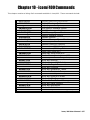
CHAPTER 10 - ICOM/400 COMMANDS ...........................................................................157
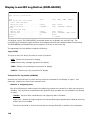
Display icom/400 Log Entries (DSPLOGICM) ........................................................................ 158
Display Message Queue (DSPMSGICM) ............................................................................... 160
Display QHST (DSPQHSTICM) ............................................................................................ 164
End Message Queue Monitor (ENDMSGQICM) ...................................................................... 167
Hold Monitor using icom/400 (HLDMONICM) ........................................................................ 168
Hold Message Queue Monitor (HLDMSGQICM) ...................................................................... 169
Monitor Message Queue (MONMSGQICM) ............................................................................ 169
Release Monitor using icom/400 (RLSMONICM) .................................................................... 170
Release Message Queue Monitor (RLSMSGQICM) ................................................................. 171
Remote Update (RMTUPDICM) ........................................................................................... 171
Remove icom/400 Activity (RMVATVICM) ............................................................................ 173
Remove icom/400 History (RMVHSTICM) ............................................................................ 175
Remove Log Entries using icom/400 (RMVLOGEICM) ............................................................ 177
Send using icom/400 (SNDICM) ......................................................................................... 178
Send Mail using icom/400 (SNDMAILICM) ........................................................................... 180
Send Message using icom/400 (SNDMSGICM)...................................................................... 184
Send Spooled File (SNDSPLFICM) ....................................................................................... 184
Work with Actions using icom/400 (WRKACTICM) ................................................................. 184
Work with icom/400 Activity (WRKATVICM) ......................................................................... 184
Work with Pager Companies using icom/400 (WRKCMPICM) .................................................. 184
Work with Console (WRKCONICM) ...................................................................................... 185
Work with Escalation Tables using icom/400 (WRKESCICM) ................................................... 185
Work with Recipient Groups using icom/400 (WRKGRPICM) ................................................... 186
Work with History (WRKHSTICM) ....................................................................................... 186
Work with icom/400 E-mail (WRKMAILICM) ......................................................................... 186
Work with Monitors using icom/400 (WRKMONICM) .............................................................. 188
Work with Pre-defined Messages using icom/400 (WRKMSGICM) ........................................... 190
Work with Page Queues using icom/400 (WRKPAGQICM) ...................................................... 191
Work with Recipients (WRKRCPICM) ................................................................................... 191
Work with Schedules using icom/400 (WRKSCDICM) ............................................................ 192
Work with Spooled Files (WRKSPLFICM) .............................................................................. 192
CHAPTER 11 - AUTOMATED CUSTOMER SUPPORT .........................................................195
Troubleshooting ............................................................................................................... 195
AS/Manager Customer Support Menu ................................................................................. 195
PTF Retrieval ................................................................................................................... 196
Sign-on to AS/Manager Support System ............................................................................. 197
AS/Manager Communication .............................................................................................. 197
4