1
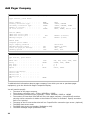
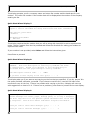
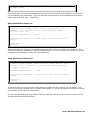
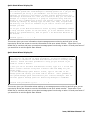
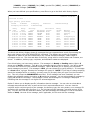
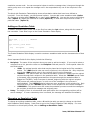
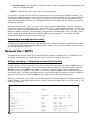
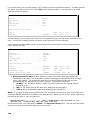
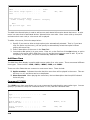
To set up this delivery entry to send a numeric message (i.e., a phone number) to a numeric
pager, follow the steps below:
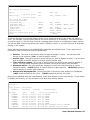
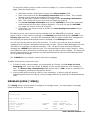
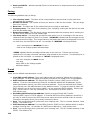
1. Specify the number of the numeric pager in the Phone number field.
2. Place a few commas in the Pre-message information field to pause. This is usually
necessary when sending a message to a numeric pager.
3. You can also enter a number to send to the pager in the Pre-message information
field. This number will be sent every time you page this recipient.
4. In the Post-message information field, specify *NOTONE to turn off the tones that
would normally be sent when ringing a telephone. If you do not specify *NOTONE,
your pager will receive a series of 1s and 3s.
5. If necessary, you may also wish to put # in the Post-message information field to
hang up the call.
This delivery entry can be used to send a message using the SNDMSGICM command. Enter a
phone number or other numeric message in the Message parameter and specify *PHONE in the
Delivery type parameter. icom/400 will automatically dial the pager number that is assigned to
the recipient you specify and send the numeric message in the Message parameter.
You can also use this delivery entry with an Action. To do this, you must set up a pre-defined
message with the numeric information that you want to send. (See Pre-defined Messages for more
information on creating a pre-defined message). Then, set up an Action with the pre-defined
message and *PHONE as the delivery type. You may associate this Action with a monitor. When
the condition for which the monitor is monitoring is met, the Action will be initiated. The Action will
dial the pager number for the recipient you have specified and will send the information specified
for the pre-defined message.
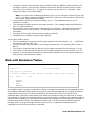
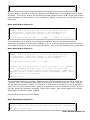
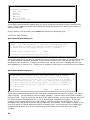
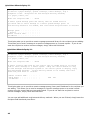
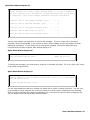
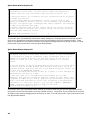
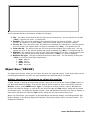
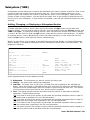
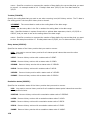
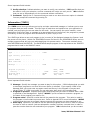
The *PHONE delivery method is used to send voice messages.
To add a phone delivery entry with voice:
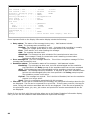
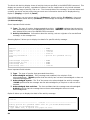
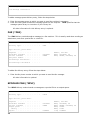
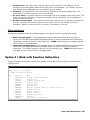
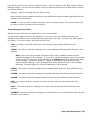
1. In order to send a voice message, you must specify an IP entry in the IP entry for voice
messaging field. An IP entry is the IP address of a PC through which the voice message is
sent. The Allow 2-way communication field must be set to *YES in order to respond to the
voice message by pressing the appropriate number.
2. You may also specify a security code for voice messaging. A security code will prevent
unauthorized persons from hearing a voice message without first entering the specified security
code.
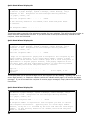
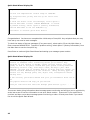
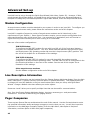
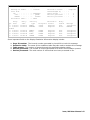
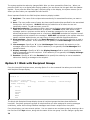
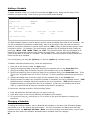
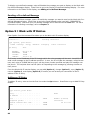
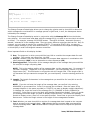
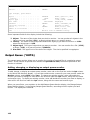
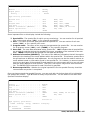
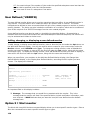
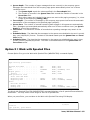
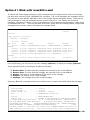
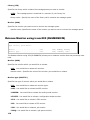
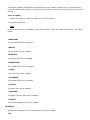
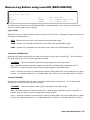
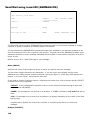
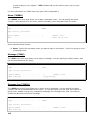
MESSAGE QUEUE (*MSGQ)
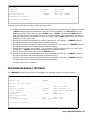
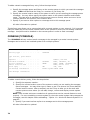
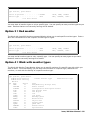
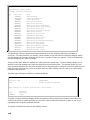
The *MSGQ delivery method sends a message to a message queue. You must specify a message
queue and library for the recipient.
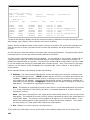
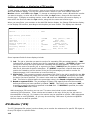
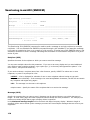
Add Recipient Delivery Entry
Delivery type . . . . . . . . . . :
*MSGQ
Type choices, press Enter.
Sequence . . . . . . . . . . . . .
Available schedule . . . . . . . .
On-call schedule . . . . . . . . .
Message queue. . . . . . . . . . .
Library . . . . . . . . . . . . .
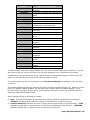
*ALLDAYS
*NONE
*LIBL
Number, 001-999
Name, *ALLDAYS, F4
Name, *NONE, *ALLDAYS, F4
Name
Name, *LIBL
icom/400 User Manual- 71