1
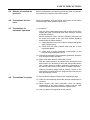
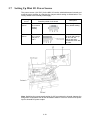
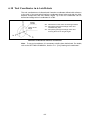
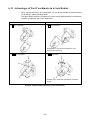
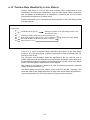
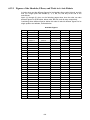
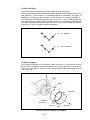
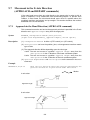
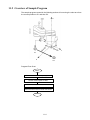
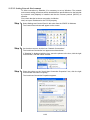
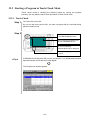
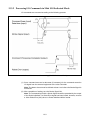
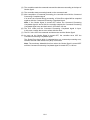
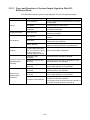
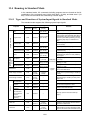
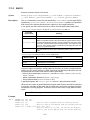
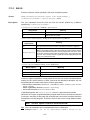
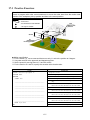
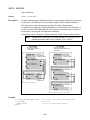
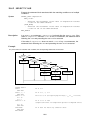
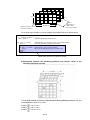
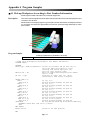
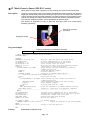
#2 Mesh Gears to Insert (HS-E/-G series) Mesh gears to insert under compliance control, making use of the current limit function. Description Using the current limit function of the vertical axis allows the robot to mesh a gear with the target gear (fixed) while pressing and rotating the gear (to be mounted) under compliance control. During the mesh-and-insert operation, the robot monitors the current position of the vertical axis to stop the rotation when the axis reaches the insertion completion position. The insertion completion position can be specified at an arbitrary point. This function is applicable not only to gears but also other parts to be mated during assembly operations. Gear to be mounted (movable) Target gear (fixed) Program Samples Initial input parameters (Variables to be used) F1 Insertion OK position (Z-axis coordinate value) [Input required] '!TITLE "Mesh Gears to Insert (HS-E/-G series)" PROGRAM Sample TAKEARM APPROACH P,P1,@0 50,S=10 ST_SetZBalance ST_SetEralw 3,30 ST_SetCurLmt 3,20 MOVE L,@0 P1,S=10 judge%=0 IF POSZ(CURPOS)>=F1 THEN 'Move to a position above the target point 'Gravity compensation for Z- and T-axes 'Set the allowable deviation for Z-axis 'Start current limit for Z-axis 'Move the tool end to the gears meshing position 'Initialize the gear meshing flag 'Check whether the axis reaches the insertion 'completion position judge%=1 'Gears not meshed (judge=1) SPEED 5 'Rotation speed 5% ROTATEH 30,NEXT 'Rotate by 30 degrees (NEXT option) '----- Parallel processing with ROTATEH motion ------------------------flg%=0 'Initialize the flag DO IF POSZ(CURPOS)<= F1 THEN 'Check whether the axis reaches the insertion 'completion position CALL MotionSkip 'Skip intermediate operations [use library] judge%=0 'Gears meshed (judge=0) EXIT DO 'Forcibly exit from DO...LOOP ENDIF CALL MotionComp(flg%) 'Check the completion of ROTATE command [library] LOOP UNTIL flg%=1 'Repeat DO...LOOP until the operation completes '-------------------------------------------------------------------ENDIF ST_ResetZBalance 'Release gravity compensation for Z- and T-axes ST_ResetEralw 3 'Release the allowable deviation setting for Z-axis ST_ResetCurLmt 3 'Release the current limit for Z-axis CALL HAND_OPEN 'Unchuck the hand [User program] DEPART L,50,S=100 'Move Z-axis upward IF judge%=1 THEN 'If meshing failed, PRINTMSG "Mesh failed",2,"Error" 'Display the message on the teach pendant ENDIF MOVE L,@0 P5,S=100 'Return to the home position END Library MotionSkip and MotionComp App. 4-2